-
[Released] Clothing Converter from Genesis 3 Female to Genesis 8 Female [Commercial]
did have to 'cancel' autofits occasionally and the script stalled while waiting, and I did have a figure with a ton of accessories adorning her by the end, which was quite fun.
I thought this was hilarious while mine was running. she was naked except for about 15 types of headwear, a couple of daggers, a spear, a shield several pieces of footwear and a couple other items I don't remember. Seriously funny.
*edit* It also doesnt transfer the the extra folders *Materials* etc but thats fine I'm just manually copying the G3 to the G8 clothing folders. I kinda prefer it this way, I have a ton of 3rd party mats in other folders that I can get around to sorting. :D The key thing is the clothing conversion, sorting is for me prefered manually. :)
This as well, this is a non issue for me as I put everything ito custom categories so I am already moving everythign manually once anyway. They may show in Smart Content, I haven't actually looked as its a non issue for me, and I don't use Smart content anwyay.
If it wouldn't violate the forum's policies on nudity, I think we could have a great thread just on pictures of the figure at the end

As I mentioned earlier, not copying materials is by design. They can be used as is and it would just fill up your hard drive. My recommendation would be to create shortcuts in the new converted items area so that you don't have to copy your materials, but of course, that is up to you
 [Released] Clothing Converter from Genesis 3 Female to Genesis 8 Female [Commercial]
Just purchased because I was sent a message about the patch. Installed it then placed the patch in the same script folder as the main script. I unchecked the "check content type" box.....and "No clothing detected" on everything I try......

Also it gets a bit annoying having to re-input the D: root every time the script is opened, a way for the script to remember the last location would go a long way. Not a huge problem for me as I cant even convert a single piece of clothing even with the patch...no reason to even open the script again.
After you uncheck the "check content type" box, you need to use the "Add Files..." button to add items.
If you don't click SAVE, then the script won't remember the last opened file/folder.
Yay! It worked, sorta, LOL :D
I just mucked up the output folder, easy enough to correct...but the clothing works great! *bear hugs River*
*edit* It also doesnt transfer the the extra folders *Materials* etc but thats fine I'm just manually copying the G3 to the G8 clothing folders. I kinda prefer it this way, I have a ton of 3rd party mats in other folders that I can get around to sorting. :D The key thing is the clothing conversion, sorting is for me prefered manually. :)
I am glad you got it working. It deliberately doesn't copies the materials as they can be used as is and it would just fill up your hard drive. My recommendation would be to create shortcuts in the new converted items area so that you don't have to copy your materials, but of course, that is up to you
[Released] Clothing Converter from Genesis 3 Female to Genesis 8 Female [Commercial]did have to 'cancel' autofits occasionally and the script stalled while waiting, and I did have a figure with a ton of accessories adorning her by the end, which was quite fun.
I thought this was hilarious while mine was running. she was naked except for about 15 types of headwear, a couple of daggers, a spear, a shield several pieces of footwear and a couple other items I don't remember. Seriously funny.
*edit* It also doesnt transfer the the extra folders *Materials* etc but thats fine I'm just manually copying the G3 to the G8 clothing folders. I kinda prefer it this way, I have a ton of 3rd party mats in other folders that I can get around to sorting. :D The key thing is the clothing conversion, sorting is for me prefered manually. :)
This as well, this is a non issue for me as I put everything ito custom categories so I am already moving everythign manually once anyway. They may show in Smart Content, I haven't actually looked as its a non issue for me, and I don't use Smart content anwyay.
formerly male content creation threadThank you, @Barbult.
I also own Esha's Little Red Dress. Will play with that morph as well when I get a chance. Can see this approach as a partial solution. Definitely open to other suggestions, though. Haven't tested it with Little Red Dress, but I am concerned that in some simulations followed by morphing there could be poke through because the creases, wrinkles and folds may not match over the edge of a bench, for example. But it is definitely a solution for lots of situations. Hope I am wrong about the bench.
[Released] Clothing Converter from Genesis 3 Female to Genesis 8 Female [Commercial]Just purchased because I was sent a message about the patch. Installed it then placed the patch in the same script folder as the main script. I unchecked the "check content type" box.....and "No clothing detected" on everything I try......
Also it gets a bit annoying having to re-input the D: root every time the script is opened, a way for the script to remember the last location would go a long way. Not a huge problem for me as I cant even convert a single piece of clothing even with the patch...no reason to even open the script again.
After you uncheck the "check content type" box, you need to use the "Add Files..." button to add items.
If you don't click SAVE, then the script won't remember the last opened file/folder.
Yay! It worked, sorta, LOL :D
I just mucked up the output folder, easy enough to correct...but the clothing works great! *bear hugs River*
*edit* It also doesnt transfer the the extra folders *Materials* etc but thats fine I'm just manually copying the G3 to the G8 clothing folders. I kinda prefer it this way, I have a ton of 3rd party mats in other folders that I can get around to sorting. :D The key thing is the clothing conversion, sorting is for me prefered manually. :)
formerly male content creation threadRE: Thickness -
This comment is directed at the issue of rolled up hems and rolled up cuffs in clothing designed to provide a sense of thickness for both conforming and dForce uses. One solution that I have seen is to allow the base look to appear paper thin, and be draped with dForce, but include a morph to roll up the hem/cuff to gie a sense of thickness post drape or post pose. Something to think about. My 'puter is busy with another task right now so can't provide a screenshot illustration right now, but I hope this idea is clear enough as the basis of a discussion.
Thoughts or ideas on post-dForce simulation morphs for a sense of thickness?
The post-simulation morph to roll the edge is exactly what esha did in the Little Red Dress, and it is very effective.
formerly male content creation threadRE: Thickness -
This comment is directed at the issue of rolled up hems and rolled up cuffs in clothing designed to provide a sense of thickness for both conforming and dForce uses. One solution that I have seen is to allow the base look to appear paper thin, and be draped with dForce, but include a morph to roll up the hem/cuff to gie a sense of thickness post drape or post pose. Something to think about. My 'puter is busy with another task right now so can't provide a screenshot illustration right now, but I hope this idea is clear enough as the basis of a discussion.
Thoughts or ideas on post-dForce simulation morphs for a sense of thickness?
Transferring files?hi all,
I may be making this more complicated in my brain than I need to. I am getting a really sweet system today and I am looking to see if there is an easy way to transfer all my product files that I had taken So much time downloading to my new rig without having to go and re-download everything.
Any suggestions?
Thank you
Toon GirlShe is super cute Joequick does it again with an amazing morph
Geograft or Morph?For what you're showing, probably geografts. You're pulling out the geometry quite a bit.
For morphs, you have to stay at base or you'll get a "doesn't match" warning on bringing them back to Studio. You can only use tools that move mesh around. Any addition or subtraction of mesh will break it.
Thank you. Geografts will allow me to sculpt and re-use the already-created topology from the in-game model (again, this is for my own fanart use). However, can I make a single geograft of just the face? Would that be able to animate, since I will be building directly onto my already-created G3M face that emotes very nicely (shot included below of the base face I created that I want to add this stuff onto)? And why was it that the geograft I tried to test insisted on floating above his head when I tried to fit it to the Genesis 3 model during the geografting process I followed above in the tutorial vids? I'm also concerned about all of the crashing that happened during the Transfer Utility process. Perhaps there was something wrong with the test mesh I tried to use. SickleYield is pretty descriptive in her step-by-step instructions throughout the video, and short of not using bones at this point, I'm confident I was following the steps pretty closely. I'm wondering if the other video is already out-of-date.
If I cannot use a single geograft of the entire face, how can I get around overlapping them? The simple spurs can easily be moprhed since they're just single points (the ones along the jawline and in front of the ears), but the brows and chin are the concerns right now, especially since I know the two cheek tendrils will need to be rigged and are situated right next to the chin.
SharingThe same way you'd transfer any file, though of course you will have to load it from the file menu or the Content Library>Daz Studio Formats>some folder since it won't be in the database.
SharingBut how do i transfer the scene to the pc?...
about Marvelous Designer and Daz StudioThanks Sickleyield for your always great advices and feedback. And also products ;)
I guess, I could manage ZBrush to compliment MD, not a problem. I have yet everything to learn about rigging from scratch in DAZ (beyond transfer rigging from a figure... )
I will look at your Ultra Templates product.
Geograft or Morph?Hi there!
I'm trying to recreate a game character who has a very distinct face topology (picture attatched). I'm not sure what the best approach would be - geograft(s) or morphs? I have been able to sculpt some semblance of the brows and chin in Zbrush, however the details needed to sculpt something that resembles what I'm trying to do requires subdividing, and then of course when I bring it back to DAZ as a morph, all of that pretty detail is gone (even if I have the figure's subdivision levels set to 3 or 4 - and then the irises get wonky even though I didn't touch them, which is a whole other can of I dunno). If I try to sculpt without subdividing (even using dynamic subdivision), I just can't get that detail because there isn't enough to grab onto and move.
My next thought was geografts. I'm able to take apart the actual game model (this is for my own fanart use) and sclupt them right into the model in Zbrush...and it looks great. Awesomesauce. However, when I tried to create a geograft of the jaw area (wrapping from ear to ear), DAZ either crashes when I run the Transfer Utility, or...if it doesn't crash, when I get to the "Fit To" part, the graft just -will not- fit. It floats above the head. This leads me to a couple questions - what am I doing wrong here, for when I import the piece, it matches perfectly. Secondly, can I do an actual geograft of his whole face? Which would save me sanity since I can just put everything into a single piece? His facial geometry should still match G3 for the most part...all I'm pulling out of the in-game mesh are the bone spur details (each separately) and building them right onto the G3 cheeks/jaw/chin/brows. If this is a possibility, will it still animate properly?
For reference, I was using two video tutorials -
(SickleYield's)
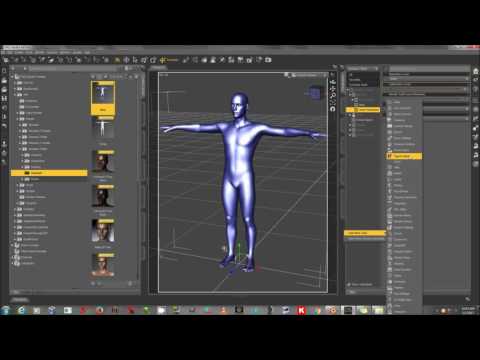 and
and 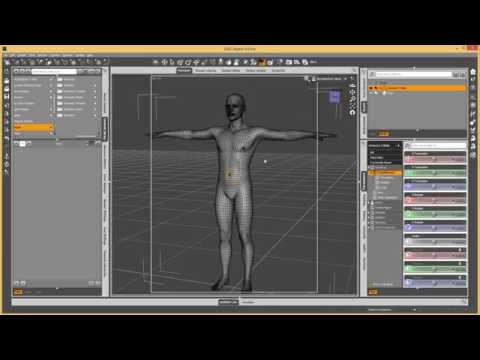
I will at some point need to add bones to some of the protrusions (the longer tendrils on either cheek) - which I figured the first tutorial would definitely apply. I haven't even gotten to that point yet - right now I'm just trying to get a handle on the other bone spurs.
It should be said - I'm new to sculpting in Zbrush...but I think I got some bit of a handle on it. I just don't know if I'm missing something on being able to get detail into sculpting at lower poly levels. The brushes only seem to really shine when I take the Gen 3 figure up over 1mil or higher. If morphs are the answer (and not geografts), would I find a better time in Blender? I tried Blender, and started taking tutorial classes, but I figured Zbrush was the answer in the sculpting departement (though I would -love- to not shell out $900 as my trial ends soon). Right now my absolute favorite thing about zBrush is the GoZ button. Love it. Love it. Whenever I try to use the Morph Loader Pro tool things just...explode. Like literally. My mesh explodes when the morph gets added. The same morph. *shrugs*
SereneNight's Sci-fi FunOkay, someone wanted to know what the dforce Sporty Babe for G8F looks like on a Sporty Babe. So Boyd agreed to model it for you,
I was pleasantly suprised with how well the outfit dforced. I have been getting a lot of errors lately, but this set dforced really well out of the box. Here is the default outfit, and with the low crotch morph.
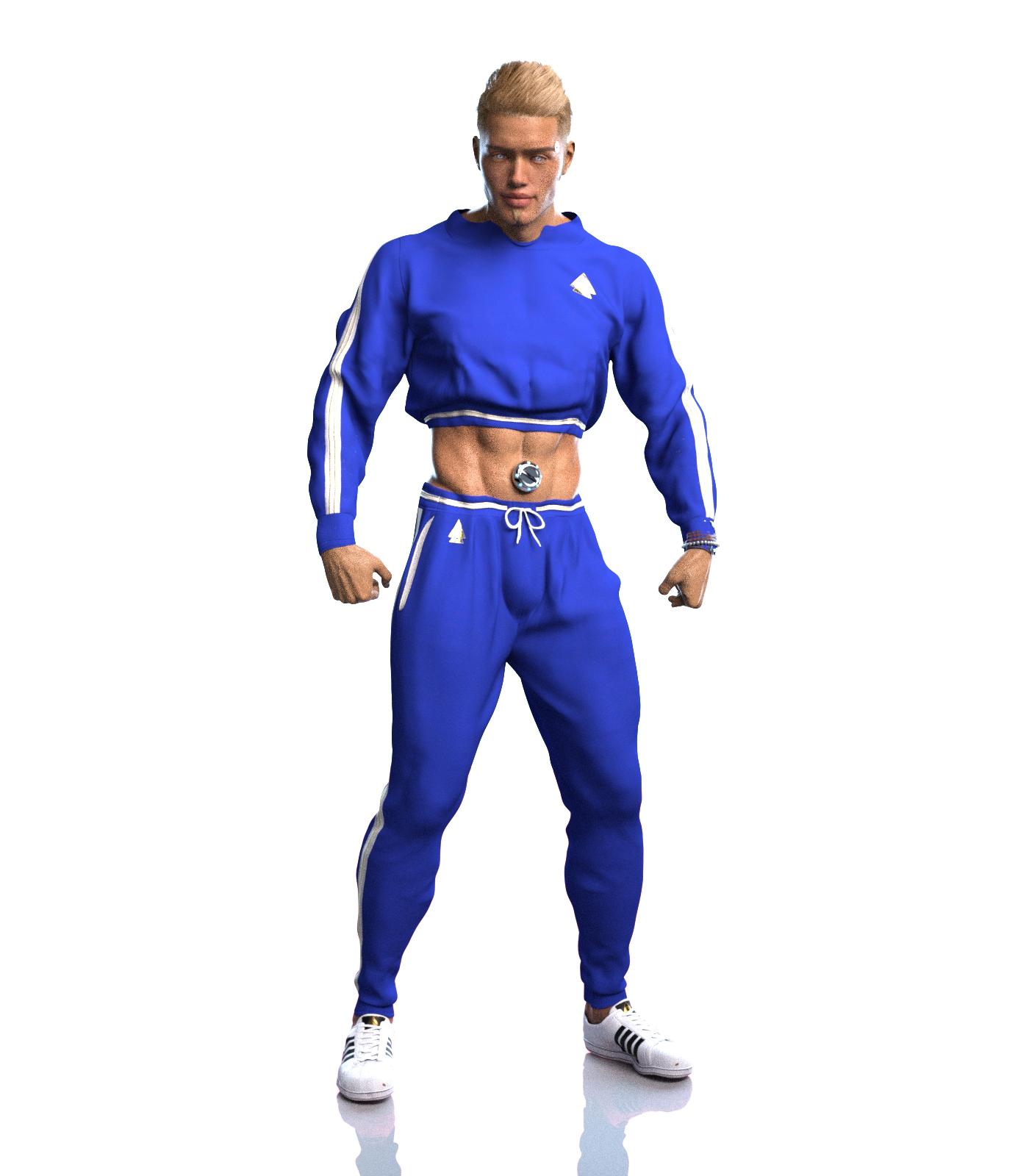
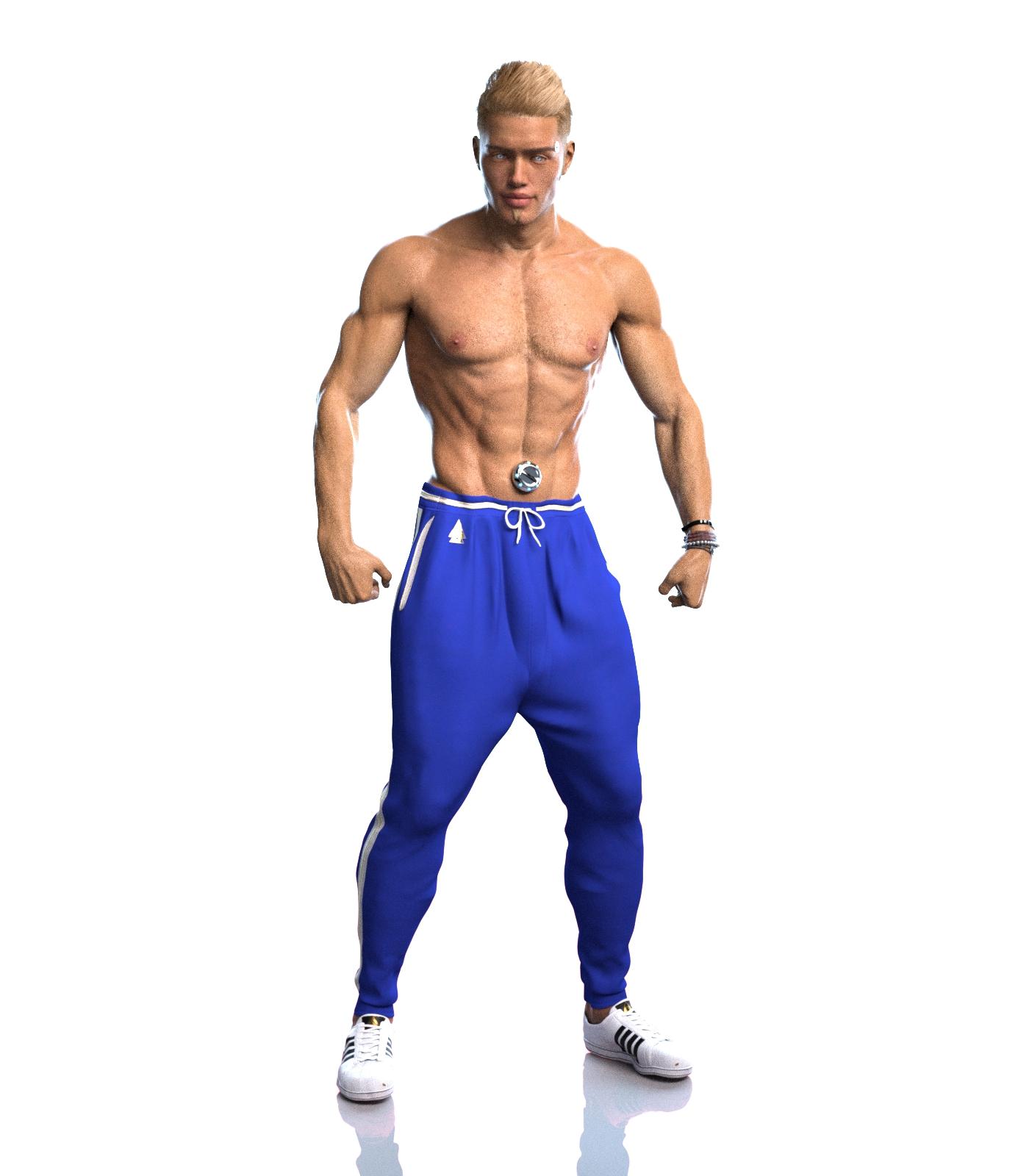
And quite the sporty babe he is!
Looks good on him and I think you’re right that some high tops would balance things a little more.
Josh Crockett Suggestion Page for Monster Characters!with this one I added the tail from Midnight Skeleton Anatomy Pack and sort of managed to change use the texture from her spines though in a couple places it was a bright blue so not perfect but in the render the colour changed again perhaps the lighting? Used the no breasts remove breasts morph forget which morph pack that is from and for the eyes used sphere primitives and gave them mirror shaders - in the very first version of a certain acid blooded xeno it had eyes and almost human face
 SereneNight's Sci-fi Fun
Okay, someone wanted to know what the dforce Sporty Babe for G8F looks like on a Sporty Babe. So Boyd agreed to model it for you,
I was pleasantly suprised with how well the outfit dforced. I have been getting a lot of errors lately, but this set dforced really well out of the box. Here is the default outfit, and with the low crotch morph.
SharingIf you have the same products installed on both computers and identical folder structures/paths, you can just transfer a scene created on the mac to the pc and open it and render. If the paths don't match, you will be asked to locate the missing files.
DIM Not Finding Installed Content (0 files installed) [Solved]I have been having trouble with the daz software 4.10 for the longest time. I recently purchased $62 in content and it does not show up. Your suppose to install Genesis Starter Essentials, Genesis Starter Essentials 2, Genesis Starter Essentials 3, and Genesis Starter Essentials 8. However, they are not following their own system of operation. There should be a Genesis 4, 5, 6, and 7 Starter Essentials too. To confuse things even more ... there is an Ultra Genesis 2/3, Genesis Generation X and Genesis Evolution Morph Files. They should go back to the drawing board and rewrite the whole Genesis software bundle into one package that works and not have so many genesis files under so many different names. The only genesis that is showing up is Michael 5. I am so very disappointed. The smart content is not very smart.

There are no Genesis 4, 5, 6, or 7 - they jumped from 3 to 8 so that it is consistent with the named figures (Victoria 8, Michael 8, etc.). Theya re kept separate as they are large packages, so people have a choice over what to isntall. The Genesis Evolution sets are the morphs for the first Genesis. The others are third-party add-on products.
So, you have installed the various Starter Essentials but theya re not showing in Smart Content? Are you using the default paths for content?
DIM Not Finding Installed Content (0 files installed) [Solved]I have been having trouble with the daz software 4.10 for the longest time. I recently purchased $62 in content and it does not show up. Your suppose to install Genesis Starter Essentials, Genesis Starter Essentials 2, Genesis Starter Essentials 3, and Genesis Starter Essentials 8. However, they are not following their own system of operation. There should be a Genesis 4, 5, 6, and 7 Starter Essentials too. To confuse things even more ... there is an Ultra Genesis 2/3, Genesis Generation X and Genesis Evolution Morph Files. They should go back to the drawing board and rewrite the whole Genesis software bundle into one package that works and not have so many genesis files under so many different names. The only genesis that is showing up is Michael 5. I am so very disappointed. The smart content is not very smart.
Daz 3D is part of

Connect
DAZ Productions, Inc.
7533 S Center View Ct #4664
West Jordan, UT 84084Licensing Agreement | Terms of Service | Privacy Policy | EULA
© 2026 Daz Productions Inc. All Rights Reserved.