-
Things I'm Playing with ........
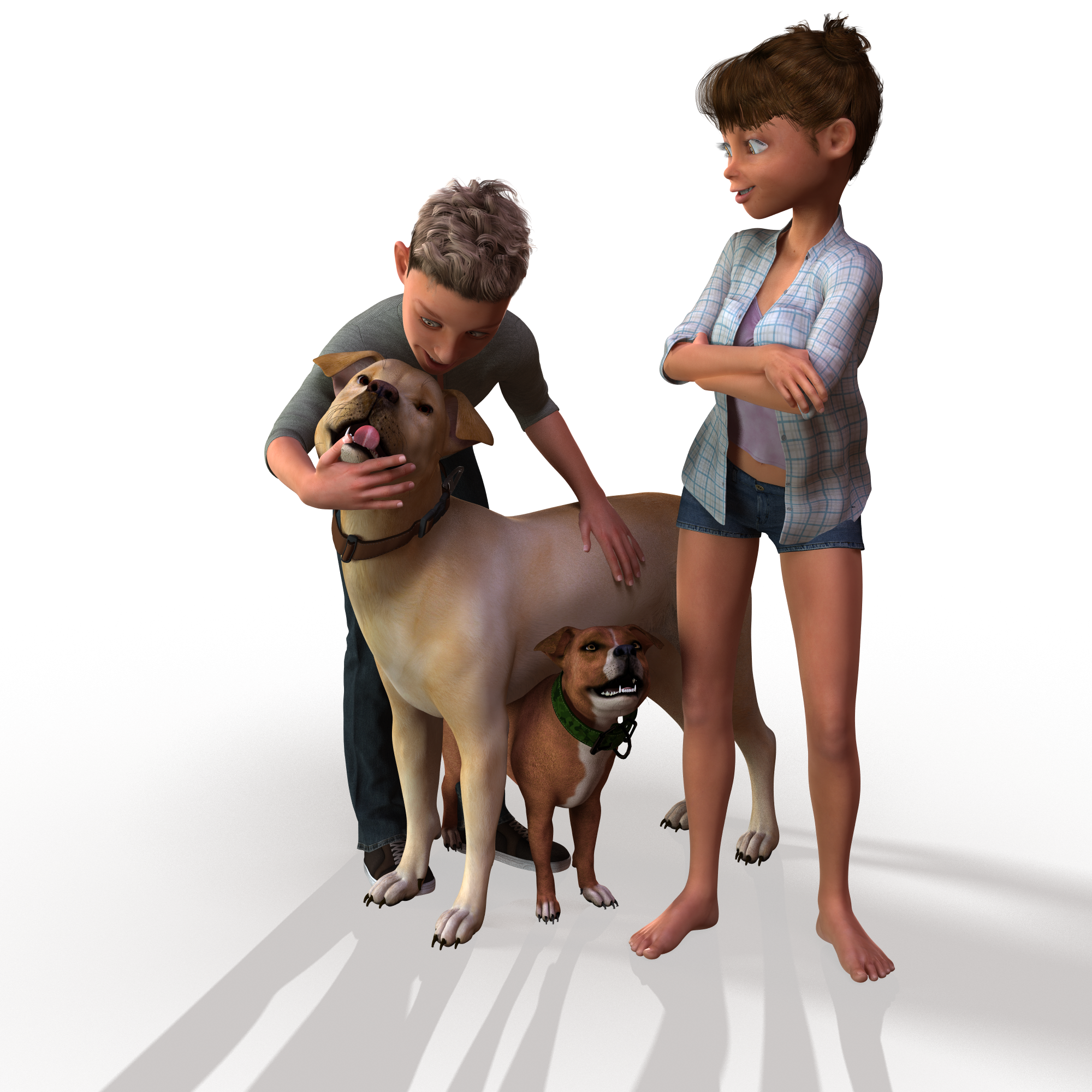
Sometimes I worry about createing variations with morphs or scaling cause what if it prevents somebody else from making a morph ? any who here is my scaled and morphed American Bulldog from Bully
 Pose and animation conversion for multiple generations of DAZ figures
I hope this thread is still active, because I have an issue now that I did not get before. While attempting to transfer from Victoria 6 to Victoria 7 I get the following message .
general\dzscript.cpp(658): Unhandled errorwhile executing script. QscriptEngine::popContext()doesn't match with push Context()
then, the script stops after converting about 200 frames and then V7 is suddenly placed to the side of V6 and has all muscularity morphs applied. I have used this script before many times to convert from V6 to V7 with animations exceeding 6000 plus frames and it worked fine. The only difference I can think of that I have now is that I istalled muscularity morphs for G8 recently. Any help would be appreciated.
The new Farmer ClothesPhoenix beat me to it. And boy does that guy look good in those overalls!

Thanks.
 I wish there was a morph to unclasp one of the straps so it dangled behind the figure and the bib bent in front. Books for those empty virtual bookshelves - and stacks too
*** Thu 19 Sep 2024: "Vintage01 texture map for the 64-book mapping" now uploaded. See this post on page 3 ***
*** Thu 19 Sep 2024: "Multi-figure bookstacks for Poser" now uploaded. See this post on page 2 of this thread ***
Sat 10 Aug 2019: DS4 native version of the 64 book row/stack thingy... See this post on page 2 of this thread
Mon 14 Jan 2019: "More Of The Cheapskates Books" now uploaded. See this post on page 2 of this thread.
Mon 7 Jan 2019: TEST prop (PP2) of a single 86 face closed book with a few morphs uploaded to this post
Sun 30 Dec 2018: 41 more dubious pulp fiction titles and 41 dubious classics now available as textures for the original 41-book prop
Mon 29 Oct 2018: 3DCheapskate's Six-Bookrows Prop is now uploaded at ShareCG. Also see this post on page 2 of this thread.
Mon 10 Sep 2018: New texture for the first bookrow prop (25 Aug) now with 41 different books - in this post
Sun 9 Sep 2018: illkirch has uploaded a couple of 'Rows of books' props to ShareCG here http://www.sharecg.com/v/92122/browse/11/Poser/Rows-of-books
Wed 5 Sep 2018: mCasual's script is done ! See this post
Mon 27 Aug 2018: With luck mCasual will be posting a script for creating random blocks of books and a morphing book prop as mentioned in this post below.
Mon 27 Aug 2018: Two morph targets to make the bookrow a more realistic stack of books uploaded to this post below.You need to download the two TXT files attached to that post, rename them as OBJ files, and then in Poser/DS apply them to your prop as a morph target.
Sat 25 Aug 2018 : The first book row prop is available - see the third post on this thread for details. (N.B. If you do a texture set for this prop you're very welcome to post details, pictures and links to this thread. I'll then add the links up here too)
Still to do:
- A 'Lean' morph - it would be nice to have some gaps in the bookrow with adjacent books leaning over
- Rotation morphs - if the bookrow is used as abook stack it looks odd with the bottom side allperfectly aligned) Done
- Single prop with 6 rows of books, for filling a complete set of shelves in one go Done 29 Oct 2018
- Individual book props (in progress)
- Geometry-swapping multi-bookrow figure to easily change one row of books for, say, a stack of atlases.
Note: There's a lot more details regarding the development of this project in this thread over on the Smith Micro Poser forum (until that forum disappearsof course), as it started as a Poser project.
(Original post starts here)
I'm currently playing with a rather simple freebie for populating bookshelves. Six vertices, two faces ! (That's the very,very simplest variant- there are others with more polys, but my goal here is low poly)
It's not quite ready yet, but I've done a first 2048x2048 texture JPG for testing. Yes, the books are duplicated - I said it's a test!
Since I tend to lose stuff that's on my PC I'm posting the JPG here for starters.
I'll post again as and when I make progress.
(Yes, you can use this JPG however you like)
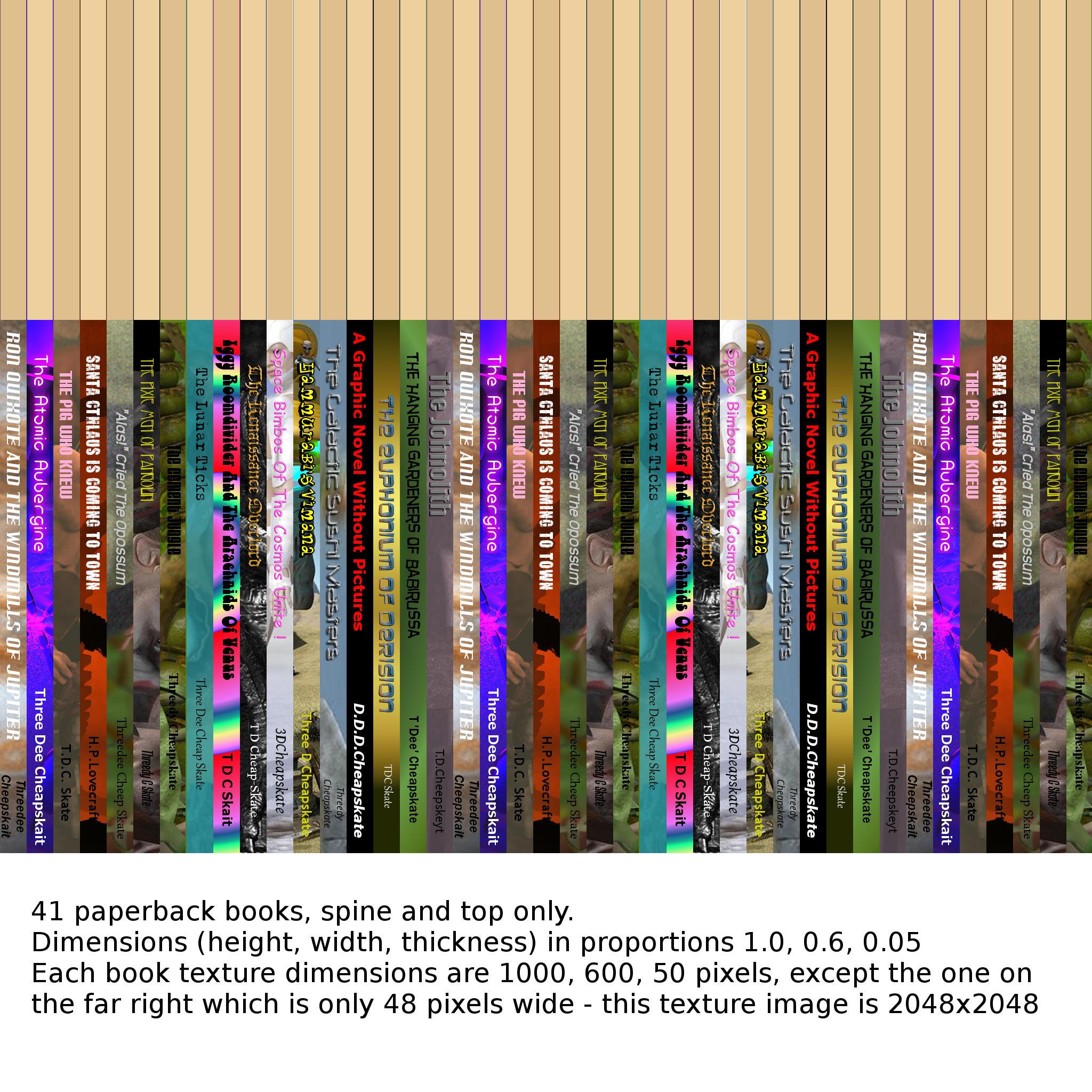
Edit: Added a couple of renders of this texture applied to a 6 vertex/2 face and an 8 vertex/6 face prop
Edit2: With a few vertices and faces for each book (6v/2f for just spine and top, 8v/4f for spine+top+covers, up to 8v/6f for all six sides) there's a lot more flexibility.41 books of different sizes using about 287 vertices/123faces. Still using just the attached JPG for texture. You can probably tell that the covers aresimply UV-mapped to a small section of the spine.The intention was to grab a similar colour swatch - but of course there's sometimes text too.
Edit3: A couple of simple morphs for each book ('bigger','thicker', and 'lean') would add to the fun. 'Bigger' only affects that book. 'Thicker' and 'Lean' require all books to the right to be moved too. 'Lean' won't combine nicely with the other two.Also with 41 books in the prop, theorganisation of the morphs on the UI needs a bit of thought. Maybe a 'Gap' morph would be better than a 'Lean'? A single book prop,leaning, could then be put in the gap.
I'm expecting to do normal/bump (and maybe displacement, for micropolygon-displacement renderers 3Delight and Firefly) maps when I get around to doing hardbacks. Maybe need them for well-readpaperbacks too?
G8F: Height changing body morphs break IK. Figure jumps up or down when moving body partsThe bug is apparently present also with the Height morph of Genesis 8 Male Body Morphs set.
In the 4.11 Public Beta? If it's 4.10 then that is unsurprising, it wasn't a figure-specific issue.
Genesis 8 pose problem. When some Pose is applied,The thigh of Genesis 8 has a strange deformation.for my part, the problem happened after I installed "Big girl morph" for G8F
The new Farmer ClothesThere is one "adjust leg length" morph. It raises the pant legs by about 3-4" on the figure and flares the bottom slightly (I suspect this is to help the pants fit over shoes/hiking boot style footwear).
I would imagine a wider leg could be achieved by a dformer easily enough.
Laurie
Sounds good. I know it's just a matter of personal preference, but I like the pants leg just slightly tapered. Too wide and you have bellbottoms, too narrow and you get the skinny jeans look. Thanks for the replies.
Toon Dwayne 8So what is the Toon Dwayne morph exactly doing to the fingers and hands? It seems to totally deform them.
The most noticable thing is the fingertips are square which is wierd but sort of fitting for the boxy look of Dwayne.
I've not had morph troiubles with Brandon or Boris because I didn't change them except make the Propogating Head Scale 10% bigger. Boris does load with mismatching materials if seems and with Owen 8 & Floyd 8 dependent dsf files as dependencies (probably unneeded dependencies).
How to restore base G3 teeth?A common issue with Genesis 3 figures is that the Mouth HD and Navel morph is set on by default - so it maybe was on while creating the morph and getting part of it.
Now you load your figure in default state, dial in the morph and the shape gets doubled.
Have a look into the Parameters pane under Currently Used with Show Hidden Properties on to see what morphs made up the current character shape.
There is an rather "easy" fix for those morphs that deform the theeth or other unwanted parts that involves using the Clear Selected Deltas from Favourits action in the Geometry Editor set to Vertex Selection mode.
See this Tutorial on Youtube: Cleaning Up Morphing Mistakes by Xenic101
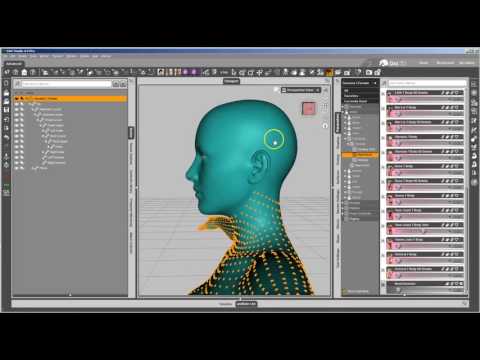
Found it last year in this thread: TUTORIAL - Creating a Genesis/G2F/G2M/G3M/G3M Full Body Morph for DAZ Studio Pro 4.6 by RKane_1
Did I say easy fix - a few months later I forgot how to use
see here: Clear Selected Deltas from Favourites - can't find this function anymore in the new DS versionPS: I wonder if Save Modified Assets would updated the fixed morph files properly, because I imagine it could be tedious to save over all the fixed morphs from different artists one by one with the defaults Save Morph Asset dialouge where you have to choose artist and product name to be the same like the original to actualy overwrite the file in the library. Maybe make a backup of the files in ...\DAZStudio4_Library\data\DAZ 3D\Genesis 3\Female before trying. I usualy create a ZIP archive of that folder once in a while before editing something on the Properties.
Apply clothing combining with zbrush MorphsIt's better to model the clothes against the genesis base shape - this would avoid such issues.
Seems like the pants revert back to default Genesis shape after the transfer process in the third sceenshot.
I see your character in the scene is morphed to FR Mila now and you have modeled the pants onto her shape.
What you can do is check the Reverse Source Shape from Target under General Options in the Transfer Utility settings like seen in the second sceenshot.
This should generate the needed character morphs, so if you unfit the pants no morphs will be applied and they should match the genesis figure base shape - but slightly deformations can occure.
Toon Dwayne 8So what is the Toon Dwayne morph exactly doing to the fingers and hands? It seems to totally deform them.
Toon Dwayne 8When I took the base Dwayne into ZBrush the fingers are very squished at the top, the distance between the first nuckle to second knuckle is about average second to third shorter and the third to tip is rediculously squished. Not sure if that's part of the problem. Honestly the morph itself ... seems a bit rushed to me. The forearms the flow of the verts is really wonky when viewed in ZBrush too. I love seeing all the renders used to make him your own and I guess just small amounts goes a long long way to make him more pleasing to the eye. Clothed he looks OK as you don't see allot of that stuff but boy bare chested and up close looking over the hands, it's really quite .. I don't know.... weird to me.
Toon Dwayne 8I made him into a half-orc. Dwayne body 52% and Dwayne head 61% with bodybuilder morphs added in and some of EJ's fantasy morphs. I also made him a bit taller and used the genesis 8 base skin instead of the one he came with. I'm having the same problem with the wonky fingers when using the proportion adjuster morph though. Would like to have toned his forearms down a smidge.
Script to strip morphs out of a pose?Morphs often make poses unusable. They can be really hard to find and zero because they get lost in the shaping morphs I DO want used, and often the text is greyed out, making them even harder to ferret out. Anyone know a script or something to help with this? A script to zero any morphs used in the pose just applied would be good, or a script to zero any morphs not memorized (that way I could memorize just before using the problematic pose), something like that, would not go amiss.
no need script for a basic feature in DAZ menu
use menu,, >> Edit > Figure> restore > "restore figure shape"
it redo to default shape or 'user' morph (in case you use the 'memorize figure shape)
in case you use several time the feature, une "custom action" and place in toolbar of your Daz
also, if you use extended morph, remember to apply Rigging "Adjut rigging to shape" that help for poses (also in Daz menu)G8F: Height changing body morphs break IK. Figure jumps up or down when moving body partsThe bug is apparently present also with the Height morph of Genesis 8 Male Body Morphs set.
The new Farmer ClothesThere is one "adjust leg length" morph. It raises the pant legs by about 3-4" on the figure and flares the bottom slightly (I suspect this is to help the pants fit over shoes/hiking boot style footwear).
The new Farmer ClothesHere are just the overalls loaded onto a Michael 8 default body shape, "No Shirt" morph at 100%.

Those do look nice, but is there a morph for a wider pants leg? I get that they tuck the pants into the boots, but I'm sure a lot of people wear the pants outside the boots, or maybe cuff the pants. Having it open down there provides better airflow in the heat. Just wondering.
Problem with Toon Girl for Genesis 8 Female and MRL Amara Braids HairIve been trying for days to get the MRL Amara Braids hair and some other hairs especially Ponytails to fit properly on Toon Girl for genesis 8 but they dont seem to fit well without distorting. Buy when I dial done the Toon girl for genesis 8 morph, everything seem to work perfectly. is it just me or is the Toon girl for genesis 8 not compatible with hair Even from the Genesis 8 base line.Toon Dwayne 8I'm more disappointed in the lack of add on's for him. It's all poses and outfit textures. No other characters. I would have loved a morph pack from P3D or some other characters from PA's more along the lines of Brandon.
Novica & Forum Members Tips & Product Reviews Pt 11I really don’t like the height being baked into the body morph. They haven’t done that since Leo 7. Body morphs should not include scaling. The big crab arms are odd but Brandon looks good. Brandon should’ve been the base I think.
Daz 3D is part of

Connect
DAZ Productions, Inc.
7533 S Center View Ct #4664
West Jordan, UT 84084Licensing Agreement | Terms of Service | Privacy Policy | EULA
© 2026 Daz Productions Inc. All Rights Reserved.