-
SimTenero Randomizer2 (Commercial)
Wow... Loaded the new plugin (and registered, exit and reload daz studio), read through the help document.. Daz Studio 4.11.0.196 Beta btw.
- Loaded G3F
- activated the plugin pane...
- Click Create Preset...
Spent 20 mins going through the entire list of morph shapes i have, expanding every teir under Actor: and every sub-teir related to Real World .... spamming the left mouse click button (or space bar + down arrow, then mouse to scroll next screen down) since there's no "Select All" or "Select by Group" like Randomizer1 had ... get to the end and get prompted by a message aboux max allowable properties (800) exceeded and list of properties has been trimmed...
Limited to only 800 of the entire collectoin of shape morphs bought from the store here? Ouch...
Randomizer 1's setup allowed me to dive right in and check off in the Morph Groups list chest, head, face, body or just head and related to head , or body and related to body only either realworld or fantasy, set global min/max ranges and hit randomize. If anything, in Randomizer1 i'd sometimes go into the specific subset of morphs to untick a handful that I didn't want included in the randomize set... So much easier and quicker to select 30 some Morph Groups ie:
Type in RealWorld for the filter then select: Actor/Arms/____ , Actor/Feet/____. Actor/Full Body/___ , .... even easier when just wanting the head/face , save the list selection and make/save a list for the body, then load and randomize as needed.Maybe its only me but I kinda miss Randomizer1's setup and functionality. despite it's script style interface and drawback (part of that drawback i negated via using the Auxilery viewport set to a second camera or isometric view)
Unless i'm doing something wrong or missing something (and please do point it out!) ...?
Lastly, the Morphs list window won't allow resizing when Creat new Preset. I have the pane as "Undocked" for now, as I do with Auxilery View Pane on a multi-monitor setup...
The limit is 800 per preset, but there isn't a limit across presets. The lack of a "select all" or "group select" is just down to the style of utility used to represent the selection tree. I've been asked about this before and am looking at alternatives, but I don't know for sure if that will change in a future update or not. I just tested "Create Preset" in 4.11 beta and the window was resizable (whether or not the main pane was docked), so there may be something specific to your setup or beta version. Have you tried in non-Beta?
Shoes don't look rightCheck the shoes don't have a pose to apply a morph to the feet to fit them in the shoe, quite a few products did.
How does one go about checking for a pre-posed form in an item like these shoes?
There would usually be a pose of soem kind, probably with INJ in the name.
SimTenero Randomizer2 (Commercial)Does it work with morphs installed by Daz Connect?Yep, if a morph shows up in the Shaping pane, Randomizer2 should have no problem seeing it regardless of install method. It is important to note, though, that this only applies to actual morphs, not "ERC" parameters (sliders that control other sliders).
Thanks. I looked at the user guide you posted, and I was concerned about the part about saving to the data directory. For Daz Connect installations, the data directory is in the individual "cloud" folders. In general, things a user tries to add in there won't work. Does the randomizer get around that problem because it is a plug in?Cloud installs still set up folder structures (by default, in your "Users\YourName\Documents folder) which is all the plugin needs. To be safe I just tested this with a cloud installed item I've never installed locally and verified it works

But we can still save to any real folder in our runtime, yes? I don't use my C: drive for anything except Windows & applications. It's a dinky SSD drive.
SimTenero Randomizer2 (Commercial)Wow... Loaded the new plugin (and registered, exit and reload daz studio), read through the help document.. Daz Studio 4.11.0.196 Beta btw.
- Loaded G3F
- activated the plugin pane...
- Click Create Preset...
Spent 20 mins going through the entire list of morph shapes i have, expanding every teir under Actor: and every sub-teir related to Real World .... spamming the left mouse click button (or space bar + down arrow, then mouse to scroll next screen down) since there's no "Select All" or "Select by Group" like Randomizer1 had ... get to the end and get prompted by a message aboux max allowable properties (800) exceeded and list of properties has been trimmed...
Limited to only 800 of the entire collectoin of shape morphs bought from the store here? Ouch...
Randomizer 1's setup allowed me to dive right in and check off in the Morph Groups list chest, head, face, body or just head and related to head , or body and related to body only either realworld or fantasy, set global min/max ranges and hit randomize. If anything, in Randomizer1 i'd sometimes go into the specific subset of morphs to untick a handful that I didn't want included in the randomize set... So much easier and quicker to select 30 some Morph Groups ie:
Type in RealWorld for the filter then select: Actor/Arms/____ , Actor/Feet/____. Actor/Full Body/___ , .... even easier when just wanting the head/face , save the list selection and make/save a list for the body, then load and randomize as needed.Maybe its only me but I kinda miss Randomizer1's setup and functionality. despite it's script style interface and drawback (part of that drawback i negated via using the Auxilery viewport set to a second camera or isometric view)
Unless i'm doing something wrong or missing something (and please do point it out!) ...?
Lastly, the Morphs list window won't allow resizing when Creat new Preset. I have the pane as "Undocked" for now, as I do with Auxilery View Pane on a multi-monitor setup...
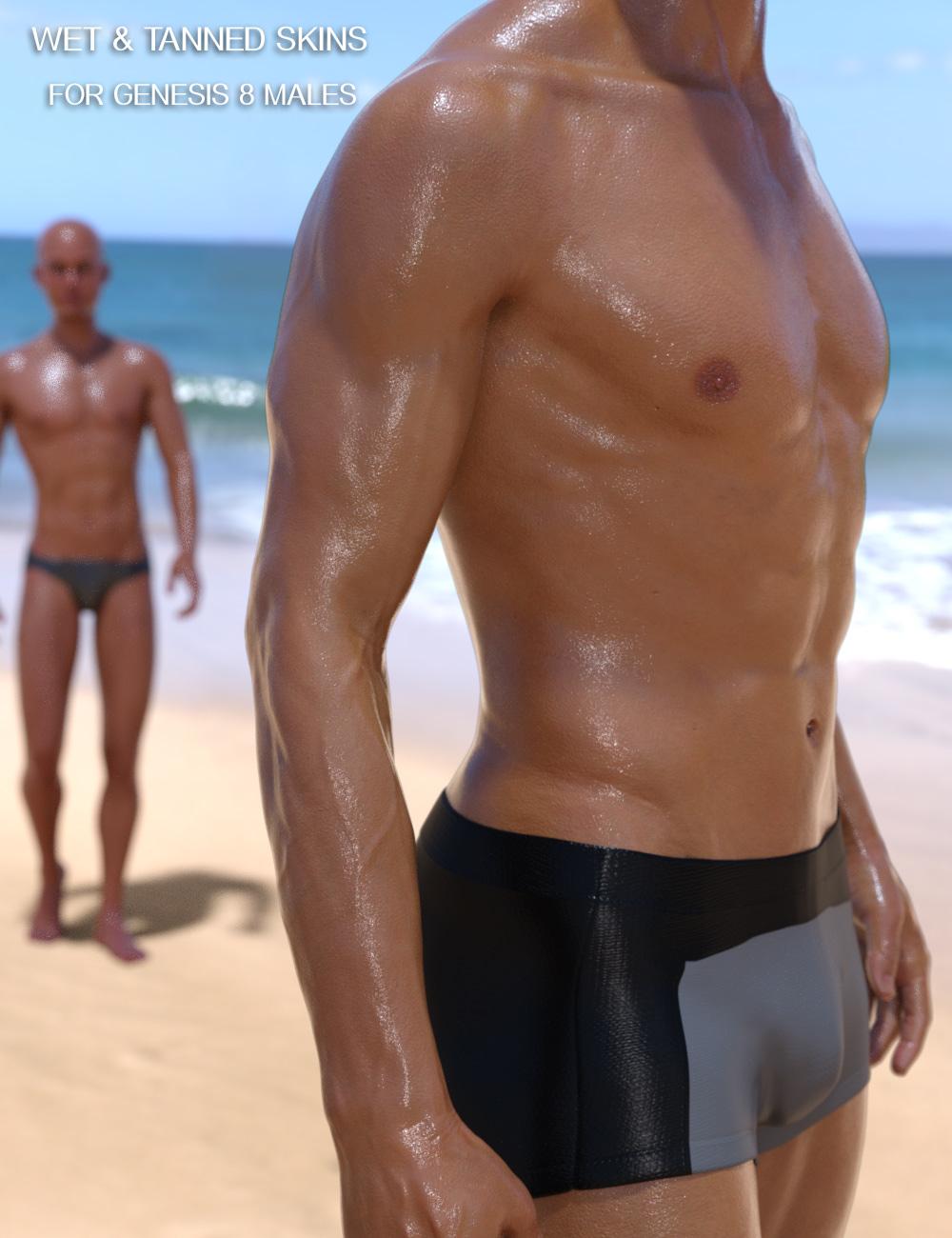
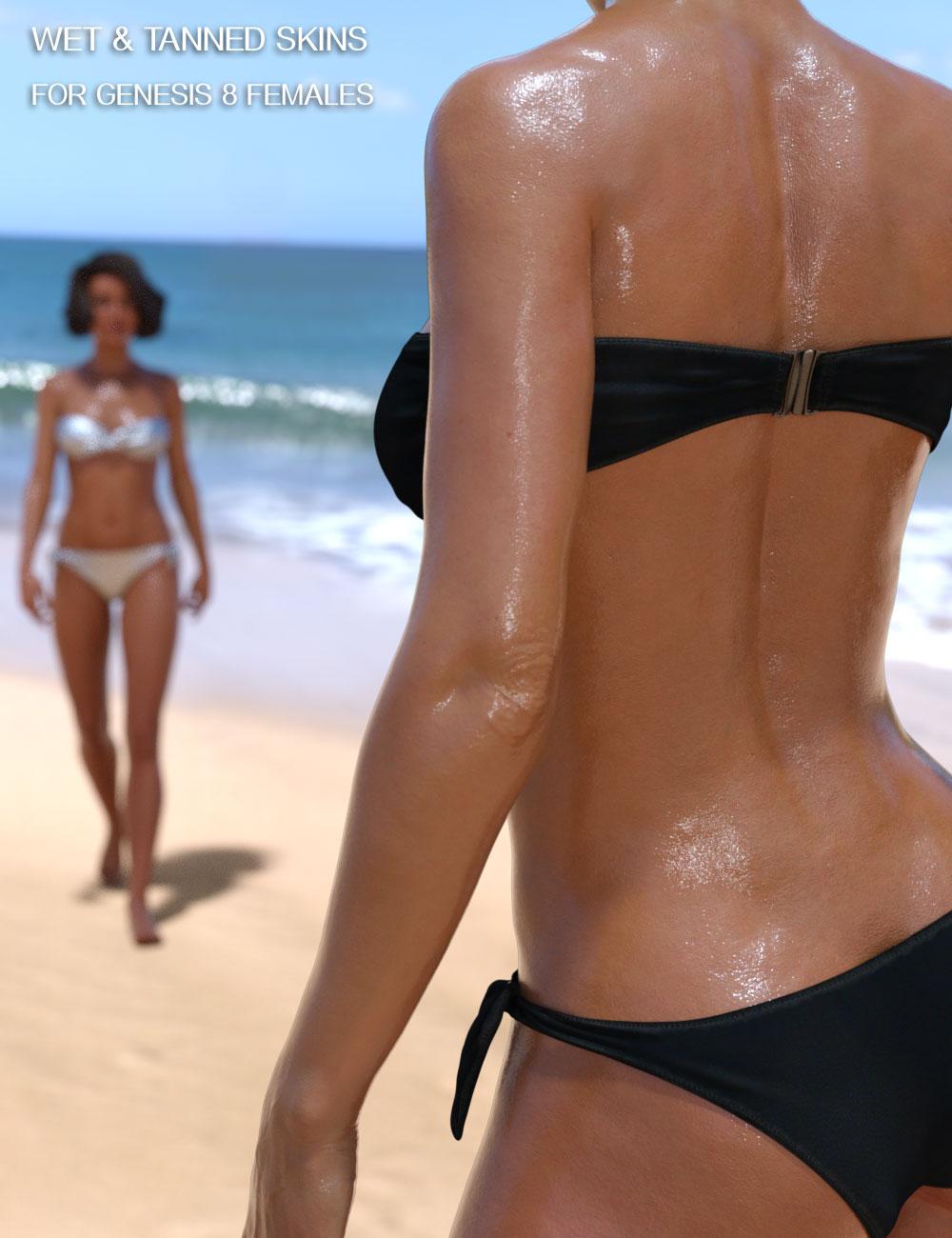
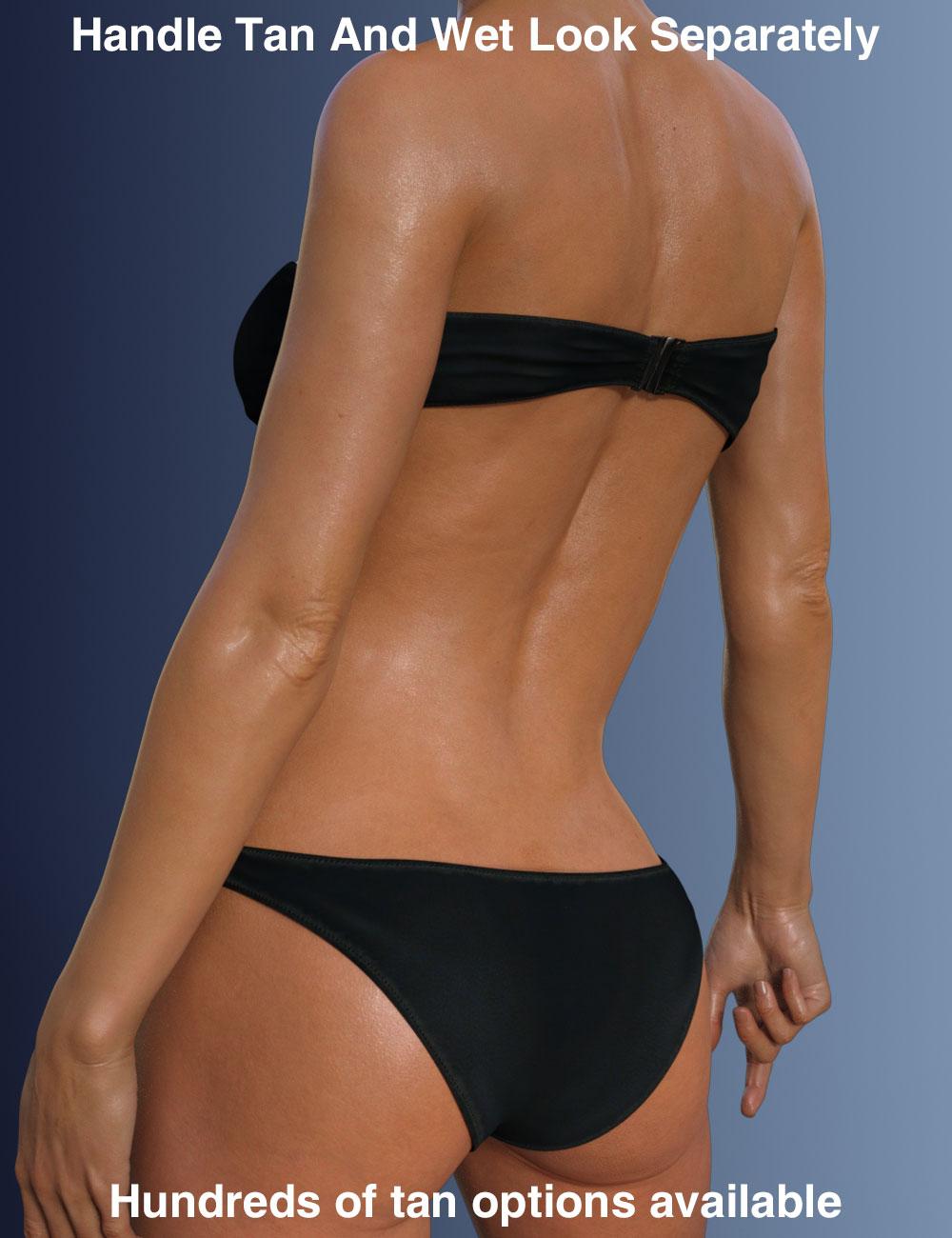
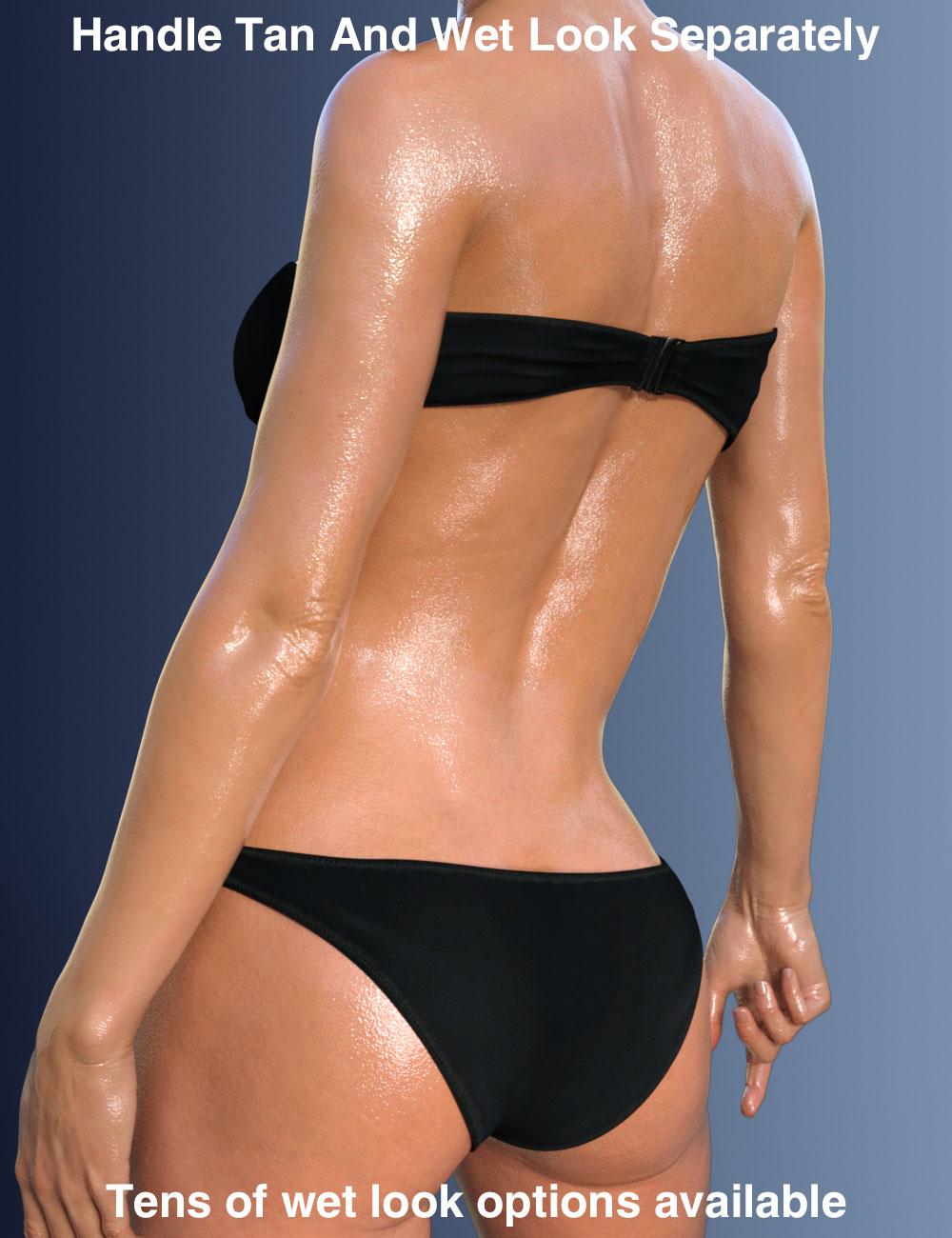
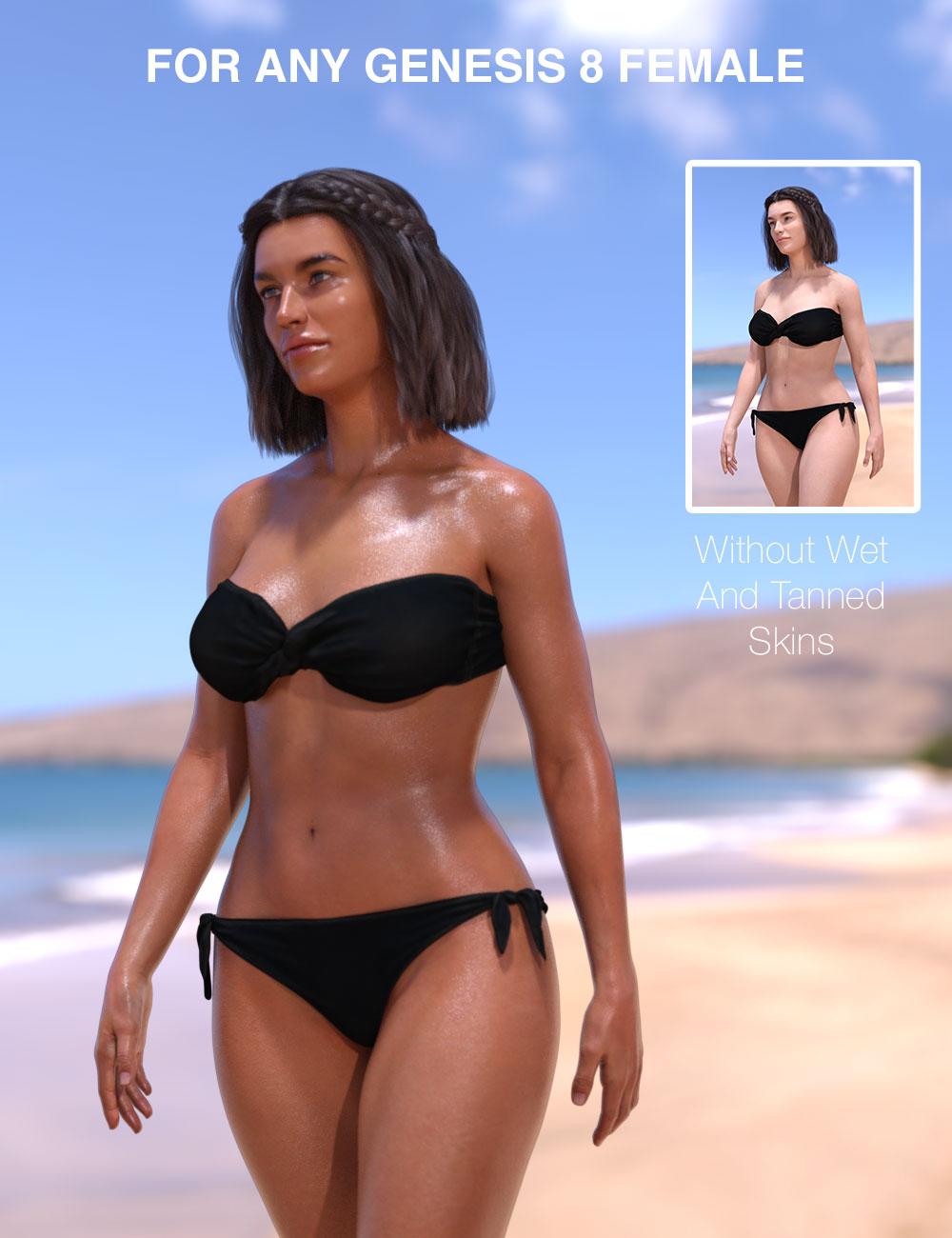
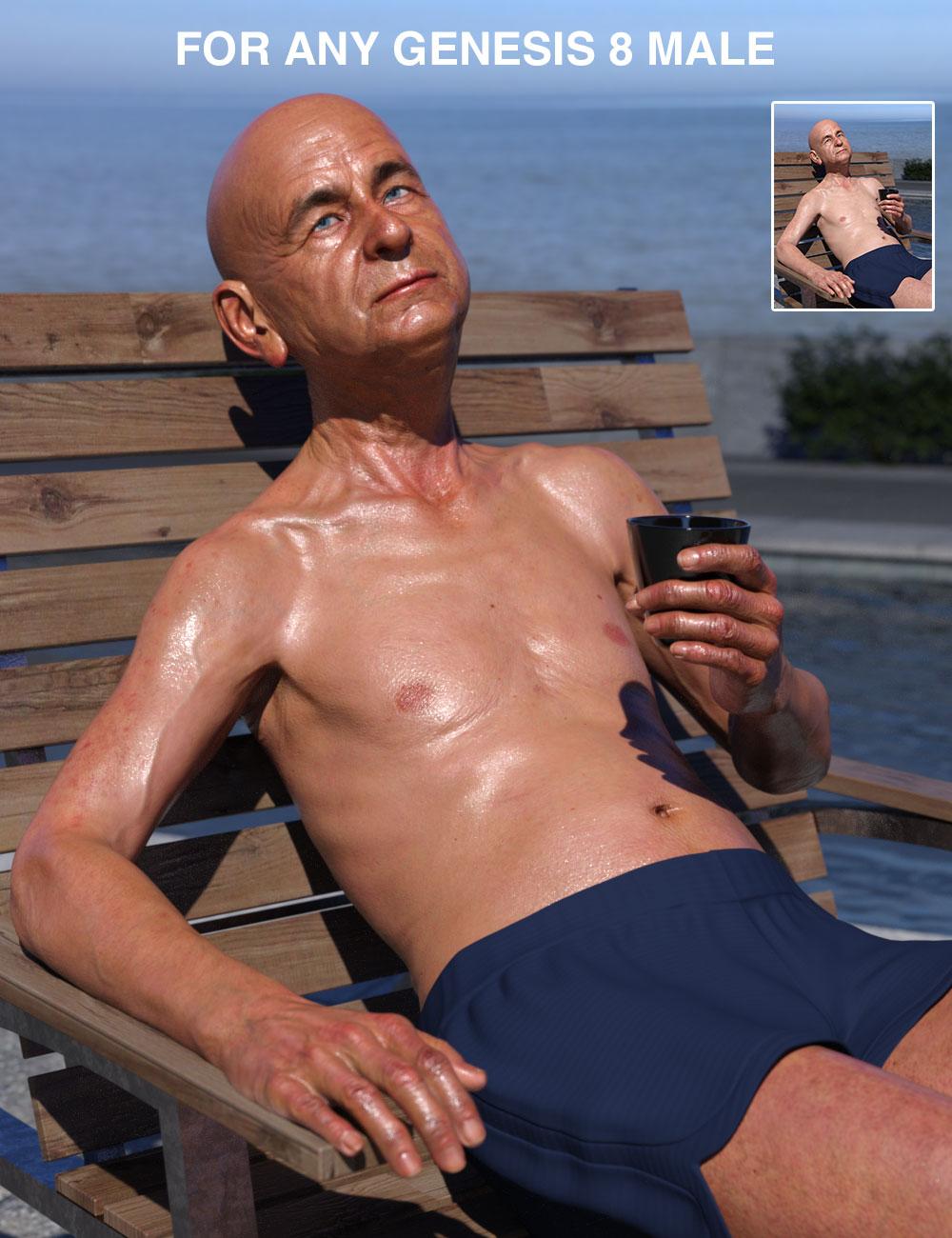
Wet And Tanned Skins For Genesis 8 Bundle (Commercial)Wet and Tanned Skins For Genesis 8 Bundle is the bundle of the Female(s) and Male(s) version of the product, also available separately.
They can be found here :
https://www.daz3d.com/wet-and-tanned-skins-for-genesis-8-females
https://www.daz3d.com/wet-and-tanned-skins-for-genesis-8-males
https://www.daz3d.com/wet-and-tanned-skins-for-genesis-8-bundle
A brand new shader mixer shader has been developed in order to have :
- Tan options varying from pale to very tanned skins using several tools, amongst them :
- Tan Boosters,
- Skin darkness Levels Presets
- Skin saturation Levels Presets
- Skin Hue Corrections Presets
- Many Full or Partial Presets to control the tan
- A Global Interface gathering all Tan/Wet Look/Tan Lines Controls in 3 Tabs where you can precisely fine tune the Tan
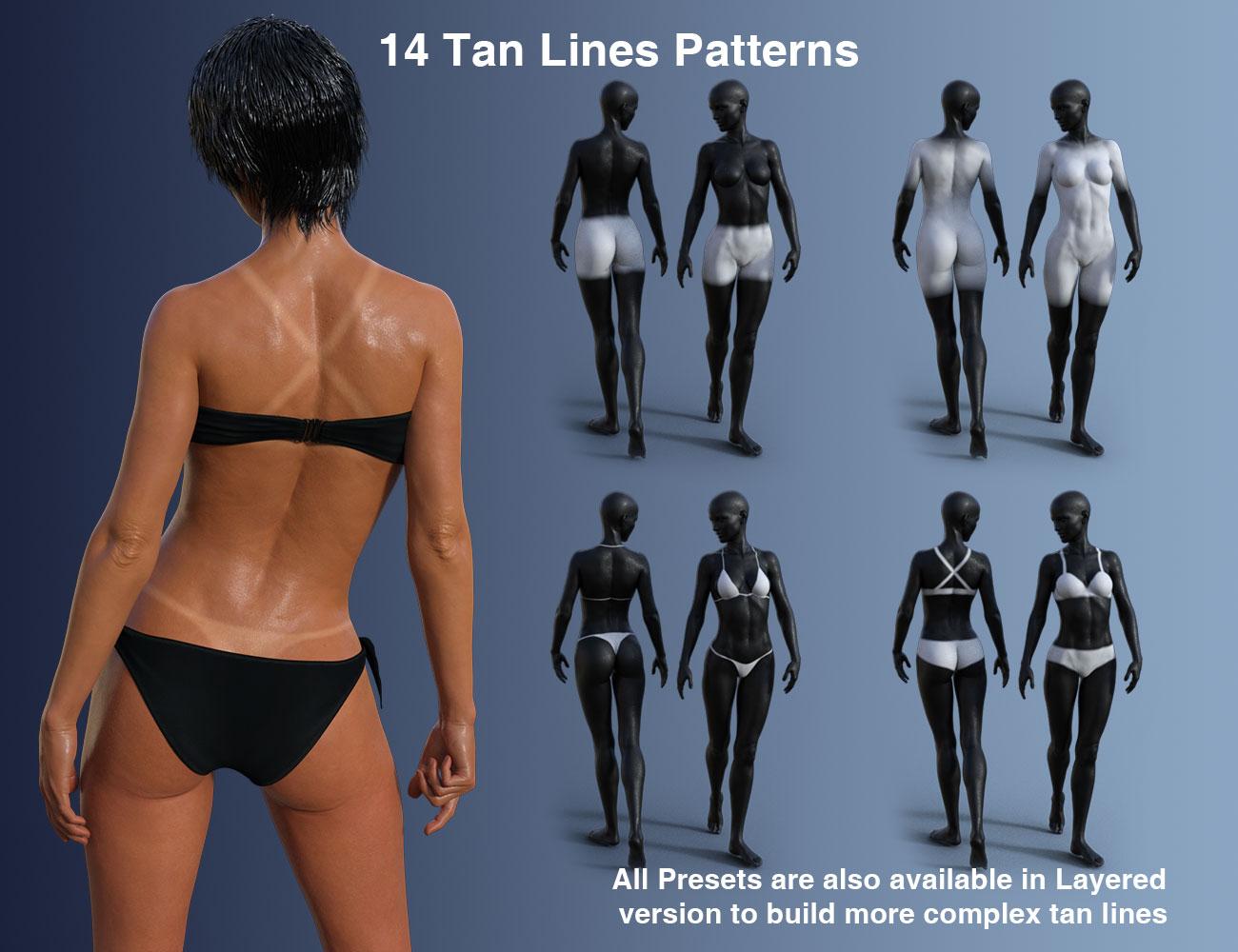
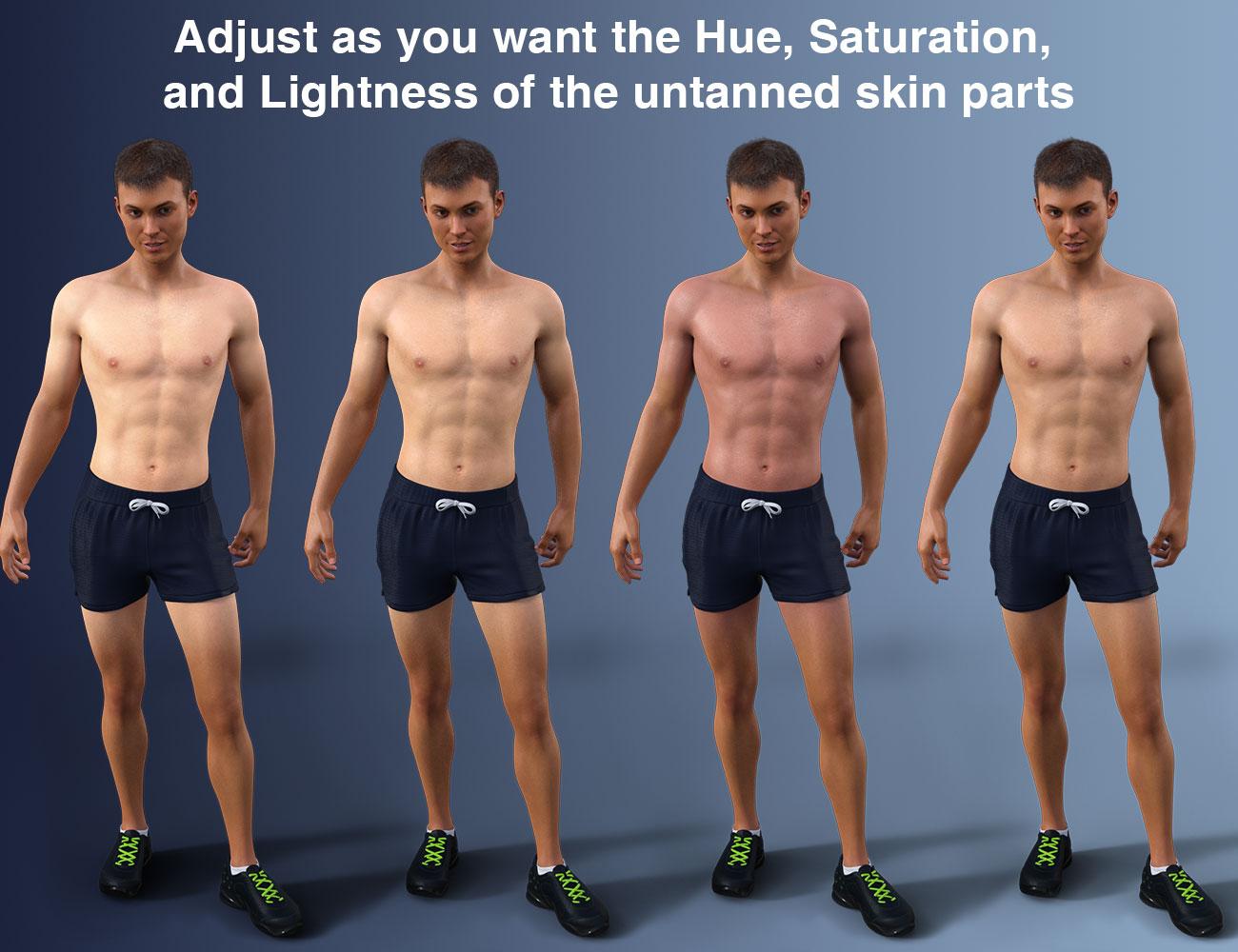
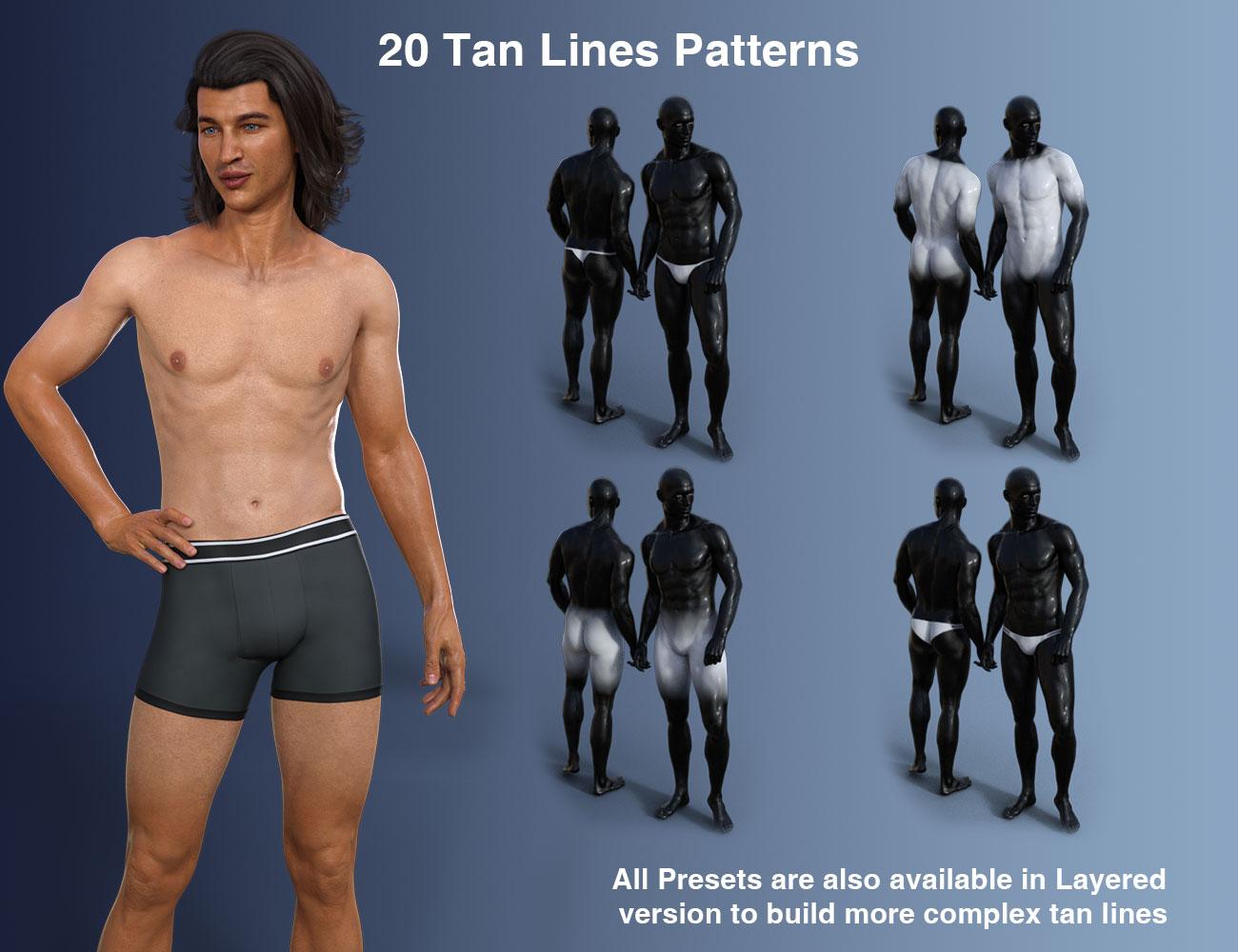
- The Possibility to add Tan Lines, and to control the “untanned skin parts” in term of Hue, Saturation, and Lightness
- Many Tan Lines Patterns are included, which can be loaded either “directly” (the new tan line pattern replaces the previous one), or as a Layer (the new tan line pattern overlays (LIE) with the bottom patterns to create more complex patterns.
- Many Tan Lines Colors Full Presets, as well as Tan Lines Colors Partial presets acting on incremental increase and decrease of Hue, saturation or lightness variations strengths
- A Global Interface gathering all Tan/Wet Look/Tan Lines Controls in 3 Tabs where you can precisely control the tan lines color Hue, Saturation, Lightness.
- An additional Wet Layer in the skin shader, coming above all the other shader layers, allowing to adjust the Wet Look amount and reflections repartitions.
- Many Partial Presets to change the Wet Look Amount, Wet Bump Map, Wet Bump Strength, Wet Layer Roughness, Grazing Factor (reflections of grazing rays), Normal Factor (Reflection of Normal rays +/- Global Reflectivity), and Exponent (variation “speed” from Grazing to Normal).
- Various Wet Bump Maps
- A Global Interface gathering all Tan/Wet Look/Tan Lines Controls in 3 Tabs where you can precisely control the Wet Look Amount, Roughness, Bump, and advanced properties (grazing, normal, exponent).
- Support for Genitalia (only for Daz Studio anatomy parts, no external website anatomy):
- A script which will transfer the whole shader properties, place the right maps in the right properties, including the Wet Layer Bump Maps
- Tan Lines presets for Genitalia only, corresponding to the Tan Lines Presets existing for the body of the corresponding figure (also available as direct load or LIE load).
The procedure is simple :
- -> Select your figure and use the conversion script to apply the new shader, adjust the tan if you want to (from pale to tanned via presets or using the interface),
- -> add and adjust tan lines if you want to (no need if you don’t want tan lines) the same way,
- -> increase the wet layer amount to activate the Wet Look (using presets or the interface) and if you feel like doing so, play with Wet Layer repartition presets (or in “Adjust Wet Layer Tab” of the interface).
And this is done!
Any questions, comments, feedback, please use this thread or PM me if you prefer.



 More Non-photorealisitic Renders (NPR II)
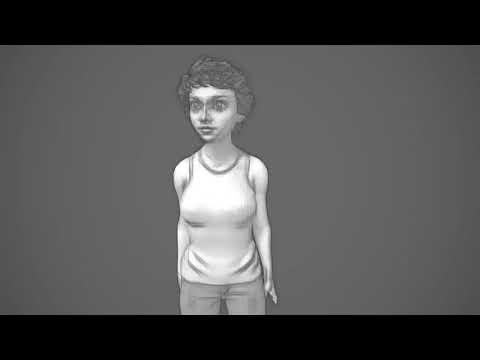
Trying sketch rendering in Unity of the freebie: MCS female by Morph 3D (division of Daz 3D)
https://www.assetstore.unity3d.com/en/?stay#!/content/45807
that;s a great effect
Shoes don't look rightCheck the shoes don't have a pose to apply a morph to the feet to fit them in the shoe, quite a few products did.
How does one go about checking for a pre-posed form in an item like these shoes?
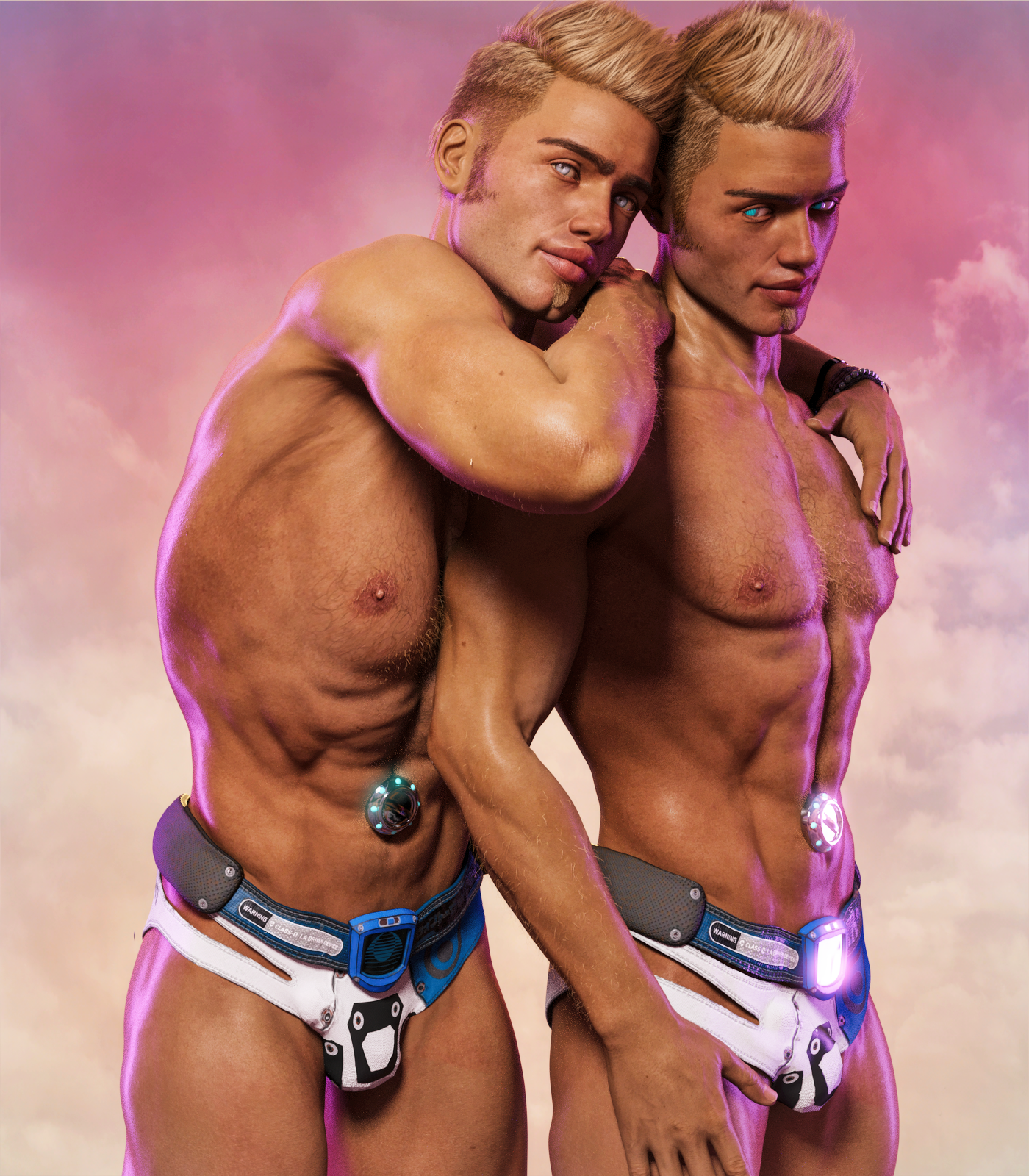
SereneNight's Sci-fi FunWell here is my contribution to the awesomeness that is the cyberpunk 2047 outfit. Boyd and.... Boyd...... I found it you reversed the crotch adjust 2 morph to negative 100 you got some great male coverage in the elements region. I made the pose 'cause I couldn't find a good 'twins' pose in my runtime.
 OT: New Nvidia Cards to come in RTX and GTX versions?! RTX Titan first whispers.Here's what the NVIDIA website says: "The GeForce RTX NVLink™ bridge connects two NVLink SLI-ready graphics cards with 50X the transfer bandwidth of previous technologies. This means you can count on super-smooth gameplay at maximum resolutions with ultimate visual fidelity in GeForce RTX 2080 Ti and 2080 graphics cards." And nothing about memory stacking.
Hmm ok, so the SLI term is here to stay? Guess I had the wrong idea. SLI has such negative connotation, would have thought they would replace it. But maybe the underlying tech is still SLI, just much faster with NVLINK.
SLI means "Scalable Link Interface" which sounds like a rather generic term which can be used in many different contexts.
No, SLI is supposed to mean Scan-Line Interleave. Unfortunately NVidia put 3DFX out of bussiness and completely ruined the term SLI. Back in the day I ran Voodo & Voodo 2 cards (first 2 Voodo's then upgraded to 2 Voodoo 2 cards) in SLI and it was nirvana on an OG 21" CRT. Boy have times changed.
It seems that it originally meant that, but in an NVidia context it now appears to mean the other thing:
"Scalable Link Interface (SLI) is a brand name for a multi-GPU technology developed by Nvidia for linking two or more video cards together to produce a single output. SLI is a parallel processing algorithm for computer graphics, meant to increase the available processing power."
https://en.wikipedia.org/wiki/Scalable_Link_Interface
"Scan-Line Interleave (SLI) from 3dfx is a method for linking two (or more) video cards or chips together to produce a single output. It is an application of parallel processing for computer graphics, meant to increase the processing power available for graphics. SLI from 3dfx was introduced in 1998 and used in the Voodoo2 line of graphics accelerators. However, the original Voodoo Graphics card and the VSA 100 were also SLI-capable. Nvidia Corporation reintroduced the SLI acronym in 2004 (though it now stands for Scalable Link Interface) and intends for it to be used in modern computer systems based on the PCI Express bus."
Animating The Hulk?I used smays Mr Hyde character morphs https://www.daz3d.com/mr-hyde-for-genesis and pushed the morph dial to transform the character during animation on the timeline. Starting with default genesis character first then, ending with smays Mr Hyde monster character morphs I used 3 texture maps and applied them to 100 keyframes for each map color. and rendered the cycle genesis1 is a great character asset for character transformations in animations because yuou can do the transformations using just one scene, instead of having to breaks it up into different scenes to compose the transformation. when using other genesis characters
I'm not sure I understand the last sentence there, Ivy. Are you saying that you can't transform a G3 base to a morphed character (e.g. Ivan) in the same scene?
By the way, colour me impressed that you can render 420 frames in 2 hours. I have a GTX 1070 and it takes half an hour to render 15 frames! Is that 3Delight or IRay? And my frames are bare minimum in terms of content, image size and lighting. I delete anything not in shot, remove walls so that I can light with HDRI if possible and use the new denoiser in the latest Beta version.
Animating The Hulk?I used smays Mr Hyde character morphs https://www.daz3d.com/mr-hyde-for-genesis and pushed the morph dial to transform the character during animation on the timeline. Starting with default genesis character first then, ending with smays Mr Hyde monster character morphs I used 3 texture maps and applied them to 100 keyframes for each map color. and rendered it as the whole timeline cycle in 1 shot. genesis1 is a great character asset for character transformations in animations because yuou can do the transformations using just one scene, instead of having to breaks it up into different scenes to compose the transformation. when using other genesis characters
Animating The Hulk?I could have properly done this demo in 5 keyframes . But its so much more dramatic using 420 keyframes..lol
Done using Genesis 1 , 1 transformation motion aniblock found in the gofigure "Hero pack. " and dragonstorm animated texture script , took about 20 minutes to put together using 3 texture mats for the animated texture script and about 2 hours to render the 420 keyframes
Link https://vimeo.com/287352002
Excellent. So did you morph the figure yourself, all withing the same scene or did you import a morphed character somewhere along the timeline? I'm guessng that you applied the morph to the figure at gradual percentage increments along the timeline?
Clearing dForce animationsIf I save a scene in which I have a dForce garment, the animations used to drape the garment are saved with the scene. Is there a way to avoid this? Clearing the timeline while maintining the final poses/morphs is practically impossible so if I want to create an animated scene, I first need to remove the old dForce frames.
I guess this is a wider question about a foolproof way to clear the timeline. As I said, using the Zero or Clear Animation options results in losing all the morph and pose details I want to keep. It would be wonderful to be able to save frame 0 to a clean scene without the subsequent frames.
(Released) - East Asian Men for Genesis 8 Male (Commercial)Thanks so much for your kind comments about my new and previous products!!!! Love when I see them in your renders and to know that you liked them.
I received feedback from my family and friends and adjusted a little bit face features of some of the characters, they were minor changes. As a result I think that I need to replace one or two of the preview images to show you the most recent version.
The product is finished now and I am rendering the final promotional images. I have to determine how much time is going to take me to add your requests. May be I can add a LIE preset to hide the mole from the jaw; but @xyer0 I am not sure what do you mean by "wider lip pigmentation" (a picture or a link to an image will be great)
Nevermind. The third promo character led me to believe that the lips were narrower than the lip slit, but I see that this is not the case with any of the other promos; so, it must just be that character morph. I look forward to this product and your new renders.
Shoes don't look rightCheck the shoes don't have a pose to apply a morph to the feet to fit them in the shoe, quite a few products did.
Animating The Hulk?Thanks for the replies. My main focus was not really on the textures - as I said, Hulk was just an example. The question was whether it is possible to use saved poses and morphs along the timeline - textures would be a bonus but not essential for me. To put it another way, I'd like to have the Bruce Banner character (for example) at frame one, the half-morphed character at frame 20 and the Hulk character at frame 50, using the characters - morphed and posed - from previously saved still scenes.
To use a more simple example: a transformation of a character from a flabby, unfit man to a muscular athlete over an animation timeline. I would need to do this several times in the course of a narrative (a kind of multi-media effort involving comic strip stills and short animations). So it would be handy to have the morphed and posed characters saved so that I could somehow bring them into the timeline at different stages.
The alternative is to morph and pose the character in the scene as I progress along the timeline but I could never be sure to repeat the same morphing state I had in another scene. Thinking about it, poses should be easy to save and re-apply because they can be applied to the character already in the scene but is there a way to save the morphed state of a character and apply that in the same way, or would I need to swap out the character for a morphed version? In that case I can't see the gradual progression being possible.
Morphs from G3 to G8I feel for those that are going on without being able to transfer any morphs over to G8. The old script that was posted and allowed me to transfer my custom morphs and GenX morphs from GF3 to GF8 is the ONLY reason I am using G8 at all. If Singular Blues hadn't even started this project, I would still be using GF3, so thank you SB!
I truly hope a solution shows up for all before the next generation shows up.
More diversityUntil you actually read how much of your favorite characters (or favorite parts) list things like...
https://www.daz3d.com/leony-hd-for-victoria-8
Meet Leony, a gorgeous beauty for Victoria 8. This pack includes:
- Custom Look at Me HD Eye Geometry and Eyelashes that can be applied to any other Genesis 8 Female Character
- Custom 3D Eyebrows especially designed for Leony's Face and Textures
- Separate Head and Body Morph with slight facial asymmetry
- Separate Head and Body HD details (build resolution 4)
- Separate HD Navel Morph
- High-Quality Textures created from scratch from HD photo resources
- LIE Dirty Skin Overlay Preset
- Normal Maps - normal face map created from photometric surface scans
And not even touching the many that say they are a custom Z-Brushed sculpted figures.
Morphs won't get you there no matter how 'creative' you are.
I disagree. the only thing I can't do in that package is the HD parts because it is done with DAZ tools. You win though, I will stop offering alternatives to buy, click, and render, happy!
Morph work I do all day til the cows come home but a good variety of textures is really ideal to go along with those morphs.
Morphs from G3 to G8SINGULAR BLUES!!!!! WHERE ARE YOUUUUUU!?!?!?!?!? :(
I hope he comes back soon with good news for us. I have SO many morphs I want to transfer. :)
More diversityUntil you actually read how much of your favorite characters (or favorite parts) list things like...
https://www.daz3d.com/leony-hd-for-victoria-8
Meet Leony, a gorgeous beauty for Victoria 8. This pack includes:
- Custom Look at Me HD Eye Geometry and Eyelashes that can be applied to any other Genesis 8 Female Character
- Custom 3D Eyebrows especially designed for Leony's Face and Textures
- Separate Head and Body Morph with slight facial asymmetry
- Separate Head and Body HD details (build resolution 4)
- Separate HD Navel Morph
- High-Quality Textures created from scratch from HD photo resources
- LIE Dirty Skin Overlay Preset
- Normal Maps - normal face map created from photometric surface scans
And not even touching the many that say they are a custom Z-Brushed sculpted figures.
Morphs won't get you there no matter how 'creative' you are.
I disagree. the only thing I can't do in that package is the HD parts because it is done with DAZ tools. You win though, I will stop offering alternatives to buy, click, and render, happy!
Daz 3D is part of

Connect
DAZ Productions, Inc.
7533 S Center View Ct #4664
West Jordan, UT 84084Licensing Agreement | Terms of Service | Privacy Policy | EULA
© 2026 Daz Productions Inc. All Rights Reserved.