-
RRRR Contest - Lots of prizes!
Thank you for the comments Luci & Melanie.
This one was a good learning opportunity. Partly because I decided to play with fog and clouds which I hadn't messed with before but also because it turns out that "Beard for Michael 4" is not Carrara friendly. Even though the color of his beard doesn't perfectly match the color of his hair, at least it no longer looks like someone slapped a swath of paint across the lower half of his face. :lol:
Tag: emsim #2
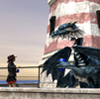
Title: Deadly Fashionista
emsim said:- BRC Dark Rose
- Beard for Michael 4
- Castle Ruins
- Orianne HairAlso used:
Journeyer Scout
DM Legends (her daggers)
Rock Star HairVictor moved cautiously through the misty ruins not suspecting he was being watched by none other than The Deadly Fashionista... and she did not approve of his outfit!
February Freebie Challenge "What's Love Got To Do With It?"Cool entry and thanks for the details about it!
katfeete said:Been awhile since I've done one of these! (First entry? Really?) It's a rather liberal interpretation of the theme, though. And it does require some explanation....One of the more fascinating stories in Norse Mythology is Thrym the frost giant's theft of Mjolnir. Naturally, Loki figures the whole thing out while Thor is still wondering if he left his unstoppable warhammer in his other pair of pants, and discovers that Thrym will only give up the hammer if Freya, the goddess of love, will marry him. Freya is not keen, so Loki comes up with Plan B: send Thor to Thrym dressed as Freya, which is why you should never let Loki be in charge of coming up with Plan B unless you are a fan of a) humiliation or b) crossdressing. Thor isn't particularly, but he can't come up with anything better, so off he goes to Jötunheim in a dress and veil with Loki disguised as his handmaiden.
There are a few rough spots when they get to Jötunheim as questions arise about why the bride has just drunk three casks of mead and why the bride is glaring at everyone like she wants to smite them with a great bloody warhammer, but fortunately, Loki the Explainer can Explain Everything, and things progress smoothly to the point where Thrym places Mjolnir in his bride's hand. At which point Thor brings the house down around their ears and goes running back to Asgard as fast as his delicately-clad legs can carry him, with Loki following behind and, presumably, laughing his head off the whole way.
I don't know what sort of twisted mind thinks of this myth when presented with the theme "What's Love Got To Do With It?", but I always did feel sorry for Thrym. All he wanted was a pretty goddess, and instead he gets a fortune in repair bills....
Credits (I really haven't done this in a while, so forgive me if I mess up!)
Paid items: The Freak for Genesis, Dreamlight's Studio Lights Pack.
Freebies:
1) McGyver's Creepy Tunnel
2) The Chapel by DM Productions
3) Jansen skin from the Level Hype for Michael 4 set from LA3D (for Thor)
4) Aenar skin (Loki) and Andorian skin (the frost giants), both from Mylochka
5) RAMWorks's Morphs for Genesis (used on all four characters, I believe)
6) 3DProclivity's Genesis Alien Heads (used for Loki)
7) Daz3D's A3 Mitsu Hair, still free in the Anime Star Fighter Bundle (Thor)
8) Elleque's EXP Hair with a texture from Moonfly (Loki)
9) AprilYSH's Ciri Hair with textures from Destiny's Garden (Thrym)
10) Mairy's Pregipessa Hair, again with textures by Moonfly (Thrym's mother)
11) Wilmap's Genesis Greek Style Outfits, Parts One and Two (Loki, Thrym's mother, and Thor's sandles)
12) Jan19's Gwyneth Dress with textures by EdenEvergreen (a mix of the Ballgown and Peasant textures) (Thor)
13) CCox's Cavefolk Dress (Thrym)
14) Ace Gunsolley's Mjolnir (Thor, obviously :D)
15) Faerie Dreams Flower Wreath (7 rows down, middle item) (Thor)
16) Optitex Dynamic Dance Ribbons (top row, 2nd item), retextured using R72's SimVelvet Shaders (Thor and Loki's veils)
17) Flowers from Guderun's Garden Gazebo set (Thrym)
18) Marieah's One Click M4 Brows (Loki)Undeclared items:
Genesis and the Journeyer boots, both free with DAZStudio
The brazier is part of Tim Polmear's Aegypt Project, but Loki ended up mostly blocking it so I didn't feel right declaring it. :)►►► ....and, all links lead to the EULA!Jake__Russel said:Patience55 said:Jake__Russel said:fixmypcmike said:Jake__Russel said:
QUOTE: "Physical images ... of Content or any art derived from the Content is permitted only by User’s purchase from DAZ, via the User’s online DAZ store account, permission to deliver User’s derived works (art), including necessary Content, to an entity that creates 3D-images in a physical medium. ....These limitations govern (i) personal and/or commercial use of the physical, printed images; and (ii) the quantity of 3-D printed images allowed".
QUESTION: So I have no permission to distribute any 3D renderings or have limited ability to do so (or have to buy a license)? What if I already used the content to create a book cover that was published? Or the content used on NBC news, Animal planet or CNN or all those magazines that used DAZ content years ago? If DAZ sued all these people for violating this new EULA, it would be the biggest lawsuit in history.That refers to 3D-printing (e.g. figurines), not 2d renders or animations. No rights to do 3D-printing were granted in the old EULA; this makes explicit how you can obtain rights to do 3D printing.
Is a book cover printed and published considered a physical image? A physical image is a printed image, and is not the same as a 3D image.
The term "physical image" is more likely a computer term as in an ISO file or something like that which may be required by the 3rd party in order to make the 3D print.
"More likely" or a "term" or "maybe" doesn't cut it. legal documents must clearly state what they mean.
For example, what if I wanted to make a paper sculpture of Michael 4 based on a the 3D measurements of the character's mesh?
The dotdotdot in that quote is covering up the answer to all these questions.
Physical images (3D-print, molded copy, CNC-routed copy, and the like)
►►► ....and, all links lead to the EULA!Jake__Russel said:Patience55 said:Jake__Russel said:fixmypcmike said:Jake__Russel said:
QUOTE: "Physical images ... of Content or any art derived from the Content is permitted only by User’s purchase from DAZ, via the User’s online DAZ store account, permission to deliver User’s derived works (art), including necessary Content, to an entity that creates 3D-images in a physical medium. ....These limitations govern (i) personal and/or commercial use of the physical, printed images; and (ii) the quantity of 3-D printed images allowed".
QUESTION: So I have no permission to distribute any 3D renderings or have limited ability to do so (or have to buy a license)? What if I already used the content to create a book cover that was published? Or the content used on NBC news, Animal planet or CNN or all those magazines that used DAZ content years ago? If DAZ sued all these people for violating this new EULA, it would be the biggest lawsuit in history.That refers to 3D-printing (e.g. figurines), not 2d renders or animations. No rights to do 3D-printing were granted in the old EULA; this makes explicit how you can obtain rights to do 3D printing.
Is a book cover printed and published considered a physical image? A physical image is a printed image, and is not the same as a 3D image.
The term "physical image" is more likely a computer term as in an ISO file or something like that which may be required by the 3rd party in order to make the 3D print.
"More likely" or a "term" or "maybe" doesn't cut it. legal documents must clearly state what they mean.
For example, what if I wanted to make a paper sculpture of Michael 4 based on a the 3D measurements of the character's mesh?
Of course it doesn't cut it. Legal documents normally have a long list of definitions at the very start by what is meant by every significant word ... like who is the "user" and who is the "company", etc. As written I don't even have to ask my lawyer if she would recommend signing this. And she can write a document saying black is white and be meaning it is black ... and rest assured, it is legal.
►►► ....and, all links lead to the EULA!Patience55 said:Jake__Russel said:fixmypcmike said:Jake__Russel said:
QUOTE: "Physical images ... of Content or any art derived from the Content is permitted only by User’s purchase from DAZ, via the User’s online DAZ store account, permission to deliver User’s derived works (art), including necessary Content, to an entity that creates 3D-images in a physical medium. ....These limitations govern (i) personal and/or commercial use of the physical, printed images; and (ii) the quantity of 3-D printed images allowed".
QUESTION: So I have no permission to distribute any 3D renderings or have limited ability to do so (or have to buy a license)? What if I already used the content to create a book cover that was published? Or the content used on NBC news, Animal planet or CNN or all those magazines that used DAZ content years ago? If DAZ sued all these people for violating this new EULA, it would be the biggest lawsuit in history.That refers to 3D-printing (e.g. figurines), not 2d renders or animations. No rights to do 3D-printing were granted in the old EULA; this makes explicit how you can obtain rights to do 3D printing.
Is a book cover printed and published considered a physical image? A physical image is a printed image, and is not the same as a 3D image.
The term "physical image" is more likely a computer term as in an ISO file or something like that which may be required by the 3rd party in order to make the 3D print.
"More likely" or a "term" or "maybe" doesn't cut it. legal documents must clearly state what they mean.
For example, what if I wanted to make a paper sculpture of Michael 4 based on a the 3D measurements of the character's mesh?
M5 to M4Hi,
i'm working on an animation project in poser pro 2012, with characters essentially made on m4 and v4 bases. I've tried genesis with dson importer for a m5 character i would like to use, but i would prefer to have all my male characters based on m4 ; Is it possible to get the face morph and the texture from a genesis m5 character on michael 4 ? I've searched all around the web but didn't found anything.Thanks a lot and sorry for my bad english !
No Default Textures?
Yes, they can. Most of my Genesis characters are now using various Victoria 4 and Michael 4 textures I downloaded from Renderocity and ShareCG as part of various freebie character packs.Sean Riesch said:Can the 4th generation textures be used on Genesis? I thought they couldn't. However a post somewhere got me to try putting a V4 texture on the Genesis basic female, and a 2-second glance makes it look like it's working. Or does it just LOOK like it worked, and if I look closer I'll find problems?How do i make my own genesis clothing?diomede64 said:For some of us, it is easier to make clothes for the older figures and convert to genesis. If you are a true newbie, you might be better off just learning Genesis, but some of us are burdened by habit. Daz Studio will convert clothes for supported figures (Michael 4 and Victoria 4, for example) to Genesis base. The converted clothing will automatically adjust to any morphs and character presets used with genesis. You can use a variety of programs to do the modeling and rigging.For this example, I threw together a simple dress in about 10 minutes - but I used 3 programs. Some of the other suggestions are better if you are learning from scratch. I modeled a simple dress for V4 in Carrara, which also has a simple uvmapper. I then exported the dress as an obj to Poser. Poser has a setup room to convert obj files to conforming - and PhilC has some wonderful related utilities. Anyway, Poser's setup room allows you to choose the rigging from a library, and there is a a set of V4 development rigs available in the 3d stores. The development rigs match V4 joint settings. I saved the newly conforming V4 dress in my Poser runtime. I opened Daz Studio, (Genesis loads right away) and applied the newly made conforming dress to Genesis. Daz gave me a warning that I was trying to apply an unsupported figure to Genesis. Daz then asked me which figure the conforming dress was designed for (V4, M4 and most other Daz figures are easily converted). The new dress for Genesis is now available in my Daz Studio content library. Another nice thing about it is that the Genesis dress also works in Carrara. One pic shows the simple dress loaded in Poser. The other Pic shows the dress in Daz3d applied to Genesis and morphed for The Girl character.
I have found, especially with dresses, it's far easier to take your OBJ and use it as a prop, converting prop to figure, rather than converting the Cr2. I get better results that way. Even if it is modelled for V4, so long as you have the V4 shape for Genesis.
February Freebie Challenge "What's Love Got To Do With It?"katfeete said:Been awhile since I've done one of these! (First entry? Really?) It's a rather liberal interpretation of the theme, though. And it does require some explanation....One of the more fascinating stories in Norse Mythology is Thrym the frost giant's theft of Mjolnir. Naturally, Loki figures the whole thing out while Thor is still wondering if he left his unstoppable warhammer in his other pair of pants, and discovers that Thrym will only give up the hammer if Freya, the goddess of love, will marry him. Freya is not keen, so Loki comes up with Plan B: send Thor to Thrym dressed as Freya, which is why you should never let Loki be in charge of coming up with Plan B unless you are a fan of a) humiliation or b) crossdressing. Thor isn't particularly, but he can't come up with anything better, so off he goes to Jötunheim in a dress and veil with Loki disguised as his handmaiden.
There are a few rough spots when they get to Jötunheim as questions arise about why the bride has just drunk three casks of mead and why the bride is glaring at everyone like she wants to smite them with a great bloody warhammer, but fortunately, Loki the Explainer can Explain Everything, and things progress smoothly to the point where Thrym places Mjolnir in his bride's hand. At which point Thor brings the house down around their ears and goes running back to Asgard as fast as his delicately-clad legs can carry him, with Loki following behind and, presumably, laughing his head off the whole way.
I don't know what sort of twisted mind thinks of this myth when presented with the theme "What's Love Got To Do With It?", but I always did feel sorry for Thrym. All he wanted was a pretty goddess, and instead he gets a fortune in repair bills....
Credits (I really haven't done this in a while, so forgive me if I mess up!)
Paid items: The Freak for Genesis, Dreamlight's Studio Lights Pack.
Freebies:
1) McGyver's Creepy Tunnel
2) The Chapel by DM Productions
3) Jansen skin from the Level Hype for Michael 4 set from LA3D (for Thor)
4) Aenar skin (Loki) and Andorian skin (the frost giants), both from Mylochka
5) RAMWorks's Morphs for Genesis (used on all four characters, I believe)
6) 3DProclivity's Genesis Alien Heads (used for Loki)
7) Daz3D's A3 Mitsu Hair, still free in the Anime Star Fighter Bundle (Thor)
8) Elleque's EXP Hair with a texture from Moonfly (Loki)
9) AprilYSH's Ciri Hair with textures from Destiny's Garden (Thrym)
10) Mairy's Pregipessa Hair, again with textures by Moonfly (Thrym's mother)
11) Wilmap's Genesis Greek Style Outfits, Parts One and Two (Loki, Thrym's mother, and Thor's sandles)
12) Jan19's Gwyneth Dress with textures by EdenEvergreen (a mix of the Ballgown and Peasant textures) (Thor)
13) CCox's Cavefolk Dress (Thrym)
14) Ace Gunsolley's Mjolnir (Thor, obviously :D)
15) Faerie Dreams Flower Wreath (7 rows down, middle item) (Thor)
16) Optitex Dynamic Dance Ribbons (top row, 2nd item), retextured using R72's SimVelvet Shaders (Thor and Loki's veils)
17) Flowers from Guderun's Garden Gazebo set (Thrym)
18) Marieah's One Click M4 Brows (Loki)Undeclared items:
Genesis and the Journeyer boots, both free with DAZStudio
The brazier is part of Tim Polmear's Aegypt Project, but Loki ended up mostly blocking it so I didn't feel right declaring it. :)Very nice. I'm glad that someone used an alternate "love" and "it."
ENTRY ACCEPTED.
Kendall
February Freebie Challenge "What's Love Got To Do With It?"Been awhile since I've done one of these! (First entry? Really?) It's a rather liberal interpretation of the theme, though. And it does require some explanation....
One of the more fascinating stories in Norse Mythology is Thrym the frost giant's theft of Mjolnir. Naturally, Loki figures the whole thing out while Thor is still wondering if he left his unstoppable warhammer in his other pair of pants, and discovers that Thrym will only give up the hammer if Freya, the goddess of love, will marry him. Freya is not keen, so Loki comes up with Plan B: send Thor to Thrym dressed as Freya, which is why you should never let Loki be in charge of coming up with Plan B unless you are a fan of a) humiliation or b) crossdressing. Thor isn't particularly, but he can't come up with anything better, so off he goes to Jötunheim in a dress and veil with Loki disguised as his handmaiden.
There are a few rough spots when they get to Jötunheim as questions arise about why the bride has just drunk three casks of mead and why the bride is glaring at everyone like she wants to smite them with a great bloody warhammer, but fortunately, Loki the Explainer can Explain Everything, and things progress smoothly to the point where Thrym places Mjolnir in his bride's hand. At which point Thor brings the house down around their ears and goes running back to Asgard as fast as his delicately-clad legs can carry him, with Loki following behind and, presumably, laughing his head off the whole way.
I don't know what sort of twisted mind thinks of this myth when presented with the theme "What's Love Got To Do With It?", but I always did feel sorry for Thrym. All he wanted was a pretty goddess, and instead he gets a fortune in repair bills....
Credits (I really haven't done this in a while, so forgive me if I mess up!)
Paid items: The Freak for Genesis, Dreamlight's Studio Lights Pack.
Freebies:
1) McGyver's Creepy Tunnel
2) The Chapel by DM Productions
3) Jansen skin from the Level Hype for Michael 4 set from LA3D (for Thor)
4) Aenar skin (Loki) and Andorian skin (the frost giants), both from Mylochka
5) RAMWorks's Morphs for Genesis (used on all four characters, I believe)
6) 3DProclivity's Genesis Alien Heads (used for Loki)
7) Daz3D's A3 Mitsu Hair, still free in the Anime Star Fighter Bundle (Thor)
8) Elleque's EXP Hair with a texture from Moonfly (Loki)
9) AprilYSH's Ciri Hair with textures from Destiny's Garden (Thrym)
10) Mairy's Pregipessa Hair, again with textures by Moonfly (Thrym's mother)
11) Wilmap's Genesis Greek Style Outfits, Parts One and Two (Loki, Thrym's mother, and Thor's sandles)
12) Jan19's Gwyneth Dress with textures by EdenEvergreen (a mix of the Ballgown and Peasant textures) (Thor)
13) CCox's Cavefolk Dress (Thrym)
14) Ace Gunsolley's Mjolnir (Thor, obviously :D)
15) Faerie Dreams Flower Wreath (7 rows down, middle item) (Thor)
16) Optitex Dynamic Dance Ribbons (top row, 2nd item), retextured using R72's SimVelvet Shaders (Thor and Loki's veils)
17) Flowers from Guderun's Garden Gazebo set (Thrym)
18) Marieah's One Click M4 Brows (Loki)Undeclared items:
Genesis and the Journeyer boots, both free with DAZStudio
The brazier is part of Tim Polmear's Aegypt Project, but Loki ended up mostly blocking it so I didn't feel right declaring it. :)How do i make my own genesis clothing?For some of us, it is easier to make clothes for the older figures and convert to genesis. If you are a true newbie, you might be better off just learning Genesis, but some of us are burdened by habit. Daz Studio will convert clothes for supported figures (Michael 4 and Victoria 4, for example) to Genesis base. The converted clothing will automatically adjust to any morphs and character presets used with genesis. You can use a variety of programs to do the modeling and rigging.
For this example, I threw together a simple dress in about 10 minutes - but I used 3 programs. Some of the other suggestions are better if you are learning from scratch. I modeled a simple dress for V4 in Carrara, which also has a simple uvmapper. I then exported the dress as an obj to Poser. Poser has a setup room to convert obj files to conforming - and PhilC has some wonderful related utilities. Anyway, Poser's setup room allows you to choose the rigging from a library, and there is a a set of V4 development rigs available in the 3d stores. The development rigs match V4 joint settings. I saved the newly conforming V4 dress in my Poser runtime. I opened Daz Studio, (Genesis loads right away) and applied the newly made conforming dress to Genesis. Daz gave me a warning that I was trying to apply an unsupported figure to Genesis. Daz then asked me which figure the conforming dress was designed for (V4, M4 and most other Daz figures are easily converted). The new dress for Genesis is now available in my Daz Studio content library. Another nice thing about it is that the Genesis dress also works in Carrara. One pic shows the simple dress loaded in Poser. The other Pic shows the dress in Daz3d applied to Genesis and morphed for The Girl character.
RRRR Contest - Lots of prizes!TAG:Totte#4
Totte said:
#2948 Valiant for Michael 4
#2222 PPU-T2000 Texture Pack 1
#2678 Summer Edition Noah
#311 John Multi-FigureAlso used:
M4 + Jepes FGH Pack + Highlander + Navarre + Caleb Hair
D3 + Defenders of D'Akair + M3 Samurai Hair
PPU-T2000
Easy Environment Road to Hell + Atmosphere CameraThe Devil always cheats
The brave party of heroes had travelled the road to hell, to challenge the Devil in a game of chess, he cheated.Apparently the DAZ Install Manager is about readyIt's not as if the installers are dumping all .obj in Geometries with no subfolders, same with textures. I haven't worried about duplicate texture names for literally years. Even with the three different gold and silver reflection images that have been floating around the poserverse for years. There is nothing inherent in the zip files that would be any different from the exe's.
I have had problems with pose names but they only happen when I start organizing files myself. If I want all the sitting poses of michael 4 in one folder, for example, I can't unless I re-name a bunch which have names such as pose 1, pose 2, or the like.
Street Smartz - Hey this is my first real attempt at a final first render.In theory, Genesis can use most of Gen 4's outfits using the autofit tool which converts them at import into a usable type. In practice, you'll need to make a few changes to get certain outfits to work. Footwear and any skirts are two sticking areas where the autofit fails to compensate.
Morphs are a different story though, and don't work immediately out of the box at all. You can transfer Gen4 morphs to Genesis with a plugin called Generation X (GenX for short) but this doesn't work completely well, as Genesis is actually a lower poly character than Generation 4, so it loses details in places. Most notably in the face. The two images I have below are a side-by-side comparison of a character altered using the Generation X plugin. Left is the original Kaelyn for K4 and right is the Genesis modified version.
The Genesis character can use textures from older generations perfectly fine, and even allows you to change the UV settings for the model so it can use Kids 4, Victoria 4 and Michael 4 skins, or even a mix of those on different parts of the body! It's very versatile. You can also create a new UV set and load it in which I did recently so that I could use a few older Sadie textures for the new Genesis Sadie.
The 2013 Stonemason Catalogue ContestSpecial Ops - Army of One
Programs
DS Pro 4.5
Poser 7
Photoshop CS6
Filterforge 3
Cinema 4dItems
The Ministry - StoneMason
Michael 4
Reflex Nano Suit for M4 - Xurge 3d
SAV Armor RifleI was going to put some bodies on the ground, but I chose not to since there's no violence tags right now, so please imagine some dead guys lying around. :)
Show Us Your Bryce Renders! Part 3This scene started with some more experiments using terrains to boolean terrains.
The planets are really large and really far back in the scene. Each is two spheres - one for the planet texture and one "fuzzy" texture for the atmosphere.
Trees from Abaro.
"Beaver" shuttle by SpaceBones.
Michael 4 and female Genesis figure (although she's hard to see!).
Sampan by Serrge.
Castle and other stuff modeled by me in Modo.
Rendered with Skydome IBL and True Ambiance - about 7 and 1/2 hours at 64RPP.Keep up the good work Y'all!
Trouble with "Anime eyes for AH H4".vrba79 said:Can't seem to apply any of the Anime Eyes material presets to Genesis, if I use the "poser format" version, I get a "Insufficient material color values were specified on line xxx" error box, if I go the DS format route, I click, but it doesn't apply. Using the latest build of D|S Pro.These were not made for Genesis, they were made for a list of Gen 4 figures.
Compatible 3D Figures
Victoria 4, Aiko 4, The Kids 4, Victoria 4 Elite, Michael 4 Elite, The Girl 4, Stephanie 4, Hiro 4Genesis is UV Mapped to take V4, K4 and M4 textures, so some of the materials may apply correctly, but there are also morphs included which wont work.
Genesis is a completely new Generation 5 figure. I am sure if anyone got these to work, they will tell you how.How do I make The Freak 4 bald?You have to load your Freak 4 figure first, the PZ2 file is just a texture for it, and cannot be displayed on it's own.
Load Freak 4, then select it in the Scene pane, THEN load the texture file, and the figure will have no hair or shorts.EDIT:
We ARE talking about Freak 4 here? Freak 4 is a morph of Michael 4, and not the most recent Freak released in the store (Freak5) which is a morph of Genesis.
Minor OBJ Import Issue - Object Slightly Moved Down on ImportI am very new to using Daz Studio, but I've been learning. I model in other software, such as Luxology's modo. Here is what I've done as well as a minor issue that I am encountering (and I hope someone here can point me in the direction to fix this).
I've exported the Michael 4 character to OBJ and imported him into modo to create armored pieces for the model. The armored pieces have been exported as OBJ so that I can import them into Daz Studio to "attach" them to the Michael model for posing. When I import in the OBJ armor pieces, I select "modo" for the Import From to set the proper scale. But the model comes in just slightly down on the X axis. I then select the imported model and move it up just enough to be positioned on the Michael character properly. So far, all's good.
I then convert the Michael 4 character by going to Edit>Rigging>Convert Figure to Weight Mapping and selecting TriAx. Then I use the Assets>Transfer Utility, setting the source to Michael and the target to my imported model.
After using the Transfer Utility, the imported model slides down again to where it was before! Thus a helmet, for example, has a part of Michael's head poking through the top! My question is, how do I use the Transfer Utility so that the imported model does not move after I've positioned it?
Thanks for any help.
Where do i place my textures on mac
The DSA and DSF files go into Documents>Daz3D>Studio>My Library>People>Genesis (or whatever else the base figure is), i.e. Michael 4, Victoria 4, Aiko 4, Hiro 4, etc.)>Characters. The textures go in Documents>Daz3D>Studio>My Library>People>Runtime>Textures. This is for Daz formatted characters, not Poser formatted characters, clothes, and props. Those go in Documents>Daz3D>Studio>My Library>Runtime. Daz formatted clothes go into Documents>Daz3D>Studio>My Library>People>Genesis (or whatever else the base figure is), i.e. Michael 4, Victoria 4, Aiko 4, Hiro 4, etc.)>Clothes.simon said:Hey guys,I recently purchased a Daz figure, from another site, I am trying to figure out how to install this figure which does not come with an installer, I have the textures and DSA files etc. but where do I put the folders, i've gone into the runtime folder, but there are so many folders, I'm a bit lost.
In essence how does one, manually install textures and poses.
Please help
Thanks in advance
Daz 3D is part of

Connect
DAZ Productions, Inc.
7533 S Center View Ct #4664
West Jordan, UT 84084Licensing Agreement | Terms of Service | Privacy Policy | EULA
© 2026 Daz Productions Inc. All Rights Reserved.