-
New DS Filament Render Engine
I just saw the news on Filament this morning. It looks AMAZING! I can't render in Iray, or rather, I can hardly render in Iray. I have a Dell T3500, fitted up with a GTX 970. It's the most that I can afford on a school custodian's paycheck. (Hobbyist here, not a pro). Iray is just too much for my system despite having 4GB of VRAM, and 24 GB of RAM. When I try to render in Iray, and sometimes certain 3Delight lights - DAZ just crashes due to the fact that my system overloads or the render can take over 24 hours. I have all these wonderful Iray shaders and lights and I simply cannot use them, which is a shame since some are so innovative and beautiful.
THIS! This is a most welcome addition. I animate too, so it's a virtual godsend.
As such, I have several questions after watching the tutorial here and I'm not sure anyone can answer yet:
1) Can multiple shaders be combined in one scene now? Ex: I want to use pWtoon shaders with an HDR background and an Iray metallic shaded sword, can it be done with Filament rendering? (Iray and 3Delight shaders get cranky together once lighting is added to a scene, often crashing the program or showing as all black or all white forms)
2) Can Iray geoshells be placed over 3Delight shaders? There are some makeup overlays that I love, but the caveat is that I must use an Iray skin the NVidia Iray Render mode to make them work. Again, my PC cannot render in Iray, no matter how much I beg, plead, and chant a mantra around it. It just won't.
3) The tutorial/intro video says that Filament works with older systems. Please say this is going to compact with Windows 7 pro! I not interested in the chaos that is known as Windows 8 or 10. I refuse to have to upgrade to those O/S until I'm absolutely forced to by the powers that be.
Thank you!
Filament is Official - Need Answers from DazMy mayor question: What's the point of Filament, or, what use does it have? That's a question I didn't see really answered in the info pages, just some ambigious hints.
Is it a replacement for iRay?
Is it an alternative to iRay?
Is it primarily meant as a viewport renderer to get a more iRay-like preview within your viewport, but way faster, making it easier to work on your scene until you eventually make the final render in iRay?I figure it's probably closest to the last one, as it does look way better than texture shaded, but nowhere near as good as iRay. But, I might be wrong, so would appreciate some information or explanation.
It's also meant to greatly assist making PBR compliant shader materials in DAZ Studio and to be used to render animations.
Filament products?I don't see any mentio of these here. What are all these new filament-based products for (liek Atmosphere for Filament)? Are these only meant to be used with Filament? Are they only useful in the Viewport? Help me understand. Thanks.
DAZ 4.14 questions regarding filament / new filament productsShadows can be enabled. It is a hidden option under your lights. Rendering, at least at 1920x1080 is very fast. It is just a couple seconds. Compare that to Iray (using GPU) that for my renders is often many hours.
If nothing else it is terrific as your viewport renderer.
I have not used the filament products.
The biggest downside from my point of view is that emissive lighting does not work. I use that a lot. But this addition is terrific even if I never use it for more than the better viewport rendering.
Where is 4.14 installed?No, I never changed that path so not sure what happened.
I did run fine from the D drive but that drive is not where I want the program to sit. I'm a traditionalist when it comes to paths and C is where Program files go and D is where Content files goes. It's all done now. Works fine and as it should!
Just looked over Filament. UH, that node adds a [great many] extras to Surface. YIKES. Too complicated for my brain! OH well! LOL
DAZ 4.14 questions regarding filament / new filament productsHi chrom. I'm just learning about this too I downloaded Daz Studio 4.14 and can see that filament is a render option. It renders instantly but shadows and some other features or effects are disabled
Daz Studio Pro BETA - version 4.15.0.30! (*UPDATED*)Hi all, I have just updated to 4.14 (MacBook Pro 2015, downloaded the 64-bit version), but I can't seem to find the filament preview anywhrere... where is it? Thanks in advance for your help.
Windows only at the moment.
4.14 Animation Advancements?Based on my light testing this morning, it just works better. The timeline is much more responsive, all keyframes can be found including expressions. Filament is wonderful for working in and reviewing animation. Also it renders crazy fast for excellent test renders. If you want to use daz for animation this is the version you want (no doubt there will be bugs, but the improvements are well worth any growing pains)Awesome! Thanks, great to know that it's just a better experience at all and I guess I should be more excited about checking out the Filament rendering...
Greatly appreciated!
That question was asked in another thread and here is my very short answer from there:
Well earlier they had directly integrated the KeyMate & GraphMate plugin functionality to the Timeline Animation. They added & improved creating IK chains directly in DAZ Studio. That's the gist of what they did but it had many bugs but perhaps 4.14 fixes all of those bugs. You'd think it fixes most of them.
The one thing I'd like to see is a contact solver. i.e. A character that is animated to walk's feet make contact with the floor / ground and the animation system contact solves the walk animation and adjusts it so that the feet stay on the surface of the floor/ground. Similarly, an animation places a skillet on a stove burner and the animation system contact solves the placing of the skillet on the stove by not letting it go below the surface of the stove burner. However, now you starting to talk about a physics simulation system like used in game engines and that's probably beyond their desired scope, at least in the short term.
Filament and iRay shaders?I have an extensive collection of iRay shaders - will they work with the new Filament renderer (normally shaders from one renderer don't port over to other renderers)? If not, I don't think I want to move up to Filament.
Yes, although the shaders that have opacity/translucency in them are looking too glassy with the current release. They'll probably refine the iRay shader materials representation in Filament as they release new releases. Already they have made big improvements since the 1st Filament beta I used.
Filament like IRay is a PBS (PBR) based renderer.
DAZ 4.14 questions regarding filament / new filament productsHi,
there is mentioned and shown that filament render is very fast.
What is regarding the new filament products athmosphere, fire , light pro? Some pics looks really nice.
How much time lasts renders with these products?
& How much time lasts setting up the items / presets within these products?4.14 Animation Advancements?Based on my light testing this morning, it just works better. The timeline is much more responsive, all keyframes can be found including expressions. Filament is wonderful for working in and reviewing animation. Also it renders crazy fast for excellent test renders. If you want to use daz for animation this is the version you want (no doubt there will be bugs, but the improvements are well worth any growing pains)Awesome! Thanks, great to know that it's just a better experience at all and I guess I should be more excited about checking out the Filament rendering...
Greatly appreciated!
No problem. I don't think I'm gonna switch to filament for final renders anytime soon, but so far a very useful way to work and test your animation before your final iray render. The first thing you will want to do when switching to filament is Create > Filament Draw Options. This creates a new node in the scene panel. Select this node and in parameters, you can adjust iso to make the exposure feel/look right in filament but doesn't affect your final Iray render. Also, I think Iray is rendering faster too, but it's hard to test without 4.12 installed.
4.14 Animation Advancements?Based on my light testing this morning, it just works better. The timeline is much more responsive, all keyframes can be found including expressions. Filament is wonderful for working in and reviewing animation. Also it renders crazy fast for excellent test renders. If you want to use daz for animation this is the version you want (no doubt there will be bugs, but the improvements are well worth any growing pains)Awesome! Thanks, great to know that it's just a better experience at all and I guess I should be more excited about checking out the Filament rendering...
Greatly appreciated!
Daz Studio 4.14 Pro, General Release!Does anyone know exactly what the "Updates and fine-tuning to Studio Animation capabilities" are mentioned here https://www.daz3d.com/filament-hub? Daz has a tendency to be frustratingly vague about what it is they actually updated. When I click "Learn More" it just says "Daz Studio 4.14 was designed with animation in mind. The Filament Viewport and Render Engine shows your work at near-real time and produces photo-realistic results in a fraction of the time of other render engines. Studio 4.14 also includes advancements to the Animation Timeline and Genesis 8 & 3 animation capabilities, and Daz is developing a new line of Animation products to help you create in 3D."
It doesn't really state what these alleged advancements to the Animation Timeline and Gen 3/8 figures are.
Well earlier they had directly integrated the KeyMate & GraphMate plugin functionality to the Timeline Animation. They added & improved creating IK chains directly in DAZ Studio. That's the gist of what they did but it had many bugs but perhaps 4.14 fixes all of those bugs. You'd think it fixes most of them.
The one thing I'd like to see is a contact solver. i.e. A character that is animated to walk's feet make contact with the floor / ground and the animation system contact solves the walk animation and adjusts it so that the feet stay on the surface of the floor/ground. Similarly, an animation places a skillet on a stove burner and the animation system contact solves the placing of the skillet on the stove by not letting it go below the surface of the stove burner. However, now you starting to talk about a physics simulation system like used in game engines and that's probably beyond their desired scope, at least in the short term.
With the new venture into Filament being aimed at real-time, I wouldn't be surprised if we start seeing more physics potential including contact solvers. I'd also love to see Daz become more capable of simulations including fire, water, smoke, etc.
4.14 Animation Advancements?Based on my light testing this morning, it just works better. The timeline is much more responsive, all keyframes can be found including expressions. Filament is wonderful for working in and reviewing animation. Also it renders crazy fast for excellent test renders. If you want to use daz for animation this is the version you want (no doubt there will be bugs, but the improvements are well worth any growing pains)Help !!! DAZ 4.14IRAY is ok
The New render engine is worse than Poser 2
What's happening ?
Please people.. I need Help
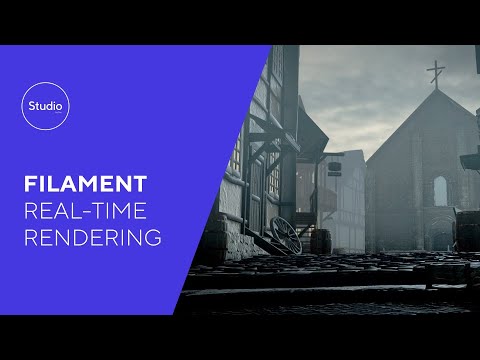
This might help, the actual YT video link from the Filament page here
 New product promo images
Are they [new product promo images] rendered with filament?
If so, that is a huge step backward for Daz studio.
I shall stick to Iray until filament has a look that equals Iray render.
Edited for Please put your question in the post body and the title - Daz 3D Forums
Filament isn't really supposed to compete with iray, it's like people using Eevee over Cycles in Blender. If you want realism, you go with Cycles, if you want to do something in real time that looks good enough, you go with Eevee. And that's how I see Filament. Unless I'm doing an anime styled render or animated film that that look would be benefitical, I'll render in iray to keep the realistic aspect of it, but use Filament for the real-time playback and the ability to test how lights will look without having to wait for iray to constantly load.
Filament and iRay shaders?I have an extensive collection of iRay shaders - will they work with the new Filament renderer (normally shaders from one renderer don't port over to other renderers)? If not, I don't think I want to move up to Filament.
Help !!! DAZ 4.14Not sure if I understand your post correctly....
The new render engine isn't a replacement for Iray, it's just "another" render engine you can use inside of DAZ Studio, just as 3Delight.
So you can use it, or not. It will give a very different result compared to Iray or 3Delight. It is very fast for some previewing, and for some, it will be sufficient for what they are doing.
The choice of render engine you are using is still yours. For example, I'll keep using Iray, though I will probably use Filament for certain things, like storyboarding renders.
Filament is Official - Need Answers from DazMy mayor question: What's the point of Filament, or, what use does it have? That's a question I didn't see really answered in the info pages, just some ambigious hints.
Is it a replacement for iRay?
Is it an alternative to iRay?
Is it primarily meant as a viewport renderer to get a more iRay-like preview within your viewport, but way faster, making it easier to work on your scene until you eventually make the final render in iRay?I figure it's probably closest to the last one, as it does look way better than texture shaded, but nowhere near as good as iRay. But, I might be wrong, so would appreciate some information or explanation.
Yes, I think the last is broadly correct - though it certainly can be used forr enders (by setting the Render Engien to Viewport) and the speed may be worth the quality/feature limitations (especially for animators).
Filament is Official - Need Answers from DazMy mayor question: What's the point of Filament, or, what use does it have? That's a question I didn't see really answered in the info pages, just some ambigious hints.
Is it a replacement for iRay?
Is it an alternative to iRay?
Is it primarily meant as a viewport renderer to get a more iRay-like preview within your viewport, but way faster, making it easier to work on your scene until you eventually make the final render in iRay?I figure it's probably closest to the last one, as it does look way better than texture shaded, but nowhere near as good as iRay. But, I might be wrong, so would appreciate some information or explanation.
It's not a replacement for Iray, 3DL or OpenGL, it's an additional option. It's fast so can be used for viewport, but you can also use it to render.
Daz 3D is part of

Connect
DAZ Productions, Inc.
7533 S Center View Ct #4664
West Jordan, UT 84084Licensing Agreement | Terms of Service | Privacy Policy | EULA
© 2026 Daz Productions Inc. All Rights Reserved.