-
Talk Designer Assistant for Poser 8 Quirkiness
For anyone who uses the Talk Designer Assistant for Poser 8, I have discovered a bit of bizarre behaviour with respect to Michael 4, and I thought I'd pass it along, in hopes of sparing others the hours of hair-pulling and (probably coincidental, but you never know) chest pains that I went through before I finally figured out what I was doing wrong.
The Talk Designer Assistant (TDA from now on, because it's such a pain in the never-mind-precisely-where to type it out every time) needs to perform a few added steps when it tries to animate Michael 4 (and probably Victoria 4, too, but I haven't tried her yet); these extra operations are located in the TDA's Edit menu, under the 'DAZ M4/V4' option. The video tutorial that came with the product explains how (and more importantly, why) to do this, so I won't rehash the procedure here.
The issue arises when you attempt to animate speech for a heavily-morphed M4/V4 head. In such a situation, I have learned (the hard way, naturally) that 'Timing is Everything'. Here's what I ended up having to do....
Load Michael (or Victoria) 4, then load the relevant morphs. (The Base morphs, for the visemes, and in my situation, the 'Aged for M4' morphs. I also added the Morphs++ package because, hey, why the hell not?)
If you want the character to blink while speaking -- and you really should, because if you don't, the end result is just a little creepy -- create that morph now. (Set 'EyesOpen-Close' to -1, then 'Spawn Morph Target' in Poser's Object menu; be sure to name it 'Blink', or the Talk Designer won't find it. You'll find the spawned morph under 'Morphs'.)
Start the TDA. Go through the 'Read Morphs' operation, and you will find that - What the...? - there are none. This is where you perform the special steps for M4/V4 (Edit->DAZ M4/V4->Step 1 ('Create new morphs', according to the status line). Click the 'Read Morphs' button again, and the window will display all of the newly-created morphs for the figure's visemes. Now click 'Assist' to save out the viseme map.
Here is where that 'Timing is Everything' bit comes into play. At this point, apply the head and body morphs that make your character, well, your character. In other words, spin those parameter dials.
Once you have your character the way you want him or her, start the Poser Talk Designer. Set up your parameter values (sound file, supplemental text, and the figure's viseme map that the TDA just created for you, blink rate, expressions, and such). Click 'Apply', and you'll see the frame count jump from 30 (the default) to however long the animated sequence will end up being, given the length of the audio file.
Test the animation using the scrubber. Or, what the hey, play it a couple of times. If anything isn't right, believe me, you'll know almost instantly!
Now you can perform the TDA's M4/V4 'Step 2', and this can take a while. (This step animates the figure's lower jaw and tongue to produce realistic mouth movements.)
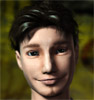
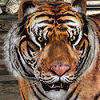
What I learned from this was that if you don't do things in exactly this order -- that is, wait until the viseme morphs are created before applying the character-forming morphs, your figure (see the first image) will, once it begins to speak, look like the second image. (Kind of conjures up that scene from Raiders of the Lost Ark, doesn't it!?)
The reason for this intolerable behaviour? Blame Poser, not the TDA. When morph targets are spawned, the 'Spawn...' function includes any and all parameters that are non-zero into that morph. So unless you start with a completely zeroed-out figure, your Talk-Designer-generated animation sequences are liable to get pretty freaky!
Hope this helps somebody. And if you already know about this..., well, you have my sympathy; I know what you went through!Star Trek Builders Unite 3 “Runtime Amok”(1) Then I used UVMapper to make just the head only from Michael 4
i could use just a little more info on this step .
i have never had any success exporting a head out of poser , some how it changes the number of verts and wont recognise it when imporing back in as a morph
the uv mapper method sounds just the ticket for getting around this if only i knew how to do i t:-) please:-)Star Trek Builders Unite 3 “Runtime Amok”Well I started by downloading the freebie version of Sculptris from here: http://pixologic.com/sculptris/
1) Then I used UVMapper to make just the head only from Michael 4
2) Imported that OBJ into Sculptris (only thing that should be checked is the "front camera"). When it asks about "Paint" say "NO"
3) Used the "smooth" brush to smooth out the ears until they were like a "no ears" morph.
4) Then used the "draw" brush to make the ridge around the cheek and jaw line area of one side of the face
(Note: whatever you do, DO NOT USE the symmetry button to try and save yourself some time. It removes points that are asymmetrical and Poser doesnt like it. Poser will let you add the morph but then when you dial it the face will shatter).5) Once I was satisified with the results, I exported it.
6) Then opened my base OBJ in MorphMirror, loaded the new morph and then mirrored it to the opposite side. Saved the new OBJ
7) Opened new OBJ in UVMapper and reassigned the group (Note: sculptris does not keep group names, so I had to go back and rename the head as "head"
8) Opened Poser and loaded the morph to the head and dialed it to "1"
That's all the steps as I remember them. I would suggest that before you start playing with a head that you play around with the brushes first and see what they can and cannot do.
David
Welcome to the March Freebie Challenge: "March Madness Mix-Up"Dorseyland said:MEDIEVAL HARLEM SHAKEPRE-SELECTED ITEMS
Oktapussi's Bell of Doom by Traveler at RuntimeDNA (registration required)
http://forum.runtimedna.com/downloads.php?do=file&id=770Channing's Toast & Jam by tabbycat at ShareCG (reg req)
http://www.sharecg.com/v/29945/View/11/Poser/Channings---Toast-and-Jam-with-TC-texturesHousefly from Content Paradise was free briefly in 2010, now a mere $2
http://www.contentparadise.com/productDetails.aspx?id=479THE REST
Hamlet of Sir Michael Houses by Mapps (last item on this page)
http://www.freewebs.com/mapps/downloadsspecial.htmSkydome comes with Fisty's Liquid Shaders (list is alphabetical)
http://blackraven3d.com/sponsored/fisty/freebies/Frying Pan by Zippo at Lab 108 (last item)
http://lab108.x0.com/lab108/household.htmlGoblet by Kate at Avalon Tree (tipping on the right, middle of this selection)
http://avalontree.narod.ru/poser_props.htmlMetal Tankard (tipping on the left) by William Hurt at Age of Armour
http://www.ageofarmour.com/3d/free/steins.phpWooden Tankard (on the deck) from Porsimo's Medieval Tankards set (1st item)
http://www.porsimo.net/3d/other.htmM4 is wearing the Corey mat from Level Hype by LA3Digital Art (LA3D) at Sharecg (reg req)
http://www.sharecg.com/v/57731/View/11/Poser/Level-Hype_for-Michael-4RenFair Bag Hats by Rosemaryr at ShareCG (reg req)
http://www.sharecg.com/v/49784/gallery/5/3D-Model/RenFair-Bag-hat-for-M4Costume on dancer at the back from Medieval River Ship by illkirch at ShareCG (reg req)
http://www.sharecg.com/v/64871/gallery/11/Poser/Lowres-medieval-river-shipM2's Nicholae mat by Syyd at RuntimeDNA (reg req)
http://www.runtimedna.com/DNA-Nicholae-for-Michael-2.htmlKoikuchi shirt by Kagami Mochi (2nd item down)
http://mochi.s86.xrea.com/Clothing.htmlKoikuchi shirt has the "Chain" effect from Sha's Shaders 2 by Shahmeran at Sharecg (reg req)
http://www.sharecg.com/v/48026/gallery/7/Material-and-Shader/Shas-Shaders-2Stormtrooper Armour (codpiece, shin plates) by Vanishing Point at ShareCG (reg req)
http://www.sharecg.com/v/28494/View/11/Poser/Stormtrooper-ArmorMedieval / Fantasy Helmet by Porsimo (1st item)
http://www.porsimo.net/3d/armors.htmRenaissance Ruff by Rosemaryr at ShareCG (reg req)
http://www.sharecg.com/v/51592/View/5/3D-Model/Renaissance-Ruffs-for-M4Dustie Hofferman is the riled-up geezer throwing food, by David D'Champ at Sharecg (reg req)
http://www.sharecg.com/v/10749/View/11/Poser/Dustie-Hofferman-for-PoserNO LONGER AROUND
Piglet and Pygmy Goat were also part of Content Paradise's great Summer of 2010 giveaway
Fish was in Surprise Box LE38 by Adam Thwaites Most Digital Creations
http://www.most-digital-creations.com/freestuff.htmM4's Medieval Royalty by Xurge and his Trickster pose by Islandgirl of RuntimeDNA were both prizes from Dreamslayer contests
Old Wooden Mallet was a Merlin Studios Freepoz giveaway in 2010. Check out their incredible store:
http://www.daz3d.com/merlin-studios
Another interesting creation from the mind on Dorseyland. All your links check out; the 3 pre-selected items are visible. Entry Accepted.Welcome to the March Freebie Challenge: "March Madness Mix-Up"Dorseyland said:MEDIEVAL HARLEM SHAKEPRE-SELECTED ITEMS
Oktapussi's Bell of Doom by Traveler at RuntimeDNA (registration required)
http://forum.runtimedna.com/downloads.php?do=file&id=770Channing's Toast & Jam by tabbycat at ShareCG (reg req)
http://www.sharecg.com/v/29945/View/11/Poser/Channings---Toast-and-Jam-with-TC-texturesHousefly from Content Paradise was free briefly in 2010, now a mere $2
http://www.contentparadise.com/productDetails.aspx?id=479THE REST
Hamlet of Sir Michael Houses by Mapps (last item on this page)
http://www.freewebs.com/mapps/downloadsspecial.htmSkydome comes with Fisty's Liquid Shaders (list is alphabetical)
http://blackraven3d.com/sponsored/fisty/freebies/Frying Pan by Zippo at Lab 108 (last item)
http://lab108.x0.com/lab108/household.htmlGoblet by Kate at Avalon Tree (tipping on the right, middle of this selection)
http://avalontree.narod.ru/poser_props.htmlMetal Tankard (tipping on the left) by William Hurt at Age of Armour
http://www.ageofarmour.com/3d/free/steins.phpWooden Tankard (on the deck) from Porsimo's Medieval Tankards set (1st item)
http://www.porsimo.net/3d/other.htmM4 is wearing the Corey mat from Level Hype by LA3Digital Art (LA3D) at Sharecg (reg req)
http://www.sharecg.com/v/57731/View/11/Poser/Level-Hype_for-Michael-4RenFair Bag Hats by Rosemaryr at ShareCG (reg req)
http://www.sharecg.com/v/49784/gallery/5/3D-Model/RenFair-Bag-hat-for-M4Costume on dancer at the back from Medieval River Ship by illkirch at ShareCG (reg req)
http://www.sharecg.com/v/64871/gallery/11/Poser/Lowres-medieval-river-shipM2's Nicholae mat by Syyd at RuntimeDNA (reg req)
http://www.runtimedna.com/DNA-Nicholae-for-Michael-2.htmlKoikuchi shirt by Kagami Mochi (2nd item down)
http://mochi.s86.xrea.com/Clothing.htmlKoikuchi shirt has the "Chain" effect from Sha's Shaders 2 by Shahmeran at Sharecg (reg req)
http://www.sharecg.com/v/48026/gallery/7/Material-and-Shader/Shas-Shaders-2Stormtrooper Armour (codpiece, shin plates) by Vanishing Point at ShareCG (reg req)
http://www.sharecg.com/v/28494/View/11/Poser/Stormtrooper-ArmorMedieval / Fantasy Helmet by Porsimo (1st item)
http://www.porsimo.net/3d/armors.htmRenaissance Ruff by Rosemaryr at ShareCG (reg req)
http://www.sharecg.com/v/51592/View/5/3D-Model/Renaissance-Ruffs-for-M4Dustie Hofferman is the riled-up geezer throwing food, by David D'Champ at Sharecg (reg req)
http://www.sharecg.com/v/10749/View/11/Poser/Dustie-Hofferman-for-PoserNO LONGER AROUND
Piglet and Pygmy Goat were also part of Content Paradise's great Summer of 2010 giveaway
Fish was in Surprise Box LE38 by Adam Thwaites Most Digital Creations
http://www.most-digital-creations.com/freestuff.htmM4's Medieval Royalty by Xurge and his Trickster pose by Islandgirl of RuntimeDNA were both prizes from Dreamslayer contests
Old Wooden Mallet was a Merlin Studios Freepoz giveaway in 2010. Check out their incredible store:
http://www.daz3d.com/merlin-studiosThis render reminds me of like an old James Gang album cover with Joe Walsh juggling fish....cool!
:-)
Michael4 Elite Morphs aren't showing up with the PowerloaderYou can inject them manually by going to the Poser Pose library > DAZ's Michael 4 > Morph Injections, but I'm not sure what the results are like if you don't have Morphs++
Did you install the Elite morphs powerloader to the same location?
Mimic.dmc Daz pleeeeeeeeze put those mimic configuration files back on site already!! edit, I am staAha! I need to experiment with this, but I found old notes from a previous forum discussion that I saved to my hard drive. Here's what I found:
"It took some playing around, but I got it to work.
Here is what worked for me in Poser 8 with the latest versions of Mimic and V4 and M4. V4 seems to work without any tweaking at this point. M4 does not have a Configuration file at this point in Mimic...however there is one in Daz Studio 3. I actually copied the file and put it with the rest of my "DMC" files. I guess the thing that threw me was that at this point Michael 4 needed no tweaking. The tweaks listed earler made it "not" work. At least in my case Michael 4 loaded with all the morphs injected already.
The "michael4.dmc" file can be found under C:\Program Files\DAZ\Studio\plugins\dzmimic\Configuration_Files or at least that is the default location if you haven't placed it elsewhere. For me I just load M4 with no tweaks and then choose the Michael4.DMC file from Daz Studio 3 as the configuration file. After that it works great.
This works for me, but, from what others have written in may not work for all configurations."
So I have the DMC file loaded in Mimic, but in DS it would appear that I also have to load the configuration file? Hmmm....
Michael4 Elite Morphs aren't showing up with the PowerloaderI have the power loader working for Michael4, but my Elite Morphs aren't showing up.
When I installed the Elite Morphs in the read me I noticed it said “Required Products: Michael 4 Morphs++”
Do i need to purchase Michael 4 Morphs++ in order to have these morphs work??
http://www.daz3d.com/michael-4-morphs
Is there a way I just add these morphs manually w/o Powerloader?The Micheal4 Elite morphs Powerloader isn't working after installWhew! I managed to get the power loader working, but I don't see the Elite Morphs.
When I re-installed the Elite Morphs in the read me I noticed it said "Required Products: Michael 4 Morphs++"
Do i need to purchase Michael 4 Morphs++ in order to have these morphs work??
http://www.daz3d.com/michael-4-morphs
Thanks so much for the help fixmypcmike... :-)
Welcome to the March Freebie Challenge: "March Madness Mix-Up"MEDIEVAL HARLEM SHAKE
PRE-SELECTED ITEMS
Oktapussi's Bell of Doom by Traveler at RuntimeDNA (registration required)
http://forum.runtimedna.com/downloads.php?do=file&id=770Channing's Toast & Jam by tabbycat at ShareCG (reg req)
http://www.sharecg.com/v/29945/View/11/Poser/Channings---Toast-and-Jam-with-TC-texturesHousefly from Content Paradise was free briefly in 2010, now a mere $2
http://www.contentparadise.com/productDetails.aspx?id=479THE REST
Hamlet of Sir Michael Houses by Mapps (last item on this page)
http://www.freewebs.com/mapps/downloadsspecial.htmSkydome comes with Fisty's Liquid Shaders (list is alphabetical)
http://blackraven3d.com/sponsored/fisty/freebies/Frying Pan by Zippo at Lab 108 (last item)
http://lab108.x0.com/lab108/household.htmlGoblet by Kate at Avalon Tree (tipping on the right, middle of this selection)
http://avalontree.narod.ru/poser_props.htmlMetal Tankard (tipping on the left) by William Hurt at Age of Armour
http://www.ageofarmour.com/3d/free/steins.phpWooden Tankard (on the deck) from Porsimo's Medieval Tankards set (1st item)
http://www.porsimo.net/3d/other.htmM4 is wearing the Corey mat from Level Hype by LA3Digital Art (LA3D) at Sharecg (reg req)
http://www.sharecg.com/v/57731/View/11/Poser/Level-Hype_for-Michael-4RenFair Bag Hats by Rosemaryr at ShareCG (reg req)
http://www.sharecg.com/v/49784/gallery/5/3D-Model/RenFair-Bag-hat-for-M4Costume on dancer at the back from Medieval River Ship by illkirch at ShareCG (reg req)
http://www.sharecg.com/v/64871/gallery/11/Poser/Lowres-medieval-river-shipM2's Nicholae mat by Syyd at RuntimeDNA (reg req)
http://www.runtimedna.com/DNA-Nicholae-for-Michael-2.htmlKoikuchi shirt by Kagami Mochi (2nd item down)
http://mochi.s86.xrea.com/Clothing.htmlKoikuchi shirt has the "Chain" effect from Sha's Shaders 2 by Shahmeran at Sharecg (reg req)
http://www.sharecg.com/v/48026/gallery/7/Material-and-Shader/Shas-Shaders-2Stormtrooper Armour (codpiece, shin plates) by Vanishing Point at ShareCG (reg req)
http://www.sharecg.com/v/28494/View/11/Poser/Stormtrooper-ArmorMedieval / Fantasy Helmet by Porsimo (1st item)
http://www.porsimo.net/3d/armors.htmRenaissance Ruff by Rosemaryr at ShareCG (reg req)
http://www.sharecg.com/v/51592/View/5/3D-Model/Renaissance-Ruffs-for-M4Dustie Hofferman is the riled-up geezer throwing food, by David D'Champ at Sharecg (reg req)
http://www.sharecg.com/v/10749/View/11/Poser/Dustie-Hofferman-for-PoserNO LONGER AROUND
Piglet and Pygmy Goat were also part of Content Paradise's great Summer of 2010 giveaway
Fish was in Surprise Box LE38 by Adam Thwaites Most Digital Creations
http://www.most-digital-creations.com/freestuff.htmM4's Medieval Royalty by Xurge and his Trickster pose by Islandgirl of RuntimeDNA were both prizes from Dreamslayer contests
Old Wooden Mallet was a Merlin Studios Freepoz giveaway in 2010. Check out their incredible store:
http://www.daz3d.com/merlin-studiosTauran for M4 - The hoofsThe hoofs are part of the M4 Creature Creator Add Ons http://www.daz3d.com/michael-4-creature-creator-add-ons
On the Tauran for M4 product page, under What's Included & Features, it says there are textures in the package for the Hoofed Legs and Long Tails. The only props that come with the Tauran package are the horns.
The Micheal4 Elite morphs Powerloader isn't working after installI tried command click again, and it doesn't seem to work.
I checked out the Micheal4 icon in Daz Studio and it doesn't have a scroll in the upper left hand corner.
Also, I checked out my runtimes and I have two other runtimes that have the Elite Morph Injections. Although I don't think either of them are accesible to Daz Studio, so I feel like it would be strange if it was getting confused by the multiple directies... Any ideas?
The two other directories are...
/Applications/Poser Pro 2010/Runtime/Libraries/pose/DAZ's Michael 4/Morph Injections/Elite
/Applications/Poser 8/Runtime/Libraries/Pose/DAZ's Michael 4/Morph Injections/EliteThe Micheal4 Elite morphs Powerloader isn't working after installStrange, those are the options you should get when right-clicking. Does the Michael 4 icon have a scroll symbol in the upper-left corner?
The Micheal4 Elite morphs Powerloader isn't working after installTry holding down the Ctrl key (Command on a Mac) while double-clicking Michael 4.cr2 -- that will give you the choice if you've accidentally set it to not display.
How can I use Michael 5 character in Poser Pro 2012 x64 ?ashok_mail2u said:I already used Michael 4 in poser, it works fine. And I want to Michael 5 for poser pro. For M5 the compatible base figure was Genesis.
So I installed DSON importer for Poser, now the Genesis character are working.The problem is after installing Michael 5, I can't get the character in my Poser Content library. I already mapped the Daz library folder in the poser content library.
How can I use Michael 5 character in Poser?
Micheal 5 is a morph of Genesis. If you do not have DS4 or 4.5 installed on your system, you need to make certain you have the SR 3.1 for Poser isntalled. Download the latest version of the DSON, the Genesis Starter Essentials and the Poser Companion Files.
Install the DSON as you would any Python script/plugin. If you use external runtimes, create a new folder for the DSON runtime. Install the Genesis Starter Essentials and the Poser Companion Files to the folder. When you install the Genesis content, make certain to install the DS files (this is important if you don't have DS installed).
Launch Poser and point Poser's library at the new runtime the same as you would any other external runtime. You can install M5 to the DSON runtime the same as you would any other content.
To load, go to the figures library. Find you DSON runtime. Expand and go to DAZ People. Load the Genesis figure. It will come in gray. You can add textures through the materials room.
To get M5, go down to the dials. You will have to expand to locate the one for M5. IIRC it under Actor>Male>RealWorld>M5. Or something close to it.
A really quick and not so comprehensive how to. The documentation is more complete.
How to fit clothing to morphed M4 characterOkay, feeling dumber by the minute here, but I'm just not seeing that option anywhere. I just googled 'morph follower' to see what I was missing here, and found threads with screencaps on how to use it and what I have doesn't look anything like that. When I right click, I just get:
Clear Selection
Select All
-------------------
Select Michael 4: hip
Select Michael 4 - Dbl click
-------------------
Fit To
Change Figure Parent
Point AtWillowRaven's latest model/product requests: Legend of the Seeker outfitRichard Haseltine said:Michael 4 also had separate conforming genitals, in the Morphs++ set.OK. I did not realize I could separate the individual parts ... lol.
WillowRaven's latest model/product requests: Legend of the Seeker outfitMichael 4 also had separate conforming genitals, in the Morphs++ set.
How can I use Michael 5 character in Poser Pro 2012 x64 ?ashok_mail2u said:I already used Michael 4 in poser, it works fine. And I want to Michael 5 for poser pro. For M5 the compatible base figure was Genesis.
So I installed DSON importer for Poser, now the Genesis character are working.The problem is after installing Michael 5, I can't get the character in my Poser Content library. I already mapped the Daz library folder in the poser content library.
How can I use Michael 5 character in Poser?
I don't use Poser but there was a discussion about this:
http://www.daz3d.com/forums/discussion/13950/
Later, AprilYSH was able to resolve it here:
http://www.daz3d.com/forums/discussion/9766/P30/#203452
Hope this helps.
How can I use Michael 5 character in Poser Pro 2012 x64 ?I already used Michael 4 in poser, it works fine. And I want to Michael 5 for poser pro. For M5 the compatible base figure was Genesis.
So I installed DSON importer for Poser, now the Genesis character are working.The problem is after installing Michael 5, I can't get the character in my Poser Content library. I already mapped the Daz library folder in the poser content library.
How can I use Michael 5 character in Poser?
Daz 3D is part of

Connect
DAZ Productions, Inc.
7533 S Center View Ct #4664
West Jordan, UT 84084Licensing Agreement | Terms of Service | Privacy Policy | EULA
© 2026 Daz Productions Inc. All Rights Reserved.