-
Valenia 9 - Discussion Thread
3DSaga said:
daveso said:
she didn't strike me as anything more or less than the usual character releases. Or is that more of the same, simply put.
I guess I see them differently, and that's OK; to be expected, even. I'm glad I waited to the end of the month to use the character coupon.
i think pretty much every character hits each person overall a different way, unless there is something glaring bad or good. None of them are really to be ignored, but there might come a time when what you already have is pretty much the same as what is coming out new. Its why I ow tend to look more at very different characters, many from Matari 3D, Kooki, and a few others. Kooki99 vs. Victoria 9
Skin Detail Resource 1 What does this do?Soto said:
NylonGirl said:
This product, like so many others, would probably get more sales if it was more clearly explained.
I noticed the Victoria 8.1 character has lots of appeaing skin detail that I can actually see, even in the IRAY preview. I don't know if I've seen anything like that before. Maybe I just don't have the right subdivision setting or something. But anyway, I'd like to know if this Skin Detail Resource product has something that I can use to make older characters have the same detail. If I apply the material settings from a Genesis 8 character, or even Genesis 3 character, to the 8.1 character and then click on some preset from this Skin Detail Resource, would the character magically have a more impressive amount of detail than the G8 version ever did? Or would I have to be some kind of DAZ Studio wizard to know what to do with these files?
And does this product enhance the original skin with more details (normal or bump or whatever they call it) or does it replace the original skin completely (limiting me to just the skins included, which don't seem to include any dark skin)?
The skin details are part of the new Skin PBR Shader, not Genesis 8.1 itself. So if you just apply a G3/8 preset to G8.1, you are just overwriting the shader and then you won't have the detail slot needed for this product. You can still use this to improve your old characters if you manually apply the maps and settings from the Uber Shader to the new skin shader. Then this product can be used to add that nice skin detail texture which is especially useful for closeups.
The included maps in the product are basically pore details, they won't replace your character's skin. Yes, they enhance the textures, not replace or alter them. I am using Victoria 8.1 here, but what it does is basically what you can notice if you click for the full size image.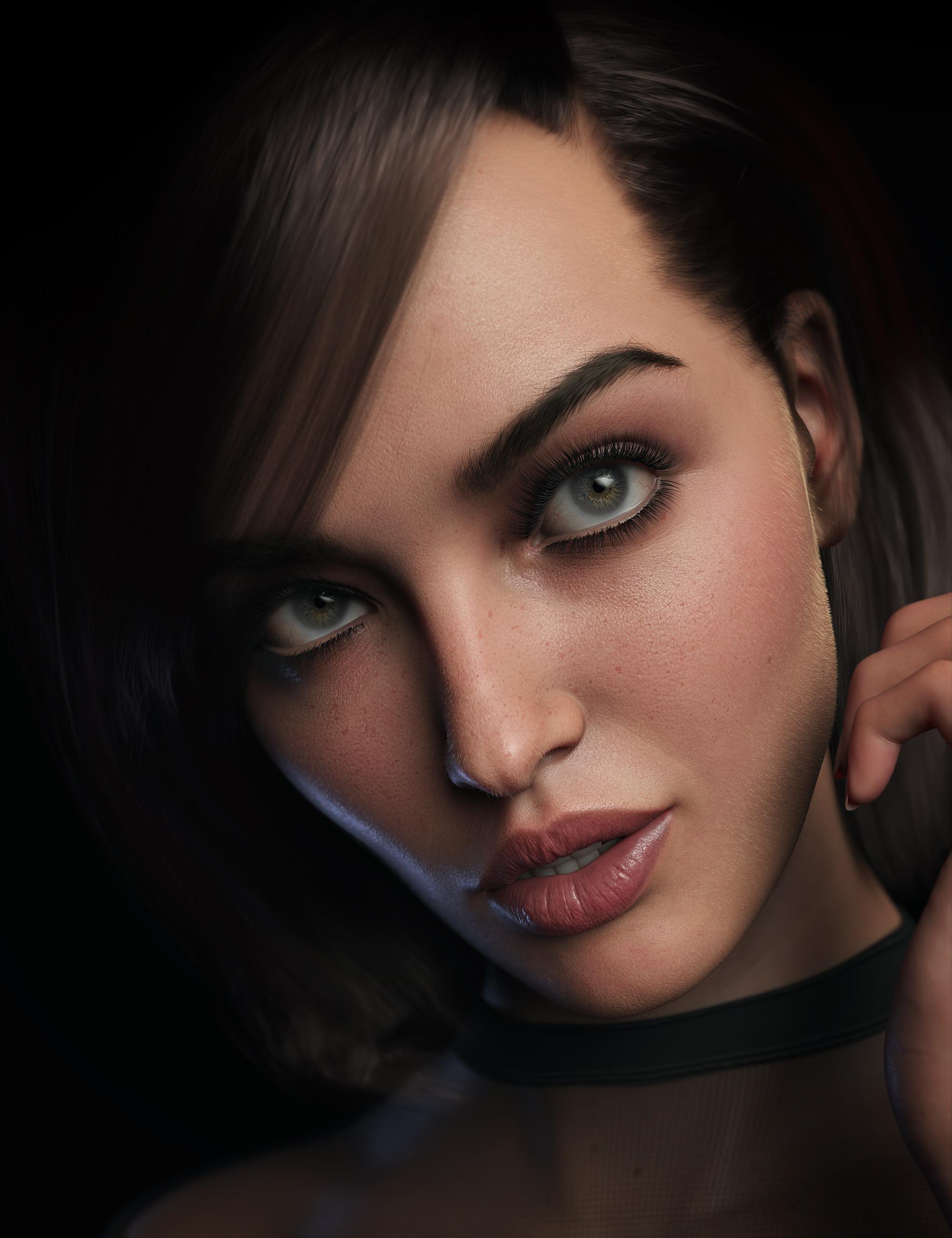
Pakmule said:
Is it possible to add more than one detail normal map to a character? I can't see a way to do it.
No. There is just the normal and detail normal slots.
In normal circumstances, you don't need more than one for detail. You can individually set the tiling number of the detail maps to adjust them to the camera distance ans/or UV scale difference. But it would be nice to have more than one for scars or other things.
1) Is it possible to get that level of detail on Genesis 8?
2) Also, how would one be able to recreate this shader network in another app say....blender?
Whatever happened to Crosstalk?I'm sorry. This is not about the clothes.
This is about how, back in 2000, Victoria "inherited" Michael (Marlin's) morphs. That is Crosstalk.
I wondered what has happened to eliminate that problem?
Whatever happened to Crosstalk?I remember sometime around 2000 I created my first version of Marlin Fingle, (based on Michael 1). He was a rather absurd, "portly" character with a huge nose.
I posed him together wtih my first version of Jill Chill (based on Victoria 1). The result was explosive. Jill took on Marlin's portly size.
I remember doing "surgery" on Michael 1. I eliminated every morph except a newly created "Marlin" morph.
Over the years I decided to use the default Michael's body size, but keep the huge nose. I lost track of Crosstalk.
I know Crosstalk had some benefits. It allowed clothes to follow the morphs of your character.
Whatever happened to Crosstalk? Is it still around?
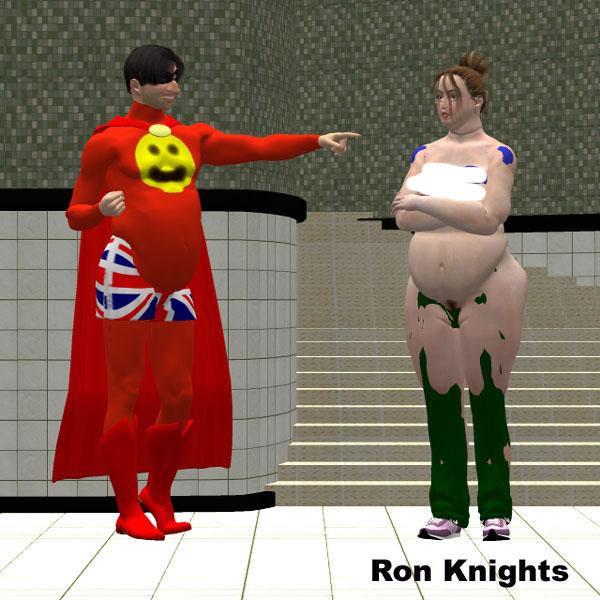
I censored this pic because Jill's nipples were showing!
 These are ALL Victoria 4 Renders!!!
Daz's versatile Victoria 4 rendered with many faces in Superfly:
Black Friday Pre SaleI'd also suggest that you consider stretching your budget further by looking at free items. There are a lot of free resources available in the freebie forum here (search for Perlk or AllenArt [AKA LaurieA on Renderosity] in particular for jewellery), at Renderosity Most Wanted, at RenderHub, or find it through PoserDazFreebies. There are a lot (utterly vast amount) of very good freebies available, particularly for G8F/M, but there is stuff going back to Victoria 2/3 if that's what you want. Regards, Richard.I have eliminated all PA folders!Ron Knights said:
There are no conflicts. None whatsoever.
You are repeating this emphatically, but I'm not understanding your actual underlying point.
Are you asserting that you do not believe conflicts are possible, that you do not believe conflicts have happened, or do you just believe that the conflicts are rare?
Is your point that Daz should abandon this as their standard, or are you just pointing out that this is an option for other users?As has been pointed out, it is exceedingly common for characters to be published with the same name. Here's a list that barely starts to scratch the surface...
Two G9 Jennys:
https://www.daz3d.com/js-jenny-hd-for-genesis-9
https://www.daz3d.com/enn-jenny-for-genesis-9-feminineTwo G9 Ursulas:
https://www.daz3d.com/pn-ursula-for-genesis-9
https://www.daz3d.com/p3d-ursula-hd-for-genesis-9Two G9 Beatrices:
https://www.daz3d.com/fn-beatrice-hd-for-genesis-9
https://www.daz3d.com/beatrice-and-bartholemew-for-genesis-9Two G9 Nicoles:
https://www.daz3d.com/v3d-nicole-hd-for-genesis-9
https://www.daz3d.com/e3d-nicole-hd-for-genesis-9and five G8 Nicoles:
https://www.daz3d.com/nicole-for-genesis-3-and-8-female-s
https://www.daz3d.com/v3d-nicole-g8f
https://www.daz3d.com/feng-nicole-hd-for-genesis-81-female
https://www.daz3d.com/gdn-nicole
https://www.daz3d.com/sc-nicole-for-genesis-8-femaleThree G9 Zoes:
https://www.daz3d.com/lala-zoe-hd-for-genesis-9-feminine
https://www.daz3d.com/p3d-zoe-hd-for-genesis-9
https://www.daz3d.com/vo-zoe-hd-for-genesis-9Who also have three G8 Zoes to go with them:
https://www.daz3d.com/v3d-zoe-g8f-g8-1f
https://www.daz3d.com/meshgames-zoe-g8f-morph
https://www.daz3d.com/mbm-zoe-for-genesis-8-femaleTwo G9 Lins:
https://www.daz3d.com/pa-lin-for-genesis-9-feminine
https://www.daz3d.com/lala-lin-for-genesis-9-feminineThree G8 (and G8.1) Eves:
https://www.daz3d.com/hid-eve-for-genesis-81-female
https://www.daz3d.com/deepsea-eve-hd-for-genesis-through-genesis-8
https://www.daz3d.com/eve-enhanced-virtual-entity-hd-for-genesis-8-female
(I'm not counting https://www.daz3d.com/eve-3022-hd-morph-for-genesis-8-females as she has her presets called EVE 3022)Two G8 Celestes:
https://www.daz3d.com/celeste-for-teen-raven-8
https://www.daz3d.com/celeste-for-genesis-8-and-8-1-femaleTwo G8 Stephanies, despite one being a preexisting core character, and a name Daz has used for several generations of core character:
https://www.daz3d.com/mbm-stephanie-for-genesis-8-female
https://www.daz3d.com/stephanie-8Two G8 Taras (in this case, the PA character preceded the DO core character):
https://www.daz3d.com/tara-2-hd-for-victoria-7-victoria-8
https://www.daz3d.com/tara-8Two G8 Zaras:
https://www.daz3d.com/zara-g8f
https://www.daz3d.com/ly-zara-hd-for-genesis-8-femaleTwo G8 Jamies:
https://www.daz3d.com/krashwerks-jamie-for-genesis-8-female
https://www.daz3d.com/jasa-jamie-for-genesis-8-and-8-1-female... I think it's a fair assertion that there's a significant chance that any character with a common name has a significant chance of a duplicate, and even a few slightly more fanciful ones do too.
Without being differentiated by vendor specific initials or folders, these products would clash.
It is a major task formally resaving every file in a product under a new name (as I explained before, it is strictly incorrect to simply rename the files; while it normally works, they will have incorrect internal paths and that can on rare occasions cause a problem, so while it's mostly okay for end users to do, it is not legitimate for a vendor as a way to rename their product). Moreover, renaming the user accessible library files is only part of the situation. If a character's name is changed in the library, then the underlying data files probably need renaming as well. And renaming files like this can actually break user's scenes.
It would not be good practice for a vendor to rely on being able to rename products after release. This is something that should be reserved for emergency cases.As such, I could only see that a wild west system would result in a load of neo-spellings such that characters were called Daeyvide or Rhiebeckah.
Now, as far as real-life, I have a pet peeve about neo-spellings like this, because parents making their little snowflake have a unique name is going to cause the kid a metric butt-tonne of problems down the line. No-one is instinctively going to know how to spell their name, and then that's going to cause things like paperwork not matching exactly. Seriously, don't try to be clever with your kids' names.
In the Daz store, it just means no-one would be able to find any of them half the time. The store search has a long history of being very poor at fuzzy matching, and if you don't get a spelling exactly right (and sometimes even if you do), it won't find the product.In the end, if you're just pointing out that this is an option for other users, then fine... but I don't think you're going to convince Daz to conform to the standards you want, because they know that file clashes have been a problem in the past, and I don't think it's worth you trying to press the point to them.
Celebrity Look-a-Likes for 3D figures Part 4tista1993 said:
nDelphi said:
One of the most beautiful Evangeline Lilly lookalikes was MRL Ariana for V4.2. She came with two body types, beautiful body types, too.
I had converted her to Genesis 2 and Genesis 3. Some of you might have her in your collection.
Here is a promo of her as Tauriel (she came with her own morphable elf ears).
Oh wow, loved that V4 model. Loved all of the MRL ones, i had the Jennifer Lawrence lookalike as my fav and it was so good. Wish someone ported her and others to Genesis 3 too.
This DAZ Studio plug-in and its associated add-on will allow you to tranfer your Victoria 4 and Michael 4 morphs to Genesis 3 Female and/or Genesis 3 Male:
https://www.daz3d.com/genesis-generation-x2
https://www.daz3d.com/genx2-addon-for-genesis-3
This utility will allow using Victoria 4 textures on Genesis 3 Female:
https://www.renderosity.com/marketplace/products/113767/legacy-uvs-for-genesis-3-v4
This utility will allow using Michael 4 textures on Genesis 3 Male:
https://www.daz3d.com/legacy-uvs-for-genesis-3-michael-4
[Released] Character Converter from Genesis 3 Female to Genesis 8 Female(Now Conv JCMs) [Commercial]RiverSoft Art said:
This sounds like the converted character.duf file is not being set correctly to dial in the morph. The script has to find and hack that file during conversion to set that morph. If it is not finding it, it will still report the conversion as successful, but you can see in the DAZ LOG that it couldn't find it. Where are you saving the converted character.duf? Is it not in a standard folder?
I have DAZ installed on my D drive. I created a folder called "Conversions" to save all of the characters and clothing I move from gen 7 to gen 8. The Conversions folder is set at the top so the "data" folder and the duf are being saving into the same Conversions folder. The folder follows the same structure as the normal DAZ folder. Before I changed hard drives, I had no issues with converted figures. I want to emphasize that. I had used the converter to convert close to 20 characters with no problems, using exactly the same file structure and everything worked fine. Now with the new hard drive it isn't I can't determine why. The only reason I am running the converions again is I lost the orignal files during backup.
Currently the figure is being converted. Converting Hannah and Victoria 7, I get a duf file for each. Shut down and restart, load converted Viki 7. Log file shows some Warning errors, but the figure loads as V7 on G8F, morphs are dialed in, ski n applied, everything looks okay. Do the same thing for Hannah. I am still getting Warning errors where it is looking for unrelated character morphs, but the figure loads with no morphs applied, just a G8F with Hannah's skin. When I go to Parameters, I can find the Hannah and Victoria sliders (Hannah uses 75% Viki 7 by defeault), they are just still at 0%. I also tested this with Blaire for G3F and got the same problem. The figure loads as a G8F with Blaire's skin and no morphs dialed in.
As a test I moved the "data" folder into my base DAZ Library and still got the same results. SO I'm really confuse at this point as to why it isn't working correctly.
[Released] Character Converter from Genesis 3 Female to Genesis 8 Female(Now Conv JCMs) [Commercial]Tymefyre said:
Hi there,
I recently replaced my DAZ drive and lost all my convertied figures. In the process of converting them again and I am getting an odd result.
The character conversion reports as successful. I can load said character and get the expected resutls. Turn off comupter, and come back later loading same character and none of the morphs / dials are applied. For example I converted Victoria 7 and Hannah for Victoria. After a computer restart, I load Hannah, she has the Hannah skin applied with the base G8 body. I have to manually dial in both the Hannah and Viki morphs, and the additional morphs that Hannah uses.
I have a "Conversions" folder where all the conversion are saved to, it is the "top" folder so all the data for the morphs is going into that folder. I have tried using both the Restore and Zero options with the same result. Any ideas how to fix this?
This sounds like the converted character.duf file is not being set correctly to dial in the morph. The script has to find and hack that file during conversion to set that morph. If it is not finding it, it will still report the conversion as successful, but you can see in the DAZ LOG that it couldn't find it. Where are you saving the converted character.duf? Is it not in a standard folder?
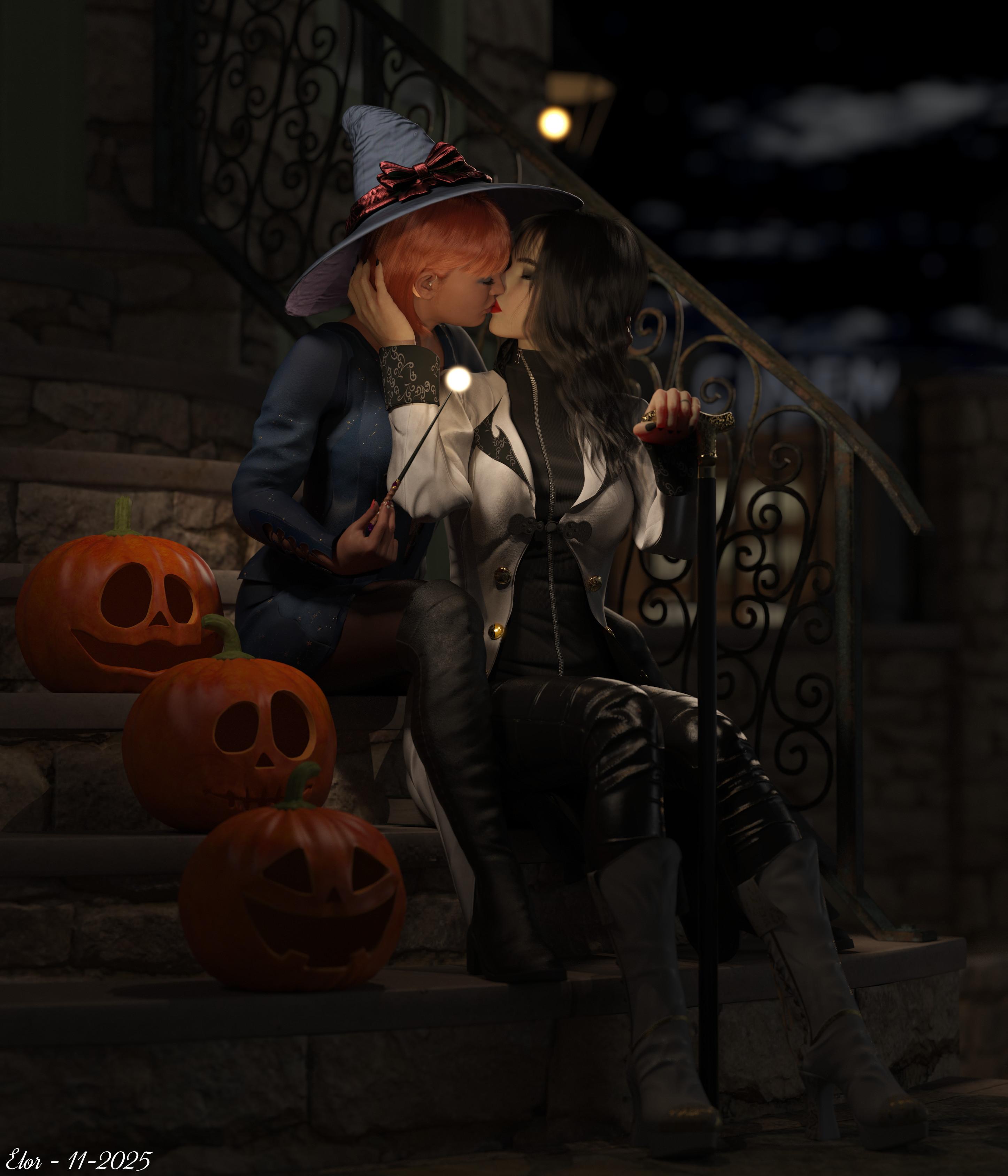
Render your buys! ALL TIME ChallengesMy November's render for Llola's Lane render challenge. I took the 'two women kissing while sitting on the stairs' idea from an artwork I saw on Bluesky, drawn by an artist called Simz, and I tried to re-create it in Daz Studio.
Victoria and Lacey waited for their friends before going to a Halloween party, sitting on the stairs, chatting and kissing.
While they were kissing, they both heard a burst of camera shutter sounds telling them at least one of their friends was here: the photographer.
Unfazed, Victoria waved her wand to make the photographer go away, but either she’s not really a witch, just disguised as one, or she needs to be able to speak to cast a spell.
Who knows, but while editing the photo, the cheeky photographer added a nice warm magical light on Victoria’s wand.
All is forgiven?
#4News:
Premium Props - Park Bench, a freebie from June this year and which provided the lamp in the background.
Urban Sprawl 3, which is great to add a US style city in the background on top of being a great environnment.
dForce Victorian Vampire Outfit for Genesis 8 and 8.1 Females, very nice but for some reasons, the jacket while having SubD already activated, is loading at Base resolution which produced not so great shadow. The rest of the outfit doesn't have SubD active, but once added, it worked nicely (though I mainly needed it on the boots).
Wizardly Wands for Genesis 9, nothing really to say, the light effect on the tip is just a point light with a bit of geometry and bloom filter active.
CC Character Kit: Vampire Vagaries MR for Genesis 9, it's made for Genesis 9 and I don't think it'll work on Genesis 8. I looked at how the pallor effect was made and I applied it manually on Genesis 8 as best as I could (I may have missed something), which is not something I could have set on my own.
Feng Fantasy Books, barely visible, but I wanted Lacey's and Victoria's heads at a similar level and after taking into account the difference in height between them, the depth and the height of the stairsteps, something was still missing.
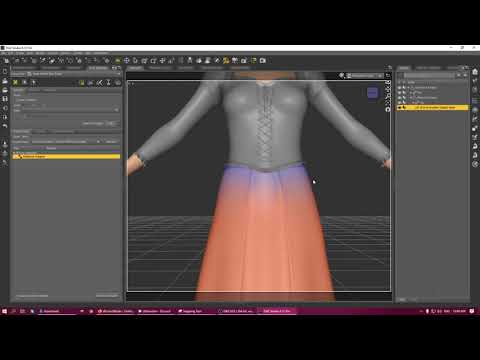
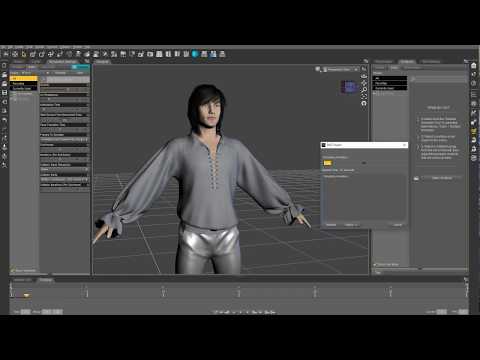
Descant Outfit for Genesis 8 Female(s), it does look great but it's not dForce so to get it to drap nicely, I added dForce on the dress, did a simulation after applying dForce on it and the dress slipped down… So I added a weight map to set the first couple of rows of polygons from the waist to be excluded from the simulation and the dress stayed on Victoria's hip. It will likely need more tweaking around the trim at the bottom if you want to use it on a scene where it's more visible but it felt nice enough for my use.
I think I learned how to do it in this video (I'm not sure, it's been a while):
Mada also has a nice tutoriel on the subject that I also watched:
 Llola Lane’s RENDER A MONTH Challenge 2025 (ALL are welcome to join)
Theme: Dead & Alive (well, living dead is, I think, the usual word for vampire
 ).
).I wanted to publish it sooner in the month but I didn't found the time to work on it, so I'm a bit late for Halloween. Well, it's just another twisting of the rules, so what's one more, right?
Victoria and Lacey waited for their friends before going to a Halloween party, sitting on the stairs, chatting and kissing.
While they were kissing, they both heard a burst of camera shutter sounds telling them at least one of their friends was here: the photographer.
Unfazed, Victoria waved her wand to make the photographer go away, but either she’s not really a witch, just disguised as one, or she needs to be able to speak to cast a spell.
Who knows, but while editing the photo, the cheeky photographer added a nice warm magical light on Victoria’s wand.
All is forgiven?
As usual, items bought from Daz should all be listed on the gallery.
Stezza said:
it sure is November
Ying and Yang
I like the expression of the little boy in red and the angry tree yelling at them
 Nice render too.
SofaCitizen said:
Never alone with a friend
It's both look great and cute

Fae3D said:
Fire and Water
Fantasy horses having a little bit of a disagreement XD
I think there will be no disagreement that this render is great !
nattaruk said:
For Hard and Soft:
Alien Snails
I didn't have space exploration on my planning and I'm glad, these alien snails are creepy (the render looks great)
 [Released] Character Converter from Genesis 3 Female to Genesis 8 Female(Now Conv JCMs) [Commercial]
Hi there,
I recently replaced my DAZ drive and lost all my convertied figures. In the process of converting them again and I am getting an odd result.
The character conversion reports as successful. I can load said character and get the expected resutls. Turn off comupter, and come back later loading same character and none of the morphs / dials are applied. For example I converted Victoria 7 and Hannah for Victoria. After a computer restart, I load Hannah, she has the Hannah skin applied with the base G8 body. I have to manually dial in both the Hannah and Viki morphs, and the additional morphs that Hannah uses.
I have a "Conversions" folder where all the conversion are saved to, it is the "top" folder so all the data for the morphs is going into that folder. I have tried using both the Restore and Zero options with the same result. Any ideas how to fix this?
hi,whats the name of this figure/character ?If that's not straight out of the box Victoria 9, then it's mostly her.
Generation 3 Aiko and Hiro Appreciation ThreadSkin Randomizer (Commercial)Find it here : https://www.daz3d.com/skin-randomizer
Lack of inspiration? Want your characters to feel fresh again?
Skin Randomizer is designed to instantly add variation and bring new life to any figure’s skin. (all generations)What’s inside
• Three dedicated scripts:
– Base Color Randomizer
– Volume Randomizer (translucency, transmission, subsurface)
– Gloss Randomizer (bonus)• A simple, flexible interface:
Define or reset the amplitude of each random variation in a few clicks.
Hue, Saturation, and Value ranges are controlled separately, giving you precise and safe control over how far colors can drift.
Lower amplitudes keep results in realistic human tones, higher amplitudes open the door to stylized or fantasy skins.Universal Partial Presets
Skin Randomizer includes a set of scripted partial presets:
– 34 Base Color (Diffuse) presets
– 13 Volume Color presets
– 11 Base/Volume ratio presetsThey let you instantly restore solid, reliable skin bases if your exploration goes too far — or serve as new starting points for further randomization. They will work on all generations and with many initial shaders (Iray Uber, PRBSkin but much more).
Compatibility
• Works with every Genesis figure (down to Victoria 4)
• Optimized for PBRSkin and Iray Uber
• Partial support for older standard shaders
• Fully compatible with both Daz Studio 4 and Daz Studio 6Integration with other products
Skin Randomizer works on its own, but also integrates seamlessly with:
– Ultimate Iray Skin Manager
– Ultimate PBRSkin Manager
– Texture Booster and Shader ConverterWhich were also all updated to be compatible with DS 6. When any of these are installed (DS 4 or DS 6), you can enjoy safe randomization directly from within their interfaces (no color ever pushed above 1).
Additional Tools
• Full PDF documentation
• A Geograft Transfer Tool to preserve shader coherence on figures using anatomical geografts (including Genesis genitalia)
In short:
Skin Randomizer can be your quick way to add variety when inspiration is low, a playground for discovering new skin ideas, and a complementary tool supporting the free DS 2025 updates of the main skin-related products it connects to. The "Animators Assemble!" thread for Daz animation WIPs, clips, and tips
CoXComics said:
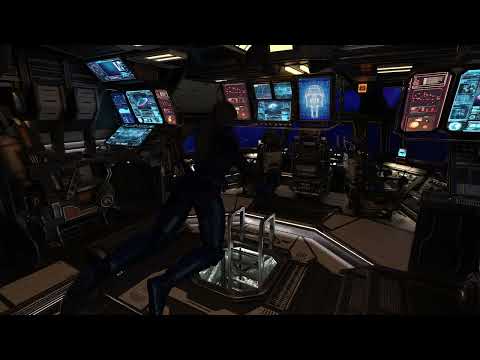
Scrap bit trying out XI Spaceship Cockpit and Victoria 9 sporting Futuristic Guardian Outfit for Genesis 9.
Very well done! Thanks for sharing it, looking forward to more.
The "Animators Assemble!" thread for Daz animation WIPs, clips, and tipsScrap bit trying out XI Spaceship Cockpit and Victoria 9 sporting Futuristic Guardian Outfit for Genesis 9.
 Naturally Bending Aleda
They're just Corrective Blend Shapes (cbs) made by the vendors... in addition to the default cbs on Genesis 9 ~~
Usually, if a character vendor finds the area around a rotated joint has an unexpected deformation or not a good-looking shape, he/she will make a new shape to further correct the existing cbs... (which used to be called MCM: Morph Corrective Morphs, on Genesis figures before G9)
In below screenshot, it shows a character's cbs of Victoria 9 when her upper arm bends 90 degrees. The character product you mentioned above would work in the same way ~~
Edit: You can also find some useful info. in here: http://docs.daz3d.com/doku.php/public/software/dazstudio/4/userguide/creating_content/assembling/tutorials/creating_morph_controlled_morphs/start
P3/P4 and Zygote Appreciation ThreadsI decided to start a new thread for Older Figures that predates the Daz Millennium Figures, Posette, Dork, P4 Boy, P4 Girl, and P4 Infant, (Zygote's Nude Young Woman/NYW and Zygote's Nude Muscle Man if you have one).
Some Derivatives/Characters are Zygote Faerie, Mermaid, Merman, Centaur, Merbaby, Lemurtek's Furries (Like Wolfgang, Lionheart, and others) Zygote Demon and others are included.
Freebies for P4 Stuff:
https://poserdazfreebies.miraheze.org/wiki/P4_Woman
https://poserdazfreebies.miraheze.org/wiki/P4_Man
Posette Forever (need registration): https://www.posetteforever.com/dload.php
Similar Threads:
Genesis 2 Appreciation Thread:
https://www.daz3d.com/forums/discussion/734706/genesis-2-appreciation-thread/p1
Genesis 1 Appreciation Thread:
https://www.daz3d.com/forums/discussion/467826/genesis-the-early-years/p1
V2/3 and M2/3 and children Appreciation Thread
Aiko 3 and Hiro 3 Appreciation Thread:
https://www.daz3d.com/forums/discussion/8629/generation-3-aiko-and-hiro-appreciation-thread/p1
K-Gang Appreciation Thread: Koshini, Krystal, Ichiro, and Kyle (the Forum I created):
Daz 3D is part of

Connect
DAZ Productions, Inc.
7533 S Center View Ct #4664
West Jordan, UT 84084Licensing Agreement | Terms of Service | Privacy Policy | EULA
© 2026 Daz Productions Inc. All Rights Reserved.