-
Show Us Your Bryce Renders Part 10
Dave Savage, great atmosphere you have on your scene! Very immersive, reminds me Jack the Ripper times. And details like raven...
RexRed, tree of life symbolism?)
launok, cool to see "fashion" stuff going even here, to Bryce. Thanks for sketchup mentioning
Horo, are those impossible figures.. something you also did inside Bryce, but now use outside modelling software due to workflow?
Looking for a few weapons.Check turbosquid, Humster3D and flatpyramid. many times they also have freebies in decent quality. You could also check out the google warehouse for sketchup files. they tend to have many variations on what you might need and you can then convert the .SKP files to .OBJ for use in DS
Also if you play any games, there are usually development tools included that allow for mesh extraction for personal use and in mod making.I use lots of weapons and vehicles from my copies of ARMA and COD in renders
Show Us Your Bryce Renders Part 10In this scene I have used the boutique shared here earlier this month. Unfortunately Bryce went out of memory and I could save the image though. I have the same scene saved correctly without the building in the far left background. That building and textures was just too much it seems for Bryce to handle. As far as I remember I have 'LAA' installed some months ago but this time it run out of memory.
All objects used, including street and car, are Sketchup models.
SketchUp Importer - Early Progress ReportI am pleased to report that I have found a backup of my files for this project in an unexpected location. Now I have to get my head back into the game and try and remember where I left off, and also verify that the backup I found is in fact fully operational. No timeline right now as I have a lot of other things going on, but I will provide an update when I have more to share. Assuming things move forward again I will definitely be looking for someone to help me test this, and also (possibly) to provide some guidance about navigating the Daz Store process.
Regards,
-MIkeOOH! Yay! I decided to pick up SketchUp Make 2017 recently to get back into it so knowing that this could be on the horizon is exciting!
Show Us Your Bryce Renders Part 10Just a test render in Bryce to see how the Sketchup mannequins will work in a shop scene. All the models are from Sketchup Warehouse. The hanging shelves with plants underneath is not part of the actual empty building. I placed that afterwards. I was specifically looking for shelves with chains to place lying mannequins on.
Laura
Needed: Open grave site for a funeral in progressAnd here is a free lowering device for a casket: https://3dwarehouse.sketchup.com/model/cb11091a3badb66fd74a4a0e39b31146/Streamliner-with-lowering-device-graveside-setup?hl=ja
It is in sketchup format but that can be converted to obj for import into DS
CAR AND BIKE LOVERS THREAD - MARK IVI’ve got that Nomad as well...and it’s cousin, a 58 Safari..
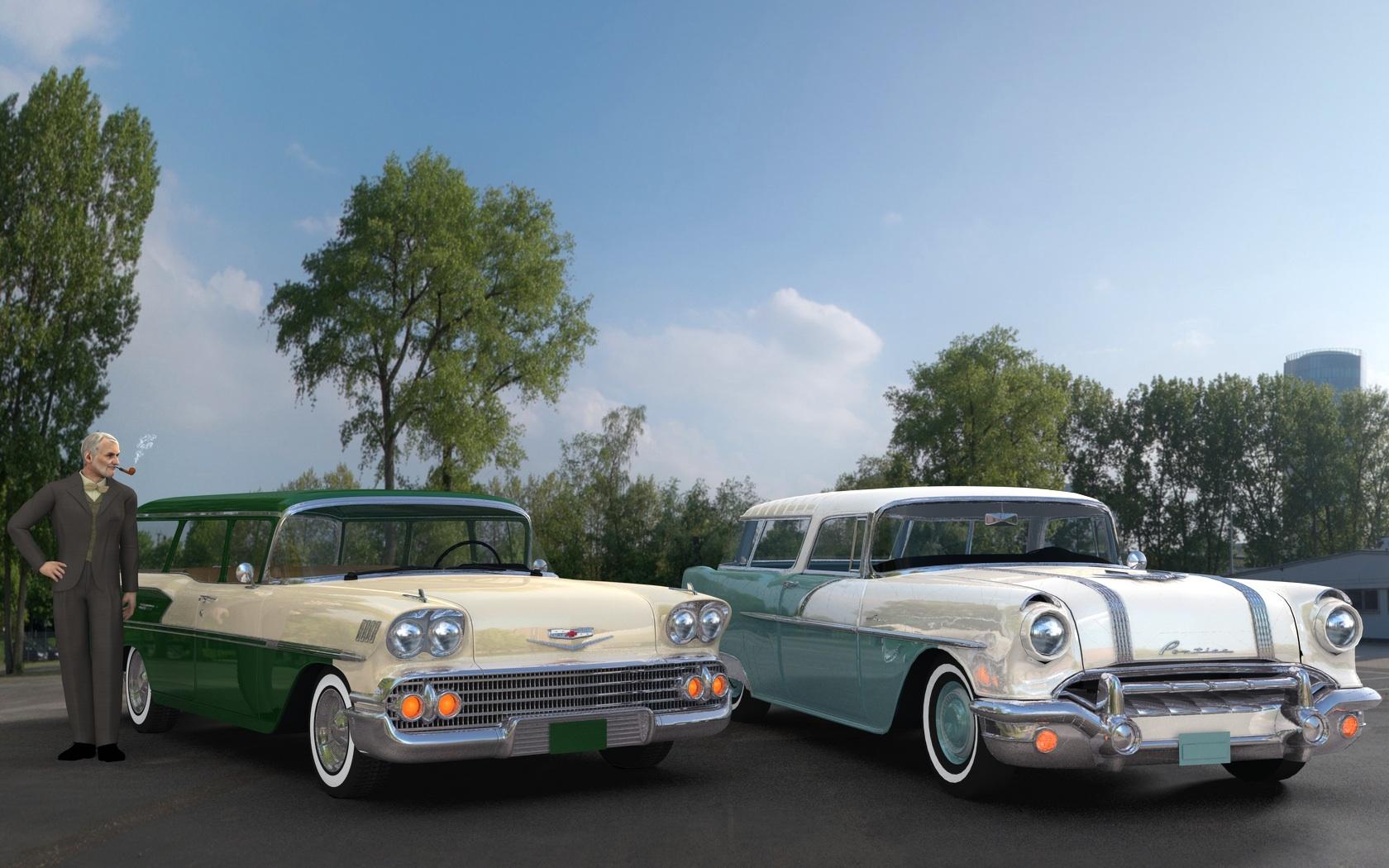
That Pontiac Safari is a 56!
I’ve got that Nomad as well...and it’s cousin, a 58 Safari..
I have the Pontiac also, I could be wrong, but I think it is a sketchup model that came in three parts that fit perfect together.
Nope, the Safari is a GTA SA mod.
Like I said...Sketchup model...Lowrider did this model.
It didn't start out there Mus, it was originally at gtaclassics, and of course GTAinside, it was one of those that was converted to sketchup by ceyote56! The original author was Dan Palatnik, and was converted to GTA SA by brendan62, and was one of the first cars I had gotten when we finally had a way other Zmodeler to convert these models from dff files, I remember literally drooling over some of the models that Cherokee was showing us at the time, and this one was one of them! the car is still available at gtaclassics. http://www.gta-classics.net/
CAR AND BIKE LOVERS THREAD - MARK IVI’ve got that Nomad as well...and it’s cousin, a 58 Safari..
That Pontiac Safari is a 56!
I’ve got that Nomad as well...and it’s cousin, a 58 Safari..
I have the Pontiac also, I could be wrong, but I think it is a sketchup model that came in three parts that fit perfect together.
Nope, the Safari is a GTA SA mod.
Like I said...Sketchup model...Lowrider did this model.
CAR AND BIKE LOVERS THREAD - MARK IVI’ve got that Nomad as well...and it’s cousin, a 58 Safari..
That Pontiac Safari is a 56!
I’ve got that Nomad as well...and it’s cousin, a 58 Safari..
I have the Pontiac also, I could be wrong, but I think it is a sketchup model that came in three parts that fit perfect together.
Nope, the Safari is a GTA SA mod.
CAR AND BIKE LOVERS THREAD - MARK IVI’ve got that Nomad as well...and it’s cousin, a 58 Safari..
I have the Pontiac also, I could be wrong, but I think it is a sketchup model that came in three parts that fit perfect together.
CAR AND BIKE LOVERS THREAD - MARK IV
Niah and Buster!
And yet another kitbash of a nice model, the body, frame and radiator shell are from the 3d warehouse, as is the flatty, same flatty I've been using for every other of my classic style hotrods, the original car actually comes as a kit in a sense, you can get the complete car via the 3d Warehouse, which includes the Ford 427 SOHC, it comes with mag wheels on the frame, and then there was a third part, you can assemble the whole car in sketchup, and if you have an older version of sketchup, with an exporter ruby for obj files, then you can make it into pretty much anything you want, and I did, Music_2_4_U and I have been playing with this one for years, literally!
How To - Use an Height Map as a Distribution ShaderI finally remembered how I got a DEM into Carrara, by Googling it and finding my own comment at Renderosity from a couple of years ago:
I recently upgraded my VUE Complete and was browsing through the examples when I saw a DEM landscape render. DEM's are real world data files representing landscapes. I had been struggling to create the San Francisco peninsula and the Bay in Carrara, and decided to give VUE a try. Worked great, Google found the DEM file and VUE did the rest. [as I recall, Vue can export OBJ and 3DS files] ... Here is where I found the San Francisco DEM's, I downloaded the "San Francisco North" file, including the Golden Gate, the Peninsula, and Alcatraz Island, all of which are part of my animation. It downloads as a text file, which you have to convert to a *.dem file by getting Windows to delete the *.txt extension. Windows Explorer can do this if you kick it hard enough ...
http://www.lib.berkeley.edu/EART/dem/dem.html
In my search, I found a TangoAlpha post that suggested Sketchup as the import DEM/export to Carrara program, but now I can't find the post. Here in the DAZ Forum somewhere, I think.thanks for that :)
Very nicely done head wax. That was brilliant to use the height map as a distribution map. Thanks for sharing your process.
pleasure - it ocurred to me that stuff we find simple is sometimes only simple because we have done it a trilliaon times :)
Thanks headwax, can you also upload the car file, to make a complete freebie package out of this?
Hya no problem - I have uploaded a txt file in the original post - just needs suffix changed to car - it should work - it's not the same as the scene I posted but close !
How To - Use an Height Map as a Distribution ShaderI finally remembered how I got a DEM into Carrara, by Googling it and finding my own comment at Renderosity from a couple of years ago:
I recently upgraded my VUE Complete and was browsing through the examples when I saw a DEM landscape render. DEM's are real world data files representing landscapes. I had been struggling to create the San Francisco peninsula and the Bay in Carrara, and decided to give VUE a try. Worked great, Google found the DEM file and VUE did the rest. [as I recall, Vue can export OBJ and 3DS files] ... Here is where I found the San Francisco DEM's, I downloaded the "San Francisco North" file, including the Golden Gate, the Peninsula, and Alcatraz Island, all of which are part of my animation. It downloads as a text file, which you have to convert to a *.dem file by getting Windows to delete the *.txt extension. Windows Explorer can do this if you kick it hard enough ...
http://www.lib.berkeley.edu/EART/dem/dem.html
In my search, I found a TangoAlpha post that suggested Sketchup as the import DEM/export to Carrara program, but now I can't find the post. Here in the DAZ Forum somewhere, I think.Show Us Your Bryce Renders Part 10Hansmar – great mist/fog scene.
Adbc – did you get the 3D googles? Thanks Horo for sending them, beautiful gesture.
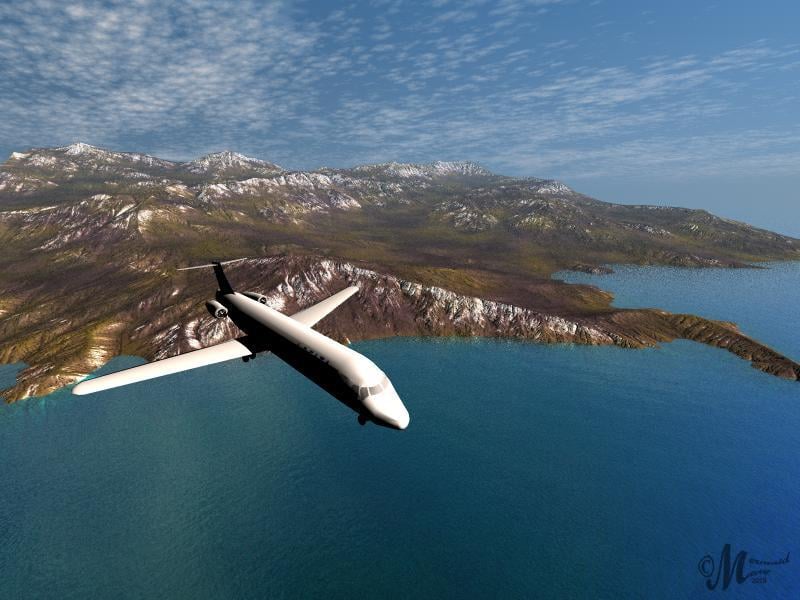
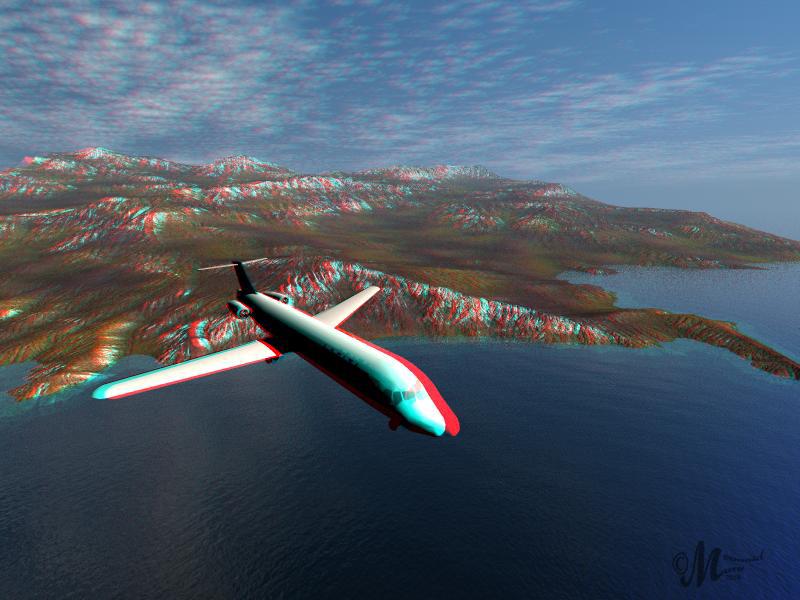
I used a terrain from David and Horo’s Object Clouds -2D and 3D and a freebie from Sketchup Warehouse for this peninsula scene. I couldn’t resist an Anaglyph using the ALS. I like the plane flying out but not too happy with peninsula, I wanted it to recede a bit more.
 Looking for a character modeler
I need someone to create a base character, male and female that I can pose later as needed, I need them in a body suit, very similar to the Tron suits, I will supply details of the outfit.
It needs to be low poly as it will be imported into Sketchup after modeling and posing. Paid gig.
SketchUp Importer - Early Progress ReportSketchUp Make 2017 is free. Maybe I'm missing something in your query?
-Mike
he could be referring to when there was a standard free and pro version and the standard free version didn't export to .OBJ
As I understand it, the creator of the script doesn't intend to make .obj files a part of the process and will supply the ruby needed for Sketchup AND the DS script necessary to make this all function. At least that's how I read it. So, exporting to .obj isn't needed.
Laurie
SketchUp Importer for Daz StudioProgress reports and enthusiastic support are being posted over on this thread :) ... Just in case anyone else wants to pass on encouraging words or help to ModelerMJ
https://www.daz3d.com/forums/discussion/169576/sketchup-importer-early-progress-report
!!! The most detailed Circus modelThose surfaces should reflect light; Iray has no problem with that. If you're rendering in Studio, you need to add mirror/sequin shaders to the appropriate surfaces.
There's a free mirror shader at http://www.sharecg.com/v/81125/favorite/21/DAZ-Studio/Iray-Mirror-Shader - usage rights are both commercial and personal, so if you want to offer this project for sale if/when you move it out of Sketchup, you would be able to use that shader for your surfaces setting.
The problem with Iray is that it reflects surfaces that are emitting light, but it does nor reflect light coming from a Spot light. The mirror shader reflects only the environment, so when it is totally dark and you only use a spot light, there is nothing to reflect and the effect is gone. The only way I found are metallic Flakes. But they cannot really be adapted the way a need them, since they are randomly applyed.
Most impressive work!!! I'm a 3DL user so no IRay expert, but the caustic sampler (in the render settings tab) should make it possible to have light bounce from reflective surfaces. Good luck with your project, I'm really impressed that you actually made a 3d audience


Yikes! I tryed the caustic sampler... my computer gave up un that one! I need a bigger harddrive! It run out of space! I still have about 30 GB but it wasn't enough...
!!! The most detailed Circus modelThose surfaces should reflect light; Iray has no problem with that. If you're rendering in Studio, you need to add mirror/sequin shaders to the appropriate surfaces.
There's a free mirror shader at http://www.sharecg.com/v/81125/favorite/21/DAZ-Studio/Iray-Mirror-Shader - usage rights are both commercial and personal, so if you want to offer this project for sale if/when you move it out of Sketchup, you would be able to use that shader for your surfaces setting.
The problem with Iray is that it reflects surfaces that are emitting light, but it does nor reflect light coming from a Spot light. The mirror shader reflects only the environment, so when it is totally dark and you only use a spot light, there is nothing to reflect and the effect is gone. The only way I found are metallic Flakes. But they cannot really be adapted the way a need them, since they are randomly applyed.
Most impressive work!!! I'm a 3DL user so no IRay expert, but the caustic sampler (in the render settings tab) should make it possible to have light bounce from reflective surfaces. Good luck with your project, I'm really impressed that you actually made a 3d audience
@Sven Dullah - Caustic sampler, yes, I know where to find it. What does it do? Never used it before.
!!! The most detailed Circus modelThose surfaces should reflect light; Iray has no problem with that. If you're rendering in Studio, you need to add mirror/sequin shaders to the appropriate surfaces.
There's a free mirror shader at http://www.sharecg.com/v/81125/favorite/21/DAZ-Studio/Iray-Mirror-Shader - usage rights are both commercial and personal, so if you want to offer this project for sale if/when you move it out of Sketchup, you would be able to use that shader for your surfaces setting.
The problem with Iray is that it reflects surfaces that are emitting light, but it does nor reflect light coming from a Spot light. The mirror shader reflects only the environment, so when it is totally dark and you only use a spot light, there is nothing to reflect and the effect is gone. The only way I found are metallic Flakes. But they cannot really be adapted the way a need them, since they are randomly applyed.
Most impressive work!!! I'm a 3DL user so no IRay expert, but the caustic sampler (in the render settings tab) should make it possible to have light bounce from reflective surfaces. Good luck with your project, I'm really impressed that you actually made a 3d audience
Daz 3D is part of

Connect
DAZ Productions, Inc.
7533 S Center View Ct #4664
West Jordan, UT 84084Licensing Agreement | Terms of Service | Privacy Policy | EULA
© 2026 Daz Productions Inc. All Rights Reserved.