-
Tonemapping
They're now added to a node you can find in scene tab.
You can create that node before rendering using Create > New Environment Options Node
No, I don't want to use Filament.
This is not a feature linked exclusively to Filament. Using nodes, which can have their values addjsuted in the Parameters pane, rather than settings in a differnt pane, makes it clearer that these are things in the scene and provides a more consistent system. That doesn't mean I don't find the concept somewhat uncomfortable still, but theer is logic behind it and in the long-run (or for new users) it may well make sense.
Ah, I had no idea that I was supposed to use the Parameters tab with these. TBH I still don't reallly feel like I understand the Render settings. My Mac doesn't even use some of them. I only just discoverd that denoiser does something and isn't just a fancy wine.
Animated RainAlright. I'm sure we've all heard about Filament and its phenomenal rendering time. And to be honest, the fact that it can render animations so fast has renewed my interest in animation. This leads me to ask; is there a product available for animating rain in DAZ3D? Because I do have some ideas I'd like to give a go. And a couple of them involve rain.
Dartanbeck's Journey - CG FilmmakingWith any luck, I'll have a bit of a cloth simulation tutorial tomorrow,
While I was waiting for the outcome scene to render I created new pages in honor of the new version of Daz Studio which looks very promising!
New Filament PBR Viewport Render Engine
I've never been quite so excited to try Daz Studio before - this looks Fun!!!
Daz Studio 4.14 Pro, General Release!What kind of hardware does Filament require? Anything more powerful that what Iray takes?
Requires Windows (currently), 64-bit, OpenGL > 4.1
Thank you, it was hard to figure this out. I have a Mac, and it wasn't clear at first why I couldn't find it in the dropdown. It might be helpful if this was noted on the announcement pages. Is there a sense of when Mac support might be added?
It is in the highlights thread.
Thank you. I do appreciate the highlights thread. I just mean it would be helpful if it was noted here: https://www.daz3d.com/filament-information-page
The quote on the information page "Filament has a huge market appeal — it’s open source and works amazingly for everybody, no matter how old the system they’re working on is." I understand now that it's primarily refering to windows systems, but it creates the impression that it works "for everybody", at least it did for me.
New DS Filament Render EngineThis is the first release of Filament in Daz Studio. If Daz3D doesn't abandon their work on it and run off to the next shiny thing, Filament will probably be improved. I think it is already improved from the first Beta that included it. If it doesn't work for your workflow, don't use it. All the other choices are still there. We have no right to tell Daz3D what to spend their time and money on. Daz Studio is free. We get what we get. Daz3D is really a content brokerage. With all the bridges they are providing, I'm kind of surprised (but happy) that Daz Studio development is continuing.
+1
Daz Studio has just added a new PREVIEW OPTION draw style that people can use only IF THEY WANT. And they can even render with it IF THEY WANT TO (because it renders crazy fast animations), but it's 100% OPTIONAL to use and some people are freaking out. lol It's hilarious. I'd go make some popcorn but I'm having too much fun playing with Filament right now. lol It's a preview draw style. That's all. You can use it to render with if you want to but I think most people will use Iray. It's not meant to be a replacement for Iray. It's cool to have options. No one is forcing anyone to use Filament if they don't want to. I think people who do animations will enjoy it (I'm enjoying it) and I'm sure it will be improved upon with time. :) People can decide for themselves if they'd like to use it or not. Options are nice to have. Give it a chance or don't, no one is forced to use the new preview option nor is anyone forced to render with it. :)
First of all, this isn't a PREVIEW OPTION
Sure it is. Just like Texture Shaded and Cartoon Shaded, Filament is also a preview draw style. :)
New DS Filament Render EngineThis is another quick animation experiment with the new DS Filament Render Engine in DAZ Studio. This time I added a distance light with shadows turned on. It rendered in 12 minutes for 216 frames in 1920 X 1080. I added a little pixel motion blur in After Effects.
hahah Cool! I can almost hear the director yelling "Cut!". :)
Thank you for your info on getting SBH to render in Filament. I still can't get the hair from "Husky For Daz Dog 8" to render, but it seems all I have to do with the others is increase the line tessalation to anything above 0 to get them to show up in the render. Additionally, I couldn't get shadows from point lights but it worked on a distance light.
I am getting the same results with point lights - no shadows.
New DS Filament Render EngineThis is another quick animation experiment with the new DS Filament Render Engine in DAZ Studio. This time I added a distance light with shadows turned on. It rendered in 12 minutes for 216 frames in 1920 X 1080. I added a little pixel motion blur in After Effects.
hahah Cool! I can almost hear the director yelling "Cut!". :)Thank you for your info on getting SBH to render in Filament. I still can't get the hair from "Husky For Daz Dog 8" to render, but it seems all I have to do with the others is increase the line tessalation to anything above 0 to get them to show up in the render. Additionally, I couldn't get shadows from point lights but it worked on a distance light.
New DS Filament Render EngineThis is another quick animation experiment with the new DS Filament Render Engine in DAZ Studio. This time I added a distance light with shadows turned on. It rendered in 12 minutes for 216 frames in 1920 X 1080. I added a little pixel motion blur in After Effects.
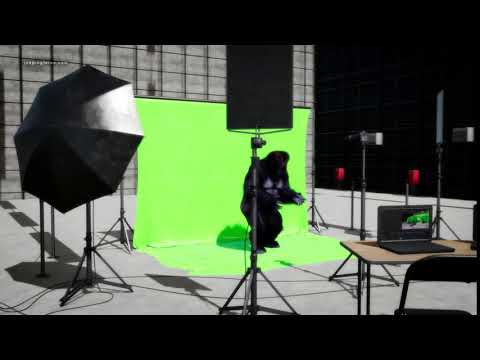
hahah Cool!
I can almost hear the director yelling "Cut!". :)New DS Filament Render EngineThis is another quick animation experiment with the new DS Filament Render Engine in DAZ Studio. This time I added a distance light with shadows turned on. It rendered in 12 minutes for 216 frames in 1920 X 1080. I added a little pixel motion blur in After Effects.
New DS Filament Render EngineThis is the first release of Filament in Daz Studio. If Daz3D doesn't abandon their work on it and run off to the next shiny thing, Filament will probably be improved. I think it is already improved from the first Beta that included it. If it doesn't work for your workflow, don't use it. All the other choices are still there. We have no right to tell Daz3D what to spend their time and money on. Daz Studio is free. We get what we get. Daz3D is really a content brokerage. With all the bridges they are providing, I'm kind of surprised (but happy) that Daz Studio development is continuing.
+1
Daz Studio has just added a new PREVIEW OPTION draw style that people can use only IF THEY WANT. And they can even render with it IF THEY WANT TO (because it renders crazy fast animations), but it's 100% OPTIONAL to use and some people are freaking out. lol It's hilarious. I'd go make some popcorn but I'm having too much fun playing with Filament right now. lol It's a preview draw style. That's all. You can use it to render with if you want to but I think most people will use Iray. It's not meant to be a replacement for Iray. It's cool to have options. No one is forcing anyone to use Filament if they don't want to. I think people who do animations will enjoy it (I'm enjoying it) and I'm sure it will be improved upon with time. :) People can decide for themselves if they'd like to use it or not. Options are nice to have. Give it a chance or don't, no one is forced to use the new preview option nor is anyone forced to render with it. :)
We need improvements to the photoreal aspects of Daz, and that simply isn't happening.
Then what? People would just find another excuse for being terrible.
New DS Filament Render EngineI kind of like this Filament PBR render setup. I just want to know how to create emissives, and I would be happy. Guess I better start doing some research.
This one's easy. You can't in the current implemtation of Filament in DS.
New DS Filament Render EngineI kind of like this Filament PBR render setup. I just want to know how to create emissives, and I would be happy. Guess I better start doing some research.
New DS Filament Render EngineHere's one of the frames (and of course uploading the frame here also lowered the quality a bit lol /DOH!):

This looks good! May I ask you if this is a pure Filament render, like load a character, add clothes, pose, lights, render? Not counting animation. Or did you use any of the new Filament products or maybe your own custom shaders that you are so great at creating?
I adjusted the mats myself, as they are Iray mats.
Just as I wouldn't expect 3DL mats to look decent in Iray without some adjustment (and vice versa), one shouldn't expect Iray mats to look decent in Filament without adjustments. :) They're all three different render engines.
Thank you very much!

NP, I'll try and put together some tips for Filament rendering but it may take a couple of days. For now though I highly recommend 1) Lowering the Environment Intensity by a LOT (until it's ALMOST down to zero). 2) Add a Distant Light or Spotlight and be sure to turn the Shadow Type to Raytraced. 3) HDRIs don't catch shadows in Filament so you'll need to add a floor or primitive plane under your character 4) Under Preferences and the Interface Tab under Preferences turn the "Texture Resources : Performance" all the way up - as recommended the walkthrough by Kindred Arts:
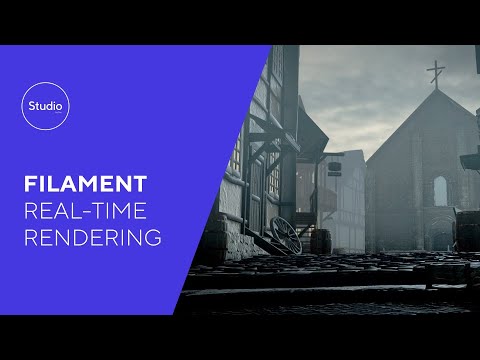
Oh and for surfaces: It appears that "glossy" settings (anything that adds or removes gloss) make one of the biggest impacts (if not THE biggest impact) on how surfaces look in Filament. I would start by lowering ALL the glossy settings all the way to Zero and then bring them up one at a time to see what effect you get. I mainly just mess with Glossy Roughness, and Top Coat Weight and Roughness. Having all the other glossy settings (like Duel Lobe Specular Weight, Glossy Layered Weight, etc) all the way off usually.
This is super helpful. Appreciate you doing this!
New DS Filament Render EngineI find it a bit entertaining that the new rendering engine doesn't do proper shadows and now people are actually selling shadows you can add to your Filament people. I can't consider spending more money on DAZ right now though because I have that 1 in 30 million chance of snagging a PlayStation.
It does do shadows. You have to turn the shadows on under the Light's settings and you have to make sure that there is a surface under the character (like a floor or primitive plane) as HDRIs alone don't catch shadows in Filament - it needs an actual surface to cast the shadow onto. I can see SY's Rigged Shadows being really helpful though if you want more control over where the shadow goes as well as if you want to use HDRI only for the lighting.
Help !!! DAZ 4.14So filament don't work with Iray?
It isn't a matter of "work with", Filament and Iray are different render engines — just like the OpenGL that drives the default Viewport, and 3Delight that used to be the one and only render option until Iray came along a few years ago. You're not being forced to change everything to Filament, it's just another option. If you're happy using Iray there's no need to change.
New DS Filament Render EngineI find it a bit entertaining that the new rendering engine doesn't do proper shadows and now people are actually selling shadows you can add to your Filament people. I can't consider spending more money on DAZ right now though because I have that 1 in 30 million chance of snagging a PlayStation.
New DS Filament Render EngineHere's one of the frames (and of course uploading the frame here also lowered the quality a bit lol /DOH!):
This looks good! May I ask you if this is a pure Filament render, like load a character, add clothes, pose, lights, render? Not counting animation. Or did you use any of the new Filament products or maybe your own custom shaders that you are so great at creating?
I adjusted the mats myself, as they are Iray mats.
Just as I wouldn't expect 3DL mats to look decent in Iray without some adjustment (and vice versa), one shouldn't expect Iray mats to look decent in Filament without adjustments. :) They're all three different render engines.
Thank you very much!
NP, I'll try and put together some tips for Filament rendering but it may take a couple of days. For now though I highly recommend 1) Lowering the Environment Intensity by a LOT (until it's ALMOST down to zero). 2) Add a Distant Light or Spotlight and be sure to turn the Shadow Type to Raytraced. 3) HDRIs don't catch shadows in Filament so you'll need to add a floor or primitive plane under your character 4) Under Preferences and the Interface Tab under Preferences turn the "Texture Resources : Performance" all the way up - as recommended the walkthrough by Kindred Arts:
Oh and for surfaces: It appears that "glossy" settings (anything that adds or removes gloss) make one of the biggest impacts (if not THE biggest impact) on how surfaces look in Filament. I would start by lowering ALL the glossy settings all the way to Zero and then bring them up one at a time to see what effect you get. I mainly just mess with Glossy Roughness, and Top Coat Weight and Roughness. Having all the other glossy settings (like Duel Lobe Specular Weight, Glossy Layered Weight, etc) all the way off usually.
New DS Filament Render EngineThis is the first release of Filament in Daz Studio. If Daz3D doesn't abandon their work on it and run off to the next shiny thing, Filament will probably be improved. I think it is already improved from the first Beta that included it. If it doesn't work for your workflow, don't use it. All the other choices are still there. We have no right to tell Daz3D what to spend their time and money on. Daz Studio is free. We get what we get. Daz3D is really a content brokerage. With all the bridges they are providing, I'm kind of surprised (but happy) that Daz Studio development is continuing.
+1
Daz Studio has just added a new PREVIEW OPTION draw style that people can use only IF THEY WANT. And they can even render with it IF THEY WANT TO (because it renders crazy fast animations), but it's 100% OPTIONAL to use and some people are freaking out. lol It's hilarious. I'd go make some popcorn but I'm having too much fun playing with Filament right now. lol It's a preview draw style. That's all. You can use it to render with if you want to but I think most people will use Iray. It's not meant to be a replacement for Iray. It's cool to have options. No one is forcing anyone to use Filament if they don't want to. I think people who do animations will enjoy it (I'm enjoying it) and I'm sure it will be improved upon with time. :) People can decide for themselves if they'd like to use it or not. Options are nice to have. Give it a chance or don't, no one is forced to use the new preview option nor is anyone forced to render with it. :)
First of all, this isn't a PREVIEW OPTION draw style because it doesn't match Iray's lighting. Therefore, it's useless for previewing a scene.
I don't have a problem with options. I just wish Daz had had spent their time / money on something better. It has been years since we've had a meaningful improvement to the software. The last thing was strand-based hair, and those products still look like jagged straw. Dforce is still painfully slow at times.
We need improvements to the photoreal aspects of Daz, and that simply isn't happening.
We have no right to tell Daz3D what to spend their time and money on. Daz Studio is free.
This is a really strange opinion. Most of us spend hundreds of dollars here, if not more. Just because the software is free doesn't mean we don't have a right to voice our opinion as Daz's customers.
Daz Studio 4.14 Pro, General Release!Anyone run instancing in this build...?
Filament..I am recompiling my plugin (ParticleFX)on a new windows 10 computer Never had DS or DS-SDK Long story Too many builds between Window$ 7-10...In Iray it didnt work but 3delight it does..Where can I find the release notes on filament...?
New DS Filament Render EngineHere's one of the frames (and of course uploading the frame here also lowered the quality a bit lol /DOH!):
This looks good! May I ask you if this is a pure Filament render, like load a character, add clothes, pose, lights, render? Not counting animation. Or did you use any of the new Filament products or maybe your own custom shaders that you are so great at creating?
I adjusted the mats myself, as they are Iray mats.
Just as I wouldn't expect 3DL mats to look decent in Iray without some adjustment (and vice versa), one shouldn't expect Iray mats to look decent in Filament without adjustments. :) They're all three different render engines.
Thank you very much!
Daz 3D is part of

Connect
DAZ Productions, Inc.
7533 S Center View Ct #4664
West Jordan, UT 84084Licensing Agreement | Terms of Service | Privacy Policy | EULA
© 2026 Daz Productions Inc. All Rights Reserved.