-
Zebra Skins
There was this discussion last summer, with someoe looking for a Zebra. Apparently the Millennium Horse has both a morph and materials for a zebra. However, there isn't a promo shot with the zebra. You could buy the product, and if it doesn't meet your needs, return it under the 30-day return policy.
ETA: On second look, there is a morph, but it looks like the horse only comes with the black textures.
ETA2: I have a zebra in my Product Library, though neither Millennium Horse nor Daz Horse 2. It was part of the Safari Bundle at one time, but is now marked inactive. It's really old. the bundle has a SKU of 8865! I believe it was included with my first copy of Daz Studio
And poking around, I found the SKU for the Zebra is 340. Here's a link to the barely there Read me.
The good news is, you're not going crazy. The bad news is, Daz no longer has a zebra. I didn't find one on Rendo or Hivewire, either.
 Stop morphing my clothes
I'm making my own bodysuit out of genesis 2 male flesh and rigging it when I import back into Daz. Everything's fine except that the figure is really muscular and it's reapplying the morphs to the already morphed clothing so that now he looks like steroid boy.
I need the uniform morphed so I can retopo and UV it properly. Just importing to a nonmorphed uniform on an unmorphed figure and then morphing it makes my uniform look fugly cuz the UV's are all wrong. And obviously retopologizing changes the topology so I have to make the UV map before I rig the model.
I've read some of the advice and evidently you gotta set something from zero to one and I couldn't find it and then some other stuff.
Could someone please assume I'm really really stupid and tell me what do to so the body morph doesn't effect the clothing when I rig it. It's the perfect size and placement already. Weight it like it is Daz. Oh and I realize this is probably a difficult problem that sounds like a not so difficult problem so I'm willing to do hard work. But I just couldn't find what the sam heck what was being said.. Maybe Daz being 4 10 has something to do with it. The advice was from 2014.
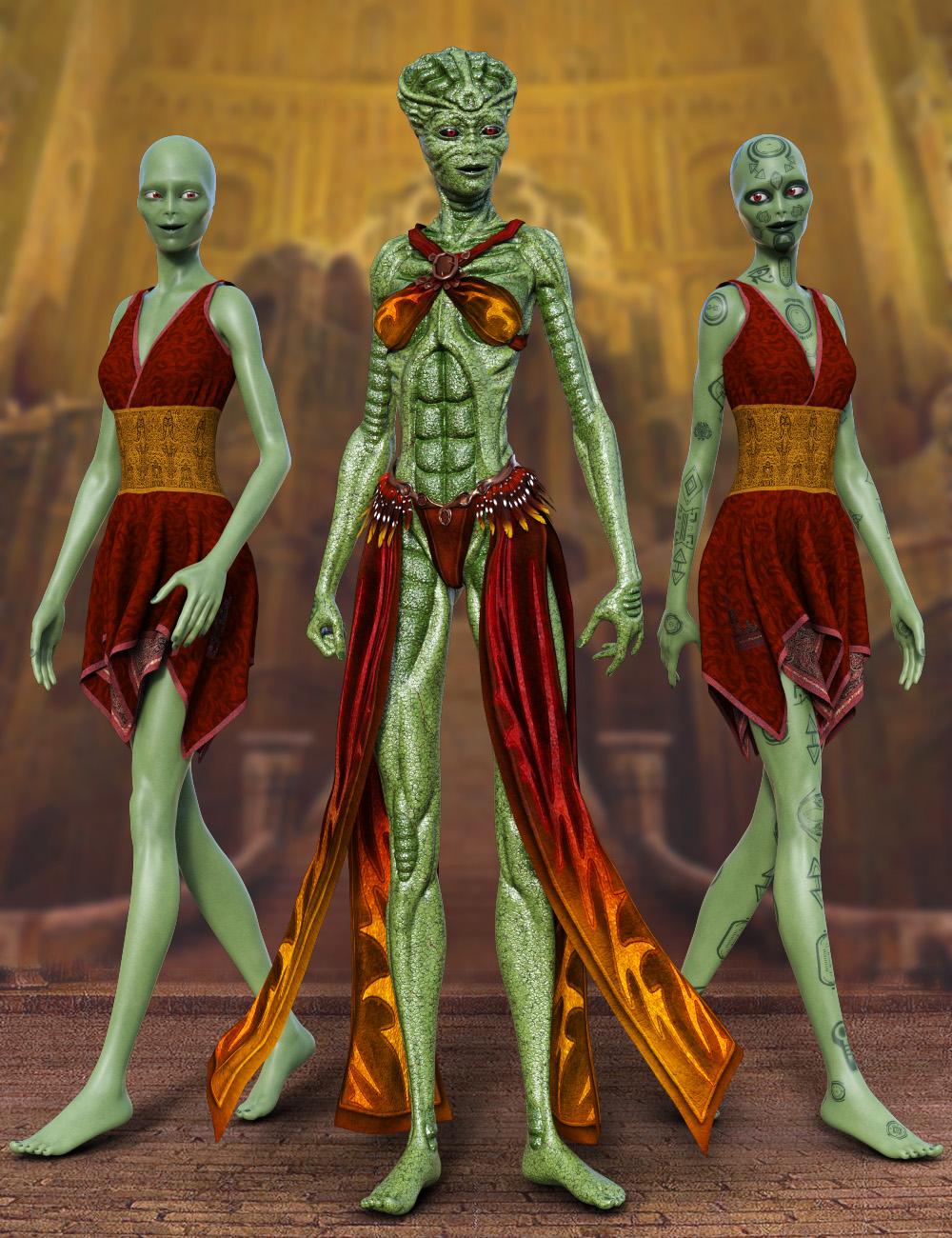
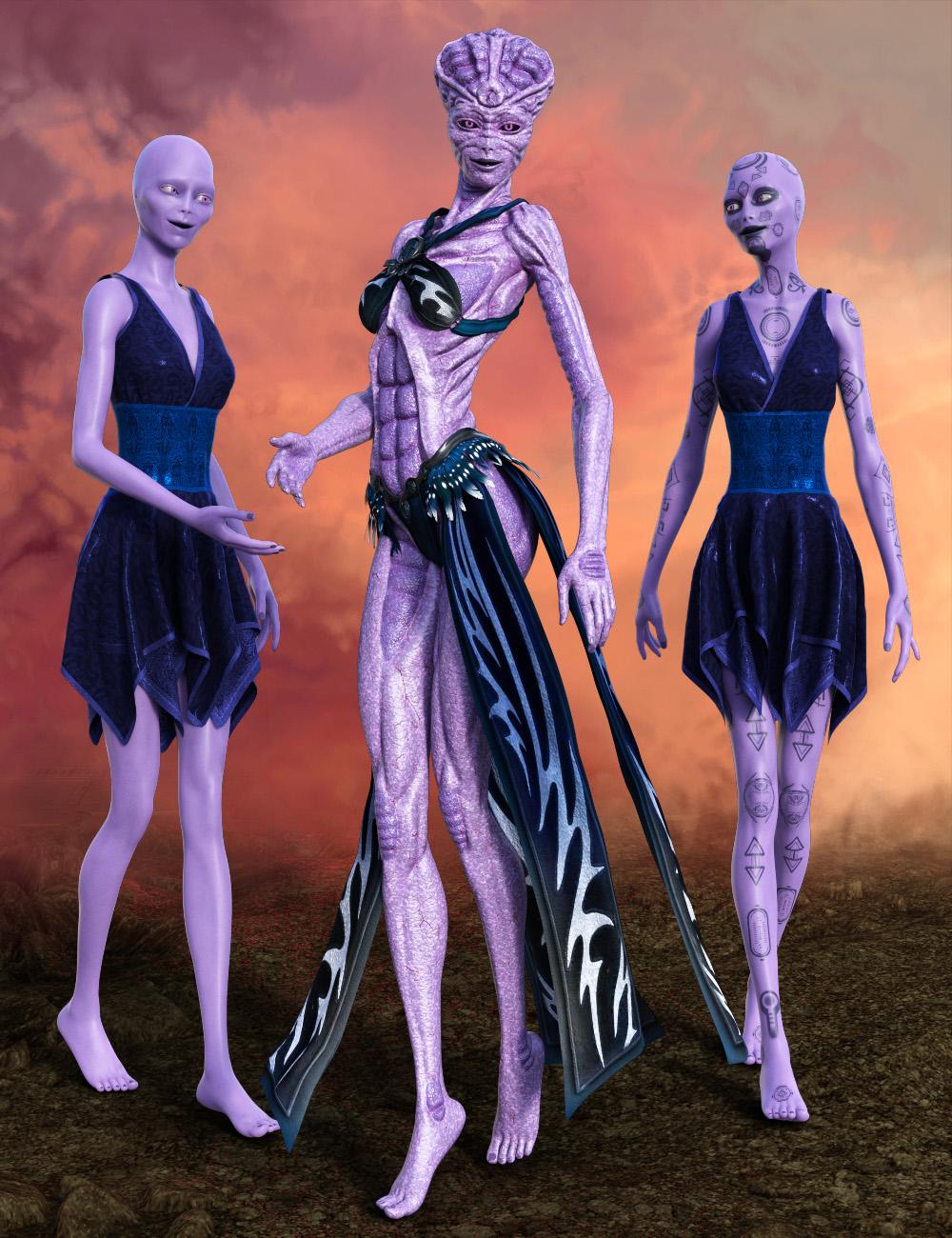
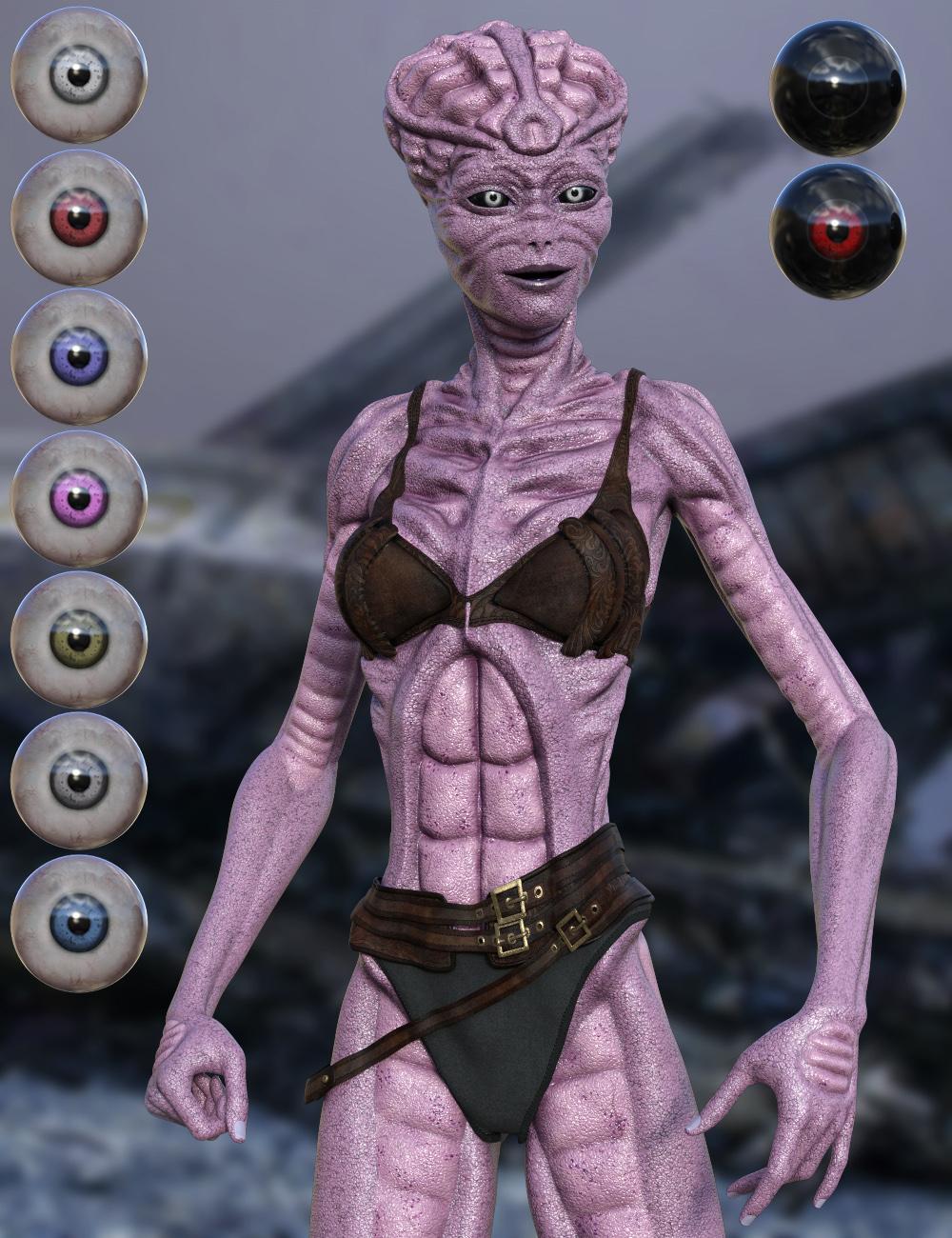
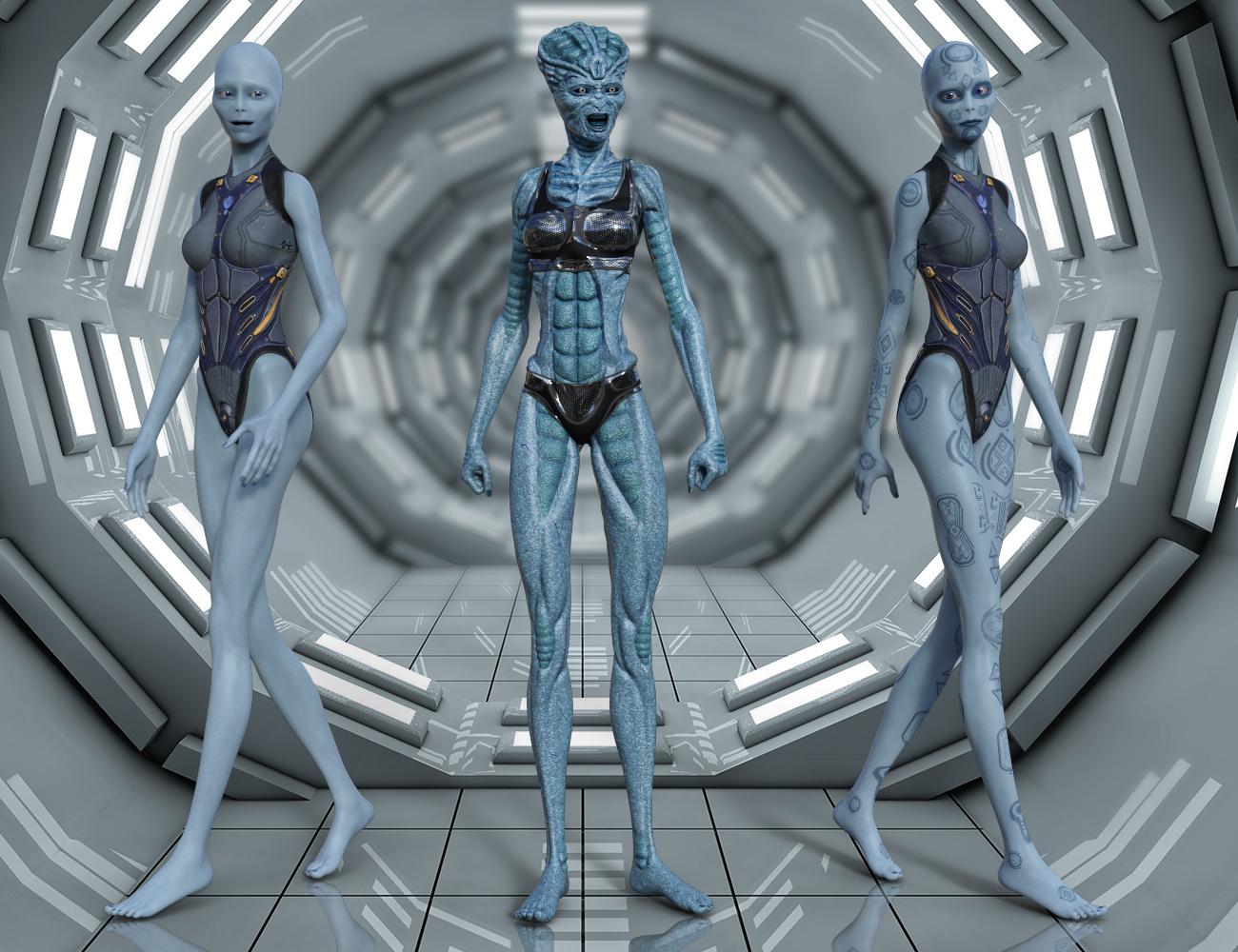
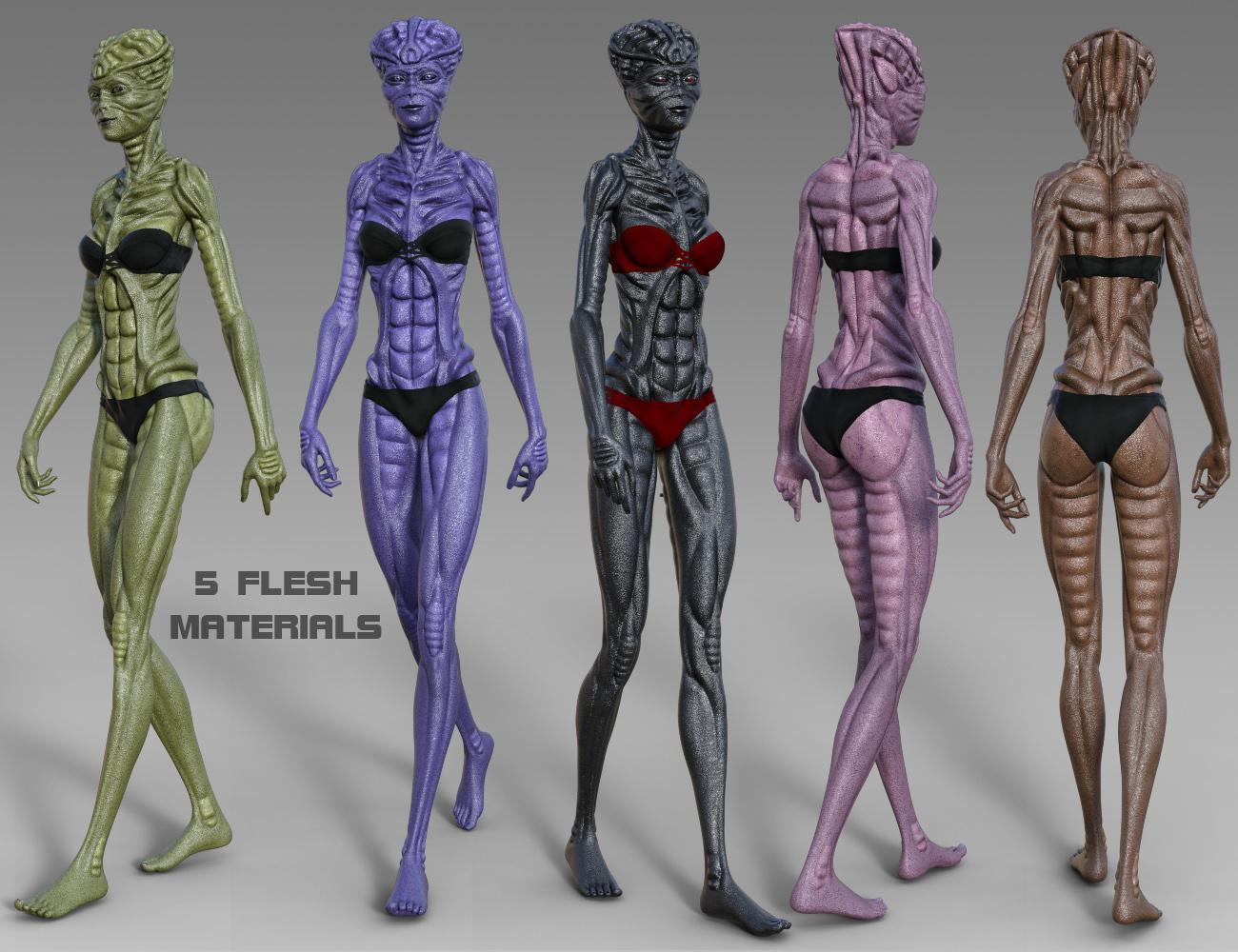
[Released]Shalinaya Queen HD for Genesis 8 Female[Commercial]“Shalinaya Queen HD for Genesis 8 Female” is a new Sci Fi character from Midnight_stories. It comes with 2 character presets. A Shalinaya Female set which is a standard morph, this is a servant to the queen and comes with 10 material presets. The “Shalinaya Queen HD” morph is the main character and comes with 9 material presets. I’ve also included 9 eye materials. Most clothing sets will conform to these characters, so will we have an endless supply to dress them up.
 Novica & Forum Members Tips & Product Reviews Pt 11
Personally, I don't think the Christian 8 morph looks anything like the Edward 8 morph, in spite of the conversation in the Christian 8 thead. To prove my point, I've done side-by-side comparisons. The default shape figures are compared here, in the Christian 8 thread, and the HD shape figures are compared here, in my WIPs thread.
So what do you guys think? Is Christian 8 too much like Edward?
Not really but they could be mistaken for one being an older version of the younger one.
To most viewer's eyes there are only subtle differences in the nose, lips, eyelids, chin and apparent body fat not not too much body fat. And these non-caricature type Pro Bundle products almost always err on the side of being to muscularly skinny or muscular than to be outright thin (Nix 8 nicely skinny with lower muscularity then usual though). If one thinks the default G8M isn't fit or muscular (although not a bodybuilder or average muscularity combined with excessive low body fat) then once can see the problem with the DO Pro Bundles all being that Hollywood Leading Man sort of body type and weight. Craniums and foreheads always look the same and there are some big real difference out in the real world.
Genesis 8 Male morphs not workingHey everyone!
Relatively new to Daz and I have 2 male characters for the Genesis 8 Male but in both cases the morphs don't apply at all. The female characters I've tried work fine but with the males the skin textures get applied but the figure is still the base G8 male. I see the morph slider on the right side but it doesn't do anything when I move the slider. Actually for one of the characters it actually changes the height slightly but otherwise nothing morphs. The default body morphs work fine.
Any ideas?
Novica & Forum Members Tips & Product Reviews Pt 11I miss the days of when we were getting morph packs - muscularity packs giving us bodybuilders, barbarians, etc.... voluptuous packs, giving us larger figures, larger breasts, larger hips etc.... fantasy and/or alien packs. The body and head of a new base figure is nothing new or different - I am liking the skins, but seriously, the whole base figure thing is something that I am over.
Same here I also miss not having every morph automatically installed in the figure
I don't need every morph pack I have bought installed in a figure it gets ridiculous real quick
I much prefered being able to just inject the ones I wanted
Novica & Forum Members Tips & Product Reviews Pt 11I've been feeling this way for quite a while. I have been slowly changing my thinking regarding "base" figures. It's like reprogramming yourself after being in a cult. LOL. When I first see a new figure and bundle, my instant reaction is "ooo gimme gimme". But I walk away and later come back and seriously look at the offering. Clothes? Look like everything else in the store. Poses? Please. There are a gazillion pose packs in teh store already and the ones in the pro bundle are no different whatsoever to them. Hair? Well I'm an AprilYSH addict so I'll want them...but it's rare to find something different being offered in a new pro bundle (especially when it's not AprilYSH, and especially when it's done by a vendor whose work I loathe). Characters? Well, I'll look at the skin - the morphed characters are no different to others...but it's the skin work I'll look at.
Seriously, unless a new "base" figure is something extreme - alien shape, toon shape etc - they are honestly not offering anything new. I miss the days of when we were getting morph packs - muscularity packs giving us bodybuilders, barbarians, etc.... voluptuous packs, giving us larger figures, larger breasts, larger hips etc.... fantasy and/or alien packs. The body and head of a new base figure is nothing new or different - I am liking the skins, but seriously, the whole base figure thing is something that I am over.
New 'base' figures are nothing more than a way to make a buck, as Serene Night says. The psychology in the daz marketing department is the best I've seen, I'll admit that. We all WANT the new base figure and the pro bundle, cos we have been programmed to think that it's NEW and SHINY and OMG MUST HAVE THAT BODY AND HEAD SHAPE. But that body and head we ALREADY HAVE.
So yeah, I'm over new figures and new pro bundles. The cost is prohibitive anyway, but unless you are doing fantasy shapes and alien shapes and SOMETHING DIFFERENT, I'm out.
I really question the continuing insistence on base figures. It seems more a way to make a buck. Many of the base shapes aren't radical enough to warrant a new figure, especially since very little is made for them after release.
G8F Eyelashes not following after morph from ZBrush *Resolved*So I created a morphs in Zbrush that changes the height of the character a bit and it transferred fine with GoZ, and the eyelashes seemed fine. I adjusted the bones to the new shape and saved.
When I reopen the file the eyelashes are floating in front of the cheeks. Anyone have a theory / suggestion as to what I've done wrong?
Thanks
need help with Genesis male! screenshot included :)Move the slider on the right side of the small images to apply that morph to the figure.
Monster bride: head HD details creates issuesThanks,
I did change the algo to loop and it fixed the problem. What exactly does that mean? How can I recognise an issue that need to be fixed this way? (I appreciate the fix, but I would like to understand it so I dont face the same problem in the future!)
I am a newb so I cant comment on the default sliders values, but I just tried it and you are right, individual parts are set to 0%. I tried to set the full morph to 0 then set it back to 100% and then increase all parts to 100% and I am still getting the same issue. Any idea how I should fix this? Or just raising the global monster bride to 100% should be enought? Or should I keep the global to 0% and instead increase each individual part?
Is IK being worked on?Maya and iClone use full time IK, DS use an ancient part time
IK system that require baking to keyframes,Reallusion leased their Maya human IK system from Autodesk.
It is a proper Ik system With realtime foot and hand contact solving during vertical and lateral root motion
with uneven terrain recognition.
Those so called "pins" in Daz studio do NOT perform contact Solving during motion
hence they simply "snap off" when you move the "pinned" foot/hand beyond the most minimal range of motion.
Pining and using the "point at" option of a hand or foot to a stationary object, sometimes works and sometimes not.
YMMV.
I find them much more stable if you select to body part to be moved and us the
manual XYZ rotation /translation tools .Using the Daz studio Pose control sliders instantly snaps the pins(Hmmm??)

Poser"IK" has slightly better performance however it is an all or nothing proposition.
One can pin feet in poser for a realistic squating motion however if you
unpin the feet ,later in time ,to have the figure perform a root locomotion motion like walking
Poser forcibly tries to retroactivelly re-pin the feet, buggering the entire animation.At least Daz studio only ruins the bit where the pins failed allowing you to salvage everything before and after
that.BTW if you want some really cool fun with animation in DS get the free Cycler plugin from Mcasual.
https://sites.google.com/site/mcasualsdazscripts/
Automatic repetition of any morph parameter for "jiggly bellies"
hair/clothing movement morphs trembling etc etc.Daz studio with GraphMate/KeyMate/ Animate2 /mimic live/Mcasual's scripts
can be used to create some pretty complex animations,despite the lack of a true IK solver.
IMHO A better value than poser in this consumer space.Thanks for the Mcasual link, yeah; those pins are pretty useless, I'll give the pose/parameter manipulation a go.
Novica & Forum Members Tips & Product Reviews Pt 11They look similar to me as to not warrant a new base. To me, Christian is what Edward should've looked like. The basic geometry in the face is similar enough, Edward looks a bit more smoothed over, but there isn't much difference between them.
There also is not a lot of difference between Nix's basic shape and Base males with the skinny morph dialed in. His head is different though.
I really question the continuing insistence on base figures. It seems more a way to make a buck. Many of the base shapes aren't radical enough to warrant a new figure, especially since very little is made for them after release.
Character X for Base Y -- who has priorityso did that make a combo of the two?
Thanks for checking this :)No. Loading one character over the other replaces the first with the second.
If you want to combine characters, you load one, and then dial in the other character's morph to the extent you like. (But you already know how to do that, don't you?)
If you load a character that is based on a Base Figure, you can easily find the dials for both. Go to the Shaping Pane/Tab and select Currently Used in the left column. Then in the right, only the shape morphs in use will be displayed. (That can still be a lot if the character uses packaged morphs rather than custom morphs.) If necessary, type in the name of the figure in the filter field to bring up the morphs from that figure. (That's not the only way to find the morphs, but there's usually a lot fewer settings to wade through when you're looking for shape morphs.)
Novica & Forum Members Tips & Product Reviews Pt 11Personally, I don't think the Christian 8 morph looks anything like the Edward 8 morph, in spite of the conversation in the Christian 8 thead. To prove my point, I've done side-by-side comparisons. The default shape figures are compared here, in the Christian 8 thread, and the HD shape figures are compared here, in my WIPs thread.
So what do you guys think? Is Christian 8 too much like Edward?
L'Adair's WIPsThere has been the usual debate with the latest male base figure, Christian 8, that he looks like a clone of another. In this case, Edward 8. Being a detail-oriented person, I noticed so many little differences, he didn't look hardly anything like Edward to me. But to prove the point, I did a number of renders using them both to create side-by-side comparisons of the shape morph. I used the default Genesis 8 Male materials to eliminate any resemblances caused by their materials.
I posted those comparisons in the Christian 8 thread here.
But I also did the same comparisons adding in both figure's HD morphs. Those I'm posting below. Edward is on the left, Christian 8 is on the right. (I can't believe Daz released a base figure with the same name as a previously released PA G8M character! That's not going to be confusing at all. Yeah, right!)
First, the full head-to-toe shot:

Second, the Half Shot from about the waist up:

Third, the standard Head Shot:

And finally, the angled Head Shot, (empahsizing the differences in their mouths, noses and eyes):

Personally, I don't even see a family resemblance. They're both middle aged, white males. Maybe a bit of cleft in both chins, but that's where the resemblance ends, to my eyes.
Monster bride: head HD details creates issuesSelect Genesis 8 Female in the scene tab or viewport. Go to the Parameters tab and select Mesh Resolution. Click on SubDivision Algorith and select Loop (Catmull-Clark Legacy isn't too bad, either). With either of those selected, the SubDivision level doesn't seem to matter much when > 0, then you will see the difference with the Bride HD Head dialed in. Both are a little smoother than the default Catmark, so there is a small trade-off.
Which "Head HD Details" do you mean? This Bride HD Head seems to be the only one affecting it, unless there is a conflict with some other add-on.
----
Aargh! I think I see what's happening. Just realized this while filtering the parameters with "bride". When loading the character, the full-body "Monsters Bride HD" slider is 100%. Normally this also sets other sliders that control individual parts (like Head and Body) to 100% also, but not in this case. When also dialing in the Head HD, you are adding it again, which probably pushes the morph way past its useful range, causing the distortion. Compare the character morph (People-Fantasy Sci Fi-Monsters Bride) with setting all the individual morphs for HD Head, HD Neck, HD Torso, etc. You will see that the are the same.
Christian 8thanks so much for the post of Hudson with Edward dialed in - I think he looks very good. Also thanks for the comparison of Edward and Christian, I do think they have a striking resemblance to each other, not exact but close enough, I ended up buying the Christian 8 Pro Bundle, I figured why not I have all the rest except 1 or 2 .

I am probably going to stop buying with this line unless their are some huge leaps in the Genesis line, I have enough content to last a lifetime and all the new releases are repeats of the old altho I think the best are G8. With every new line they are giving away older bundles free or extremely cheap so I am going to try to wait a couple generations except for the free base model and the morphs for it and new morph kits to make my own characters. But I won't lie ... resisting will be hard and I may cave eventually! We will see what the next generation of figures has to offer ...
Character X for Base Y -- who has priorityWhen you load Charcter X for Base Y, the Base Y morph is automatically dialed in at the percentage the PA used. It varies from character to character. As I recall, Darwin did one that only used the body morphs from the base. The head was all "Character X." (Sorry, I don't remember which one at the moment.)
i'm not realy interested in those particluar characters, I am more interested in general how much the dials go into making any particular character from the base character. I just used that as example. I have Hudson, btw.
Then ..do you load the base fisrt and dial in the character or vice versa..or does it matter. and I did find out that whichever one you load 1st takes priority for the texture. I tihnk..at least it happened to me when I loaded Edward 1st and tried to use Hudson skin texxtures..it would not take the fibermesh brows at all. ...Whatever character/base you load, the materials load with it. Changing the shape does not affect the materials. I know if you select a figure and then load another of the same gender and generation, you have the option of 1) changing the selected figure to the new one, or 2) loading a new, separate, figure. I'm rendering at the moment, so I can't verify whether or not DS loads the textures for the new figure when you choose the option "1." I'll get back to you on that in a couple of minutes.
Christian 8Bear in mind that you shouldn't render same skin comparisons using normal maps. Normal maps are sculptural detail. You'd effectively be transferring actual shape and contour from one to the other.
+1 Very true. One would have to remove Normal Maps, Displacement Maps, and Bump Maps to get a true morph/shape comparison.
Mesh shrinkage during Morph transfer from G3F to G8FI'm noticing quite a bit of mesh shrinkage when I transfer a morph from G3F to G8F - particularly in the lips - would anyone have a theory as to why? Using the transfer utility
thanks
Daz 3D is part of

Connect
DAZ Productions, Inc.
7533 S Center View Ct #4664
West Jordan, UT 84084Licensing Agreement | Terms of Service | Privacy Policy | EULA
© 2026 Daz Productions Inc. All Rights Reserved.