-
more....Wacky Modelling ~ In Carrara ~
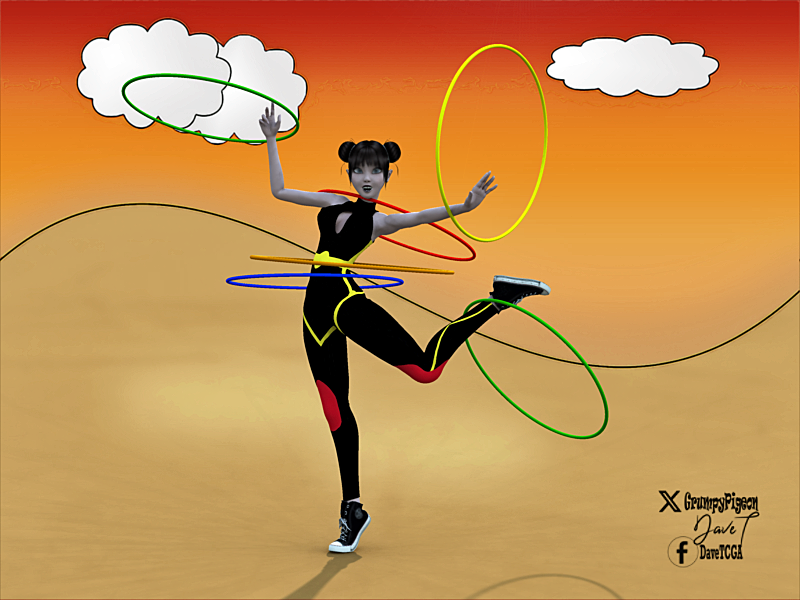
An Australian woman uncredited for her role in taking the hula hoop to the US, leading to a worldwide craze has died aged 101.
Joan Anderson saw bamboo rings being used for exercise on a trip back to Australia before showing it to a toy manufacturing giant.
so today an easy model using the formula in Carrara
 Carrara GPU Use
WendyLuvsCatz said:
no, Carrara only uses the CPU for render
however it definitely uses the GPU for the viewport but it doesn't need to be Nvidia as OpenGL and only reasonably OK
not a potato like my old Dell inspiron Craptop was or for that matter my onboard graphics on my Win7,
about 2GB VRAM is fine, anything less it (the viewport) will struggle
will still render fine though
OK, thanks. That's pretty much what I recall hearing long ago.
 more....Wacky Modelling ~ In Carrara ~
Stezza said:
WendyLuvsCatz said:
I see they have a new Blender to DAZ studio importer
https://www.daz3d.com/blender-to-daz-studio-plugin
they should make a Carrara to DAZ studio one too, after all Hexagon has a bridge
instead we just got a duf slippery dip
 from Studio
 I wonder if you save from Carrara to Blender boned then to DS.... looking at you Wendy


Dunno - probably FBX it, will need to solve this myself for the characters I will be modelling in Blender. Aim is to model and rig them in Blender then import them into Carrara for renders.
more....Wacky Modelling ~ In Carrara ~WendyLuvsCatz said:
I see they have a new Blender to DAZ studio importer
https://www.daz3d.com/blender-to-daz-studio-plugin
they should make a Carrara to DAZ studio one too, after all Hexagon has a bridge
instead we just got a duf slippery dip
from Studio I wonder if you save from Carrara to Blender boned then to DS.... looking at you Wendy
more....Wacky Modelling ~ In Carrara ~WendyLuvsCatz said:
I see they have a new Blender to DAZ studio importer
https://www.daz3d.com/blender-to-daz-studio-plugin
they should make a Carrara to DAZ studio one too, after all Hexagon has a bridge
instead we just got a duf slippery dip
from Studio Would be nice if they surprised us with the release of Carrara 9 .....
more....Wacky Modelling ~ In Carrara ~I see they have a new Blender to DAZ studio importer
https://www.daz3d.com/blender-to-daz-studio-plugin
they should make a Carrara to DAZ studio one too, after all Hexagon has a bridge
instead we just got a duf slippery dip
from Studio Carrara GPU Useno, Carrara only uses the CPU for render
however it definitely uses the GPU for the viewport but it doesn't need to be Nvidia as OpenGL and only reasonably OK
not a potato like my old Dell inspiron Craptop was or for that matter my onboard graphics on my Win7,
about 2GB VRAM is fine, anything less it (the viewport) will struggle
will still render fine though
Carrara GPU UseFrom Google Chrome AI: "Carrara, a 3D modeling and animation software, utilizes the GPU for rendering its scenes, particularly for display lists. While it uses older OpenGL display list technology, it leverages the GPU's capabilities effectively, especially for static geometry. However, Carrara's GPU usage is less efficient when editing meshes, as this process requires more CPU interaction."
I thought Carrara only used the GPU for animation previews, using OpenGL. But this sounds like more than that.
I am considering a new computer, and have been looking at the mini PC's at under $500. The specs look pretty good, fast AMD CPU's, etc. Many have AMD Radeon graphics which are "integrated" but get good reviews. Will Carrara use these? Any general comments on these mini PC's?
AIUTO...CHI CONOSCE L’ITALIANO? PARTE QUATTORDICIImago said:
Qualche volta DAZ Studio non digerisce certi file .MTL e non riesce a caricare le texture correttamente.
La soluzione più semplice è quella di caricare gli OBJ su un altro programma 3D, tipo Blender, Carrara o Hexagon e vedere se le texture funzionano correttamente. Se tutto va bene, esporta di nuovo in OBJ e i file MTL verranno riscritti, con un pò di fortuna la conversione funzionerà su DAZ Studio.
Se non va così, devi aprire i file MTL in un text editor tipo Notepad++ e correggere i percorsi delle textures.
Però qualche volta basta solo spostare le textures nella stessa cartella degli OBJ.
Non so se ho capito correttamente, però in questo caso non è un malfunzionamento di DAZ, c'è proprio scritto nella descrizione del freebie che le textures bisogna applicarsele da sé.
Però speravo fosse una cosa fattibile in DAZ, anche perché non ho altri programmi tra quelli menzionati e, soprattutto, dovrei imparare prima a usarli.
Star primitive?Matt_Castle said:
It's extremely simple in Blender, and if you need things like this, it would be worth learning at least the basics.
Generate a 10 vertex circle, checker deselect to end up with only every second vertex on the perimeter selected, scale inwards.
I've attached a very basic one. Doesn't come with any controls to adjust the shape, but should have a UV.
LOL that's exactly how I made mine in Carrara but it sized up weird and UV mapped even weirder
edit I scaled out not in
Star primitive?I guess you could start with a hexagon in Hexagon

I tried one in Carrara but it came out weird
AIUTO...CHI CONOSCE L’ITALIANO? PARTE QUATTORDICIQualche volta DAZ Studio non digerisce certi file .MTL e non riesce a caricare le texture correttamente.
La soluzione più semplice è quella di caricare gli OBJ su un altro programma 3D, tipo Blender, Carrara o Hexagon e vedere se le texture funzionano correttamente. Se tutto va bene, esporta di nuovo in OBJ e i file MTL verranno riscritti, con un pò di fortuna la conversione funzionerà su DAZ Studio.
Se non va così, devi aprire i file MTL in un text editor tipo Notepad++ e correggere i percorsi delle textures.
Però qualche volta basta solo spostare le textures nella stessa cartella degli OBJ.
more....Wacky Modelling ~ In Carrara ~Stezza said:
looking good...
tip: when exporting from Carrara to OBJ to use in Blender make sure you untick smoothing first so it doesn't save in a higher mesh
Thanks Stezza !!!
When I got the obj into Blender I initially halved the model down the middle then mirrored the missing half. Next I subdivided by a factor of two to get it ready for the work I intended which is block out of the shape followed by sculpting. Unfortunately it generated a number of artifacts down the centre of the model which were a right royal PITA to deal with. Gave up after trying to get it to work for a couple of hours.
I then tried reimporting the obj and applying the subdivision first before halving the model then mirroring it, which worked. Also had to flip the normals as they were all pointing inwards.
Have nearly finished the blocking out, and about to do sculpting. Toon Alien.
 Carrara crashes with Huion tablet ( Workaround )
in top LH corner of Carrara click on the logo and register from there and allow when prompted
 more....Wacky Modelling ~ In Carrara ~
looking good...
tip: when exporting from Carrara to OBJ to use in Blender make sure you untick smoothing first so it doesn't save in a higher mesh
Carrara and Windows 11Carrara 7.2 pro installs fine on Win11, but I have a Huion tablet and so had to do the wintab32.dll workaround it get it to load.
If it matters, https://www.daz3d.com/forums/discussion/548131/carrara-crashes-with-huion-tablet-workaround#latest for ya. I installed to a folder outside of Program files though
Carrara crashes with Huion tablet ( Workaround )Bringing this up again, new wrinkle maybe for Windows 11
Setting up my new wiz-banging new system and I install Carrara (ok it's only 7.2 pro but anyway).
I set it up as above with the fake .dll and Cararra will load and works fine, but it's unable to remember the serial number and I have to reenter it every time I load it.
So I'm looking for the DLL (don't really want to install the Wacom driver) and find the Huion solution page. It contains a direct d/l of a wintab32.dll that actually works with everything. Download a copy of it and overwrite the one in the \windows\system32 folder and the windows\syswow64 folder and reboot. Then things work correctly without anything in the Carrara folder.
Note I installed the program to another folder, not Program Files(x86), so that might have helped as well although it wasn't sufficient on my previous Win10 machine.
Secret passage with sliding bookcase?And made with Blender 2.79b and Carrara 8.5 PRO
fairly simple as Example + Thanx
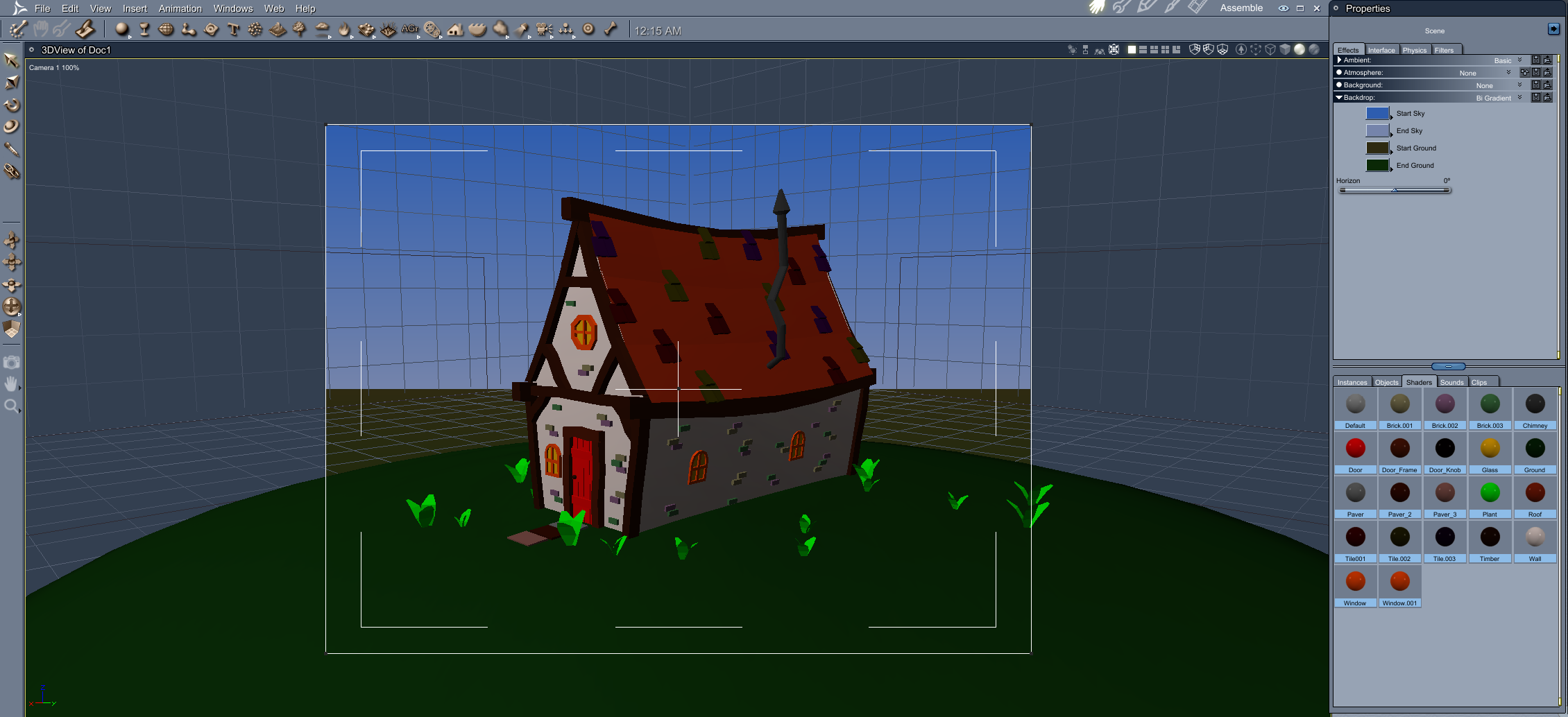
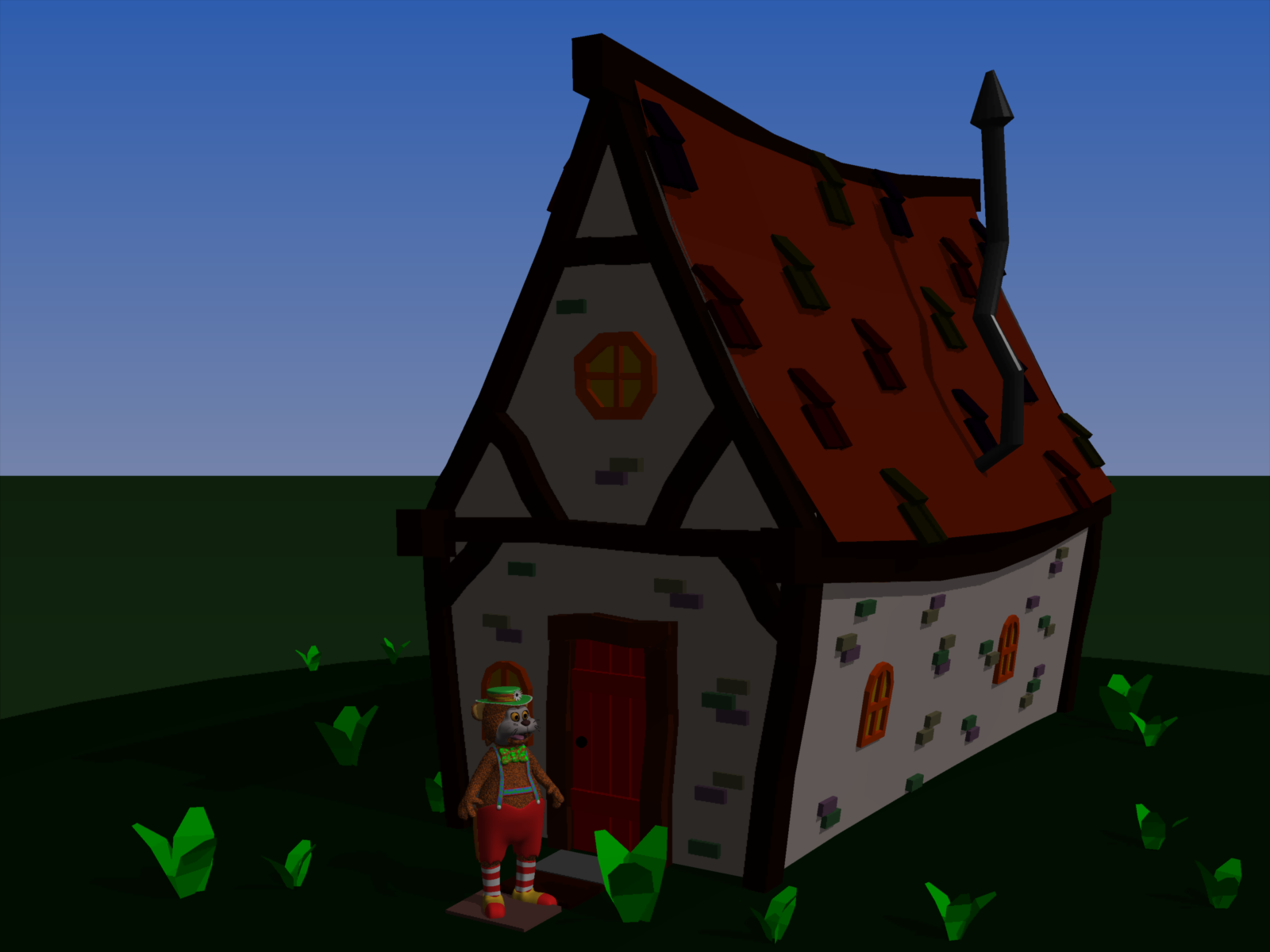
more....Wacky Modelling ~ In Carrara ~Painting 95% done, will need to adjust the roof tiles before I am happy with it.
Doing a check in Carrara it was quite noticeable there was a gap between the roofs and the beams, will fix up tomorrow.
Preliminary screenshot and render in Carrara.
 Let's appreciate/discuss today's new releases - more ongoinger thread
Lorraine said:
Cam Fox said:
Lorraine said:
If anyone has bought Eastern Pangea, can you tell me if the background/?hdr is included? It's set to the east of where I live and while the Moai and coconuts are not present here, the river, fern flora and background are very similar and would be good for my NZ scenes.
My guess is it's included!
But, it's not an HDRI.
If you look closely at each promo image, it's always the same mountains in the background. That suggests it's a 2d texture acting as a billboard (always facing the camera) but rendered behind all the 3d geometry. That's probably why the camera angle/height is similar between promo renders, and why the fog planes are used to add some variety.
I do wish this was the case but as Elor indicated and I then checked, it's not listed in the file list. I might be considered silly to be so disappointed but it's so hard to find anything that looks like our mountain native bush, complete with glowering sky.
I don't suppose you could create your own in Bryce or Vue, I am not familiar with the terrain and climate or would I have a go in Carrara
Nvidia pulled their HDR site sadly https://build.nvidia.com/shutterstock/edify-360-hdri-early-access
is this the sort of thing you are after? https://locationtextures.com/panoramas/hawaii-beach-0177-30k-hdri/
Daz 3D is part of

Connect
DAZ Productions, Inc.
7533 S Center View Ct #4664
West Jordan, UT 84084Licensing Agreement | Terms of Service | Privacy Policy | EULA
© 2026 Daz Productions Inc. All Rights Reserved.