-
Can I zero only the body?
Not if you used shapes that affect both directly (if theya re master controls which set a head shape and a body shape then you could split them). The process would be manual, however. As for the neck, whether it was affected by the ehad shape, the nbody shape, or both would depend on the creator of the shapes.
That said, you can split morphs a couple of ways - in DS by making them Favourites (clicking the heart icon on the slider), using the Geometry Editor to select the vertices you don't want, and then right-click>Moprh Editing>Remove Selected deltas from Favourites which gives a hard division; or via OBJ by exporting, setting up a dForm with a weight map controlling the areas you want affected, and using the Attenuate options in Morph Loader pro which can give a soft transition but requires redoing any rigging adjustments and relinking any corrective morphs (some of which may themselvs need splitting).
How do I import a FBX model into DAZ and transfer his morphs into Genesis 3 and 8 models?I've seen plenty of models that are from other places rendered in Daz and I was wondering how can I do this?
Ps: I have been searching on google before asking this but I didn't find anything.
Mousso's Juniper... what hair is this?Everything you did, except the headsize morph is exactly what I did. :) LOL! Have you tried a Genesis specific hair shader on it? I did... not pretty. :) Thank you for the video!
Scott
You did the same and got a different result?
I think you mean an Iray, not Genesis specific hair shader. Yes, I've tried a few, I didn't like the result either.
Yep. :) Iray shaders... Stuff like IDG's Selective thing, Hair Lustre(er?), etc. I have a LOT of Iray hair shaders. ALOT. When I get back from work, I'll continue on and post a picture of what I'm getting. As an asside, because Juniper is pretty much a younger Michelle Pfeiffer, I'm working on the piano crawling scene from "Fabulous Baker Boys". I'm actually surprised I haven't seen a render of that, yet. It's a good exercise in posing, dForce, etc.
The good thing is: With you and Gogger getting decent results, I know it's possible. So, it is likely something I've set in the past that's causing my problems with the hair. I'm still betting Mousso made her own shader for the hair. :) It's a fun problem, though.
Mousso, if you're reading this, Inquiring minds want to know! ;)
Scott
Darwins' Schtuff Pt DeuxSo- I did another roll with the randomizer for the challenge list of names I was given a while back! The new guy's WIP- I have named him Kaiden.
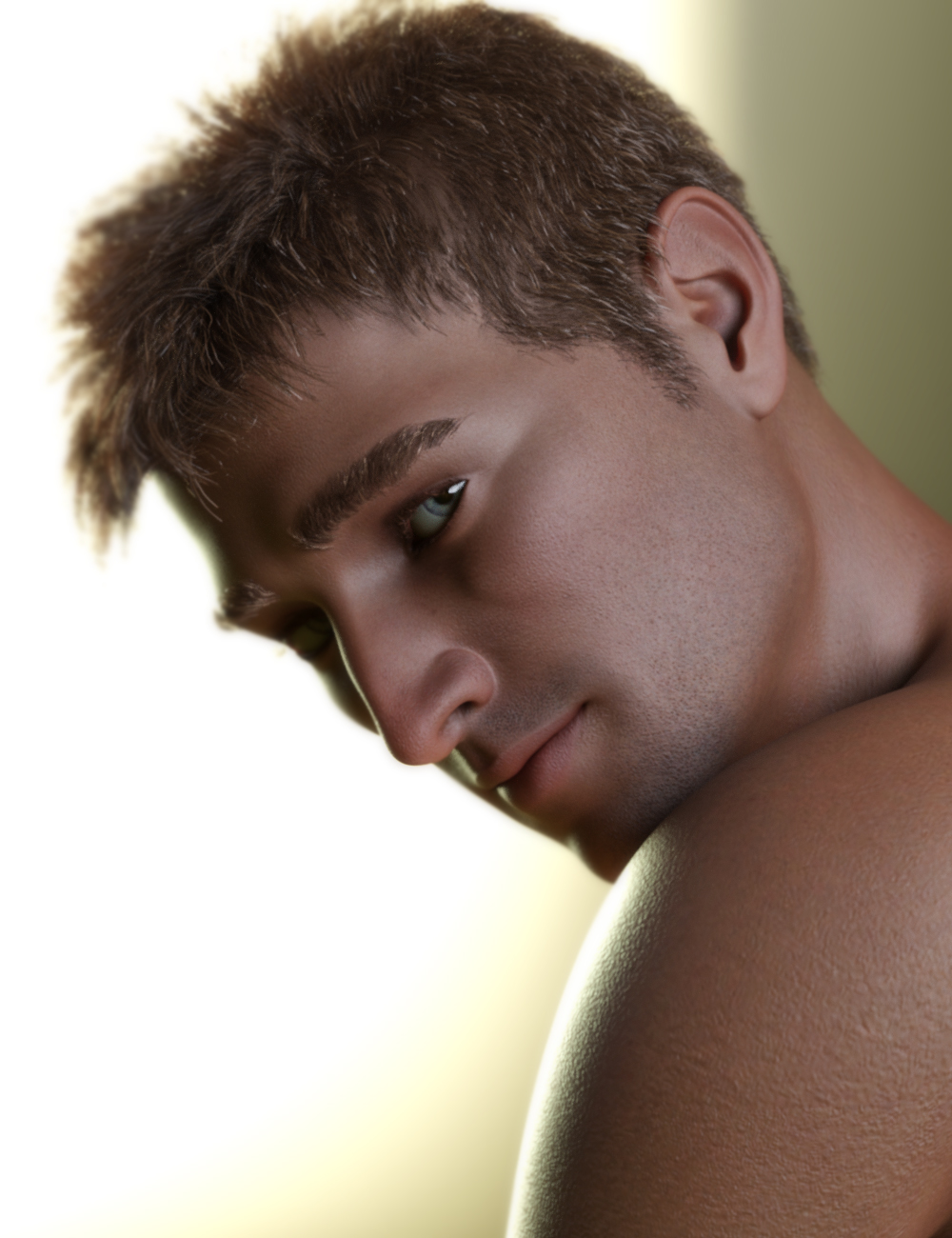
I am going to take him into zbrush, I think, and fine tune his facial morph. This one was difficult, but fun to do so far. The base skin is almost done and I've actually gone into zbrush already and have played with the idea of doing HD Skin details- the HD morph is shown in this render as well. Still learning. Going to re-work the fibermesh brows and the fibermesh lashes; not quite happy with those, either.
Oh- and the randomizer chose Matthew McConaughey, btw. ;)
Product "Required"?Hey Everybody: This is probably a very "newbie" kind of question, but I have wondered when an item is listing as having a "required" product associated with, other than the morph it is meant to be compatible with do the textures (or what I think of as the skin) fit the over-all Genesis the morph is taken from? Case in point: Maxx is designed to go with The Brute, but is listed as a Genesis Male 8 character. Wouldn't Maxx's textured then fit any Genesis Male 8?
Are there any Genesis 3 male Asian eye shapes?I'm only looking for eye morph shape and not the entire face.
Dex (DSON Exchange) plugin for Mayabut now that I see DAZ is helping with it's development and endorsing it I
guess I need to start saving (or sell a kidney)Maya is the worlds number one Character animation program
all of the epic battle scenes in last seasons "game of thrones" were done with Maya.If you do not animate your Characters, then the only advantage of G8 in Maya is to use the
Arnold CPU render engine or perhaps Redshift and hope all of your Daz IRay texture convert over with fidelity.Do you really want to pay Autodesk a monthy fee just to render your still images in Arnold??
but since have our team working with them including sharing some
internal SDK's the feature list of the final plugin has definitely grown
so there is still more work to be done.Many Iclone animators use Daz content( it is much less costly)
If Daz could somehow copy some of the Maya human IK tech and bring it to studio
They would have an influx of new customers coming to studio for Character animation as Daz does not
make you pay extra to import /export.To be fair, its not just Maya that they used for Game of Thrones. Its probably the tool they use the most, but they would also be using other programs for different things. Maya is not the best at doing everything, so the big studios will have pretty much every tool that is the best at some part of CGI/VFX. For example, you can be certain they would use Nuke for compositing, and probably Houdini for the bulk of the particle effects.
Also, access to different render engines is not the only advantage to gain by using Daz characters in Maya if you are not animating. There are many other things you can do.
Maya can handle much much greater poly counts without slowing down, so you can navigate bigger scenes easier. Simulation tools, not just for cloth but plenty of other things. Fluids/soft body/collisions. soft body/collisions is probably a good one, those can be very useful making a still image look more realistic. General mesh manipulation tools, can be used for a variety of things. Like fixing small geometry errors like pokethrough etc that you either need clothing morph products, goz/zbrush or export/import as morph to do inside DS. Or working on a HD/subdivided mesh, something that only daz PA's can do inside Daz, and by my understanding being able to do this directly in Maya is much more effective than the way it works inside DS. Direct UV editing. You even mentioned something from maya that you wish Daz had - FK/IK systems, not just good for animation but makes posing for still images easier too. I could go on, but you get the point.
Is all of that worth the cost if not animating? well thats a different story and each person will have a different answer. For the average person, probably not.
This is in no way a dig at Daz, its just the reality of what each program is intended for
PivotI suggest you look at the weight maps that the Transfer Utility has generated for your brace. To be kept rigid, each piece of the brace needs to be controlled 100% by one bone, and not at all by any other bones. You may also have to adjust the bone positions.
If that doesn't get you the results you want, you may have to think about rigging the brace separately. I'm not convinced the TU is well suited to rigging items that are meant to be as rigid as this, as it's main use case is non-rigid clothing and such.
Michael 2.0 and GenX2I tried to create a morph like the Genesis by using the OBJ in Morph Loader Pro but the morph does something strange, it moves only the head.
AWE Shading Kit for DAZ Studio and 3delightOK there is a bug I guess. I'm trying to convert hair from iRAY to AWE and the opacity maps are not moved from the iRAY Cutout Opacity map input to the AWE 3DL Opacity Strength input! YIKES!
For proper conversion, don't apply the hair preset directly. First apply AWE Surface using the 'AWE Surface.dsa' preset. This converts iray uber into AWE. Run the "AWE Transfer Uber.dsa" afterwards. This will copy the values/maps to AWE's equivalent fields.
Mousso's Juniper... what hair is this?Everything you did, except the headsize morph is exactly what I did. :) LOL! Have you tried a Genesis specific hair shader on it? I did... not pretty. :) Thank you for the video!
Scott
You did the same and got a different result?
I think you mean an Iray, not Genesis specific hair shader. Yes, I've tried a few, I didn't like the result either.
Mousso's Juniper... what hair is this?Everything you did, except the headsize morph is exactly what I did. :) LOL! Have you tried a Genesis specific hair shader on it? I did... not pretty. :) Thank you for the video!
Scott
Mousso's Juniper... what hair is this?I can't even come close to getting it that close. I load the hair, convert shader to Iray Uber. And...I get nothing like you've gotten. I've tried importing the OBJ--that was worse :)
Scott
Hm, strange. I'm not doing anything special, other than converting to Iray Uber and then adjusting Glossy Reflectivity to 0.16. Further shader adjustments may improve it even more.
You can download a video showing the whole process here:
https://taosoft.dk/temp/hr-162.mp4
I'm using the default texture here but otherwise everything is the same. You need to parent the hair of course and then also set HeadSize morph to 1% to make it fit correctly, I've just left that out here. Iray settings are DS 4.10 default, with Dome Rotation set to about 45.0.
HeadShop 11 vs FaceGen Artist Pro - Which is BestI've never used anything like these but have always wanted to try. Both are on sale for 50% off right now. Any suggestions of which software is the best?
I am hopping on the same boat with you. I saw Headshop and it is down half price right now, and when I read the description, is just sounds too good to be true with all the stuff it comes with. It says that it creates these 'dots' and you can further morph the face. It says it includes 11 hairstyles too. So now I am wondering what is the limitation. Since the eyes mouth and everything is taken from a photo, it has me wondering if something like the eyes are mapped out and if you can move them. If you can't then that is a big limitation. So that is what I wanted to ask. I was going to create a new thread, but when I saw yours, I figured I would just hop on your boat instead! As for FaceGen Artist Pro, that I have not heard of, but I will look into it now that you mentioned it!
Edit: I found a thread you might find helpful:
https://www.daz3d.com/forums/discussion/292591/headshop-11-questions/p3
On that page scroll down to the first post by Outrider42, he compares the two packages. I would read the whole thread though. There are definitely pros and cons to using these programs.
Hope that helps!
Geo
Michael 2.0 and GenX2You might be able to load the M3toM2 obj as a morph for M3 using Morph loader in DS, then either save it as a M3 INJ/REM morph (not sure how exactly you do this in DS but I’m sure there’s a way) or as a new cr2.
Michael 2.0 and GenX2Hi,
I would like to know if there is a way to force GenX2 to detect "Mike 3 to Mike 2" figure as a Michael 3.0 morph.
Anybody still use the older Genesis figures?I used to base my character use on the clothing. I had clothing for V2, MGPT and otheres that just wouldn't convert well. That problem has mostly gone away since Crossdresser 4 came along. Now, I will hang on to a character if there is a morph that I can't move to something else. (For instance Bucky for Toon Generations 2 over at Rendo. I also have a very pretty character for the original Sara that doesn't work with version 2).
Oh yeah, I still use poser a fair amount, so Genesis 2 is the limit on that.
Anybody still use the older Genesis figures?I still like using the older figures because i love the Creature Creator packs. Turn a dial and you can go from a hag to a cat. Big downer that those were dumped for newer figures.
This is the cat morph for V.2.. Done in Poser in 2008.
The Official aweSurface Test TrackI admit the iray uber to AWE surface conversion is rather 'clunky', but I don't want to rely on a huge script that stores every transferable iray uber settings and re-apply them to their AWE equivalents.
Also, I didn't quite work out a scheme to transfer thin film for the coat. You'll have to do that manually.
Another thing that irks me is Genesis 8 sclera/iris. They maybe too dark even at diffuse strength already at 100%. Two things you can do:
- Easiest would be the raise Global Illumination Exposure to overexpose the diffuse. Render times shouldn't be any different.
- Enable subsurface scattering to add extra diffuse to the sclera, though it does mean an extra hit on render times.
Tks wowie, just downloaded...very excited:)
Anybody still use the older Genesis figures?I still use V4-G2, nothing higher, and only one male G2 at that. Having invested in clothes and morphs they do what I need. I still use 3Delight as well, never iRay. I do have a few monsters for one-shots in the G3/8 category, but I find them very frustrating because unless I start buying more morph sets, there isn't much I can do to tweak them, so they are very 'out-of-the-box', which bugs me. I do character work, so there really isn't much incentive to change generations once a character is designed - redesigning in a different generation can be painful. I did move a V4 character to Genesis... but it isn't perfect, and I can see the difference and it drives me nuts! Wouldn't have bothered except there were certain outfits I wanted to be able to access without too much pain, so now I switch her back and forth depending on the clothing for the scene. Genesis seems to have had a lot of support when it happened, so there is very little I can't accomplish with Genesis and its add-ons, and now it is even cheaper to pick up bits, so I continue to expand its possibilities even now. New V4 skins are still being made, which gives a lot more potential variety than the current generations. When you're doing characters, variety is everything (eyebrows... it all comes down to the eyebrows!)
Daz 3D is part of

Connect
DAZ Productions, Inc.
7533 S Center View Ct #4664
West Jordan, UT 84084Licensing Agreement | Terms of Service | Privacy Policy | EULA
© 2026 Daz Productions Inc. All Rights Reserved.