-
La Femme in DS
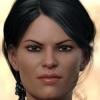
She works in DAZ studio quite well, I used the "Binary Morph Editor" tool to combine her morphs, now they work in DAZ. Not everything works, heavy bending gives ugly distorsions, but she works better than other figures made for Poser. In my render she wears an Optitex Dress ( Little Black Dress) for V4, and Mitsu Hair for Genesis, pose is also for Genesis.
Binary Morph Editor? by D3D? Nice job!
La Femme in DSShe works in DAZ studio quite well, I used the "Binary Morph Editor" tool to combine her morphs, now they work in DAZ. Not everything works, heavy bending gives ugly distorsions, but she works better than other figures made for Poser. In my render she wears an Optitex Dress ( Little Black Dress) for V4, and Mitsu Hair for Genesis, pose is also for Genesis.
[Solved] Converting Genesis 8 Clothing to V4?Oh, and there's also this awesome tutorial on creating clones for different generations: https://www.daz3d.com/forums/discussion/193296/freebie-how-to-create-a-v4-clone-and-transfer-other-figures-for-g8f-now-with-video/p1
I used that to create quite a few clones including a G8F and G8M clone for Genesis 1. Here's the Lethal Rogue G8F outfit on Genesis 1's Victoria 5:
If you can get the clothing onto G1 you should be able to save it as a Wearable Preset for G1 then transfer it to V4?
Thank you DivaMakeup. I think that makes sense, but just to confirm my understanding. I need to create a G8F clone for G1 so that I can auto-fit the G8F clothing onto G1, correct?
Ancient Horus for G8M [commercial]Ancient Horus for G8M
https://www.daz3d.com/ancient-horus-for-genesis-8-male
Whether Ancient Gods or Ancient Aliens, the mysteries of Egypt return again with Horus, the falcon headed god of the sky.
The set comes complete with custom crafted High Definition Morphs, and Highly detailed Textures for the utmost realism.
- Product Includes
- One Horus Character Preset
- One Horus Full Body HD Morph
- One Horus Shaping Preset
- Four Horus Full Body Material Preset including anatomical elements
- Four Iris Material Presets
- Black and White Sclera Material Presets
- Includes both Iray and 3Delight Material Presets

 FaceGen and Eyes
I am guessing the OP is refering to warping of the eyes in the morph rather than the textures. Swapping textures is easy, trickier is where the issue is with the morph.
However there is a free tool available that claims to fix this, although I have not tried it, so I can not say how well it works:
https://www.sharecg.com/v/88497/browse/10/Software-and-Tools/Eye-Jaw-Morph-Fixer-for-Face-Morphs
SWOLE for Genesis 8 Male by SimonWMAre you going by the preview or by a render? I would inmagien that the details are an HD morph, which won't show in the previwe unless you turn the viewport sub-division level for the figure up in the Parameters pane (which will hae an impact on performance) - the details should show when you render, assuming the lighting isn't too soft.
Gen 8 Vertices/Geometry prob upper teethI found a morph from the sy200 morph package was the problem. Some of the vertices stick from the upper tooth geometry as you increase "lengthen legs" morph. Been driving me nuts, I let SickleyYield know also.
SY 200 Free Morphs for Genesis 8Hey I found a bug with the "lengthen legs" morph. Some of the vertices stick from the "upper teeth" geometry and form a spike under mouth as character gets taller. Thanks for the morphs, you're very kind!
Can I claim a look alike on Leopold 8I think the ears could work better: morph or surgery, choice is yours.
[Solved] Converting Genesis 8 Clothing to V4?Oh, and there's also this awesome tutorial on creating clones for different generations: https://www.daz3d.com/forums/discussion/193296/freebie-how-to-create-a-v4-clone-and-transfer-other-figures-for-g8f-now-with-video/p1
I used that to create quite a few clones including a G8F and G8M clone for Genesis 1. Here's the Lethal Rogue G8F outfit on Genesis 1's Victoria 5:

If you can get the clothing onto G1 you should be able to save it as a Wearable Preset for G1 then transfer it to V4?
Convert Genesis Shape to Genesis 8?Kinda works...not acceptable as a transfer of the 'shape'...transfers morphs but the shape seems to get lost....
GEN1 on left....transfered to GEN2(F) on right....
Face is 'close'...body WAAAAY off
Can transferring a morph from V4 to G3F cause distortion?Short answer: Yes.
Morph transfer involves the computer trying to make its best guess about which parts of the models match up; Given it's not got the intelligence of a human, and because artists can easily shape things in ways it's not expecting, it is absolutely possible for it to the transfer to be inexact or even badly distorted.
You need to consider morph transfer more of an approximate art than an exact science.
Thank you! That makes more sense to me. I didn't know before.
can't speak for the tool you used, but for the same $25 you could use genX https://www.daz3d.com/genesis-generation-x2 and the GF3 plugin https://www.daz3d.com/genx2-addon-for-genesis-3 which have given me really great results on transferring morphs.
Thanks for the heads up, I did not know about that tool. I will give it a go for sure!!!
How do I import a FBX model into DAZ and transfer his morphs into Genesis 3 and 8 models?the only real way you can get another non DAZ FBX rigged model into DAZ studio is if you own Poser 11 pro
transfering morphs between two unalike meshes is not an easy task, the two meshes at least have to occupy the same space in shape so you can fit one to the other, it is doable but you need other software and a fair bit of skill, it's certainly not a beginners task.
If you by chance are a skilled modeller it would involve posing, softselection and shrinkwrap then the transfer utility and morphing the base mesh into the original shape with the target mesh conformed and much hiding of mesh and exporting base resolution obj for morphloader, I have done it with iClone character creator figures but it was a fair amount of work hopping between Blender and Carrara and Zbrush in my case.
How do I import a FBX model into DAZ and transfer his morphs into Genesis 3 and 8 models?You can import any model in .OBJ format. I do this with game models from the games i own. I extract them in .FBX format, then import them into 3DSMax and pose them and then export as .OBJ and back into DS. The Import .FBX plugin in DS does not work, unless it's the same model you just exported as .FBX. it is possible, but a lot of work to import other models into DS and then transfer the rigging from a genesis character into the new model with the transfer utlity, but in my experience there are always some issues and unless you know how to adjust the rigging, it will never be of a good quality.
You can't transfer any of the morphs from a outside figure into a genesis figure. A morph is based off the base genesis model only and the vertices have to match
Can transferring a morph from V4 to G3F cause distortion?Short answer: Yes.
Morph transfer involves the computer trying to make its best guess about which parts of the models match up; Given it's not got the intelligence of a human, and because artists can easily shape things in ways it's not expecting, it is absolutely possible for the transfer to be inexact or even badly distorted.
You need to consider morph transfer more of an approximate art than an exact science.
Can transferring a morph from V4 to G3F cause distortion?Hi,
I transferred MRL Nevara for V4 figure to G3F. If it helps, I used Darkhound1's Legacy to Gen3 morph converter. I used V4.2 figure.Can anyone tell me why I am getting uneven eyes on my figure? At a lot of angles one eye looks wider than the other (horizontal-wise). I've included some pics with arrows showing my point. I adjusted the head, face and eyes but did nothing where I only adjusted one rather than both. Everything I did involved both at the same time and evenly.
I don't know if it's because I'm not understanding depth perception or this is normal, if the seller made of skin texture or figure made them uneven on purpose. I posted this elsewhere and people say it might be intentional and looks more natural this way.
I agree but I still want to know if morph conversion causes these issues so I can look for them in the future.
PS: I have tried adjusting lighting in case the light was just brightening one side too much but it still happened. Sorry for pixely photos, they were just from viewport in iray preview.
The Official aweSurface Test TrackCopied this from the freebie thread, tks wowie!
AWE Surface 1.2
Changelog
- AWE Surface can now import most of iray Uber shader values. Users should use the newly bundled 'AWE Transfer Uber' script after applying AWE Surface to transfer the values to AWE Surface settings.
- Added camera based exposure limit options (f-stop, ISO and shutter time). Scene wide controls is accessible via the updated AWE Environment light (can be found in aweShading Kit).
- Added support for normal mapping.
- Added support for vector displacement. Depending on the texture and amount of displacement, users will need to tweak displacement bounds manually.
- Added UV Projection mapping with several modes to choose from: planar (screen aligned), cylindrical, spherical, triplanar.
- Bias now takes into account values from displacement textures when displacement is enabled.
- Corrected erroneous bias when transmission is enabled. Added Transmission Bias so users can do manual offsets when needed. Defaults to -1 (minus 1).
- Transmission shadow now renders correctly. Previously, it will exhibit blocky artifacts with path traced area lights.
- Tweaked Russian roulette weights for diffuse rays. The shader will now only scale down importance at ray depth higher than 3 (previously it was 1). With this change, diffuse effectively renders the same as using full weight at very high ray depth ( > 6 ). Performance is unaffected.
- Subsurface filtered strength is now a percentage of actual subsurface strength value (with texture mask taken into account). Previously, this was separate and caused problems of uneven SSS strength across some surfaces.
- Subsurface now will use 'usetopology' and 'smooth'. Together with other improvements, subsurface should be much less noisy.
- Rendering with subsurface now produces the same result both in the built-in 3delight renderer and the 3delight standalone renderer (tested with the 3delight 12.5.9 build). As a side effect, rendering subsurface is slightly faster (around 5%).
- Revised energy conservation scheme for subsurface and diffuse. The new code doesn't produce speckles even without clamping. As a result, diffuse input for subsurface is now unclamped.
- Revised blackbody code. The new code should be more accurate than the previous one.
- Reworked opacity code and optimizations. The new code simply blends between original values in the textures and filtered values depending on optimization level. Optimization to Russian roulette depending on opacity allows the shader to render opacity mapped surfaces with negligible hit on render times (even with the original values without any optimization).
- Changed default Opacity Optimization to 0%
You can find the transfer script inside the file 'AWE Transfer Uber.zip'
AWE Surface 1.1
Changelog
- Fix faulty reference to actual specular BRDF used. Earlier builds would use GGX when Cook Torrance is selected and use Cook Torrance with GGX.
- In terms of render times, Ashihkmin Shirley will be fastest, GGX is slightly slower, with Cook Torrance being the slowest.
- Adjusted Ashihkmin Shirley output at grazing angles so it matches GGX output.
- Lowered minimum roughness values for all lobes. This allows very sharp, practically perfect (mirror) reflections.
- Cook Torrance have a massive performance impact when max diffuse depth of the material using it is set above 1. Set max diffuse depth to 1 for all surfaces using Cook Torrance BRDF to minimize the issue.
- Removed clamp and extraneous code from coat/specular bsdf when using point/spot/distant lights.
- Adjusted Russian roulette weights used with ray tracing. This produces less noticeable dimming of specular highlights and reflection for renders with high pixel samples (more than 4x4).
- Adjusted coat visibility in reflections and refractions. Previously, coat layer will not be rendered on reflections/refractions of the coated object.
- Adjusted opacity visibility in reflections and refractions. Previously, opacity will render fully opaque on reflections/refractions.
- Reworked opacity code to allow gradual transition between fully opaque and fully transparent. Added new optimizations which results in 10% faster render times for opacity mapped surfaces.
- Reworked erroneous exposure limits. Previously it would produce darker areas near the light source when light source intensity/exposure is very high.
- Reworked bump code to avoid mesh cracking do too intense bump strength.
- Reworked displacement and displacement bounds code to avoid displacement exceeding bounds.
- Added a displacement bounds multiplier to tweak displacement bounds. This can be adjusted to optimize displacement bounds usage.
- Implemented additional importance sampling technique for diffuse. This results in up to 90% faster render times for diffuse surfaces.
- The new importance sampling also takes into account irradiance samples. This results in up to 50% faster render times with more than 512 irradiance samples on top of the improvements from the new importance sampling optimization.
- Added dynamic bias based on displacement strength to raytracing shadeops to account for displacements. Previously, GI will not be calculated correctly when displacements are used. With the added bias, GI will look the same with or without displacements.
- Specular and Global Illumination Exposure can now be used to offset exposure beyond scene wide exposure from AWE Environment light.
- The shader now uses DS internal dPds instead of calculating its own. This results in no more artifacts when anisotropy is used.
Question about Thorneworks Ultimate Fantasy Ears Resource-
This merchant resource may NOT be used:
-
1. As part of another merchant resource;
-
2. Singly such that the original shapes can be extracted (you may use the ear morphs at 99% strength, etc., to change the original shape);
-
3. To create characters distributed for free;
So if you do a freebie char, the only option to share such would be taking screenshots of settings "please get Handspan morph packs and repreat my steps"?
So the morphs has to be baked in?
i
Is Sandals heel height in DAZ3D adjustable?I have a problem on high heel sandals, as shown in below picture, can not find any clue to adjust the height of the sandals' heel, is it adjustable?Unless the creator specifically included a morph for this then there's no way to do it.
Can I zero only the body?Not if you used shapes that affect both directly (if theya re master controls which set a head shape and a body shape then you could split them). The process would be manual, however. As for the neck, whether it was affected by the ehad shape, the nbody shape, or both would depend on the creator of the shapes.
That said, you can split morphs a couple of ways - in DS by making them Favourites (clicking the heart icon on the slider), using the Geometry Editor to select the vertices you don't want, and then right-click>Moprh Editing>Remove Selected deltas from Favourites which gives a hard division; or via OBJ by exporting, setting up a dForm with a weight map controlling the areas you want affected, and using the Attenuate options in Morph Loader pro which can give a soft transition but requires redoing any rigging adjustments and relinking any corrective morphs (some of which may themselvs need splitting).
Daz 3D is part of

Connect
DAZ Productions, Inc.
7533 S Center View Ct #4664
West Jordan, UT 84084Licensing Agreement | Terms of Service | Privacy Policy | EULA
© 2026 Daz Productions Inc. All Rights Reserved.