-
angeloi oversleeves
Alisa
select Victoria 4
go to edit tab at the top and select under rigging convert to weightmapping
it can be triax or general weights it doesn't matter, its just a temporary measure so you can fit the sleeves
now bring up the transfer utility under edit figure
and choose V4 as source the sleeves as the target, ignore any dialogues just fit them
you now can drape them with the top band at zero simulation and they will follow her arms
Bundle suggestion, would like to hear why or why notThere is one reason I'll never buy a pro bundle except at a very large discount. They never include the HD version. If I'm going to pay anything close to full price I need to get the HD version as well since I'll have to get it as well for the character to be of any use to me.
As to complicated to implement? They do build your own bundles all the time. They could certainly do them for the release of these characters.
Not true, Edward, Maple, Floyd, Ollie and Edie all came bundled with the HD morph and it's the main reason I did buy them over other bundles. I wonder why they stopped doing that, maybe we are in the minority of needing the HD morph.
You're right I forgot about Edward, which I actually bought. The other 4 are old morphs which I have no interest in. I certainly hope they didn't base their decision making on those which I would guess are their lowest selling characters in each generation.
Taking a look at the Edward pro bundle you get 2 hairs, 2 poses, 2 addon characters and 4 outfits plus the HD add on. I would have much rather gottem the texture pack for the modern suit which I bought seperately than the fantasy stuff that I have no use for. I do clearly remember that over the next day or so after Edward came out additional Edward stuff came out, which happens with every character release that wasn't in any of the bundles, that would have been far nicer to have included as an option ina build your own.
angeloi oversleevesIf the Dynamic Strength is zero the the areas will not drape, they will keep their existing relationship to the body part theya re parented to. I would either use two sleeves, hiding half of each (if possible), or do a simple rig with the transfer Utility, or use the Geometry Editor to split the model into separate parts for each sleeve (which can then each be aprented to the upper arm they go with).
Bundle suggestion, would like to hear why or why notThere is one reason I'll never buy a pro bundle except at a very large discount. They never include the HD version. If I'm going to pay anything close to full price I need to get the HD version as well since I'll have to get it as well for the character to be of any use to me.
As to complicated to implement? They do build your own bundles all the time. They could certainly do them for the release of these characters.
Not true, Edward, Maple, Floyd, Ollie and Edie all came bundled with the HD morph and it's the main reason I did buy them over other bundles. I wonder why they stopped doing that, maybe we are in the minority of needing the HD morph.
How do I crash a car?...just a tip, if using dForce, export the car as .obj at base resolution (with all transforms values zeroed) and import as a morph. Every bone of the car will have its own slider, you might want to apply only 10% to the tires and 50% to the hip/main body or whatever;)
I also can imagine painting dFormer/push modifier weightmaps would work well for some scenarios...
Michael 4 BaseAssuming you are using the default paths:
Go to C:/Users/Public/Docuemnts/My Daz 3D Library/Runtime/Libraries/!DAZ and double click the DzCreateExPFiles-m4.bat file (Mac users use the equvalent of the Public Documents folder, and double-click the DzCraeteExPFiles-m4.command file).
In Daz Studio use the Content Library pane and go to Poser Formats>My Daz 3D Library>Figures>Daz People to find the figure file.
In Poser, make sure that you have the C:/Users/Public/Documents/My Daz 3d Library folder selected as an external Runtime and you should then be able to find the Michael 4 figure.
------
Once you hae the figure loaded, go to the Pose library instead of the Figure library and in the Daz' Michael 4 folder you will find subfolders for adding the morphs (Morph Inj), materials (the All natural NG will replace the painted on trunks with smooth skin) and actual poses.
Newbie questionI don't know about lengthening the legs ..
The basic body morph packs have a dial for lengthening/shortening the legs (or the torso, arms, neck, etc.)
hi can someone help me with modelingI have been learning to use Blender for my modelling.
As Cichy says, set up the folder structure on your system as usual - pop it under your content library. I personally put my own stuff in a Bartleby folder.
Export Genesis 3 as an obj file. For Blender, there is a correct Units setting.
Import the Obj into Blender. When you do this, use the Keep Vert Order and Polygroups setting to avoid getting a model broken into bits. By default she will import on her back, you can use Forward and Up import settings to correct this, or just rotate her. If you rotate her, remember to do the opposite rotation on your finished model when you are done. Make sure when modelling the origin of you model is the same as the figure.
Model away!
Export your new model as a new obj. Delete your imported G3 avatar first.
Over to Daz and create an empty scene with just Genesis 3 base in it, in the default pose.
Import the Obj you made in Blender (or other application). All being well, it should fit over your character as it did in Blender. If not, play with your export settings.
In Daz, select menu item Edit->Figure->Transfer Utility.
Set the source as Genesis 3 and the target as your new clothing item.
That will do a basic job of fitting it, there is a lot more that can be done to improve it (custom weight maps etc) and you can find loads of good tutorials on YouTube that will help with that.
Use Save As-> Support Asset (I think) to save your new item as a useable Daz asset in your new folder.
Hope that helps, good luck!.
Bundle suggestion, would like to hear why or why notI buy pro bundles based on if I like items (the more the merrier); what is the cost of the items I like v the cost of the pro bundle.
I buy characters to morph them; I buy characters to change the look of the textures. I never use a character out of the box, other than when I'm first checking it out - presuming I do, and don't just get around to tweaking.
I really like Tasha 8; I have zero interest in the clothes, and little more in the poses and hair; the additional characters are great, but I have hundreds the same... I'm fine as I am. So is one of the few characters official from 7 or 8 I don't own (and I think 6 too).
... Sometimes, there aren't enough in the pro and add-ons combined to make up a pro bundle I like (I don't buy starter bundles).
What I don't like doing is selecting items I don't like to create a deal; If I had to do that for a pro bundle, I'd own far fewer of them.
How far modification/morph can be made to Genesis characters via GoZ in ZbrushA morph is an adjustment of the existing mesh. So with a morph you cannot change vertex count or vertex order, and thereby limited to moving of existing vertexes.
If you want to replace something, then you can make an geocraft, where you essentially have some reference vertexes, and then can build on from that.
I think Sickleyield has some tutorials for both on YouTube, although she uses Blender instead of Zbrush.
How far modification/morph can be made to Genesis characters via GoZ in ZbrushHello. I have some collection of custom preset characters purchased from Daz Store.
I see vendors in daz studio usually saying sculpted this and that and finished in zbrush...i know they all look wonderful.
But i never see such tutorial on how they do it? Im abit curious because all i see are minor morphs using dials only....
Do you always have to start morphing from genesis base models?
Are we 'ONLY" allowed to use moved brush in zbrush, and dials in daz studio to make morphs?
What if in Zbrush i want to delete parts of nose or mouth that I dont like and sculpt a new one using claybuildup smooth damstandard after subdivisioned, and the change to lower res model and send back to Daz Studio. Does it work that way?
I hope to see answers to my question but after 6 years of daz i think i need to take things to higher level if i can do my own custom 'advanced' morph, for my own pleasure.
Thank you in advance for any guidance i appreciate it so much!
Freebie: How to create a V4 clone (and transfer other figures) for G8F (now with video!)So how would you transfer a morph from V4 to Genesis to Genesis 8?
Customized Character TutorialsMore for the Nose:
Nose Septum Width
Nose Tip Height 51.3
Nose Tip Round 7.6
Nose Twist -12.6
Philtrum Width 55.9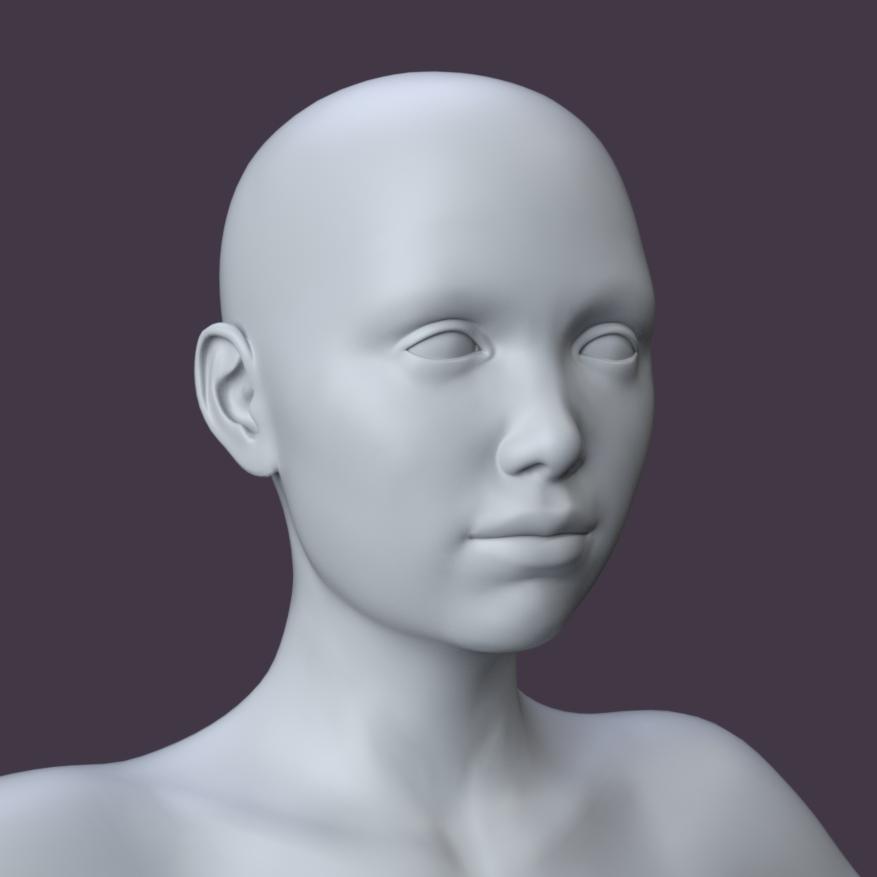
Now for the Lips:
Lip Depth Upper 7.6
Lip Width Lower -58
Lips Square 16
Lips Thin 36.1
Mouth Width -16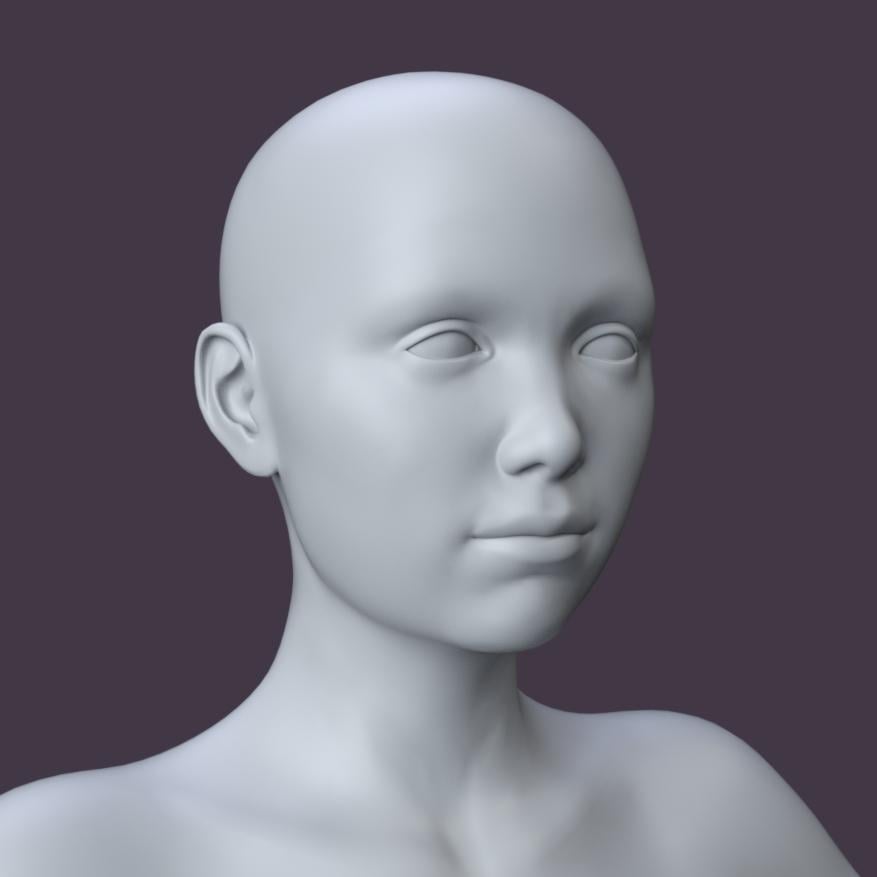
The completed head with texture (Rhea for G3F from Rendo).
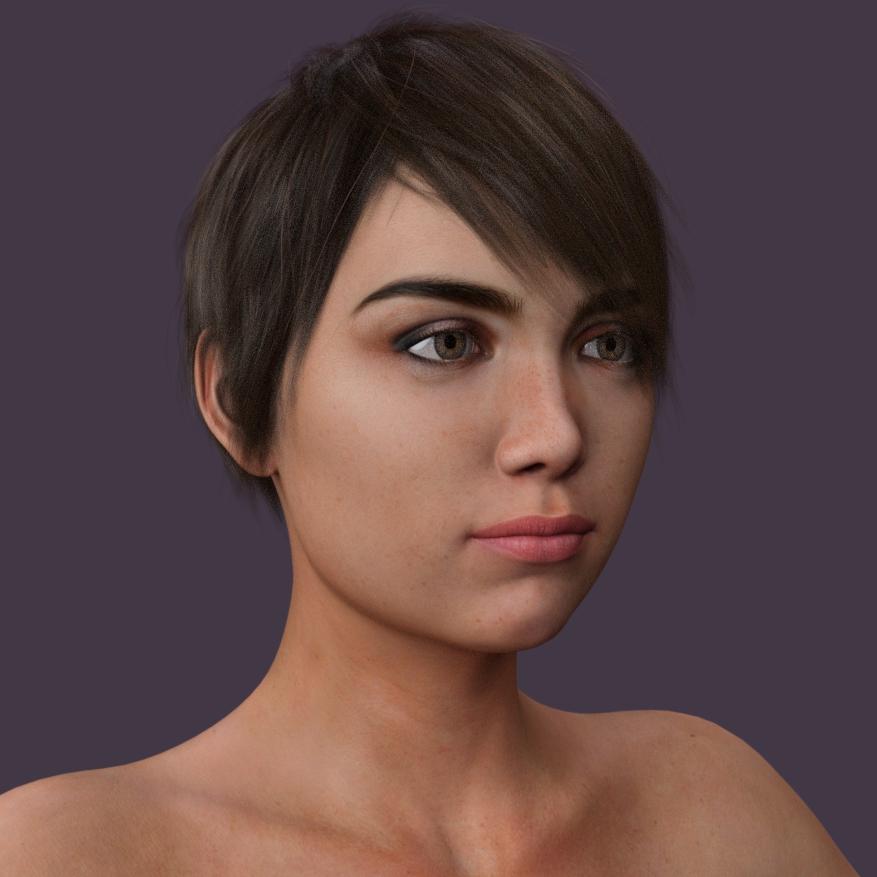
Naturally, the more morph packages you own, the greater your choices for sliders. Zev0's 200 Plus Face Morphs is a great package to own, and there are others as well.
Now have some fun with sliders. Watch how the extremes can become crazy and subtlety can become wonderful.
Please post some examples here, I would love to see them.
Customized Character TutorialsMorphing Tutorial - Head
I'm starting with Genesis 3 Base Female. My reasoning is that I can dial in character's faces to a lower percentage, and build my own body. If I want an athletic character, it's harder to remove the round hip morph from an existing character, especially if it was created in Zbrush. If you try to remove the body morph by dialing that character's body to zero, it just looks weird. It's just easier to add then to remove.
Applying Character Morphs
Morphs also come with characters and are divided into Head and Body. Additionally, you may find ear, hand and fingernail morphs as well. Anything that has a dial can be blended.
Character head morphs are located on the Shaping Tab under Head and People, which can be subdivided into Fantasy SciFi and Real World. Just click on People to show all of them.
Here's an example of 10% EC Ciara, 0.20 Layla Human, 30% Xolani and 30% Arabella.
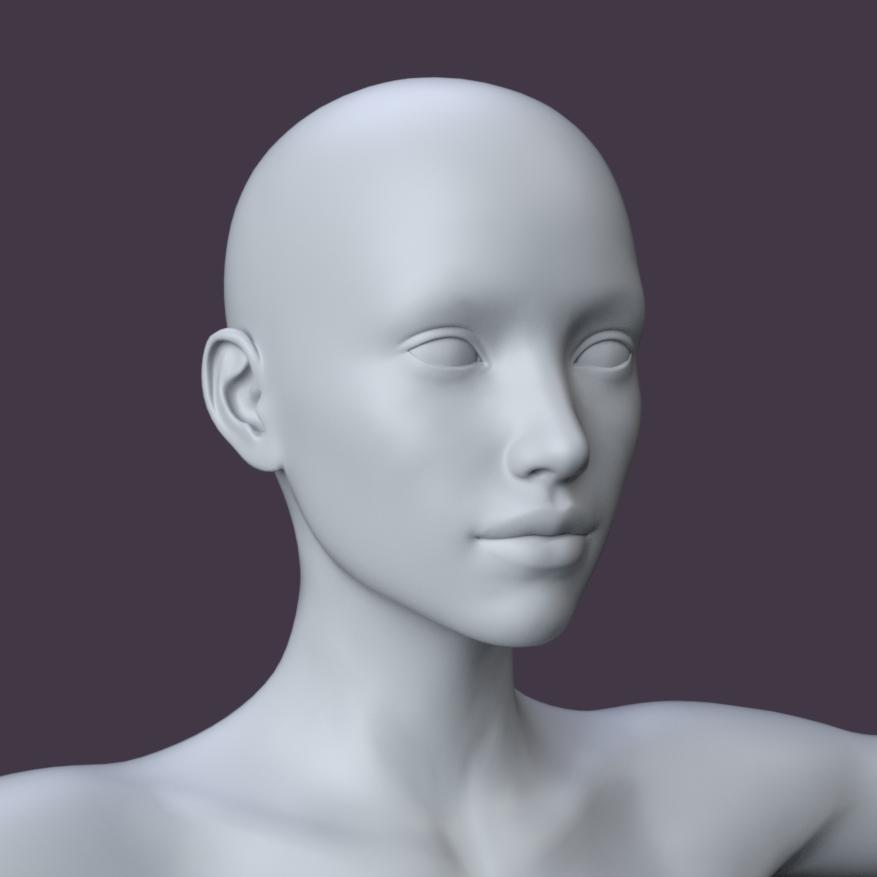
This is a great time to see how the morphs change the mesh. Starting from G3 Base, apply the Head Morph dial from zero to 100% for each character you own. Watch how the features change as you move the slider.
TIP: To zero out a morph, hold the ALT key and click on the number.
When you find something you like, save it as a shaping preset:
File > Save As > Shaping Preset and name it. To save the head only, open up Genesis 3 Female in the Shaping Preset Save Options, then Actor, and uncheck everything but Head, then Accept.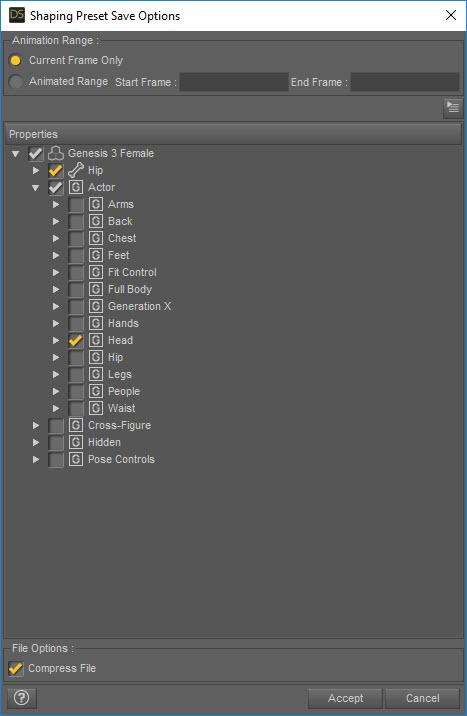
Individual Head Morphs
Let's start with the face and the basic Head Morphs for Genesis 3 Female. There are so many perfect fashion-model characters out there, I'm going to start with a more ordinary looking person.
Click on Face, and turn the head to view the profile. As I said earlier, experiment with the sliders to see the results from zero to full strength, and in some cases, negative values.
Face Center Depth -20
Face Flat 50Click on Nose and add these values:
Nose Bridge Depth -78.2
Nose Bridge Slope 46.2
Nose Depth -71.4
Nose Tip Depth -52.9I'm looking to create a flat face with a button nose:
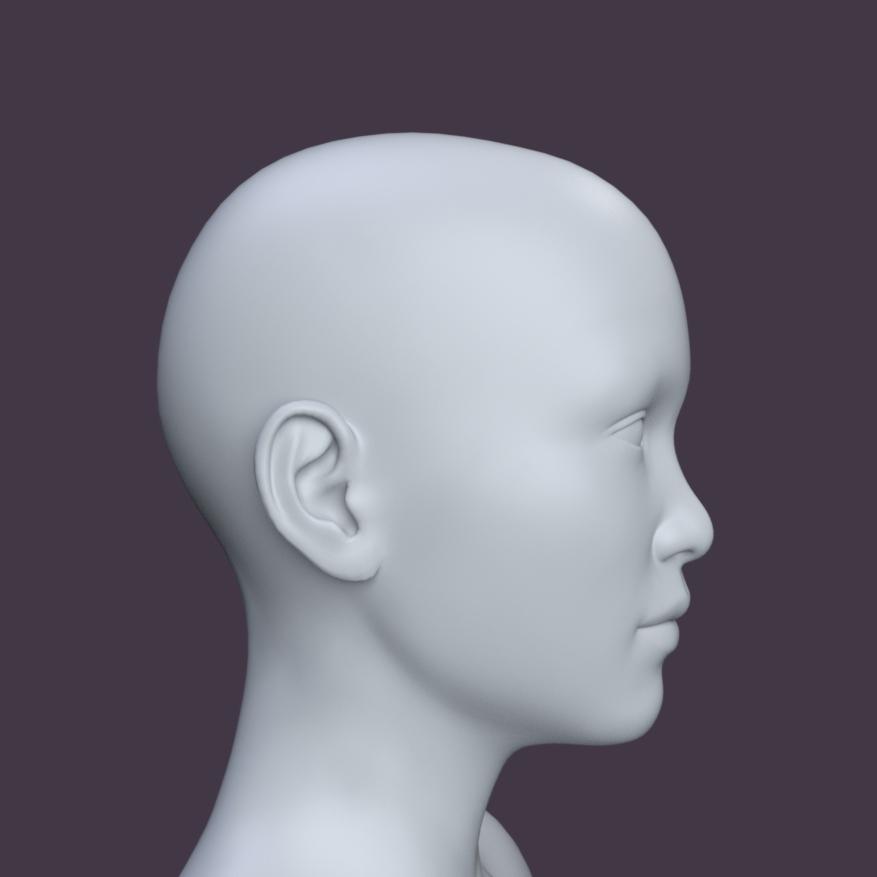
Adding some more features, such as a round face and prominent cheekbones to Face:
Brow Width 25.6
Cheekbones Arch Size HD 88.2
Chin Crease HD 99.2
Chin Depth -36.1
Chin Width -76.5
Jaw Angle -69.7
Jaw Slack HD 37
Marionette Lines HD 71.4
Face Round 44.5
Forehead Flat 78.2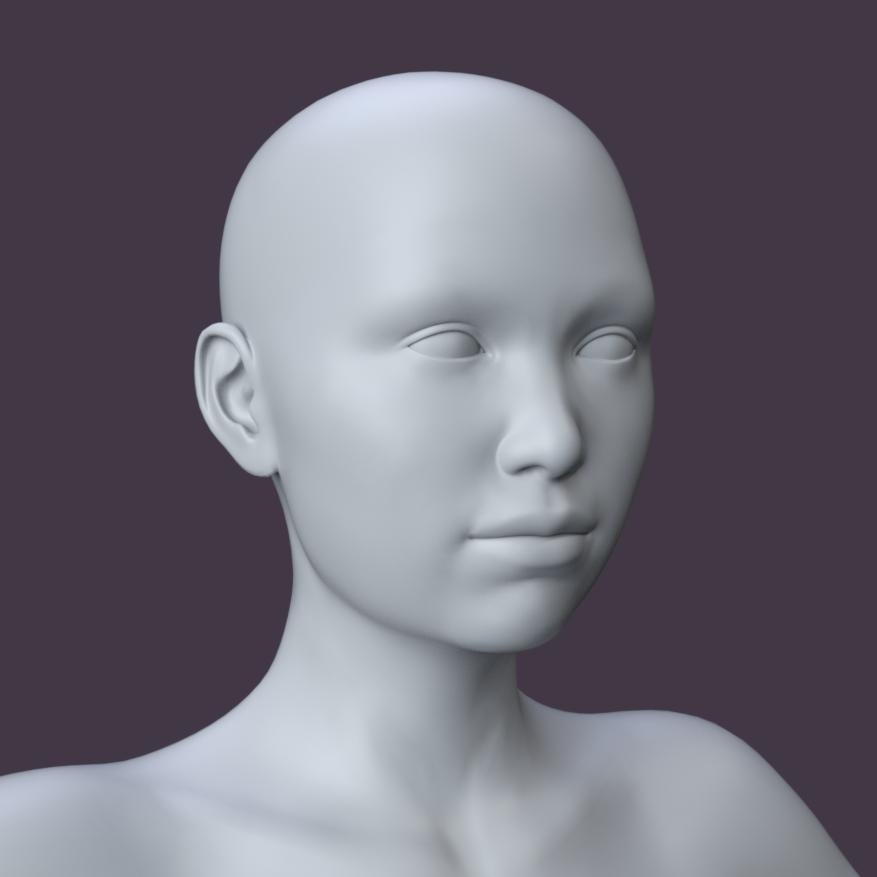
Now for the Eyes. I want them deep set, sad and with prominent lower lids.
Eyelids Fold Down -50
Eyelids Heavy 100
Eyelids Lower Height 45.8
Eyelids Smooth -50
Eyelids Upper Height 10.7
Eyes Almond Outer 31.1
Eyes Angled -41.2
Eyes Angled Outer -19.3
Eyes Depth 29.4
Eyes Puffy Lower 22.7
Eyes Width 39.5
Lacrimals Size 53.4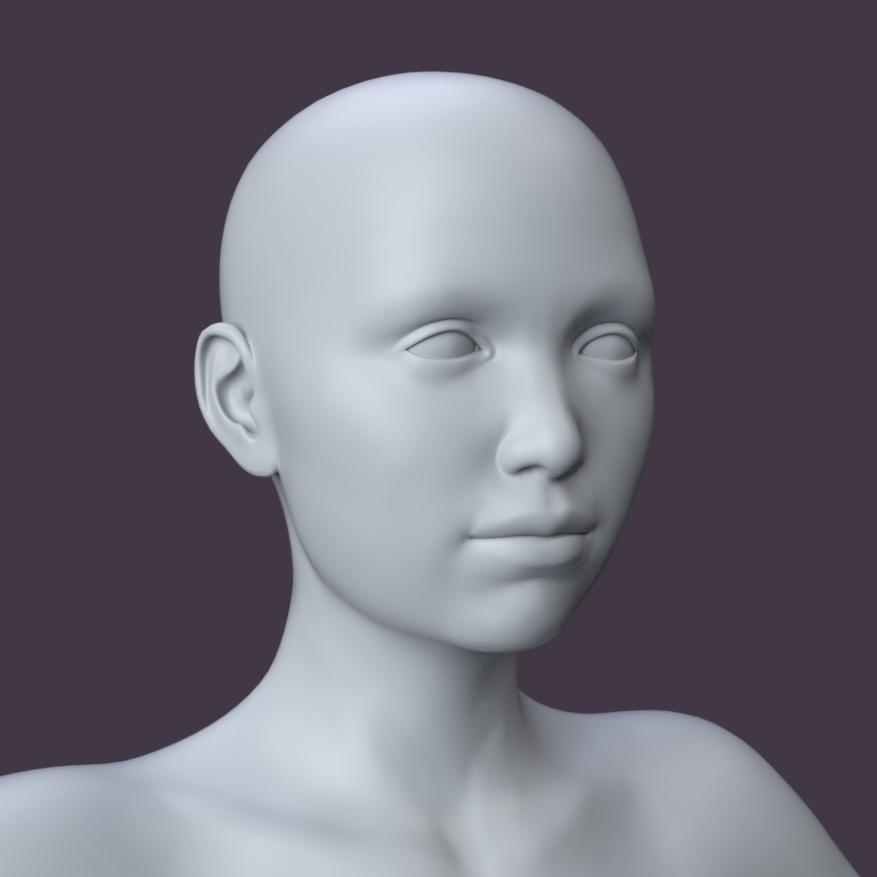 The Lesson I REFUSE to Learn
A few days ago I was working on a character morph that took several hours. Having almost reached the point where i was satisfied with it, DAZ Studio suddenly bailed, taking my morph with it. Had I saved my work along the way? Nope. Bummer. I recently redid the character, and forced myself to save repeatedly as I progressed. Will I ever make the same mistake again? Probably.
Tynkere Carrara FAQ scrapbook & other thingsYour "aging i7" should be fine for Carrara. Until it died recently I'd been running Carrara for years on a laptop that had Intel Core i7-3610QM 2.30Ghz x8, and rarely had any problems, even on some pretty big scenes.
Unfortunately having a Genesis (or Genesis 2) in the scene will always cause Carrara to take forever to load/save and the files will get seriously bloated.
The reason for this is that when DAZ Studio saves a file with Genesis in it, it just creates a sort of pointer to where your Genesis files are, but when Carrara saves it saves the entire figure with all possible morphs in the scene file. You can try using @Alberto's free morph eraser plugin to reduce the size of the Genesis to make it save/load faster: https://www.daz3d.com/forums/discussion/298236/genesis-morphs-eraser-plugin
Morph for Ancient AnubisLook for the morph 'Face Center Depth', I forget what pack it's from. Makes most of the face longer (or shorter).
Star Wars Renders 2013 +There's one for sale at FoRender about $20
Forgot to mention it's a complete character
Comes as Cloth (G3F and G3M),Hair(G3F only),Staff prop(right and left hand,or Collar and shoulder posed),G3F Head Morph and Material preset.
FLUIDOS plugin for Carrara -- version 1.4 updateI have been playing with some simple props that I might distribute as freebies. One is a bottle with cap similar to the project in Mike Moir's vertex modeling tutorial, except I am adding a straw. I was modeling liquid contents for the bottle with a morph to change the level, then I remembered Fluidos!
Are there limitations on distributing a fluidos setup? Carrara version? Studio version?
No, there is no limitations. Moreover, is encouraged!
 angeloi oversleeves
I think they'd need to be fitted with the transfer utility then
Daz 3D is part of

Connect
DAZ Productions, Inc.
7533 S Center View Ct #4664
West Jordan, UT 84084Licensing Agreement | Terms of Service | Privacy Policy | EULA
© 2026 Daz Productions Inc. All Rights Reserved.