-
Fantasy Skins For Genesis 8 [Commercial]
I would suggest that the basic underlying skin has to be uniquely created outside of this product. Also, what I've seen other venders do is state: you can only use this in a limited way. For example, purchase my brows, but only use one brow for your character and you can't use the morphs. Or purchase my eye makeups but you can only use 7 of them in your creation and they must be modified 50%. Or purchase my LIE but you can't resell it as an LIE on your character, it has to be 'baked' into the skin texture. I don't know if this helps but it's what I've seen others do to ensure their work isn't 'reused' outright but rather repurposed in a limited manner. Thanks for your quick response.
Finally got Cake One on the phone, and we discussed about this. So, the answer is YES, you can use this in commercial products. We will include this in the ReadMe (file and Store page). YET there is a certain numbers of limitations:
1. A preset coming from this set can ONLY be sold with a character. It means that you cannot sell Material Presets or Shader Presets products using any of these presets, but this is fine if you use it as the material preset of a figure you created, in the product including the figure.
2. A preset can only be sold as a FULL material preset, you cannot sell this as partial material preset which would use only the base color or only the effects or only the translucency, or only one or several parts of the material, etc, etc. You cannot sell this as a material preset which would also not include the texture maps of the figure (the idea is that it cannot be reused as a "base material" on another figure).
3. There is a limitation of : 1 Base Preset + 1 Translucency Preset + 1 effect (Top Coat or Flakes) + 1 Nail + 1 Eye per product you create. As you understood after you create the skin preset this way, it must be saved so that the properties are all together in a single file, as a single full material preset (file/save as /material preset/ without any restriction filter).
4. If you use one of those presets in your product, we would like you to add in the ReadMe of your product that the "Material Preset as You Named It" was created using "Fantasy Skins For Genesis 8".
I hope this is OK for you, anyway we will rapidely update the documentation to mention this.
Looks great. I have a question about the video: I see that it is on a Mac and it renders much quicker than mine and I am wondering what kind of machine and card it is. I need to boost my speed. Thank you.
Thanks! Cake One made the video on her Mac. I know she "tweaked" her Mac Set Up to be able to render fast. I am going to tell he someone has a question about that, because I don't know Mac, so I won't be able to help, but she will :)
I have this in my cart but one question ... once you reach a skin you like can it be saved as a material preset or shader so that you can then apply to any character or do you have to start all over with anew character?
Yes you can save it as a material preset, and as a shader preset too, using "uncheck images" if you want to keep the texture set of your new character. You can apply it to any other character. Then several things can happen:
- if your new character is "built the same way" as the previous one (it means that the same properties are mapped, and that the base mixing mode is the same), then their should be no issue, only slight shades of hue variations due to the fact that it is another texture set with different colors on it. You might to have to readjust the gloss weight (you have two scripts for that) if the gloss maps are very different in term of darkness between the two figures.
- There could be gloss issues if : the original and the destination characters do not use the same kind of gloss (one for instance is Glossy Layer Weight and the other one "dual lobe", or if, for instance, one is "Metallicity/Roughness" and the other "Specular Glossiness".). The solution if they do not use the same king of gloss would in general to save the material (or shader) preset without the Glossy Layer and Dual Lobe settings (or any settings which could not transfer from one to another), and without the base mixing mode (Metallicity Roughness - Specular Glossiness).
But in general if you work with figure of the same generation - Generation 8-, 90% of them will use Metallicity Roughness as base mixing, with Dual Lobe used and mapped for glossy look, so you should have no problem to transfer the material from one to another. If gloss issues appear, simply uncheck properties related to gloss when you save the shader (well keep top coat and metallic flakes if you use them as additional effects of course).
And in case of a problem, remember we are here, we should rapidely see what is wrong... But I'm pretty confident :)
exporting chars for other animationYes. Animator 1, if they are creating literal custom morphs (made with a dForm in DS or by manipulating the emsh in a modelling/sculpting application) may want to save those morphs as assets (AutoFollow doesn't always work with embedded morphs at this time) but as long as those are custom then it's OK to share the morph assets (e.g. for Genesis 8 female they would be in /Data/Daz 3D/Genesis 8/Female/Morphs/Animator1'sName/ and would go to the same location on Animator2's system).
NON-SLI vs SLI problems/render time?Doesn't mean it's the same thing, and in 3D graphics rendering, it is important to differentiate. SLI is bad in 3D rendering, whereas NV-Link might prove to be a requirement (depending if shared RAM - or something else) needs it.
I am calling it SLI as it is still being called SLI and I don't think anyone is calling it NVLink 2080 Ti or NV 2080 Ti or any other form.
Titan RTX is different from the 20 series RTX cards. It is already confirmed that it can pool VRAM. It has been confirmed by many users and Nvidia. This statement is from the official Titan RTX product page.
TITAN RTX NVLINK™ BRIDGE
Double the effective GPU memory capacity to 48 GB and scale performance with up to 100 GB/s in total bandwidth of data transfer utilizing the NVIDIA NVLink™ technology.
Without dwelving into this issue, can I please get an answer to the 2 questions above which aren't related to Pooling VRAM.
While I don't quite understand the technology behind it, if it is anything like SLI performance in games where the game needs to be coded for SLI GPUs then a program may need to be coded to support VRAM pooling too. Do you have any articles for your statement above that I can look at?
Cannot Morph Any ModelsThank you so much for your reply. This is what happened: The very first time that I dowloaded Daz onto my PC, there were the basic options for shaping the figures (ANY figure, female or male). Those options that came with the Genesis 2, Gen 3, and Gen 8 males and females were free.
I was able to change facial expressions and body shape without problems. Those morphs were available in the shaping tab without ANY purchases. I did not need to buy any morph packs. I had eveything I needed with the base characters.
Then, all the shaping options were GONE a couple weeks later.
No morphing options available for ANY figure at all. Yes, I go to the parameters like the tutorials say and it is completely empty. No one else seems to have this same problem.
I dont know if I somehow did something wrong with a file at some point, Im not sure. All I know is that the morphs and shaping options that were available with the basic Genesis characters that I got for free are not available to me anymore.
Is there any reason why this could have happened? Thank you so much
Can't change facial expressions with Genesis 2 Male Head MorphsThank you so much for your reply. I have a very weird problem with my Daz content. This is what happened: The very first time that I dowloaded Daz onto my PC, there were the basic options for making different expressions and shaping the figures (ANY figure, female or male). Those options came with the Genesis 2, Gen 3, and Gen 8 males and females for free.
Those morphs were available in the parameters tab without ANY purchases. I did not need to buy any morph packs. I had eveything I needed with the base characters because at one point I DID have those expressions that came with the base figures.
Then, all the shaping options were completely GONE a couple weeks later.
No morphing options available for ANY figure at all. Yes, I would go into the parameters tab like you have said and like the tutorials say but it remains completely empty. I go to the pose controls branch (head-> expressions) and there is still nothing there. No one else seems to have this same problem.
I dont know if I somehow did something wrong with a file at some point, Im not sure. All I know is that the morphs and shaping options that were available with the base Genesis characters that I got for free are not available to me anymore.
Is there any reason why this could have happened? Thank you so much
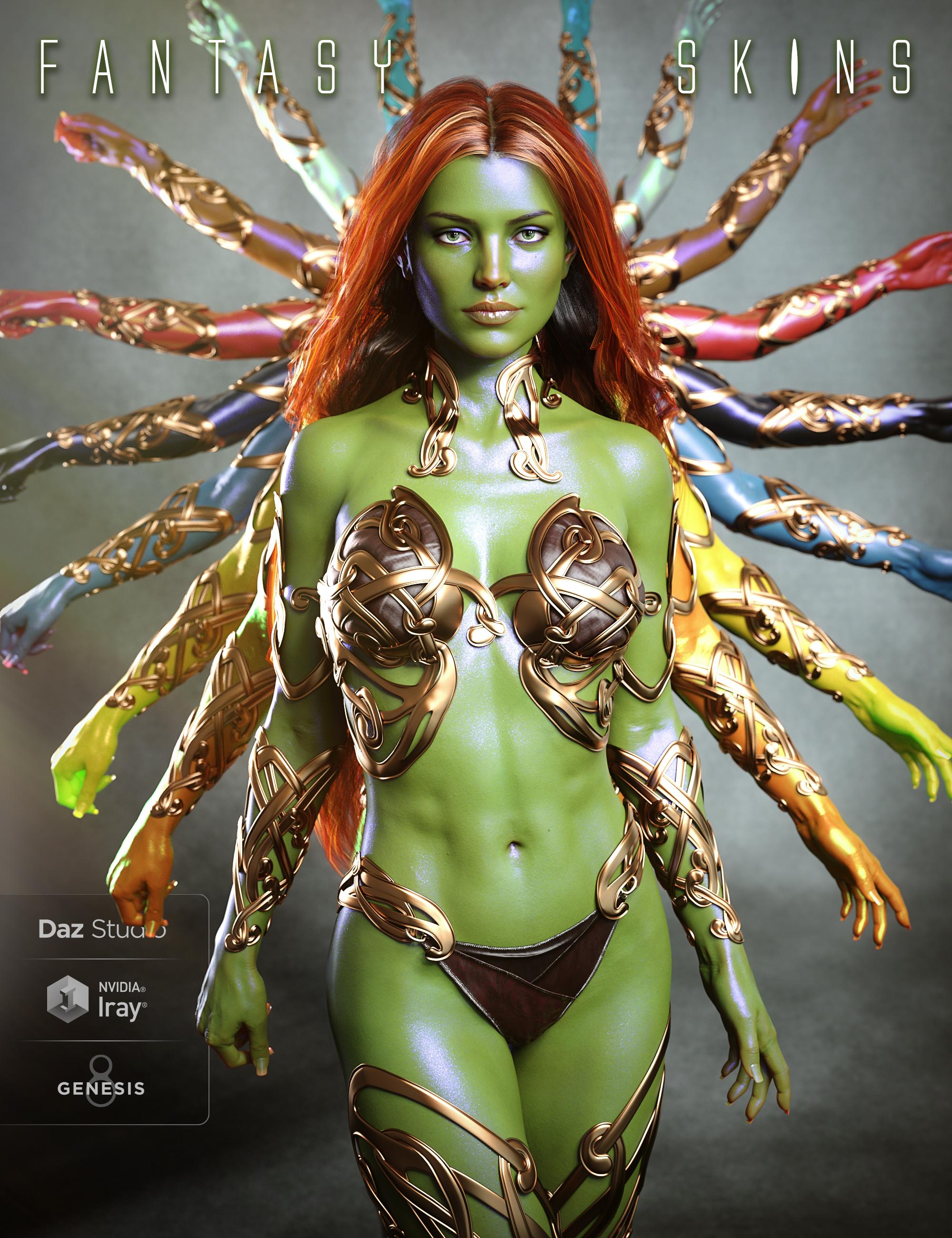
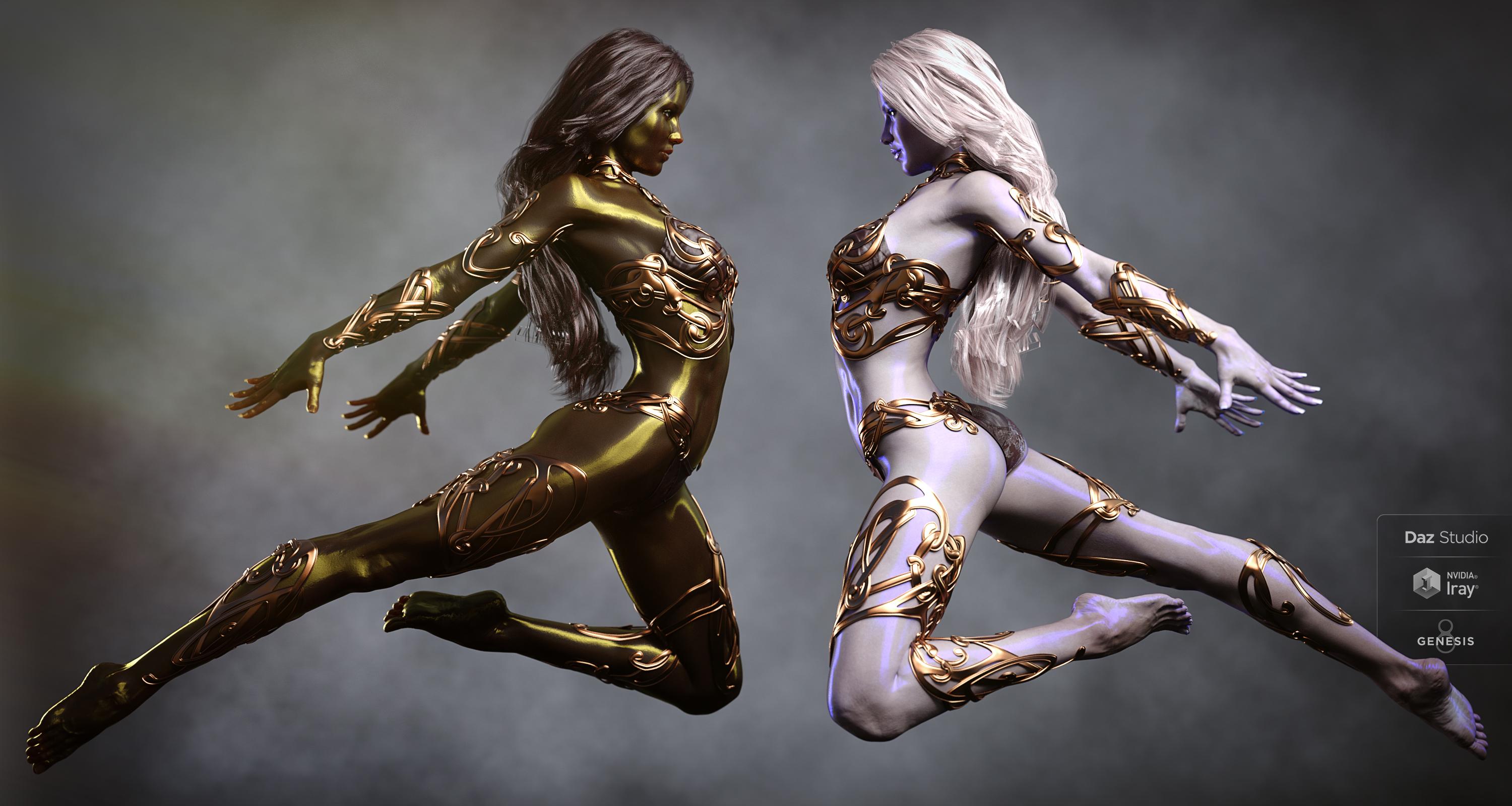
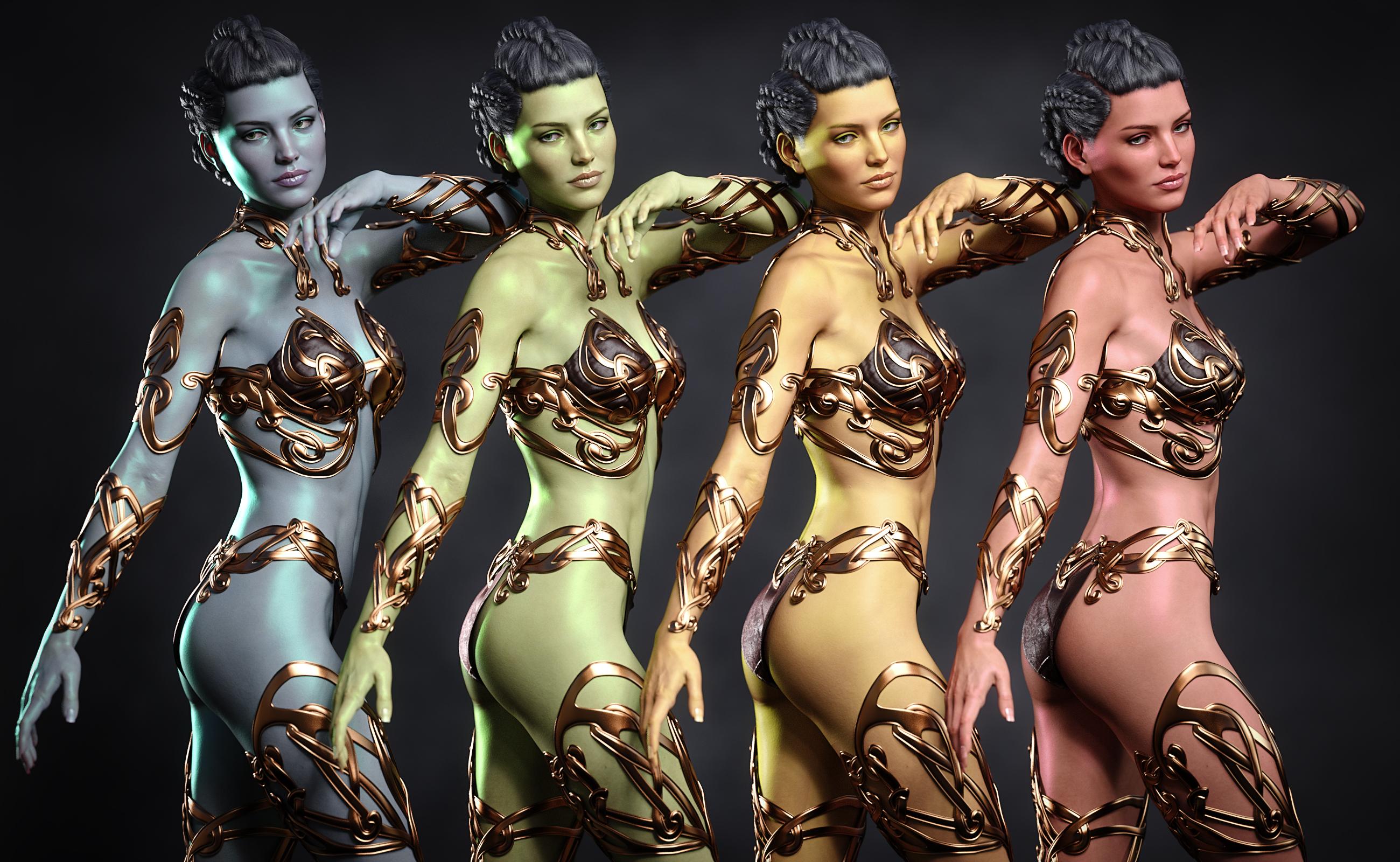
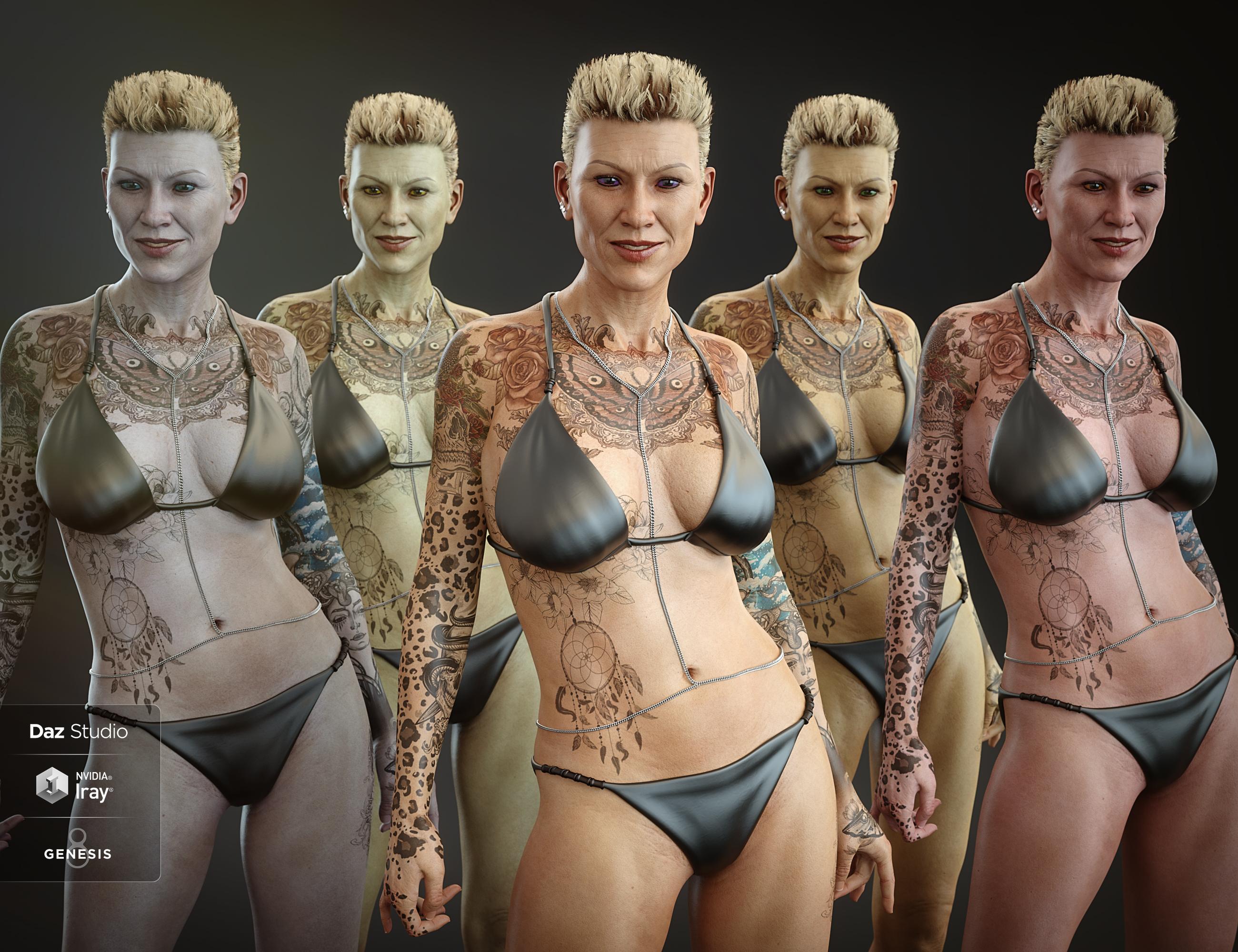
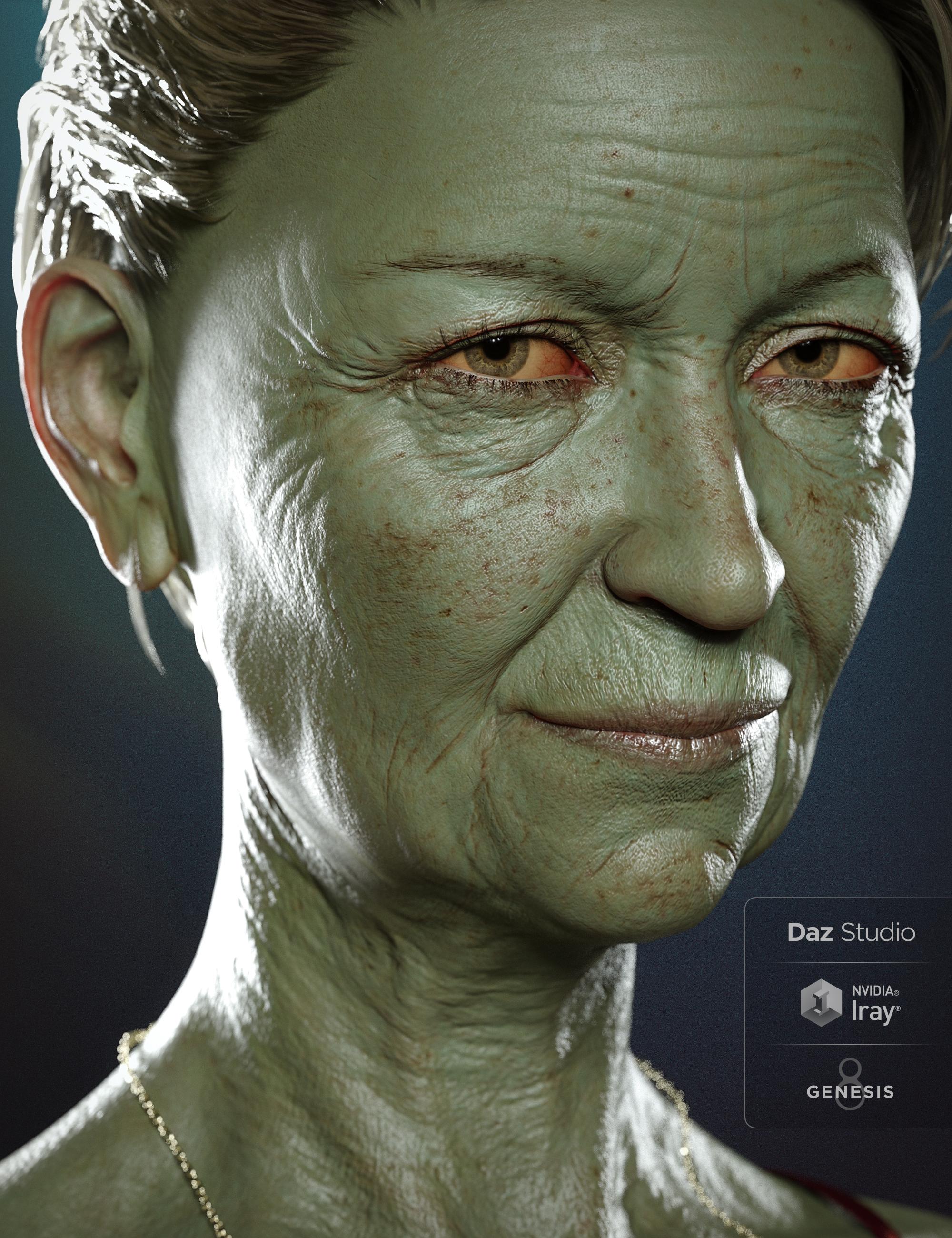
Fantasy Skins For Genesis 8 [Commercial]Fantasy Skins For Genesis 8 is a real Fantasy Skins Builder. It is made of partial material presets which will preserve all the texture maps of your figure, and will be able to apply a wide variety of fantasy skins tones on all your genesis 8 figures, varying from very subtle ones, to very dark or saturated ones. Once the base presets are applied, you can decide to render this way, or to combine the base presets with one or several the many of additional effects included, and acting on Translucency settings (blood color), the Top Coat settings, or flakes settings.
Additional script tools are included so that you can very easily handle the global glossy amount of the figure, and/or of the amount additional effects that you add inside (translucency) and over (effects) the skins.
Eyes and Nails presets are also provided so that you get “the complete look”.
Finally, tools are included to handle the Diffuse Overlays layers properties, ensuring that make-ups and/or eyebrows added using the Diffuse Overlay technics will work well with the rest of the figure.
A final script allows you to transfer the whole shader to any Geograft (including Genitalia) part of your figure.
These fantasy skins can be used on all Genesis 8 figures and have been optimized for them, but they can be as well used on all the Genesis 3 figures.
For any questions, remarks, feedback, feel free to use this thread! And Happy Rendering! Here a few renders (click to enlarge).
 What kind of clothing are you sorely missing?
IH Kang puts points on women's suit jackets' shoulders, but the men's suit jackets' shoulders are rounded (except for the Double-Breasted G3M). But the women's don't fit my men very nicely. He made a Genesis men's suit with a shoulder point morph dial. It had other morphs too. But those days are gone. I think I'll dust it off. Maybe Sickleyield will make me a pointed shoulder morph for G3/8M.


![Our modern coat for men is unique, thick, and makes up for a ni[ Vapor-Hub.com ]ce wear for the winters. unique-outfit.com](https://i.pinimg.com/564x/6c/fe/0a/6cfe0a3754f8a690c43140d4470782ae.jpg)

The shirt should be a dickey prop: It will not move with the neck, just as an actual shirt collar of a tied dress shirt does not bend.
SereneNight's Sci-Fi Fun Thread 2I like the number 1. I also like the modelling on number 2. It comes with a cute millenium puppy morph too! =-) But I think the textures on number 2, are a bit odd. Knowing this vendor, though- there will be many more textures!
Cats. Its the internet, WE NEED CATS!I'd be happy with a Cat morph pack for Dog 8 or Big Cat 2.That would open up some awesome possibilities with dial spinning. Like animating a kitten so its head morphs to a lion's head...
 Cats. Its the internet, WE NEED CATS!I'd be happy with a Cat morph pack for Dog 8 or Big Cat 2.Report sales errors here. Missed it? No worries. "There's Always Another Sale™"
We have an external power plug for our generator that leads to a transfer switch next to the main electrical panel...
GenX2 - Need HelpThanks, @bunjp02_Carrara. You have been most helpful.
I had a breakthrough today. I have some characters that are dependant on other characters. They didn't seem to work when I tried to transfer them. Dusty for Scott was one such character. I noticed when I added G2M to the scene and then dialed in Dusty that Scott's head and body morphs were getting set. But no matter what I tried Genx2 didn't seem to pick up the Scott morphs. So then I wondered...can I set them myself? I double clicked on the value, and I got a box where I could enter a value. Then I checked the Dusty Head and Body and the Scott 6 head and body. Those morphs were all set, then I clicked transfer with the usual settings described above. And voila...I now have Dusty morph that works.
With your help, @bunjp02_Carrara, I think I'm finally getting a handle on this stuff.
Thanks again.
You're welcome, when I first started using Gen X I had quite a few EEEEK moments and struggled to get it to work. Happy to help others get to grips with Gen-X, especially those that like to play with different morph combinations !!!
Fix oot hair scalpI know this is many months after the original post. I had the same issue with an OOT hair; not that I don't want a part, but the spacing was huge. It was like she took a beard trimmer and ran it down her head. I used the FMHAiko7 morph and discovered the gapping could be closed to a more natural looking part.
GenX2 - Need HelpThanks, @bunjp02_Carrara. You have been most helpful.
I had a breakthrough today. I have some characters that are dependant on other characters. They didn't seem to work when I tried to transfer them. Dusty for Scott was one such character. I noticed when I added G2M to the scene and then dialed in Dusty that Scott's head and body morphs were getting set. But no matter what I tried Genx2 didn't seem to pick up the Scott morphs. So then I wondered...can I set them myself? I double clicked on the value, and I got a box where I could enter a value. Then I checked the Dusty Head and Body and the Scott 6 head and body. Those morphs were all set, then I clicked transfer with the usual settings described above. And voila...I now have Dusty morph that works.
With your help, @bunjp02_Carrara, I think I'm finally getting a handle on this stuff.
Thanks again.
No HD, No Peace! Or... A little peace? I dunno...I've never purchased HD. What is HD and how is it used ? thanks.
HD, as handled by DAZ Studio, is a way of adding details to a model that is independent of the textures applied to the figure. Instead of using a normal map for details, the additional details are sculpted into the model at a much higher subdivision level than is usually used by DAZ Studio. This higher detail model becomes the basis for an HD morph for the character.What's hidden away in the actual files... Do they replace the OBJ file and it's geometry, or add normals or bump, or is the data in the model to begin with adn the HD files just allow another LOD, basically?
No HD, No Peace! Or... A little peace? I dunno...A compromise could be readily achieved which would satisfy both camps with a create your own pro bundle approach. Take the starter bundle and a pool of the 5 addons which would normally comprise the pro pack. Add the HD morph to that pool. Of the six packages the customer chooses 5 to add to the starter bundle to convert it into the Pro bundle. That way Daz controls and effectively delivers what they would want in the pro bundle, and people won't be feeling they are missing out if the HD morph is included.
I would love to see this option.I would perform a ritual sacrifice to the god of goddess of your choosing for this option.
Bringing older generations up to modern standards - might be fun ;)Well I managed to get David 5 transferred over to G3M but I can't find a product to use his skin UVs. I also tried to transfer Michael 6 but he had strange ridges protruding from his eye sockets. Did them both the same way so no idea what's wrong with him.
Event/signal for property changes.I'd like to detect a property change (any morph value, any other property change of anything in the scene). Is there a top-level signal on the scene that'll tell me a change happened and give me a node, or do I have to iterate across all nodes in the scene and connect to every possibly change?
hi can someone help with an animationi am trying to an airplane spin wrestling move b ut i dont know where to start so she spins him around
when i pin her feet down
so if someone can please help me it would be so appreciative also how do people take a jacket and open and close it with a morph
what software do they use for that i would love to do that and how to fit it to my genesis 3 females thanks so much
Medusa Madness!! [commercial]How posable is the snake hair? The difference in promos between the maker and the Gorgon suggests very, but I'm not sure if that's partly a morph. Do they stick out from the head when zeroed?
The snakes stick out straight when zero'd...they are very posable, and even the jaw opens and closes. There are even scaling and shaping options on them as well. So can be alot of fun.
Thanks, that's good to know.
Daz 3D is part of

Connect
DAZ Productions, Inc.
7533 S Center View Ct #4664
West Jordan, UT 84084Licensing Agreement | Terms of Service | Privacy Policy | EULA
© 2026 Daz Productions Inc. All Rights Reserved.