-
Bringing older generations up to modern standards - might be fun ;)
They are similar, but not exact. While one could apply a morph meant for Aiko 3 to Hiro 3, that same morph could not be applied to Michael 3. Now, I'm not sure if that's because the body part "grouping" was duifferent for some figures, say a few extra polygons for M3's neck (grabbing them from the "chest") as compared to V3, or if some meshes actually had different number of polygons. (I'm at work, so I can't verify one way or the other.)
They were based on the same mesh, it's indeed the grouping which is different for M3.
No mouth, eyes, ears, or nose morphs?I made somewhat of an eyeless, earless morph for my Bocular Man.
But ... it’s way easier to do such things as geografts; other morphs will interfere with the design.
No mouth, eyes, ears, or nose morphs?Has anyone seen morphs to make the nose, ears, eyes, or mouth gone ?
Not really a thing a morph can do. Depending on which figure you are using you might look at RawArt's NoSuit sets.
LEGS AND MORPHS! SOLVEDYour scalar is 1 - that means that when the rotation is 1 the JCM wil match the morph value (and since you have limits it will not go beyond 1). The scalar should be 1/bend value - so 1/85, approx 0.0118 but you can just type 1/85 in the field.
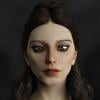
Bridget 8"Bridget is the epitome of the modern gamer girl."
I've been a gamer for 42 years, never met any girls like her.
I'm 58 but the majority of people in my company are 20-somethings and there are actually quite a few "Bridgettes" running around. The thing is, the definition of gamer doesn't mnean what it used to...
To me the definition of 'gamer girl' is 'female under the age of 25 or so who plays computer games', but I like Bridget :-)
For me it's a girl/woman that plays videogames just like male gamers they run the entire age spectrum...
Another white girl. Brilliant idea; we really don't have enough.
The 3D/gaming industries are largely geared towards the "majority" demographic, so you should not expect another 6th generation of inclusion for the base figures as that was a fluke; we'll just have to rely on PAs (They are the ones that are the glue that we/this company relies on!) to provide the proper range of races/cultures aside from the token black/Asian couples that daz 3d does.
That is, until the next generation replaces the old guard...
Get this https://www.daz3d.com/skin-builder-8-for-genesis-8-females and any of the many morph kits or mix characters you already have. Why do people want their personal ide
Help Bridget get her gamer girl on for free:
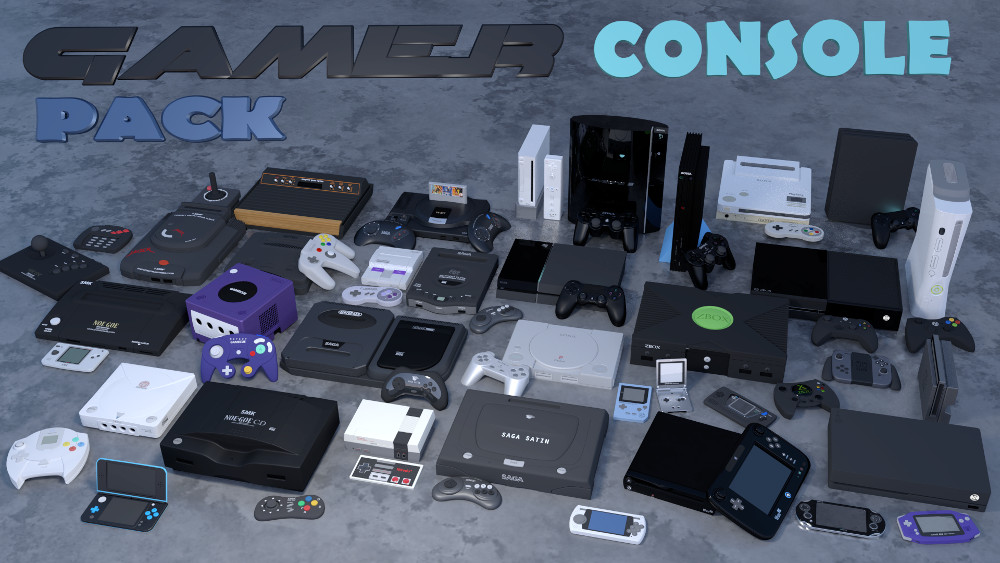
thanks...this is GREAT !!
ALSO check out "Hardcore Gamer Kit" over at rendo. its not too expensiveGenesis 8 Problem to PoseYes, there is (or was - it may be worth checking for updates) an issue with a corrective morph kicking in when it wasn't needed. it can be found and zeroed in the Parameters pane.
yes...good idea sir.
[DazStudio] How can i shaping,edit face details Like Face customization in Makehuman,Mlab in blenderDo you have any morph sets for the figure?
Bringing older generations up to modern standards - might be fun ;)I would love to get it working but I'm confuzzled right from the start pretty much. I need to find some in-depth tutorials or something. I can't imagine saving a Genesis character that's never going to be used in Poser as a .cr2 can't still apply with GenX2.
Laurie
Its a lot easier when the source and destination are both Genesis figures. You select Genesis as the source, G3M as the destination, then select the morphs you want to move over. No CR2s needed!
Is is really that easy? I have GenX2 but was worried I wouldn't be able to find the files, it things went poorly; and still being a newb, I have no idea how to delete sliders. I am just finishing recataloging my database after my pc went wonky at Christmas. The thought of messing with my currently orderly file state was enough to forestall playing with Genx2. That and my free time to "play" with DS is sparse.
I am currently interested in attempting the 3DU and JQ in G1. Havos, have your tried with any of Philosopher's Eggs M4 creatures? I work with elementary students and would love to convert some of those to G3. Thanks for any tips and instructions you are willing to share.
I have not tried those morphs, but I have moved other creature morphs from M4/V4 and K4 before without issues, including some relatively extreme morphs (for example I moved this morph https://www.daz3d.com/shamus-o-shaughnessy-for-k4). You might want to move them to G1 rather than G3, since G1 can use the M4, V4 and K4 textures used by the Philosopher egg creatures. There are products to use M4 and V4 texures on G3, but not K4. To use a K4 skin on G3 you should use Map Transfer first to convert the skin to M4 or V4.
Like anything, GenX has it complications, I am not saying it is trivial to use, but there are more complicated things in Daz Studio. Once you have worked out how to transfer 1 shape, the rest is very easy.
Thank you for the tip to transfer to G1. Do you happen to know the product name(s) for using M4/V4. on G3? While I have K4, I wasn't really concerned about using the K4 morphs, because I was planning to experiment with Zevo's Growing Up products that i own. Thanks again for your time!
Genesis 8 Problem to PoseYes, there is (or was - it may be worth checking for updates) an issue with a corrective morph kicking in when it wasn't needed. it can be found and zeroed in the Parameters pane.
What causes dark halos around irises?mmh... a number of possible causes I think. Might be some wrong opacity map or another surface related issue -- try some shaders, and check your images. Sometimes tho different morphs combine badly and create artifacts like that. Is it happening when the figure (or just the eye) is zeroed?
You could try this: go to Tool Settings tab, pick the Joint Editor Tool. Rightclick on your figure and go Edit / Set Rigging to Shape. That may do the trick. Or may not. If it works, remember rightclicking again and hit Memorize / Memorize Figure Rigging before you save.
That sometimes help when the morph changes dramatically the figure shape and affects the skeleton. Doesnt seem to be the case, but beign the eyes, you never know (their axes might have been moved inside the skull or something).
"Fundamental" Genesis 8 ProductsG8 head and body morphs for male and female, of course.
200+ Head Morphs - for more morph dials.
Fit Control - I find it particularly useful to use items from older generations, or to kit-bash.
V4 & M4 Clones - There's a way to auto-fit M4 and V4 items to G8 without additional products, but I find that this product handles some items better. I hear that the recently released clothing converter for M4 and V4 works even better still, but I don't own those products so I can't confirm.
Hair, hair, hair... but needless to say, it's highly subjective which ones.
Bringing older generations up to modern standards - might be fun ;)I would love to get it working but I'm confuzzled right from the start pretty much. I need to find some in-depth tutorials or something. I can't imagine saving a Genesis character that's never going to be used in Poser as a .cr2 can't still apply with GenX2.
Laurie
Its a lot easier when the source and destination are both Genesis figures. You select Genesis as the source, G3M as the destination, then select the morphs you want to move over. No CR2s needed!
Is is really that easy? I have GenX2 but was worried I wouldn't be able to find the files, it things went poorly; and still being a newb, I have no idea how to delete sliders. I am just finishing recataloging my database after my pc went wonky at Christmas. The thought of messing with my currently orderly file state was enough to forestall playing with Genx2. That and my free time to "play" with DS is sparse.
I am currently interested in attempting the 3DU and JQ in G1. Havos, have your tried with any of Philosopher's Eggs M4 creatures? I work with elementary students and would love to convert some of those to G3. Thanks for any tips and instructions you are willing to share.
I have not tried those morphs, but I have moved other creature morphs from M4/V4 and K4 before without issues, including some relatively extreme morphs (for example I moved this morph https://www.daz3d.com/shamus-o-shaughnessy-for-k4). You might want to move them to G1 rather than G3, since G1 can use the M4, V4 and K4 textures used by the Philosopher egg creatures. There are products to use M4 and V4 texures on G3, but not K4. To use a K4 skin on G3 you should use Map Transfer first to convert the skin to M4 or V4.
Like anything, GenX has it complications, I am not saying it is trivial to use, but there are more complicated things in Daz Studio. Once you have worked out how to transfer 1 shape, the rest is very easy.
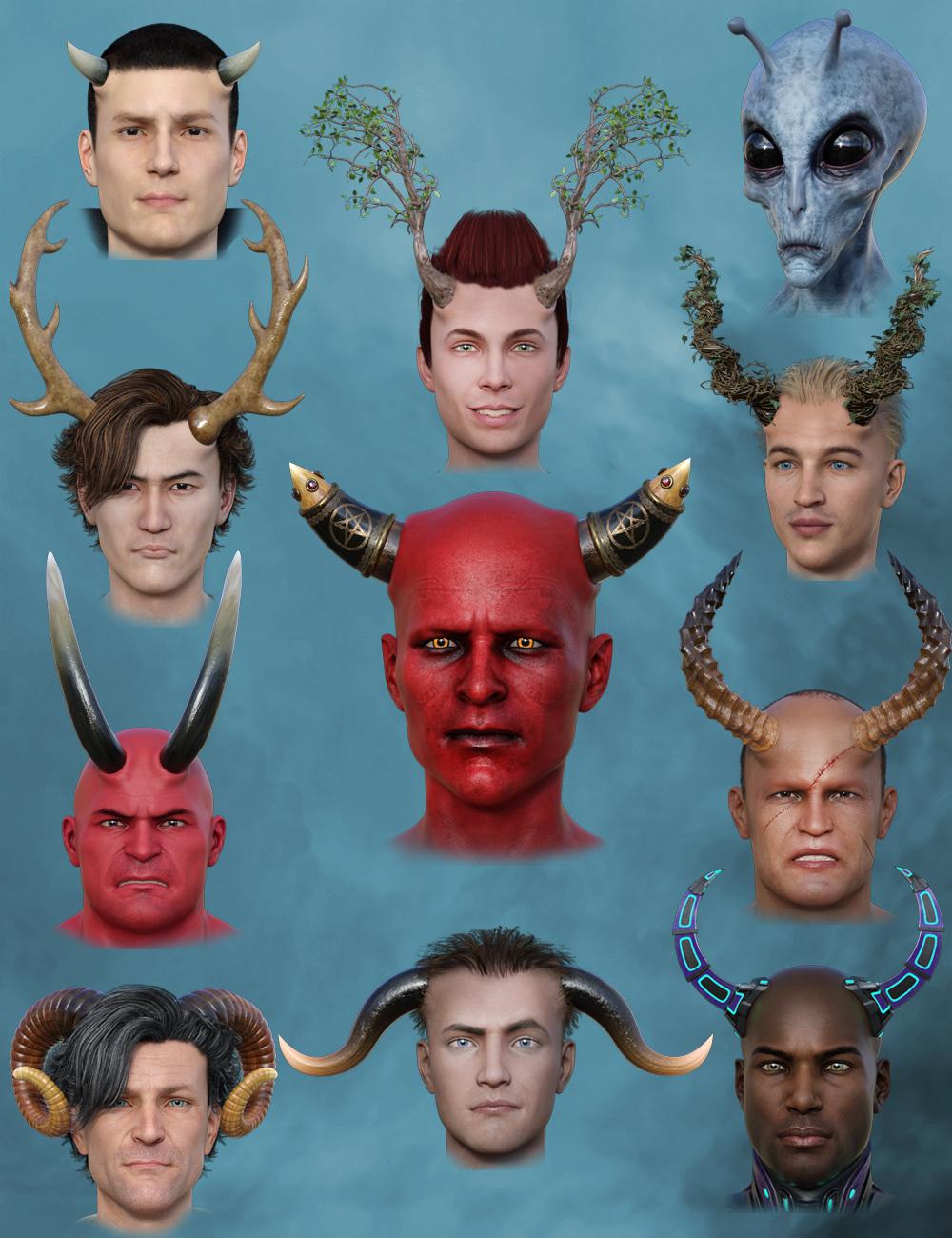
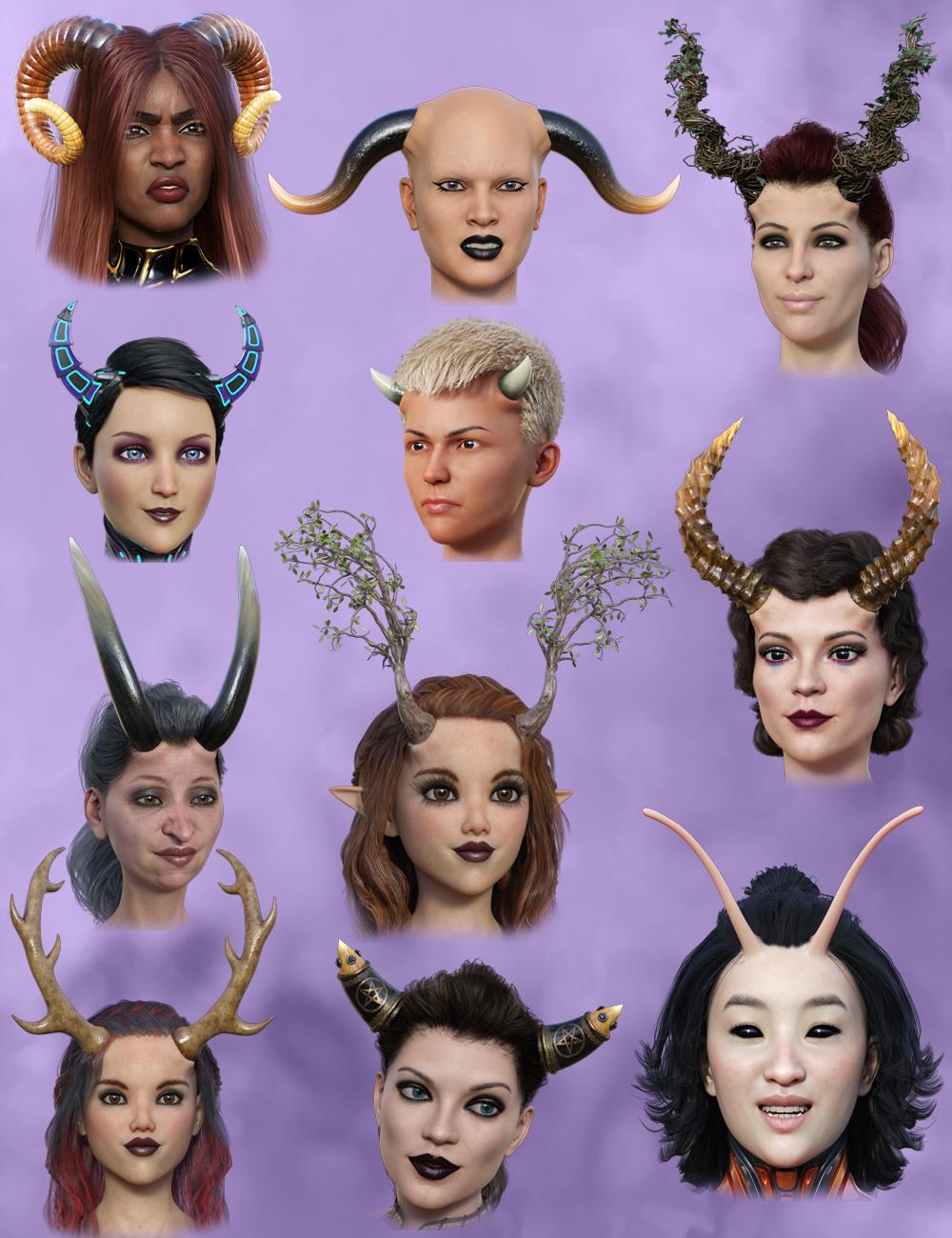
[Released] Universal Horns For Genesis 8 [Commercial]Tutorial Video
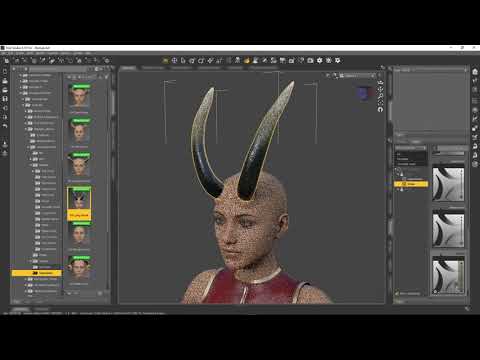
“Universal Horns for Genesis 8 Males” is the new edition of the Universal Horns set from Midnight_stories. This set comes with an additional 5 sets of horns, giving you 12 sets in all. Each set of horns comes with additional morphs to give you a huge range of styles. There’s the 7 classic demon sets, 3 different forest types and 2 sci fi sets. All textured for Iray. There should be something for everyone. They will suit all shapes and with auto fit. There are 6 HD morph sets for Genesis 8 Male to help with fitting to the skull. Even try conforming 2 set at once. This is a must have for any fantasy scene. Be on the lookout for the matching Genesis 8 Female set. You get 5 more horn sets for the same price.
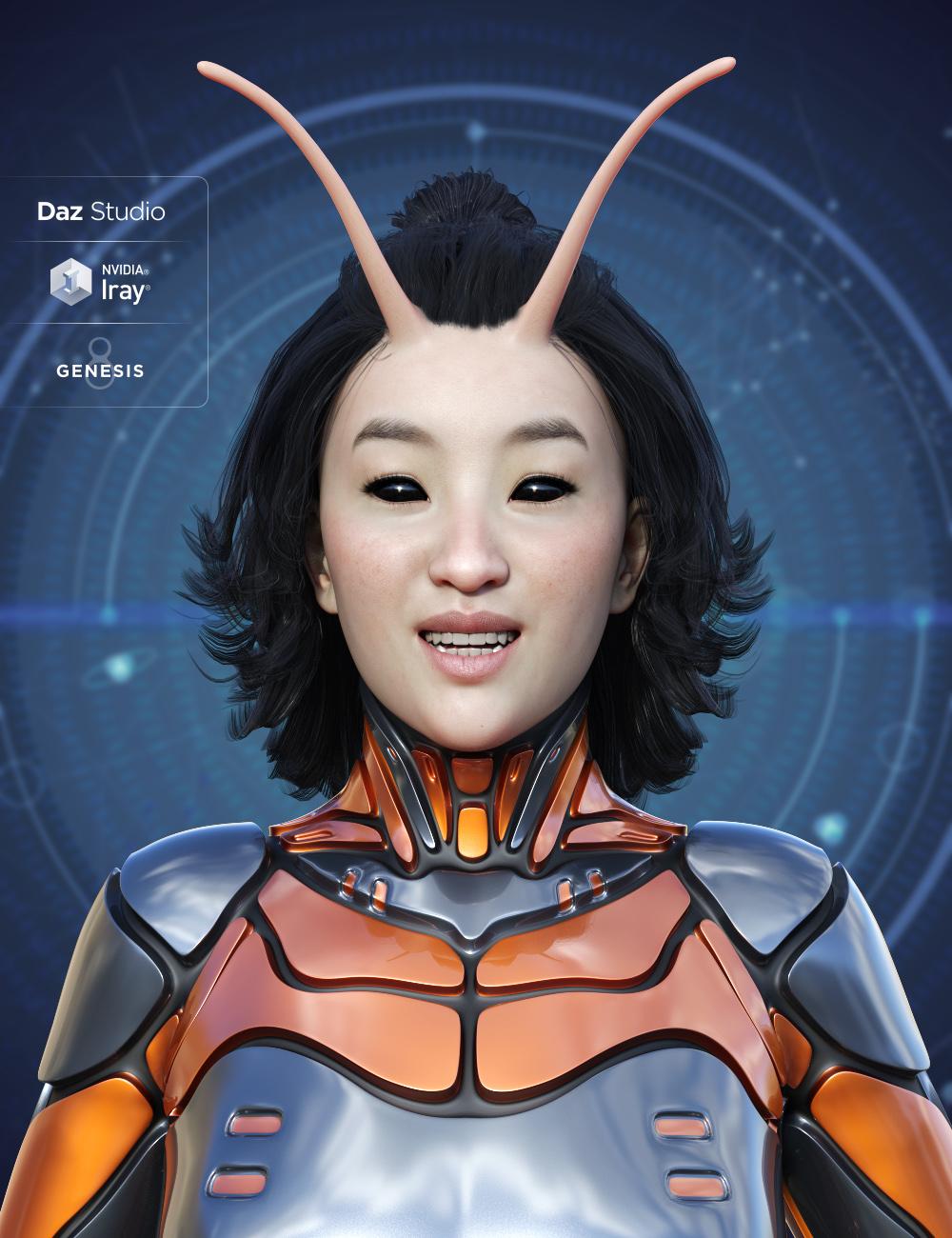
 What causes dark halos around irises?
Hello,
Could someone direct me to how I might troubleshoot this eyeball problem? Eyes seem to be duller than expected, and dark halos appear around the irises.
I am using that standard genesis 8 head morph tool to combine the Girl 8 and Paige --it results in large eyes, and I wonder if that might be causing this. I tried a number of different eye maps but same problem. (I already reset all iris and pupil shaping so that doesn't seem to be it.)
I've attached pictures of the render and viewport. I'm sure this is a simple problem, but I just didn't know what the effect is called. Could someone clue me in?
Thanks!
How to transform a zbrush ZTL file to a fie which is compatible to genesis 8 female figure of DazI've got a pair of gloves which I'm deadly fond of, but it is a ZTL file, when I used the Goz to transfer it to the Daz, it showed no texture but a base glove, so something must be wrong with it. How can I transform it into a duf or obj file which can be weared by genesis 8 female figure? Thank you so much for answering!!
Bridget 8Thanks @xyer0 I’m guessing the HD is not that strong because she’s supposed to be young. Usually the HD shines the most on older characters which is probably why they were included in the pro bundles for those.For me it’s way more fun to just use the DazO characters as a base and play with mixing morphs to create something new. I don’t think I’ve ever used a DazO out of the box except maybe Edward and V7 but soon realized that V7 was way too recognizable lol, so you really HAVE to mix morphs if you want to do something original. I think people who are upset about lack of different ethnicities might be more upset about the CONCEPT of exclusion because it’s so easy to create different amazing ethnicities yourself with just a few spins of dials or mixing skins.There are soooo many great morph kits in the store to create with! This is supposed to be art, not just playing with dolls lol.
I concur. But I rely upon Daz Core characters and their HD morphs from which to build in order to overcome the blank sameness of the Genesis 3/8 Base. Only a relative few PAs make characters that are sufficiently distinct enough from the Base (for my needs). I need for each of my characters to look DIFFERENT from each other, not related.
Victoria and Michael 7 were so cute-iful, that they made a nice starting point which I would later need to dial out a bit. But Victoria and Michael 8 were too gender dysphoric to provide the same thing for this generation, and it threw me (and some character-making PAs) off for awhile. So, I've had to wait for Genesis 8 Core to mature (get enough diversity) so that morph dial twisting isn't the only basis of my characters' differences from each other.
I've found that the more morph dialing I do, the more custom expressions I have to do (because store-bought expressions often fail to emote enough---right up to the point in the dial where they turn into toons or distort---there' no sweet spot). I'm glad to do this for my protagonist, antagonist, and love interest, but I don't want to have to do it for supporting character actors as well. I recognise that my needs are the tiny minority position, but I'm always glad to get regular-looking girls like Tasha and Bridget and seasoned gents like Christian and Vladimir so everyone isn't instantly identifiable as Daz.
Bridget 8Since so many complained about “another white girl,” I experimented with 100% Bridget morph and used Skin Builder 8. The truth is that facial morphs with the melting pot world we’re in can go with any color skin and vice versa...
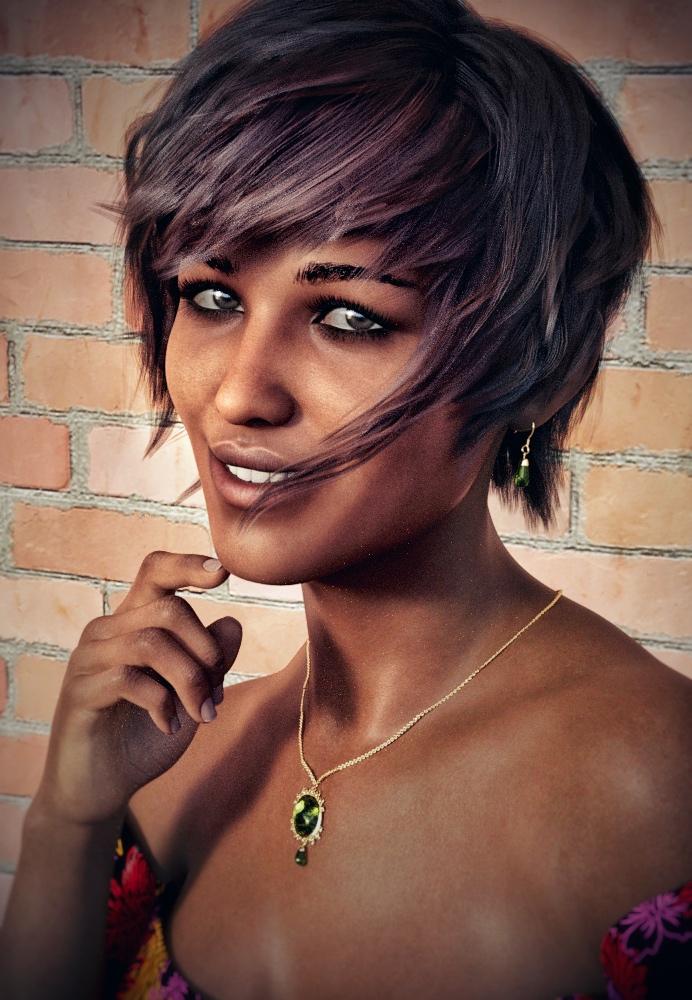
White girl with a tan! ;)
Nah, I like your theory. Even if you're a bit ahead of the curve. We're not that "melting pot" yet - You can still identify ethnicity from a skull. But it's getting there...! And it can't come too soon.
Now I want to make an old Chinese guy for Floyd.Anyone know a good tutorial on making HD characters for core figures?
I live in LA and grew up in NYC, both cities, big melting pots. So many people of mixed ethnicities and it’s wonderful. I don’t mean for this to be taken in the wrong way, but I just adopted a cat from a shelter and it’s a beautiful mix of a Maine Coon and who knows what else, and I think that’s the future of humans, new exotic beautiful mixed ethnicities!
BTW, I have a blonde blue eyed friend who married an Asian man and they don’t have kids but I bet they’d look amazing! In DS, we can create all sorts of fascinating ethnicities that may or may not yet exist, and that again, adds to the creativity...
Bridget 8EDITED I would like to get rid of the "whistle" hole in the middle of the lips. I have several morphing tools, but that is a stubborn feature.
Well, I like the gamin look (not gaming, I don't know anything about gaming) Anyway, here's one of a couple test runs today. I modified a bit here and there, in the cheeks, the nose slope, and tried very hard to get the whistle out, which made other distortions.
The EJ Face Morphs & Details has a morph under Actor>Head>Face>Mouth called "EJFM Lip Gap Soft" that removes whistle holes with a minimum of secondary effects.
Since so many complained about “another white girl,” I experimented with 100% Bridget morph and used Skin Builder 8. The truth is that facial morphs with the melting pot world we’re in can go with any color skin and vice versa...
WONDERfull renders, Wonderland! Thanks for sharing. I, too, am miffed at the no-def HD, but I haven't had a chance to download yet.
Thanks @xyer0 I’m guessing the HD is not that strong because she’s supposed to be young. Usually the HD shines the most on older characters which is probably why they were included in the pro bundles for those.
For me it’s way more fun to just use the DazO characters as a base and play with mixing morphs to create something new. I don’t think I’ve ever used a DazO out of the box except maybe Edward and V7 but soon realized that V7 was way too recognizable lol, so you really HAVE to mix morphs if you want to do something original. I think people who are upset about lack of different ethnicities might be more upset about the CONCEPT of exclusion because it’s so easy to create different amazing ethnicities yourself with just a few spins of dials or mixing skins.There are soooo many great morph kits in the store to create with! This is supposed to be art, not just playing with dolls lol.
I play plenty with my characters; they are generally very customized. I have never used a character out of the box--well, sometimes but not without at least some tweaks.
Concept and representation is only one part it. Pro bundles come with other things, like outfits and hair. We weren't going to get hanfus and samurai hair with a white male bundle.
Bridget 8EDITED I would like to get rid of the "whistle" hole in the middle of the lips. I have several morphing tools, but that is a stubborn feature.
Well, I like the gamin look (not gaming, I don't know anything about gaming) Anyway, here's one of a couple test runs today. I modified a bit here and there, in the cheeks, the nose slope, and tried very hard to get the whistle out, which made other distortions.
The EJ Face Morphs & Details has a morph under Actor>Head>Face>Mouth called "EJFM Lip Gap Soft" that removes whistle holes with a minimum of secondary effects.
Since so many complained about “another white girl,” I experimented with 100% Bridget morph and used Skin Builder 8. The truth is that facial morphs with the melting pot world we’re in can go with any color skin and vice versa...
WONDERfull renders, Wonderland! Thanks for sharing. I, too, am miffed at the no-def HD, but I haven't had a chance to download yet.
Thanks @xyer0 I’m guessing the HD is not that strong because she’s supposed to be young. Usually the HD shines the most on older characters which is probably why they were included in the pro bundles for those.
For me it’s way more fun to just use the DazO characters as a base and play with mixing morphs to create something new. I don’t think I’ve ever used a DazO out of the box except maybe Edward and V7 but soon realized that V7 was way too recognizable lol, so you really HAVE to mix morphs if you want to do something original. I think people who are upset about lack of different ethnicities might be more upset about the CONCEPT of exclusion because it’s so easy to create different amazing ethnicities yourself with just a few spins of dials or mixing skins.There are soooo many great morph kits in the store to create with! This is supposed to be art, not just playing with dolls lol.
Bridget 8Since so many complained about “another white girl,” I experimented with 100% Bridget morph and used Skin Builder 8. The truth is that facial morphs with the melting pot world we’re in can go with any color skin and vice versa...
White girl with a tan! ;)
Nah, I like your theory. Even if you're a bit ahead of the curve. We're not that "melting pot" yet - You can still identify ethnicity from a skull. But it's getting there...! And it can't come too soon.
Now I want to make an old Chinese guy for Floyd.Anyone know a good tutorial on making HD characters for core figures?
Daz 3D is part of

Connect
DAZ Productions, Inc.
7533 S Center View Ct #4664
West Jordan, UT 84084Licensing Agreement | Terms of Service | Privacy Policy | EULA
© 2026 Daz Productions Inc. All Rights Reserved.