-
M4 won't react to face or age or the creature morphs
You screen shot has the Victoria 4 morphs expanded , which makes it impossible to see which other products may be listed there.
"Heya, it's me, Imoen" - new Bluejaunte characterSo I briefly looked into the gens issue, here's a quick fix to get a pretty usable result:
- Google "GenTorso UV for G8F" and download it from Rendo, it's free
- Open the zip and unzip it into into your content library. It has a "DAZContent" base folder, make sure you don't unzip that but go one in to the "data" folder and unzip from there
- Open or restart Daz Studio and load the Imoen character or just her material on a Genesis 8.1 Female figure
- Load the Genesis 8 Female Genitalia
- Load a Genitalia material from Victoria 8.1 or I guess any other Daz figure, you must have one since you got the genitalia from a Pro bundle. This will give you the correct new skin shader
- With Imoen selected, go the surface tab, click on the "Body" surface group, right-click and choose "Copy Selected Surface(s)"
- Select the Genitalia in the Scene tab
- Right-click on "Genitalia"surface group and choose "Paste Selected Surface(s)"
- In the material settings scroll all the way down to 'UV Set" and set it to "G8GenTorso"
This matches up my existing torso texture somewhat well with the gens. I found an even better match though, if you have zev0's Skin Builder 8 installed you can instead select "SB 8 Torso UV" in the last step and that seems pretty much perfect. Hope that helps.
M4 won't react to face or age or the creature morphsCould you be clear which products are under discussion? You've switched from Michael 4 to Victoria 4 and back again. That screen shot certainly doesn't show the Aging morphs, so it looks as if their Poser files are not installed.
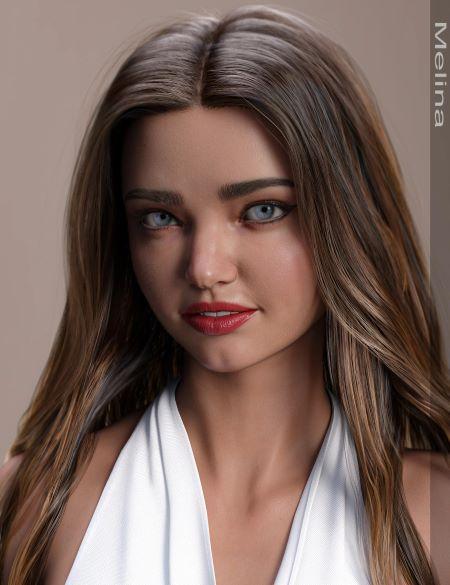
Help with Hair ID from Melina for Victoria 8.1I was looking at the new model Melina for Victoria 8.1 and was wondering if someone could help ID the hair used in the promo images where she is wearing a blue bikini? Looks like a braided updo hairstyle, but haven't seen anything like that on the Daz site. Link to the product is below.
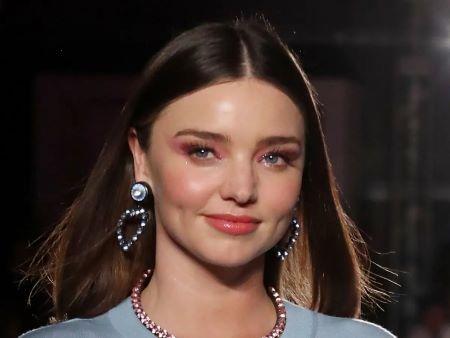
Celebrity Look-a-Likes for 3D figures part 3Website Improvements and Updates IncomingThey still can't link the sku to the corresponding product readme page...
zombiewhacker said:
I've never understood what Most Popular in the search filters meant. Trending I get, it's referring to what's hot right now. Most Popular I originally took to mean Best Selling Historically, but clearly that is not even remotely the case. Right now the Nutcracker Prince bundle is near the top of the Most Popular filter search. There is no way that the Nutcracker Prince Bundle has sold more units historically than the Victoria 4 base.
A genuine filter tallying historical best sellers in the store or in any sub-category therein would be very useful, especially for someone new to the store, but perhaps it would be too difficult to implement in software.
You could probably consider Most Popular as 'trending over a longer period of time', like 3 months rather than a week or whatever. That would explain the Nutcracker Prince Bundle - considering it was released before xmas and thus seasonally relevant.
If you just had historically popular you'd never discover anything new - it would always be V4.
missing itemsConnect is the Daz Studio install - are you perhaps thinking of Daz Central?
You cannot place files manually in the Daz Connect data directory in any event, though that isn't its default location. The default location for user files, which can also be used for third-party content, is in the user's own Docuemnts folder - /Documents/Daz 3D/Studio/My Library/.
Do note that for older content, such as Victoria 4 and Michael 4, any morph expansion need to be merged into the main figure installation rather than a different location.
OOT Who's This?The beautiful Charlene?
Will there be a Lee 8.1 and Edward 8.1 eventually?I doubt it. They only repeated Michael and Victoria names for the sake of the 8.1 upgrade, but none of the other character names seem like they're going to come back.
The majority of the base characters don't seem worthwhile to get anyway. You get more from PA characters that have HD morphs included already. Even referring to them as "base" no longer makes sense because there's really not any "[Name] for [DAZ Original Character] 8.1" anymore.
Daz Studio components Download/Install FailedOk, no problems making a new Base directory in Daz Studios for both Smart Content & Renderosity content on my storage drive and then pointing DIM to the new Smart Content directory. I installed Victoria 8 to this new location and it shows up in the Smart Content tab in DS, so everything seems to be working so far in regards to installation & adding the new locations.
Loaded V8 and one of the RuinsB environment background, did a spot render and it rendered in like 3 seconds on the A6000. By the way, whatever happened to the Environment tab?? I added it to the pane where we have the Smart Content, Content Library, etc., tabs and its completely blank. I also noticed it doesn't load any default HDRI like it did in 4.10, so you can't access thing like Environment Intensity, Dome Rotation, etc.
Help Identifying Model from outoftouch PromoLooks like Victoria 8.1 to me
Will there be a Lee 8.1 and Edward 8.1 eventually?No, they used Victoria & Michael with version numbers as flagship names to make sure customers understood the DAZ 3D technology has been updated, in some ways improved, in some ways not, and sometimes with new features added to them too. The intent isn't to indicate Victoria 4.2 and Michael 4 look like Victoria 8.1 and Michael 8.1.
Will there be a Lee 8.1 and Edward 8.1 eventually?Richard Haseltine said:
Gordig said:
Richard Haseltine said:
Gordig said:
barbult said:
You can use Lee 8 morphs and materials on Genesis 8.1 Male. You can use Edward 8 morphs and materials on Genesis 8.1 Male. There is no need for an 8.1 version of those same characters.
While that's true, we did get Victoria and Michael 8.1, and the 8.1 upgrade is an opportunity for a new take on Lee, who is a standard character at this point. Still, I wouldn't hold my breath, since 8.1 has, aside from the obligatory Michael and Victoria updates, consisted entirely of new characters.
They weren't "upgrades" though, they were new characters with no connection - other than the name - to any other Victoria or Michael. The same would no doubt be true of new Lee or Edward.
That's a pretty specious point, since Victoria and Michael look different from one generation to the next, as do Darius, Monique, Lee, Mei Lin and Aiko, yet each is an update (the word I used rather than "upgrade") in the sense that they bring the character up to date with the new generation. Daz called the new characters Michael and Victoria 8.1 deliberately, indicating that they are this generation's versions of those characters, however they might look.
But how they look is all there is. I'm not sure how we disagree here.
It's obviously not a perfect analogy, but Daniel Craig is still James Bond despite not looking much like Sean Connery. When Daz releases a new character called Victoria, they are telling their customers "this is what Victoria looks like now".
Will there be a Lee 8.1 and Edward 8.1 eventually?Gordig said:
Richard Haseltine said:
Gordig said:
barbult said:
You can use Lee 8 morphs and materials on Genesis 8.1 Male. You can use Edward 8 morphs and materials on Genesis 8.1 Male. There is no need for an 8.1 version of those same characters.
While that's true, we did get Victoria and Michael 8.1, and the 8.1 upgrade is an opportunity for a new take on Lee, who is a standard character at this point. Still, I wouldn't hold my breath, since 8.1 has, aside from the obligatory Michael and Victoria updates, consisted entirely of new characters.
They weren't "upgrades" though, they were new characters with no connection - other than the name - to any other Victoria or Michael. The same would no doubt be true of new Lee or Edward.
That's a pretty specious point, since Victoria and Michael look different from one generation to the next, as do Darius, Monique, Lee, Mei Lin and Aiko, yet each is an update (the word I used rather than "upgrade") in the sense that they bring the character up to date with the new generation. Daz called the new characters Michael and Victoria 8.1 deliberately, indicating that they are this generation's versions of those characters, however they might look.
But how they look is all there is. I'm not sure how we disagree here.
Will there be a Lee 8.1 and Edward 8.1 eventually?Richard Haseltine said:
Gordig said:
barbult said:
You can use Lee 8 morphs and materials on Genesis 8.1 Male. You can use Edward 8 morphs and materials on Genesis 8.1 Male. There is no need for an 8.1 version of those same characters.
While that's true, we did get Victoria and Michael 8.1, and the 8.1 upgrade is an opportunity for a new take on Lee, who is a standard character at this point. Still, I wouldn't hold my breath, since 8.1 has, aside from the obligatory Michael and Victoria updates, consisted entirely of new characters.
They weren't "upgrades" though, they were new characters with no connection - other than the name - to any other Victoria or Michael. The same would no doubt be true of new Lee or Edward.
That's a pretty specious point, since Victoria and Michael look different from one generation to the next, as do Darius, Monique, Lee, Mei Lin and Aiko, yet each is an update (the word I used rather than "upgrade") in the sense that they bring the character up to date with the new generation. Daz called the new characters Michael and Victoria 8.1 deliberately, indicating that they are this generation's versions of those characters, however they might look.
Will there be a Lee 8.1 and Edward 8.1 eventually?DAZ is no longer reusing old names, Victoria and Michael aside. They haven't for quite some time now.
Aiko, Hiro, Monique, and Mei Lin are some of the more iconic names when it comes to core characters but for 8.1 they went with Kiko, Kota, Jada, and Clara.
Not that it really matters. I'm sure there will be a hunky Asian man and a middle-aged white gentleman at some point.
I'm in no hurry. Kwan and Christian are great, I can do without the new skin shader or UV.
Will there be a Lee 8.1 and Edward 8.1 eventually?Gordig said:
barbult said:
You can use Lee 8 morphs and materials on Genesis 8.1 Male. You can use Edward 8 morphs and materials on Genesis 8.1 Male. There is no need for an 8.1 version of those same characters.
While that's true, we did get Victoria and Michael 8.1, and the 8.1 upgrade is an opportunity for a new take on Lee, who is a standard character at this point. Still, I wouldn't hold my breath, since 8.1 has, aside from the obligatory Michael and Victoria updates, consisted entirely of new characters.
They weren't "upgrades" though, they were new characters with no connection - other than the name - to any other Victoria or Michael. The same would no doubt be true of new Lee or Edward.
Will there be a Lee 8.1 and Edward 8.1 eventually?barbult said:
You can use Lee 8 morphs and materials on Genesis 8.1 Male. You can use Edward 8 morphs and materials on Genesis 8.1 Male. There is no need for an 8.1 version of those same characters.
While that's true, we did get Victoria and Michael 8.1, and the 8.1 upgrade is an opportunity for a new take on Lee, who is a standard character at this point. Still, I wouldn't hold my breath, since 8.1 has, aside from the obligatory Michael and Victoria updates, consisted entirely of new characters.
Transfer utility - How to create clothing for a specific morph character?Hi everyone!
I'm currently trying to create a tunic for a G2F character. This custom character is made with various presets:xx% of Victoria 6 body, xx% of Gisele 6, etc...
I create clothes with Marvelous Designer, with the standard G2F model, to get an obj file. I import the obj file to daz, use the Transfer utility to make it fit to the standard G2F, everything works fine.
But as my custom G2F character has custom morphs, especially for breast, it makes some underbreast deformation, that I wanted to get rid of. So, I imported my custom character as the avatar in MD, and worked on it that way.
After importing the obj file into Daz, it looks alright (Picture A) (as it's not linked to the character), but when I use the Transfer utility, it adapts wrongly, as it seems that Daz keeps using the G2F standard as reference, adding the specific morphs twice (Picture B).
So, my question is: what do I have to click (or unclick) in the Transfer utility box, to make it fit to my custom character? (even if it can fit only for that custom character, because I can redo the whole cloth foranother custom character)
The only "parade" I found is to play with the Smoothing Modifier. It's better than nothing, but it doesn't simulate gravity as I wanted.
PS: before you ask, I don't use dForce, because it's very veeeeery slow on my computer.
Thanks in advance for your help!
Bought character Storm for G8 said it had gens does notLast month I bought the Dain And Victoria pro bundles just for the AE's and I don't really get why the male AE comes with morphs and 'bones' you can adjust and the female AE has nothing. With the female AE you can change the position a bit, but it has no morphs and you can't adjust the shape. I was not expecting that the female AE would have the morphs that the 3rd party ones has, but it would have been nice to at least adjust the labia majora a bit. Now I still have to buy a 3rd party one to have that option.
Daz 3D is part of

Connect
DAZ Productions, Inc.
7533 S Center View Ct #4664
West Jordan, UT 84084Licensing Agreement | Terms of Service | Privacy Policy | EULA
© 2026 Daz Productions Inc. All Rights Reserved.