-
VIctoria 4 Anatomy to Genesis 8
Amazingly this worked, just the thumb bones are sticking out. When you open the jaws, the skeleton's teeth still are "glued together" and stretch like rubber. Do a geometry edit (ALT+SHIFT+G), look under Surfaces in Tool Settings and hide / delete the "lower teeth" and "upper teeth" polygons. The G8 head got working teeth already.
Thanks for your post, I wasted already 2 days on figuring this out! A shame the author of this fine kit doesn't update it to G8! The inner organs (apart from the breast, which needs some mesh editing) already work fine.
1. Add V4 Skeleton, G1 and G8 to the scene.
2. Autofit V4 Skeleton to Genesis.
Figure Design dropdown: Victoria 4
Item Type: None
3. Autofit V4 Skeleton to Genesis 8.
Figure Design dropdown: Genesis
Item Type: None or Full body, doesn't seem to matter.Change Skin Color like Changing Clothing TexturesFor the last few months, I have become pretty good and mixing and matching textures across different products, and also in using the 'Shader' packs. It's nice. Very nice. Being able to take any cloth and make it work with any other Shader. Gives me endless variety.
I even end up using these large collection of Iray Shaders on Hair, and get unique effects. It works beautifully.
Now, I am thinking, is there a way to change the Skin Appearance, in a similar fashion? Like, take the Skin from one figure and apply to another figure? Or, are there 'Skin Packs', like how we have a 'Shader Packs'?
For example, I would love to take the Skin Texture of Rosa Maria and apply it to, say, Ana Lucia. Or, Ana Lucia skin to Victoria. That would awesome.Am I The Only One Frustrated?kj_54e8eded70 said:
I've been a devoted Daz user and customer for over 15 years, and don't expect that will change - but it's slowing down like their Iray renderer - and that's the main reason.
Daz has a real penchant for fixing things that aren't broken. I don't know what was wrong with the original Genesis figure, and now they're up to Genesis 8 with very limited backward compatibility - and there is almost no support or new products for Genesis 2 or earlier (though a lot of people still seem to like Victoria 4, cumbersome and limited as she seems now).
And that's part of the problem.
The other thing is Iray. Was this really an improvement over 3Delight? It certainly takes longer (I have a fairly powerful machine, and an Iray render can take hours - if it renders at all). I understood nearly all of the 3Delight settings, but the Iray ones are incomprehensible to anybody but a professional Hollywood lighting director. And the biggest frustration is there are certain props and figures (mainly hair) that I cannot use at all in 3Delight!
Here is an example: This is a prop (the Mobile Home) with Iray textures and settings. The scene has a photo backdrop (see unrendered scene). Yet, observe what happens when I attempt to render the scene! I tried playing with the "Cutout opacity"( How is that different from just plain "opacity"?), but I could not get the background to show. Even when I hid windows in the Scene window.
The only workaround I can think of is to render the scene twice, once with and once without the building, the FIIP it.
It would be nice not to have to do that, however. Is there any way to change the textures? Reduce their resolution? Most of my renders wind up as the basis of cartoons anyway, so detail is not that much of a concern.
On the positive side, I like the slight reflection in the glass - something I've never achieved successfully with 3Delight.Was the backdrop on a bit of geometry - e.g. a skydome? Iray doesn't - in Photoreal mode - have an option to turn off shadow casting the way 3Delight does. Another possibility to check is the Thin Walled setting for the glass in the Surfaces pane.
Cutout Opacity is intended fro just that - making a cutout on a surface. it isn't intended for making items present but see-through, the expectation is that other properties (translucence) will be used for that.
Am I The Only One Frustrated?I don't know what was wrong with the original Genesis figure
The unified base figure, while great in theory, made creating content for Genesis very complex.
there is almost no support or new products for Genesis 2 or earlier
That's always the case after a while when a new figure is released: most customers have moved to the new figure and don't buy content for previous figures anymore, so product for them don't sell much anymore, so vendors stop making new ones because they need to make products which actually bring them money and enable them to pay for their rent and food.
There are converters which enable you to use content made for newer figures on the older ones though.
(though a lot of people still seem to like Victoria 4, cumbersome and limited as she seems now).
Victoria 4 is the last figure natively compatible with Poser that Daz released, and for a long time there wasn't any real alternative for Poser users, so they kept using her and buying new content created for her.
ISO: Capsces Morphset for M4Morphia was Capsces' morphs for the Base V4, basically the counterpart of Morphus as Victoria and Michael are seen as counterparts.
For the Generations the extra characters morphs were made there was
Boris (M2) and Roxanne (V2)
Brom (M3) and Rayne(V3)
Morphus (M4) and Morphia (V4)
Though there were also a few more during the Generation 3 Days
Boopsie (The Girl), Kioki (Aiko 3), Hitoro (Hiro) Chublies (Millenium Baby 3)
And then there were sets for the Poser extra figures like Terai Yuki 2, Miki 2, Mavka, Kiki, Krystal, Ichiro, Kit, Sadie, etc
As to why they were pulled I believe a lot of the Morph sets ended up being bought out by Daz and subsequently Vaulted as their base figure got too old, or were removed after the base figure was vaulted. (After all it doesn't make a lot of sense keeping, as an example, Rayne on sale if Daz no longer sells Victoria 3)
Am I The Only One Frustrated?I've been a devoted Daz user and customer for over 15 years, and don't expect that will change - but it's slowing down like their Iray renderer - and that's the main reason.
Daz has a real penchant for fixing things that aren't broken. I don't know what was wrong with the original Genesis figure, and now they're up to Genesis 8 with very limited backward compatibility - and there is almost no support or new products for Genesis 2 or earlier (though a lot of people still seem to like Victoria 4, cumbersome and limited as she seems now).
And that's part of the problem.
The other thing is Iray. Was this really an improvement over 3Delight? It certainly takes longer (I have a fairly powerful machine, and an Iray render can take hours - if it renders at all). I understood nearly all of the 3Delight settings, but the Iray ones are incomprehensible to anybody but a professional Hollywood lighting director. And the biggest frustration is there are certain props and figures (mainly hair) that I cannot use at all in 3Delight!
Here is an example: This is a prop (the Mobile Home) with Iray textures and settings. The scene has a photo backdrop (see unrendered scene). Yet, observe what happens when I attempt to render the scene! I tried playing with the "Cutout opacity"( How is that different from just plain "opacity"?), but I could not get the background to show. Even when I hid windows in the Scene window.
The only workaround I can think of is to render the scene twice, once with and once without the building, the FIIP it.
It would be nice not to have to do that, however. Is there any way to change the textures? Reduce their resolution? Most of my renders wind up as the basis of cartoons anyway, so detail is not that much of a concern.
On the positive side, I like the slight reflection in the glass - something I've never achieved successfully with 3Delight.
How does RSSY Clothing Converter from Victoria 4 to Genesis 8 Female do with converting dynamic clotMelanieL said:
I had no luck with the RSSY Clothing Converter and Optitex dynamics when I tried (shortly after the RSSY product was released). That was in DS4.11 - I never tried it again.
The Optitex stuff can be converted, as you can see in my post above, but there are some additional steps you have to make to get it to work, so unfortunately the RSSY scripts will not work out of the box as it does with normal V4 items. The upside is the Optitex stuff do work well with dForce, since they were designed to be dynamic items. That means they are relatively low poly (normally less then 20K) and they will not fall apart during simulation the way some non-dynamic items will.
How does RSSY Clothing Converter from Victoria 4 to Genesis 8 Female do with converting dynamic clotI had no luck with the RSSY Clothing Converter and Optitex dynamics when I tried (shortly after the RSSY product was released). That was in DS4.11 - I never tried it again.
Genesis 8.1 does not match Genesis 8What do you mean? I just tried to make a copy as I wrote + I just added Victoria 8.1 today to remove her shapes and added my figure (head and torso) fapes. But it didn't give me any new results.
AsymmetryI copied the Genesis 8 character shapes to Victoria 8.1. I see that Victoria has an asymmetrical face, which really spoils the look. Is there any way I can get a symmetrical face back?
Can you ID this girl?I agree with Mimic Molly and Matt_Castle. It looks very much like base G8.1F with Victoria 8.1's materials.
Can you ID this girl?Victoria 8.1 for sure it is not:
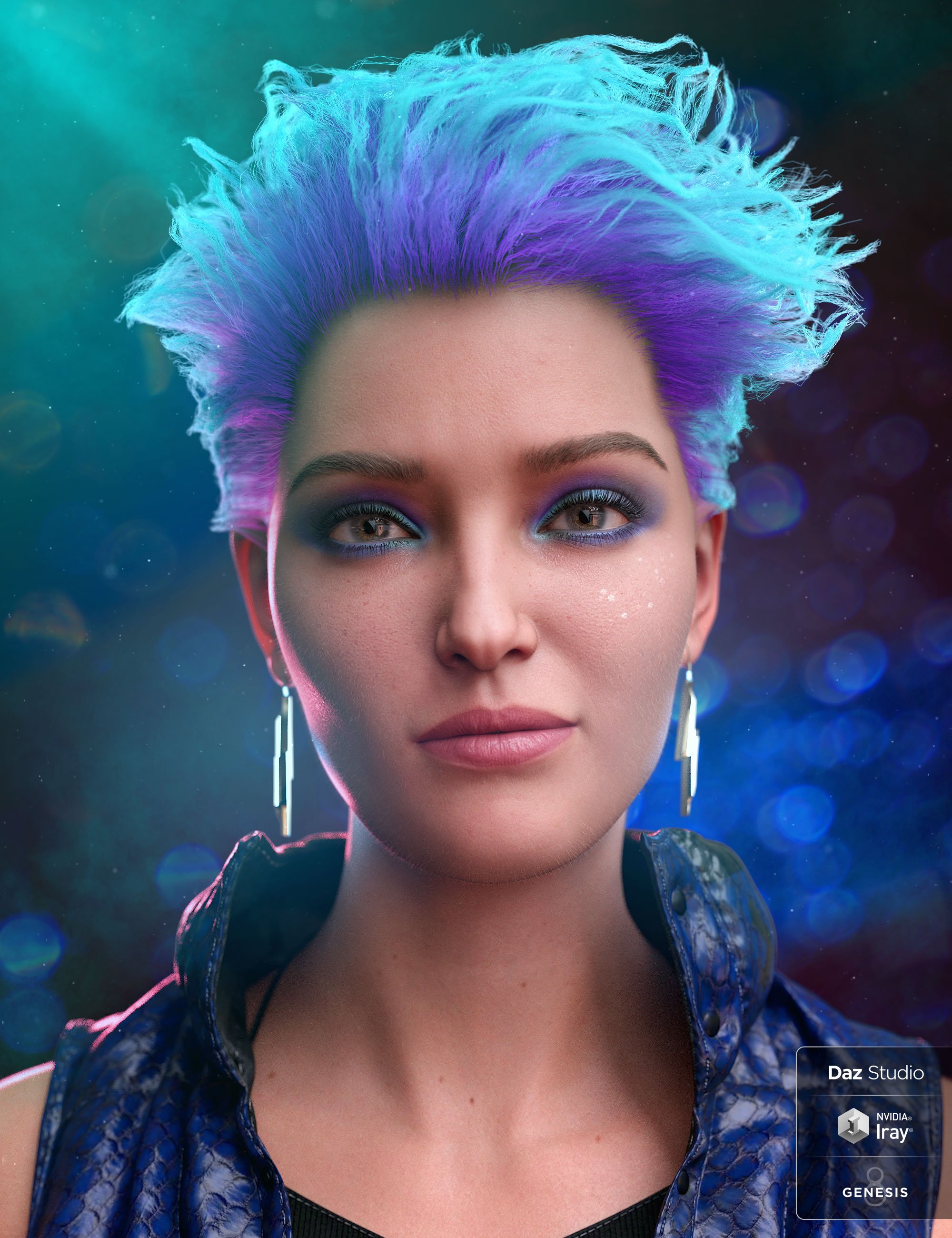 Can you ID this girl?I thought it was Victoria 8.1, but not dialed all the way, because she looks like the base G8 too. https://www.daz3d.com/victoria-8-1Genesis 8.1 does not match Genesis 8
It feels like the face has completely changed and asymmetry has appeared. P.S. I left the HD from Victoria 8.1 for the body only. Everything else is disabled.
Male Clothing Content Dead?The Blurst of Times said:
vwrangler said:
The Blurst of Times said:
Anyone see the Merlin 8.1 thing that was briefly in the store? LOL.
Looks like the next "base figure" will be a dude... unless this is purely a PA-crafted bundle.
(I have the URL for a couple images, but not sure if it would annoy the mods.)
Doesn't necessarily mean anything about what comes next. Before that, about three weeks ago, there was a pose set for Kola 8.1 which indicated that the figure was supposed to be more than one age. That pose set was pulled back the same way, and he hasn't been seen since, and there have been a couple name-and-number bundles released since then. So maybe Merlin is next, maybe Kola is next, maybe some random female character is next. Nobody knows but the Daz braintrust, and they ain't talkin'. (and yes, I did see the Merlin 8.1 pose set before it disappeared.)
Kola was clearly a mistake, right in the Kota timeframe.
Kota was released literally eight months ago (release date 2021-06-09); the Kola mistake -- and yes, it clearly was one, and so was Merlin -- was only about one month ago. And Kola was a very different figure than Kota -- according to the card images, he was an entirely human African/African American that could be presented as an adult, teen, or youngster. Yes, the name made it very easy to make that mistake, but the fact remains that apparently Kola 8.1 exists, yet has not been seen again. And Merlin 8.1 exists, and may or may not be seen any time soon.
They were both the same sort of mistake. Maybe Merlin is next, maybe he's not. We won't know until it happens. Or doesn't.
That said ... three of the last four name-and-number characters have been male: Ebeneezer, Hans, and Senator Greeves. Granted, two of the three were seasonal, and the third was ... odd. But still. Quite unusual for this place. In fact, counting through the 8.1 characters, they're actually more or less in balance right now -- 15 female, 14 male, with apparently two more males known to be waiting in the wings. (Basically, this three-guy clump balanced out an earlier three-females clump. Also, August gets counted twice, one for each). I can't remember the last time everything was that balanced, if ever they were. (As I recall, 8.0 started with Victoria, Olympia, Teen Josie, and then Michael, so it never really got to balance out.) Wonder how long it will last.
Genesis 8.1 does not match Genesis 8Hard to tell what you mean by "lost it's cuteness". I don't know anything about Maya, but in DAZ Studio Victoria 8.1 and most of the Genesis 8.1 figures use a very different shader than any of the Genesis 8 figures. You're not explaining how you're getting the materials on to the 8.1 figure. If you're clicking on a premade Material Preset from somewhere whithin your content library it should change over to the shader that preset uses, but if you're manually replacing the images into the shader that's already on Victoria 8.1, then yeah, it would look really different. Probably you should post some screenshots at least so folks can see what you mean. Maybe best to include a shot of the material pane too.
Genesis 8.1 does not match Genesis 8my steps: 1. save the shape preset of my Genesis 8. 2. open a new project and load Victoria 8.1HD. 3 . Loading shapes in Victoria. 4. I turn off Victoria's head and body shapes, leaving only HD bodies. 5. Save OBJ in higher resolution. as I am working with this in Maya. Then I create and apply materials and I see an obviously huge difference, despite the fact that without materials they are identically similar.
Most of my Daz3D pose collections do NOT change arms and hands but some do....[Most of my Daz3D pose collections do NOT change arms and hands but some do....] Obviously I tried to look online for answers to this weird but absolutely infuriating phenomenon but there were only ancient threads and not quite on this particular problem. Let me start by saying that I do know some Daz3D products like "Z All Natural Morphs and Pose Mega Set" have several !Zero poses (Btm, Full, Feet, Larm. Rarm etc.) often at the top of its pose collection, having the purpose of initializing poses (or so I think) but for instance: !Zero Larm. Rarm and Full DO manage to get the arms/hands in default position BUT this position is once again fixed whatever real pose you subsequently select. Feet and legs nicely comply to the new pose but those arms and hands stay firmly put in their old position. The crazy thing is that other Daz3D products don't have this problem at all, you choose a pose and the figure immediately and fully takes that shape, from head to toe (and yes, hands and arms included!) like "Z Medical Equipment and Poses for Genesis 8 and 8.1" whips the figure in the exact pose it was designed to, no defiant arms and hands trying to stay put. So same figure, same DAZ studio session, one pose fails miserably and a different pose totally succeeds. Filter by context was on, so no old pose libraries that may or may not work and a setting like "Turn limits off" was never changed by me (default is on I believe and I manually enter yes in the popup whenever it warns me, not an issue here because there were no pose limits warnings).
This problem kind of saps the joy out of my Daz3D pose collection purchases, 60% of a pose (everything except arms and hands) is just not good enough. Oddly enough 3rd party pose libraries for Gen8 figures almost never have this problem! Is there an easy fix to this problem? I am quite sure I never did change any of the default pose settings of my DAZ studio 4.16 pro.
Might I have used a vague figure barely belonging to the Gen8 family? Nope, I can easily replicate this problem for Genesis 8 Basic Female, Alexandra 8 and Victoria 8 figures.
Thx!
Edited for Please put your question in the post body and the title - Daz 3D Forums
[Released] Character Converter from Genesis 3 Female to Genesis 8 Female(Now Conv JCMs) [Commercial]RiverSoftArt said:
I miswrote slightly because I rushed, sorry. For a JCM, it is slightly different. The script will use the engaged morphs and then look for JCMs that are slave controllers of those morphs (specifically ones that have multiply links). Perhaps you either did not engage a morph that has that morph as a multiply link or it doesn't use multiply links?
Hmm, I'll give it another go, I WAS using DS Beta after all, and that it has been proven to disable the usefulness of the scripts in certain plugins (Like XTransfer, as that needs to be updated!) part of me hopes that is the case with this, as that would mean it works for me, the other part doesn't, because that would mean the new beta has been negatively disrupting your plugin!
EDIT: Yeah, UNBM for V6 and Ideal Beauty for V6 does not work with this plugin, unfortunately...
EDIT2: Oh yeah, I did not mention that I tried the conversion with G2/V6 instead of G3/V7 as I have the UNBMs for G3/G8 already transferred using another plugin, so I don't want to chance messing them up...
Mystery items used in promo imagesI have sometimes seen items in promo images for other products that are of interest, often these are listed in the description which helps but sometimes there are none listed or the one item I am looking for is the only one that is not listed. Is anyone able to shed any light on which products these are?
The green embroidered dress used with Octavia in image 3 https://www.daz3d.com/octavia-hd-for-genesis-8-female
The pink prom dress used with Vo Maria in image 3 https://www.daz3d.com/vo-maria-for-genesis-81-female (the only item that doesn't seem to be listed)
The Genesis 8 female character used in Z Subtle Faces https://www.daz3d.com/z-mix-and-match-subtle-faces-for-genesis-8 (bares some resemblance to Victoria 8 but I have noticed several differences between the two)
Daz 3D is part of

Connect
DAZ Productions, Inc.
7533 S Center View Ct #4664
West Jordan, UT 84084Licensing Agreement | Terms of Service | Privacy Policy | EULA
© 2026 Daz Productions Inc. All Rights Reserved.