-
Convert Prop to Figure SCALE issue [Character Rigging]
I have never heard of that an object should change size when converting to figure.
Have you applied all scales in blender before export?
And which format are you using for export?
Obj is the commonly used. FBX and Collada support rigging, but I have no trust in Daz Studio import of those.
Convert Prop to Figure SCALE issue [Character Rigging]
I've brought a character over from Blender to Daz, and while the model seems fine, I'm encountering an issue when attempting to rig it within Daz.I'm puzzled by the sudden shrinking of my character to near invisibility in the viewport when I convert the prop to a figure using Edit->Object->Rigging->ConvertToFigure->GeneralWeightMapping.
After conversion, my character appears to vanish, but it's actually reduced to an extremely tiny size, requiring a scale adjustment of over 9,000% to return to its original form. Additionally, the rotation is completely off, necessitating a -90 rotation on the X-axis. While this might seem manageable, I'm concerned it could adversely affect the rigging process.
The real challenge arises when trying to create a bone for the character using the Joint tool; the bone is too minuscule to see, even after scaling the character back to its original size. This renders the rigging process practically impossible due to visibility issues.
I suspect there may be crucial steps I'm overlooking during the character import process from Blender to Daz. If you require visual aids to grasp the problem better, I can provide them. However, I hope this description adequately conveys the issue for now. lastly, It is important to note that the character has no rig of its own when imported from Blender to Daz. It's just the mesh.
Searching for a way to import CC4/Iclone 8 animations into Daz...I found a lot of YT videos to import Daz figures into Iclone and CC but not to bring animations from CC and Iclone into Daz.
Please watch the video I posted as it shows you exactly how to send an Iclone animation BACK TO DAZ STUDIO AS A BESPOKE BVH FILE.

I have been dongi this for 12 years since Iclone version 5.5.
Searching for a way to import CC4/Iclone 8 animations into Daz...wolf359 said:
There are many tutorials by Reallusion users on youtube on how to do this.
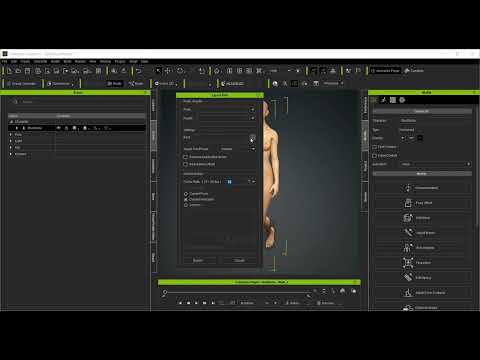
I found a lot of YT videos to import Daz figures into Iclone and CC but not to bring animations from CC and Iclone into Daz.
Daz Studio BETA - version 4.23.0.4! (*UPDATED*)Thanks for letting me refresh my memory. I believe I've ever seen that page before... though I did not recall anything about it when I saw that "bug". However, no ~ I don't think such an explanation should be relevant to the case and "bug" that I mentioned.
- A Companion File is a file in a native format, which is named identically to an asset of an imported file type1), that resides in the same folder on disk as the asset file it is a companion for, with the exception of file extension. Companion files can exist in the form of a native script (.dsa, .dsb, .dse) or a DSON format asset (.duf); however, an asset is only allowed to have one companion file. If a native script and a DSON file both exist within the folder of an asset of an imported type, preference is given to the native script2). -
As per my understanding, it's (specifically) for the case like: in a folder, there're three files, Michael 4.cr2, Michael 4.dsb, Michael 4.duf.... Well, cr2 file can be directly loaded as a user-facing file from Poser Format folder, or can be imported. In this case, when importing or loading Michael 4.cr2, Michael 4.dsb will be loaded with 1st priority. As a test, I deleted Michael 4.dsb and imported Michael 4.cr2, Michael 4.duf was loaded which is a Car scene I made. Yes, the logic is that Michael 4.cr2 can only have one Companion file. I deleted other 2 files, Michael 4.cr4 was just imported without PowerLoader dialogue....
However, for my case, I just need to simply import an OBJ file. An OBJ file does not need a "native Companion file" while being loaded. If the above logic appllies for the case of purely importing OBJ / FBX / DAE / BVH... format files, it'll certainly confuse the users... It doesn't make sense, IMHO. ...I'd rather be told that : do not place ANY native DS format files with the same name as OBJ's into a same folder...
 Daz Studio BETA - version 4.23.0.4! (*UPDATED*)
Richard Haseltine said:
crosswind said:
barbult said:
crosswind said:
And another bug... , @Richard Haseltine @barbult
I don't know if you ever experienced it, in both GR and PB version. If there's an OBJ file in a folder and a DUF file with the same name in that folder as well, let's say crosswind.obj and crosswind.duf. When import crosswind.obj, DS merge crosswind.duf into the scene... Same bug happens to FBX format as well. I've not tested other formats...
I submitted this bug weeks ago, I've seen no attention paid from Dev. team....
This is a longstanding problem, I believe. At least it exists in 4.21.0.5, exactly as you described here. I can only vouch for the obj/duf problem. I don't have experience with FBX.
Thanks for the confirmation, barbult! Well, I'll be waiting for the fix anyway ~~~
It is the intended behaviour, not a bug - see http://docs.daz3d.com/doku.php/public/software/dazstudio/4/referenceguide/interface/panes/content_library/results_view/start#companion_file
Well how about that! I've been aware of companion files that apply DS materials to Poser props, but I never thought of an OBJ and DUF as something what would fall into that companion file category. Thanks for the explanation reference.
Customer Service should have supplied this explanation to crosswind. Do you suppose they even know this?Daz Studio BETA - version 4.23.0.4! (*UPDATED*)crosswind said:
barbult said:
crosswind said:
And another bug... , @Richard Haseltine @barbult
I don't know if you ever experienced it, in both GR and PB version. If there's an OBJ file in a folder and a DUF file with the same name in that folder as well, let's say crosswind.obj and crosswind.duf. When import crosswind.obj, DS merge crosswind.duf into the scene... Same bug happens to FBX format as well. I've not tested other formats...
I submitted this bug weeks ago, I've seen no attention paid from Dev. team....
This is a longstanding problem, I believe. At least it exists in 4.21.0.5, exactly as you described here. I can only vouch for the obj/duf problem. I don't have experience with FBX.
Thanks for the confirmation, barbult! Well, I'll be waiting for the fix anyway ~~~
It is the intended behaviour, not a bug - see http://docs.daz3d.com/doku.php/public/software/dazstudio/4/referenceguide/interface/panes/content_library/results_view/start#companion_file
Daz Studio BETA - version 4.23.0.4! (*UPDATED*)barbult said:
crosswind said:
And another bug... , @Richard Haseltine @barbult
I don't know if you ever experienced it, in both GR and PB version. If there's an OBJ file in a folder and a DUF file with the same name in that folder as well, let's say crosswind.obj and crosswind.duf. When import crosswind.obj, DS merge crosswind.duf into the scene... Same bug happens to FBX format as well. I've not tested other formats...
I submitted this bug weeks ago, I've seen no attention paid from Dev. team....
This is a longstanding problem, I believe. At least it exists in 4.21.0.5, exactly as you described here. I can only vouch for the obj/duf problem. I don't have experience with FBX.
Thanks for the confirmation, barbult! Well, I'll be waiting for the fix anyway ~~~
Daz Studio BETA - version 4.23.0.4! (*UPDATED*)crosswind said:
And another bug... , @Richard Haseltine @barbult
I don't know if you ever experienced it, in both GR and PB version. If there's an OBJ file in a folder and a DUF file with the same name in that folder as well, let's say crosswind.obj and crosswind.duf. When import crosswind.obj, DS merge crosswind.duf into the scene... Same bug happens to FBX format as well. I've not tested other formats...
I submitted this bug weeks ago, I've seen no attention paid from Dev. team....
This is a longstanding problem, I believe. At least it exists in 4.21.0.5, exactly as you described here. I can only vouch for the obj/duf problem. I don't have experience with FBX.
Daz Studio BETA - version 4.23.0.4! (*UPDATED*)And another bug... , @Richard Haseltine @barbult
I don't know if you ever experienced it, in both GR and PB version. If there's an OBJ file in a folder and a DUF file with the same name in that folder as well, let's say crosswind.obj and crosswind.duf. When import crosswind.obj, DS merge crosswind.duf into the scene... Same bug happens to FBX format as well. I've not tested other formats...
I submitted this bug weeks ago, I've seen no attention paid from Dev. team....
Opinions sort. Diffeomorphic. Rigify Vs MHX rig ?
Where is that panel?Padone said:
You can import CSV animations from the FACS panel. Be sure to check FACS in easy import. This works for G8 G81 G9.
[Solved, Kinda] Eyelashes and Tears Won't Follow Morph on G8.1FI figured it out! Both issues, actually! Well, sorta.
crosswind said:
If you ever installed multiple copies of Starter Essentials, e.g. with both DIM and Daz Connect, you have to remove those two sub-folders from each location of G8.1 Morph folders...
When I started using Daz, I had no idea what I was doing. As I got more familiar with it, I started installing everything manually, as I wasn't really happy with the way Daz Connect and the DIM did it. This is what caused my problem. It turns out I had a total of 4 different folders with these dummy files in them. Had to run a harddrive search to find them all, but now that I have, all my G8F expressions are working on G8.1F!
Matt_Castle said:
I'm not sure exactly what's causing the hiccup with your earlier attempts to import these as morphs, but hopefully being able to get the G8 controls working again should make that issue redundant by reactivating all of these expression packs in their original form.
crosswind said:
As for the morph issue itself, you have to fix the eyelashes with some modeling / sculpting software e.g. Blender, even with Mesh Grabber, then update the auto-followed hidden Property on Genesis 8.1 Female Eyelashes. However, such an issue rarely happens on a Base figure... check the hidden property on Eyelashes first...
I'm still not sure exactly what the cause of the problem is here, but I did find that the eyelashes and tears do have a hidden property slider with the same name as the expression/morph I loaded, but the slider doesn't move when I apply said expression/morph. If I hadn't figured out how to reactivate the G8 controls (with help, of course), I could go into the tears and lashes and apply these hidden sliders with the same values as the expression/morph I was trying to use. Would have been a nightmare, but at least it was a possible work around. Thankfully, though, none of that matters now!
Anyway, thank you to both Matt_Castle and crosswind for the assistance here!
Assets no longer appearing in Smart ContentThat often means that a recently isntalled item had the wrong metadata and has usurped the Genesis 8 Female compatibility - sometimes reinstaling the Genesis 8 Starter essentials will fix it.
Opinions sort. Diffeomorphic. Rigify Vs MHX rig ?@Padone
just to clarify,
I am using the Excellent FACS control rig that shipped with genesis 8.1
because it makes it so much easier to tweak/polish the facial mocap on a separate non destructive layer in Blender.However if I convert the rig to rigify (which would be preferred of course)
I lose the Daz FACS control rig to the basic rigify head controls.
thus losing my ability to clear out the previous CSV mocap data and import a new one.
Not a major shows stopper ,for a free solution, if you are importing external animation for the body via Diffeo, Rokkoko or Expykit.But it would be Ideal to have a rigify control rigged body
with the Daz FACS rig attached to keep using CSV data imports
This is how we have it with Auto rig pro body rigs with Faceit mocapped heads attached.
 Opinions sort. Diffeomorphic. Rigify Vs MHX rig ?
You can import CSV animations from the FACS panel. Be sure to check FACS in easy import. This works for G8 G81 G9.
Opinions sort. Diffeomorphic. Rigify Vs MHX rig ?The latest stable build installs two N-panel tabs.
in Blender, “Daz setup” and “Daz runtime”
the latter is where you see the button to import Live link and/or Apple Facecap data files.As this loads the animation to the G8.1 FACS rig,
it seems however that if you convert to rigify
you will lose the Daz FACS rig weighting and the imported CSV data will not work ( at least that is my experience).I have not tried MHX becuse I despise the MHX rigs
I know of no way to convert the Daz FK rig to rigify and keep just the Daz FACS rig active, (Perhaps @Padone could chime in if there is a way)
So I just leave the Daz FK rig in place because I have two free retargeting addons (Rokkoko & ExpyKit), to import Data from My offline hoard of the entire mixamo library as well as bespoke animation from Iclone and they can both retarget to the Daz FK rig much Like BVH does inside Daz studio.
[Solved, Kinda] Eyelashes and Tears Won't Follow Morph on G8.1FI have at least 101 Expression Library & 100 Must Have Expressions, and can confirm that they are reliant on the G8.0 expression controls, but can definitely work on G8.1 once those are re-enabled. (And, indeed, the G8.1 eyelashes will correctly follow all those expressions).
I'm not sure exactly what's causing the hiccup with your earlier attempts to import these as morphs, but hopefully being able to get the G8 controls working again should make that issue redundant by reactivating all of these expression packs in their original form.
Opinions sort. Diffeomorphic. Rigify Vs MHX rig ?wolf359 said:
Just be advised that “Face landmark app” is very
bare bones” as it does not actually install to your program files but just runs from clicking the .exe and asks a few Y/N questions in a command terminal.
It the nbrowses for the location of your source video to face track
and runs the tracking solve and quits leaving you a .CSV file
that you must import into Blender running the latest stable build of Diffeomorphic with a diffeo imported Daz genes 8.1.I've run the program, created a CSV, and imported via Diffeo, though I have not yet selected to create either Rigify or MHX via Diffeo inside of Blender. Also looks like I need another Blender plugin to import and apply the CSV.
Opinions sort. Diffeomorphic. Rigify Vs MHX rig ?brainmuffin said:
wolf359 said:
brainmuffin said:
wolf359 said:
Also you have the option of importing the better facs control rig that shipped with Genesis 8.1
Which makes it alot easier to polish facial animation mocap that you imported via the free ,video based ,live link option for Genesis 8 in Blender.As the Bitbucket link doesn't have the executable, how does one acquire it?
Sorry, here is the link to the windows executablehttps://github.com/Qaanaaq/Face_Landmark_Link/releases/tag/v0.2
Thanks. Downloaded and trying under WINE. Sorry if I've pushed the thread a bit sideways. As someone who has never successfully exported a human figure out of Studio and into Blender for animation, I look forward to learning from everyone. The figures in my scenes are all from Mixamo, while the vehicles and sets are from Studio.
Just be advised that “Face landmark app” is very
bare bones” as it does not actually install to your program files but just runs from clicking the .exe and asks a few Y/N questions in a command terminal.
It the nbrowses for the location of your source video to face track
and runs the tracking solve and quits leaving you a .CSV file
that you must import into Blender running the latest stable build of Diffeomorphic with a diffeo imported Daz genes 8.1.Clothing Distortion on thin bodies (between and under breasts)One thing you can try if you're familiar with the transfer utility - export a base obj out of your clothing item in default state, smoothing turn off. Look through your library of clothing and find one that has a similar design - bodysuit or t-shirt, and then use transfer utility to fit your obj to that clothing item (not the figure). Dial up the morph and since your morph is now following the clothing item it should have less of an issue. Export that and import as a morph into your clothing item with the problem. :)
Daz 3D is part of

Connect
DAZ Productions, Inc.
7533 S Center View Ct #4664
West Jordan, UT 84084Licensing Agreement | Terms of Service | Privacy Policy | EULA
© 2026 Daz Productions Inc. All Rights Reserved.