-
Everyone's favourite chore: Setting up a newer, faster computer
Richard Haseltine said:
ghastlycomic said:
I gotta admit, for an app that has an online sign in component I'm surprised that it is this hard to get Daz installed the way you want it. If there is an online login then it should literally replicate on any device I log into my exact user experience. C'mon Daz! Work on this!
The connection isn't meant to be two way - it gets data from your account (products owned, and any products you choose to install) but doesn't send anything but the data requests to Daz.
Are you using Daz Central or Install Manager for the basic installation? The former has fewer configuration options and won't be suitable for more advanced users. You can put your serial numbers on the clipboard by right-click on the entry in Install Manager.
As it should be.
Microsoft should pay attention to that, considering they charge for the software then inflict stuff on us.
Messy Pixie Hair memory hogI just purchased [Messy Pixie Hair] this character. I ran into several issues. First, after installing via DAZ central, there's a folder for it, but there's no character (.DUF) file displayed. There's the materials folders beneath the character file, but no character per se in the folder. If I browse to the folder, then I do see a .DUF, and clicking on it, it loads. But that's where the big problems occur...
As I start to set it up, my computer bogs down bigtime. Just trying to turn the frame in Perspective View, it takes 2-3 minutes to complete a turn of as little as 10 degrees or so. In fact, [i]anything[/i] takes minutes to accomplish. Looking at Task Manager, I see that DAZ Studio is using over 5 Gig or memory for this character. In Studio 4.14, my other figures use about 1.2-1.6 Gig. Obviously, the extra 4 Gig are causing the slowdown.
Does anyone else see this, or does anyone have any ideas how to fix it? The figure is unusable like this, and I'd really like to be able to use it, so any suggestions would be greatly appreciated.
Thanks,
EDIT: I found that the character start isn't in the Daisy 8 folder, but in the Character folder. Loading it there makes it a much smaller 840 meg file. I didn't figure Thorne would make a pig of a file- I've been using his characters since Lilo Bebe, 15 years ago. (And I still use it!)
Edit Edit: Nope. NOT solved. Over time, it climbs right back up to 5 or 6 Gig. Only thing I added was the Messy Pixie Hair prop. And I see another issue: Once you close DAZ, it doesn't release the memory for quite a while. I'm looking at a task Manager with DAZ shut down, but Task Manager showing that it's still using iver 4.9 Gig of memory. Only way to get rid of it is to End Task, or wait 20 minutes until it finally releasess the resources. Really weird.
EDIT EDIT EDIT: I've narrowed it down to the Messy Pixie Hair. There's all sorts of things it does, like if you delete it and re-load it, it never releases the memory, and continues to add more. I tried 3 instances of loading. deleting, and re-loading, and by the 3rd one, I was up to 9 Gig or resources tied up in DAZ studio, and it was almost completely unresponsive. I also tried it on other characters, same behavior for all.
I took screen shots and saved 'em, and opened up a ticket, attaching the screenshots so DAZ could see the problem. let's see what happens. I've attached the one where it was up t0 9 Gig.
..Joe
Edited for Please put your question in the post body and the title - Daz 3D Forums
Daz Central - Download allHi
I just did a PC reinstall, and need to download my models again.
I want to use Daz Central, as it seems to be the new way of doing this.
But I can't find a download all button, or maybe a "check all" and then download.
I've givin up clicking install one-by-one in my asset list.
So i've decided to go into daz studio, and mark every availble asset there, and click install.
Everyone's favourite chore: Setting up a newer, faster computerghastlycomic said:
I gotta admit, for an app that has an online sign in component I'm surprised that it is this hard to get Daz installed the way you want it. If there is an online login then it should literally replicate on any device I log into my exact user experience. C'mon Daz! Work on this!
The connection isn't meant to be two way - it gets data from your account (products owned, and any products you choose to install) but doesn't send anything but the data requests to Daz.
Are you using Daz Central or Install Manager for the basic installation? The former has fewer configuration options and won't be suitable for more advanced users. You can put your serial numbers on the clipboard by right-click on the entry in Install Manager.
ZDG random Daz Studio discoveries and questions.I guess "array" has become the 'HD' or '3D' or 'GAMER' of the science community of late. Don't get me wrong, arrays are incredibly good for the directionality of strong signals. the problem is with weak signals like what you get back from a space rock when you attempt to send a pulse out to it to measure the distance. rocks are not that big compared to planets, and the distances make matters even worse for radar. Green bank and that other dish in china is cool, they just lack a transmitter to do radar function, and I doubt they were even designed to do so (adding a transmitter would probably have detrimental tradeoffs for the other uses of those facilities). Putting radio dishes on the moon, will NOT "replace" Arecibo.
The greater the distance to the rock, the more your radar pulse spreads out resulting in less of your signal even hitting the rock to be reflected off in all directions. coincidentally, out of the tiny portion of the radar pulse that hits the rock, an even smaller portion actually gets reflected back in the direction of the earth.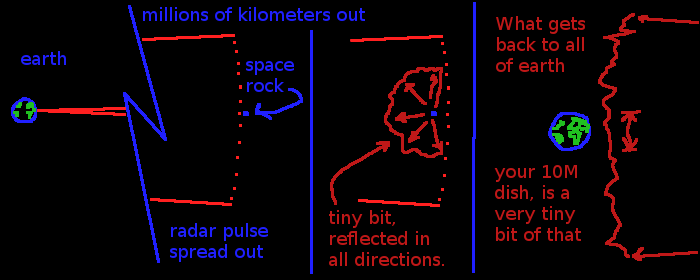
now, make matters worse, the sensitivity of an array is actually limited by the size of each dish that's collecting signal for its heterodyne/detector circuit. that circuit is kind of like a solar panel, there is a minimum amount of signal it needs to even start to kick out a voltage to be measured (sil 0.7v, ger 0.3v, Schottky 0.135v about, depending on the current going through the diode), even if the noise floor is reduced to zero kelvin, there is a minimum it will respond to before your just measuring random space noise and contamination from the rest of the equipment. on the moon, that noise is even worse by the way (less magnetic field to deflect ionizing radiation), and even burring the equipment requires a space-radiation shielded waveguide up to each dish (AK, more stuff to launch to the moon). say arbitrarily, a 1-meter solar panel needs 0.1 lumens hitting the surface to 'start' to kick out a voltage. It doesn't matter how many panels you put on the far side of the moon to detect starlight hitting the moon at less than 0.1 lumens per meter from a particular star, adding more panels does nothing for you. ok, so like some solar farms on earth, ye set up a dish to collect that light and focus it on each solar panel to increase the number of lumens from that star hitting each panel, you need a dish big enough to get more than 0.1 lumens on the solar panel. radio dishes do work in the same way, however, I doubt anything larger than a 10-meter dish would be reasonable today for a moon launch.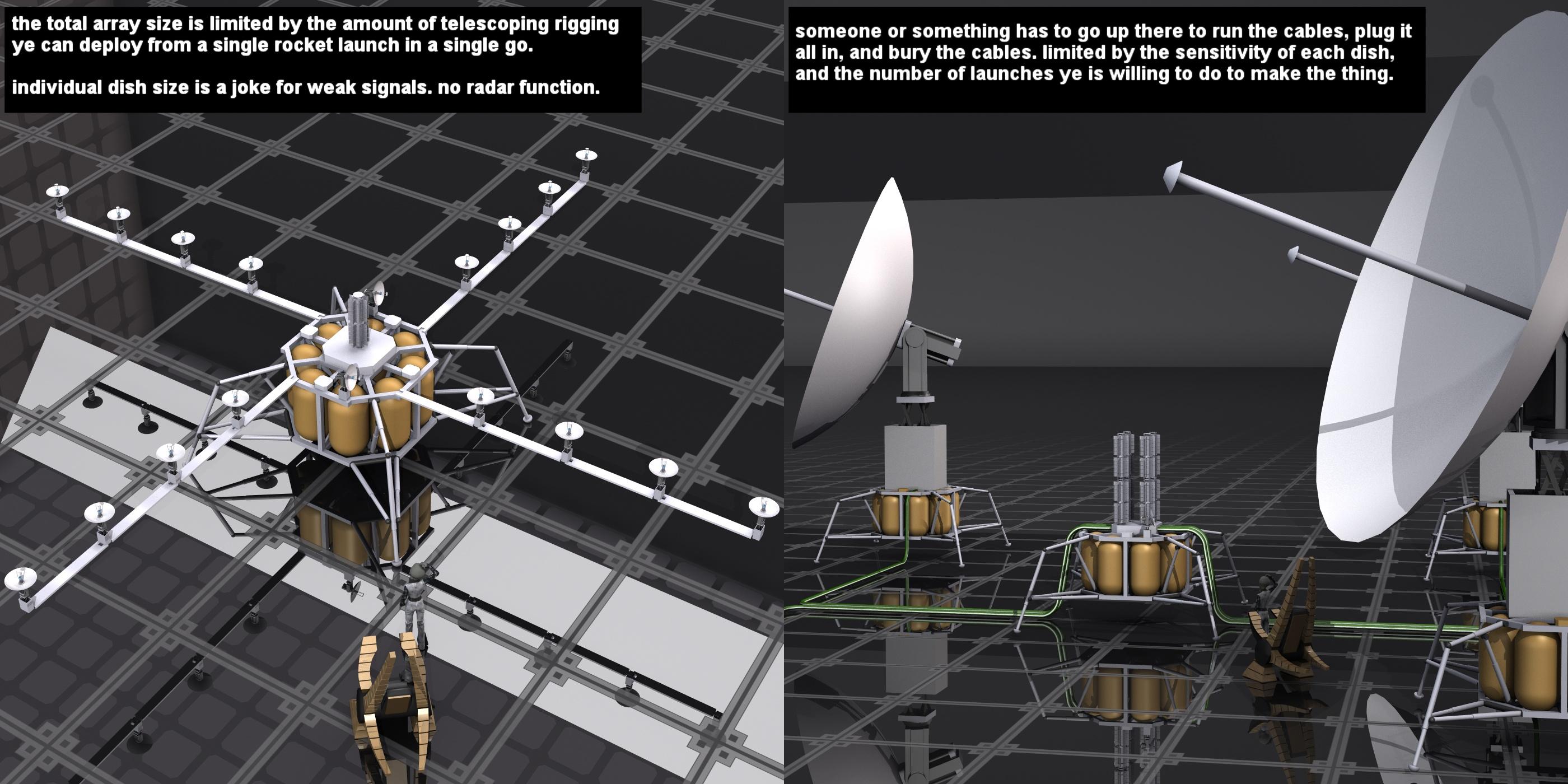
with a 10 meter dish, there is still that noise floor and weak signal problem. now you could use waveguides to gather that signal at a central location to excite a single detector. However, those waveguides will have to be variable length to tune the wave propagation timing with the direction the dishes are pointing so all the signals hit the detector at the same time. also to compound that, the waveguides will need to be heavily shielded from space radiation to prevent noise from wiping out whatever scraps of radar return you got from the space rock.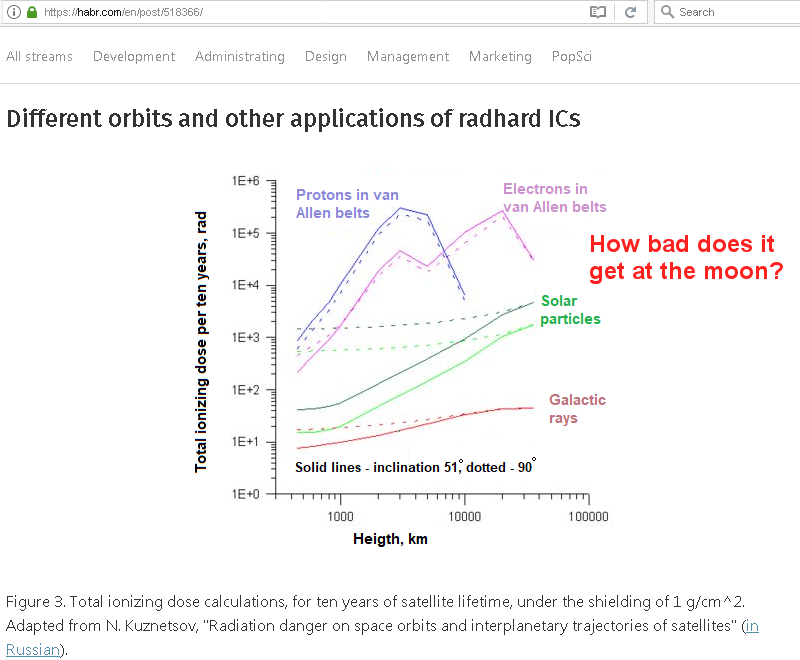
That's going to be a lot of rocket launches for that much stuff. Bigger dishes would also be more rocket launches. To truly do the job, the dishes would need to be way larger than tens of meters (more like, hundreds of meters across each). Do the array thing, yes, but the dishes need to be huge.
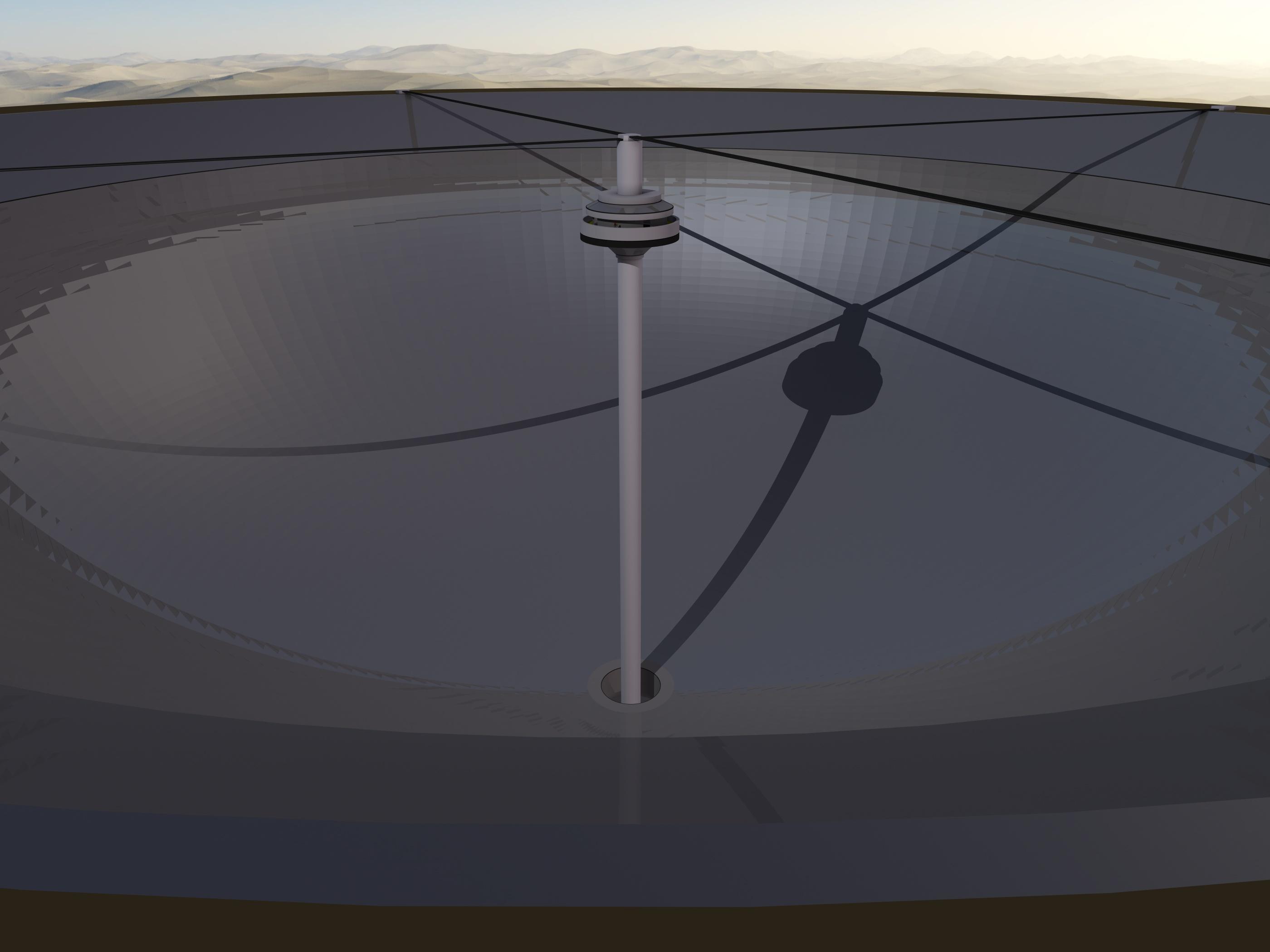
I don't think the observatory on the far side of the moon is completely a bad idea. I just think it would be better to set up a regolith refinery first, so your not shipping tons of materials dedicated to a single thing, that won't help you make other things on the moon or sustain your crew there, to reduce the number of rocket launches required, and time it takes to get something working.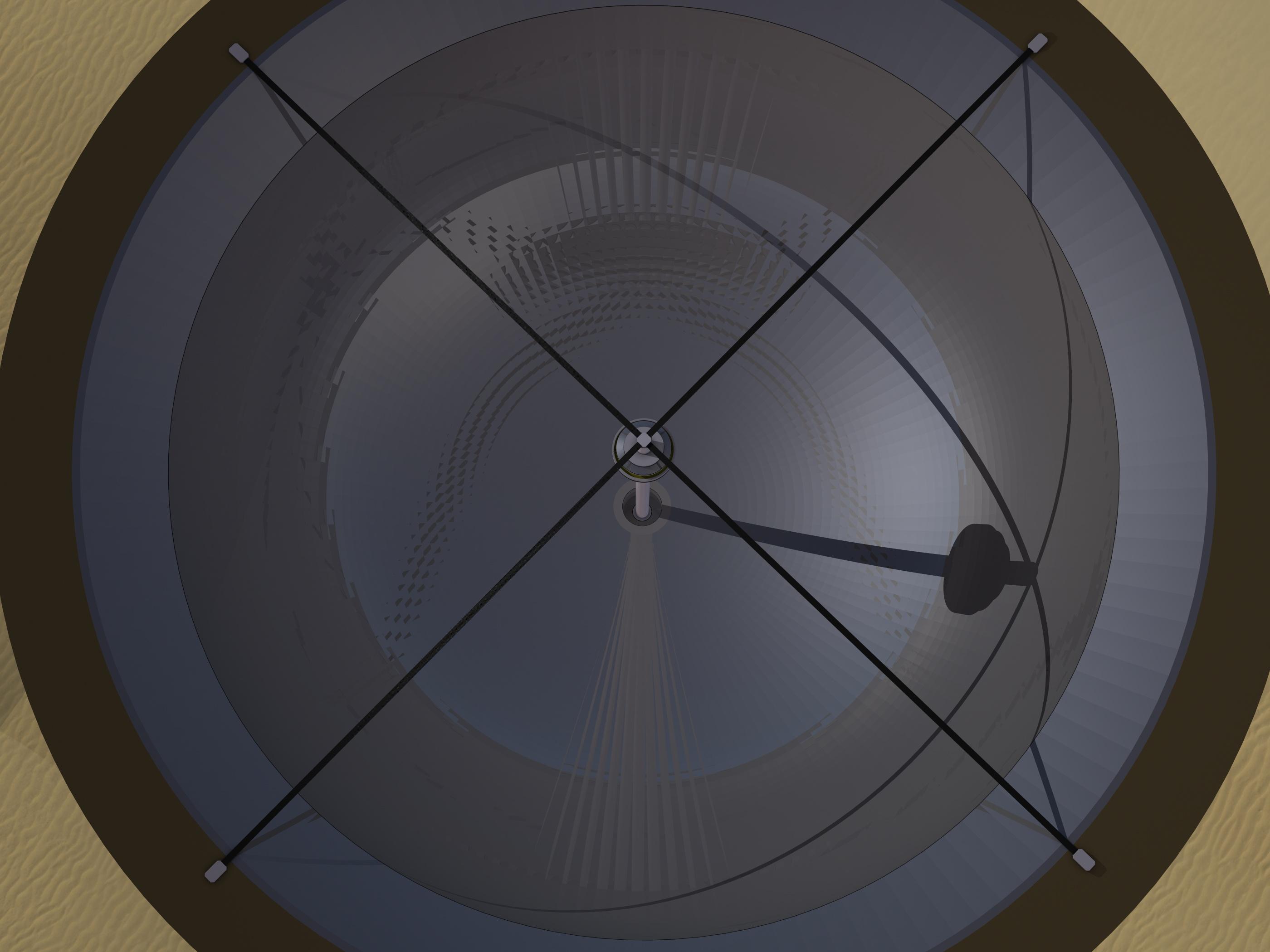
There is also the small issue of power for the radar transmitter. it may surprise many, those spacecraft flight computers are nothing like the 300 or 400 or 500 watt graphics cards, thousand-watt processors, with computers having 1200 or 1600 watt power supplies being the norm today, Space Flight Computers on spacecraft, run on scraps.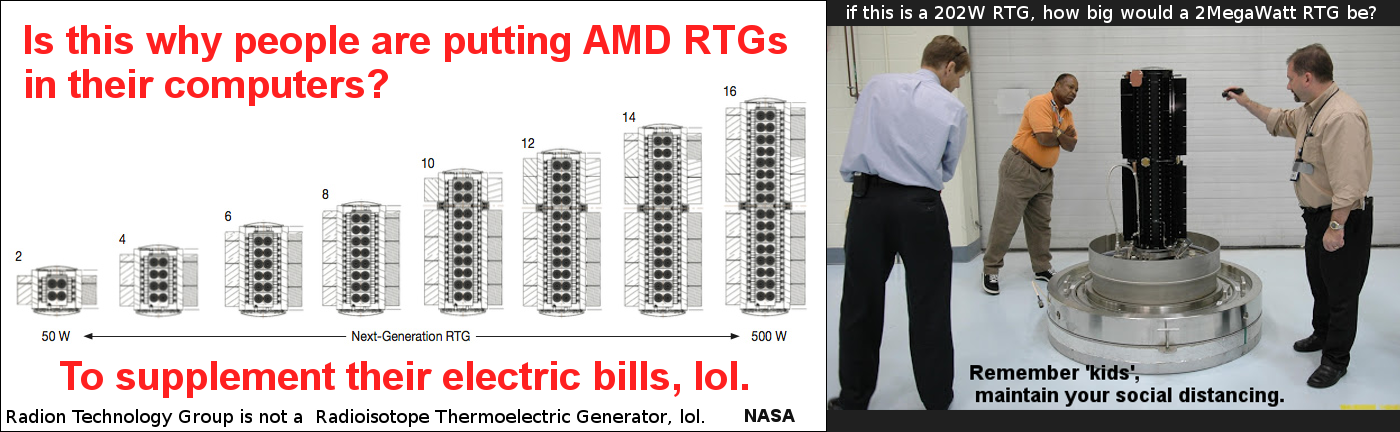
with a decent solar array for inner solar system craft, and an RTG for outer solar system craft, you're looking at maybe 200 or 400 watts, for EVERYTHING, gyros, science platforms, data recorders, system controls, and including the transmitter to send signals back to earth. I don't think batteries would quite cut it for the length of time the far side of the moon is facing away from the sun, and I don't think a ring of solar panels around the entire moon would be considered sightly by many on earth, so RTGs is probably the way to go. now you could probably cram a 200 watt RTG in with a 10-meter dish in a single rocket launch, to eventually get 16 dishes or so on the moon, plus a few more launches for the control system and support facility for all the dishes. That is a far cry from the two-Mega-watt transmitter that is now smeared across the rockface at Arecibo. launching a 2-megawatt generator to the moon, I don't think that's possible with any rocket available today or from history. not to say, most of the weight ye send to the moon, will be fuel for the descent to the surface so your craft doesn't become a skidmark on the lunar terrain. A 2megawatt power plant is something you will have to mine, refine, and build "In Situ". Doable, just not this year, and mind y'all, with that 2MW transmitter decorating the rocks of Arecibo, earth is blind to space rocks right now. Also, that B612 thing that's been in my signature since the dawn of time, well, the Sentinel Mission is not ready, so earth is truly blind.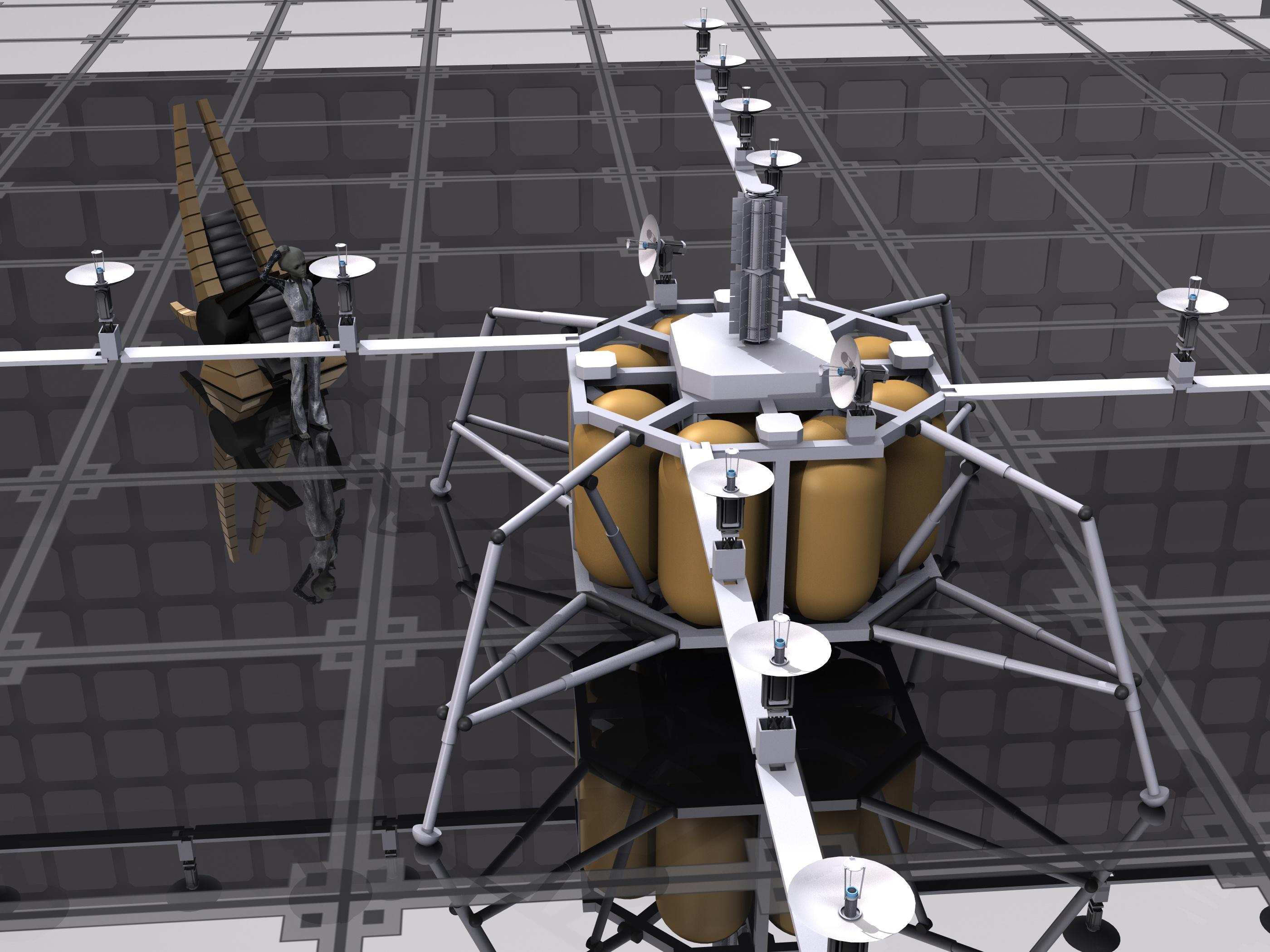
I think rebuilding Arecibo must be on the table, it will be quicker and cheaper, and we can make it better. Sympathies to the SETI crowd for the loss, however considering that earth won't see it coming (YT vid), Mr. and or Miss SETI may be the ones doing the archaeological excavations to find out what humans were, lets just make sure that doesn't happen, ok.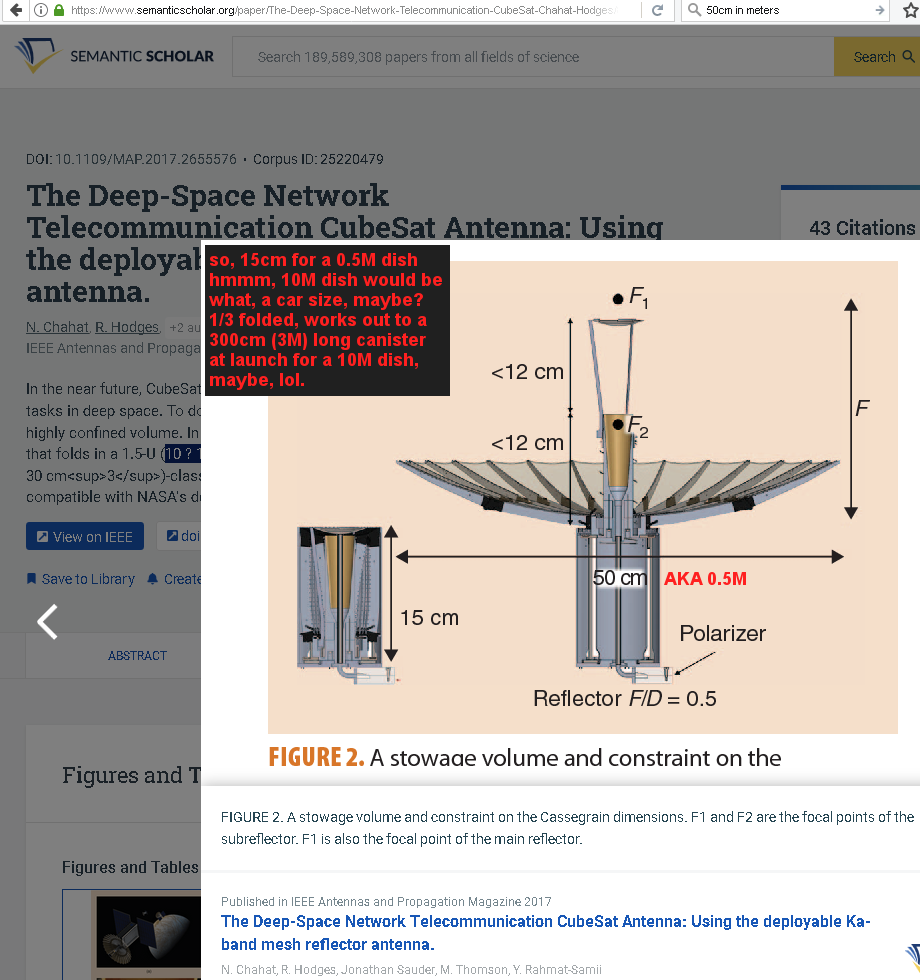
folding space antenna ref.
https://www.semanticscholar.org/paper/The-Deep-Space-Network-Telecommunication-CubeSat-Chahat-Hodges/8cd1acef54715d2048fae27e02fde7d57874300b
AKA, 50cm is 0.5 meters, for those out there like me that sometimes the mind just doesn't connect with just how big or small given numbers are for some things. yes, ye can fit a lot of those 50cm dishes into something that weighs as much as a Tesla, however, that total weight includes the landing rockets, fuel for landing, transmitter to talk to home, power source, and the electronics to run the thing. Also, how are you going to land these things next to each other without destroying the dishes ye already sent up there. are the dishes going to be strong enough to handle the rocket exhaust from the one landing right next to it? how are you going to link them once up there, humans running cables, rovers, or plugs at the ends of robotic arms? the moon has less gravity than the earth, it isn't devoid of gravity, so the things will need some structural integrity once deployed. I do have a million small point curiosities with such an endeavor. things I'm sure any space colony will also need to sort out for building the colony.I just registered and it says i have all the products?When i opened the Dash Central/Dashboard it seems i have Genesis 8 Starter Essentials thats 70$ worth which made me confused. I haven't buy any product how is this happening?
Brints Files to Redownload"You can download all your Daz products again from your account, but if you had moved any of them from the default location, that may not give you the same result".
That is what I am trying to do. MY old computer I had recycled, but I loaded my old hard drives & External HD's onto my New Computer I have my old program HD I have to put back into my new computer.I"m hoping that will work so I can get all the files that I had bought. Where most of my problems started was somehow I got a message from DAZ that I had been compromised and I wasn't able to log in so I'm hoping I can copy my Das content onto my new Daz up to date, Everything bad happened almost at once. I couldn't Open my Content in Daz, Then my computer died. This all happened just as DAZ Central came out, I had to reregister, in doing so When I try to download my older files it shows in the Unknown. so I am unable to reinstall those files that way. When it rains it pours i guess Thanks
Genesis 8 Basic female loads with Mafalda morph at 100%Oh no. You probably didn't notice what content library was selected when you saved your own content. I think Daz Studio saves to the first (top of the list) Daz Studio Format directory listed in the Content Manager. You are now in purgatory with many other people who have been burned by trying Daz Central. There are whole threads where people have been screaming about Daz Central troubles. But that doesn't help you now...
SEEK ADDITIONAL ADVICE BEFORE TAKING THESE STEPS. I AM NOT AN EXPERT ON THIS ISSUE:
I wonder if you would be better off changing DIM to use that other content library, and having DIM reinstall all your DIM content to that other content library. I know that can be done, but I don't know the exact steps (in what order) to do it. (Richard Haseltine probably knows how to do it. Or you could submit a help request, but customer service is weeks behind in answering those.) Then you would configure the Content Directory Manager to use only that other one.
Or, maybe you could just merge the files from that other content library into the DIM content library. Duplicates would override each other and your personally saved content would be added.
Either way, I think DIM won't know that things you installed ONLY with Daz Central are "installed". But they would be there and usable inside Daz Studio.
Genesis 8 Basic female loads with Mafalda morph at 100%hellborn said:
I think I tried it once when it was itroduced, but I did prefere DIM so did not use it.
So could be.
Is there any risk in temporary moving the duplicate directories to another place in order to figure out if they ar needed or not?
Daz Central is probably the culprit then.
I think the only "risk" would be that if something is installed ONLY in that unwanted directory, it would cause missing file errors in Daz Studio. If that happens, you could install the missing product with DIM to correct that problem.
I would suggest that you also open the Content Directory Manager in Daz Studio and remove that unwanted content directory from the list of directories that Daz Studio uses. You can access the Content Directory Manager is several ways. One is by Going to Edit>Preferences (shortcut key is F2). Then select the Content tab at the top of the Preferences window. Then click the Content Directory Manager button at the bottom of the Content Directory Manager window. When that opens up, Click the triangle next to DAZ Studio Formats to expand it. Click on the unwanted directory to select it and click the Remove button on the left. Then click the triangle next to Poser Formats to expand it. If the unwanted directory also appears there, click on it to select it and click the Remove button again. Finally click Accept to close Content Directory Manager. Then click Accept to close the Preferences window.
Former windows user needs help with Daz Central installation of Daz studio for mac computerI got my computer a couple months ago and was about to upgrade to Big Sur the first night but something made me pause. I did a few searches and found that not all the software I was planning on using would work properly after the upgrade. I'm glad I didn't follow through.
I assumed since Daz Central was said to work with macs that there was just something I was doing wrong. I will try DIM.
Thank you both for the input.
Genesis 8 Basic female loads with Mafalda morph at 100%hellborn said:
Thank's all for helping out.
I thought everything was installed to C:\DAZ Library\....
Thats the structure all info I found in DAZ pointed to and where files where removed when unistalling using DIM.
However, when searching trough the disks I also found Mafalda in C:\Users\Name\Documents\DAZ 3D\Studio.
Head and Body morph found both had value set to 0 but the CTRL file had value set to 1.
Changing that to 0 fixed the problem.
Why do I have files in two places?
As an example.
Except for som thumbnails I seem to have the same subfolder and morphs under
C:\DAZ Library\data\DAZ 3D\Genesis 8\Female\Morphs\
and
C:\Users\Name\Documents\DAZ 3D\Studio\My Library\data\DAZ 3D\Genesis 8\Female\Morphs\The first path seems to be where DIM downloads to and thats also where the thumpnails resides so it feels as that it is the more correct place for my files. Can i remove the duplicates in user path?
Did you ever try Daz Central? That messed up library paths for many people.
Novica & Forum Members Tips & Product Reviews Pt 13@donovancolbert I'm rather liking today's blink sale so far as putting ANY new release in the cart. Getting 70% off that UltraScenery Australia Bundle was sheer joy :) But I know what you mean about most of the sales these past weeks. I got the 37% off gift card and bought things that day to get it, but have only used it a couple times so far (the Australia Bundle being one of them.) The next blink sale will be soon, I noticed it change around 9am Central but I wasn't online exactly at that time. I didn't get anything from Stonemason, got Linday hair bundle. Going to be offline for awhile but will check for the blinks.
Problems with Daz CentralAfaik DIM hasn't gone. And DIM still seems far superior above Central.
Problems with Daz CentralThe new Daz Central that substituted Install Manager is very bad. The directory management is totally confuse, I could not find a way to filter my collection, and finally Daz Studio is installed and Daz Central insists to install it again. Bring back Install Manager!
Thread edited to moderate subject line
ERROR MESSAGE? "Load library failed with error 87: The parameter is incorrect".Daz Central and Daz Studio have been installed on a new computer. DAZ Central appears to be working properly. DAZ Studio only gives this error message: "Load library failed with error 87: The parameter is incorrect".
Does anyone have any idea on how to fix this problem? Thank you for your help.
How Do You Move DAZ Studio and DAZ Central to a new computer?DAZ Studio and DAZ Central are now installed. The problem is DAZ Studio does not open and instead always just gives the same error message: "Load library failed with error 87: The parameter is incorrect".
DAZ Central appears to be working normally. Anyone have any ideas?
Former windows user needs help with Daz Central installation of Daz studio for mac computerMy first attempt to get Studio installed on my mac(Catalina) ended with a working copy of Daz Studio that did not show in my applications folder. I could never open studio from Daz Central. I did find the DS executable using finder and could open Studio using that file. I used Daz Central to install two figures but had issues with everything else. I was never able to open daz Studio from daz central or open any installed content from Daz Central.
I uninstalled Daz Central and Hunted down and deleted all files from Studio install that did not show up in the Applications folder.
Is there anyone who has step by step directions for a new mac install of Daz Central, Studio and content using Daz central? The windows tutorials show options that are not available on the mac version if the installer. I cannot choose where I install Daz Central and When I do install it and attempt to install Studio it stops now stops at 86percent.
My ultimate desire is to install Daz Studio and all content on an external ssd but I cannot seem to get a basic install on the main hard drive.
An assist from any experienced mac user(s) would be appreciated.
W.Whitney
Deleting from Content LibraryHi, could someone please explain how to get rid of Content from the content library. i have unistalled it, deleted it, and deleted all files from my file explorer. When using Daz i work off line, but when i do login the perishing item re-appears. i want it deleted as it never worked, and no matter how many times i try it just will not work, I have deleted it fom DIM, (which as you know just hides it) Daz Central has no delete function, and i can not delete from my Daz Account. so haow can i get rid of it?
DAZ Studio 4 Installation Guide WindowsAre there any links or videos that explain how to completely uninstall Daz Studio so I can do a fresh install, and can I do it without Daz Central, manually, the old fashioned way with a downloaded file? Thanks so much in advanceHow Do You Move DAZ Studio and DAZ Central to a new computer?The good news: I got a new computer for Christmas. The bad news: Alhough I can install DAZ Central on my new machine, I cannot get DAZ Studio installed. I have tried doing this many times and always get the same error message: "Load library failed with error 87. The parameters are incorrect."
I would very much appreciate any assistance that might be able to walk me through this puzzle. I did send a request for help to DAZ technical support and received a answer that it might take 4 to 6 weeks for any reply.
Happy New Year to my fellow DAZ artists friends. --- Vic
Daz 3D is part of

Connect
DAZ Productions, Inc.
7533 S Center View Ct #4664
West Jordan, UT 84084Licensing Agreement | Terms of Service | Privacy Policy | EULA
© 2026 Daz Productions Inc. All Rights Reserved.