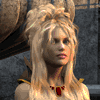
-
Melody for A3
Melody for A3 does work in DS. She's neither a head prop nor a simple A3 morph, she's a figure based on A3 but using a modified version of A3 mesh with a different head. Mesh and rigging for the body are the same as A3, so she can use A3 body morphs, poses and clothes.
Morphs from G3 to G8Well, as I did download the script, I decided to try it, but I keep hitting a complete stall at "Starting Morphs transfer", with log entries to this effect:
2019-05-27 20:54:18.359 Temporary files copied
Starting morphs transfer
2019-05-27 20:58:15.638 WARNING: Script Error: Line 2000
2019-05-27 20:58:15.638 WARNING: TypeError: Result of expression 'oSrcClone' [null] is not an object.
2019-05-27 20:58:15.638 WARNING: Stack Trace:
<anonymous>()@C:/Program Data/Daz Studio/Content/GenNext/Scripts/Architect/GenNext Morph Transfer/GenNext.dsa:2000
2019-05-27 20:58:15.935 Error in script execution: C:/Program Data/Daz Studio/Content/GenNext/Scripts/Architect/GenNext Morph Transfer/GenNext.dsaI've now tried transferring both ways between G3 and G8 with several different versions of parameters and I'm getting the same result in all cases.
Melody for A3Is this have a head morph for A3, or is it a head prop like Melody 2.0? And does it work ok in Daz?
Pose distorting hairWell deleting the bone is an option but it will stop the hair from conforming to the figures collar movement. I don't know how important that is in your case with the shoulder long hair, but in general I guess the issue with the hair product should be reported with a support ticket.
OK. Wasn't sure if the problem was with the pose or the hair.
Later I found out that just changing the JCM dial from 0.76 to 0.00 while the hair is fitted to V8 works as well.
Lately I saw generated morphs on conforming figures that once set to "autofollow" and the item is fitted to the figure, the sliders change to be hidden and you can't manipulate them anymore. That is the the case at least with the current DS version 4.10.0.123.
I'm using 4.10.0.123. With this hair the sliders are greyed out (which means hidden I suppose) when fitted, all can be manipulated but, with one exception (the right counterpart to the one in question here), only those with a value other than 0 (currently used) have any effect.
Using the filter box with "JCM" while the hair is fitted to the figure and having a look at the Paramters pane "Currently Used" group, would have been the best option to find the active character shape morphs and JCMs triggered by the current figure pose.
To delete a property like the JCM or whatever right-click the Parameters pane and in the menu activate Edit Mode. Then right-click the actual property slider and choose Delete Property. It will only delete the slider in the current scene the actual DSF file stays in the data folder on disk. If you reload the scene the morph and will come back getting loaded from the content library again if you don't delete or overwrite the actual DSF file.
I thought if you delete the one JCM with the distortion and have a new one generated the issue could be fixed. Another method would be to export the working JCM on the other side as OBJ and load it with Morph Loader Pro and the "Swap on X axis" option. Next I think you could simply go to File>Save As>Support Asset>Save Modified Assets to fix the hair JCM in general not just for the current scene. Be careful with Save Modified Assets it will show you a list of properties and assets detected as "modified" in the scene that will get updated. To be on the save side you could also use File>Save As>Support Asset>Morph Asset but its tedious to do all the correct settings in the save dialog to actualy overwite a morph DSF file instead of saving a new one.
Will swapping that way work corrrectly? Most hairs are more or less asymmetric and have asymmetric bones as well I suppose.
GenX with M4/V4 MorphsI was able to successfully transfer a philopher's hyena to G3. However, the tongue was a mess; sticking out of the jaw in a couple of places. If someone could provide tips to adjust for this, it would be greatly appreciated. Also, is there a way to use the original surfaces with the character?
Thank you.
Product figure Characters ?Kinda look like cailin with some mixed morph
 Wow ! thx.
  Morphs from G3 to G8
Well said! And I'm kicking myself too :)Hope no more. Daz has largely confirmed my early assessment and I have the first handful of clones built. I aim to complete G3 and G8, update the code and overload the attributions (and provide Daz an evidentiary explanation of why I am doing it thus) and we should find out in fair order if that suffices.
When will that happen? As I said way back, holiday. I won't be able to get much work done. I will try to get the response off to Daz, with exhibits of my planned correction today. I won't be waiting on them, but given the odds that the new morph might be crap, or need many small adjustments, I almost certainly won't be ready before they respond.
Again, as I said, there's no reason to assume Daz had evil intent. They clarified in very reasonable time on a holiday weekend. I believe them. The major trouble here is due to my failure to consider that the base clone shape was irrelevant to the process as long as it didn't create distortion. Yes, Daz would have still said attributions, but I could fix that without interruption. Remain positive. Lose a few electrons if necessary. I'll get it done.A product like this, free or not, that give users the ability to bring older character shapes forward, (or the newest shapes backward to their favorite genesis generation,) can't help but stimulate sales for Daz. So it makes sense to me Daz would want this script to pass any and all legal requirements. IMO, it is in the best interest of Daz, PAs and Users for the script to be around for a good long time.
That said, I'm still kicking myself for not downloading the script immediately!
 Morphs from G3 to G8Hope no more. Daz has largely confirmed my early assessment and I have the first handful of clones built. I aim to complete G3 and G8, update the code and overload the attributions (and provide Daz an evidentiary explanation of why I am doing it thus) and we should find out in fair order if that suffices.
When will that happen? As I said way back, holiday. I won't be able to get much work done. I will try to get the response off to Daz, with exhibits of my planned correction today. I won't be waiting on them, but given the odds that the new morph might be crap, or need many small adjustments, I almost certainly won't be ready before they respond.
Again, as I said, there's no reason to assume Daz had evil intent. They clarified in very reasonable time on a holiday weekend. I believe them. The major trouble here is due to my failure to consider that the base clone shape was irrelevant to the process as long as it didn't create distortion. Yes, Daz would have still said attributions, but I could fix that without interruption. Remain positive. Lose a few electrons if necessary. I'll get it done.A product like this, free or not, that give users the ability to bring older character shapes forward, (or the newest shapes backward to their favorite genesis generation,) can't help but stimulate sales for Daz. So it makes sense to me Daz would want this script to pass any and all legal requirements. IMO, it is in the best interest of Daz, PAs and Users for the script to be around for a good long time.
That said, I'm still kicking myself for not downloading the script immediately!
G3m distortion in sitting positionThanks. That helped. It seems there was a morph (the freebie Hotei, by Mythcons, a fat Buddha-like figure) that was causing this distortion in all other figures. Deleting the files for that morph has stopped the distortion occurring with other G3m figures. Apparently there is an updated version of Hotei availible so possibly it doesn't cause this to happen any more, but I haven't tested that).
Pose distorting hairWell deleting the bone is an option but it will stop the hair from conforming to the figures collar movement. I don't know how important that is in your case with the shoulder long hair, but in general I guess the issue with the hair product should be reported with a support ticket.
Later I found out that just changing the JCM dial from 0.76 to 0.00 while the hair is fitted to V8 works as well.
Lately I saw generated morphs on conforming figures that once set to "autofollow" and the item is fitted to the figure, the sliders change to be hidden and you can't manipulate them anymore. That is the the case at least with the current DS version 4.10.0.123.
Using the filter box with "JCM" while the hair is fitted to the figure and having a look at the Paramters pane "Currently Used" group, would have been the best option to find the active character shape morphs and JCMs triggered by the current figure pose.
To delete a property like the JCM or whatever right-click the Parameters pane and in the menu activate Edit Mode. Then right-click the actual property slider and choose Delete Property. It will only delete the slider in the current scene the actual DSF file stays in the data folder on disk. If you reload the scene the morph and will come back getting loaded from the content library again if you don't delete or overwrite the actual DSF file.
I thought if you delete the one JCM with the distortion and have a new one generated the issue could be fixed. Another method would be to export the working JCM on the other side as OBJ and load it with Morph Loader Pro and the "Swap on X axis" option. Next I think you could simply go to File>Save As>Support Asset>Save Modified Assets to fix the hair JCM in general not just for the current scene. Be careful with Save Modified Assets it will show you a list of properties and assets detected as "modified" in the scene that will get updated. To be on the save side you could also use File>Save As>Support Asset>Morph Asset but its tedious to do all the correct settings in the save dialog to actualy overwite a morph DSF file instead of saving a new one.
[Released] RSSY Clothing Converter from Victoria 4 to Genesis 8 Female [Commercial]So, I'm having a bit of a problem with this. I got some things to transfer just fine. A lot of my older stuff I had to "force convert".
First problem: It will let me add a directory, but if I navigate to the folder of the item it just says there are no files. So, I can't just pull in one outfit. Not sure what I'm doing wrong there. I was thinking I would just go to runtime/libraries/character/folder with the outfit. I'm doing that by "adding files", but it just isn't working for me. I can add, however, the huge top directory. There are some I need to reconvert, but after 7 hours of it yesterday, I just want to pull in say Malaika or Vandra. Not all the other stuff and have to pick it out.
Second problem: Pose handles don't go away? I can't make them invisible. The loin cloth is from Freya, the white gown is Lady of the Lake gown, and the other picture is Tatiana. I used the loin cloth and dress conformers as needed. If I have a material to put on them, the pose handles goes away. However, if I don't, like for Tatiana, I can't get the handles to go away. When I try the surface selection tool, it highlights the clothing item. With the Freya loin cloth, the green thing didn't go away with a new material. The first time I did "Lady of the Lake" these pose handles weren't there. I used my old Poser runtime that live separately from Poser. However, since the way wouldn't convert a lot of the items, I tried it from the place inside Studio. This next go around Lady of the Lake has pose handles there that I can't "turn off" unless I apply a material.
Third problem: Some of my things loaded as grey boxes. I have no idea what that was about. It looked to convert just fine, and then it was grey box sadness. Thus, why I want to try to re-do some of the things in smaller batches. Like the outfit Malaika, the skirt was just squares, but the shirt and the bracers were OK. I think the boots were grey squares too. I can't remember at this point if I had to force convert the stuff. Some of the VAL3D stuff was half and half. A lot of my stuff it just "zips past" and says it performed on 0 clothing items.
Some things I got at Renderosity. Like the SAV Dragon Lady Dress. And the Desert Queen outfit. However, the DAZ and RDNA stuff at this point are all install manager installs.
I really like how the converter makes the stuff work better than the auto-fit even with the extra templates....I just need to figure out what the heck is going on with the pose handles and how I can do say only 1 outfit at a time.
Thanks.
The "Force Convert" is normal. Most V4 stuff has bad metadata.
- This works for me. I click "Add Directory...", select the "Runtime\Libraries\Character\30sEverydayDress" folder, and it will find 3 items. What does the log say?
- You need to hide the surface handles from rendering. Usually, there is a surface called "Handles" or similar. Find it, and then set Cutout Opacity (Iray) or Opacity (3DL) to 0%. I've gotten annoyed hiding those things so I made up a couple scripts to hide/show any material with the word "handle" in it in the scene. You're welcome to use them. They are available at the top post of this thread.
- Sickleyield and I have not figured out why this occurs. Usually, if you reconvert those items it will get fixed.
Oh, I will go and get said script to remove the handles. Thank you for the information. Those pose handles were really the one thing that bummed me out LOL! I will see about reconverting the ones I had trouble with. I literally spent 10 hours converting stuff just for V4 LOL.
And I went to go get the log, but it was gone. However, NOW the script is allowing me to add individual items.
 Maybe it just loaded funny.
 So, problem solved I believe! Now if I can just get the empty things out of the smart panel all my annoyances (this week) will be solved.
Thank you all for your help!
Gremlins
I am glad it is working for you now.[Released] RSSY Clothing Converter from Victoria 4 to Genesis 8 Female [Commercial]So, I'm having a bit of a problem with this. I got some things to transfer just fine. A lot of my older stuff I had to "force convert".
First problem: It will let me add a directory, but if I navigate to the folder of the item it just says there are no files. So, I can't just pull in one outfit. Not sure what I'm doing wrong there. I was thinking I would just go to runtime/libraries/character/folder with the outfit. I'm doing that by "adding files", but it just isn't working for me. I can add, however, the huge top directory. There are some I need to reconvert, but after 7 hours of it yesterday, I just want to pull in say Malaika or Vandra. Not all the other stuff and have to pick it out.
Second problem: Pose handles don't go away? I can't make them invisible. The loin cloth is from Freya, the white gown is Lady of the Lake gown, and the other picture is Tatiana. I used the loin cloth and dress conformers as needed. If I have a material to put on them, the pose handles goes away. However, if I don't, like for Tatiana, I can't get the handles to go away. When I try the surface selection tool, it highlights the clothing item. With the Freya loin cloth, the green thing didn't go away with a new material. The first time I did "Lady of the Lake" these pose handles weren't there. I used my old Poser runtime that live separately from Poser. However, since the way wouldn't convert a lot of the items, I tried it from the place inside Studio. This next go around Lady of the Lake has pose handles there that I can't "turn off" unless I apply a material.
Third problem: Some of my things loaded as grey boxes. I have no idea what that was about. It looked to convert just fine, and then it was grey box sadness. Thus, why I want to try to re-do some of the things in smaller batches. Like the outfit Malaika, the skirt was just squares, but the shirt and the bracers were OK. I think the boots were grey squares too. I can't remember at this point if I had to force convert the stuff. Some of the VAL3D stuff was half and half. A lot of my stuff it just "zips past" and says it performed on 0 clothing items.
Some things I got at Renderosity. Like the SAV Dragon Lady Dress. And the Desert Queen outfit. However, the DAZ and RDNA stuff at this point are all install manager installs.
I really like how the converter makes the stuff work better than the auto-fit even with the extra templates....I just need to figure out what the heck is going on with the pose handles and how I can do say only 1 outfit at a time.
Thanks.
The "Force Convert" is normal. Most V4 stuff has bad metadata.
- This works for me. I click "Add Directory...", select the "Runtime\Libraries\Character\30sEverydayDress" folder, and it will find 3 items. What does the log say?
- You need to hide the surface handles from rendering. Usually, there is a surface called "Handles" or similar. Find it, and then set Cutout Opacity (Iray) or Opacity (3DL) to 0%. I've gotten annoyed hiding those things so I made up a couple scripts to hide/show any material with the word "handle" in it in the scene. You're welcome to use them. They are available at the top post of this thread.
- Sickleyield and I have not figured out why this occurs. Usually, if you reconvert those items it will get fixed.
Oh, I will go and get said script to remove the handles. Thank you for the information. Those pose handles were really the one thing that bummed me out LOL! I will see about reconverting the ones I had trouble with. I literally spent 10 hours converting stuff just for V4 LOL.
And I went to go get the log, but it was gone. However, NOW the script is allowing me to add individual items.
Maybe it just loaded funny. So, problem solved I believe! Now if I can just get the empty things out of the smart panel all my annoyances (this week) will be solved.
Thank you all for your help!
Darwins' Schtuff Pt DeuxOk- Body morph done, tweaked the features a bit, re-rigged and saved everything. I'll post the final renders of Luke after they render!
Should Daz3d split its software to Pro and Home additions.
Therefore, if DAZ3d did generate money from it's software then itwould not need to generate as much money through content sales,
consequently content could be cheaper. So, "expensive relative to a
different business model".
The problem here is that selling seats of a software package as your
primarly source of revenue, relies upon a constant influx of NEW users purchasing ONE seat of the program.
(How has that been working out for Smith micro??)

It is much easier to partner with the PA's produce a steady stream of content for people who have your free program already
than to have to spend more time and money marketing and promoting the core application to new users in an extremely competitive market space
The Software Market has changed.Consider how Adobe, Autodesk and others have gone to a subscription model to generate steady monthly income.
While this is an effective anti piracy measure, it also prevents
people( Like myself still on DS 4.8) ,from setteling in on a certain release version and milking every bit of utility out of it
for several years without buying the new version.There is also a Huge advantage for yor development team to only have to use one set of internal SDK's supporting ONE software version.
As opposed to having to provide tech support for older versions that people will demand because they paid for your software one time.......9 years ago
There is a very good reason why Daz will not release older versions of Daz studio and their EULA forbids others to do so.
Even Reallusion has released a Python open API to encourage third
party plugin devs to partner with them as vendors. because they realized that not every existing customer is upgrading
the core application right away.
a Pro version with HD morph loader and Dforce hair creationwould almost certainly sell and they could even ask $500+ for it
Perhaps it may, however ,in so doing ,you destroy the long term value of your IP for a short term gain.
Consider the Classic cow/milk analogy.If I was the first, in my village, to breed a milk producing Cow
That Milk is My IP
I would keep it as my sole IP and force others to come to me to buy milk.
Not sell the cow which will inevitably be reversed engineered
and soon the market will be flooded with milk reducing its value.Aux Viewport Iray Preview slower than molassesThe transfer from DS to GPU, which is the stage at which the Viewport is in Smooth Shaded, will be governed by the settings chosen and by the system speed and PCIe slot speed, I would not expect the power of the GPU itself to be the most important factor (I'm not sure how much impact it would have at all).
G3m distortion in sitting positionPlease switch your Viewport to Smooth Shaded view before taking a screen shot of a nude figure.
There have been a couple of products that do this, I think - there's a morph to correct the bends when a radical shape is applied to the figure but it is kicking in for all bends, even if the morph isn't applied. If you select the figure and in the Parameters pane option menu enable Show Hidden Properties (the lined button in the top corner, or right-click the tab) then by selecting the Currently Used group you should be able to identify the culprit.
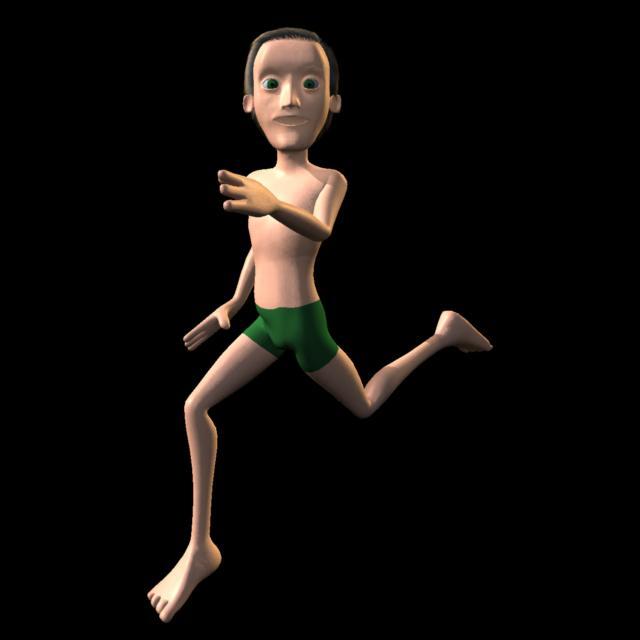
No one asked me - Diomede screenshots on whatever - Warning AI Discussion OKCarrara Simplest Rigging Test
No weightmapping, no morph correction yet
 G3m distortion in sitting position
I'm not sure if this is a new problem or something I've only recently noticed, but when I move the legs up on a Genesis 3 Male figure (or a figure based thereon), there are major distortions that occur. There appear deep grooves at the top of the legs, and the belly squishes up and forms a sharp ridge down the centre. Is there a way preventing or fixing this? (I thought it was a result of a particularly muscular morph, but it seems to happen with all variations including the standard figure).
Image removed
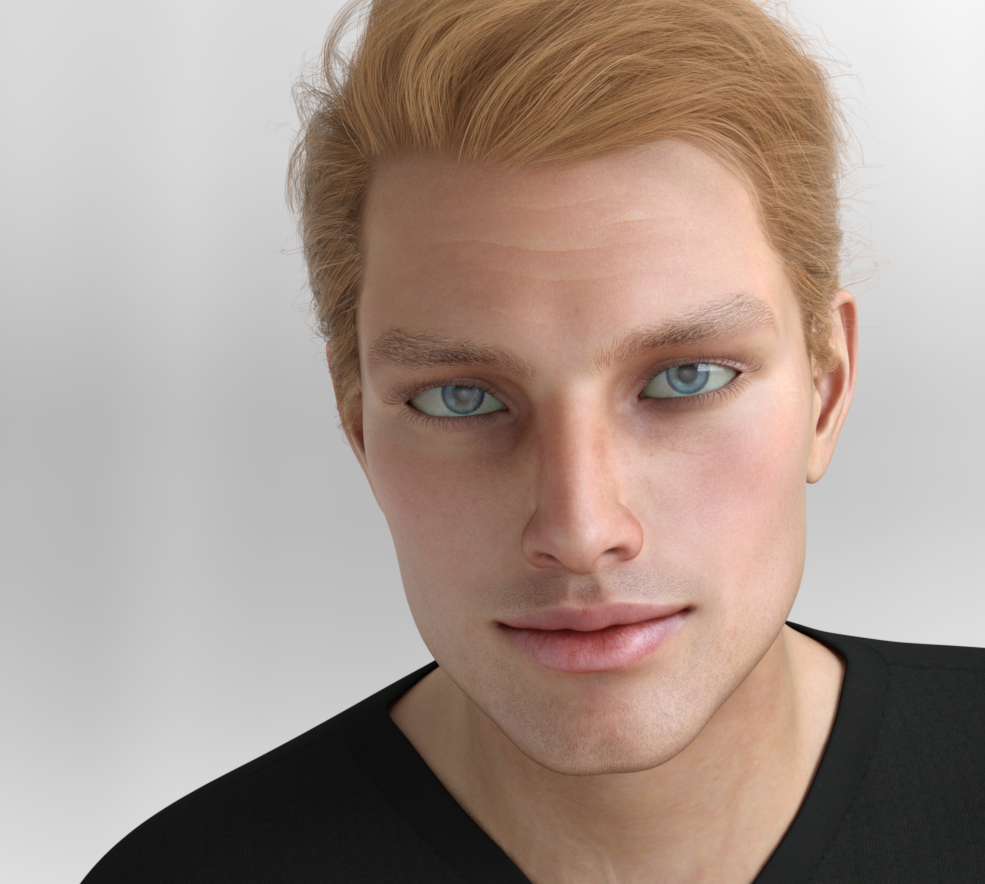
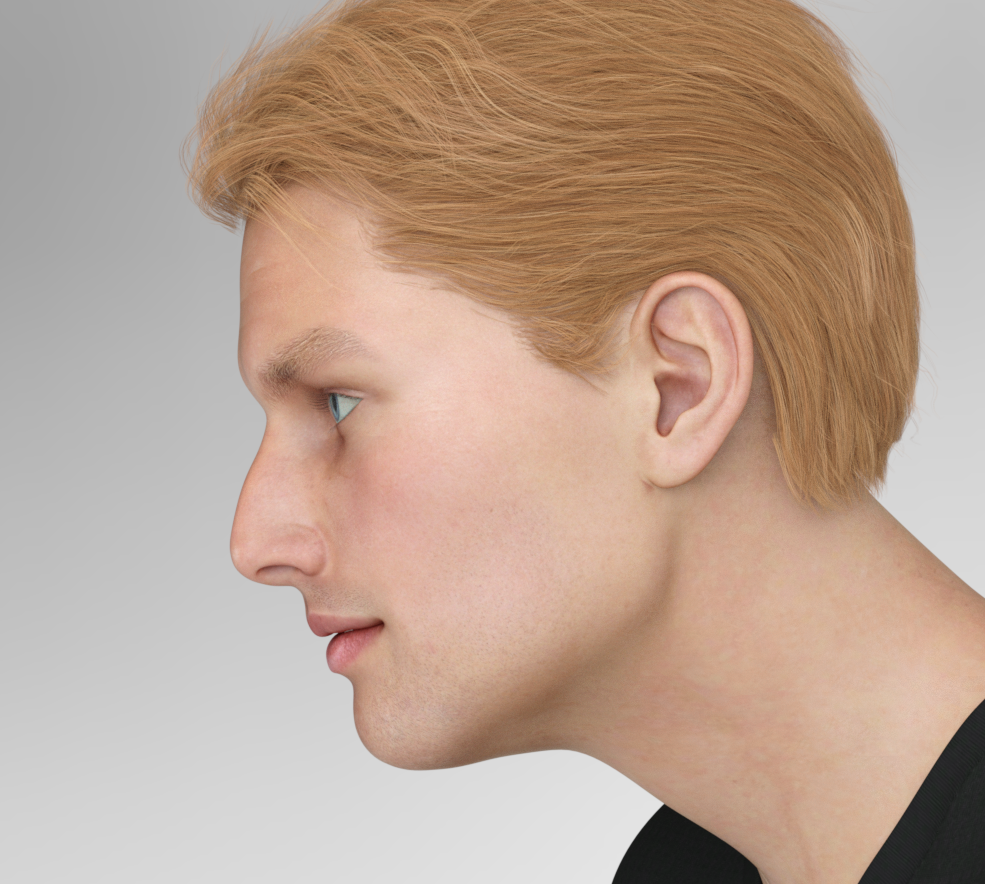
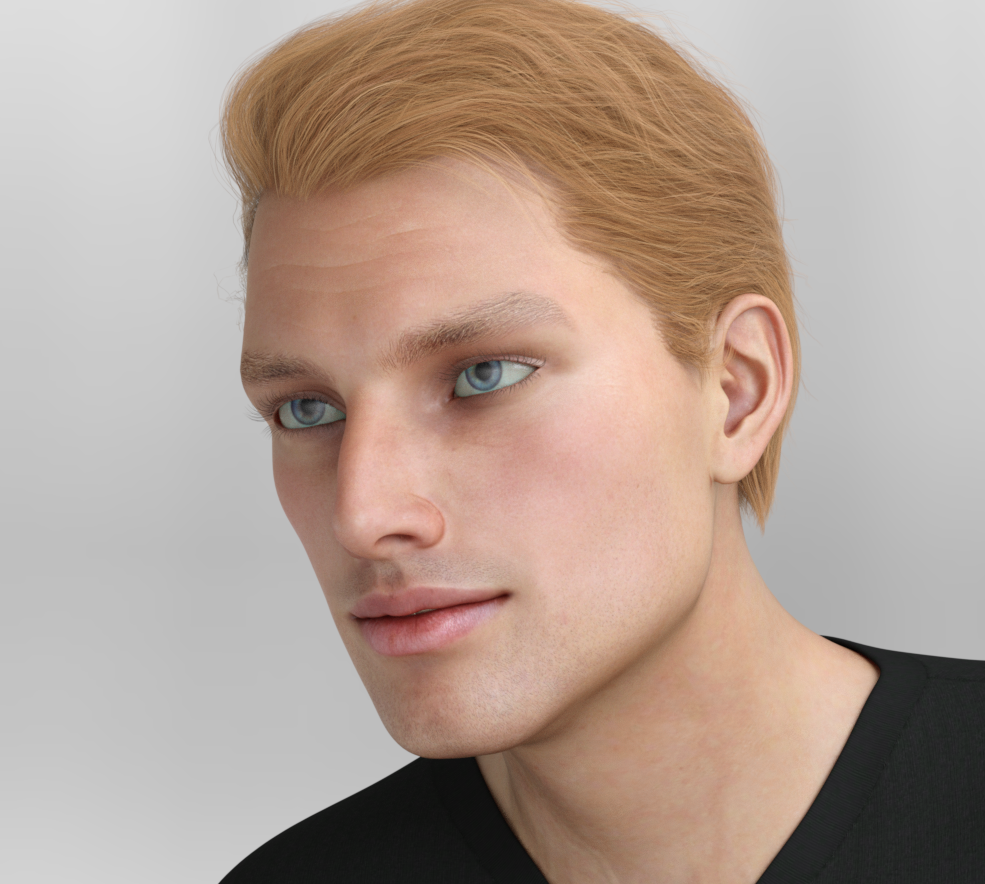
Darwins' Schtuff Pt DeuxThe first stage of morphing: I'm going to take his face into Zbrush to do a little detail work. I've named him Luke, and Bradley the base of his morph. He's wearing Lorenzo's skin as well, since his kinda resembled the actor's skin tone.
 Morphs from G3 to G8Hope no more. Daz has largely confirmed my early assessment and I have the first handful of clones built. I aim to complete G3 and G8, update the code and overload the attributions (and provide Daz an evidentiary explanation of why I am doing it thus) and we should find out in fair order if that suffices.
When will that happen? As I said way back, holiday. I won't be able to get much work done. I will try to get the response off to Daz, with exhibits of my planned correction today. I won't be waiting on them, but given the odds that the new morph might be crap, or need many small adjustments, I almost certainly won't be ready before they respond.
Again, as I said, there's no reason to assume Daz had evil intent. They clarified in very reasonable time on a holiday weekend. I believe them. The major trouble here is due to my failure to consider that the base clone shape was irrelevant to the process as long as it didn't create distortion. Yes, Daz would have still said attributions, but I could fix that without interruption. Remain positive. Lose a few electrons if necessary. I'll get it done.Daz 3D is part of

Connect
DAZ Productions, Inc.
7533 S Center View Ct #4664
West Jordan, UT 84084Licensing Agreement | Terms of Service | Privacy Policy | EULA
© 2026 Daz Productions Inc. All Rights Reserved.