-
Any chance of seeing NEW characters for G3? G2?
Ghosty12 said:
One thing if looking for "newer" content for G1, G2 or G3 then would have to look at other 3D content sites, as there are still a few creators out there that still create new content for G1, G2 and G3.. Heck you can still buy newer content for Victoria and Michael 4..
Or, if they're not creating it, they're putting up things made in the past that are technically on par with anything else made for those figures, since many were sold here at DAZ or other sites that have gone under. Renderosity, in particular, used to have a policy of dropping items that dropped below a certain number of items sold per quarter, but they reversed that a while back and a lot of creators promptly re-listed many of their older items (though many still show in the clearance section), and that's where a huge number of DAZ's former vendors have ended up. Which is nice, as I still prefer the Genesis 3 figures for a lot of purposes as they're rarely affected by the creepy smile syndrome that the 8s and Pointies are so often cursed with, and the original Ironman13's pose packs are still the best that I've used.
Getting Victoria 8.1 Expressions to work on Genesis 8.1 charactersVictoria 8.1 is Genesis 8.1, or specifically Victoria 8.1 is just a character morph on top of Genesis 8.1 Female.
If the expressions don't work, they have not been installed correctly.
How did you install them?Getting Victoria 8.1 Expressions to work on Genesis 8.1 charactersHi there,
As the title suggests, I'm wondering if it's possible to get Victoria 8.1 expressions to work with Genesis 8.1 characters?
I bought this, as it lists Genesis 8.1 as a compatible figure, but didn't actually read that it's for Victoria lol: https://www.daz3d.com/the-expression-collection-for-victoria-81
It doesn't work with my Genesis 8.1 character unfortunately.
Any chance of seeing NEW characters for G3? G2?Ghosty12 said:
One thing if looking for "newer" content for G1, G2 or G3 then would have to look at other 3D content sites, as there are still a few creators out there that still create new content for G1, G2 and G3.. Heck you can still buy newer content for Victoria and Michael 4..
can you please message me some links?
Hotel Room by POLISHMy guess
Hair:
https://www.daz3d.com/brady-hair-for-genesis-3-female-s
Outfit:
https://www.daz3d.com/hot-jumpsuit-outfit-for-genesis-3-female-s
Character don't know, Eva 7 / Victoria 7 can fit well this female beauty type.
who is she please?Maybe her as base:
Defect on the joints of the clothesiacoposk8 said:
Thanks for the help. The problem is that the poses are endless. If you choose a more complicated pose, like the one in the attached image, many morphs are activated and disturb each other making a mess. How do Daz store clothes work in every position?They don't. That's why many love dForce ;-) While using dForce, the morphs will still be dialed in but hopefully dForce keeps them outside of the figure.
It is possible to make additional morphs FOR a particular pose set. These could be dialed in manually. Or once again, there is a way to make a controller dial to trigger a particular pose morph when a particular pose is used. Tutorial is in that same basket at DA, called "Making Pose Controls for Correction Morphs." n.b. I am not a PA, not privy to the PA forum so they may or not also have additional information on how to do things. Don't go nuts trying to second guess all what poses people might have for their figures, there are way too many. The Base Poses that come with the Default Genesis' figures would be possibly the start and end point of such a product - unless of course also is selling pose presets in which case one may want their clothing products to look nice with all their pose presets too. PAs tend to specialize though, one makes clothing, somebody else makes poses, etc.
While over there at DA, might want to also check out my Tutorial for making FBMs - another necessity to help clothing fit at least a number of core characters. Core characters are the ones with the # of Genesis in it. i.e. "Name of Character" #. AFAIK to sell clothing at Daz3D one is expected to put as many of these core character FBMs into their clothing as they can. Not everybody owns "all" the core characters however something of a collection of them is expected. Esp. for Victoria for the females and Michael for the males, for example. And yes, there just happens to be a tutorial in my folder over at DA for this too, called "Making Replacement Full Body Morphs."
I pretty sure that many people make some clothing for themselves, making only the morphs they require for their own work.
Any chance of seeing NEW characters for G3? G2?One thing if looking for "newer" content for G1, G2 or G3 then would have to look at other 3D content sites, as there are still a few creators out there that still create new content for G1, G2 and G3.. Heck you can still buy newer content for Victoria and Michael 4..
Hotel Room by POLISHThanks Richard, That helps a lot, As I was wondering if it was the generic VICTORIA 7, obviously you see the same, so might be a good place to start :)
Geordie
Hotel Room by POLISHHas the general 'first glance' look of Victoria 7 to me (https://www.daz3d.com/victoria-7) and the product sale numbers have V7 before the Hotel Room meaning that V7 was probably around for long enough to be available for the promo images.
Regards,
Richard
Will this make it to 2022 Sales Thread:Report Issues Here "There's Always Another Sale™"Ghosty12 said:
I had a chuckle here, I own 4 of the items of this bundle https://www.daz3d.com/victoria-8-1-university-bundle the products I own are the two hair products, the outfit and the dorm room.. And this is how much I save on buying the rest of the bundle.. lol


I would put in a ticket.
Will this make it to 2022 Sales Thread:Report Issues Here "There's Always Another Sale™"I had a chuckle here, I own 4 of the items of this bundle https://www.daz3d.com/victoria-8-1-university-bundle the products I own are the two hair products, the outfit and the dorm room.. And this is how much I save on buying the rest of the bundle.. lol
Which Genesis Female model has the most realistic midriff/ stomach in your opinion?I know that this is about as helpful as saying "good luck", but in my experience, even the most realistic figures need the support of good lighting / clothing / hair to actually look realistic. There's a ton of tutorials that claim to be able to teach that, but in my experience, it'll come down to trial, error, and luck.
Anyways, some figures I can remember that I think are realistic:
https://www.daz3d.com/milady-hd-for-genesis-81-female
https://www.daz3d.com/victoria-8-1
https://www.daz3d.com/babina-8
https://www.daz3d.com/fatal-stranger-hd-for-genesis-8-female
https://www.daz3d.com/misumi-hd--signature-smile-hd-expression-for-genesis-8-female
https://www.daz3d.com/aurore-for-genesis-3-and-8-female
https://www.daz3d.com/ry-charlene-hd-for-victoria-8
Again, realism won't just magically appear from the character. I have over 200 different renders of all of them being at different places on the uncanny spectrum.
Back to the beginningHi, I haven't used DAZ Studio for a couple of years and I just updated everything by downloading DAZ Central - this is the first time i have used it.I have always done everything manually up to now. How do I get the Genesis 8.1 figure in my content library? Do I have to download and update anything like Genesis 8 Starter Essentials? When I look in my DAZ Central under plugins there is no Daz to Genesis 8.1 showing for me to install. I am updating my Victoria 8.1 which is taking a very long time to do. Any advice would be helpful :)
Victoria 8.1 from Victoria 4.2etbord_91e6043f5b said:
So basically, what you guys are saying is, Stay with V4.2 and don't buy V8. The reason I wanted V8.1 is she has more realistic skin maps than V.4.2. I might get V8.1 and experiment. I have no problem doing that. Does Genesis 8 come with the latest version of Daz Studio?
All the Genesis base figures are included with Daz Studio for free, you don't need to buy V8 or V8.1 to get the base figures, V8 and V8.1 are just characters for G8F/G8.1F just like any other G8/G8.1 character in store.
Way back when Victoria 1 to 4 were current, Victoria was pretty much the base character (I know she wasn't the only one), but ever since the first Genesis generation, she was demoted to just a character amongst other characters.
For Genesis 1 to 3, there were quite a lot of characters that did require also the Victoria for the relevant generation, but on Genesis 8/8.1, the number of those characters has gone down.Actually mini mini skirt?xyer0 said:
Comfort Dress can be used as a skirt by turning off the top. Here's a pleated skirt. Asymmetrical version. Belted jean micro mini.
The top is seperate from the skirt. And it's a very nice set. Victoria 4 had all kinds on micro skirts.
PA's please have G8 options in new G8.1 charactersPerttiA said:
MelissaGT said:
Gordig said:
MelissaGT said:
melanie said:
Some of the G8 characters came with a G3 version as well, so I would think it would be basically the same thing to include a G8 with the G8.1 characters.
No, not at all. G3 and G8 have the same UV map. G8 and G8.1 do not.
G3 and G8 have different geometry, meaning that for a morph to work on both it would have to be made for both. This is not true of G8 and G8.1.
We're not talking about morphs here. We're talking about UV maps. Two different things. G3 and G8 have the exact same base UV map (barring custom UV characters such as Victoria 7, etc). Textures from base G8 can be used on base G3 and vice versa (I do it all the time). G8 and G8.1 do not have the same base UV map...therefore cannot use the same textures interchangeably. G8 textures can be used on G8.1 (with some manual swip-swapping). G8.1 textures (if they are genuinely 8.1 textures) cannot be used on G8.
The UV map is just one file "...\Data\DAZ 3D\Genesis 8\Female 8_1\UV Sets\DAZ 3D\Base\Base 8.1 Female.dsf"
Needs just some manual editing and copying the file to the Genesis 8 UV set-folders and the G8 has the G8.1 UV's, the shader needs DS 4.15 or newer though.
One can check the existing (G8/G3) UV maps on how to edit the G8.1 UV file to get the paths and references right.That would not help without also regrouping the mesh, since the new UV set overlaps areas that on Genesis 8 are part of a single surface group.
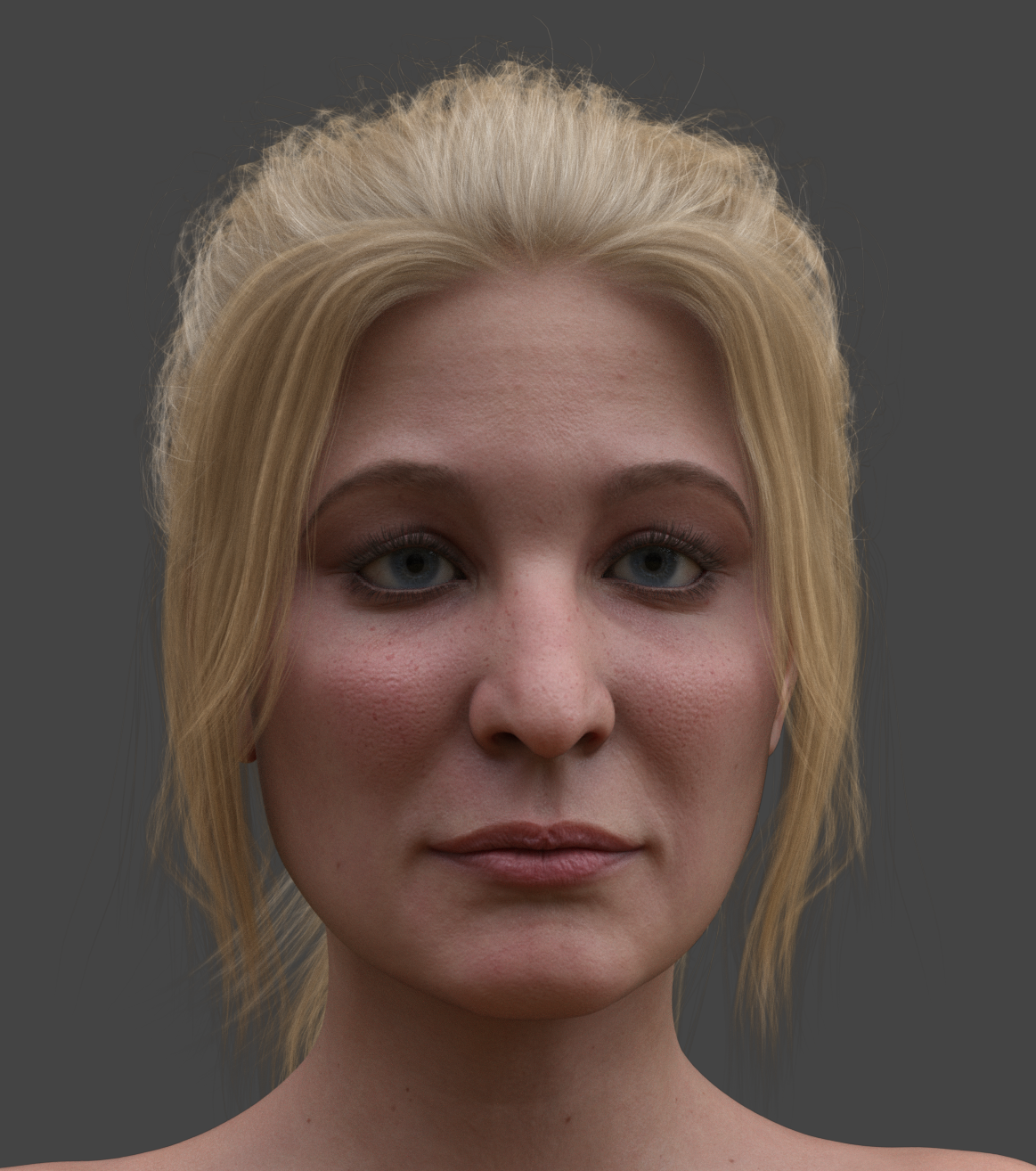
Celebrity Look-a-Likes for 3D figures part 3Magnus's Kaley Cuoco is pretty good (Victoria 8.1 mats). I still need to find good eyebrows for her, though.
 PA's please have G8 options in new G8.1 characters
Gordig said:
ChangelingChick said:
Gordig said:
MelissaGTsaid:
melaniesaid:
Some of the G8 characters came with a G3 version as well, so I would think it would be basically the same thing to include a G8 with the G8.1 characters.
No, not at all. G3 and G8 have the same UV map. G8 and G8.1 do not.
G3 and G8 have different geometry, meaning that for a morph to work on both it would have to be made for both. This is not true of G8 and G8.1.
This is true, but there are also utilities available to transfer shapes between 3 and 8 easily. It's also super simple to transfer shapes if there's a shared UV.
Is it any easier to transfer a G3 shape to G8 than it is to Map Transfer a G8.1 texture onto the G8 UV?
MelissaGT said:
Gordig said:
MelissaGT said:
melanie said:
Some of the G8 characters came with a G3 version as well, so I would think it would be basically the same thing to include a G8 with the G8.1 characters.
No, not at all. G3 and G8 have the same UV map. G8 and G8.1 do not.
G3 and G8 have different geometry, meaning that for a morph to work on both it would have to be made for both. This is not true of G8 and G8.1.
We're not talking about morphs here. We're talking about UV maps. Two different things. G3 and G8 have the exact same base UV map (barring custom UV characters such as Victoria 7, etc). Textures from base G8 can be used on base G3 and vice versa (I do it all the time). G8 and G8.1 do not have the same base UV map...therefore cannot use the same textures interchangeably. G8 textures can be used on G8.1 (with some manual swip-swapping). G8.1 textures (if they are genuinely 8.1 textures) cannot be used on G8.
I know they're different, but you're talking about the UV as if it's an insurmountable obstacle, where I would argue that it's no more difficult to offer a texture for both G8 and G8.1 than it is to offer a morph for both G3 and G8.
Also, it is possible to add the 8.1 UV to G8.
It is insurmountable if the PA is using a merchant resource based on the G8 UV map...or vice versa...on the 8.1 UV map. And lotsalots use merchant resources. The 8.1 UV uses a completely different texture map for the back of the head and neck...that texture map doesn't exist on the G8 UV (it's part of the torso map).
And yes...you can fanagle this stuff to work by changing the base program file structure or copy/pasting around in the file structure. That's how you get the G8 expressions working on 8.1. But can you imagine the hell that would break loose if a PA were to sell a character with added directions to the tune of "in order to get this product to work you have to do xyz in your file structure..."? LOL. You'd have multitudes of people who can't follow directions breaking their Daz installation.
PA's please have G8 options in new G8.1 charactersChangelingChick said:
Gordig said:
MelissaGTsaid:
melaniesaid:
Some of the G8 characters came with a G3 version as well, so I would think it would be basically the same thing to include a G8 with the G8.1 characters.
No, not at all. G3 and G8 have the same UV map. G8 and G8.1 do not.
G3 and G8 have different geometry, meaning that for a morph to work on both it would have to be made for both. This is not true of G8 and G8.1.
This is true, but there are also utilities available to transfer shapes between 3 and 8 easily. It's also super simple to transfer shapes if there's a shared UV.
Is it any easier to transfer a G3 shape to G8 than it is to Map Transfer a G8.1 texture onto the G8 UV?
MelissaGT said:
Gordig said:
MelissaGT said:
melanie said:
Some of the G8 characters came with a G3 version as well, so I would think it would be basically the same thing to include a G8 with the G8.1 characters.
No, not at all. G3 and G8 have the same UV map. G8 and G8.1 do not.
G3 and G8 have different geometry, meaning that for a morph to work on both it would have to be made for both. This is not true of G8 and G8.1.
We're not talking about morphs here. We're talking about UV maps. Two different things. G3 and G8 have the exact same base UV map (barring custom UV characters such as Victoria 7, etc). Textures from base G8 can be used on base G3 and vice versa (I do it all the time). G8 and G8.1 do not have the same base UV map...therefore cannot use the same textures interchangeably. G8 textures can be used on G8.1 (with some manual swip-swapping). G8.1 textures (if they are genuinely 8.1 textures) cannot be used on G8.
I know they're different, but you're talking about the UV as if it's an insurmountable obstacle, where I would argue that it's no more difficult to offer a texture for both G8 and G8.1 than it is to offer a morph for both G3 and G8.
Also, it is possible to add the 8.1 UV to G8.
Daz 3D is part of

Connect
DAZ Productions, Inc.
7533 S Center View Ct #4664
West Jordan, UT 84084Licensing Agreement | Terms of Service | Privacy Policy | EULA
© 2026 Daz Productions Inc. All Rights Reserved.