-
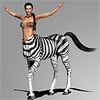
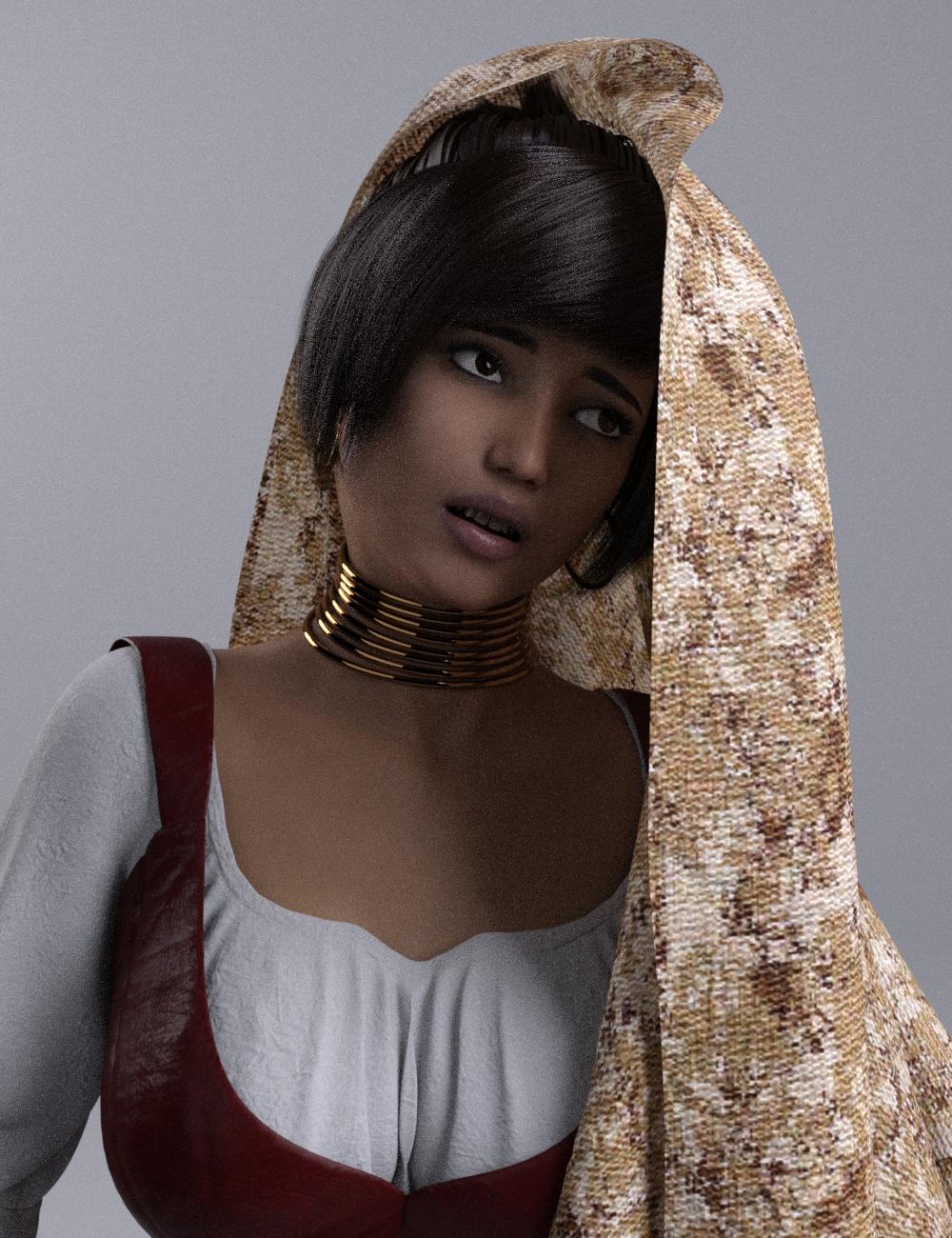
The new Centaur 'n stuff thread - reloadedThis pic turned out quite nicely, I think. I downloaded the Hivewire Horse again, found the iray shaders and converted the bump map to a normal map. About the foal: Actually I purchased the Kids4 years ago. But I do not have the foal morph, So I cannot tell if it will work with the current morph. But as the shape, especially of the neck area, is quite different, it might be easier to start from scratch.
Great image!
Good to see you back! I have been using your old versions forever since i hate the hight transition between horse and figure on the official DAZ centaur.
Looking forward to anything new you come up with for the newer figure!
Thank you, I am glad you like it!
FBM Fitness and JMCOK, so I 've made my FBM for CTRLFitness and replaced it with Morph Loader.
It works for Fitness Size (where I also replaced it) but not on the Fitness. I see this parameter is a bit differrent that the others, so
I'm probably missing something. Help please?
Edit: Also, please someone confirm: to fix this distortion when posing the Chest Lower, I would need a JMC?
This is what Google tells me, I'm a beginner, please forgive me.
I tried to change the weight map but it didn't actually make the change. Still distorted![Released] Character Converter from Genesis 3 Female to Genesis 8 Female(Now Conv JCMs) [Commercial]I'll be picking this up, but is it safe to assume that it will not transfer HD morphs if a character is using them?
Unfortunately, you are right. It cannot transfer HD morphs.
I wanted to know that too. What a pity. Nevertheless a great product. Just added it to ny wishlist. I already own a bunch of your products and they are all great! I have a huge V4 and M4 library, so I second a future support of this generation.Thank you for your support! I will add you to the list of people clamoring for it
 SereneNight's Sci-Fi Fun Thread 2
On the topic of men's clothing, this is a new release its Spiky Jacket for Genesis 8 Male by Zoro_D.
This is a nice piece of work. You get a jacket, a set of gloves and a leather texture for pants, if you own the Every day outfit. The jacket includes an open morph and a vest morph. There is a texture expansion.
I fit the jacket nicely over the dforce biker outfit. The included leather texture is nice, and works well wtih the spiked jacket.
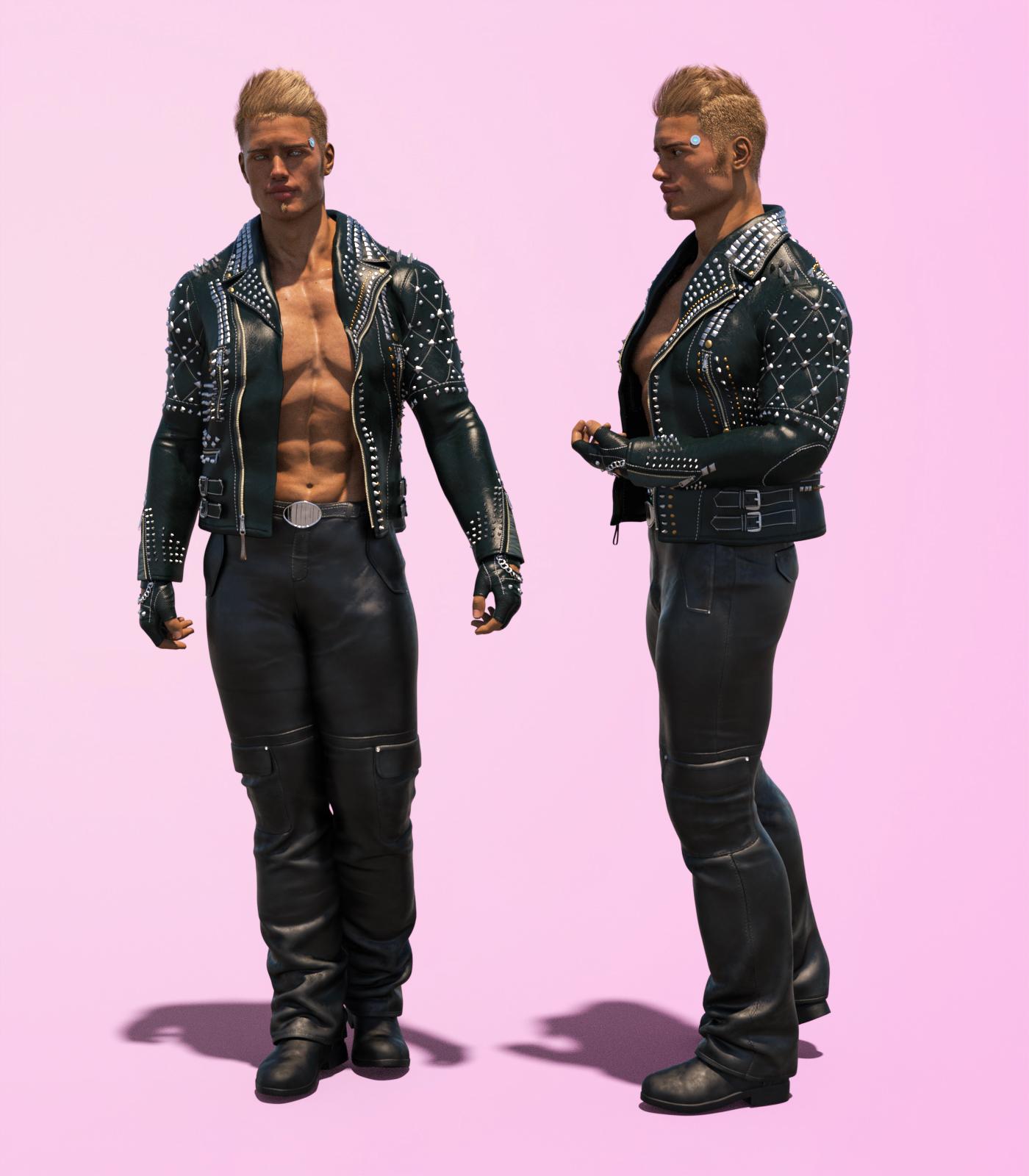
this jacket looks pretty cool!
Could GANs (deepfake technology) be used to create morphs?Thank you all for your input. Thank you RobotHeadArt and SadRobot for those links.
I saw (in the 80s/90s) from Japan some facial capture that worked pretty well, and with the issues Matt_Castle brought up, it seems like this might still be the way to go. (3D capture, then manually morphing a base character to match the pose and expression, then projecting the captured stuff to make a morph similarly to how normal maps used to be made by projecting high-res meshes onto low-res mesh UVs).
[Released] Character Converter from Genesis 3 Female to Genesis 8 Female(Now Conv JCMs) [Commercial]
I wanted to know that too. What a pity. Nevertheless a great product. Just added it to ny wishlist. I already own a bunch of your products and they are all great! I have a huge V4 and M4 library, so I second a future support of this generation.I'll be picking this up, but is it safe to assume that it will not transfer HD morphs if a character is using them?
Unfortunately, you are right. It cannot transfer HD morphs.
Body Diversity Morphs G8F Bug Zev0/DogzJust playing around with this. There is an issue with the morph 'BD Poportions Body Scale' that introduces asymmetry in the pectoral bones and thus the mesh. I'm posting a support ticket for this but just wanted to check in with others to see if it had been noticed too.
Cheer.

 MimicMolly's Renders & WIPs
Thanks to this utility by InTheFlesh, I was finally able to nearly successfully transfer one of my favorite G1 characters, Lyoness' Emily onto G8F. For some reason, she kept coming our quite deformed. I finally managed to get her approximate shape close, after going back and forth with Morph Loader Pro. I used this utility, mainly for the ear and eye deformers. I still need to fix her eyes but it's a start.
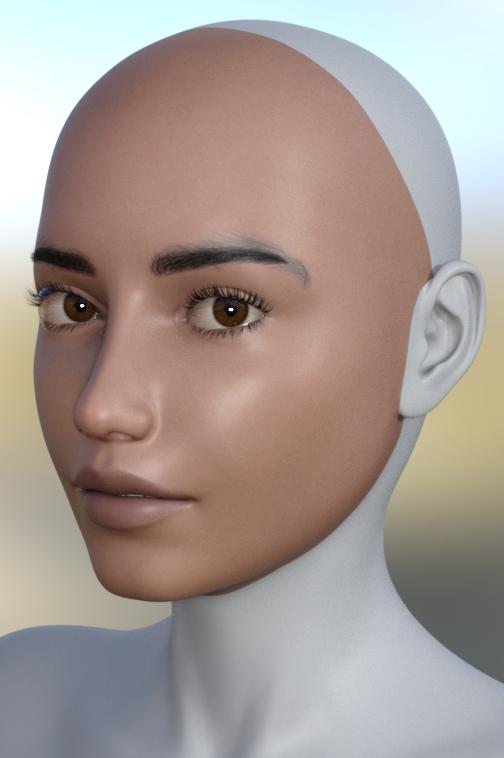
Here is Emily with Kala 8's skin. I'm still trying to figure out what I'm going to do with this scene.
 Need help with the export of a 3D character into C4D
You can try to use to transfer the DS model to C4D the I/O plugins from Ultimate Unwrap 3D Pro, they work great - https://www.unwrap3d.com/u3d/downloads.aspx
[Released] Character Converter from Genesis 3 Female to Genesis 8 Female(Now Conv JCMs) [Commercial]A long time ago I used Gen X & Gen X2 to transfer my favourite characters from V4 to G3F.
For its time, this was finely crafted software.
It also required the use of additional software, Blacksmith's Texture Transformer, for transfering the textures.
More often than not, I was pleased with the results, but morphs had to be transferred to G2F first.
This extra step was bothersome & reduced the accuracy of the conversion as the item was converted twice.I am pleased to see this new product plugging the gap between G3F & G8F too, as that was a process I never got to grips with.
I do hope that, in the fullness of time, there are products launched that take our archives from M4 / V4, Genesis 1, 2 & 3 to Genesis 8 in one hit.
This would certainly be a more elegant & efficient way of doing things.
Whilst textures included would be nice, that is just the cherry on top, as far as I am concerned.Thanks for your efforts with this product & future endeavours.
Yep, totally agree, especially with the part that the conversion steps reduced the accuracy of the conversion.
I hear you!
 I will investigate earlier generations. [Released] Character Converter from Genesis 3 Female to Genesis 8 Female(Now Conv JCMs) [Commercial]
A long time ago I used Gen X & Gen X2 to transfer my favourite characters from V4 to G3F.
For its time, this was finely crafted software.
It also required the use of additional software, Blacksmith's Texture Transformer, for transfering the textures.
More often than not, I was pleased with the results, but morphs had to be transferred to G2F first.
This extra step was bothersome & reduced the accuracy of the conversion as the item was converted twice.I am pleased to see this new product plugging the gap between G3F & G8F too, as that was a process I never got to grips with.
I do hope that, in the fullness of time, there are products launched that take our archives from M4 / V4, Genesis 1, 2 & 3 to Genesis 8 in one hit.
This would certainly be a more elegant & efficient way of doing things.
Whilst textures included would be nice, that is just the cherry on top, as far as I am concerned.Thanks for your efforts with this product & future endeavours.
Yep, totally agree, especially with the part that the conversion steps reduced the accuracy of the conversion.
Auto fit of v4 costumes to G3F doesn't work well with daz 4.11.https://www.daz3d.com/forums/discussion/3279/acceptable-ways-of-handling-nudity#latest - in this case you could probablt switch the Viewport mode to Smooth Shaded.
AutoFit is a way to convert fitted items between figures, morph projection is within the figure and should not care where the clothing came from. Have you tried aplying a Smoothing Modifier (Edit>Figure>Geometry>Apply Smoothing Modifier) to the outfit and setting the base figure as the collision target?
Generation 4 or 3 figures (v4, m4 etc) and smoothing morphsDaz Studio does have the Transfer Active Morphs function, right-click on the figure, and you can then apply a Smoothing Modifier from Edit>Figure>Geometry. Still, for soemthing like this a custom morph created in a modelling or scltping applciation and brought in via Morph Loader is probably your best bet.
Auto fit of v4 costumes to G3F doesn't work well with daz 4.11.First, your second image shows bare breasts so it's not respecting the forums TOS, which means it will likely be removed by a moderator.
Regarding the morph following problem:
- Is the outfiit actually fitted to your G3F figure?
- Does it work properly with an outfit made for G3F?
G8F high heels / StilettosThe best heeled shoes creator was Idler168. He seems to be missing somewhere in China. That why I use V4.2 again and again. High heel shoes seems to be very difficult to build properly: Lot of hard work for not so many sales probably
idler is releasing products over at renderosity, but they are few and far between and there are some heels if you all don't have them yet. Sadly Arryn seems to moved on to dforce dresses along with the heels being the afterthought it seems.
Even though I am a heel lover and miss some of the great ones I had with V4, the figure comes first with me and there is no way I could go back to V4, just too big a difference in quality.IMO
The high resolution texturse and the hd morphs of G8 are great but V4.2 is still impressive. There is plenty of corrective morph and a huge library of pose... Just a sample of my lastest iteration of V4.2 + Idler168 shoes of course.
The best heeled shoes creator was Idler168. He seems to be missing somewhere in China. That why I use V4.2 again and again. High heel shoes seems to be very difficult to build properly: Lot of hard work for not so many sales probably
idler is releasing products over at renderosity, but they are few and far between and there are some heels if you all don't have them yet. Sadly Arryn seems to moved on to dforce dresses along with the heels being the afterthought it seems.
Even though I am a heel lover and miss some of the great ones I had with V4, the figure comes first with me and there is no way I could go back to V4, just too big a difference in quality.IMO
V4.2 is still impressive, check my latest creation (Idler168 ankle boot for V4..) :
But of course, G8F high resolution morph and textures are far better.
Infernal Succubus Outfit and Add-Ons for Genesis 8 Female [Commercial]Hey, I am curious what model/textures is used in the promo image. Is it a custom morph or something available on the daz store?
has Vicki lost her iconic status?has Vicki lost her iconic status?
Probably, but that's because all the Genesis figures aren't built off of Victoria, but off of the base Genesis figure.
I've only been doing 3D art for about 3 years, so I wasn't around for the days that Victoria 4 was the base figure. By the time I got here, there was already Genesis 1 as the base figure, Genesis 2 as the base figure, and Genesis 3 as the base figure. To this day though you still get people who think that all of the Genesis 8 figures are built off of Victoria 8. lol Victoria has only been a morph of the base figure since Genesis 1, not the base figure herself. She and Michael are still the flagship figures though.
I see more "raw Genesis 8" renders then I do of Victoria 8 - I'm sure if Victoria 8 was the first thing that pops up when you load the base figure, we'd see more V8 renders.
Could GANs (deepfake technology) be used to create morphs?Check out this project: https://github.com/YadiraF/PRNet
I had a thread trying to use it to do just what you're talking about, but creating the morph from the generated file proved difficult and I ended up losing interest after a while. But I lose interest quickly.
[Released] Character Converter from Genesis 3 Female to Genesis 8 Female(Now Conv JCMs) [Commercial]A long time ago I used Gen X & Gen X2 to transfer my favourite characters from V4 to G3F.
For its time, this was finely crafted software.
It also required the use of additional software, Blacksmith's Texture Transformer, for transfering the textures.
More often than not, I was pleased with the results, but morphs had to be transferred to G2F first.
This extra step was bothersome & reduced the accuracy of the conversion as the item was converted twice.I am pleased to see this new product plugging the gap between G3F & G8F too, as that was a process I never got to grips with.
I do hope that, in the fullness of time, there are products launched that take our archives from M4 / V4, Genesis 1, 2 & 3 to Genesis 8 in one hit.
This would certainly be a more elegant & efficient way of doing things.
Whilst textures included would be nice, that is just the cherry on top, as far as I am concerned.Thanks for your efforts with this product & future endeavours.
You're welcome!
[Released] Character Converter from Genesis 3 Female to Genesis 8 Female(Now Conv JCMs) [Commercial]Yeah, it's disapointing, but at this point, now that G8 has its own version of the Toon Generations as well as Cartoonize (the sample character was built before either of those were available for G8) it might be better to just start over from G8 directly. The project this character was built for will continue to use this version, but new projects will probably get new character models.
I shudder at the prospect of trying to move the G1 stuff forward. If just moving up one version went this badly, trying to leapfrog something like three sounds fairly dire.
BTW, if any morphs were actually saved from either ot those attemps, they are not where you say they are supposed to be. The Vendor name by default was presumably my name, or that's what showed up in the text box for Vendor, and there is no entry with my name in the data/DAZ 3D/Genesis 8/female/Morphs folder whatsoever. I checked Genesis 3 as well just in case, but nothing there either. Nothing shows up in either the parameters or the shaping pallates, either.
Admittedly, the only thing I saved was the scene, not anything else.
The data/DAZ 3D/Genesis 8/female/Morph is under the first path defined in your content manager, on Windows this is usually Documents/Daz 3D/Studio/My Library (I don't know for Mac).
Daz 3D is part of

Connect
DAZ Productions, Inc.
7533 S Center View Ct #4664
West Jordan, UT 84084Licensing Agreement | Terms of Service | Privacy Policy | EULA
© 2026 Daz Productions Inc. All Rights Reserved.