-
Released: dForce JW Clothes Mega Pack for Genesis 8 Female(s) (Commercial)
Get more clothes for your wardrobe and try different combinations with "dForce JW clothes Pack for Genesis 8 Female(s)".
This pack contains 3 tops and 3 skirts for genesis 8 Female and it's characters (FBM morphs included), designed specially to be easily combinable not only with clothes of this pack, but also with more clothes that you own taking advantage of dForce technology.
All clothes use dForce settings, this means that you will get different and natural shapes depending of your character's pose, additionally several morph-dials for each prop are included to adjust and get more shape effects quickly. :-)Can't Find Genesis Expressions Morph DialsWhat you are looking at in the Head are dummy dials, they only have ERC that connects them to the actual HIDDEN morph dials in the Body.
It's actually a "throw back" to Poser figures, in those figures to get at the expression morphs you had to select the Head bone, attached to that bone was the mesh group for the head and the morph deltas for that mesh group.
With a DS figure the mesh and bones are kept separate, as a result all morph deltas are stored in the Body, so any dials on a bone are empty as there is no mesh there for them to work on.
Importing saved V4 bases characters from PZ3 files - geometry issuesHi all,
I'm probably one of the last dinosaurs still dabbling with Poser, which means I'm pretty much stuck with the V4/M4 figures. I've been looking at Genesis for a while now, and tried time and time again to make the switch to DAZ; Every time I was pushed back by how...well, the only word coming to mind is "horrible" the experience of working in DAZ was. Nothing of my existing library worked, poses etc wouldn't apply well and so on. Plus, the interface was an isane, unreadable cluttered mess with no concept of how things affect one another. This was a few years ago.
Fast forward to today - the interface...still looks like the guys at DAZ read a book about user-friendly interfaces and decided to do the exact opposite, but at least things work - I can use most of my existing library and even adapt V4 clothes figures to a Genesis character, which is a great thing as I wouldn't neet to start completely from scratch.
So, WILLING to give this a bit of a go, but I've ran into a pretty odd issue - every time I try to import a PZ3 containing a V4 character, the geometry gets messed up pretty badly; The more morphs, the worse it gets. This is NOT RELATED TO THE PMD file issue - I have Poser set up to save everything in the PZ3.
I've tried saving a simple V4.2 character in Poser, no morph targets applied...it imports OK for the most part, with the exeption of the hips, which come up as shown in attachment #1.
Attachment #2 (WARNING: FUEL FOR NIGTHMARES) shows what happens when I import a more complex character. No errors were thrown during the import process in either case.
Any ideas about what's going on here?
Face of Genesis 8 female base model has changed@mgessat_f159911d19 "this is a bad, annoying bug in Daz3D, I can only repeat that!!!"
It's not a bug in the Studio software. It's either a character bug, or what happens when the user adds a morph to the base and saves without renaming.
Your screenshot shows that you have hidden morphs with values > 0.0. You should not have those for the base Genesis 8 female.
XTransfer Module 1- Genesis 3 to Genesis 8 Morph Converter (Commercial)Thanks, Zev0. Does "favourited" mean "selected," or does it refer to: The clicking of the heart icon on a parameter?
Yes the heart icon. And If you want to favourite multiple morphs all at once, just go into edit mode, then hold shift and click on selection, right click and favourite selection. We didn't want the morph selection to be within a script. We found selecting morphs natively on the figure a better approach, since most users are used to finding morphs that way on their figures.
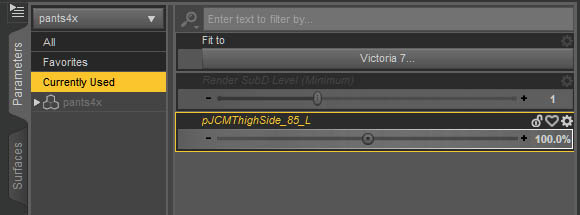
I don't see heart icons. How do you make a heart icon appear? Can anyone post a screen shot of where the heart icons are?
You can find them on the Parameters, right beside the morph name:
 More Non-photorealisitic Renders (NPR II)
Converted the Virgin hair to PWToon in the style I've gotten very happy with. Worked fine! (Originally I was using opacity to shorten the hair more, but I forgot how much 3dl just grinds to a halt with opacity maps overlapped. Seriously, like it was taking 20x as long or worse. So I ended up going 'nuts to this' and using the regular hair mostly as is with Shorten morph maxed.)
To make the hair more toony, I reduced the hairs per guide hair by about 1/5, and changed line width. The baby hairs, linewidth 1. The other hairs, linewidth 5.
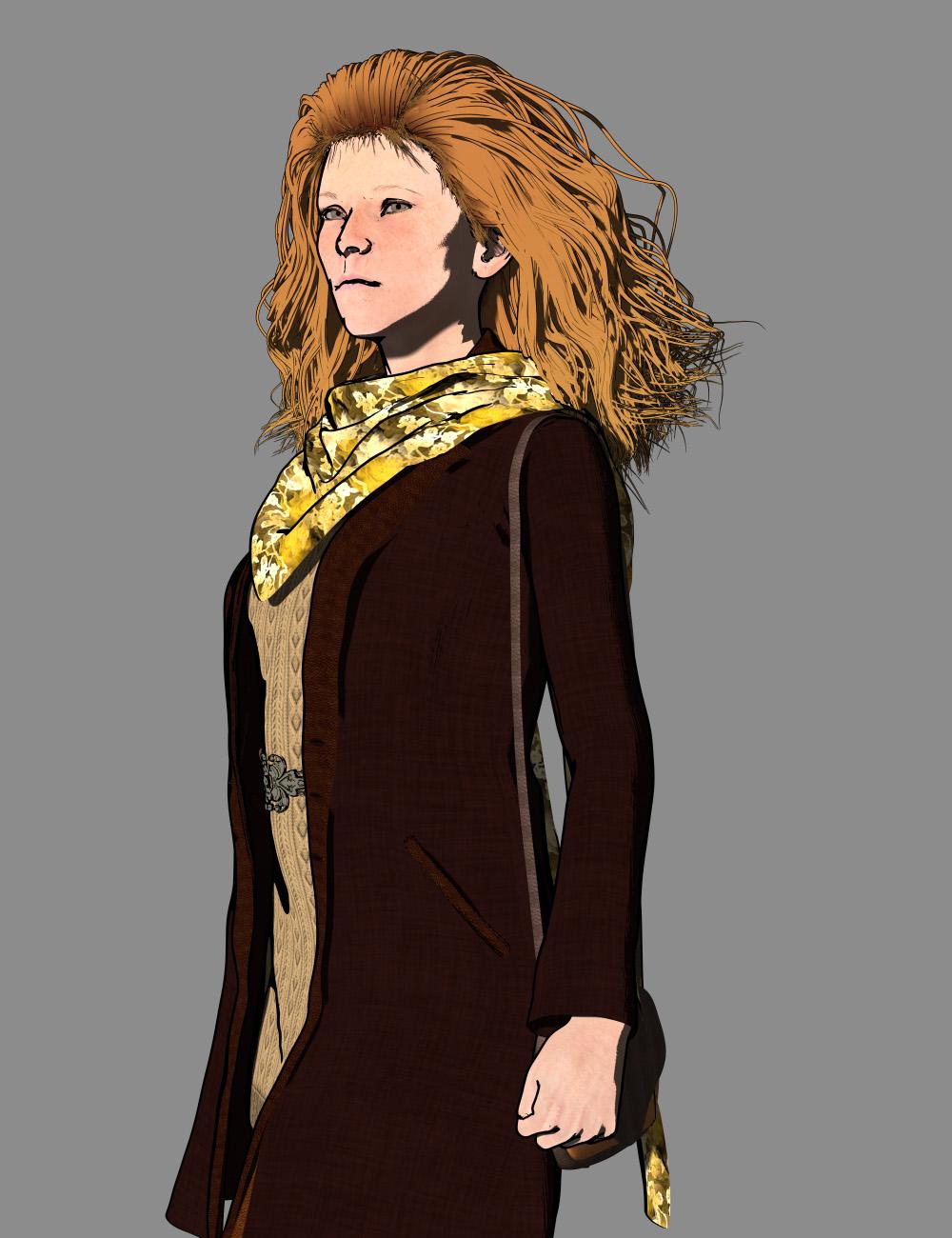
Nice hair, the linework is really impressive.
XTransfer Module 1- Genesis 3 to Genesis 8 Morph Converter (Commercial)Thanks, Zev0. Does "favourited" mean "selected," or does it refer to: The clicking of the heart icon on a parameter?
Yes the heart icon. And If you want to favourite multiple morphs all at once, just go into edit mode, then hold shift and click on selection, right click and favourite selection. We didn't want the morph selection to be within a script. We found selecting morphs natively on the figure a better approach, since most users are used to finding morphs that way on their figures.
I don't see heart icons. How do you make a heart icon appear? Can anyone post a screen shot of where the heart icons are?
What to start with?The starter bundles have generic Adult people. That's free, no cost.
Other than the Adult age?? You're going to need the ability to morph the generic Adults or buy ready-made figures of dfiferent ages.
I'd imagine loading a basic human figure with rigging into Blender would be better than to use Daz as a visual reference.
mcjTeleBlender:Daz Studio scenes/animations w/Blender's Cycles Engineit renders animations by rendering each obj/mtl geometry, and there's a blender script that positions the cameras and lights and adjusts materials
over the years i tried exporting animated scenes as fbx and collada but it didnt work
i recently learned (unless i forgot about it ) that someone was able to import daz scenes and figures , i think from duf files
http://diffeomorphic.blogspot.com/p/posing-panel.html
mcjTeleBlender 3 can help you render animations in MDD format, but you have to convert the exported .obj files to the MDD format
-----
today i want make the MDD function of mcjTeleBlender 4 Beta work ( maybe it still does )
i also have to work on the libmat and matlib functions
then maybe maybe try to see if i can make transfer via FBX or Collada work
my 2015 MDD experiment
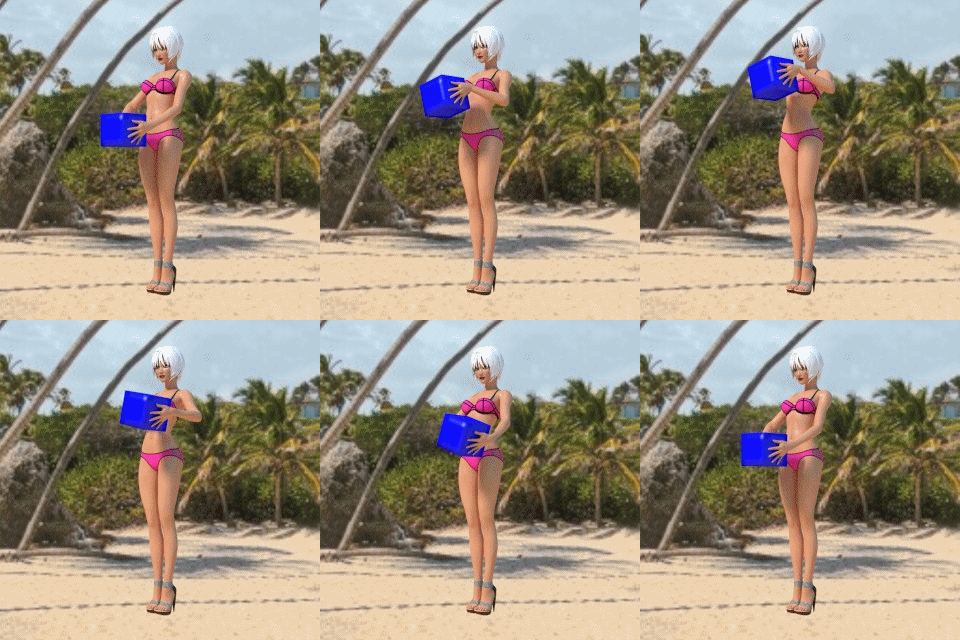
Thanks for letting us play with this. I can't seem to get it to import the animation into Blender. When I run the batch file it just renders the images instead of importing the animated models into Blender. How do you import all the OBJ files into Blender as an animated figure? I was hoping to bring in an animated Dog 8 and add fur in Blender
Face of Genesis 8 female base model has changedHi,
again I had the same problem, the G8 female face was changed by a morph which was loaded as default - I guess it's exactly the morph the thread starter described ("puffed up lips and eyes looking off to the side"). I add a screenshot of my altered G8; perhaps he/she will recognise it

Of course the general problem is not new for me (and I tried to help in former cases https://www.daz3d.com/forums/discussion/232436/g8f-distorted-on-loading / https://www.daz3d.com/forums/discussion/210166/g8f-loading-with-a-funky-face and in several G8 male cases with "ManHippo" distortion...)
Here it was a nightmare again, it took several hours to detect the morph which was causing the problem. Look at the screenshot - "show hidden morphs" is activated, but the active morph causing the alteration is NOT shown - this is a bad, annoying bug in Daz3D, I can only repeat that!!!
I scrolled through all shown and hidden parameters in my huge library - there are thousands,and in none was a value other than 0; with the exception of the shown correction morphs relating to the thighs - that's a bug in the causing product, too - but not causing the face distortion.
And then; in some moments - I cannot even tell when it was there and when not, it's really voodoo - there was an entry in "currently used" for a head morph "Erevan Airy", shown with the value 0; so it should be not active (and was undetectible by scrolling the parameter list...) But the default value shown in the Parameter settings was 100 - this morph WAS active by default, even without showing it - not in the "currently used" panel, not in the parameter list.
I can only repeat - that's a so time and nerves wasting bug - and I must say, that's bad for the Daz3D business. If my base figure is distorted and my purchased characters are distorted, too - I do not buy any more characters, because they do not look as they should.
I have a legal question.Can characters that I morph in Daz Studio be used as photo references to create dolls or manneqins for commercial purposes? I assume that because the mannequins would be recreated through rendered images that it would be fine, but I could be mistaken.
GoZ exports mesh to nowhere.Is this a mesh you created in ZBrush or is it soemthing you had already had in DS and sent across?
the latter, specifically a basic G3F figure with the intention of sending the same mesh back with sculpts, no added verts or geometry.
to my understanding, the original GoZ actions were to import the mesh and then export it back to Daz where it would be reimported as a morph loader.GoZ exports mesh to nowhere.I am on Zbrush 2019 and I finally got the GoZ app to export the mesh instead of crashing. problem is the dialogue box in the upper left corner just says the file was exported and no Morph loader box opens in DAZ3D and I can't seem to find the mesh. i tried reinstalling the GoZ and updating the paths but the problem still persists.
is it missing a line of code that's supposed to open the Daz3D app and load the mesh as a morph target or something?Issues with morphs projected on to geograftsSorry, I'm not following what you are saying here (the details of what is working and what isn't).
I think the images I posted previously show what is/isn't working best in terms of bones moving/not moving as required when the morph is applied. You can imagine how that wrecks the rigging and hence posing the bones results in horrible mesh distortion.
Or if you have access to the tutorial by Blondie999 that I mentioned, then refer to section 7.6.4 'Morphing Problems' and in particulary section 7.6.4.2 'The Bone Ghosting Problem', which shows exactly the same problem I am having.
License the meaning behind it?In your hypothetical if a company wanted the content also they would have to buy it themselves. The Interactive license does not allow you to transfer for free or profit ownership of DAZ's copyrighted property.
Zero Figure Posedepend of the morph and added clothes
more time takes by face expressionsXTransfer Module 1- Genesis 3 to Genesis 8 Morph Converter (Commercial)No Idea..... We ran into a serious issue where the morph deltas sometimes refused to stick when you opened a new Genesis 8. So when you dialled up the morph slider the figure didn't change. It's a bug in studio but we busy on a work around because we cannot wait for a studio update just to address this problem. We will get our sales when the time comes lol...hopefully

Credit card standing by.
Once you do release, how long do you think it might be between the G3 to G8 and the G8 to G3?
— Walt Sterdan
Anyone used the G2M Gargoyle?the wings and the horns are part of the succubus addon, so you will need it.
Actually just the wings are from the succubus...the horns are a morph
Thanks, this is in my wishlist right now. I hate having to budget sometimes
No one asked me - Diomede screenshots on whatever - Warning AI Discussion OKThank you, Wendy!!!
Yay - saving as a support asset fixed it. The custom G8M blended weight clothes morph with figure and conform to poses.
 P3D Latonya Enhanced Morph Pack
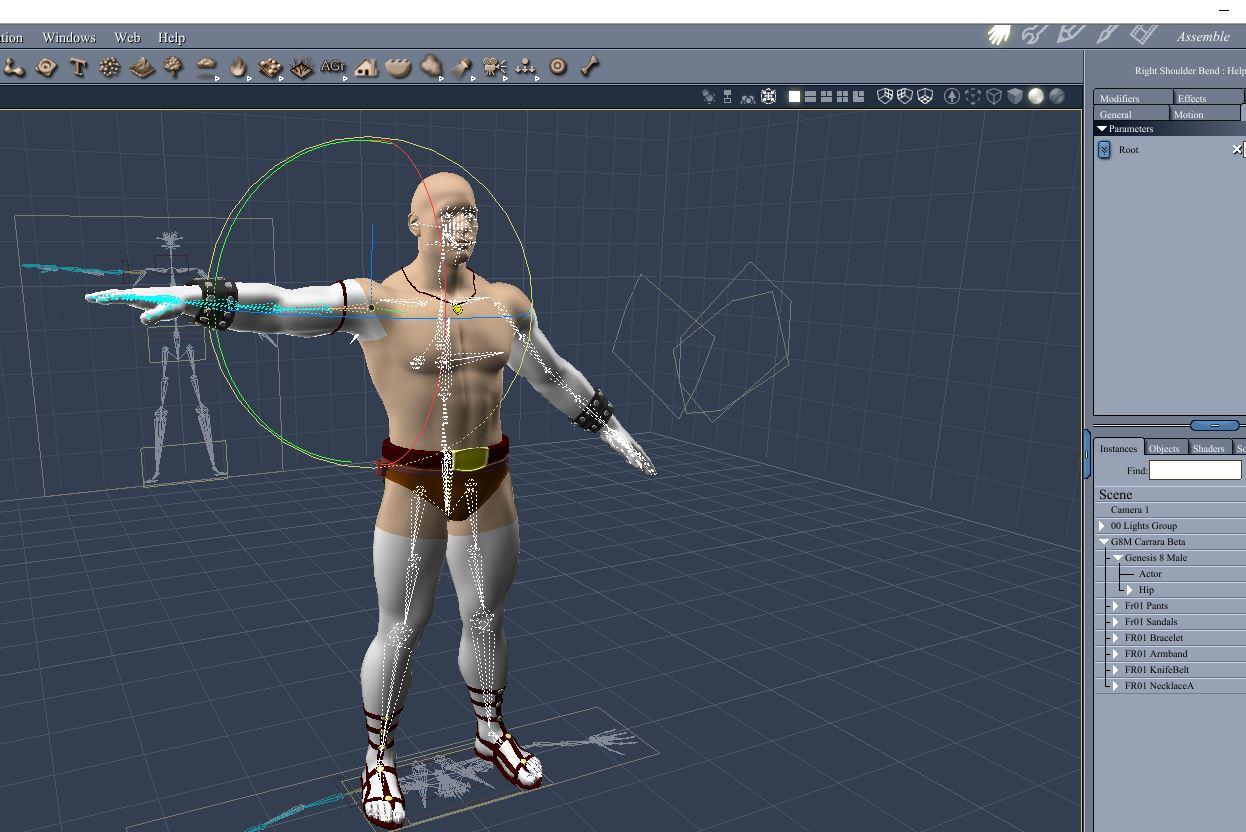
Maybe I don't understand morphs completely yet, but applying the Imani, or Cassie body type to the Latonya base figure will get you nothing resembling promo shots of the body proportions of those characters.
Daz 3D is part of

Connect
DAZ Productions, Inc.
7533 S Center View Ct #4664
West Jordan, UT 84084Licensing Agreement | Terms of Service | Privacy Policy | EULA
© 2026 Daz Productions Inc. All Rights Reserved.