-
Diego 8
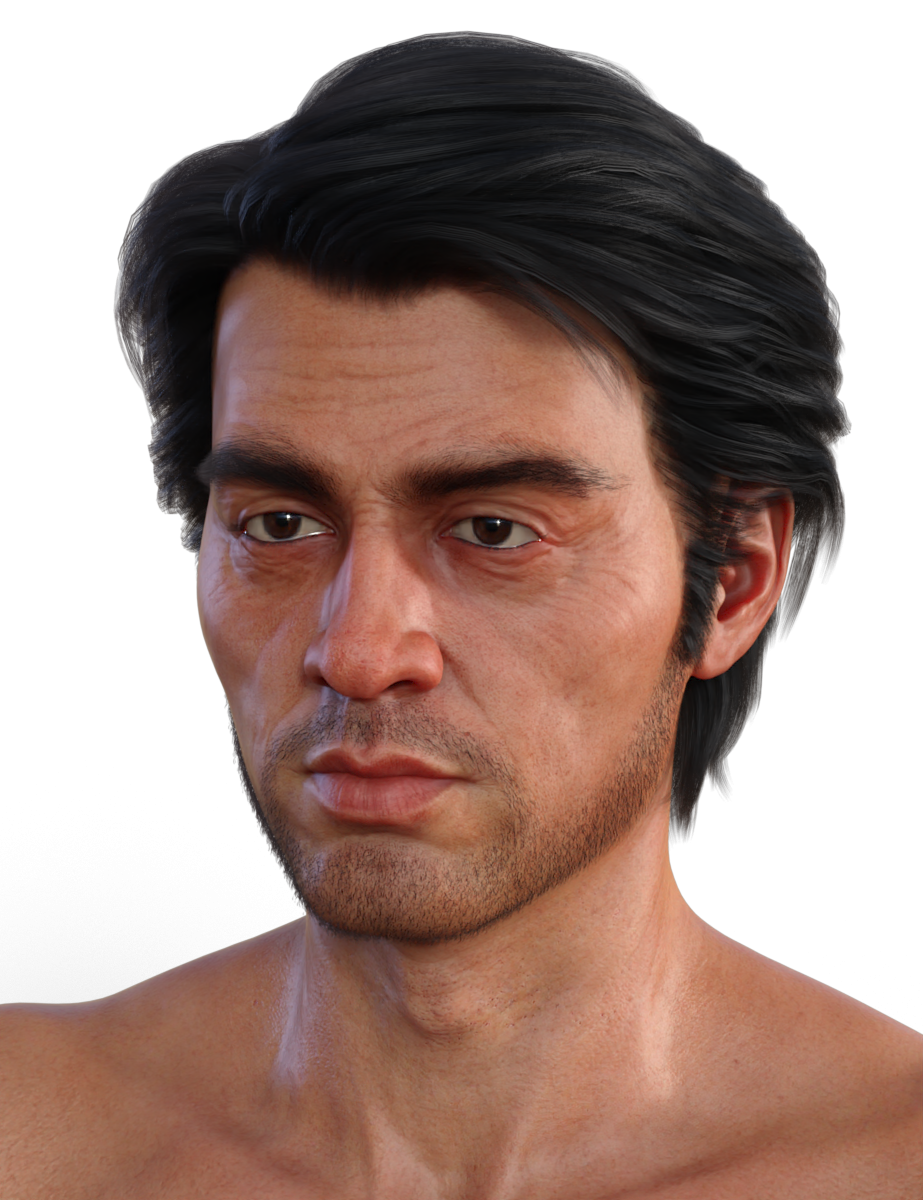
Christian's maps and HD morph are just about perfect for making an older and/or more weathered Diego ;).
Laurie
 render Daz Studio animations in Blender Script that fixes FBX Animation problems
render Daz Studio anims in Blender FBX Animation
https://sites.google.com/site/mcasualsdazscripts9/mcjexportfigureanimtoblender
For each figure in the scene
For each frame of the playRange
Export the figure pose-animation as Blender-Python-Script code
The resulting Blender Python Script can be used after manually importing
the FBX scene that was manually exported from Daz Studio
Note that this functionality will be added to mcjTeleBlender 4 Beta
mcjTeleBlender can also create blender-python scripts to fix the materials produced by the FBX transfer
https://sites.google.com/site/mcasualsdazscripts9/mcjteleblender4temprelease
 Darwins' Schtuff Pt Deux
So here is a peek of his base skin with the starting idea of the scarring (texture-wise). Testing out how it looked without the HD morph so far, to see if I matched the tonal range of a burn on such fair skin:
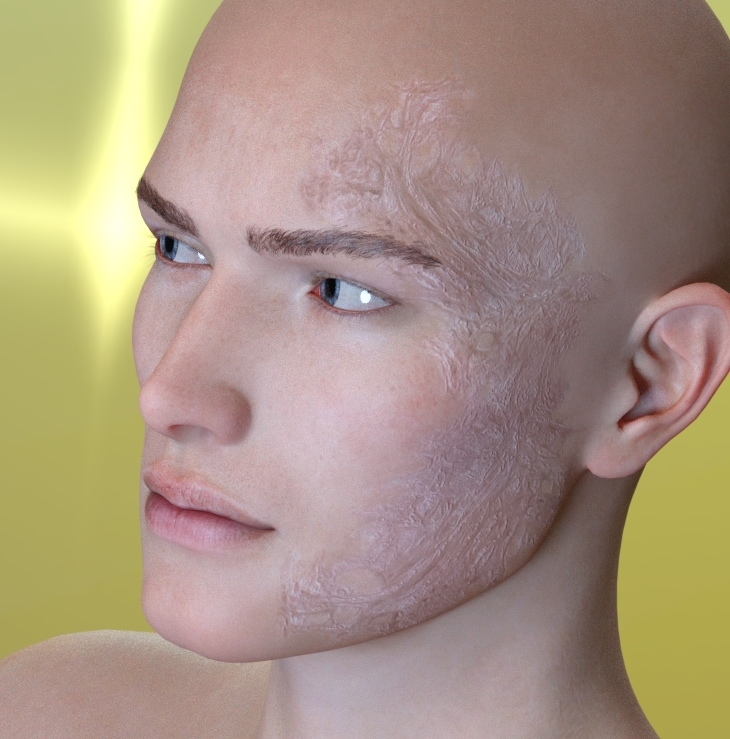
This is with the HD Morph added (SubD 3); The bottom needs shifted, and more added and I need to shift it away from the scarring going down the cheek, jaw and to the area where the jaw meets the neckline. The top- not bad. Need to add more to the top areas of the HD morph and along the side of his head/ear but it's getting there.
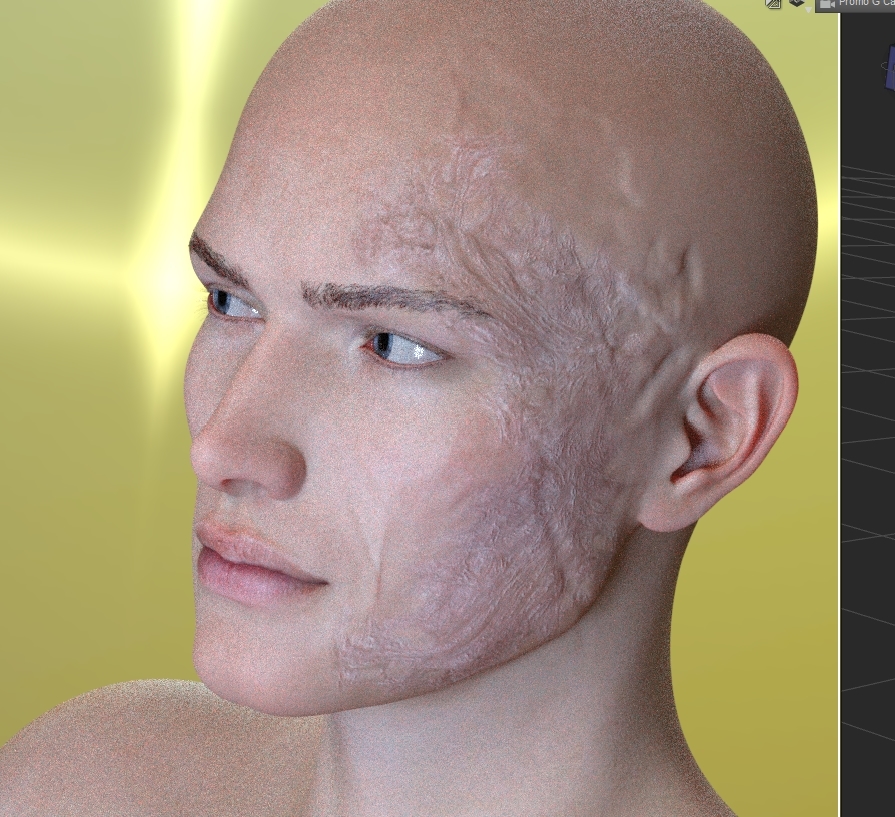 dog 8 dog 8 woof woof we finally have a dog 8
lol ... I mean wider than what the morphs are allowing me to do unless I'm missing something... I don't mean exactly like an elephant...just more floppy/real looking, like in the picture
Have you tried disabling the limits on the morph, or just manually scaling the bones?
My freebiesi thought the "default" in the settings of the created morph was just for the morph. now i know its for the default G8. i had put it at 100 instead leaving it at zero. now i know better :). G8 a pain in the neck for me. i might go back to G3
ok there is a minor issue where Bunny
Cutshape loads unto the default G8 when loading G8. a simply wrong notation casuing all this mess...ugh! simply turn Bunny shape to zero in parameters/shape tab... can't believe this woman giving me such hassle to make *laughs*
Do you mean that any time we load the default/basic Genesis 8 female character we have to turn the 'Bunny shape' to zero? Isn't that what @music2u4u was complaining about in the first place? That installing 'Bunny' affects the default/basic Genesis 8 female character? Which ofcourse is an unwanted situation. I was hoping that you had fixed that issue because I really like this 'Bunny' character a lot, she's badass!
Diego 8Did anyone buy JP Roderick? It's asking for a Darwin's Mishap eyelash morph when I click to load the character.

I tried loading JP Roderick. I didn't get the screens you did, but it said at the end that there were errors and to see the logs. But it did load a figure that was muscular. I looked at the log and it said it couldn't find like 20 morphs and a couple other things, but I can't remember what they were.
Do you have the character Jeroyn? If so you won’t get the error.
Diego 8Did anyone buy JP Roderick? It's asking for a Darwin's Mishap eyelash morph when I click to load the character.
I tried loading JP Roderick. I didn't get the screens you did, but it said at the end that there were errors and to see the logs. But it did load a figure that was muscular. I looked at the log and it said it couldn't find like 20 morphs and a couple other things, but I can't remember what they were.
Jepe's Roderick has the Genesis 8 Male Head and Body morphs listed as Require Products:
Required Products:
If you don't have those it could be what's throwing up the error messages.
Diego 8Did anyone buy JP Roderick? It's asking for a Darwin's Mishap eyelash morph when I click to load the character.
I tried loading JP Roderick. I didn't get the screens you did, but it said at the end that there were errors and to see the logs. But it did load a figure that was muscular. I looked at the log and it said it couldn't find like 20 morphs and a couple other things, but I can't remember what they were.
Diego 8^ Sold!

It's funny, without Diego or any other morph, your "handwriting" comes through much more... I would have immediately guessed who modeled him!
 Posed Daz to Marvelous Designer
Is there a problem with loading OBJs as morph targets in Marvelous Designer? (I only use alembic exporter because i own it, but i think most people do the OBJ morph-target method)
I think that, for a still scene, OBJ/Morph is fine (at least I haven't noticed a problem yet but I'm not very experienced). OBJ/MDD or Alembic both use OBJ as the basis for the export and then transfer the animation data in another file which is read by Marvelous Designer (again, that's how I understand it). I've seen comments that MDD is a better option than Alembic but I haven't had the chance to experiment yet.
dForce MyGuy Jeans&Shirt WeightMap Tut. by DestinysGardenPose and morph your guy, go to the simulation tab and click the simulate button.
Auto Face Enhancer [Commercial]Working on the HD SD3. Spent the last 2 weeks figuring out how to get HD Morph to work with AFE. I see now why Daz3d release HD per characters. It is looking really good, just taking too long to create the morphs. All those purchased AFE female you will be in for a treat. Lost 2 weeks on one bad vertex in this geometry. The best part is knowing how to fix it NOW!
Damn! That does look good! Can't wait!!!
Going back to your previous post, with this update, will we need to export and reimport? I'm having wrinkle problems when combining character morphs (some of them are HD, but I dial that out...)
Posed Daz to Marvelous DesignerIs there a problem with loading OBJs as morph targets in Marvelous Designer? (I only use alembic exporter because i own it, but i think most people do the OBJ morph-target method)
Figure with a SUPERMODEL body?I would add that Sakura 8 has some awesome rib cage morphs if you want to show individual rib bones on the skinny girls.
https://www.daz3d.com/sakura-8
Sakura 8 isn't what you want in terms of a single "supermodel" dial, but the "Ribs Details" morph is a must-have IMO.
Worth getting just for those related morphs.
Not sure where they're from, but there are also some spine enhancing ones too; they basically show the spinal column bones poking out.
Who said Blender was hard?Just to add a couple of other things that may be useful to what has already been said..
- It doesn't appear there is a way to directly select a surface in Blender by clicking on it like we can with the Surface Selection tool in Studio. You have to select the object, then select the surface from the menu or drop-down box in the node editor. Is this correct?
Blender doesn't have a direct equivalent to surface selection tool. (You would almost need - yet another - mode.) But it's more flexible :).
In object mode, to select all objects sharing a particular material, select one object that has the material assigned to it; then click on the relevant material in the Materials tab of the Properties panel; now hit Shift-L in the viewport and select Material from the pop-up menu. All other objects sharing that material will be selected. (Same option via the menu is Select->Select Linked->Material.)
To add to what donaldblade says about Edit mode, note that you can put multiple objects into edit mode at the same time, and then the Select button in the Materials tab will select the areas on all the objects being edited that have the highlighted material. Useful to replace one material with another on all objects using it.
- Is FBX the preferred export file format for sending things from Studio to Blender? So far, OBJs have come in as a mess and DAE files don't seem to apply textures well.
+1 for forgetting about FBX as a transfer format between DS and Blender, in either direction. It's a total crapshoot. Stick to OBJ, mcjTeleBlender or Thomas Larsson's 'Daz Importer' plugin for Blender on his Diffeomorphic blog, as mentioned by Nath. Depends on what you need. I personally lean towards the 'Import Daz' plugin - it will import the Daz rig for you, and can import JCMs as corrective shape keys, facial expressions as shape keys, poses and animations (as actions).
Looking for Miku Miku Dance enthusiasts that like using DAZ as an MMD platformpdr0 the motion was like that inside 3DXchange also. On thousand year snow if you tried using the vmd in MMD you would notice that the legs will not turn with the rest of the body. Some motions require disconnecting IK bones inside of PMX editor. That is why the FlyingSpirits motions include a special model to use. However that is what I was saying about filtering the FBX created in the conversion process throug Ikinema. It eleminates the issues from the hip down.
I found the motion, but had to jump through hoops to get it. The first few searches were dead ends , had to register, join some site in a diffrerent language. No thanks. Finally found another path, had to Google translate the readme, password hint not in english, translate that, figure out the number puzzle. This one wasn't that bad, but I don't know what this MMD mentality of this shell game is for some of these motion tracers. This "hoop jumping" wasn't that bad compared to others, but still good waste of time. /Rant overIf anyone cares,I found the answer of the easter egg hunt from the text in this YT video

But I'm pretty sure the problem was your PMX base. You probably didn't have twist bones . It should solve and transfer to G8 correctly without major issues. If your twist bones aren't applied correctly, the motion should still be fairly close (none of the spaghetti 550 degree forearm rotation) . pmx2fbx worked as expected for me using a TDA Luka model in terms of the arm twists and overall
Here an example of what I mean about different motion with pmx2fbx compared to MMD . On the same frame, in MMD (right side in the picture), the big toe is slightly penetrating the ground plane. But the FBX converted version (left side in the picture) has all the toes well below the ground, and the angle of the foot and toes is different too .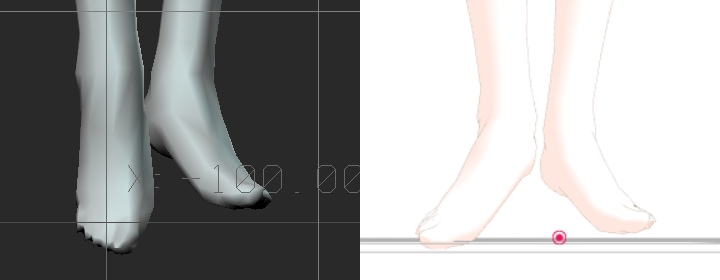
This was a TDA Luka model , the model was exactly the same for both MMD and pmx2fbx. The point is - the motion and curve interpretation of pmx2fbx is different than MMD , so you get lots of little problems . The FBX motion is never as clean as the original. You can call these "minor", but those multiple little problems become even bigger problems when you retarget to other characters, especially ones that have different shapes and skeletal propotions (taller, fatter, etc...) . It's just more work than you should have to do . And yet, this pmx2fbx method is still the best one overall
Auto Face Enhancer [Commercial]Working on the HD SD3. Spent the last 2 weeks figuring out how to get HD Morph to work with AFE. I see now why Daz3d release HD per characters. It is looking really good, just taking too long to create the morphs. All those purchased AFE female you will be in for a treat. Lost 2 weeks on one bad vertex in this geometry. The best part is knowing how to fix it NOW!
Damn! That does look good! Can't wait!!!
Auto Face Enhancer [Commercial]Working on the HD SD3. Spent the last 2 weeks figuring out how to get HD Morph to work with AFE. I see now why Daz3d release HD per characters. It is looking really good, just taking too long to create the morphs. All those purchased AFE female you will be in for a treat. Lost 2 weeks on one bad vertex in this geometry. The best part is knowing how to fix it NOW!
mcjTeleBlender:Daz Studio scenes/animations w/Blender's Cycles Enginehttps://www.youtube.com/watch?v=9WvIIuQpvU8
sneak preview mcjTeleBlender 4 for Blender 2.8 - FBX pipeline
This scene was exported
from Daz Studio using
the FBX file format.
Unfortunately the animation
transfer is horrible, so ...
... i wrote a Daz Script
which exports the animation
as a blender python script.
Then in Blender i imported
the FBX scene-file.
Then i applied the blender script
which fixed the animation.
This will be part of
mcjTeleBlender 4 for Blender 2.8
which used to transfer static
scenes through the .obj/.mtl format
The most important feature of
mcjTeleBlender ( since 2011 )
is that it builds the node-tree-materials.
It also re-creates lights and cameras,
something that the obj/mtl format doesn't
If all goes well,
mcjTeleBlender 4 for Blender 2.8
will be ready before August ends
Beta Releases: https://sites.google.com/…/mcasu…/mcjteleblender4temprelease
Diego 8Did anyone buy JP Roderick? It's asking for a Darwin's Mishap eyelash morph when I click to load the character.
Daz 3D is part of

Connect
DAZ Productions, Inc.
7533 S Center View Ct #4664
West Jordan, UT 84084Licensing Agreement | Terms of Service | Privacy Policy | EULA
© 2026 Daz Productions Inc. All Rights Reserved.