-
4.12 Beta IK setup
If you have the right morph sets the figures do usually hae ArmLength (and Leg Length) morphs, which update the joints to match. I've no idea how IK would react to those if they were aniamated, or whether you could trigger them in response to the needs of the pin.
Thanks Richard,
curiosity satisifed.
What other renderers besides Iray are worth looking into?Of the options listed here so far, Cycles is the stand-out as the one that's easy to try out. This is because Blender is free and Cycles uses a PBR pipeline with HDRI lighting support, so it's relatively straightforward to transfer Iray settings to (though still very time consuming).
MentalRay is discontinued, so probably not worth pursuing dead tech. Octane is a PBR renderer, but its focus is real-time and near-realtime rendering for interactive applications, it's not really optimized for long, non-realtime rendering.
For all the renderers listed, you're also comitting to purchasing and learning some other 3D modeling and rendering software environment. For character art and animation, Maya is the industry go-to right now. Maya supports Maxwell, VRay, Arnold, Iray, 3Delight, RenderMan and others, but most of them (apart from Arnold) are a separate install and often a separate, non-negligible expense. And Maya isn't cheap either.
Blender 2.8 has the Eevee renderer, but this is not a competitor to Iray. Eevee is a real-time renderer akin to what you'd get in a game engine like Unity or Unreal; it does not do actual raytracing of shadows, reflection, refraction, AO, and is not generally suitable for final non-realtime renders. But... if you have good GPU hardware--which you'll want for Iray or Cycles anyways--Eevee is nothing short of amazing as a realtime preview renderer. If you're currently working in Daz Studio or Blender 2.7x using OpenGL rendering (Texture Shaded mode is DS) when you model and animation, you're going to find yourself short of breath when you experience Eevee.
One more thing worth noting: There are some comparisons floating around from the early days of Blender 2.8 beta, that claim to show head-to-head comparisons of Iray, Cycles, and other renderers. In many cases, the Cycles results shown are flawed or using non-final (beta) code that does not reflect the current performance. I recall in particular seeing a side-by-side with a Han Solo mini figure where the tester clearly got some normal map settings wrong in his Cycles shader nodes (either forgetting to set the image to non-color data, omitting the mapping to tangent space, or some other easy-to-make error). So take comparisons with a grain of salt.
Sorry, but I feel compelled to respectfully disagree with the highlighted statement. Actually, Octane isn't a real-time rendering engine. Their focus has always been getting the best performance possible for an "un-biased" raytraced "PBR" GPU based render engine (jeeze, that was a mouthful). They have been pushing the envelope to get realtime and near realtime rendering with the same high quality results, but Octane is still a true raytraced "unbiased" render engine, and is more than capable of doing "non-realtime rendering" like Iray (only faster, and with more features than Iray). Their AI lights and AI denoising, coupled with Brigade (their realtime/near realtime renderer) give amazing results very quickly, but if you want a better or higher quality image you simply let it cook longer (often needed to really bring out top quality sss and caustics and/or fine details). Yes, Octane is fast, but to say that "its focus is real-time and near-realtime rendering for interactive applications, it's not really optimized for long, non-realtime rendering" is not even close to accurate, since it is designed to be a top notch raytracer first, and the whole realtime thing has been a secondary focus.
I've been using Octane for many years (long before their big push for realtime raytracing), and was a part of the Carrara plugin closed beta team, and started using Octane when the DS plugin was in "Public" Beta (Octane Version 1).
As others have mentioned, Octane is an amazing render engine. IMHO it is a much more refined and capable render engine than Iray, and has features that Iray doesn't like true spline based hair support, out of core texture and geometry (this means it uses system memory to store texture and geometry data that won't fit in GPU memeory - yet still uses the GPU to render ..... no dumping to CPU when you exceed GPU memory like Iray does), AI predictive lighting to improve render speed, true AI denoising (much better than what Iray has), and many other great features. The down side to Octane is that you end up doing a lot of shader work getting everything looking as good (or better) than it did with Iray. However, if you invest the time to really learn Octane's shader system, adjusting shaders can go rather quickly.
Revisiting Big George's serious lack of Wardrobemebbe some of Ivan's duds?
Ivan? Is that a character?
Discovered last night that the Mobster shirt I'm wanting to use isn't well suited for working with in Marvelous Designer. Some parts like the tie and the knot to the collar are separate geom. Found some hidden buttons under the tie as well. As such, those pieces just go off on their own or end up on the ground in the MD simuation. I suspect trying to "fix" those so the obj would work in MD will mess up point order for the morph in order to work with the original shirt back in Daz. I'm going to test with just the contiguous portion of the shirt to see if anything translates. If not, it's then look for a suitable shirt or actually make one. Not quite up to that yet.
Feet HD Detail (Or Lack Thereof)There is nothing wrong with long toenails in my opinion. There are also some products out there to adjust their length.
Thanks for feedback so far, I think I'll give Liloo a try for the foot shape morph. ;-)
I think that this is really a matter of personal taste. I find long toenails extremely ugly - as well as the pointy foot shown by Necriseye on page 1, as an example of a 'good' or 'normal' foot (the morphs he/she released at DA are looking much better).
4.12 Beta IK setupIf you have the right morph sets the figures do usually hae ArmLength (and Leg Length) morphs, which update the joints to match. I've no idea how IK would react to those if they were aniamated, or whether you could trigger them in response to the needs of the pin.
Fit Control for Genesis 8 (Commercial)narrowed it down... think it's on my end and not the fault of Fit Control. i have a morph that is taking a hammer to process.
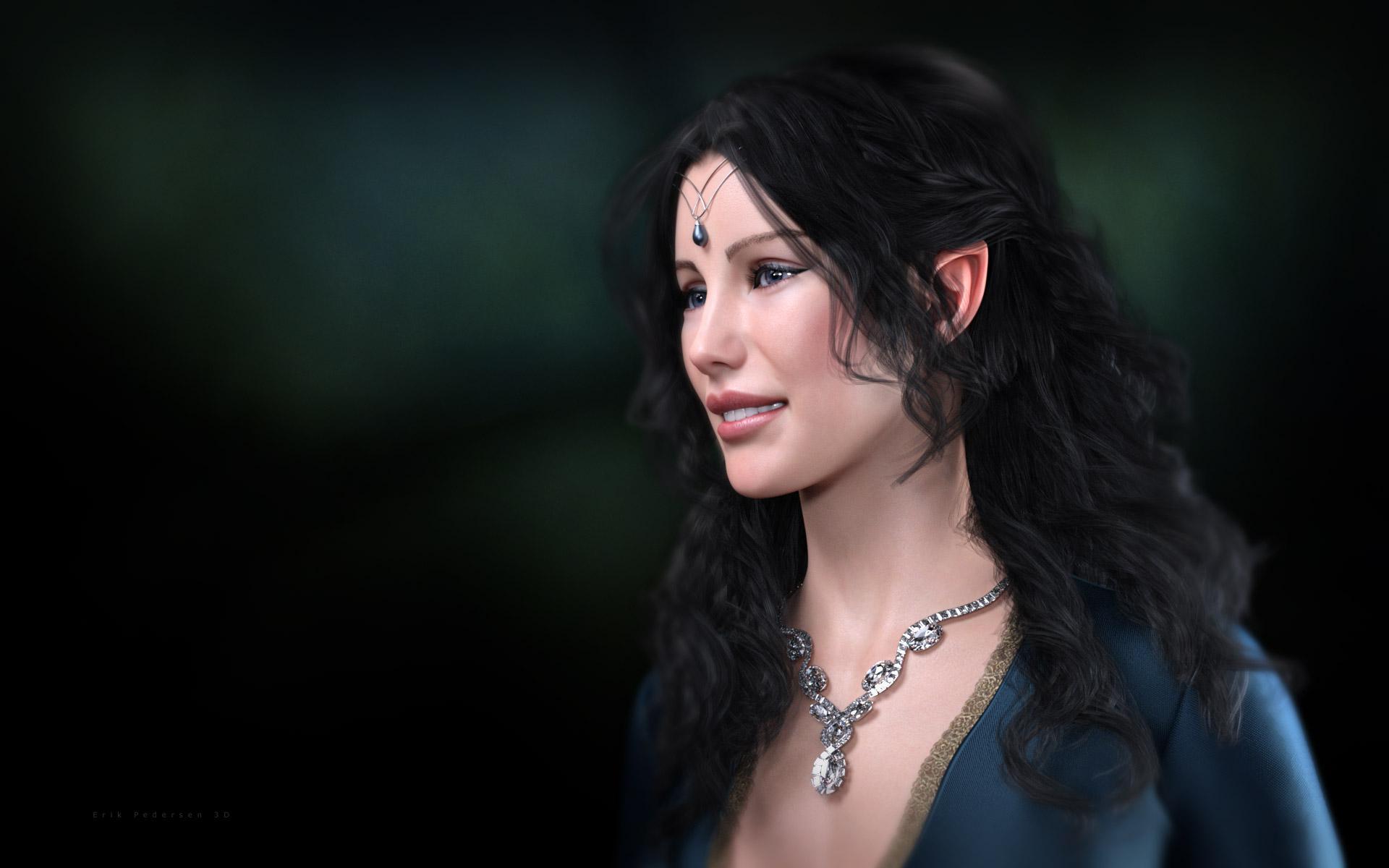
Celebrity Look-a-Likes for 3D figures Part 2https://www.renderosity.com/mod/bcs/evenstar-for-genesis-8-female/138885/
Liv Tyler as Arwen in the Lord of the Rings.
I got her KNOWING she was supposed to represent Liv Tyler and just messing around with this render thought it was a good likeness, then when I started doing a little dial spinning on the expression and made her smile, I'm like, "Who the heck did she just morph into??!!" and it took a minute to realize that, when smiling, she looks a little bit like Evengeline Lilly! Win-Win! <LOL> This image is a WIP.
 Doing the splits... Clothing advice (JCM) needed
I did bring the third fix morph in using the reverse deformations but your saying I have to get into the properties panel. I've never had much luck using that. I always get too mixed up with all the options while drilling down! LOL
Doing the splits... Clothing advice (JCM) neededYour third morph should be a correction to the first two, left and right, rather than a complete morph in itself. Then you add - say - the left JCM as a controller for the both moprh under 1st stage (add subtract) and the other - right - under Second stage (multiply divide).
Darwins' Schtuff Pt DeuxWanted to share this here, both characters contains a few Darwin boys :) I got quite fond of my Keller morph, might end up doing a little serie with him.. time will tell :) Keller is the darkhaired one, Marsh the redhead :)
Keller morph:
Ravi 50% (RedzStudio), Ishimoto 50% (Darwin), Giovanni 20% (Darwin). Using Ravi's textures.Marsh morph:
Liam 65% (Darwin), Kyle 20% (Darwin), Foster 15% (ChangelingChick), Ryker 20% (RedzStudio). Using Liam's texturesDowntime
Colonel Marsh and his second in command, Commander Keller, is having some food in the cafeteria when two unruly recruits approach them for a brawl. For a moment the two simply look at the recruits, than the eyes of Keller and Marsh meet and with a chuckle from Keller they accept the challenge.
The two recruits have not yet realised whom exactly they have challenged, but they soon find out they are in way over their heads.
 Hopefully Last Question on Animation Scripts!
Is there a script that can transfer an animation sequence from Victoria 4.2 to Genesis 2,3 or 8? I have a lot of Generation 4 animations that I have collected and made over the years that I would like to convert.I have V4,M4 pose converter but that only copies single poses. Cheers
Need help with Legacy UV for Genesis 8 to Genesis 2 males, Michael 5Thanks for the response. I might try the map transfer one day but since I do not know my way around Daz enough for that sort of stuff, I'll probably let that one go until something new is developed. Thank you!
Need help with Legacy UV for Genesis 8 to Genesis 2 males, Michael 5As Leana says, David 5 has different UVs to Michael 5, so the M5 UV Set will not work for a David 5 texture. I did do a UV conversion of David 5 for Genesis 3, but have not done one for Genesis 8.
To convert the David 5 texture to a Michael 5 texture using the Map Transfer utility in DAZ Studio, a good tutorial to use is the following:
https://www.daz3d.com/forums/discussion/95701/tutorial-converting-custom-genesis-2-uvs-to-genesis-3This tutorial specifically relates to Genesis 2 UVs, but the principle is the same for all generations.
graphics card too weak?Are you rendering Iray or 3DL?
For Iray, you'll be bound by the 4GB limitation, which means that if your scene is larger than the free memory of your card, it will bounce back to CPU Rendering = much slower. As both cards have the same size limitation, it's not per se an improvement. There are probably speed improvements when the scene fits on the card, though.
Mil3 - are you taking Generation 3 (Viky3/Mike3) or Genesis 3?
Generation 3 to Genesis 8 is pretty complicated; I don't know if it's possible at all.
Genesis 3 to Genesis 8 has a lot of transfer products in the store, but you can also transfer a lot of content using autofit, directly. You might find this thread interesting: https://www.daz3d.com/forums/discussion/64403/converting-to-g1-g2-g3-g8#latest
genesis 8 maleIf you mean all Genesis 8 Male and characters for Genesis 8 male load with a particular morph set, it would be because the morph has been saved with a non-zero default value. You can either remove the character that causes the issue (and report the bug, assuming it's like that as installed) or you can zero the default value by clicking the gear icon on the slider and selecting Parameter Settings, then using File>Save As>Support Assets>Morph Asset to save over the original (especially if it's one of your own morphs).
Need help with Legacy UV for Genesis 8 to Genesis 2 males, Michael 5No it doesn't. I follow the three steps, made sure that the mat is in .duf format. The nostrils and lips still look weird. Is it because it's a David 5 mat?
David 5 has its own UVs, so yes, that would be the reason it’s not working perfectly.
You can use the Map Transfer feature to convert it from D5 to M5 UVs.
Genesis 9 delayed until at least 2020. Will you be buying it?I wouldn't call the skipping of G9 in 2019 'good news' per se, rather, info that everyone will have to wait longer.
Totally agree!
Like L'Adair said, why just cycle through the same content repeatedly and not really do anything exciting or create character bases that the buyers might be looking for.I agree to a point. I would love to see a Gen 9 this year (not going to happen) if we see significant improvements such as much better facial expressions. See below:

To me this is mandatory in the next figure. Keep in mind that Snappers Systems in not a huge company like Disney, and the rigging was done in Maya. I love their blue dot manipulaton system directly over the mesh (not off to the side on a seperate representation of the figure) It was rendered in Unreal Engine 4.
Other things such as advanced and completely accurate HD morphs to the body based upon something like being done at https://texturing.xyz is crucial for those of us desiring realism. The HD morphs I have purchased look pretty good to me so this might already be being done in all fairness, and can be done for Gen 8 without the need for a new figure. I would love to see a bit more rigging for the toes, and a re-work of the balls of the feet. Because of increased tessellation for the toes there is a transition from bigger quads to smaller ones which means splitting tri's to make quads. In SubD this causes unrealistic ripples in the balls of the feet because the quads are so close together. All I can do is go into Zbrush and try to spread the geometry a bit to relax those ripples.
I have almost 80 figures now for Gen 8 female and probably 10 for Gen 8 male plus all the content I need for these figures, I'm kind of done buying for a bit unless something really grabs me.
Things such as more realistic hair, better soft body dynamics, better more efficient collision detection with multiple objects, much faster DForce (Marvelous Designer comes to mind) that is greatly expanded in capabilities, and applying a brush to control the amount of HD morph in certain body areas vs HD morph for only the whole body are some improvements that come to mind. This is more applicable to the application (DAZ Studio) versus a new figure so I think DAZ is on the right course for delaying a new figure release and concentrating on Studio updates this year.
I am super excited and can't wait to see a new Gen 9 male and female figure line, but as long as it is a big leap forward.
Wow. Great video! I would love to see this ability come to daz.
Auto Face Enhancer is a first attempt at this kind of thing. I've played with it a bit. The first thing it seems to do is add 5-10 years to your character.
Is that a new product? I missed the release. That isn't what Siciliano1969 is using in his video is it? Automatically aging the character is a huge downside but I think I'm going to have to try it.
Genesis 9 delayed until at least 2020. Will you be buying it?I wouldn't call the skipping of G9 in 2019 'good news' per se, rather, info that everyone will have to wait longer.
Totally agree!
Like L'Adair said, why just cycle through the same content repeatedly and not really do anything exciting or create character bases that the buyers might be looking for.I agree to a point. I would love to see a Gen 9 this year (not going to happen) if we see significant improvements such as much better facial expressions. See below:
To me this is mandatory in the next figure. Keep in mind that Snappers Systems in not a huge company like Disney, and the rigging was done in Maya. I love their blue dot manipulaton system directly over the mesh (not off to the side on a seperate representation of the figure) It was rendered in Unreal Engine 4.
Other things such as advanced and completely accurate HD morphs to the body based upon something like being done at https://texturing.xyz is crucial for those of us desiring realism. The HD morphs I have purchased look pretty good to me so this might already be being done in all fairness, and can be done for Gen 8 without the need for a new figure. I would love to see a bit more rigging for the toes, and a re-work of the balls of the feet. Because of increased tessellation for the toes there is a transition from bigger quads to smaller ones which means splitting tri's to make quads. In SubD this causes unrealistic ripples in the balls of the feet because the quads are so close together. All I can do is go into Zbrush and try to spread the geometry a bit to relax those ripples.
I have almost 80 figures now for Gen 8 female and probably 10 for Gen 8 male plus all the content I need for these figures, I'm kind of done buying for a bit unless something really grabs me.
Things such as more realistic hair, better soft body dynamics, better more efficient collision detection with multiple objects, much faster DForce (Marvelous Designer comes to mind) that is greatly expanded in capabilities, and applying a brush to control the amount of HD morph in certain body areas vs HD morph for only the whole body are some improvements that come to mind. This is more applicable to the application (DAZ Studio) versus a new figure so I think DAZ is on the right course for delaying a new figure release and concentrating on Studio updates this year.
I am super excited and can't wait to see a new Gen 9 male and female figure line, but as long as it is a big leap forward.
Wow. Great video! I would love to see this ability come to daz.
This does look really great, but it strikes me funny that with as far as we've come with CG, eyes still look deader than a doornail and it's immediately apparent to me ;).
Laurie
I think a lot of that has to do with lighting. Though I could not tell you how to fix it.
Shape Rigger Plus(Commercial)I will try again from the beginning to import my morph via morph loader pro then use shape rigger + I may have made a mistake... in any case thank you, I will eat, I will keep you informed if I can or not, thank you ;)
Feet HD Detail (Or Lack Thereof)Thanks Necriseye!
Of course, I can wait until you release the morph natively for G3F. BTW how much will it cost?
Daz 3D is part of

Connect
DAZ Productions, Inc.
7533 S Center View Ct #4664
West Jordan, UT 84084Licensing Agreement | Terms of Service | Privacy Policy | EULA
© 2026 Daz Productions Inc. All Rights Reserved.