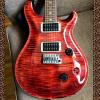
-
Point Eyelashes Down?
You can try turning limits off and using negative values... Not sure if that will work though.
Tried that. Doesn't seem to have an impact
If this is Genesis 8 then the actual morph is on the eyelash GeoGraft - relaxing the limits on the base figure, which is only a controller, won't relax them on the morph on the lashes.
DAZ Studio 4.12 ... Face creation abilities????Hello All,
Ok, I have done it, I have upgraded to version 4.12. Soooo, where is it? Where is the Face Transfer? I can't find it.
Also I have seen that they added the 'conditions' to the update page in which that you can use the program unlimted but it has a watermark. And it mentions the three free saves without the watermark. I am assuming that you do have control over this so that you can try out some faces and if one comes out really good then you can commit it to a save?
Oh yeah, and the timeline got a serious update. So I have something new to figure out there.
Thanks!
Geo
Make sure you have the latest update for Genesis 8 Essentials.
Load the figure.
Select the head.
Go to Windows menus>Panes>Face Transfer.
My pane attached to where my tabs for parameters, shaping are.
Got it! What a weird place to put it!
All panes are listed under Window>Panes(Tabs).
Why ARE DOWNLOADS AT KB/s SPEEDS?I am thinking that the existence of a free item being offered upon installing the Version 4.12 software was what sparked the problems. That, or the newly added Face Transfer feature may have made the product overwhelming to a lot of people, and caused everybody to log in simultaneously, and causing these intermittent crashes. Thank goodness I downloaded and installed my copy of the 4.12 while I did, if done so manually.
Though I have to admit, the Face Transfer tool would come in handy when it comes to creating celebirty faces.
I have a feeling that the number of people downloading the new update will go down by the weekend. I bet a lot of people have the new update by now, though a lot more will be downloading it in the coming hours. It seems as if this newest version is perhaps the most overwhelming version to ever exist.
Down loading Studio 4.12Finally got it to download - it told me it was installing 4.11 (lol) and the shortcut it created on the desktop said 4.11 ... but the splash screen said 4.12 and it has the new face-transfer thing (though I only had a quick go and got rubbish results). So yay, it worked.
No Face Transfer PaneHere is more info on my lack of the Face Transfer pane. This is with the included version of Face Transfer.
Studio version is 4.12.0.86, 64-Bit
From the Log file:
2019-09-26 08:33:13.858 D:\Program Files\DAZ 3D\DAZStudio4\plugins\dzfacetransfer.dll failed to load. Cannot load library D:\Program Files\DAZ 3D\DAZStudio4\plugins\dzfacetransfer.dll: The specified module could not be found.
I can't log into DIM at the moment for some reason, but the G8 Starter essentials were last updated 9/11.
Attached is a screen shot of the plugin pane and the dzfacetransfer.dll file info, along with poor G8M with his head selected.I can't connect with Install ManagerGood thing that, whenever I download items, I just manually download and transfer the contents to "My DAZ Studio Library".
I had trouble downloading the 64-bit version of the 4.12 yesterday evening for a brief period, but I did successfully download and install it manually about 15 minutes later.
I wonder if the 4.12 is having issues, unlike when the past versions were released?
My phone will not charge complaint threadI gave the Face Transfer thing a whirl. I came out way tanner than I am, looking like I'm 12, my lips were super thin, I look confused, and the Daz tattoo is on my forehead rather than a tramp stamp.
I should DL the new version and try it out... I already have a DAZ logo on my forehead though... more of a scar... I got it battling one of those stupid DAZ Victoria 28 terminator robots from the near future... Which was very disappointing since they aren’t as naked as you’d expect when they time travel... that stupid purple “bikini” texture is so fake too... better than the angry Roombas though.
DAZ Studio 4.12 ... Face creation abilities????@jukingeo - to remove the shine that is transferring to your character, try editing the source image to remove the shine. A bit of cloning from neighbouring areas should fix it. I find that anything in the source image is then baked into the character - for example if the photo has a marked smile, then that is baked into the character and it is then difficult to have a non-smiling character. Sometimes, editing the image first is going to be key to getting a good Face Transfer.
Elaborate Rococo Wig for Gen 8Indeed! I actually found that last night and was elated. Now, I must learn how to use the hair converter. I'm excited! Thank you!
No need for the converter.
https://www.deviantart.com/sickleyield/journal/Tutorial-Convert-Clothing-G3-to-G8-G8-to-G3-686682065
Do this.
You don't have to adjust anything. Just load them both in, select the G8F, the Hair, transfer rigging, change scene identification, and save the hair.
You don't even have to do the transfer rigging step when you're converting hair. Just load the hair without the G8F being selected, change the scene identification of the hair, and fit it to the G8F. Essentially all G3 hair is G8 hair too, and vice versa - all you have to do is tell Daz which model you plan to fit it to. I suspect you can do the same thing fitting male hair to female models (and vice versa) within the same generation, but haven't really tested that.
is there a Face Transfer threadI know I said I was done tweaking this models face but I decided to try to clean it up a bit. It would have taken me forever to get this with dial spins, so starting close with the face transfer and then tweaking worked pretty well I think.
I think it is pretty darn good.
Thanks. That was the first face I tried and I was pretty happy. Then I tried John F Kennedy, not as good. The a few other people off the net, not good. So I got lucky with this first one coming kind of close out of the box so I could dial spin a reasonably close approximation of her face. The texturre makes a gigantic difference and since I don't care for the autogenerated ones (or can't use them in the case of a historical person with a black and white face) I have struggled to get a good resemblance with the skins I do have.
My phone will not charge complaint threadI gave the Face Transfer thing a whirl. I came out way tanner than I am, looking like I'm 12, my lips were super thin, I look confused, and the Daz tattoo is on my forehead rather than a tramp stamp.
DAZ Studio 4.12 ... Face creation abilities????To solve the eyelash problem not closing correctly, you might want to locate the head morph in the eye lash figure (it will be a hidden property) and dial it down (or maybe even off).
DAZ Studio 4.12 ... Face creation abilities????I'm sorry, silly question.
How do I use the free Face Transfer? I can't see it in Daz Studio
No offense but this indeed a silly question since it has been postes 1000 times in this thread.
Still I think the question is rather legit since Daz put the Face Transfer under the WINDOWS tab?!? Not the most obvious of places to look.
Good render.
One thing to do , to cut down the shininess. is choose all the surfaces. And cut Glossiness to zero. Then you can control what you want to have the glossieness.
I tried that, but it seemed to only affect the body. I think my issue was that the photo was glossy in the face and it just did what it supposed to do and transfered the glossiness over too. That is why I was saying that I have to do one of her face that is not so glossy. Thank you for the kind comment!
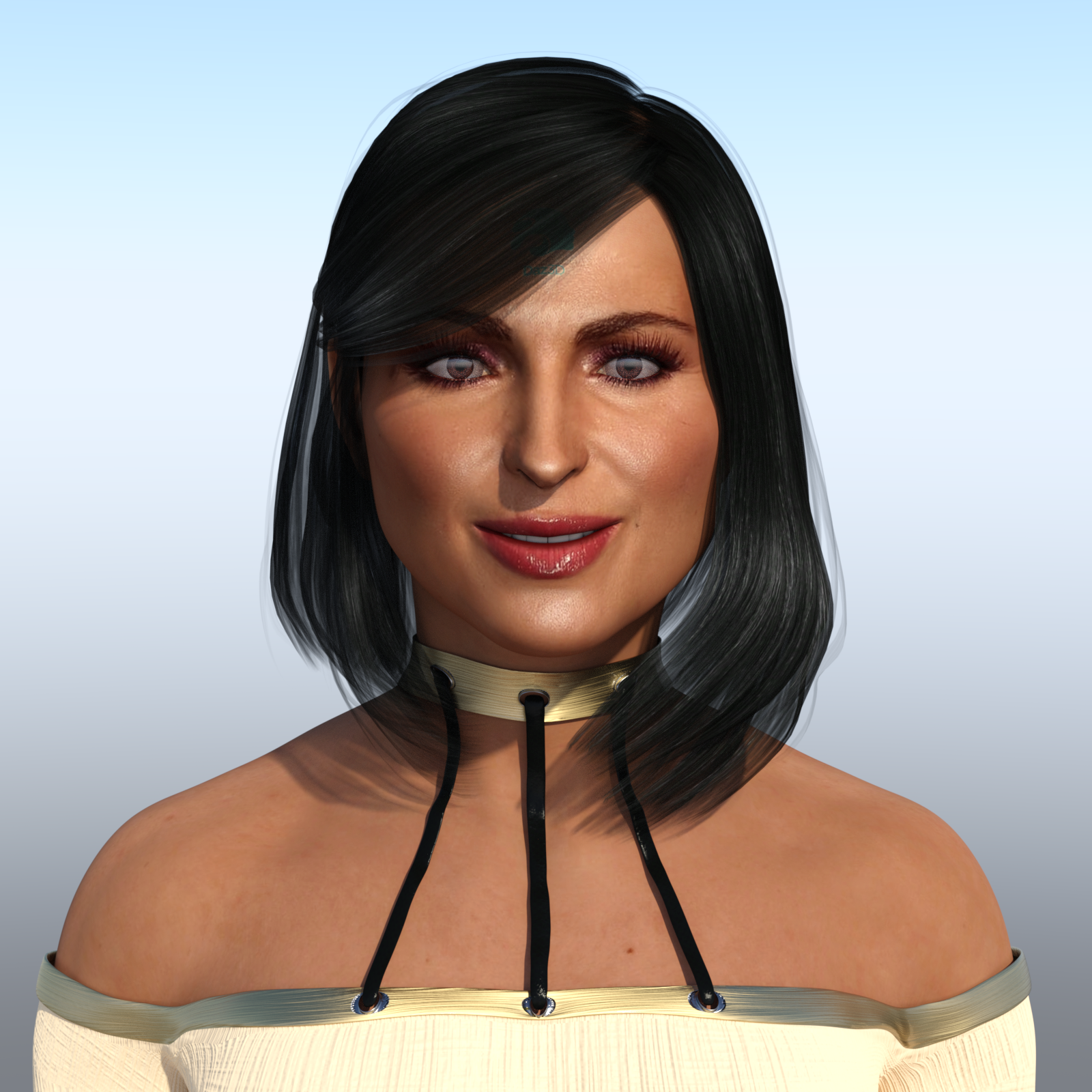
DAZ Studio 4.12 ... Face creation abilities????Here is my contribution using FaceTransfer. The beautiful, fabulous and stunning "Queen" of OUAT (Once Upon A Time), Ms Lana Parrilla!
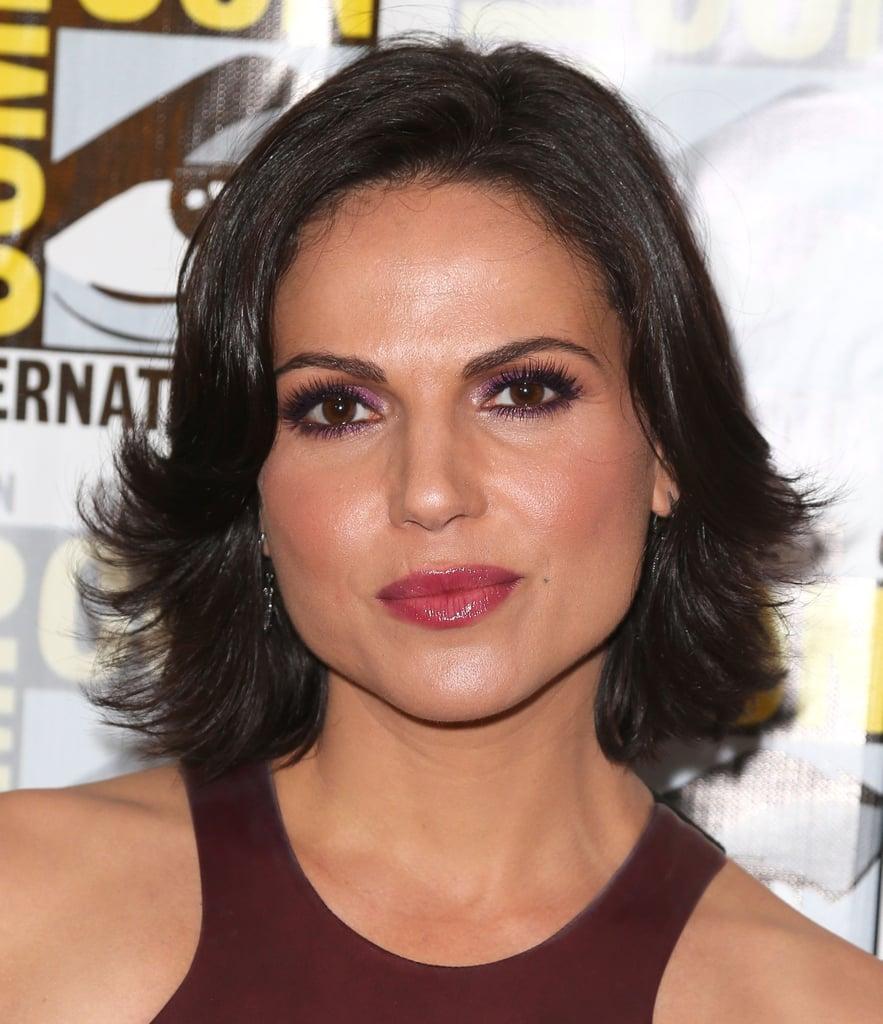
And this is the picture I used of her:
I am SURPRISED! I actually like the way she came out right out of the box with almost no 'hoop jumping' I have to admit that I had to alter her mouth since it came out too thin which is everyone's complaint so far. Also the nose wasn't right. The eyes looked pretty good overall, and the biggest area I had to adjust were the eyebrows and I did some work in the chin/jaw area. But overall about 10 to 15 minutes worth of work (not including render time). Given that it is $50 for the unlimited version, and $25 on sale, I believe it is worth it. I think I am going to get this, but I do want to try some more out. But again, I want to test more renders before I make a final judgement call.
I will say that I had to use two pictures of Lana before one took. I guess the resolution wasn't that good on the first one. So then I got the one above from a high resolution picture.
A bit of a downside in the final render was that Lana's face is a bit shiny, but then again it is shiny in the photo too. Lana is definitely in the #1 slot for a permanent face transfer for me. I just have to find a front facial shot of her that isn't so shiny. You can see I did hide a bit of the watermark using the Sassy Bob hair style. I think for a first shot out of the box, she looks really good. Definitetely better than my attempts with Headshop.
There is another caveat that was pointed out before. You can't close the eyes otherwise the eyelashes stretch out over them. I am hoping Daz fixes that issue soon. Naturally there are other imperfections as well, but you can still see who it is.
Other than that, I like what I am seeing.
Good render.
One thing to do , to cut down the shininess. is choose all the surfaces. And cut Glossiness to zero. Then you can control what you want to have the glossieness.
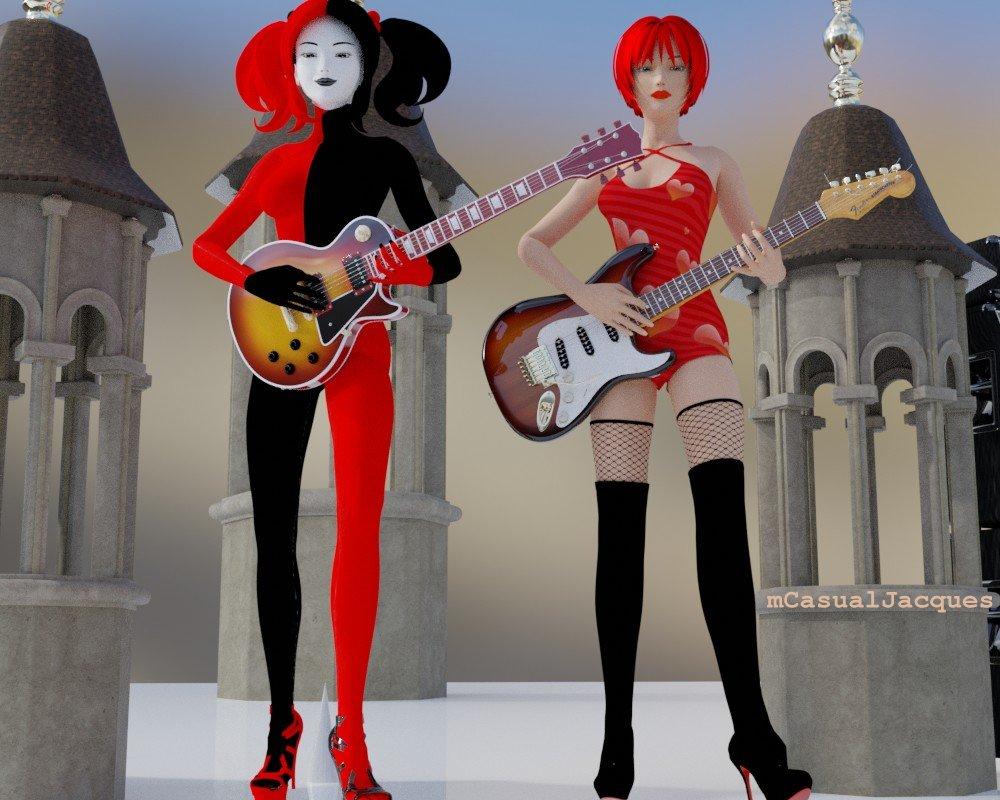
mcjTeleBlender:Daz Studio scenes/animations w/Blender's Cycles EngineThe deep state of affair( shallow state actually )
the state of affairsin the near future ...
if your material/shader settings in the daz studio scene are pretty standard, then using one button, mcjTeleBlenderFBX, does a ton of work behind the curtain, and a few seconds later, your animated scene is now in Blender and ready to render in Eevee or cycles render mode
maybe today i will fix the light intensities which don't seem to be transferred correctly by FBX
and also maybe fix the morph issues which may be the result of my non-standard rigging practices for the old-gen Aiko3 feet and shoes and boots
 Site works very slow for me today
I've been trying to get a download link from the Product Library page for the Male Apesuit textures for about two hours now. Just getting cloudflare errors.
I did log out of the Daz Store page and log in again, which didn't help.
Fortunately, the two pro bundles and this texture set that I haven't downloaded yet aren't needed immediately, so I can wait for the servers to get fixed.
I do manual downloads, btw, as my Daz install is currently isolated from the internet, so I just download the files manually and transfer them with a USB stick.
DAZ Studio 4.12 ... Face creation abilities????Here is my contribution using FaceTransfer. The beautiful, fabulous and stunning "Queen" of OUAT (Once Upon A Time), Ms Lana Parrilla!
And this is the picture I used of her:
I am SURPRISED! I actually like the way she came out right out of the box with almost no 'hoop jumping' I have to admit that I had to alter her mouth since it came out too thin which is everyone's complaint so far. Also the nose wasn't right. The eyes looked pretty good overall, and the biggest area I had to adjust were the eyebrows and I did some work in the chin/jaw area. But overall about 10 to 15 minutes worth of work (not including render time). Given that it is $50 for the unlimited version, and $25 on sale, I believe it is worth it. I think I am going to get this, but I do want to try some more out. But again, I want to test more renders before I make a final judgement call.
I will say that I had to use two pictures of Lana before one took. I guess the resolution wasn't that good on the first one. So then I got the one above from a high resolution picture.
A bit of a downside in the final render was that Lana's face is a bit shiny, but then again it is shiny in the photo too. Lana is definitely in the #1 slot for a permanent face transfer for me. I just have to find a front facial shot of her that isn't so shiny. You can see I did hide a bit of the watermark using the Sassy Bob hair style. I think for a first shot out of the box, she looks really good. Definitetely better than my attempts with Headshop.
There is another caveat that was pointed out before. You can't close the eyes otherwise the eyelashes stretch out over them. I am hoping Daz fixes that issue soon. Naturally there are other imperfections as well, but you can still see who it is.
Other than that, I like what I am seeing.
[Released] Character Converter from Genesis 8 Female to Genesis 3 Female - Conv JCMs too[Commercial]Does it convert HD morphs also?
HD morphs become regular morphs unfortunately. So they are converted, but just not converted as HD.
Will increasing the converted HD morph's intensity (dial number) result in something like HD?
If I understand your question, you mean dialling the morph into 100%? No, that will not make it HD. That number controls how much the morph, which is not HD, contributes to the shape.
DAZ Studio 4.12 ... Face creation abilities????It does not change the shape of the face at all, it just ads a texture to the middle part of the face and doesn't even wrap around the sides...
Yes, I noticed that, too. Unfortunately, the face/head shape is the decisive component if you want to achieve similarity. But fortunately, there are now more ways to change these shapes.
Is there a Mac version planned for Face Transfer?
DAZ Studio 4.12 ... Face creation abilities????If you just look at it as a source of endless head morphs alone, it is worth the entry price.
Exactly. Creating new head morphs is much easier with Face Transfer.
One can always apply different materials from already released characters.
Daz 3D is part of

Connect
DAZ Productions, Inc.
7533 S Center View Ct #4664
West Jordan, UT 84084Licensing Agreement | Terms of Service | Privacy Policy | EULA
© 2026 Daz Productions Inc. All Rights Reserved.