-
Excluding parts from fullbody morphs in genesis 9?I'm creating a feminine male character that needs to have smaller frame and curves same as a girl, but chest area as to be masculine shape. I tried using breast gone and small breast morphs and not getting good results. Any way to exclude chest from full body morphs such as feminine body base and anime toon feminine base body etc? I want to do this without sculpting in zbrush/blender, i can't sculpt. Any advice? Note: I might have got the base morph names wrong, I'm I don't have daz open in frot of me.How do I keep a clothing item from deforming when fitting it to characters like storybook mouse?
Elor said:
Sir Scrunkle looks great

Here's a video in how to know how to name the morph for Daz to be able to activate it automatically a full body morph when fitting clothes on a figure:
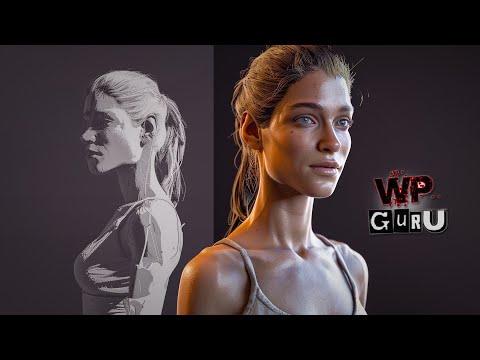
He's using Zbrush to create the morph, and you likely already know how to do it in Blender, but if someone else wants to know, Jay Versluis also has a video explaining how to do it with Blender:
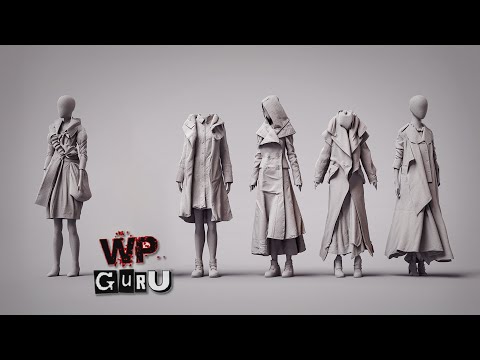
If you find yourself doing that a lot, a great tool is OBJ Companion: it'll take care of doing the boring parts (changing the resolution to base on export and setting it back to what it was, getting the settings right on import). Just one thing to know, by default, OBJ Companion will dial the morph created at 100%, but if you're replacing an auto-generated full body morph by one you improved in Blender, you have to uncheck the box, because you'll end with a morph dialed at 200% (the auto-generated morph is already at 100%).
Thanks! I'm working on a render of our D&D party and we have some interesting characters. xD This little guy is a jerbeen, a race from the Humblewood setting that one of our players desperately wanted to play, so we let her bring him in. He's a paladin, and two feet of solid muscle somehow.
Anyway, thanks for the links too! Just because I know how to bungle through something doesn't mean I can't pick up new tricks, or better ways to do it. That's always helpful, and Jay's a treasure. :)Tutorial: Making TriAx Figures from Old Parametric CharactersI have not done so, and it seems to work without doing so. My conclusion is that it's not necessary - but if anything weird happens when you do the auto fit, it could be worth trying it. I have not tried extreme morph shapes so I could have missed the need to do it. Regards, Richard.Genesis 9 smooth expressions?scuttlebuns said:
@crosswind Yes, that's the thing, I am not using filament, but iray because I want have a 3D toon effect similar to overwatch, marvel rivals, final fantasy etc. The biggest few reasons I decided to go for 3D style was... I had trouble getting skin wetness and other such detail effects working in filament, trouble getting decent lightin/shadows, and then hair - I'm unable to use catalog of hair I already have and applying filatoon shader only makes it look bad. There just isn't enough choice of decent toon hair that looks good in 2D style. The few made specifically for g9 anime toon style in shop is good, but that's too little a selection to make cast of characters. I'll have better OCs with going for modern final fantasy style 3D look where hair don't need to look too toony. So even if render takes long in my 6gb vram 3060 card and often requires restarting daz, I decided to go for 3D toon style with iray than 2D style with filament. I guess there is no way to "fix" this for Iray? I'm not that technically knowledgeable with Daz to know the implications of ERC freezed morphs, but I guess we can't tamper with it.
I'm sorry that after I further checked the ERC Links again, that HD FACS morph is not the true culprit because another property FACS Detail Strength is 0 as default. I don't think you've dialed this property. (screenshot 1) If so, you can easily "fix" it now:
1) Go to Head Bone in Scene pane, Ctrl + Select Left Brow Inner and Right Brow Inner (screenshot 2)
2) Reset Transforms value to 0, i.e. type in 0 for Translate / Rotate, 100% for Scale (screenshot 3) Also check Center Brow.You can get much better result. Or tweak them with PowerPose tool if you're familiar with it.
Tutorial: Making TriAx Figures from Old Parametric CharactersJust a curiosity, but when I import the clone morph, I must adjust rigging to shape?How do I keep a clothing item from deforming when fitting it to characters like storybook mouse?Sir Scrunkle looks great
Here's a video in how to know how to name the morph for Daz to be able to activate it automatically a full body morph when fitting clothes on a figure:
He's using Zbrush to create the morph, and you likely already know how to do it in Blender, but if someone else wants to know, Jay Versluis also has a video explaining how to do it with Blender:
If you find yourself doing that a lot, a great tool is OBJ Companion: it'll take care of doing the boring parts (changing the resolution to base on export and setting it back to what it was, getting the settings right on import). Just one thing to know, by default, OBJ Companion will dial the morph created at 100%, but if you're replacing an auto-generated full body morph by one you improved in Blender, you have to uncheck the box, because you'll end with a morph dialed at 200% (the auto-generated morph is already at 100%).
[Released] Ultimate Pose Converter Bundle for Genesis 9 [Commercial]Hi all. I'm having a huge problem with the bone minion for a specific morph. It changes the pose of the minion, but doesn't transfer over to the model. Is there a solution for this? Thank you
Toon Base T-Shirt textures not loading [SOLVED!!]taiuri said:
Here I leave the last Log File, when I loaded the T-shirt, in order to someone can help me to detect the problem. I keep having the same warnings:
2025-02-08 16:57:03.859 [INFO] :: Prepare asset load (open): /People/Genesis 9 Toon/Clothing/Daz Originals/Base Clothing/Toon Base T-Shirt.duf
2025-02-08 16:57:03.859 [INFO] :: Locking viewport redraw...
2025-02-08 16:57:03.859 [INFO] :: Viewport redraw locked.
2025-02-08 16:57:04.016 [VERBOSE] :: Native format content directories: 2
2025-02-08 16:57:04.016 [VERBOSE] :: Poser format content directories: 4
2025-02-08 16:57:04.017 [VERBOSE] :: Other import format content directories: 0
2025-02-08 16:57:04.017 [INFO] :: Begin asset load (open): /People/Genesis 9 Toon/Clothing/Daz Originals/Base Clothing/Toon Base T-Shirt.duf
2025-02-08 16:57:04.580 [INFO] :: Clearing the scene...
2025-02-08 16:57:04.644 [INFO] :: *** Scene Cleared ***
2025-02-08 16:57:04.648 [INFO] :: Determining missing assets...
2025-02-08 16:57:06.485 [INFO] :: Setting textures...
2025-02-08 16:57:06.552 [WARNING] :: \src\sdksource\fileinput\dzassetdaz.cpp(6476): Node parent not found.
2025-02-08 16:57:07.362 [INFO] :: Scanning for addons...
2025-02-08 16:57:07.738 [INFO] :: Creating node geometry...
2025-02-08 16:57:07.986 [INFO] :: Creating UV sets...
2025-02-08 16:57:07.986 [INFO] :: Creating materials...
2025-02-08 16:57:11.638 [INFO] :: Resolving legacy figures...
2025-02-08 16:57:11.638 [INFO] :: Preparing modifiers...
2025-02-08 16:57:11.639 [INFO] :: Creating modifiers...
2025-02-08 16:57:11.805 [INFO] :: Resolving 10 formulas...
2025-02-08 16:57:11.805 [INFO] :: Finding formula properties...
2025-02-08 16:57:11.806 [INFO] :: Sorting formula properties...
2025-02-08 16:57:11.807 [INFO] :: Creating ERC Links...
2025-02-08 16:57:11.807 [INFO] :: Finished resolving formulas.
2025-02-08 16:57:11.807 [INFO] :: Finalizing modifiers...
2025-02-08 16:57:11.807 [INFO] :: Finalizing channels...
2025-02-08 16:57:11.807 [INFO] :: Finalizing materials...
2025-02-08 16:57:11.807 [INFO] :: Sorting property groups...
2025-02-08 16:57:11.810 [INFO] :: Setting up follow targets...
2025-02-08 16:57:11.810 [WARNING] :: \src\sdksource\fileinput\dzassetdaz.cpp(2823): Failed to follow node.
2025-02-08 16:57:11.951 [INFO] :: Loaded morph deltas: 0m 0.4s - /data/Daz 3D/Genesis 9 Starter Essentials/G9 Base Shirt/Morphs/Daz 3D/Base/FitOverPants2.dsf
2025-02-08 16:57:12.791 [INFO] :: Finished asset load (open): 0m 8.775s - /People/Genesis 9 Toon/Clothing/Daz Originals/Base Clothing/Toon Base T-Shirt.duf
2025-02-08 16:57:14.786 [INFO] :: Unlocking viewport redraw...
2025-02-08 16:57:14.786 [INFO] :: Viewport redraw unlocked.
2025-02-08 16:57:16.282 [INFO] :: Loaded image: BaseToon_TShirt5Stripes_BaseColor.jpgThe issue you had was really odd ~ but the warnings in the above log more likely resulted from that you did not select G9 figure before loading the T-Shirt. I could reproduce the very same log by doing so ~~
A final suggestion you may try : press F2 in DS, Clear DSON Cache Files. Reload G9 Toon figure and this T-Shirt, see what you'll get.
FilaToon / Cell shaded rendering with Filament3dOutlaw said:
You can do a lot with the eyes if you expand the limits. Also, just a tip but any of the (very) old 3Dream and Mairy hairs work great as toon hairs, and they have a LOT of morph options. Just another render, testing eye shapes and using some old stuff!

The 3Dream and Mairy hairs are some of my favorite hairs! They actually look really good in Iray too. And, as you pointed out, they come with so many style morphs. It's awesome, and almost like buying multiple hair with the one. I've been trying to get them all. I bought quite a few but they rarely go on sale since I don't think either of them are making new products anymore. There are still 17 Mairy hairs here in the Daz3D store that I want to get. And quite a few more at Rendo. Such great hair, I don't know if they are still around but I'd love to see them making hair again if they still are.
I really like the render by the way! I'm not one for "skimp wear" but the art style came out cool!
Toon Base T-Shirt textures not loading [SOLVED!!]Here I leave the last Log File, when I loaded the T-shirt, in order to someone can help me to detect the problem. I keep having the same warnings:
2025-02-08 16:57:03.859 [INFO] :: Prepare asset load (open): /People/Genesis 9 Toon/Clothing/Daz Originals/Base Clothing/Toon Base T-Shirt.duf
2025-02-08 16:57:03.859 [INFO] :: Locking viewport redraw...
2025-02-08 16:57:03.859 [INFO] :: Viewport redraw locked.
2025-02-08 16:57:04.016 [VERBOSE] :: Native format content directories: 2
2025-02-08 16:57:04.016 [VERBOSE] :: Poser format content directories: 4
2025-02-08 16:57:04.017 [VERBOSE] :: Other import format content directories: 0
2025-02-08 16:57:04.017 [INFO] :: Begin asset load (open): /People/Genesis 9 Toon/Clothing/Daz Originals/Base Clothing/Toon Base T-Shirt.duf
2025-02-08 16:57:04.580 [INFO] :: Clearing the scene...
2025-02-08 16:57:04.644 [INFO] :: *** Scene Cleared ***
2025-02-08 16:57:04.648 [INFO] :: Determining missing assets...
2025-02-08 16:57:06.485 [INFO] :: Setting textures...
2025-02-08 16:57:06.552 [WARNING] :: \src\sdksource\fileinput\dzassetdaz.cpp(6476): Node parent not found.
2025-02-08 16:57:07.362 [INFO] :: Scanning for addons...
2025-02-08 16:57:07.738 [INFO] :: Creating node geometry...
2025-02-08 16:57:07.986 [INFO] :: Creating UV sets...
2025-02-08 16:57:07.986 [INFO] :: Creating materials...
2025-02-08 16:57:11.638 [INFO] :: Resolving legacy figures...
2025-02-08 16:57:11.638 [INFO] :: Preparing modifiers...
2025-02-08 16:57:11.639 [INFO] :: Creating modifiers...
2025-02-08 16:57:11.805 [INFO] :: Resolving 10 formulas...
2025-02-08 16:57:11.805 [INFO] :: Finding formula properties...
2025-02-08 16:57:11.806 [INFO] :: Sorting formula properties...
2025-02-08 16:57:11.807 [INFO] :: Creating ERC Links...
2025-02-08 16:57:11.807 [INFO] :: Finished resolving formulas.
2025-02-08 16:57:11.807 [INFO] :: Finalizing modifiers...
2025-02-08 16:57:11.807 [INFO] :: Finalizing channels...
2025-02-08 16:57:11.807 [INFO] :: Finalizing materials...
2025-02-08 16:57:11.807 [INFO] :: Sorting property groups...
2025-02-08 16:57:11.810 [INFO] :: Setting up follow targets...
2025-02-08 16:57:11.810 [WARNING] :: \src\sdksource\fileinput\dzassetdaz.cpp(2823): Failed to follow node.
2025-02-08 16:57:11.951 [INFO] :: Loaded morph deltas: 0m 0.4s - /data/Daz 3D/Genesis 9 Starter Essentials/G9 Base Shirt/Morphs/Daz 3D/Base/FitOverPants2.dsf
2025-02-08 16:57:12.791 [INFO] :: Finished asset load (open): 0m 8.775s - /People/Genesis 9 Toon/Clothing/Daz Originals/Base Clothing/Toon Base T-Shirt.duf
2025-02-08 16:57:14.786 [INFO] :: Unlocking viewport redraw...
2025-02-08 16:57:14.786 [INFO] :: Viewport redraw unlocked.
2025-02-08 16:57:16.282 [INFO] :: Loaded image: BaseToon_TShirt5Stripes_BaseColor.jpgHow do I keep a clothing item from deforming when fitting it to characters like storybook mouse?If it's a single morph then just making sure your custom morph has the same name (not just label) will make it auto-follow the character morph. Though unless you are going to vary the strength of the morph that probably isn't relevant in this case, but is worth bearing in mind for the future.
FilaToon / Cell shaded rendering with Filament3dOutlaw said:
You can do a lot with the eyes if you expand the limits. Also, just a tip but any of the (very) old 3Dream and Mairy hairs work great as toon hairs, and they have a LOT of morph options. Just another render, testing eye shapes and using some old stuff!
Was there any doubt that 3DO would take to this like a fish to water?
How do I keep a clothing item from deforming when fitting it to characters like storybook mouse?Richard Haseltine said:
It's probably going wonkly, at least in part, because of the way the morphs are projected from the base figure. You could try making your own morph with the same name as the body morph (if it is just one - you can get the name from Parameter Settings via the gear icon on the slider) or if the character uses mutliple morphs you could create a custom morph and use the Geometry Editor to select most of teh cape (you may want to leave the shouldrs out) and assign them to a Rigidity Group, so that morphs won't be projected from the figure and you an just manually set your own.
THANK YOU! Just dialing out the character morphs and dialing in my custom morph fixed it. I should have thought of that, but this is my first time making a clothing morph for that big of a shape difference between the genesis character and the character morph, so I hadn't run into the issue yet. Woot! That's going to make this much easier.
How do I keep a clothing item from deforming when fitting it to characters like storybook mouse?It's probably going wonkly, at least in part, because of the way the morphs are projected from the base figure. You could try making your own morph with the same name as the body morph (if it is just one - you can get the name from Parameter Settings via the gear icon on the slider) or if the character uses mutliple morphs you could create a custom morph and use the Geometry Editor to select most of teh cape (you may want to leave the shouldrs out) and assign them to a Rigidity Group, so that morphs won't be projected from the figure and you an just manually set your own.
In search of outfitYou need a shirt that has un-buttoned options AND Dforce drape capability. Do the draping over a 30 frame timeline.
https://www.daz3d.com/dforce-wet-and-dry-boyfriend-shirt-dress-for-genesis-8-females
Any black skirt will morph and drape the bottom.
FilaToon / Cell shaded rendering with FilamentYou can do a lot with the eyes if you expand the limits. Also, just a tip but any of the (very) old 3Dream and Mairy hairs work great as toon hairs, and they have a LOT of morph options. Just another render, testing eye shapes and using some old stuff!
Genesis 9 smooth expressions?However, some G9 expression morphs were sculpted with HD mesh. You need to check if they're HD expression in Parameter Settings of the morph properties. Better name the product you use if you have no idea how to check...
Toon Base T-Shirt textures not loading [SOLVED!!]Richard Haseltine said:
That is the code module that is reporting the issue, the issue it is reporting that it cannot find the parent of the current node it is processing; perhaps theer is a naming issue. I do note that you reproted a message relating to a morph transfer tool earlier - is it possible that you used some tool to (for example) trasnfer some morphs into the clothing and that the saved file from that is being found, and loaded, before the unmodified file from Starter Essentials?
The transfer issue was with the file was sent to me for testing the texture on the t-shirt, but it wasn't mine. So, no, I didn't save any morph into the clothes, and like I said before, I don't have any problem with the rest of the clothes, only with the t-shirt.
Toon Base T-Shirt textures not loading [SOLVED!!]That is the code module that is reporting the issue, the issue it is reporting that it cannot find the parent of the current node it is processing; perhaps theer is a naming issue. I do note that you reproted a message relating to a morph transfer tool earlier - is it possible that you used some tool to (for example) trasnfer some morphs into the clothing and that the saved file from that is being found, and loaded, before the unmodified file from Starter Essentials?
There's Always Another Sale Thread -- Discussions Only Pt 4SilverGirl said:
miladyderyni_173d399f47 said:
Torquinox said:
SilverGirl said:
Not my style of outfit, though I checked it out on your comment about the footwear because a lot of the outfits I have are for G8 and therefore the footwear doesn't work for my G9s. Giving it a pass because there really isn't a clear shot of the shoes. If your product is black, why on earth would you do most of your promos on a black background?
I get that! I do. It's an old-school V4-style outfit, IMO. Loincloth dress? Check! Thigh-high boots and leggings? Check! Bracers? Check! Optional arm coverings? Check! Revealing bikini top? Check! Practical fighting gear? Shoulder armor? Check! Practical fighting gear? Well, she has normal, low heels on her leather boots.
 Sexy? Um... If a woman appeared wearing those clothes and looking like that, folks would be looking at her.
  Oh, the boots... They will be well-modelled black leather boots as advertised. IDK @biuzpharb, but @Val3dart has been doing this a while. Black-on-black promos emphasize the darkness of it all. No? Eh, guess not. I'd have showed the clay render. That would have been helpful!
Agreed that a clay render would be helpful. And not like it would be extra work since I believe it's a requirement for approval.
I don't recall having much trouble fitting G8 footwear. Granted, I haven't been doing much with G9 until recently. (Overall, I am impressed with how well G9 autofit works.)
I've had a few G8 non-heeled shoes work okay on my G9s, but anything heeled I've tried (and it might just be the ones I've tried) has wound up distorted when I autofit it. It's annoying with modern outfits, but with the "warrior babe" ones it really sucks because it's hard to find something else to sub-in that looks right with the rest of the outfit. (One of my girls likes to strut around renfaires in that stuff, and she's a sidhe, so doesn't have to worry about how utterly impractical heels are for that sort of terrain because she's incapable of being anything but graceful). I'm sure there are ways to export and fiddle with things and reimport, but it's a matter of taking the time to both learn and do it. So far it's come down under the category of "eh, maybe someday, but right now there are things I want more, maybe an easy fix will come along in the meantime."
Ah, yes high heels are a pain, whether in real life or when doing 3d art. I wasn't using heels so that probably makes a difference. I used https://www.daz3d.com/amazing-morphing-pumps-for-genesis-8-females by Fisty & D'arc with either the flat or 1" morph. There's also a boot set (https://www.daz3d.com/amazing-morphing-boots-for-genesis-8-females), although no above-the-knee morph. They are great sets with multiple material zones and I wish they'd make some for G9.
Daz 3D is part of

Connect
DAZ Productions, Inc.
7533 S Center View Ct #4664
West Jordan, UT 84084Licensing Agreement | Terms of Service | Privacy Policy | EULA
© 2026 Daz Productions Inc. All Rights Reserved.