-
Anyone else having trouble with the new Pug?
Check that the JCM isn't affecting the eye geometry - if you use the Geometry Editor in Vertex mode and have the Parameters pane in Edit mode a right-click on the slider will let you seelct the affected vertices. As long as it isn't an HD morph you can make the morph a favourite (click the heart icon, and mke sure notning else is favourited) then deselect the body vertice and right-click in the Viewport>Morph Editing>Remove Deltas from Favourites.
HELP - custom morphs causes mesh explosionlukon100 said:
Bejaymac said:
A mesh explosion is usually caused by the winding order of the morph being different to the winding order of the mesh, as a result each vertex in the mesh has the wrong morph delta applied to it.
Anyone know how to get Blender to be consistent in how it exports .obj's so that it creates matching winding orders?
According to the experiments I just ran, Blender will produce different winding orders if you end your session and re-start Blender.
This means: For those of us using Blender to create morph targets, never re-boot blender between when you make a base mesh and when you make a morph target for that base mesh. It may also be important that you export to OBJ all your base meshes and morph target meshes within the same Blender session as well.
This is how it is for Blender 2.79.
But I don’t expect it to be any different in current versions of Blender, as I don’t think the Blender folk cater to us Daz morphers.
HELP - custom morphs causes mesh explosionBejaymac said:
A mesh explosion is usually caused by the winding order of the morph being different to the winding order of the mesh, as a result each vertex in the mesh has the wrong morph delta applied to it.
Anyone know how to get Blender to be consistent in how it exports .obj's so that it creates matching winding orders?
Searching for ProductI'm looking for a product for Daz Studio for, I believe G8F. I saw it online, and forgot to note the product name. I remember its a "vampire-type" morph. But it can have a human looking vampire, or a very much "evil-undead" version. The think
I remember are the ears, I've attached a pic of similar ears. Hopefully someone can help me find it.
Arc~
Premier QuestionsPhoenix Knight said:
jjmainor said:
Nyghtfall3D said:
OrangeFalcon said:
johnjohn808 said:
I`m asking as a semi prodessional Daz artist.
Am I getting this correct? If I as a comic book creator, used a morph from one of the exclusive characters to create a new character to add to an ongoing comic series, I`d have to keep subscribing every month to keep that character in my storyline?If so, Premier is not feesible as it would cut into profit from the sales of my comics.
It`s hypothetical because I make my own characters from merchant resources, but just incase ( It doesn`t have to be a character) I wanted to kit bash something like a chair from an interior that was exclusive to Premier membership.
You would be correct. Once you unsub, no more Premier content.
Worse, according ot the FAQ, if you unsub and then resub, there's no guarantee you'll regain access to the content you lost when you unsubbed (I've bolded the relevant part of the answer to Question #5 about content):
5. What is the exclusive Premier Only content mentioned on the Premier page that is only available while you have an active Subscription?
- With each Character Bundle release (2-3 per month) there will be exclusive content that will be auto-added to the accounts of Premier members at that time. You can keep and use this content for as long as you have an active premier membership.
- Examples would be Aiko 9 and Dark Elf Shape for Vicky 9.
- Content that is removed due to letting a Premier subscription lapse is not guaranteed to be available on reinstating the membership at a later time.
- We currently do not plan to offer Add-on Licenses to the exclusive content. (3D Printing, Interactive etc.)
Wow. Other sites offerring their 3D assets on a subscription basis make it clear you retain ownership of and the rights to use any content you downloaded before your subscription lapsed. This makes Premier semi-useless for commercial use.
I'm surprised not to have seen it directly mentioned yet, but this feels like an initial attempt by Daz to add DRM to content. I've largely given up on Daz for other, somewhat related reasons, but that's what this really feels more like to me - in a poorly thought out manner, I'd add. The idea that DRM protected material, once purchased properly, may not be able to reactivate after properly resubscribing is...mind-boggling, to me. Most likely the support staff doesn't know if/how that can be reliably applied, but that - at least in my opinion - should have been a CORE issue to resolve before launching this. Are customers expected to "buy" the exclusive content again every time you restart a subscription?
"Protecting" content while forcing additional subscription fees I'm sure feels like a "win-win" for the business, until it kills off the customer base. I'm not saying that will for sure happen, but it's certainly a possibility. I suppose time alone will tell what this does for Daz.
Oh yes, the exclusives are definitely using the loathsome Connect Encrypted Content DRM they tried forcing on the market years ago. And I recall one of the concerns back then was the idea that something with that DRM could easily be disabled by accident if there were an account glitch. In this case, remote disabling content is an actual feature.
Premier Questionsjjmainor said:
Nyghtfall3D said:
OrangeFalcon said:
johnjohn808 said:
I`m asking as a semi prodessional Daz artist.
Am I getting this correct? If I as a comic book creator, used a morph from one of the exclusive characters to create a new character to add to an ongoing comic series, I`d have to keep subscribing every month to keep that character in my storyline?If so, Premier is not feesible as it would cut into profit from the sales of my comics.
It`s hypothetical because I make my own characters from merchant resources, but just incase ( It doesn`t have to be a character) I wanted to kit bash something like a chair from an interior that was exclusive to Premier membership.
You would be correct. Once you unsub, no more Premier content.
Worse, according ot the FAQ, if you unsub and then resub, there's no guarantee you'll regain access to the content you lost when you unsubbed (I've bolded the relevant part of the answer to Question #5 about content):
5. What is the exclusive Premier Only content mentioned on the Premier page that is only available while you have an active Subscription?
- With each Character Bundle release (2-3 per month) there will be exclusive content that will be auto-added to the accounts of Premier members at that time. You can keep and use this content for as long as you have an active premier membership.
- Examples would be Aiko 9 and Dark Elf Shape for Vicky 9.
- Content that is removed due to letting a Premier subscription lapse is not guaranteed to be available on reinstating the membership at a later time.
- We currently do not plan to offer Add-on Licenses to the exclusive content. (3D Printing, Interactive etc.)
Wow. Other sites offerring their 3D assets on a subscription basis make it clear you retain ownership of and the rights to use any content you downloaded before your subscription lapsed. This makes Premier semi-useless for commercial use.
I'm surprised not to have seen it directly mentioned yet, but this feels like an initial attempt by Daz to add DRM to content. I've largely given up on Daz for other, somewhat related reasons, but that's what this really feels more like to me - in a poorly thought out manner, I'd add. The idea that DRM protected material, once purchased properly, may not be able to reactivate after properly resubscribing is...mind-boggling, to me. Most likely the support staff doesn't know if/how that can be reliably applied, but that - at least in my opinion - should have been a CORE issue to resolve before launching this. Are customers expected to "buy" the exclusive content again every time you restart a subscription?
"Protecting" content while forcing additional subscription fees I'm sure feels like a "win-win" for the business, until it kills off the customer base. I'm not saying that will for sure happen, but it's certainly a possibility. I suppose time alone will tell what this does for Daz.
White Raven for Lady Raven Outfit - what is the model name?n.jmurov said:
SapphireBlue said:
n.jmurov said:
What is the name of the model used in the main promo image here:
Thanks
I think it's Mousso's Maud, the skin textures also match (see second promo on the page).
Thanks so much! Obviously, these questions wouldn't arise if artists bothered to specify the names of other products used in the promos. Only about 10% do
There are numerous reasons why they might not. Product is sold elsewhere, they don't do their promos, character is a dial spin personal morph etc.
Best and easiest to use NAS for storing Daz content in 2024I use a TERRAMASTER F5-422 10Gbe, can't say I recommend it, the model is a bit outdated. From the disadvantages - when reading from disks, when starting the synchronization server - you can always hear HDDs working (creaking). But it is the disks themselves, HDD for NAS always heard during operation, in any NAS. Therefore, I will choose to replace ALL FLASH models, for example QNAP TBS-h574TX-i5-16G although I consider its cost overpriced, and 8Tb SSD in general cost is not adequate. TERRAMASTER recently released a line of 2 new NAS ALL FLASH, but they have only 10 gigabit port (max 1024Mb/s) but at a very affordable price. The QNAP model has a 10 gigabit port and 2x Thunderbolt4. 2 of my 3 computers have these ports and the transfer speeds on them will be 20Gbe. Compared to my current NAS 2 HDDs in RAID1 give a speed of 300-430Mb/s (although in advertisements write that up to 650Mb/s), in the QNAP advertisement promises a read speed of up to 2876 MB/s. I can't recommend you anything, this is my upgrade plan, this is the maximum read speed I could find. But I have gigantic scenes, I have an employee and hopefully the number will increase, well I work at 3 computers at the same time. I use Daz Studio to create content that pays off, so I can and am interested in increasing speeds and simplifying processes. Well and my current NAS will remain, 5 disks up to 100Tb. I will make copies of operating systems and Daz content from ALL FLASH NAS on it.
 [Released] Turbo Loader for Genesis 9 [Commercial]
johnjohn808 said:
RiverSoft Art said:
johnjohn808 said:
HI
After Turbo Loader disables the morphs, I click on the character thumbnail to load the character and I get the message "The files listed below could not be found" which is expected.
But If I type in the name of the same character in Parameters, that character`s morph sliders show up and are enabled.
In previous versions, the character`s morph sliders down even show up when disabled by Turbo Loader.
Are the morphs actually disabled and Is there a fix for this?
Thank you
I am unable to reproduce this behavior. Are you sure the morphs are truly disabled. Did you perhaps disable the morphs AFTER the character has been loaded into the scene? (In that case, the morphs stick around until a new scene is loaded)
Thank you for your reply.
It does not seem like the morphs are disabled since I can still access working sliders. It just seems like it only disabled access to the morphs when clicking on the thumbnails in the content library. (I don`t use smart content)
When I disabled the morphs through Turbo Loader, I had no characters loaded.
I went through the process of disabling the morphs three times
I am using DS 4.22 on Windows 11, 8GB Ram, Nvidia RTX 3090
There would be no sliders if the morphs are disabled. You can try using the parameters on the slider to find where the morph it controls is located.
4.23 loses all the face groups.woyodo said:
crosswind said:
woyodo said:
....They are all the same after loading Vertigo boots into 4.22 and 4.23 ~ It would not make sense if there were no those "face groups with 0" in 4.22 but only in 4.23.
And this sort of "issue" is pretty commonly-seen as I said before. If you don't like them, just remove those groups and re-save a figure asset.
Face groups all 0? I could select the face groups before and hide the geometries I don't want.Is there another way to hide them?Hide them ? Why ? Delete them !!
Then re-save as Figure Asset if you like...
I need to hide or delete some faces of products.As vertigo boots for example,I want to hide the belts. But the regions do not contain the whole belts.I remember it had face groups to define the belts' faces before.But now,they gone.So,it's hard to select the whole belt.That is why I said face groups lost. I know I can use Blender to delete the faces and import a new obj into daz then transfer skin weight from g8f,but that is not the problem.I just want to figure out why face groups gone,or is there another way to select the faces of the same uv in daz? I found daz almost has any functions for modelling and Rigging.But they hide very deeply that most of them can not be easily found.The belts appear to be a surface, not a face group. Can't you just set the surface opacity to 0? Or select that surface in the Geometry editor and delete those polygons, if you really want them permanently gone.
4.23 loses all the face groups.
I need to hide or delete some faces of products.As vertigo boots for example,I want to hide the belts. But the regions do not contain the whole belts.I remember it had face groups to define the belts' faces before.But now,they gone.So,it's hard to select the whole belt.That is why I said face groups lost. I know I can use Blender to delete the faces and import a new obj into daz then transfer skin weight from g8f,but that is not the problem.I just want to figure out why face groups gone,or is there another way to select the faces of the same uv in daz? I found daz almost has any functions for modelling and Rigging.But they hide very deeply that most of them can not be easily found.crosswind said:woyodo said:
....They are all the same after loading Vertigo boots into 4.22 and 4.23 ~ It would not make sense if there were no those "face groups with 0" in 4.22 but only in 4.23.
And this sort of "issue" is pretty commonly-seen as I said before. If you don't like them, just remove those groups and re-save a figure asset.
Face groups all 0? I could select the face groups before and hide the geometries I don't want.Is there another way to hide them?Hide them ? Why ? Delete them !!
Then re-save as Figure Asset if you like...
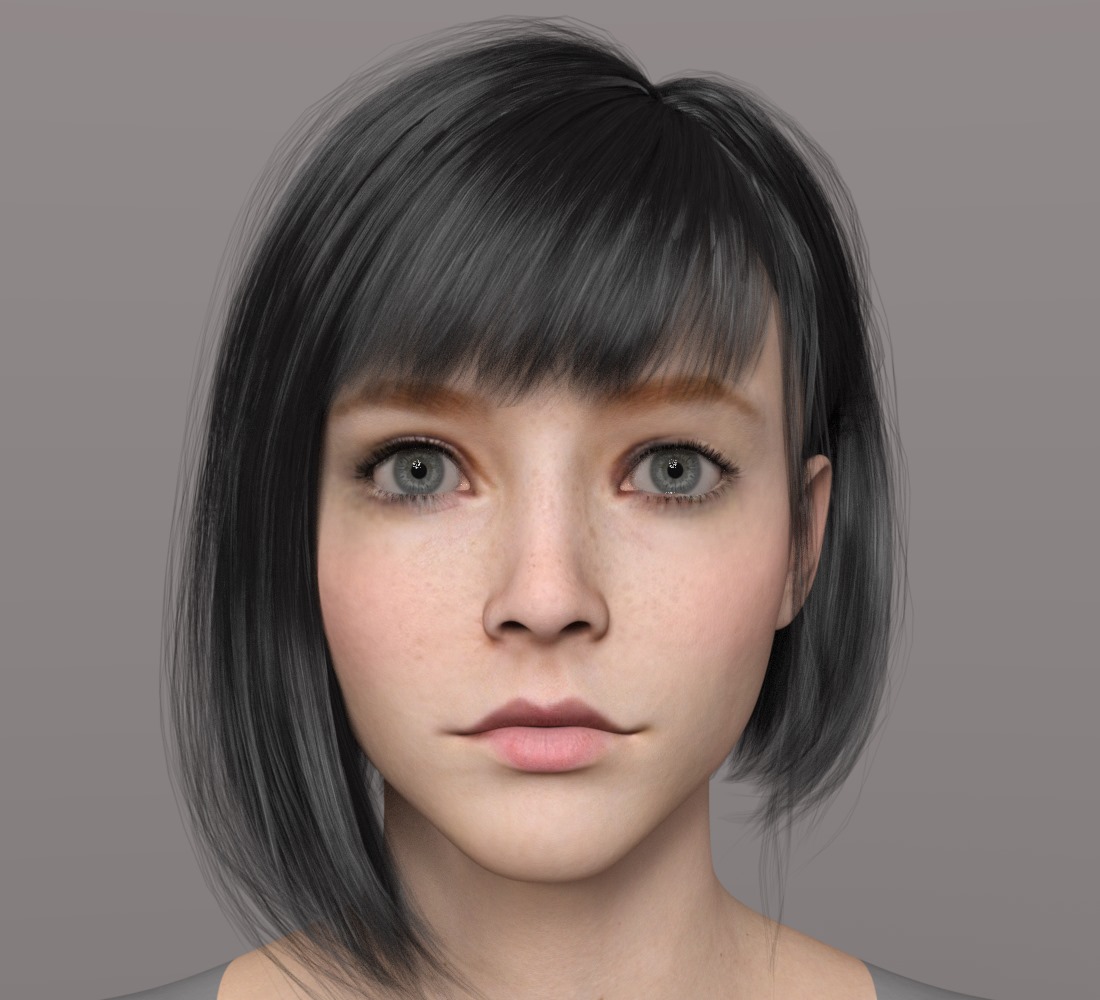
Trying to match character in imagesi try reshape it using genesis 9 but that what i get :(
the artist start to mix some morph useing many character from genesis 3 as he said in the comment with this link
https://www.deviantart.com/sirtancrede/art/Gothic-Beauty-004-792668349
i will get 300$ and i will share half of it with any one he can help recreat her
please help
 [Released] Turbo Loader for Genesis 9 [Commercial]
RiverSoft Art said:
johnjohn808 said:
HI
After Turbo Loader disables the morphs, I click on the character thumbnail to load the character and I get the message "The files listed below could not be found" which is expected.
But If I type in the name of the same character in Parameters, that character`s morph sliders show up and are enabled.
In previous versions, the character`s morph sliders down even show up when disabled by Turbo Loader.
Are the morphs actually disabled and Is there a fix for this?
Thank you
I am unable to reproduce this behavior. Are you sure the morphs are truly disabled. Did you perhaps disable the morphs AFTER the character has been loaded into the scene? (In that case, the morphs stick around until a new scene is loaded)
Thank you for your reply.
It does not seem like the morphs are disabled since I can still access working sliders. It just seems like it only disabled access to the morphs when clicking on the thumbnails in the content library. (I don`t use smart content)
When I disabled the morphs through Turbo Loader, I had no characters loaded.
I went through the process of disabling the morphs three times
I am using DS 4.22 on Windows 11, 8GB Ram, Nvidia RTX 3090
How to import animations from Daz to Blender using Diffeomorphic?I can't seem to find a single tutorial online on how to do this. I prefer to animate in Daz, and I want to be able to use that animation on my character in Blender, imported with Diffeomorphic.
I'm just sitting here trying every setting, but nothing works. I've tried exporting the pose in daz as a pose preset with animated range selected then clicking "import action" in diffeo. There was one time—I'm not sure what I had clicked—but the animation at least made keyframes giving me some movement, however, transforms like arms and legs didn't bend or move. But now it only imports as a pose.
When I imported the characted through easy importer i checked every morph option, and when I try to import the action, I also select "load missing morphs," but the only thing that happens is it loads as a pose that doesn't move with tons of missing parts to the facial expression anyway, indicating missing morphs, which just doesn't make sense. Obviously, I'm having a ton of issues here, so if someone can point me toward a tutorial or give me step-by-step instructions, I would be forever grateful.
Baking Displacement: bloated meshA late reply, but I just think I figured this out. This happens because Zbrush for some reason changes the base mesh when you subdivide. So basically everything is a little different from the original mesh, and then every point has a value in the displacement map.
It is easy to fix: Store a morph target before you begin. Then, before you export restore the morph target. This restores the base mesh to it's original geometry, and only the things you changed in your hi res modelling are represented in the map. I don't quiiiite understand why, but it works. That's Zbrush for you I guess :D
Example:
Top: 1: Generated displacement map 2: Generated displacement map after restoring morph target 3:Zbrush sculpt
Bottom: Disp map 2 used in Daz.4.23 loses all the face groups.
Face groups all 0? I could select the face groups before and hide the geometries I don't want.Is there another way to hide them?crosswind said:woyodo said:
crosswind said:
woyodo said:
crosswind said:
woyodo said:
crosswind said:
Ah,it's normal. When rigging with Transfer Utility, face groups are transfer from Genesis Figure to the target object, so the original poly groups / vertex groups, etc. will be invalid. The vendor should've removed them...
no transfer.Just load a mesh. I think it's a bugYou loaded a Wearable whatever shoes or pants to the Genesis figure... didn't you? If you did, it's no bug.
Or if you loaded bakc an OBJ of Wearable exported from DS, it's also normal. So..., better explain what you did with what figure / prop or name the product.
I did nothing else then Load a g81f,load a wearable clothes.Only this 2 steps. I did the same thing in 4.22.The face groups are correct.The issue only exists when I use 4.23Can you name the clothing that you loaded to G81F ? What was the clothing product that you used ?
Every product with custom face groups,such as Vertigo high heel boots which have many face groups for test.They are all the same after loading Vertigo boots into 4.22 and 4.23 ~ It would not make sense if there were no those "face groups with 0" in 4.22 but only in 4.23.
And this sort of "issue" is pretty commonly-seen as I said before. If you don't like them, just remove those groups and re-save a figure asset.
G9 TOON is so nice ,but I still have some questions...kyoreona said:
Leana said:
G9 toon is indeed G9 with a toon shape, and alternate eyes.
You can mix the toon shape with your other G9 morphs but I would recommend not using either of them at 100%. Mada suggested using the anime morph at 30% and a G9 morph at 70%, for example.To render with filament, set the render engine to "viewport" and use the filament style for the viewport.
Thank u !
But how can I render a roadlamp at the park in the night ?
add a point light or linear light
use the Filatoon shader on the bulb and set the ambient high and cast and recieve shadows off on the shader
bloom in the Filament draw node helps, can add lensflare too
4.23 loses all the face groups.woyodo said:
crosswind said:
woyodo said:
crosswind said:
woyodo said:
crosswind said:
Ah,it's normal. When rigging with Transfer Utility, face groups are transfer from Genesis Figure to the target object, so the original poly groups / vertex groups, etc. will be invalid. The vendor should've removed them...
no transfer.Just load a mesh. I think it's a bugYou loaded a Wearable whatever shoes or pants to the Genesis figure... didn't you? If you did, it's no bug.
Or if you loaded bakc an OBJ of Wearable exported from DS, it's also normal. So..., better explain what you did with what figure / prop or name the product.
I did nothing else then Load a g81f,load a wearable clothes.Only this 2 steps. I did the same thing in 4.22.The face groups are correct.The issue only exists when I use 4.23Can you name the clothing that you loaded to G81F ? What was the clothing product that you used ?
Every product with custom face groups,such as Vertigo high heel boots which have many face groups for test.They are all the same after loading Vertigo boots into 4.22 and 4.23 ~ It would not make sense if there were no those "face groups with 0" in 4.22 but only in 4.23.
And this sort of "issue" is pretty commonly-seen as I said before. If you don't like them, just remove those groups and re-save a figure asset.
G9 TOON is so nice ,but I still have some questions...Leana said:
G9 toon is indeed G9 with a toon shape, and alternate eyes.
You can mix the toon shape with your other G9 morphs but I would recommend not using either of them at 100%. Mada suggested using the anime morph at 30% and a G9 morph at 70%, for example.To render with filament, set the render engine to "viewport" and use the filament style for the viewport.
Thank u !
But how can I render a roadlamp at the park in the night ?
G9 TOON is so nice ,but I still have some questions...G9 toon is indeed G9 with a toon shape, and alternate eyes.
You can mix the toon shape with your other G9 morphs but I would recommend not using either of them at 100%. Mada suggested using the anime morph at 30% and a G9 morph at 70%, for example.To render with filament, set the render engine to "viewport" and use the filament style for the viewport.
Daz 3D is part of

Connect
DAZ Productions, Inc.
7533 S Center View Ct #4664
West Jordan, UT 84084Licensing Agreement | Terms of Service | Privacy Policy | EULA
© 2026 Daz Productions Inc. All Rights Reserved.