-
* CLOSED * RRRR - It was a great idea, but... Render Contest
tag: luci45 #3
Pumpkinhead Security
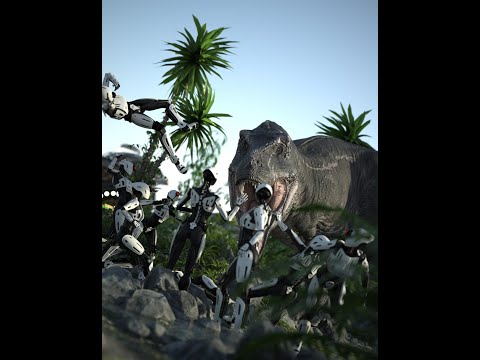
The Reilly Brothers Security and Surveillance Solutions Systems contracted the AI Pumpkinheads to create the ultimate home protection system. They were amazed but skeptical when the Pumpkinheads revealed their reducing machine, the best solution for neutralizing potential threats.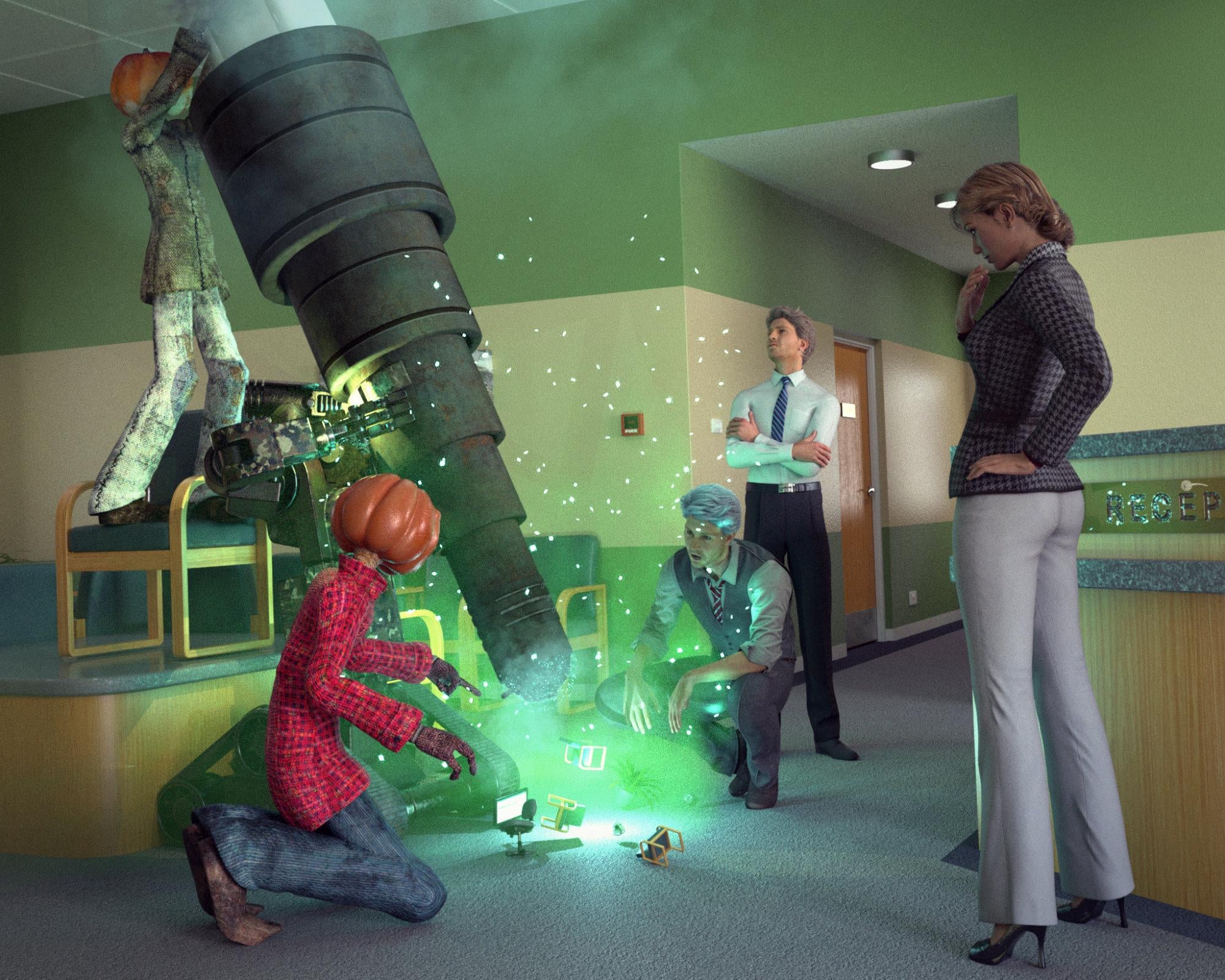
691 Capsces Poses Brodie 6
4859 StarView
5346 The Waiting Room
1871 Garden Variety Jack
1411 Eclectic Hair for Genesis 3 Female(s)also used:
FSL Rigged and Morphing Deep Magics Iray
Ethereal VDB FX
New York Essence for G3F
Victoria 7
Fraser Hair
Timothy HD for Michael 6
Jarek for M6
SRB 800 + SRB 800: Honor
Doctor's Coat and Suit for Genesis 2 Male(s)
Eldritch Seeker G2M
Jack Pumpkin PosesOkay I know this is likely to be off topic to actual Daz Software, but I just need to know.(Actually, Genesis 4 existed, but something went terribly wrong and it's been locked up in an attic ever since. Everyone at DAZ pretends it never happened, but there's a Victoria sister whose name they changed to... Dooonese:
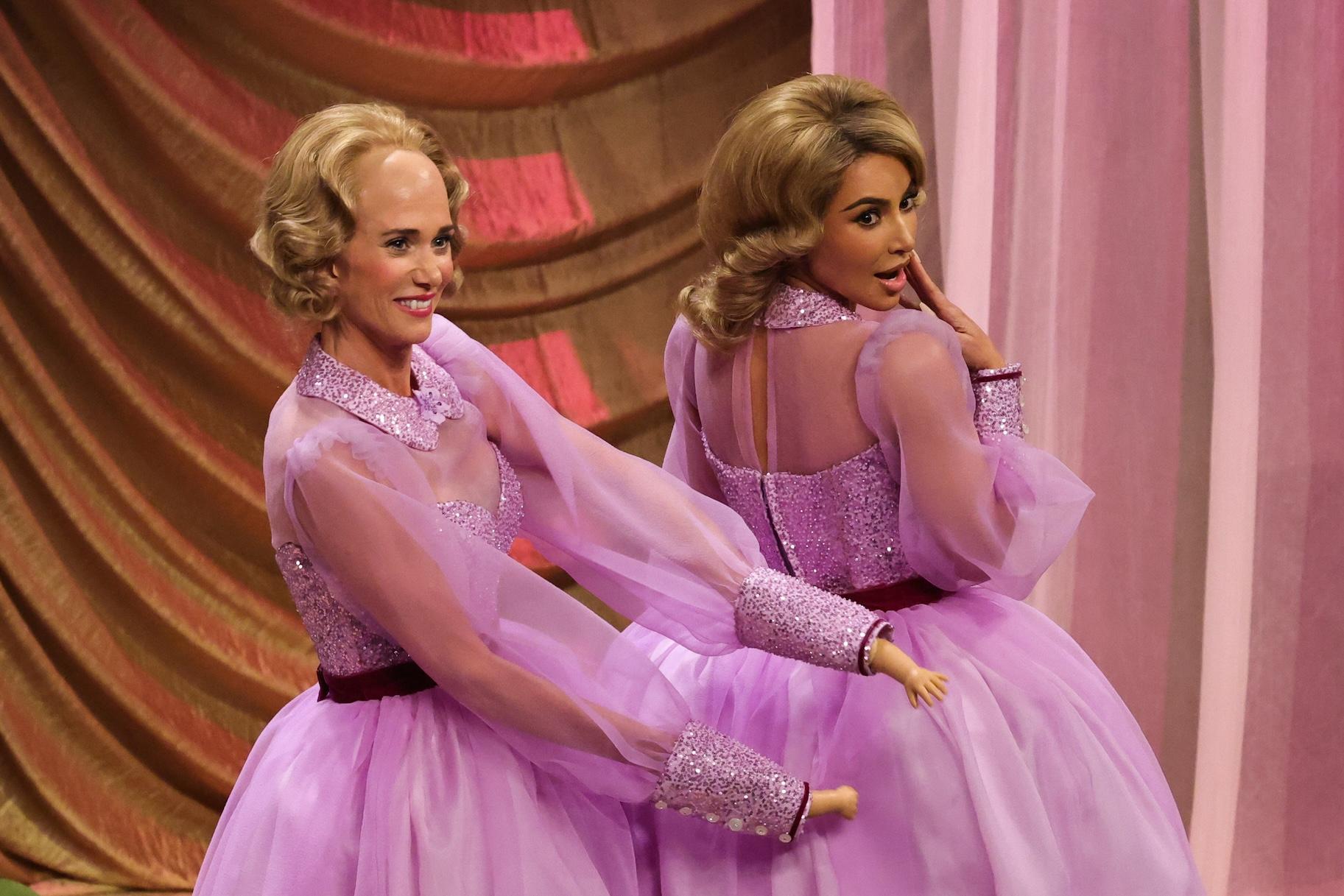 Okay I know this is likely to be off topic to actual Daz Software, but I just need to know.
It was commented on at the time and since, but it was done for a simple reason - people got confused that the named figures didn't match the Genesis numbers (e.g. Victoria 5 for Genesis, Victoria 6 for Genesis 2, Victoria 7 for Genesis 3) so the numbers were brought into alignment.
Let's appreciate/discuss today's new releases - more ongoinger threadhttps://www.daz3d.com/flowering-hebe-bushes
It's really nice to see some NZ natives in the Daz store but I must take issue with their description. Hebes are native to New Zealand (around 88 species), one in Rapa Nui (Easter Island), and one in South America. The Hebe species were not placed in the Veronica genus until the 21st century, some 150 years after the marriage of Queen Victoria (who, by the way, carried a small posy of snowdrops, no veronica or hebe). Thus I call BS on the description in the store, we Kiwis DO NOT like our bits and bobs being usurped by other countries (just look up the war about the pavlova and the flat white), our flora and fauna mislabeled, our rock bands called Australian, our racehorses pinched, et al. When you are from a tiny country pimple on the big earth pumpkin, it behoves you as a pimple citizen to make sure the big pumpkin people get it right.
DMVIs there a DMV? I want to register all the cars I got and give Victoria 9 her license!
Did anyone do a Clothing Converter from V3,V4,M3,M4 to Genesis 3,8,9 M&Fnightwolf1982 said:
OP might try Wear Them All:
Wear Them All - Autofitting Clones and Clothing Smoothers for Genesis 3 Male(s) | Daz 3D
Wear Them All - Autofitting Clones and Clothing Smoothers for Genesis 3 Female(s) | Daz 3D
Wear Them All - Autofit Clones Expansion for Genesis 3 Male(s) and Genesis 3 Female(s) | Daz 3D
You can at least get the generation 3 and 4 clothing fitted to G3, then re-fit them to G8/G9
Assuming they don't shatter. One of the big problems with transfering the Victoria 3 generation clothing to Genesis was that the joins between the origianl pieces of clothing weren't welded together strongly enogh to handle the dynamic stresses of trying to follow the level of morphing that the genesis products requiered. Believe me, I spent a lot of time back then trying to fit all my favorite old V3 generation oufits on Genesis characters and a hefty percentage of them just didn't work very well... at least, not without taking them into a modeling program like hexagon to redo the seams, as a number of the more advanced users were doing back in those days..
Did anyone do a Clothing Converter from V3,V4,M3,M4 to Genesis 3,8,9 M&Frichardandtracy said:
Yeah, I agree. I have tried, but GV3 doesn't seem to transfer well from Gen3 with GenX2.
I did it many years ago and as I recall the trick was to make a GenX clone of the base Victoria 3 and then a seperate Genx clone of the full Glamous Vicki verson, then remix the resulting morphs along with the commecial V3 to Genesis clone on the target figure.... a lot of tweeaking and side by side comparisons. That said, the issue I mainly recall running into was that the old V3 clothing wasn't built to genesis specs and had a tendency to come apart at the seems when autofitted.
Did anyone do a Clothing Converter from V3,V4,M3,M4 to Genesis 3,8,9 M&FHylas said:
myotherworld said:
that really works
Are you not happy with the Riversoft/Sickleyield ones?
https://www.daz3d.com/rssy-clothing-converter-from-victoria-4-to-genesis-8-female
https://www.daz3d.com/rssy-clothing-converter-from-michael-4-to-genesis-8-male
I own them but admittedly I don't think I've had the time to try them.
These two converters are practically useless for me. I always have to force the conversion because "Convert Files" does absolutely nothing, and the result is almost always distorted, resembling the Michelin Man.
It's a mystery to me why these products are still being sold in the shop.
There's Always Another Sale Thread -- Discussions Only Pt 5namffuak said:
Well - first coupon gets me an additional 50% off up to 5 items on my filtered wishlist, or up to 20 if I include a new item. My filtered wishlist has zero qualifying items. Then there's the 'Explosive' items - get one free with coupon or up to three free with a new item. AND - I already own all six.
<yawn> - bed time. I'll flip a coin when I get up - heads I'll log in and see if there's anything of interest
Not to mention that the Fuse new items are a pretty meh bunch to chose from, so to qualify for the 20% off I'd have to buy a couple of items I really have no need for. For a really good discount I might go for the subway, except I already have four or five abandoned subway sets* (as a lot of DAZ and Rendo vendors seem happy to just make variations on things already in the stores), and the combined discounts, including 8 tokens, is still less of a discount than I was getting just a month ago where the average item in my carts was pushing 90% off, and it's inevitable that the DAZ marketing team will resort to the uber steep discounts again in the near future so I'm happy to be patien Whatever, I've gotten quite used to promotional categories being entirely empty, as today's kablamo offer is, due to having previously bought them all, or if not empty then the remaining selection is entirely filled with stuff I've passed on a zillion times like old expression packs, bundles where I already own all the individual items, and ancient stuff from the days of victoria 2, though lately, of course, I also have to filter out all of the items that I've previously bought at Renderosity. When we're here at the end of the month and I still haven't used my premier $10 off coupon, you know that a month's sale and new item selection has been incredibly lackluster.
* plus it doesn't have safety railings on the stairway, which always feels llike pure laziness on the part of the PA.
Do Victoria 4 and Michael 4 Not Work In The Alpha VersionNeither [Victoria 4 nor Michael 4] will load into the [Alpha Version] scene at all. I've tried double clicking, merging into scene etc. Re installed. Not working. Weirdly, Aiko 3 works just fine
FJM's RendersTesting out some V4 stuff I bought, thought I would try and see how far I could push the legacy releases:
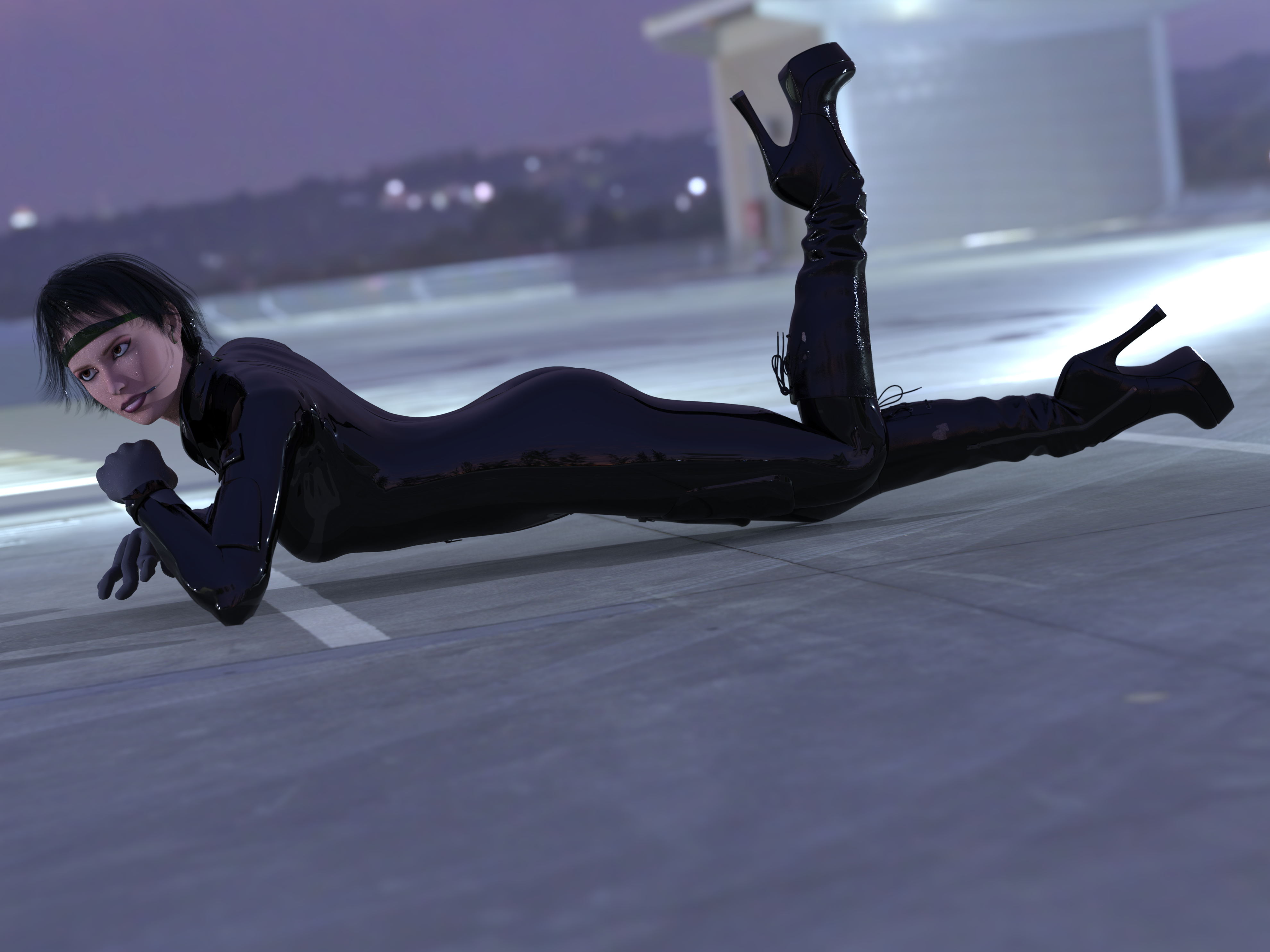
I used:
Victoria 4.2 Base https://www.daz3d.com/victoria-4-2-base
Flight Suit https://www.daz3d.com/flightsuit
Chic Boots https://www.daz3d.com/chic-boots-for-v4-a4
Gear Headset https://www.daz3d.com/gearheadset-for-victoria-4
And A rooftop HDRI from Poly HavenNew Year, New Sales Thread: Report Issues Here 3 "Reporting Only"The “Introducing Genesis 9” page really needs some work.
Michael 9’s introduction includes the “Michael 9 HD Fantasy Mega Bundle,” which is marked as Inactive and leads to an “Oops!” page. It would be a good idea to update that.
Meanwhile, Victoria 9’s introduction includes the text “Get the Victoria 9 HD Intro Bundle today!” That’s the literal name of a product listed right below, which is also marked as Inactive and leads to an “Oops!” page. It would be a really good idea to replace both the item and the text with something that people can actually buy.
Finally, the “Shop all Genesis 9” banner prominently links to ten “Inactive” items. They should really be replaced with currently available items, because that level of neglect on one of the site’s most prominent pages is going to turn off potential customers. If it had looked like that a year ago when I was getting ready to join, I might not have. I definitely don’t regret joining, but I would have been hesitant to commit to something that looked like it might be unmaintained and possibly on the verge of breaking down.
Render your buys! Use buys from the current month and the previous month of salesTesting out some V4 stuff I bought, thought I would try and see how far I could push the legacy releases:
I used:
Victoria 4.2 Base https://www.daz3d.com/victoria-4-2-base
Flight Suit https://www.daz3d.com/flightsuit
Chic Boots https://www.daz3d.com/chic-boots-for-v4-a4
Gear Headset https://www.daz3d.com/gearheadset-for-victoria-4
And A rooftop HDRI from Poly Haven
lowpi bone minionsIt's not that hard. Just have to make reasonable compromises as to the information that's lost. The same sort of thing happens when you convert a G8/9 pose to a Victoria 3/4 character. They have a single abdomen bone and a single chest bone. That means there is a combination and loss of information, and with the V3 buttock bone, some information from the G8/9 Pelvis bone has to be split between the V3 buttocks too. However, it works reasonably well if the programmer is sensible about how the pose information is interpreted. Regards, Richard[Released] Look At Me III [Commercial]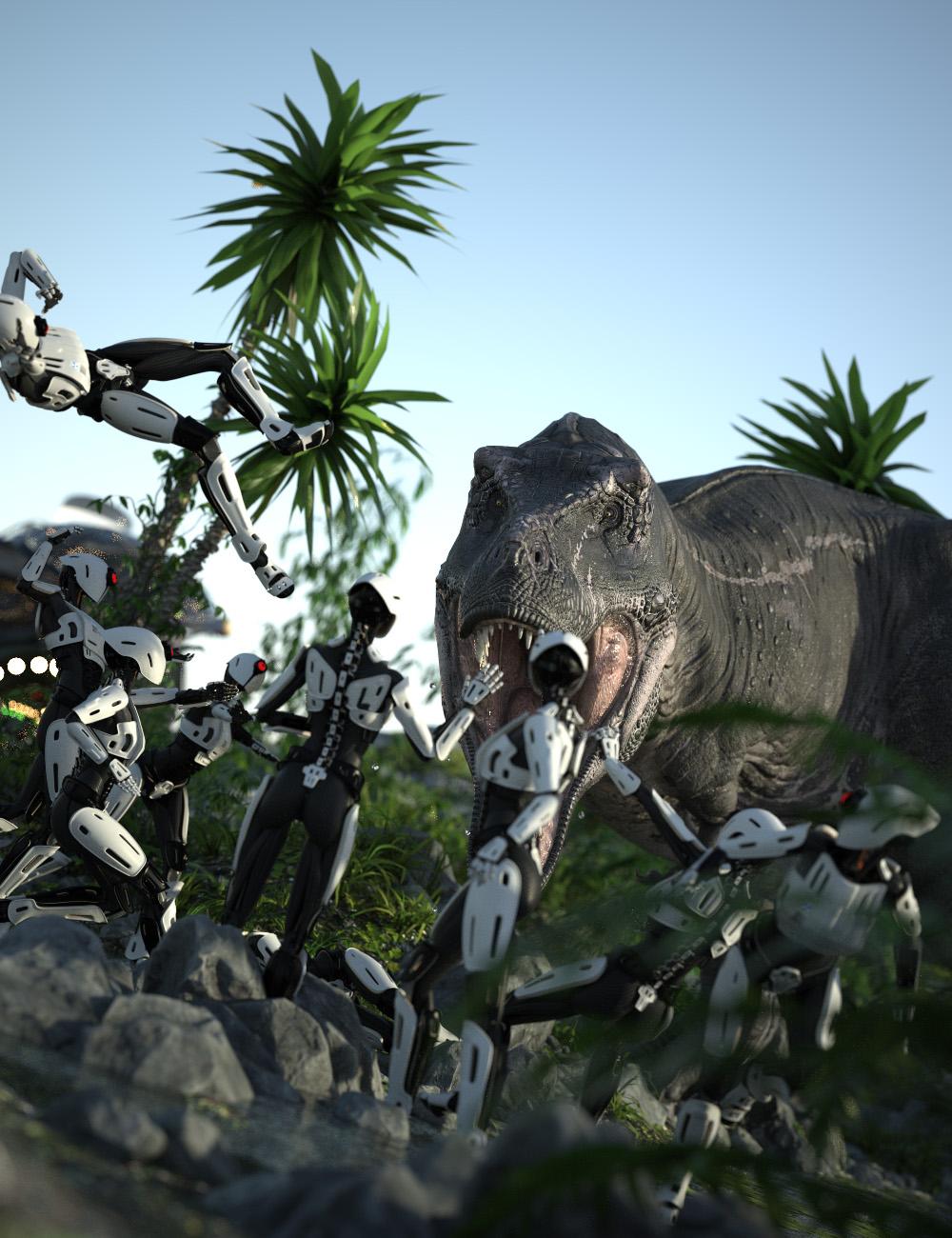 Look At Me III is a major upgrade to the popular Look At Me II Pose Control, offering a suite of scripts that let you precisely control your characters’ eye, head, chest, and abdomen movements for natural, expressive poses. With Look At Me III, you can quickly orient selected figures to face any target in your scene—such as the viewport, a specific node, or even each other—making posing for renders and animations both fast and intuitive. Fine-tune each movement for realistic results, whether you’re working with humans, animals, or fantasy creatures.
Designed to work out of the box with nearly any character or figure—from Victoria 4 to Genesis 9, Horse 2 to Dragon 3—Look At Me III now lets you pose any character type. You can even assign sliders to different bones for maximum flexibility.
- Five Custom Scripts for controlling where your characters look:
-
- Look at Camera III: Direct eyes, head/neck, chest, and abdomen toward the active viewport camera. Supports multiple characters simultaneously.
- Look at That III: Make characters look at the last selected node—on themselves or any object in the scene. Works with multiple characters.
- Look at Each Other III: Pose two figures to gaze into each other’s eyes, with individual control for each. New options let you choose which eye to target.
- Look into My Eyes III: Selected figures look into the eyes of the last figure chosen (who remains unposed). Supports multiple characters.
- NEW! Look at Geometry III: Characters can now look at a specific vertex on any node in the scene. Works with multiple figures.
- Universal Compatibility: Works out of the box with almost any character or figure.
- Expandable: Easily extend scripts to support new character types and custom bone names.
- 99 Levels of Undo/Redo: Experiment freely with poses.
- Daz Studio 2026 Support: Fully compatible with the latest version.
- Faster, More Intuitive Workflow: Improved performance and usability.
- Preview Camera: Get a precise overview of your pose before applying it.
- Automatic Settings: Your preferences are saved and restored for convenience.
No poses are included with the package.
Tutorial
 ISO skin cracks
Would this one be of any use? SY Fire Within Genesis 8 and 8.1 | Daz 3D
There's also a similar product that just affects the lower arms and hands but isn't cracks as such, Power Blast Props for Victoria 7 and 8 and Michael 7 and 8 | Daz 3D
Genesis 2 Appreciation ThreadA quicky.
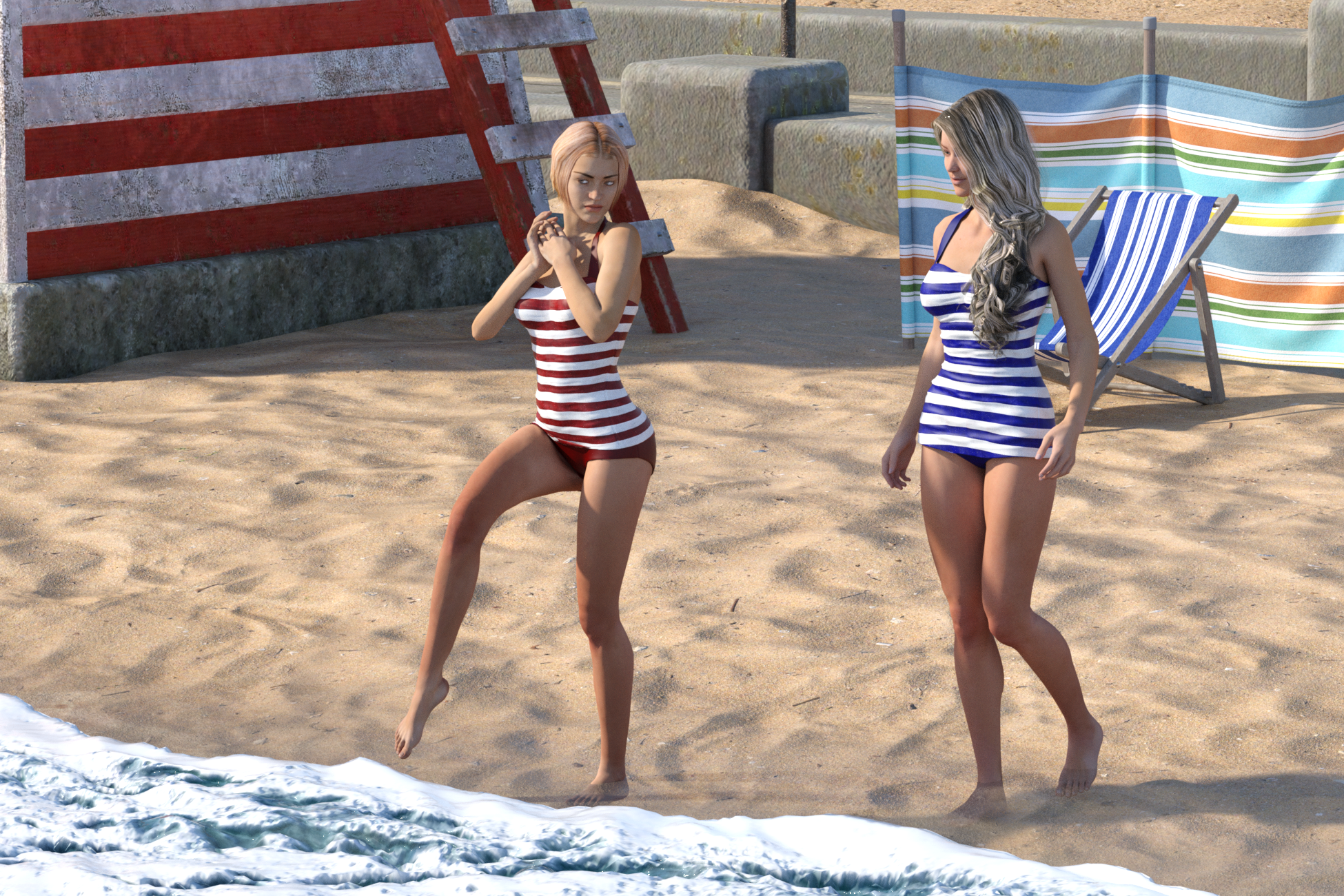
The new freebi in the freebi section, the retro swimsuit. The hair on Stephany is also from the freebies, though for Genesis.
I tried to simulate the retro top. Went fine on Stephanie (after a little weightpaint), but Victoria exploded without I could see why, So I left hers unsimulated.
The seaside environment (Predatron) is a little weird, you can't really see where the water starts, so it was some trial an error.
 [Released] Bone Minion Batch Converter for Generation 4 Poses [Commercial]
Eboshijaana said:
RiverSoft Art said:
There may be an issue where an old version of the Bone Minion - Create Heavyweight Bone Minion script was included with this release. On executing Bone Minion - Create Heavyweight Bone Minion and selecting Michael 4 or Victoria 4.2, you should receive a dialog like this:
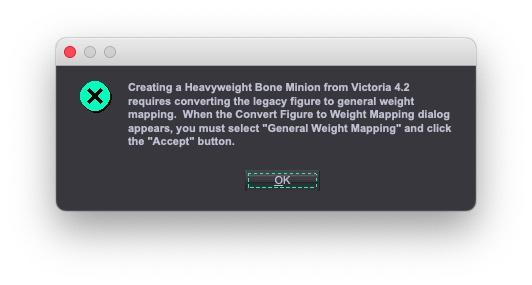
If you do not see this message (and then the following dialog), the script is the old create heavy bone minion script and will not create the V4/M4 Heavyweight Bone Minion correctly. Please try the attached script and see if it works instead.
The attached script worked well!
Excellent! It sounds like I need to do an update.
 [Released] Bone Minion Batch Converter for Generation 4 Poses [Commercial]
RiverSoft Art said:
There may be an issue where an old version of the Bone Minion - Create Heavyweight Bone Minion script was included with this release. On executing Bone Minion - Create Heavyweight Bone Minion and selecting Michael 4 or Victoria 4.2, you should receive a dialog like this:
If you do not see this message (and then the following dialog), the script is the old create heavy bone minion script and will not create the V4/M4 Heavyweight Bone Minion correctly. Please try the attached script and see if it works instead.
The attached script worked well!
[Released] Bone Minion Batch Converter for Generation 4 Poses [Commercial]There may be an issue where an old version of the Bone Minion - Create Heavyweight Bone Minion script was included with this release. On executing Bone Minion - Create Heavyweight Bone Minion and selecting Michael 4 or Victoria 4.2, you should receive a dialog like this:
If you do not see this message (and then the following dialog), the script is the old create heavy bone minion script and will not create the V4/M4 Heavyweight Bone Minion correctly. Please try the attached script and see if it works instead.
Daz 3D is part of

Connect
DAZ Productions, Inc.
7533 S Center View Ct #4664
West Jordan, UT 84084Licensing Agreement | Terms of Service | Privacy Policy | EULA
© 2026 Daz Productions Inc. All Rights Reserved.