-
(Released) - dForce Mermaid Hair for Genesis 8 and 8.1 Females
barberoy said:
Looks great.
btw, who's the character in image no.11? I'd like to recreate it.
https://gcdn.daz3d.com/p/82858/i/dforcemermaidhairforgenesis8and81females11daz3d.jpg
The head morph is Honni 8 and the skin textures are Leisa 8.
Torment 8.1AllenArt said:
These two images of him are highly customized, but I really like what will probably be the LAST decent male character from Daz.
I think it's far too early to say. I remember a period when seemingly every new DAZ core character left me completely cold - Raven, Yuzuru, Leisa, Jenni, Robyn, Darcy, Rynne, Tristan. I love Darcy and Jenni doesn't look too bad, but the others are not to my taste at all. This is subjective and I'm sure others will disagree. In any case, it was a dry period for me personally in that regard, but some of my favourite core characters were released afterwards - Dain, Kayo, Kwan, Freja. Ebb and flow.
How do I convert Genesis 8F characters to the new 8.1 shader?I don’t use the PBR shaders but there is supposedly a shader included in Daz Essentials. So I would guess just use that on Leisa 8.
How do I convert Genesis 8F characters to the new 8.1 shader?1. How do I convert Genesis 8F characters to the new 8.1 shader?
2. What extra textures do Genesis 8F characters need for the new 8.1 shader? An Occlusion map, correct? Anything else?
Let's say I wanted to convert Leisa 8 to 8.1's new skin shader. What steps do you forsee in that process? I'm about to dive into this, but was hoping someone else has already formed a list of what needs to be done, OR BETTER YET, something I can buy that does this entire process for me automatically?
Here's my current thought process:
- Load Victoria 8.1F
- Replace Head & Body Morphs with Leisa 8.
- Replace all of Victoria 8.1F textures with Leisa 8's textures, however there are some differences, and there's no occlusion map for Leisa 8 that I'm aware of. What else?Yui Remake QuestionAs far as I can tell these are the differences between the original and 'remake' version, of course as nicstt says we don't know if the remake character uses the Genesis 8.1 UVs or not.
- Yui Remake Character and Hair for Genesis 8.1 Female (.DUF)
-
- Yui Remake Character Preset(PBRSkin)
- Full Apply/Remove
- Head Apply/Remove
- Body Apply/Remove
- Navel Apply/Remove
-
- Character Materials
- Available as PBRSkin and Iray Uber
- Base Skin
- 08 Eye Colors
- 06 Lip Colors + Nature Lip
- Eyelashes MAT
- Lips Shine+Remove
- Yui Remake Hair for Genesis 8.1 Female(s) (Not sure if any of these are new)
- Back Flutter B
- Back Flutter L
- Back Flutter R
- Bangs Decline
- Bangs Separate L
- Bangs Separate R
- Behind Side Longer
- Earlock Bend
- Earlock Decline
- Earlock Flutter L
- Earlock Flutter R
- Earlock Tighten up
- Earlock swing L
- Earlock swing R
- Front Side Longer
- Left Side Longer
- Right Side Longer
- Sticking to the scalp
- Supported Shapes
- Edie 8
- Topsy 8
- Kaylee 8
- Tika 8
- Alawa 8
- Alexandra 8
- Angharad 8
- Aubrey 8
- Babina 8
- Bridget 8
- CJ 8
- Celani 8
- Charlotte 8
- Daisy8
- Darcy 8
- Ellithia 8
- Eva 8
- Freja 8
- Gabriela 8
- Gia 8
- Honni 8
- Jenni 8
- Josephene 8
- Kala 8
- Kayo 8
- Khemsit 8
- Latonya 8
- Leisa 8
- Mabel 8
- Mei Lin 8
- Millawa 8
- Monique 8
- MrsChow 8
- Olympia 8
- Penny 8
- Robyn 8
- Sahira 8
- Stephanie 8
- Sukai 8
- Tasha 8
- Teen Jane 8
- Teen Josie 8
- Teen Raven 8
- Twosret 8
- Victoria 8
- Victoria 8.1
- Mika 8
- Aiko 8
- Rynne 8
- Yui Remake
- Other Shapes May Be Supported in Daz Studio via Auto-Follow
- Hair Shaping Presets
- Reset All
- Reset Blow
- Reset Style
- 04 Hair Blow Presets
- 04 Hair Style Presets
- Materials:
- Hair Black
- Hair Blue
- Hair Bright red
- Hair Brown
- Hair Canary yellow
- Hair Cyan
- Hair Dark green
- Hair Green
- Hair Light blue
- Hair Light cyan
- Hair Light red
- Hair Lilac colour
- Hair Navy blue
- Hair Orange red
- Hair Pink
- Hair Red
- Hair Saffron yellow
- Hair Ultimate yellow
- Hair Violet
- Hair White
- Hair Yellow
- Textures Included:
- 68 Texture, Specular, Bump, Normal, Reflection, and Transparency Maps (2048 x 2048 to 4096 x 4096)
- Daz Studio Iray Uber Material Presets (.DUF)
- Daz Studio Iray PBRSkin Material Presets (.DUF)
I already have the original character so I would have to say there's not enough here to spend another $24.95 (excluding discount)
Best Wishes
Steve.E.V.E Enhanced Virtual Entity Hd For Genesis 8 Female Glitch? --- FIXEDAfter loading Leisa, I checked the log and it is showing two files referring to EVE. So, it looks like EVE is the problem. Any clues how to fix this?
2021-03-09 15:21:33.843 Begin Loading Character Addons...
2021-03-09 15:21:34.077 File loaded in 0 min 0.2 sec.
2021-03-09 15:21:34.082 Loaded Morph Deltas in 0 min 0.0 sec.
2021-03-09 15:21:34.082 Loaded file: FHMLeisa8HD_div4.dsf
2021-03-09 15:21:34.197 Loaded Morph Deltas in 0 min 0.0 sec.
2021-03-09 15:21:34.197 Loaded file: FHMLeisa8HD_div4_proj.dsf
2021-03-09 15:21:34.211 Loaded Morph Deltas in 0 min 0.0 sec.
2021-03-09 15:21:34.211 Loaded file: FHMLeisa8.dsf
2021-03-09 15:21:34.221 Loaded Morph Deltas in 0 min 0.0 sec.
2021-03-09 15:21:34.221 Loaded file: FBMLeisa8HD_div4.dsf
2021-03-09 15:21:34.484 Loaded Morph Deltas in 0 min 0.0 sec.
2021-03-09 15:21:34.484 Loaded file: FBMLeisa8HD_div4_proj.dsf
2021-03-09 15:21:34.499 Loaded Morph Deltas in 0 min 0.0 sec.
2021-03-09 15:21:34.499 Loaded file: FBMLeisa8.dsf
2021-03-09 15:21:34.513 Loaded Morph Deltas in 0 min 0.0 sec.
2021-03-09 15:21:34.513 Loaded file: EVE Final L4 FHM.dsf
2021-03-09 15:21:34.590 Loaded Morph Deltas in 0 min 0.0 sec.
2021-03-09 15:21:34.590 Loaded file: EVE Final L4 FBM.dsf
2021-03-09 15:21:34.750 Loaded file: Genesis 8 Female Eyelashes.duf
2021-03-09 15:21:34.772 Loaded Morph Deltas in 0 min 0.0 sec.
2021-03-09 15:21:34.772 Loaded file: PHMMouthRealism_HD_div2.dsf
2021-03-09 15:21:34.783 Loaded Morph Deltas in 0 min 0.0 sec.
2021-03-09 15:21:34.783 Loaded file: PBMNavel.dsf
2021-03-09 15:21:34.783 Loaded Morph Deltas in 0 min 0.0 sec.
2021-03-09 15:21:34.784 Loaded file: PHMEyelashesLengthUpper.dsf
2021-03-09 15:21:34.784 Loaded Morph Deltas in 0 min 0.0 sec.
2021-03-09 15:21:34.784 Loaded file: PHMEyelashesLengthLower.dsf
2021-03-09 15:21:34.785 Loaded Morph Deltas in 0 min 0.0 sec.
2021-03-09 15:21:34.785 Loaded file: PHMEyelashesCurl.dsf
2021-03-09 15:21:34.828 Loaded Morph Deltas in 0 min 0.0 sec.
2021-03-09 15:21:34.829 Loaded file: PHMEyelashesLengthUpper.dsf
2021-03-09 15:21:34.831 Loaded Morph Deltas in 0 min 0.0 sec.
2021-03-09 15:21:34.832 Loaded file: PHMEyelashesLengthLower.dsf
2021-03-09 15:21:34.835 Loaded Morph Deltas in 0 min 0.0 sec.
2021-03-09 15:21:34.835 Loaded file: PHMEyelashesCurl.dsf
2021-03-09 15:21:34.838 Loaded Morph Deltas in 0 min 0.0 sec.
2021-03-09 15:21:34.839 Loaded file: PHMEyelashesExpand.dsf
2021-03-09 15:21:35.012 File loaded in 0 min 0.0 sec.
2021-03-09 15:21:35.012 Loaded file: Leisa 8 Eyelashes.duf
2021-03-09 15:21:35.014 Finished Loading Character Addons
2021-03-09 15:21:35.098 File loaded in 0 min 47.7 sec.
2021-03-09 15:21:35.098 Loaded file: Leisa 8 HD.duf
2021-03-09 15:21:37.591 Loaded image Leisa8LegsD_1003.jpg
2021-03-09 15:21:37.657 Loaded image Leisa8Eyes02D_1006.jpg
2021-03-09 15:21:37.856 Loaded image Leisa8ArmsD_1004.jpg
2021-03-09 15:21:37.919 Loaded image Leisa8MouthD_1005.jpg
2021-03-09 15:21:38.143 Loaded image Leisa8FaceD01_1001.jpg
2021-03-09 15:21:38.340 Loaded image Leisa8TorsoD_1004.jpg
2021-03-09 15:21:38.406 Loaded image Leisa8Eyelashes.jpgE.V.E Enhanced Virtual Entity Hd For Genesis 8 Female Glitch? --- FIXEDHas anyone noticed anything weird happening with all other G8F characters? I installed E.V.E Enhanced Virtual Entity Hd For Genesis 8 Female yesterday and today all my G8F characters are coming in sort of distorted. Their faces, especially around the mouth and eyes, and a sort of bulgy head is happening on all of them since E.V.E. was installed. I've had this happen in the past. I remember installing a male character a couple of years ago who caused all of my male characters to come in all bulked up like the Incredible Hulk. They somehow fixed this. But I'm wondering if anyone else who installed E.V.E. is seeing this happen. Am I just seeing them strangely, or should I put in a ticket?
I've attached images of Victoria 8, Leisa 8, and Bridget 8. They just look weird to me. There's a square bulge under the mouth that wasn't there before. The eyes seem sort of skewed, and the heads seem too large and bulgy. Did the new E.V.E. character cause this? They didn't look like this before I installed her.
Arms > Torso material issueAny ideas what's going on in the attached image?
I've noticed a line between the arms and torso surfaces has suddenly appearing for some characters.
This is Miriam by Bluejaunte but I also see it on Leisa 8 for example. Other characters however are unaffected.
I've looked at the surface settings but (with my limited knowledge) don't see anything obviously different between them.
Genesis 8.1 / Victoria 8.1
I find Victoria 8.1 looking like a mix of Leisa 8 and Babina 8... therefore not really interesting enough for me. And does the iris in the attached picture look distorted? I don't think that at that particular angle, even though the iris being concave should look like that.Sevrin said:Is it just me, or does V8.1's face look nothing like V8's?
Network Error Trying to Download Leisa 8I'm getting a Network error from Chrome while trying to download Leisa 8. I reviewed Google's solutions but none of them seem to apply because the error isn't consistent.
Leisa 8"Trending Poses for Leisa 8" - can someone name the hair from the promo shots?
https://www.daz3d.com/trending-poses-for-leisa-8-and-genesis-8-female
More Non-photorealisitic Renders (NPR II)Thanks a lot, Divamakeup. It is from Unity and developer name is Jiffycrew.
I have added Leisa 8 and rendered only the lines. As a full screen effect, it is interesting, because it reveals a lot of details.
It detects both outlines and rich interior feature lines of objects.
It incorporates an advanced computer graphics feature line extraction technique
introduced in the "Suggestive Contours for Conveying Shape" SIGGRAPH paper.
The Suggestive Contour is a complex differential geometry mathematical definition
to find view-dependent surface inflection points.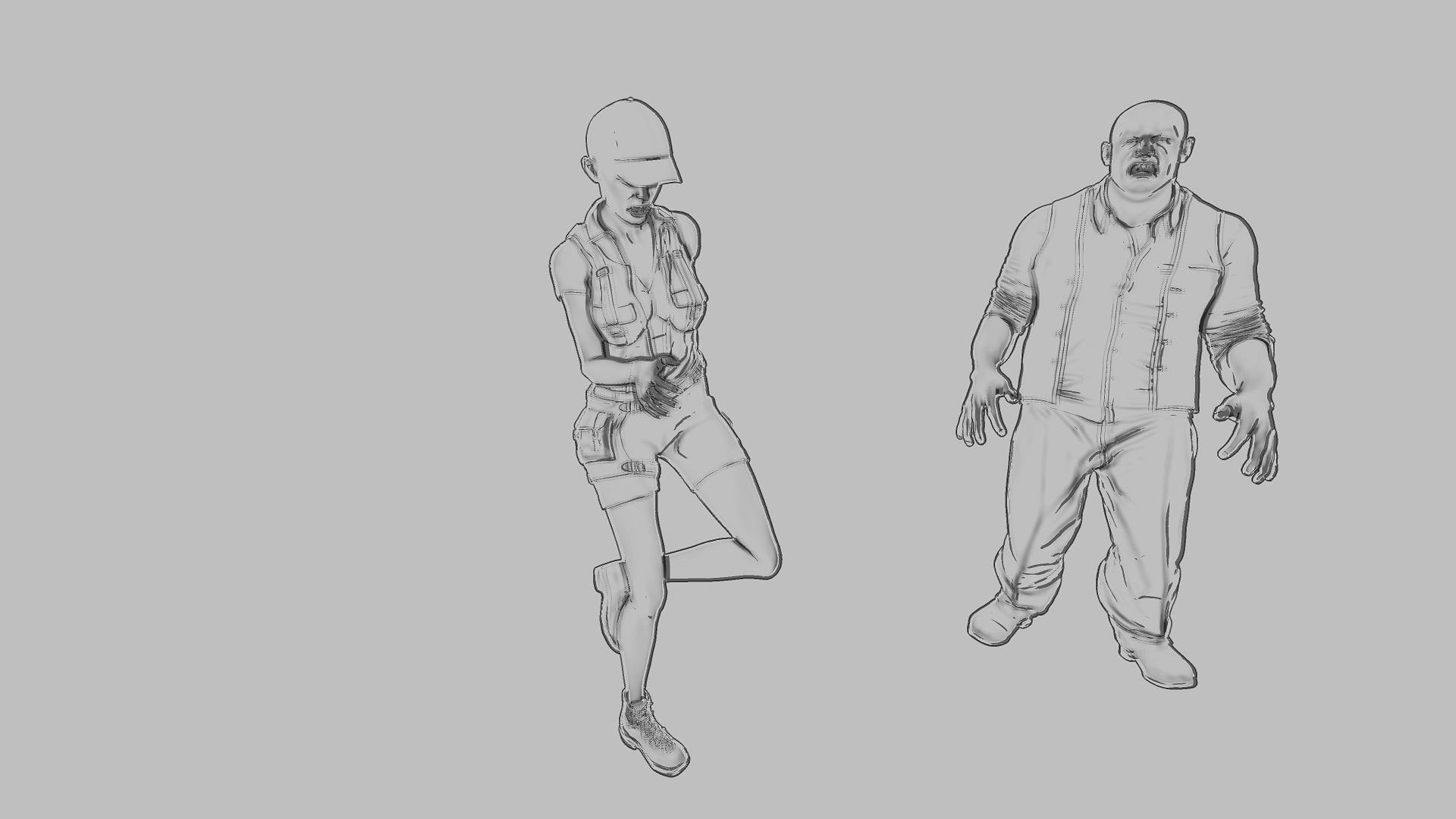
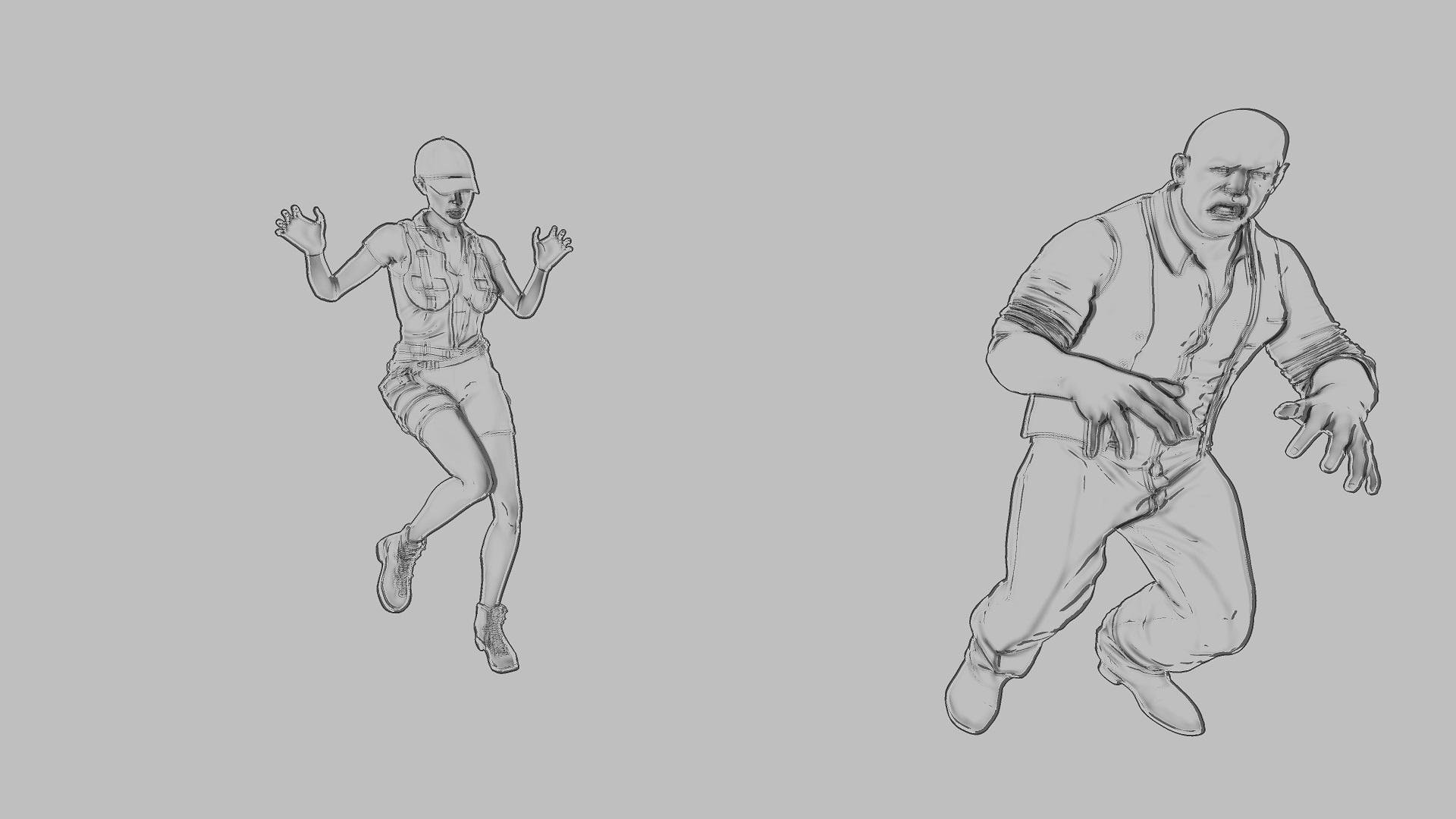
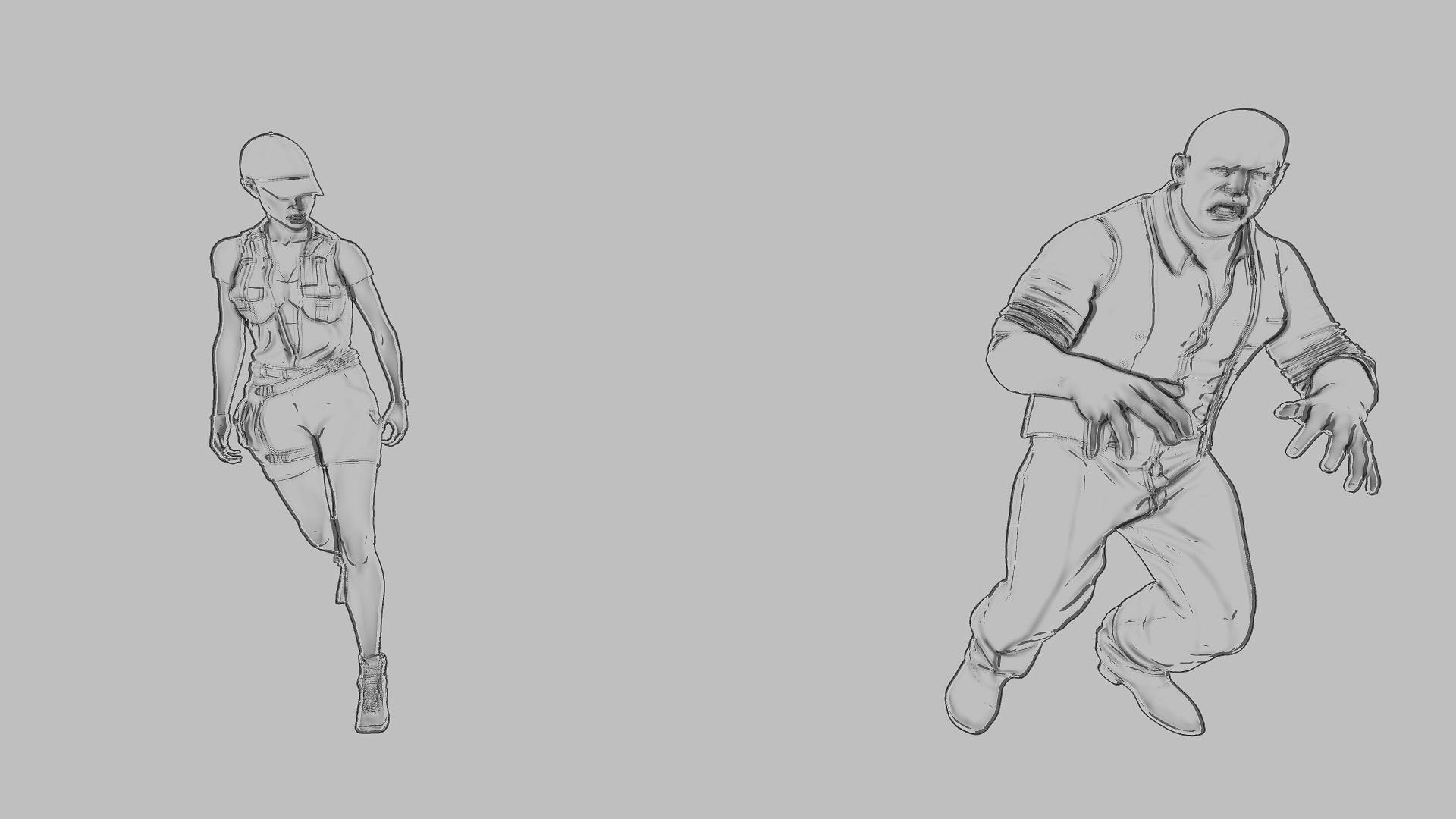
That's neat! I like that it can do line width variations. It seems like most automated processes of creating line work often don't have much ability to create variations in the lines like that - tapering and thickening in different areas.
I think a nice "workflow" might be to render the scene without lines then a second render pass of just the character's lines - like above. You could then add the lines over the regular scene render and make any adjustments to the line that you like - darkening or lightening them, changing their color, "erasing" some of the areas that might get a bit too "busy" or dark, etc. That gives you a lot of room to adjust the lines to your liking. :D
More Non-photorealisitic Renders (NPR II)Thanks a lot, Divamakeup. It is from Unity and developer name is Jiffycrew.
I have added Leisa 8 and rendered only the lines. As a full screen effect, it is interesting, because it reveals a lot of details.
It detects both outlines and rich interior feature lines of objects.
It incorporates an advanced computer graphics feature line extraction technique
introduced in the "Suggestive Contours for Conveying Shape" SIGGRAPH paper.
The Suggestive Contour is a complex differential geometry mathematical definition
to find view-dependent surface inflection points.Genesis 8 Female example and improvement discussionShow us your Blender Renders@andya If you added the hdri yourself be sure to set the intensity to 2 the same as daz studio. Then Leisa should work fine with the volumetric skin if you render with cycles and the required minimum settings. If you have any doubt as for cycles settings then let the plugin update them for you or set them to full global illumination so you're sure you're good.
Does Victoria 8 work fine for you ? I can do a comparison with her if it may help.
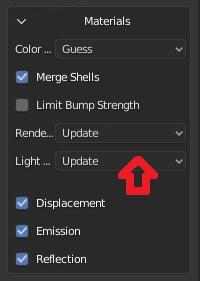
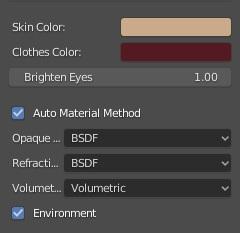
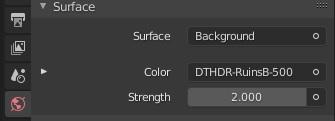
The idea here was to compare the results of the two transfer methods against Daz Studio Iray with as little user intervention as possible. People using these tools may know very little about Blender, so may judge only by what they get 'out of the box'. The defaults are also I think the closest to an 'apples to apples' comparison.
So, I did a fresh install of both plugins and used the defaults provided. Daz Importer was downloaded today. As noted, DazToBlender sticks a Sun light in the scene (maybe because the only light is an HDRI?), so I deleted that. The strength was set to 2 by the Daz Importer, which I used first, and I did not change it thereafter The Daz Importer is set to Warn for the Lighting, and does not warn me, so I assume it is satisfied. It is set to Update for Rennder Settings.
Victoria 8 gives similar results to Leisa 8 - not surprising really as they are both Daz models. Again, neither gets very close to the Iray result, and both would need some work on materials.
Show us your Blender Renders@andya If you added the hdri yourself be sure to set the intensity to 2 the same as daz studio. Then Leisa should work fine with the volumetric skin if you render with cycles and the required minimum settings. If you have any doubt as for cycles settings then let the plugin update them for you or set them to full global illumination so you're sure you're good.
Does Victoria 8 work fine for you ? I can do a comparison with her if it may help.
Show us your Blender RendersNo artistic merit here, just sharing a comparison I did for my own interest. It is Leisa 8 with Rose hair (because I just bought them) and the default Ruins HDRI. (I deleted the Sun light that DazToBlender added for some reasons of its own. Other than that everything is default settings, so 'Auto Material' setting for the Thomas Larsson Daz Importer.) I am using a recent (June) download of the development version of the Daz Importer.
Honestly, I don't think the results are great with either transfer method as materials go. I would have to spend some time working on all the materials in either case. Using Cycles in both cases, Blender rendered both faster (much less than 1 minute) to 100 samples than Iray to 100 iterations (1 mn 20 secs). Iray render included for comparison.
ISO These ItemsI am looking for some items used in promos. I have searched but can't locate them.
https://www.daz3d.com/miranda-for-leisa-8
Main promo pic, I am, looking for the hair and the sheer top worn over the Diva Lingerie.
https://www.daz3d.com/michelle-hd-for-genesis-8-female
I am looking for the dress in the main promo. I looked through the listeings at teh bottom of the page, but did not see this dress.
DLM
Novica & Forum Members Tips & Product Reviews Pt 13Aliet for Leisa 8 Wild Waves Hair (G8F) The Strongroom
Aliet has many options, such as translucency, lightening palms and soles of feet, specular, etc. The eyes have great detail. I dulled her teeth slightly as I don't like Pepsodent white.
Wild Waves Hair, I took the forehead section off in Surfaces wtih Cutout Opacity, there wasn't anything in Scene but I didn't check Parameters.
I'd recommend Everyday Poses and Expressions for Genesis 8 Female and Gia 8, as there's a nice variety.
If you want a pirate room, consider The Strongroom. Lots of crates and barrels, typical of historical times. The Pro-Studio HDRI lights work well, but here's a tip- keep your character facing FRONT and rotate the ROOM. We covered that years ago in my thread- set the light up like you want it and then make the set adjust to the light. I merely hid a wall, then grouped the shelf and its contents (Create>Group after you select all in Scene) then moved a barrel to the front to add to the DOF illusion.
Does anyone know the name of this outfit? It didn't load in Scene with the name and I moved on before I realized it.
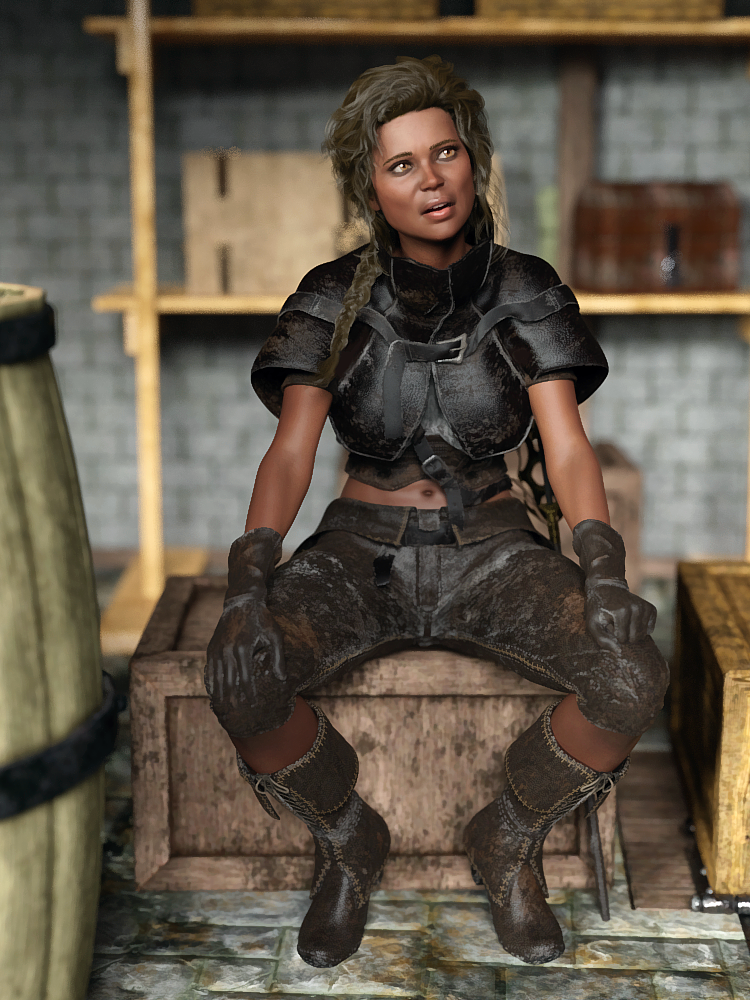
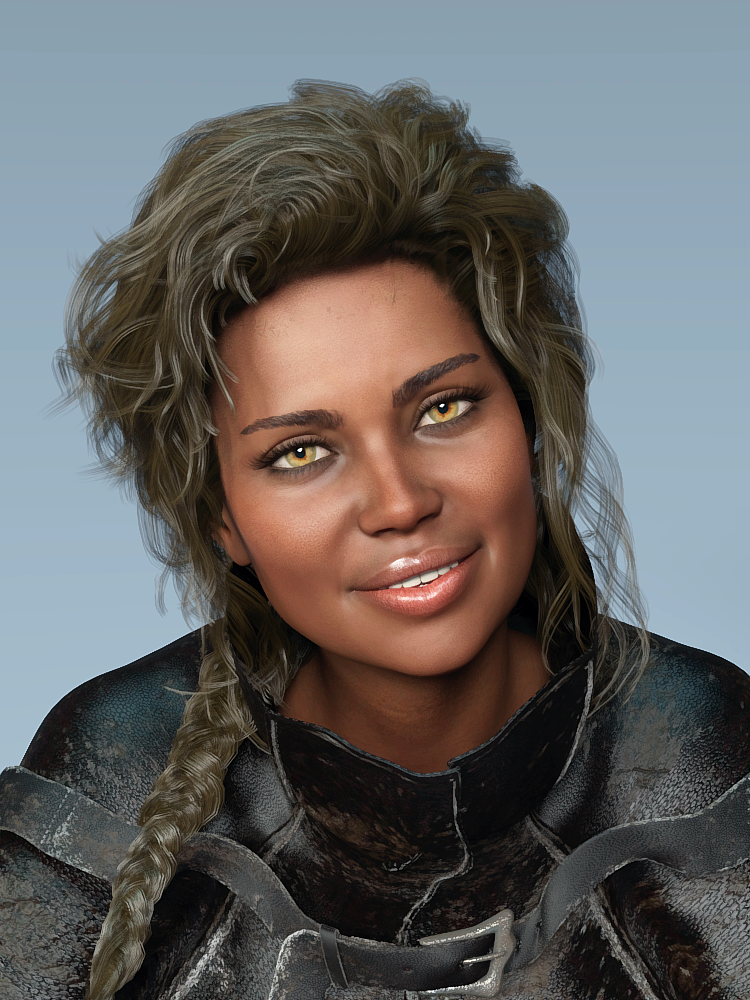
The outfit is https://www.daz3d.com/dforce-buccaneeress-pirate-outfit-for-genesis-8-female-s
I used it last night and had a glorious explosion while it built the simulation data, even before it moved. I just cleared the data, and left the outfit alone. Looked fine without simulation.
And I have had issues when I try to attach images, generally because Google has been 'so kind' as to log me out of the forum between me starting my entry and attaching my file.
Mary
Novica & Forum Members Tips & Product Reviews Pt 13Aliet for Leisa 8 Wild Waves Hair (G8F) Buccaneeress Pirate Outfit (G8F) The Strongroom
Aliet has many options, such as translucency, lightening palms and soles of feet, specular, etc. The eyes have great detail. I dulled her teeth slightly as I don't like Pepsodent white.
Wild Waves Hair, I took the forehead section off in Surfaces wtih Cutout Opacity, there wasn't anything in Scene but I didn't check Parameters.
I'd recommend Everyday Poses and Expressions for Genesis 8 Female and Gia 8, as there's a nice variety.
If you want a pirate room, consider The Strongroom. Lots of crates and barrels, typical of historical times. The Pro-Studio HDRI lights work well, but here's a tip- keep your character facing FRONT and rotate the ROOM. We covered that years ago in my thread- set the light up like you want it and then make the set adjust to the light. I merely hid a wall, then grouped the shelf and its contents (Create>Group after you select all in Scene) then moved a barrel to the front to add to the DOF illusion.
Edit- Thanks to Mary I know the name of the outfit. :)
Daz 3D is part of

Connect
DAZ Productions, Inc.
7533 S Center View Ct #4664
West Jordan, UT 84084Licensing Agreement | Terms of Service | Privacy Policy | EULA
© 2026 Daz Productions Inc. All Rights Reserved.