-
Mid-way through 2022 a new Sales Thread:Report Issues Here "There's Always Another Sale™"
I quess I don't understand the FEATURED ARTIST PA promo .. it says:
50% OFF¥ Featured Artist Stores
Get 60% OFF¥* when you buy any 2+
EXTRA 15% OFF¥*‡ Genesis 8 Items
EXTRA 20% OFF¥* Genesis 3 Items
EXTRA 30% OFF¥* Genesis 2 Items
EXTRA 45% OFF¥* Genesis, Michael 4, and Victoria 4 Items
All I get, no matter what generation, is 60% off. Well, for whatever its 62% off. Oh, that's my extra for buying yesterday ... So what is classified as Genesis 8, for example? I have Feng Adelia in my cart, I do not get another discount added to her. I've tried other G8 characters as well and get no additional discounts.Mid-way through 2022 a new Sales Thread:Report Issues Here "There's Always Another Sale™"Cris Palomino said:
I see people saying the featured artists sale isn’t working as expected as some items don’t get the listed discount, but we aren't being given examples, so it would be hit or miss to find which products are the culprits.
I think the problem is difficult to fix as the sale relies on the asset status in the store DB and the discounts applies to something that has the proper compatible figure "genesis 3", "victoria 4", etc
But for an asset that has no compatible figure, no discount is applied. For instance an environment or a prop. See for instance https://www.daz3d.com/sun-temple which has no specific discount. It is somehow compatible with the sale wording (it is not a V4/M4 or genesis asset) but it is weird to see a 15 years old asset getting no additional discount.
More problematic is the fact that no outfit texture asset has any kind of discount. They are associated with an asset not a figure and very old addons are most of the time not even associated with their original asset in the store DB. For instance this asset is not specifically discounted https://www.daz3d.com/army-general-uniform-expansion while it is a texture for a M4 outfit, which is weird.
Maybe they should determine additional discounts with the age of the asset not its compatible figure.
My Genesis 8 and Genesis 8.1 Female Figures Are Loading with Custom MorphsWhen I load both Genesis 8 and Genesis 8.1 Female figures, Daz, for some reason, loads these figures with custom morphs on them. The morphs are from Priya for Genesis 3 Female and a few other details, that I converted to Genesis 8 Female with Discobob and Zev0’s XTransfer - Genesis 3 to Genesis 8 Converter. I converted this character a long time ago. You can see the corrupted figure in the first screenshot I’ve uploaded. This morph has merged with other Genesis 8 and Genesis 8.1 figures, as you can see in the second uploaded screenshot. The figure on the left is Gia 8, and the figure on the right is Victoria 8. Priya is such a unique character the difference between the original characters and the corrupted characters in the screenshot is easy to see.
However, some of the Genesis 8 female figures that I have saved as actors, like the Freja 8 and a Rune 7 figure I transferred to Genesis 8, load fine without any of the Priya for Genesis 3 morphs on them. I read this thread and I’ve done the process of zeroing all the dials that shouldn’t be dialed up on the base Genesis 8 female, and I saved the modified assets for Genesis 8 female. But it still loads with the custom morphs. I went to My Library\data\DAZ 3D\Genesis 8\Female\Morphs/Daz3D/Base and found XT Priya Body, and I deleted it. You can see this file in the third screenshot. But deleting this file does nothing to fix the problem. Does anyone know how I can fix this? I think this problem began only a few days ago when I attempted, for the first time, to change a wearable, a dagger from Britech’s Aten Weapons Collection, into a prop, and vice versa. But I’m not sure.
I’m sending this early in the morning, and I might be asleep by the time someone responds. But I’ll definitely respond later today.
Mid-way through 2022 a new Sales Thread:Report Issues Here "There's Always Another Sale™"maraich said:
Richard Haseltine said:
I don't see a Bone Minion that is purely 8, not 8 and 8.1. The most obvious hit on Wizard Staffs is also 8.1 rather than 8. If I try items that are just 8 they show the expected discounts (base plus extra for 8 plus stacking).
I'm referring to the Bone Minion for Generation 4 Poses Bundle (https://www.daz3d.com/bone-minion-for-generation-4-poses-bundle). And this is what I'm saying; if you use the filter to display 8.0 items, some of those items will also apply to 8.1. In the case of the Bone Minion bundle, it works with several generations (in fact it comes up if you use the Michael and/or Victoria 4 filter), but it's defaulting to a discount for 8.1.
The customer shouldn't have to analyze that precisely what discount to expect. And I still don't see that I'm getting my 6% stack-up discount off the total of the cart. I'm getting 60% off two "hybrid" items and no additional discount off of the cart total.I don't know why yours is failing to aply the stacking, it is working for me on that cart (with an 8% discount). All I can suggest is opening a support ticket.
Mid-way through 2022 a new Sales Thread:Report Issues Here "There's Always Another Sale™"Richard Haseltine said:
I don't see a Bone Minion that is purely 8, not 8 and 8.1. The most obvious hit on Wizard Staffs is also 8.1 rather than 8. If I try items that are just 8 they show the expected discounts (base plus extra for 8 plus stacking).
I'm referring to the Bone Minion for Generation 4 Poses Bundle (https://www.daz3d.com/bone-minion-for-generation-4-poses-bundle). And this is what I'm saying; if you use the filter to display 8.0 items, some of those items will also apply to 8.1. In the case of the Bone Minion bundle, it works with several generations (in fact it comes up if you use the Michael and/or Victoria 4 filter), but it's defaulting to a discount for 8.1.
The customer shouldn't have to analyze that precisely what discount to expect. And I still don't see that I'm getting my 6% stack-up discount off the total of the cart. I'm getting 60% off two "hybrid" items and no additional discount off of the cart total.
Victoria 4.2 not working in poser 11I bought Victoria 4.2 and have tried installing into poser via downloading the zip file into poser and it's not working. Any suggestions as to what I'm doing wrong?
Multiple Duplicate Formula ListI finally tired of the Duplicate Files message prompt that I had to OK for G8F to continue loading, and I went through the Parameters listing to note which morphs had a parenthetical numeral beside them. Since I'm gonna file tickets for each of these (yeah, I know), I decided I would post my list here to save someone else the trouble searching or buying.
Muscularity Morphs for Genesis 8 Female(s) has multiple duplicate names with Musculature HD Morphs for Genesis 8 Female
Daz Originals' Genesis 8 Female Body Morphs conflicts with Handspan Studios' Genesis 8 Female Body Morph Resource Kit 3 (Love Handles & maybe one other morph)
Colm Jackson's Ultra Face Morphs - 60 Essential Faces for Genesis 8 duplicates files with Aisling [DO/RedzStudio], Alana [DO/Akasha/Anain], Cara [FWSA], Cassidy, & Sorcha [Belladzines]
"Lara" pits Thorne VS DO/Anain/Belladonna
"Natalie Head" is shared by FWHP VS 200 Plus Head Morphs
"Nora" fights between Cherubit & Adiene/Vex
"Tara" is Kayleyss VS DO/TristanLiu/YCFCG (the "8" was added to her name a few days after her release) THIS CONFLICT MAY BE DUE TO A G3F CHARACTER CONVERSION. I'LL CHECK AND UPDATE IF SO.
Why we have trouble with clothing texturescherpenbeck said:
So how come that conforming clothing for G2 often shows nothing or notably less of this distortion? Does this mean that conforming clothing is easier to texture? Or did G2 generally have smaller breasts and therefore less distortion?
Just a note-- that image you attached shows the G2 Victoria which most certainly had a custom morph and not an autofitted one for that dress.
Oh, Misty, I forgot my Complaint ThreadSfariah said:
Charlie Judge said:
I understand somewhat but bummer. I might have them in my product library.
edit haven't checked for Victoria 1 but I have Victoria 2. What is the difference between Victoria 1 and 2?
Victoria 2 is the same as Victoria 1 except Victoria 2 has added morphs. Similarly Michael 2 is the same as Michael 1 but with added morphs.
Oh, Misty, I forgot my Complaint ThreadCharlie Judge said:
Sfariah said:
I see that Victoria 3, Michael 3 and gang are in the Daz store, but I can't find Victoria 1/2 or MIchael 1/2
They have been locked away in the vault
I understand somewhat but bummer. I might have them in my product library.
edit haven't checked for Victoria 1 but I have Victoria 2. What is the difference between Victoria 1 and 2?
also do you like my Cyclops emoji? He doesn't want you to see my order number!
edit 2 here goes nothIng
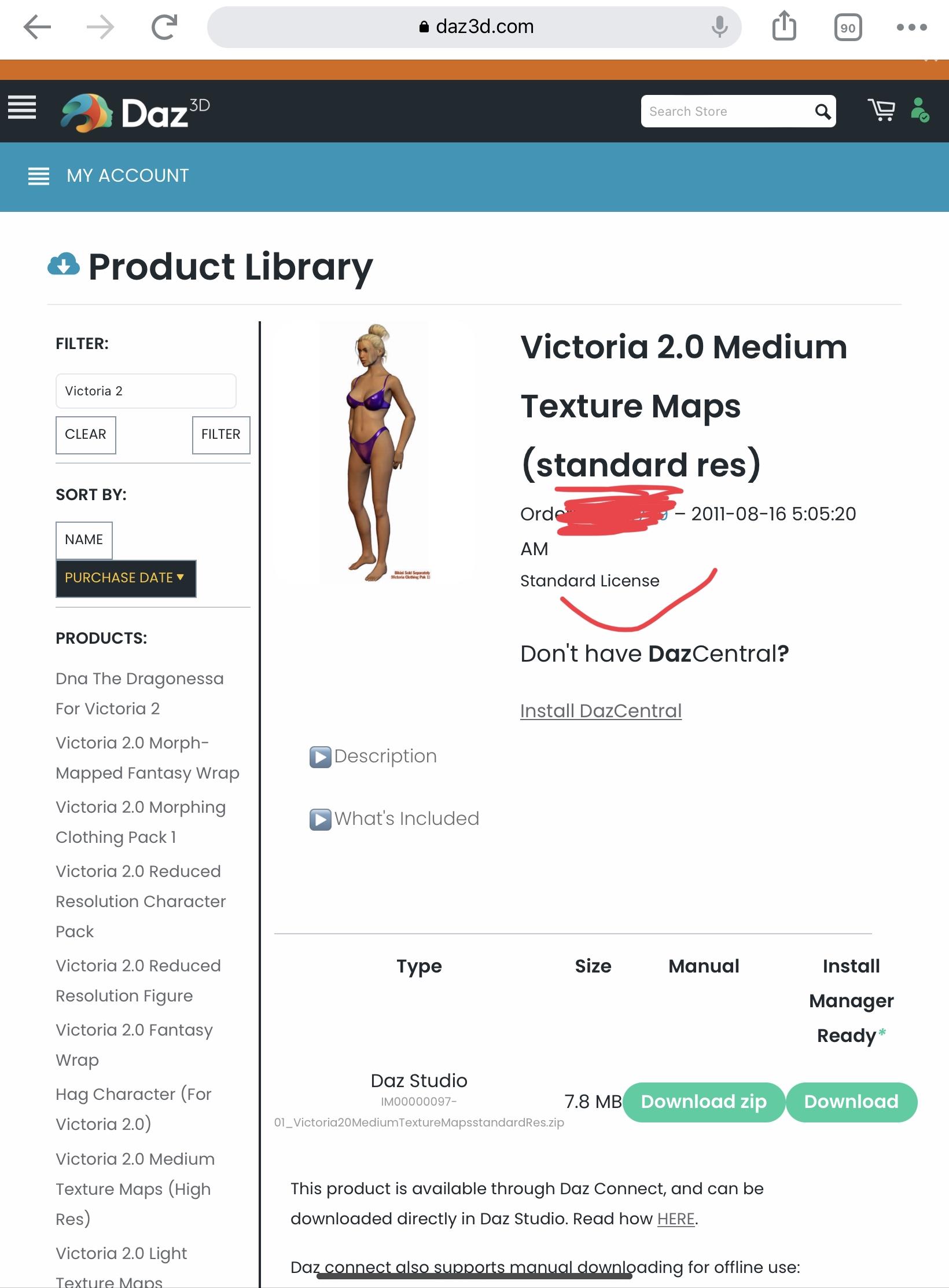 Oh, Misty, I forgot my Complaint Thread
Sfariah said:
I see that Victoria 3, Michael 3 and gang are in the Daz store, but I can't find Victoria 1/2 or MIchael 1/2
They have been locked away in the vault
I am beginner to Daz Studio, I have tried my luck in vain...@Halcon Bluesky, that doesn't sound right. I have Victoria 8 and she should not require other characters - only the Essential Basics G8 Female package that comes free with Daz Studio. Is that installed correctly on your system? If it's not working perhaps try reinstalling that to see if it fixes it.
I don't see a reason why an image of a bird would be against the Daz forum terms so if you put together an image that you like you should be fine to use it.
Oh, and Happy Birthday :)
I am beginner to Daz Studio, I have tried my luck in vain...@SofaCitizen, the name "halcon" is of a bird that inhabits in the mountains, halcon in Spanish, Falcon in English, this should not be confused with an eagle as this kind of bird is a bit more different.
You can google it and have a better info.
I got a gift card for my birthday, an small amount, I used to buy a few items.
one of these https://www.daz3d.com/victoria-8, is part of these bundles
https://www.daz3d.com/victoria-8-starter-bundle
https://www.daz3d.com/victoria-8-pro-bundle
when I tried to use it, it says it needs others characters as well, but these are not included neither in the one I got and the other two bundles I have mentioned you.
That means it has to be bought separately

In other words, I got a half-baked product, I am not in a position to spend more, unless it would make sense or be really at a bargain price.
As I told you before, the + membership does not make sense to me to join in (only for those who can make money out of selling their creations can benefit most)
At this rate, the only thing I need is some freebies to keep trying harder and make it possible to work with the program, I have no need to go somewhere else to get that.
Shoe-Tying Poses?Blando Calrissian said:
I looked through the Daz Shop, the Other Site, the Miraheze freebie wiki, and a few other spots, and no luck. I may have to print out some relevant reference photos and try modeling this pose myself, as it seems awfully useful given that it's such an everyday thing that we all do (well, unless you're Michael or Victoria, in which case shoes just magically appear on your feet!)
Zeddicus has a pose file, "Z 50 Essential Actions" which includes shoe-tying for Genesis 8 figures.
Debbie
Oh, Misty, I forgot my Complaint ThreadI see that Victoria 3, Michael 3 and gang are in the Daz store, but I can't find Victoria 1/2 or MIchael 1/2
I am beginner to Daz Studio, I have tried my luck in vain...I tried to follow up with the basics, then something went wrong, the hair style, (it seems there is nothing else than short hair and no availibility of medium to long hair)Then, I tired to change the hair color and neither the skin tone, I can't get it right!
Pardon me for jumping in... if you sit on the bluff above SLC with a pair of binoculars, those lines of armored trucks that come and go from "DAZ Central" all day and all night are filled with (1) hair products to be added to the store catalog, and (2) going out, bitcoins that will be deposited in DAZ's offshore (and soon to be off-planet) accounts.
Just kidding. Hair is THE big category. This is where you get to spend the most money.
I also noticed that the string "Surface Tool" (and its attendant Pane) do not seem appear in this thread.
In DAZ Studio, changing the *color* of something on or beside Product or Object "X", is often done by clicking on any of the optons or choices for that item. But you can also select the item or a section of if in the Scene Pain (sorry - "pane") with various Tools. Tools are listed at the top usually, eg: File, Edit, Create, Tools, Window etc.
Again if you have purchased or otherwise acquired some hair (sometimes hair is free - this is where they see if you're paying attention) then there should be some material (that's sort of a word for "coloring") choices. One you've clicked on the your hair or any other Surface (with a capital "S") options that you got (and in the case of hair, the hair geometry has been fitted to your figure M/F, the color and other attributes CAN be changed. SOMETIMES the product creator or Published Artist (PA) will split hair colour into a separate set or sets of choices that you have to pay extra for if you want them, but in many instances you can just select hair in the scene with the Surface Tool, and then in the Surface Pane you'll have things that you can do with it - you can change the color if you want - perhaps not in any elegant way, but it CAN be changed - or you can browse for and apply some pre-made shader.
Now skin "tone" is a tricky term here - for me it leans towards tone mapping which is another ball game being played in a different city - but if you buy an additional character package for your base character then that product will like as not include some skin tone or color choices. For example there could be a premade product called "Wet, Tanned, Bare Skin etc. Options" for Michael or Victoria "X"... but technically speaking you could also click on your unclothed figure in the Scene Pane and from there slide over or up to the Surface Pane, and you'll have options for "Base Color". In the rawest sense of this, your figure may literally be green, white (as in Titanium White or RGB 0,0,0) red, black, brown, purple or even scales or polka-dots.
To get to understand the choices you should go for a basic figure (Genesis, G2, G3, G8* etc.) and having made that choice, get an appropriate Michael or Victoria figure to match. These will come with "skin" texture sets that can be further modified with BUMP and normal and displacement mapping and lighting an so on. It's where you'll get the really subtle stuff going - although you can also tint or otherwise alter your supplied skin texture sets using an image editor like Photoshop or GIMP or Corel Graphics Suite etc. Just be sure to save your version of the textures under a separate, easy to remember filename... I usually make use of key-strings like "modified" or simply "my version".
Here are a couple of starter articles about fiddling with the surfaces of things in addition to just changing colors.
https://en.wikipedia.org/wiki/Displacement_mapping
https://en.wikipedia.org/wiki/Bump_mapping
I had another thing to mention which is the DAZ Store and its search conventions - as this will also affect what extras and accessories you will come up with and when, on your exploratory journney.
P.S. Some image editors (I'm not sure if GIMP includes this) will optionally spit out BUMP and Normal maps for your textures. All of them will of course allow darkening or lightening and alterations to various tints and hues.
*.Genesis 8 figure sets are generally more feature rich and have higher resolutions and morph options than their predecessors... your results may vary. I have been using Genesis 3 a lot to make "life" drawing reference images on an older computer that still runs Windows 7.
Filtering Product Library for Genesis (1) Items?As you find your "Genesis" (1) products, sometimes there were figure products labeled as V5, Victoria 5 or M5 Michael 5. I have set my own categories in the Smart Panel. I use G1, G2 G3 etc for each figure after I install them. Less typing and really fast. Another trick I use is to load the Genesis (1) figure, select the figure and then scroll down to Wardrobe, and click the little box to show only items related to the selected figure.This will get you started on finding the matching products. You can then set G1 in the "Explore Product", by selecting one or more products, call up the category pane, and create your own category. Also check out the Lost and Found, there are often many items clicked "Lost" . Unclick them, and then choose your own category. The categories only relate to the Smart Panel search box. Adding or changing the categories doesn't change any product. Hope this helps.
Does anyone know the name of the character?That's definitely Victoria 8.1, yes.
Asset Identification AssistanceHi,
Please help identify the hair and outfit in this image:
https://gcdn.daz3d.com/p/37097/i/07-pix-koko-for-victoria-7-and-aiko-7-daz3d.jpg...of the product:
https://www.daz3d.com/pix-koko-for-victoria-7-and-aiko-7Bests!
AIUTO...CHI CONOSCE L’ITALIANO? PARTE TREDICIGrazie come sempre Imago
Imago said:
O.C.A.2022 said:
Ciao ragazzi, scusate il disturbo, ma mi servirebbe un vostro parere e soluzione, esiste uno script che impedisca ai vestiti di appiccicarsi e deformarsi (soprattutto le armature)?
Puoi provare con il Smooth Modifier e valori un pò alti (oltre i 4-5) su Smoothing e Impact.
Però non aspettarti risultati grandiosi, di solito le deformazioni rimangono, specie quando applichi un vestito per The Brute (alla vecchia anagrafe The Freak) a Victoria. Per avere qualcosa di perfetto devi andare giù pesante di Morph correttivi o di Rigid Map.
Daz 3D is part of

Connect
DAZ Productions, Inc.
7533 S Center View Ct #4664
West Jordan, UT 84084Licensing Agreement | Terms of Service | Privacy Policy | EULA
© 2026 Daz Productions Inc. All Rights Reserved.