-
VR Goggles?
I have the same questions. I have installed Unity and have watched a couple of tutorials to find my way around the interface but many of the tutorials are aimed at coders who want to get into game creation which, obviously, is the main purpose of the Unity engine. So there is a different emphasis to that which I am used to with DAZ Studio. For example, I found a tutorial about importing clothes from DAZ Studio to Unity but again, coding was necessary to get the clothes to stay on the figure when it moves. I don’t know about IRay materials yet but they don’t seem to export too well to other platforms such as Blender so I am not very optimistic about Unity either.Hi all this is a good thread Marble. I have a similar interest in that I would like to be able to view Daz scenes in VR. Although, my ambitions are not real high. I do not need to animate. I would be happy just to see a static room scene in VR and at the most be able to move around in it.
My question is how well do Daz assets transfer to Unity? From what I can tell there is no problem with the mesh but how well do things like Iray shaders and morphs transfer over? Below is a thread that gives some examples that look promising.
https://www.daz3d.com/forums/discussion/311406/contents-in-unity-game-engine#latest
Obviously you are rendering in a different environment so I would imagine lights would have to be redone. How much needs to be reworked for a complete scene that was originally put together in Daz Studio?
Bluejaunte's Amalai picked amala up right away, and i've been working with her ever since. she's the most interesting figure i've played with in a good while. a slight change of camera angle or a little shift of lighting can give you a whole new window on the character.
i wish she'd come with a human-head option, though....i have to give up bluejaunte's HD details in order to use the Amala_Humanize_Head morph i whipped up via shape splitter. her shape is distinctive and well-crafted enough to hold up pretty well without them, though. she's a real pleasure to pose and light. and render.
her skin is unique and gorgeous as bluejaunte's always are. i was a little puzzled and disappointed to find that although she's definitely presented as being a sexy, sensual alien, her torso mats are featureless as a barbie doll's below the waist. this isn't the first of bluejaunte's characters to abandon realism below the belt, though, so i suppose gensless is the new standard for BJ figures, alas.
i can't complain too much, though. amala *is* gorgeous.

Fantastic! This is a great render and illustration. The soul really shines through those eyes. I think her sales would really be boosted if she came with a human version option. Her body and face is such a beautiful alternative look to the fashion dolls, that I think a lot of people would love to add her to their human gene pool as well.
Bluejaunte's AmalaYeah. I finally picked her up, but it was a considerable debate. The headshape was one of the major things that I had to talk myself into. Not the face, I liked the face a lot. But being able to dial out the skull, or at any rate, the squiggles on the skull would have made that a non-issue.
The other thing hard to choke down was the Iray only, but that I know is rather a losing battle.
Can the undulations on the skull and eyebrows be dialed out ?
can the eyes be replaced with 'normal' G8 eyes
If they could then I could always use an alternative BJ skin & eyes
I do like the uniqueness of both the face and body shape
I bought her, but I also agree that having a human headshape option (even if it's only a morph - there are plenty of normal human textures) might have helped somewhat.
A quick tip - Things like dialing out or altering the part of the morph for the top of the head morph and so on is actually easy to do without taking it into an outside modeling programing. You just need Shape Splitter - https://www.daz3d.com/shape-splitter (formerly called x-morphs), an invaluable DS add-on that's pretty much become my go-to solution these days when I want to make minor changes or mix and match extreme morphs from multiple commercial figures.
Bluejaunte's AmalaI love the way she looks, but I did not buy her because it looked like the alien head morph was not separated from the face morph. If she had a human option, it would have been an instabuy for me. I don't really render many aliens so I am trying to save money on things I probably won't use. But she is incredible looking!!Bluejaunte's Amala
Unfortunately no. I made my own morphs for the renders I posted. They really are not hard to alter. The head shape can be done with nothing but the smoothing tool in Hexagon. There is a pretty easy way to do the eyes as well. First click on Amala's head morph and hit the heart icon to add it to favorites. Click the geometry editor tool, and have the tool tab open. Click the icon on the left that brings up groups of body parts. Click the "+" sign to highlight the left and right eyes respectively. Move the mouse to the viewport. Right click (nothing needs to be clicked on). From the box that pops, geometry selection>convert selection>convert to vertex selection. Right click again: morph editing>clear selected deltas from favorites. This will reset only the eyes to the default Genesis 8 shape and location. From here you can just highlight each eye and use the parameters tab to move each into the eye socket as needed. You can lock the parameters you used so they stay in place. You can also export to hexagon, reload a new Amala, and import this back as morph you can save for future use.Can the undulations on the skull and eyebrows be dialed out ?
can the eyes be replaced with 'normal' G8 eyes
If they could then I could always use an alternative BJ skin & eyes
I do like the uniqueness of both the face and body shape
How to create and apply your own custom shapes and morphsBlender or Haxagon would do what you want, pluf some fiddling in DS (adjusting the bones to match the new shape. Note that a morph can't add or remove parts (though DS does support GeoGrafts, which allow you to replace one part of a model with soemthing else and have the results weld together - see the centaurs for an extreme example, though the Genesis 8 eyelashes also work this way). One issue to bear in mnd if you want to mix and match is how you would handle the transition from areas still in the default shape and areas with the new shape (or GeoGraft).
VR Goggles?Hi all this is a good thread Marble. I have a similar interest in that I would like to be able to view Daz scenes in VR. Although, my ambitions are not real high. I do not need to animate. I would be happy just to see a static room scene in VR and at the most be able to move around in it.
My question is how well do Daz assets transfer to Unity? From what I can tell there is no problem with the mesh but how well do things like Iray shaders and morphs transfer over? Below is a thread that gives some examples that look promising.
https://www.daz3d.com/forums/discussion/311406/contents-in-unity-game-engine#latest
Obviously you are rendering in a different environment so I would imagine lights would have to be redone. How much needs to be reworked for a complete scene that was originally put together in Daz Studio?
Morphing electrical cordI'm not sure how useful poses would be for these cables. Remember that these are all made with morphs, not easypose chains. So, for example, if a cable has 20 morphs, you just drag the morph slider you need.
Re easypose chains - This was the first thing I tried, but the sheer number of body parts required to get a decent cable was huge. I ended up with 300-400 in a chain just to get a decent result. I know morphs are more limited, but even with easypose, the poses you mention would be great for some people, but not for others. I wouldn't know how to choose which ones to include. (But I've already made several wall cables with hanging/sagging morphs, so that may help you).
The 'hide plug' morph woorks well, so I'm adding that option to all cables.
At the moment, my main concern is trying to build and import everything in a logical manner that the user can easily work with. I eventually decided that the electrical sockets need to be the center of the universe, with all plugs loading straight into them. All cables will have one morph to fit into a socket (for example, the USB extension plugging into the socket's USB port), then all other morphs can be used as normal. Once a cable is parented to the socket, they can be moved around together, (or used with no socket, obviously). I've tried several other ways to set things up, and this is definitely the easiest.
Dana & medievalpirate - Thanks for the pics. I'll be including various USB plug sizes, and I've added USB ports to both the US & UK sockets.
Looking for G8M pants with unzip fly morphUnfortunately, nothing comes to mind, though, if you have any pants with an open morph, you could always select the part of the mesh you want to affect and move it with a dformer (or dforce animated simulation with a weight map that excludes the button). As long as the mesh allows for unzipping, it shouldn't be too hard.
weird pose deforms after upgrade to 4.12as Richard mentioned it's not the pose... because it happens with every pose I've tried so far. And the Poses work with genesis, genesis 2, genesis 3 male, and genesis 8. Poses from different PAs
and the one used on the generic genesis 3 are the default ones that load with it.
----
If this was happening with my created characters with morphs etc, I could understand there being a problem with something I'm using.
But this is straight out of the content library Genesis 3 female.
Is it possible that a new product could change a parameter in that figure?
----
But between the time I created the characters that I first saw the issue in created and used Aug 2, and Nov 5 when I first saw the issue .. I purchased and installed no Genesis 3 female items.
A couple gen 8 items and the gen3 to gen 8 male converter.
----
I think I have a daz 10 on another computer that hasn't been upgraded .. I can see what happens over there.. after I set up the computer.
----
How do I look for a morph that didn't cause the issue in the past.
And since it happens with stock gen3 female who should have no morphs applied... where do I look for something.
----
what is considered an add-on character?
Lilly HD for gen3 would be an add-on character .. she doesn't work anymore .. but neither does genesis 3.
but Lilly HD for gen8 works. But my tweaked character was build on lilly3.
---
Morph loader...ugh! How annoying!One thing has changed, for Genesis 8 models only. Before you export the base model, you must delete the eyelashes. Eyelashes are a separate mesh, and they will mess up your morph if you don't delete it.
So, you might end up doing a lot of work for nothing if you don't get rid of them.Not sure what you mean by delete, but all you need to do is hide the lashes when you export and make sure you import everything back in the same way you exported.
I'll have to look more closely, but I think what you need is still there. I don't know if the OP of the tutorial is still at the forums. If I get time, I'll try to update at some point.
Darwins' Schtuff Pt Deux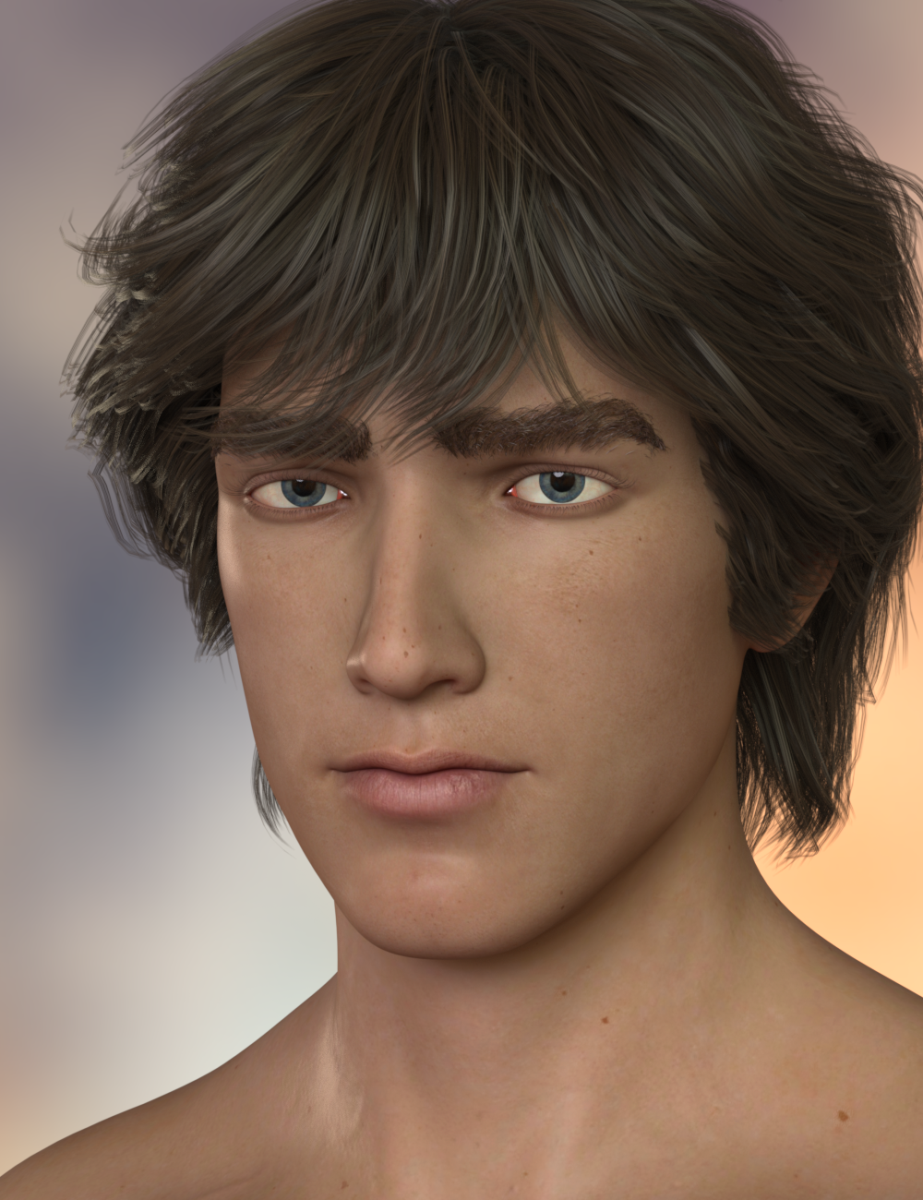
Updated base skin (still working on the non-diffuse portions), morph of the base face (the youngest version) and hair I forgot to check for clipping. ;)
Marvelous Designer to Daz3d garment slightly off modelWhen I got MD last year, I almost immediately discovered my Daz figure Avatars were loading slightly behind where I expected them to be, and so anything I imported back into Daz as a morph, (which was how I was using it then,) was actually behind where the figure is when zeroed in DS. What I did was import the OBJ I made from MD, move it forward to the correct position and save it as an OBJ again. Then it would import perfectly using the Morph Loader Pro.
I posted about it on the MD forums, but no one ever commented on the post. I have MD8, and I expect to upgrade to MD9 in the next few weeks. Maybe this offset will be fixed in the version.
Wireframe Render for Iray (Commercial)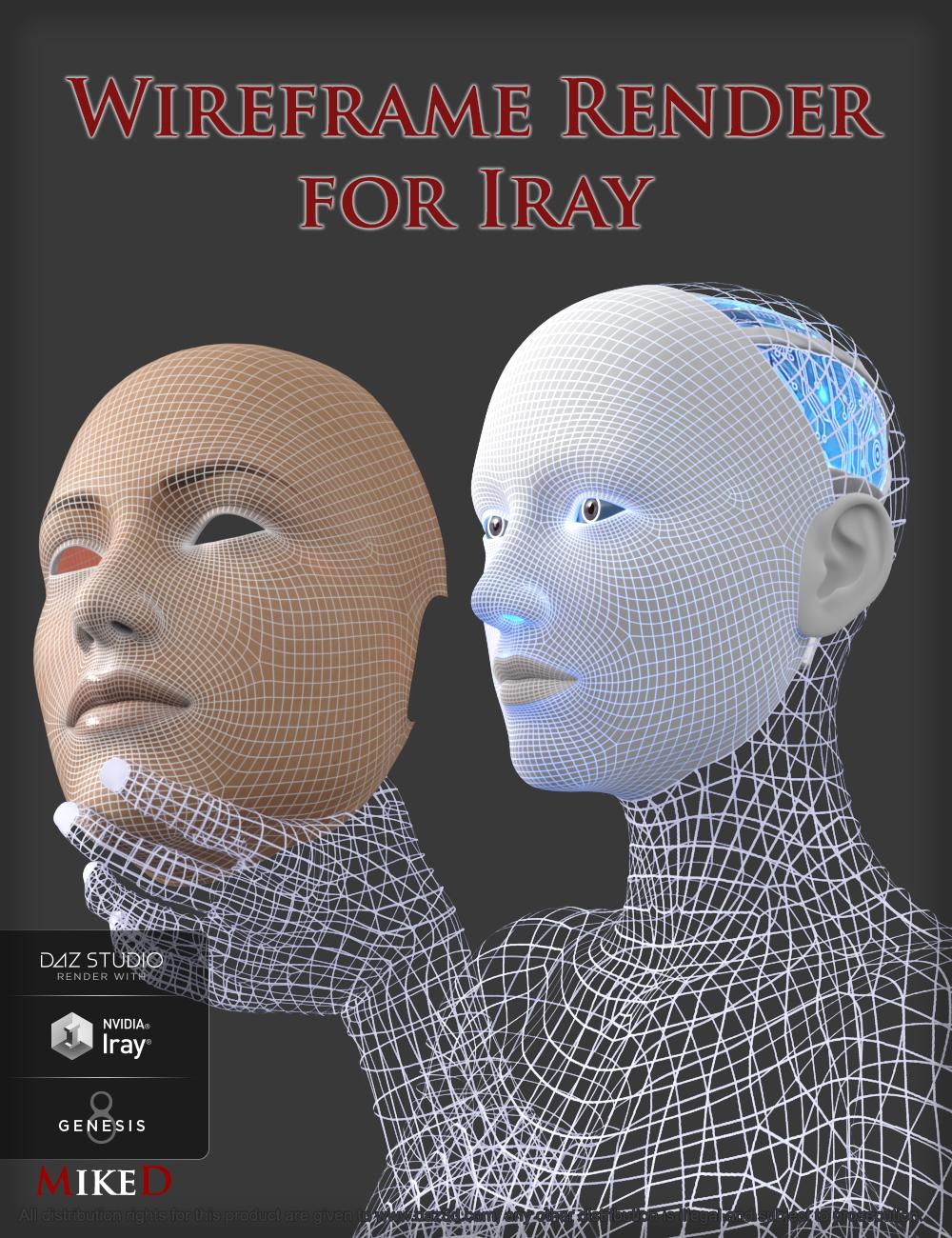 Many times, we need to render some items in a wireframed look. The ‘Wireframe Render for Iray’ script builds the UV templates (in base resolution) of an item (or more, if you have many items selected in the scene) and plugs them into the item’s surfaces, projecting the wireframe. You may choose to project the wireframe maps over the existing textures, over a clay shader, or as transparency. The script can also make these maps transmit light (emissive). It can also save some material presets for the new wireframed look of the item, so you don’t have to recreate the maps again (time consuming operation). DAZ script is not the perfect tool to draw new maps and the whole process needs some time to complete (from some minutes for a single low poly item until many hours for some high polygon multi-selected items, in high resolution maps). The script can track any previous wireframed maps that are used on the item(s), so you can project them over a clay shader, or use them to build a wireframe transparent look, without the need to rebuild these maps again. This product is not a wireframe shader. The script finds the actual wireframes (UV Templates) of each item and use these UV Templates as maps.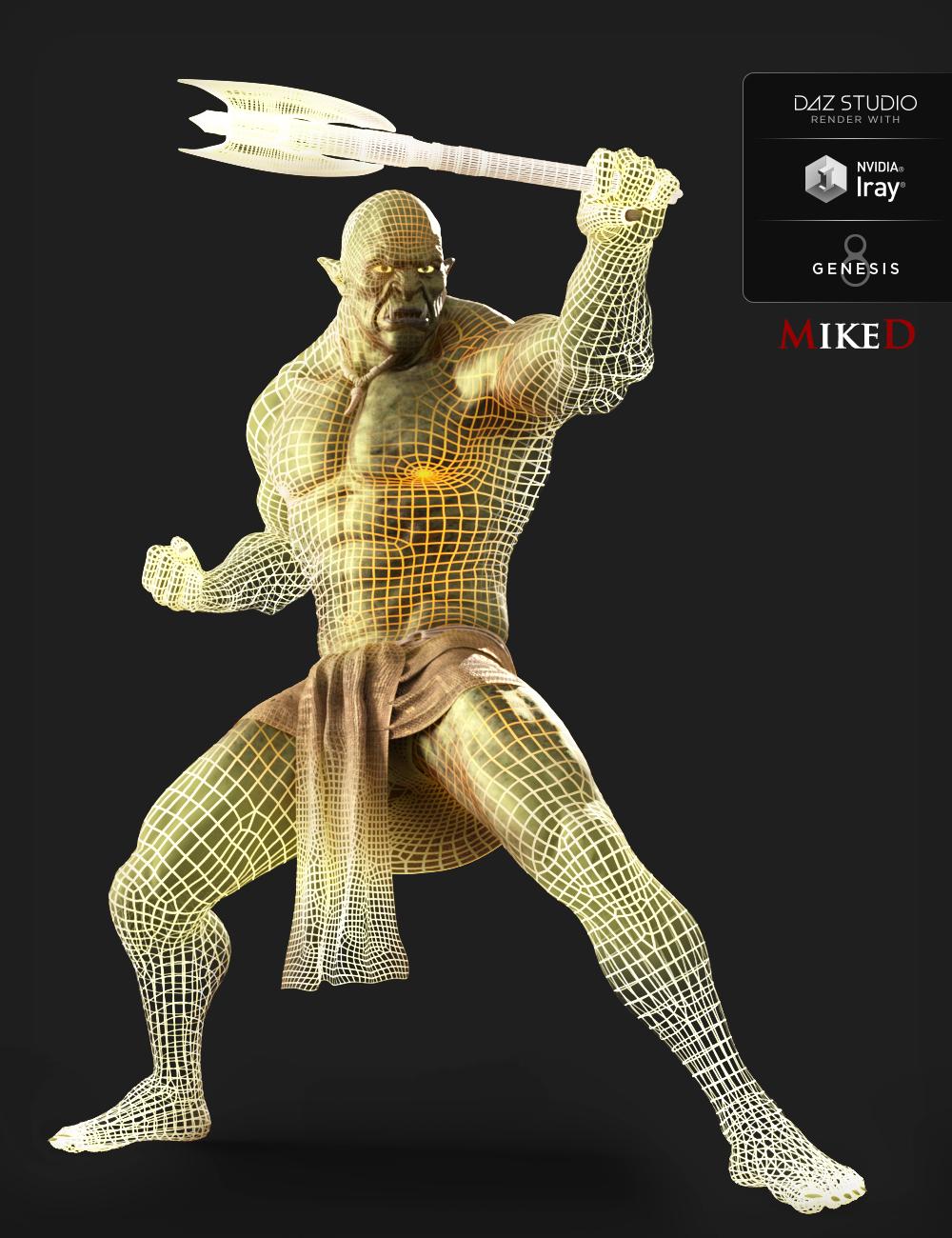
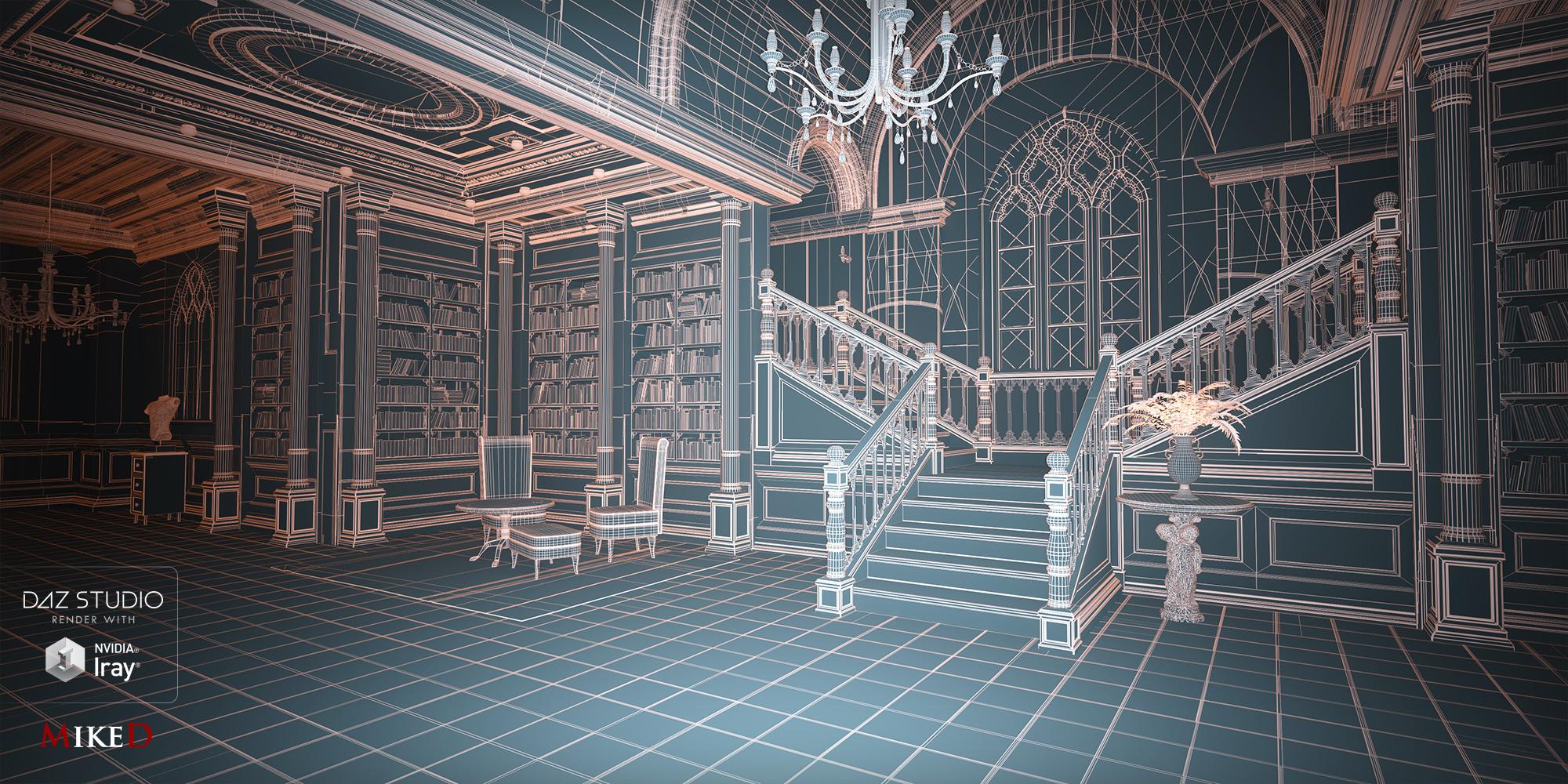
The Wireframe Render for Iray script allows you to:
- build, save and plug the UV Template maps of one or more selected items, giving a wireframed look.
- choose the surfaces of each item, that you want to be wireframed.
- select between three modes (over Textures, over Clay, Transparent)
- make the wireframe emissive
- track any previous wireframed item(s) in the scene
- select any previous wireframed items and wireframed surfaces in the scene
- transfer the wireframe maps from any previous wireframed item(s) to ‘over Clay’ mode
- transfer the wireframe maps from any previous wireframed item(s) to ‘Transparent’ mode
- select the folder in which the maps will be stored
- select the size of the maps and the lines’ thickness of the wireframe manually or use the auto function
- choose the temperature and the luminosity of the emissive property
- save a Material preset for each wireframed item
- choose a mapped folder in the content library to store the material presets
- choose the color of the wireframes, the color of the clay base, and the color of the emissive property
- choose if you want to use the “Diffuse overlay” property for your maps (visible in Render Mode) or make them LIE
- store/remove the script into the “Script” menu of DAZ Studio and additionally on a custom toolbar
Check this animation using the Wireframe Render for Iray Script (volume up)!!!
MimicMolly's Renders & WIPsAttempted to bring back another V4/Genesis 1 character onto G8F. This time, it's Valea's Cat with her Hair. Unlike my other attempt, for this one, I tried to quickly dial-spin an approximation (Monique 8 Head - 50%, Tasha 8 Head - 50%, and Zola HD Head - 50%). Outfit is once again a Sweet Pain and Twilight Sorceress kitbash. Background is from Maclean's Fashion Studio.

For her body, I simply used my two favorite G8F shapes (Monquie 8 Body - 100% and Olympia 8 Body - 100%).
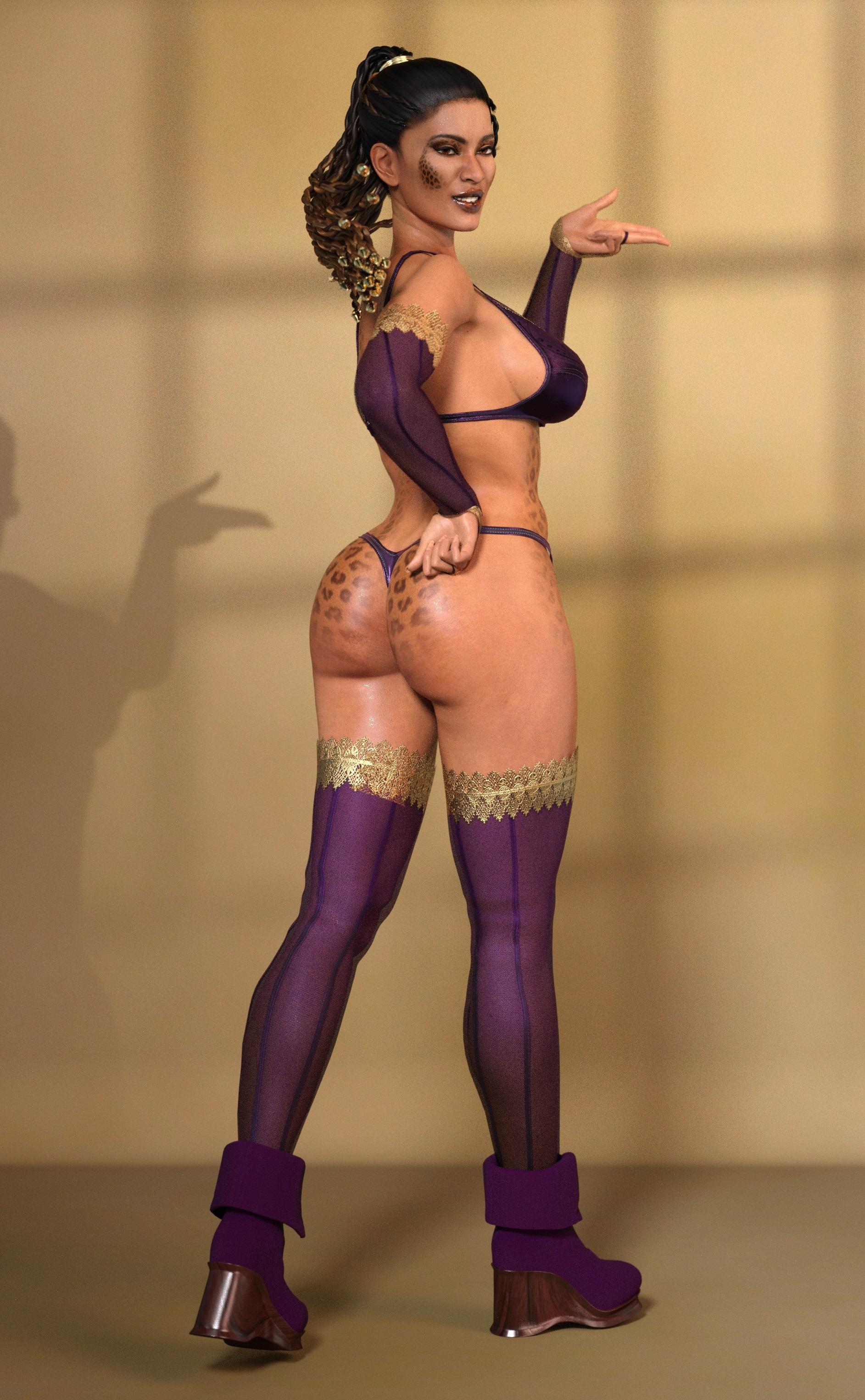
A front shot. That front braid keeps getting mangled up with Autofit. I'm tempted to download the V4 version and see if it can be trasferred over to G8F with at RiverSoft Art/Sickleyield hair script.
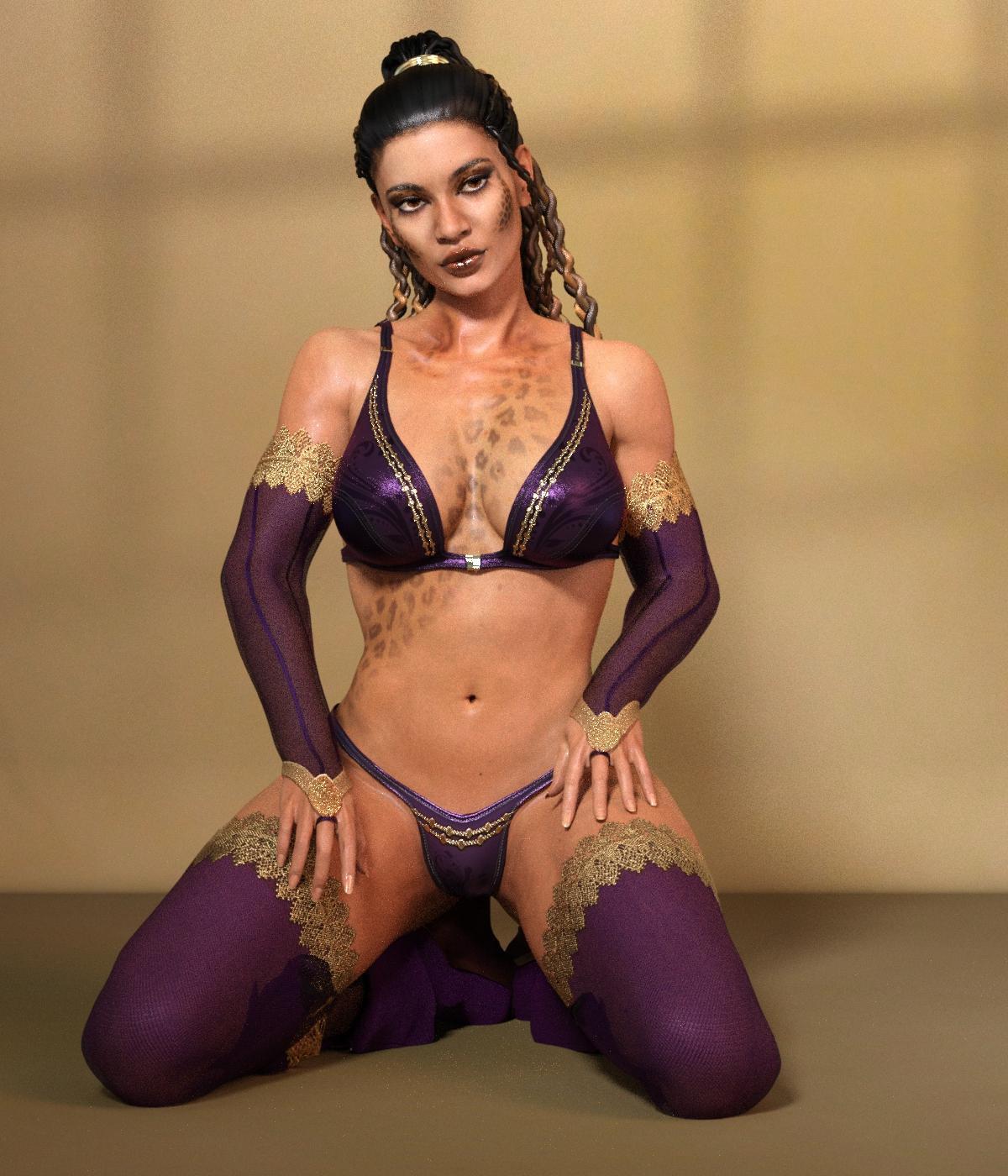
I used Map Transfer for the torso, face, lips, and limbs textures. However, I haven't gotten around to editing the limbs onto the "donor" G3F/G8F UV texture I'm using which belongs to Lyoness' Kingsley HD for Genesis 8 Female. (And I must redo the lips, because I decided to touch it up a bit with some foundation from the SS Makeover Merchant Resource for G3F. The diffuse maps for both are very similar in color, the only difference is that Cat is a bit more yellow. I probably should've used Kingsley herself to recreate Cat, but Cat looks like a Raiya character, so I need to incorporate one into this mix to complete the look. I need to go back and fix the eyebrows on this diffuse map too.
I've been on the fence about getting Merchant Resources to use for getting pre-G3 UV makeups and/or skins "upgraded" but in the end, I've realized that I'm not going to ever be a merchant and have absolutely no plans to redistribute my results, so I can use skins from characters I already own. Though how I see it, in this case, Kingsley got an extra fantasy skin and makeup.
Darwins' Schtuff Pt DeuxWell, I decied to tweak the head morph a bit further. I believe this base with the additional sculpting is more what I was going after.
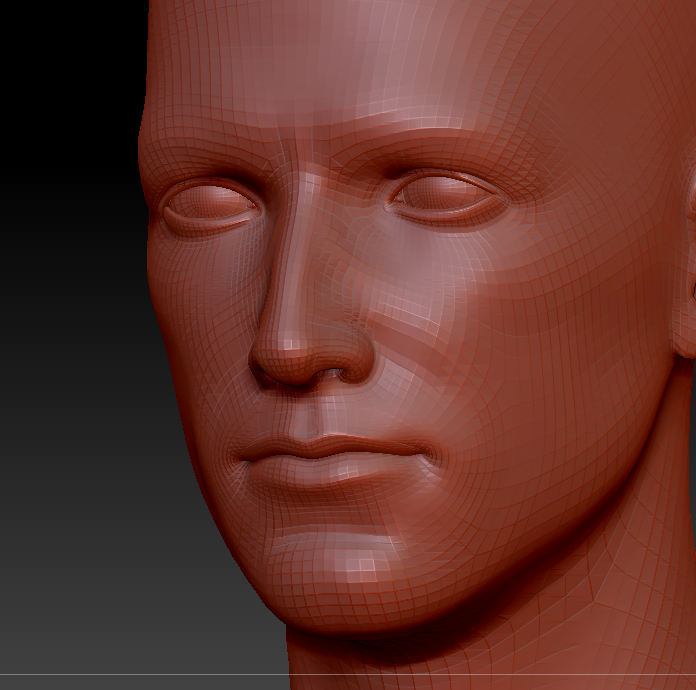
The cheek, eye, chin, lower lip, and the entire skull shape got some touch ups, as well as narrowing the entire skull area a bit. Hopefully the moprhs will show more once the skin is on. ;D
This shader in zbrush does give a bit more of an idea of the subtle changes at least:
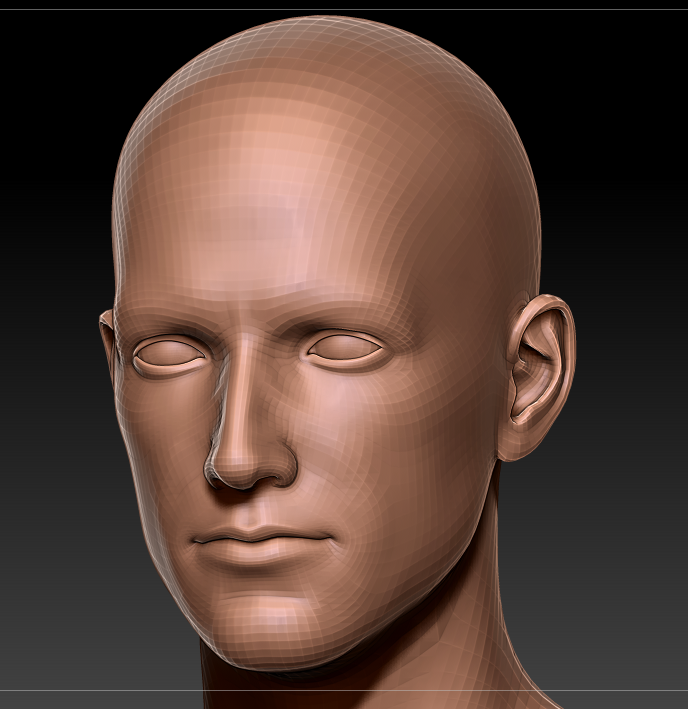
...and of course, trying to import the moprhs- the dreaded "polycounts don't match" crap shows up. Demmit.
Hi Kibarreto, good jobIt was an instant buy for me as well, even if the engine nacelles have a bit too much of a trekkie-feel to me. I like Star Trek, but would usually not want to give people the impression of a render being from the Star trek universe (though sometimes I might..). But, maybe I can make myself a morph some time to move those engines a bit inward and closer to the hull. That would be more complicated than any personal tweak I've cooked up so far, but well, to go where no one has gone before?
Looking for G8M pants with unzip fly morphHi, all! I'm looking for a pair of pants, preferably slacks, for Genesis 8 male that can be unzipped without undoing the top button. I've found a few that can be completely opened, but not one with just the fly. Does anyone have any suggestions?Teen Jane 8 HD Add-On IssueHi there,
recently I got the HD Add-on for Teen Jane 8, but there seems to be something weird going on with her toes. Looks like she has a piece of glass in her toes of the right foot. Looks painful. (Not to be seen in the viewport only in final renders).
This happens on simple loading in Teen Jane 8 HD right out of the box. I know I can avoid this by lowering the subD level to 3 and below or reduce the HD Details via dials, but why should I pay for the HD Add-on then?
So please let me know if this is going to be fixed anytime soon. Thank you.
Well they aren't likely to fix it if nobody tells them about it. Put in a Support Ticket and include that picture.
In the meantime, if making a lot of foot renders, maybe a little morph would fix it?
Ok, thought they'd probably read their help board. I've sent a ticket. Thanks!
Sometimes ;-) Right now I suspect they are reading through days or weeks worth of support tickets.
Teen Jane 8 HD Add-On IssueHi there,
recently I got the HD Add-on for Teen Jane 8, but there seems to be something weird going on with her toes. Looks like she has a piece of glass in her toes of the right foot. Looks painful. (Not to be seen in the viewport only in final renders).
This happens on simple loading in Teen Jane 8 HD right out of the box. I know I can avoid this by lowering the subD level to 3 and below or reduce the HD Details via dials, but why should I pay for the HD Add-on then?
So please let me know if this is going to be fixed anytime soon. Thank you.
Well they aren't likely to fix it if nobody tells them about it. Put in a Support Ticket and include that picture.
In the meantime, if making a lot of foot renders, maybe a little morph would fix it?
Ok, thought they'd probably read their help board. I've sent a ticket. Thanks!
Daz 3D is part of

Connect
DAZ Productions, Inc.
7533 S Center View Ct #4664
West Jordan, UT 84084Licensing Agreement | Terms of Service | Privacy Policy | EULA
© 2026 Daz Productions Inc. All Rights Reserved.