-
Custom character help
Handy video, but my character nolonger gives that option to the hair, since i made a sinlge slider for the character
What do you mean by a single slider? Exporting the morphed shape and importing as a new morph is not a good idea for many reasons, this being one of them.
DAZ women are too tallAs I prefer taller women I tend to use the height morph in the opposite direction. It's tempting to just scale the figure but of course this isn't how most tall people grow, medical issues notwithstanding. Height is mostly in the thigh and shin isn't it, not all over. I'm not sure if there are morphs that'll do leg, torso and neck seperately. Some women have longer torsos and longer necks than others. Then there's hands and feet to consider. Taller women generally have thinner, longer feet and longer, more slender fingers. Perhaps someone should do a morph pack with all of these options (perhaps they already exist).
Anyway, I can't say I've made a particular study of it (I mostly walk around looking at the pavement).
Zev0's Shape Shift has length morphs for thighs and shins (also abdomen, pelvis and arms) - nothing for neck length though.
Correct. There was no need to do a neck length since the Daz Body Morphs already has that option. I wanted to reduce the amount of redundancy as much as possible and only include options that I felt the base Body Morphs package was missing.
G8F Twisted Legs1. Enable show hidden items under your parameters' pane
2. With your character selected and while under the parameters pane see what's being currently used.
3. Look for the greyed out morphs that are enabled and try zeroing some of those out to find the offending morph.
G8F Twisted LegsThere may be a hidden morph that is being activated with that pose. Try enabling show hidden items an check under the parameters' pane with "currently used" being selected.
My phone will not charge complaint threadI wish there were more recent tutorials for the morph loader. Sigh.
Muscle-Based DeformationWow, awesome work! I would also pay money for this. So do bends in the knee and armpits and elbows "smush" properly to avoid overlapping? That would be an amazing feature. Definitely worth money! Perhaps you can have this be part of the next Genesis release! Also, please don't forget about breast/booty physics! ;-)
Are you referring to geometry clipping? To some extent. Thing with muscles is they slide over one another so you kinda have to have the geometry overlap if you're aiming for realism.
Here's a closeup of the elbow and knee joints: https://imgur.com/a/KeqEEZN
Booty physics a go go. I do plan on having the figure morph into the male version, which is why there are no breasts yet. Picture all the elements of the figure as being gooey. They move independently only in an anatomical fashion but if you want you can stretch and pull any part you want. So yes, bouncing physics are readily available with no added morphs.
There's also a low rezolution version of the geometry. Base resolution = 56k polygons. Low resolution = 16k polygons.
How do I load M4 face morph in Daz Studio?you have to INJect them into him before that FC2 will do anything.
That is assuming you used the bat/command file to create the channels to start with, or are using Powerloader which should run it for you.
I don't know what you mean by all this, exactly.
When I load the M4 base character model, I get a dialog box in which I can check various boxes to load various categories of mophs. Is this dialog box the PowerLoader? And are these categories what you call "channels"? If yes, then PowerLoader doesn't actually help me. I checked EVERY box to load EVERY morph channel I had, including M4++ morphs. But perhaps I'm still missing somethig. Perhaps there is an additional step, something you call "injecting" that remains to be done, before the Crow morph will work.
Just cannot get face transfer utility to workHave you tried installing the Current DS Public Build, which adds a Microsoft Library which face Transfer needs but which your system may not already have?
But I'm already using DAZStudio 4.12.0.86, you mean to use Face transfer, we better re-install the same version again?
No, Public Build is beta - https://www.daz3d.com/daz-studio-beta . Sorry, I usually remember to post the link.
Fit Control for Genesis 8 (Commercial)Hey Zev0,
First of all, thank you for this amazing script, I couldnt use DAZ without it. Lately though, mainly since I've bought the Add-On for genesis 3, I've had a lot of problems with it and some features dont seem to be working at all. In fact, I dont use it anymore for fear of breaking my character designs... Im hoping maybe you can shed some light on what Im doing wrong if I am the problem?
In the Fit Control Add-On for Genesis 3 & 8 Female documentation center page, it says Fit Control for Genesis 3 is required to run. I didnt take any chance so I tried to do a clean install of all the script to make sure everything would be fine. I deleted my old Fit Control for Genesis 3 folder. Then redownloaded it and reinstalled it. I then installed the Add-On script. Now when I look for it in the clothing folder in Genesis 3 Female, I have two Fit Control folder: one with the old script and one with the new script.
I tried to use the Fit Control - 01 Add Morphs to Item script. It does not work. Well, correction, it works but it does not let me select which item I want the morphs to be applied to. It just acts like the old script and applies morphs to everything the G3F is wearing, including hair and whatnot.
If that was the only problem, I wouldnt mind but now when the script applies the morphs it also breaks all the adjustment I had done to fit the clothes properly and it also seems to break the smoothing/collision modifiers. I did not have this problem before, only since I reinstalled everything. So now I have to delete the items I dont want morphs to be applied to, because the new script wont let me chose which item to run the script on, as advertised (I think?!), because it literally breaks them. They wont fit to the figure anymore. I have to delete them and refit them completely to G3F and reapply smoothing and collision modifiers.
After a while I found that if I deleted the unused morph from those items, they would revert back to their old adjustements and would fit how they were before the script was applied. So I thought, well okay, if thats the only problem, I can work with it but it turns out its not.
If I then try to use the Fit Control - 02 Remove Morphs From Item and select everything I need, it will take literally 2-3 mins to do so but then DAZ will become almost unsuable. MASSIVE lag all over the place. I tried to wait a 5 min to see if it would settle down but nope. Only way to fix that is to close DAZ and reopen it thus canceling all the work I had done prior to using the script.
Im hoping you can shed some light on why all this is happening now? Ive used Fit Control for the past 2 years without a single issue and now that I decided to upgrade nothing works anymore. I am using DAZ 4.12 64 bits. So maybe 4.12 is the problem. Maybe I did not install the scripts correctly? Do you have to replace the files with the new Add-On script over the old one?
Thanks a lot for your hard work.Why does one have to be rocket scientict to make this work? Morphs on Gen 1 and Gen 2More on GenX2 - I just put some links on this post in case you're interested in checking it out. I have loved Genesis 1 without any of this help for a long time, so I'm not trying to push in any way - just trying to be helpful.
There are also Generation 3 addons as well.
It's really easy to use. In Daz Studio, I just docked it with aniMate and the Timeline, so I can just open it up across the entire main working view of DS! LOL By default, Genesis 1 is the Target figure, so any morphs added will go into the folder structure I was just talking about. With the G2 add-on, I have Genesis 2M and Genesis 2F as drop-down selections in the Source tab. Now that I've used V4 and M4 to add morphs to Genesis, they're in that list now too. Pretty slick.
If I select a Genesis 2 actor, all I have to do is pick which morphs (any morph available to the selected Actor!) I want to give to Genesis 1. If I select or load Generation 4 figure, I need to use the Load button and browse to INJ morph files and load those onto that figure before I can select them to send to Genesis. If that sounds complicated, it's just my wording. So I have V4 as a Source, I browse to Daz's Victoria 4 in the Pose folder, Morph Injections, and then use those mass load files to just put everything onto V4. But I can also add custom morphs too, like the lovely faces by Thorne, Morris and others, horrific or warrior faces of MortemVetus, etc., if I have a morph available, I can load it and send it to Genesis.
Whichever I select as the Source, I just put a check into any morph I want Genesis to have and click the button. It's fast and it works very, very, very well! Then I can load another figure or actor and add more morphs.
Genesis Generation X2 | GenX2 Genesis 2 Addon | GenX2 Genesis 3 Addon
Why does one have to be rocket scientict to make this work? Morphs on Gen 1 and Gen 2Wow. This is truly horrible compared to what I'm doing now with my new computer, but this is some of the Genesis 2 Female shapes (and V4, A4, G4, Reby, Morphs++) on the Genesis 1 Base Female.
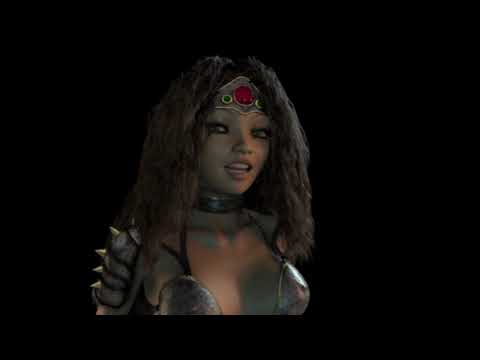
The video is horrible. I only uploaded it to get it onto my TV when evilproducer and Garstor visited me. Those were my first experiments on a very lowly laptop.
However, the process is really simple and very fun to do. I read the manual that came with GenX2, which walks us through the very simple process. They make An add-on for Genesis 3 as well. I'll get that one too when I get some Genesis 3 shapes. For now, I'm loving my Genesis 2 collection with my immense library of Generation 4 textures and clothes, which all work beautifully with Genesis 1
Be careful! I was totally hyped about Genesis compatibility in Carrara when I first learned of it, and was into the Carrara 8.5 public beta right from the start. With that, I ended up getting an enormous collection of shapes for this figure. Enormous! I was also quite psyked about Genesis 2. Here's a very helpful tip I've been using to keep my Carrara characters more manageable, and easier (for me) to work with:
Remember me mentioning the MyDaz3d Library (above)? Directly inside that folder is a Data folder.
Data > DAZ 3D > Genesis > Base > Morphs
Inside that Morphs folder resides all of the morphs you have installed for Genesis (same applies for the other Genesis in their respective folders)
Premier Artists have their folders in there, DAZ 3D has theirs, and if you use GenX2, there'll be one for that as well.
So here's what I do. I Copy that whole "Morphs" folder to a safe location. I use my desktop because I mainlky only use my computer for this stuff. Now, when I made Rosie 5, I deleted all of the folders of morphs I didn't need. I made sure to keep ALL of the clones, since those are for auto-fitting clothing, etc., but since I never want her to morph into a guy, I got rid of male shaping morphs, but kept any expressions. I love having lots of expressive morphs. I have a lot of creature morphs. Got rid of all of those. I even went through and removed many of the female morphs (mostly character shapes) that I knew I didn't want for her. Just delete them!
Now I make sure to go into Carrara right away and load in Genesis with the limited selection of morphs, and save it. After that, I can copy my saved Morphs folder back into the actual Data > DAZ 3D > Genesis > Base directory. When it asks about duplicates, I just tell it to Skip those. I always use Copy instead of Move, because when I want to make a new custom actor, I go through this same process unless I want a full genesis as a playground for designing. But then, after I get my head around what I want, I go back into the Data > DAZ 3D > Genesis > Base > Morphs folder and getb rid of morphs I don't need.
This helps in a few ways. For one, unlike Studio, Carrara actually saves those morph obj mesh data with the saved Carrara file. So it makes our custom figures just a little m ore efficient on our systems. More importantly to me is the fact that the morph dials that I don't need or even want are no longer attached to my specific character actors.
Funny thing. I just began work on the all new Dartanbeck 5 figure and was about to delete the Genesis 2 Female Teen Josie expression morphs. I'm glad that I decided not to because the current Dartan prototype expresses really nicely with Josie's expressions, and they're all at the top of the parameters tab list when the head is selected. Win-WIN! :)
Let's say I want a Gorilla. I can easily delete nearly all of the morphs from the data folder - just making sure to keep whatever extras I might want, depending on what I'm using the gorilla for. And then it's as simple as copying the morphs back where they belong. Kinda makles an added bit of housekeeping, but it works great for me.
I always make sure to make a fresh morphs backup after buying and installing new Genesis shapes. To do this, I always copy that master backup (the one on my desktop) back to the Data > DAZ 3D > Genesis > Base > Morphs location, and then I delete it. That way there's no confusion. Then I copy the newly updated Morphs folder to my Desktop again. I rename this copied folder to Master Morphs or Morphs Master or Morphs BackUp
Just cannot get face transfer utility to workHave you tried installing the Current DS Public Build, which adds a Microsoft Library which face Transfer needs but which your system may not already have?
But I'm already using DAZStudio 4.12.0.86, you mean to use Face transfer, we better re-install the same version again?
Face Transfer not Appearing (Bought from the store)Hello,
I have downloadeed Daz3D 64 Bit Pro on my mac, but, I cannot find Face Transfer:
- It's not found in installation manager.
- It's not found in Window -> Panes -> (only Figure Setup)
- It's not found in Help -> About Installed Plugins
Resetting all settings and clean uninstall/re-installI had/have the very same issue, although with G3F. I did nothing purposedly, but some morphs out of a sudden were loaded to the default character an all i can asume is this happened on one of the strikingly frequent CoDs Daz is suddenly suffering since the last update to 4.12. Delting and reinstalling base character and officail morph files didn't help delting the characters that carry those morph sliders temporarily threw a warning of missing files everytime I load a scene. So, in order to not compromise all my custom build characters and scenes I did not pull the trigger to completely remove DAZ from my machine.
So here my advise:
Fast, but only temporarily: if you want to start from scratch with a base character, simply restore figure shape under edit/figure/geometry.
Proper but tedious way: load the affected base character into a new scene, track those morphs one by one, edit and make sure the default and current values are set to 0, and thensave them as a new morph asset which will update the existing one.
Half way through on my end, meanwhile, but still a nuissance that there seems to be no way to simply restore all base characters morphs to zero as default.
Build Your Own Sale PA – Dreamlight tutorials: Good value or?Daz itself posts basic tutorials on youtube. Also on youtube, I can recomend Sicklyield, Dreamlight3d (same guy who does tutorials for sale), MYDART who also posts a lot on the boards here has good beginner vids. There are a lot of others as well.
Deviantart also has some useful tutorials, many of them free.
The shop doesn't let me filter for tutorials I've purchased easily or I could probably recomend some more.
I can say I like and got useful info from the Dreamlight tutorials I've purchased. Especially the lighting ones. Looking at the bundles you linked to, they all seem to deal with 3delight render engine and lights.
Different than Iray, but I would imagine the concepts are the same if you want to learn lighting basics. I use Iray pretty exclusively, not 3DL, so I couldn't comment on those tutorials. A method of learning lighting as well that I learned on these boards was to buy a light set on sale that you like the effect, put a character or prop at world zero with the default light set up and click through the properties to see how the creator did the lights and learn that way. Could be more expensive than a tutorial, however.
Posing: I must confess I opt for premade poses that I tweak, I personally find going from an A or T pose to a manual complex pose too cumbersome (My patience level, not a software defect). And tools like Pose Master and the Riversoft Art products as well. Digital Art Live has some posing tutorials I believe. There tutorials are also ones I can recomend.
Camera: Dreamlight and others do some good tutorials, though learning camera basics should transfer to Iray Cameras.
Animation, I can't comment on, still trying to learn Daz bascis myself before I dip my toe into that part of it.
Why does one have to be rocket scientict to make this work? Morphs on Gen 1 and Gen 2The parameters tab remains empty, no matter where innthevhierarchy I click!
This leads me to believe that your problem is not Smart Content. This sounds like a problem installing or locating the morph dsf/DSON files. The base morphs should be installed with the Genesis Starter Essentials installation package. Genesis 2 figures also have starter essentials install files. I believe they get installed in the "data" file folder, which should be in the same file directory as your default Studio content. Victoria 6. etc. full body morphs are installed in folders within this data file. Morph packages also get installed in the data file.
My guess is either that the morph dsf/DSON files are not installed in the correct directory, or that for some reason the whole data file tree is not in the same content location as your people file tree.
DAZ History panel?Also, where does bought morphs usually reside? so far from my fiddling I found are in “Parameters” and some are in “Shaping”That depends on what options the original content creator used. If you select a morph and click on the Gearwheel icon> Parameter Settings, you'll see the 4th field is called Type and has a drop-down list of content types. According to DAZ QA, all morphs should be set to Modifier/Shape so they show up automatically in the Shaping pane. But of course, this isn't always the case, especially with older content or products from other sites.
You can do it yourself, if you like. If you have a morph that's set to None or Modifier/Pose (shows in the Posing pane), change it to Modifier Shape and it'll appear in the Shaping pane. Then resave the figure/prop as a Scene Subset and your changes will hold.
Is there any 3D program compatible with Daz Studio?
Hmm, geografts should be supported by mitchys tool in version 1.7, which should be released within the next weeks, as he wrote in his thread over at blenderartist (dazblender8 plugin)Like wolf359, I use Cinema 4D and Vray as render engine. As I do mainly stills, I work with the OBJs for the moment. Nevertheless I have to re-create the materials for the characters and apply them.
It would be fun to get an FBX with JCMs to Cinema 4D in order to be able to pose in C4D. I already tried that and it worked, but unfortunately the default bone orientation is ignored by the FBX importer of C4D. The axis system works different as well and I don't get HD stuff with FBX. I can transfer the morphs though and manually add the ERC Links to them. Unfortunately at least G3 has dependencies between joints in the heel area.
I'm still working to get the HD stuff to Displacement maps.
So, yes, they could work fine, but it would require to write a plugin in C4D to natively import the Daz stuff. At least the figure. Maybe I'll do that one day.
What does not work
- dForce
- geografts
and other proprietary Daz stuff.I assume that all programs will have a problem with the proprietary Daz stuff.
Free Hair and Hair related Items ListMorph
DireWorks
Sometimes they come back: Long Morph for Toulouse hair for g8f
https://www.renderosity.com/mod/freestuff/sometimes-they-come-back-long-morph-for-toulouse-hair-for-g8f/83745Glute and Breast Control Genesis 8 (Commercial)Hi Guys. G8F version has been updated with some minor tweaks. If you did a manual install please remove all files before using this version as some of the hidden morph names have been renamed and if you just overwrite you will have duplicate function morphs. Thanks.
Daz 3D is part of

Connect
DAZ Productions, Inc.
7533 S Center View Ct #4664
West Jordan, UT 84084Licensing Agreement | Terms of Service | Privacy Policy | EULA
© 2026 Daz Productions Inc. All Rights Reserved.