-
YAWITO
Heck with the outfit, I dashed over and got the morph kit when it was 70% off!

Is that the 'can't mention the name cuz of nudity' store, or just rendo? Curious....
Take parts of a full-body figure for use on other figures?Bastet is a full body morph, so no, by default you can't have just the ears.
However if you really need those ears you may be able to create a separate morph for them with this tool, which can split a morph into several parts. You'd lose the HD details though, as the tool can't create HD morphs.
You could also try to "cheat" by using 2 figures and clever hiding to keep only the parts you need of each
Take parts of a full-body figure for use on other figures?I've seen a number of posts that danced around this exact issue, but most from some while ago. Is there a way to take part of a full-body morph for use on other figures?
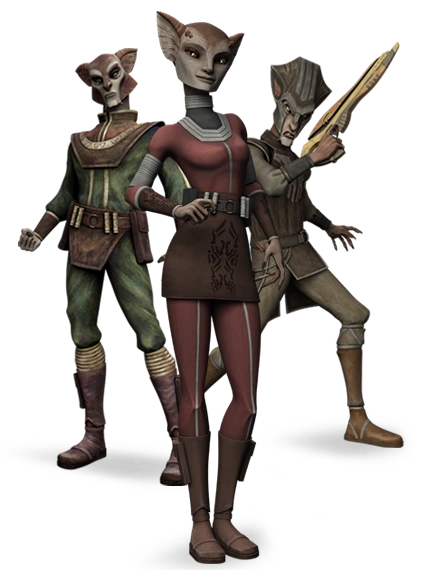
For context, I'm creating a Star Wars-based piece, and I have a Zygerrian character (these). The ears on the Bastet figure are perfect for a Zygerrian; the rest of the head isn't. I intend to create multiple pieces featuring the same character, so a one-off Photoshop job isn't a viable option; I need the ears to be quickly accessible for multiple projects. Is there a way to copy just the ears and turn them into a wearable or something similar for another G8F character?Thanks in advance (and, if you're reading this on the date of posting, Happy Thanskgiving).
How to fix a damaged .DUF file?If the files were from a "corrupted sector", there will be little that you can do. Same if you "undeleted" them, using a recovery program. Something has damaged the compressed data within them, and it no longer exists. The data will be data from another unrelated file, which will not "decompress", as it has no coralation the the compression library "dictionary". If it does, the output will not be the same. Like Richard says, it will all be jibberish.
The "fix" tools will only try to extract as much data as it can read. Resulting in you seeing that jibberish. Unless it is only a damaged "dictionary", which is contained in the header, and can sort-of be rebuilt, based off the file contents, as long as they are not password locked or otherwise "obscured".
Dare I ask what this "issue" was, which you say has led up to the collection of damaged files?
Seeing the "File list" is not an indication of file integrity. Just like windows, that is just a list of contents, of files within. A mini text database, so you know what files may need to be pulled from other sources, when the archives data has been damaged. If you see those, then you know that the file header or footer is still readable, as text. (I don't recall if the list is saved before or after the data, in GZip.)
The files got damaged after my external backup disk fell while doing some data transfer, the surface got no problems but some of the files got damaged by the sudden power down, I guess the file index got a bad hit.
If the recovery tool allows me to extract as much as it can, it would be a step forward, at the moment I can't extract nothing. Once uncompressed and extractef I can try to fix the wrong parts in the file, since it is basically a text that can be opened and modified with a notepad.
I'm still trying to figure out how to get that Linux stuff, it's harder than I thought.
 Robyn 8
Unlike the vast majority of the latest female characters I think this one actually might serve a bit of a purpose, as she seems to have a tiny bit less of an idealized body shape than most of them. Sure, no Bethany, or Rune or Lilith or anything else that looks like it might be more than a modest Victoria 8 morph. We couldn't go that far this generation! But at least it's something.
I used to buy absolutely every Pro Bundle, but I barely even looked at the recent ones. This time around....well, that's some pretty nice hair in there, I might consider it :)
What was your first DAZ purchase, and how long ago?The first order still showing in my order history is dated July 4, 2002. It wouldn't have been my first purchased based on what it was, so presumably I ordered something prior to that. I think I ordered Victoria1 on a CD, but not certain anymore. I no longer use Victoria1 or Victoria2, but still regularly use Victoria3, Michael3, Aiko3, the original Freak, and Genesis1 figures (which also make use of Victoria4 & Michael4 materials and some of that generation of clothing.) Autofit only works under certain circumstances (a great purchase and a good tool for some things, but can't be used for other things) and attempts to transfer V4/M4 figure shapes to G1 didn't work for some reason I cannot figure out, so generally I make no attempts to recreate figures in newer generations and just use what that generation already has available. Currently I don't even use anything past Genesis1, although I may make an exception for one or two purchases or freebie items in the future for one-off characters or creatures for a single drawing if appropriate (hasn't happened yet), and I've kicked around the idea of using a recent figure's head with better expression options of the newer figures in conjuction with a collar on older figures but haven't really thought that one through yet.
Robyn 8I agree with a lot of posters here. The character is pretty generic. The clothing is too.
The DEAL (Extra bundles, deeper discounts) made it an Insta-buy.
Since I had been lobbying Daz to bring this type of deal back, it didn't make sense to blow it off, when they finally listened.
Now if they will honour my request for more middle aged or older women (maybe Thai or Vietnamese themed) I would be VERY Thankful!We just got Leisa and Jenni, two middle aged sets of women.... I think you'd already be thankful! ;)
To me, there's nothing unusual about her, under the arm looks like a material stretch that's an error, and there's no incentives for people who own many of the Pro Bundles. Pass, again. That's two Pro Bundles in a row, which is unheard of for me. These gals are just repeats with slight tweaks, and I think if you have morph packs you can easily recreate or get very close to this character. I'm guessing, but other skins may be quite close as there's nothing that stands out on the face.
Has anyone commented yet on the lack of characters in the Add-Ons? The vendors didn't even make additional characters for this character release.
The vendors are also getting busy with holiday stuff -both in real life and in 3D work. Yeah its barely the holiday season, but when you have to get seasonal stuff in BEFORE the season, you gotta juggle. Can't catch them all. (or is it like Pokemon catch them all? I don't have time for games anymore... )

Btw, i DID like the clothes that were out with this set. And actually I had a character ready named Robyn... I thought, "there's a name no one will use....I'm sooooo original!" Oops. Haven't had time to rename it all though. :PRobyn 8To me, there's nothing unusual about her, under the arm looks like a material stretch that's an error, and there's no incentives for people who own many of the Pro Bundles. Pass, again. That's two Pro Bundles in a row, which is unheard of for me. These gals are just repeats with slight tweaks, and I think if you have morph packs you can easily recreate or get very close to this character. I'm guessing, but other skins may be quite close as there's nothing that stands out on the face.
Has anyone commented yet on the lack of characters in the Add-Ons? The vendors didn't even make additional characters for this character release.
YAWITOHeck with the outfit, I dashed over and got the morph kit when it was 70% off!
Genesis 8 Female weird face lookingHi
thanks for your reply
i did what you told me and the aiko 8 parameter sitting was at defualt 100% and changed to 0% but nothing happen , also i have this problem at all the genesis 8 and genesis 3 female character not just aiko 8.
aiko 8 was just example of the problelm .
i think it just like one Morph that effect all the characters but i just can't find out which one
do you have another idea ?
thanks everyoneDazStudio incredibly slowI'm not an expert...but this is my understanding:
ALL morphs (every single one) is injected to the character at start up. In the beginning this is convenient as you have all morphs available for the character in the parameters tab - all you have to do is changing the sliders and the character changes somehow So, the more products with morphs you have the more morphs have to be injected in start up and apparently be taken care of when zeroing a character.
The sollution would be to go back to the old way (gen 4) where all morphs had to be injected before they get available in the parameters tab. I really, really hope DAZ will do that in a future update. OR, that the user could chose what morphs are automatically injected and therest would have to be injected manually before they can be used.
As DAZ is only using two cores, it doesn't matter how many cores you have, all you can do to increase speed is to invest in a high frequency CPU (like IntelCore i9-9900KS).
Rob says
Not quite. Each property that controls the value at which a given morph is applied is loaded, and any ERC connections between said properties, but the morph deltas themselves (the "heaviest" part - the list of vertex indices and their respective changes) is "delay loaded"... meaning the actual morph deltas are not loaded into memory until the property that applies it has a non-zero value (be that on its own accord, or being driven by another property) - they only get loaded into memory when they actually get used - a form of "auto-inject."
Who is the girl in the MRL dForce Long Morphing Hair promos ?I may be wrong, but I'm reasonably sure the morph is literally nobody; I think she's the base G8F with a different skin, but I don't immediately know which skin that is.
Yvonne DeCarlo.. requestI gave Face Transfer a whirl and applied the Fix ... but as far as I know this Fix morph is not be shareable -- Richard or Chohole, feel free to correct me ;-)
The textures applied are the default ones of Genesis 8. And the issues with this hair did not show up until Rendered and it's late and well ... we tried.
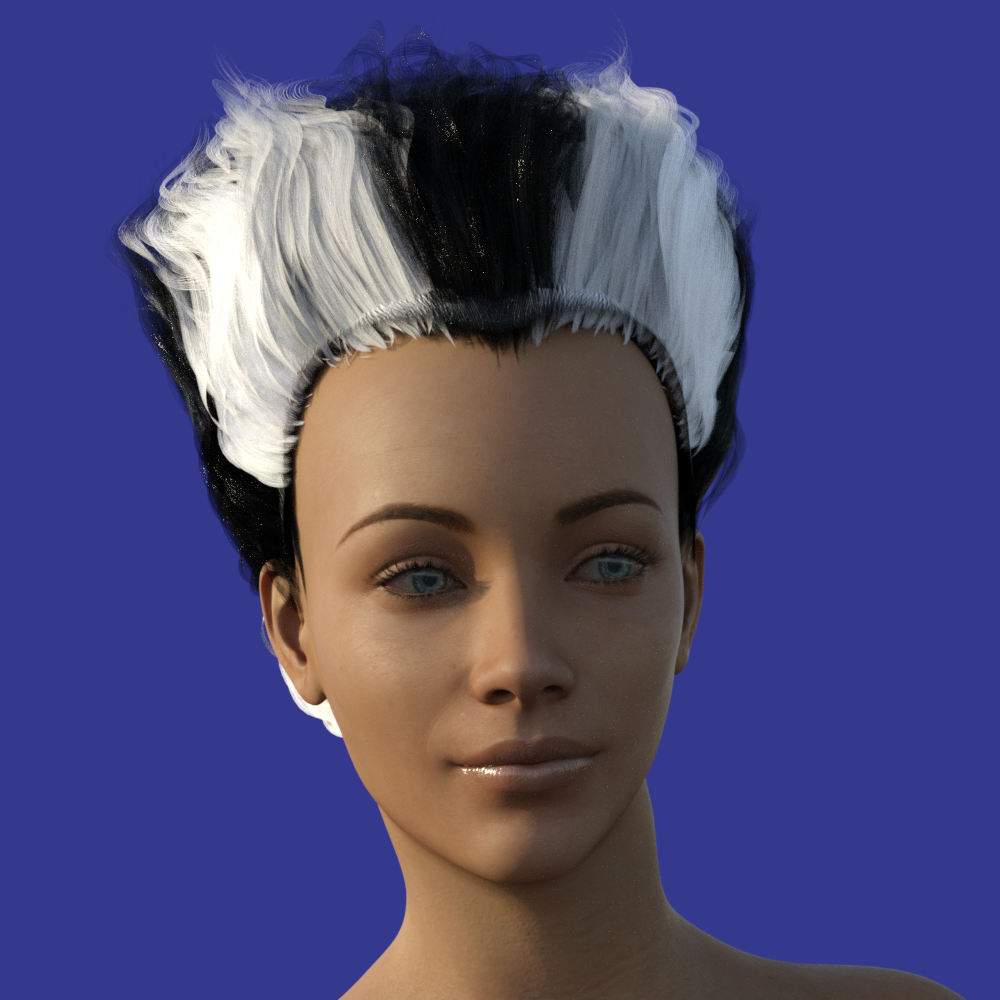 The question on everybody's mindThe triple-breasted woman has much less back-pain than the double-breasted.
Well that's nice to know. But for the DAZ women, what exactly is the complication involved with a third breast? Are there just not enough polygons in the middle of the chest? Is there something about the geometry of the breasts that makes it more difficult than a head morph? I've seen morphs that completely remove arms, legs, and head. Yet somehow the third breast seems elusive.
Just cannot get face transfer utility to workThe message here was: "Face Transfer failed to generate. Try a different source image". So a decided try a different source and then... it worked! (I put the image in the work area).
[Released] RSSY Clothing Converter from Genesis 2 Female to Genesis 3 Female [Commercial]I am using 4.9 and just bought this and I cannot get any G2 item to convert. This is the error log I get.
2019-11-27 21:49:18.356 WARNING: fileinput\dzassetdaz.cpp(4639): Could not find node parent.
2019-11-27 21:49:18.517 WARNING: fileinput\dzassetdaz.cpp(1766): Failed to follow node.
2019-11-27 21:49:18.517 File loaded in 0 min 0.4 sec.
2019-11-27 21:49:18.519 Loaded file: Converter Bodysuit.duf
2019-11-27 21:49:18.770 Loaded Morph Deltas in 0 min 0.0 sec.
2019-11-27 21:49:18.964 Loaded file: Converter Morph.dsf
2019-11-27 21:49:18.968 DEBUG: Convert Item is Converter Morph_9579
2019-11-27 21:49:18.982 DEBUG: Item's Compatibility Base Path for Node /Ultra Bodysuit for Genesis 2 Female(s)/Ultra Bodysuit
2019-11-27 21:49:18.982 DEBUG: Presentation
2019-11-27 21:49:18.982 DEBUG: autoFitBase
2019-11-27 21:49:18.982 DEBUG: colorA [object Object]
2019-11-27 21:49:18.982 DEBUG: colorB [object Object]
2019-11-27 21:49:18.982 DEBUG: description
2019-11-27 21:49:18.983 DEBUG: iconLarge
2019-11-27 21:49:18.983 DEBUG: iconSmall
2019-11-27 21:49:18.983 DEBUG: label
2019-11-27 21:49:18.983 DEBUG: Preferred Base /Genesis 2/Female
2019-11-27 21:49:18.983 DEBUG: type
2019-11-27 21:49:18.983 DEBUG: Transfer Morphs, Source is RSSY Genesis 2 to Genesis 3 Converter BodySuit, Target is Ultra Bodysuit
2019-11-27 21:49:19.059 DEBUG: END Conversion of E:/Content/People/Genesis 2 Female/Clothing/Bodysuits/Ultra Bodysuit/Ultra Bodysuit.duf
2019-11-27 21:49:36.828 DEBUG: Execution Complete.
2019-11-27 21:49:51.155 WARNING: Script Error: Line 883
2019-11-27 21:49:51.156 WARNING: TypeError: Result of expression 'transfer.setParentToFigure' [undefined] is not a function.
2019-11-27 21:49:51.156 WARNING: Stack Trace:
<anonymous>()@E:/Content/data/RiverSoft Art/Common/RSLegacyClothingConversionFunctions.dse:883
2019-11-27 21:49:51.162 Error in script execution: E:/Content/Scripts/Clothing Converter/RSSY Clothing Converter G2F to G3F.dseThe script is calling a function, setParentToFigure, that was added in 4.10.0.50. Are you willing to update your Daz Studio? If not, send me an email and I will make a special 4.9 update for you.
I would love to upgrade but my laptop didn't like 4.10. It is not powerful enough to support the Iray plugin.
I will send you an email.
[Released] RSSY Clothing Converter from Genesis 2 Female to Genesis 3 Female [Commercial]I am using 4.9 and just bought this and I cannot get any G2 item to convert. This is the error log I get.
2019-11-27 21:49:18.356 WARNING: fileinput\dzassetdaz.cpp(4639): Could not find node parent.
2019-11-27 21:49:18.517 WARNING: fileinput\dzassetdaz.cpp(1766): Failed to follow node.
2019-11-27 21:49:18.517 File loaded in 0 min 0.4 sec.
2019-11-27 21:49:18.519 Loaded file: Converter Bodysuit.duf
2019-11-27 21:49:18.770 Loaded Morph Deltas in 0 min 0.0 sec.
2019-11-27 21:49:18.964 Loaded file: Converter Morph.dsf
2019-11-27 21:49:18.968 DEBUG: Convert Item is Converter Morph_9579
2019-11-27 21:49:18.982 DEBUG: Item's Compatibility Base Path for Node /Ultra Bodysuit for Genesis 2 Female(s)/Ultra Bodysuit
2019-11-27 21:49:18.982 DEBUG: Presentation
2019-11-27 21:49:18.982 DEBUG: autoFitBase
2019-11-27 21:49:18.982 DEBUG: colorA [object Object]
2019-11-27 21:49:18.982 DEBUG: colorB [object Object]
2019-11-27 21:49:18.982 DEBUG: description
2019-11-27 21:49:18.983 DEBUG: iconLarge
2019-11-27 21:49:18.983 DEBUG: iconSmall
2019-11-27 21:49:18.983 DEBUG: label
2019-11-27 21:49:18.983 DEBUG: Preferred Base /Genesis 2/Female
2019-11-27 21:49:18.983 DEBUG: type
2019-11-27 21:49:18.983 DEBUG: Transfer Morphs, Source is RSSY Genesis 2 to Genesis 3 Converter BodySuit, Target is Ultra Bodysuit
2019-11-27 21:49:19.059 DEBUG: END Conversion of E:/Content/People/Genesis 2 Female/Clothing/Bodysuits/Ultra Bodysuit/Ultra Bodysuit.duf
2019-11-27 21:49:36.828 DEBUG: Execution Complete.
2019-11-27 21:49:51.155 WARNING: Script Error: Line 883
2019-11-27 21:49:51.156 WARNING: TypeError: Result of expression 'transfer.setParentToFigure' [undefined] is not a function.
2019-11-27 21:49:51.156 WARNING: Stack Trace:
<anonymous>()@E:/Content/data/RiverSoft Art/Common/RSLegacyClothingConversionFunctions.dse:883
2019-11-27 21:49:51.162 Error in script execution: E:/Content/Scripts/Clothing Converter/RSSY Clothing Converter G2F to G3F.dseThe script is calling a function, setParentToFigure, that was added in 4.10.0.50. Are you willing to update your Daz Studio? If not, send me an email and I will make a special 4.9 update for you.
[Released] RSSY Clothing Converter from Genesis 2 Female to Genesis 3 Female [Commercial]I am using 4.9 and just bought this and I cannot get any G2 item to convert. This is the error log I get.
2019-11-27 21:49:18.356 WARNING: fileinput\dzassetdaz.cpp(4639): Could not find node parent.
2019-11-27 21:49:18.517 WARNING: fileinput\dzassetdaz.cpp(1766): Failed to follow node.
2019-11-27 21:49:18.517 File loaded in 0 min 0.4 sec.
2019-11-27 21:49:18.519 Loaded file: Converter Bodysuit.duf
2019-11-27 21:49:18.770 Loaded Morph Deltas in 0 min 0.0 sec.
2019-11-27 21:49:18.964 Loaded file: Converter Morph.dsf
2019-11-27 21:49:18.968 DEBUG: Convert Item is Converter Morph_9579
2019-11-27 21:49:18.982 DEBUG: Item's Compatibility Base Path for Node /Ultra Bodysuit for Genesis 2 Female(s)/Ultra Bodysuit
2019-11-27 21:49:18.982 DEBUG: Presentation
2019-11-27 21:49:18.982 DEBUG: autoFitBase
2019-11-27 21:49:18.982 DEBUG: colorA [object Object]
2019-11-27 21:49:18.982 DEBUG: colorB [object Object]
2019-11-27 21:49:18.982 DEBUG: description
2019-11-27 21:49:18.983 DEBUG: iconLarge
2019-11-27 21:49:18.983 DEBUG: iconSmall
2019-11-27 21:49:18.983 DEBUG: label
2019-11-27 21:49:18.983 DEBUG: Preferred Base /Genesis 2/Female
2019-11-27 21:49:18.983 DEBUG: type
2019-11-27 21:49:18.983 DEBUG: Transfer Morphs, Source is RSSY Genesis 2 to Genesis 3 Converter BodySuit, Target is Ultra Bodysuit
2019-11-27 21:49:19.059 DEBUG: END Conversion of E:/Content/People/Genesis 2 Female/Clothing/Bodysuits/Ultra Bodysuit/Ultra Bodysuit.duf
2019-11-27 21:49:36.828 DEBUG: Execution Complete.
2019-11-27 21:49:51.155 WARNING: Script Error: Line 883
2019-11-27 21:49:51.156 WARNING: TypeError: Result of expression 'transfer.setParentToFigure' [undefined] is not a function.
2019-11-27 21:49:51.156 WARNING: Stack Trace:
<anonymous>()@E:/Content/data/RiverSoft Art/Common/RSLegacyClothingConversionFunctions.dse:883
2019-11-27 21:49:51.162 Error in script execution: E:/Content/Scripts/Clothing Converter/RSSY Clothing Converter G2F to G3F.dseJust cannot get face transfer utility to workMy DAZ Studio is 4.12.0.86 Pro Edition (64K) and i have "FACE TRANSFER FAILED TO GENERATE" message. I installed the update to Genesis 8 Starter Essentials (the male and female packages) and the Current DS Public Build, but the problem still persists. Please, someone could help me? Face transfer seems to be the best of all similar capacities i have encountered in others softwares.
zilpha invades DAZ -I didn't buy her so can't check the files myself, but what would be happening is that her morphs are in the basket of morphs where they should be, BUT instead of having been saved [by the Content Creator] at "0" they must have been saved at some other value like "1" ... so the quick fix might be to find her morphs in the data folder, find that "1" and change it to "0." {close D/S before digging around in data folders}
..........
edit to add: the general path to find G8F's morphs is:
My Library\data\DAZ 3D\Genesis 8\Female\Morphs\ {Daz Originals or 3DSublimeProductions or Vex} etc.
n.b. about the reference for purchasing her, one day years ago now, I and some others had purchased a pair of shoes here and had a 'surprize' figure morph which the company rectified fast to remove it from the shoe package ;-)
Daz 3D is part of

Connect
DAZ Productions, Inc.
7533 S Center View Ct #4664
West Jordan, UT 84084Licensing Agreement | Terms of Service | Privacy Policy | EULA
© 2026 Daz Productions Inc. All Rights Reserved.