-
what happened to pwtoon?
I think it just got vaulted for whatever reason. I love using pwtoon, so I'm glad I have it. It's a shame it won't be available for sale. I still find it useful at times.
what happened to pwtoon?*sigh* Looks like another one bit the dust, along with pwEffect. Search for pwToon in the forums and you will find several recent discussions about it disappearing, but no real answers. Doesn't look like there were major problems, there have been a lot of renders lately that used it, so it can't be a compatibility issue.
what happened to pwtoon?I want to return to Daz studio just for pwtoon and I don't find it. what the heck happened?
Daz to blender is great, but what about Blender to Daz?I would love to use pwtoon and a bunch of other features, like backgrounds for my webcomic but I really don't want to have to fight to get my model in Daz Studio. I mean yeah, my new 3d model with the toon shader looks okay but pwtoon pwns that with all the customizable stuff. That makes non-photo-realistic (NPR for short) look absolutely stunning. Over the years I've collected tons of older stuff and importing Zeep into Daz and creating his co-star and other things in DS would be tons of fun and make updating a breeze, just like my old Insanity of Xade comic. I would get a few updates ahead and start the transition. But how would I get all the IK and other stuff into Daz Studio or must every joint be done manually?
The newbies might not know me and heck, sometimes it's a wonder I'm still lurking around here. I was very active 14-11 years ago until Daz Ate all my save files and brought my first webcomic to a screeching halt. Daz has always held a special place in my heart so I check up on it often just to get freebies and the like. As such, I respectfully request links to get me restarted with Daz, for it was the very first 3d program that seriously got me into Blender. In particular how to get things from Blender into Daz without too many hiccups.
Thanks in advance and have a great day
JoeQuick appreciation - simply the best.I thought I had PWToon, but I have the other products. The PA is Poseworks, whose store is closed now.
JoeQuick appreciation - simply the best.Based on what some of you said, are all the 3DL shaders being removed, because I don't use iRay.
Also who made PWToon, it might be possible to contact them and still purchase it.
More Non-photorealisitic Renders (NPR II)Artini said:
Oso3D said:
Nothing fancier than straight PWToon render. My recent discovery that render line tessellation 1 works great with PWToon has really... enthused me. The only real trick now is managing lighting and simplifying textures and relying more on bump and outline to define many elements (particularly background elements).
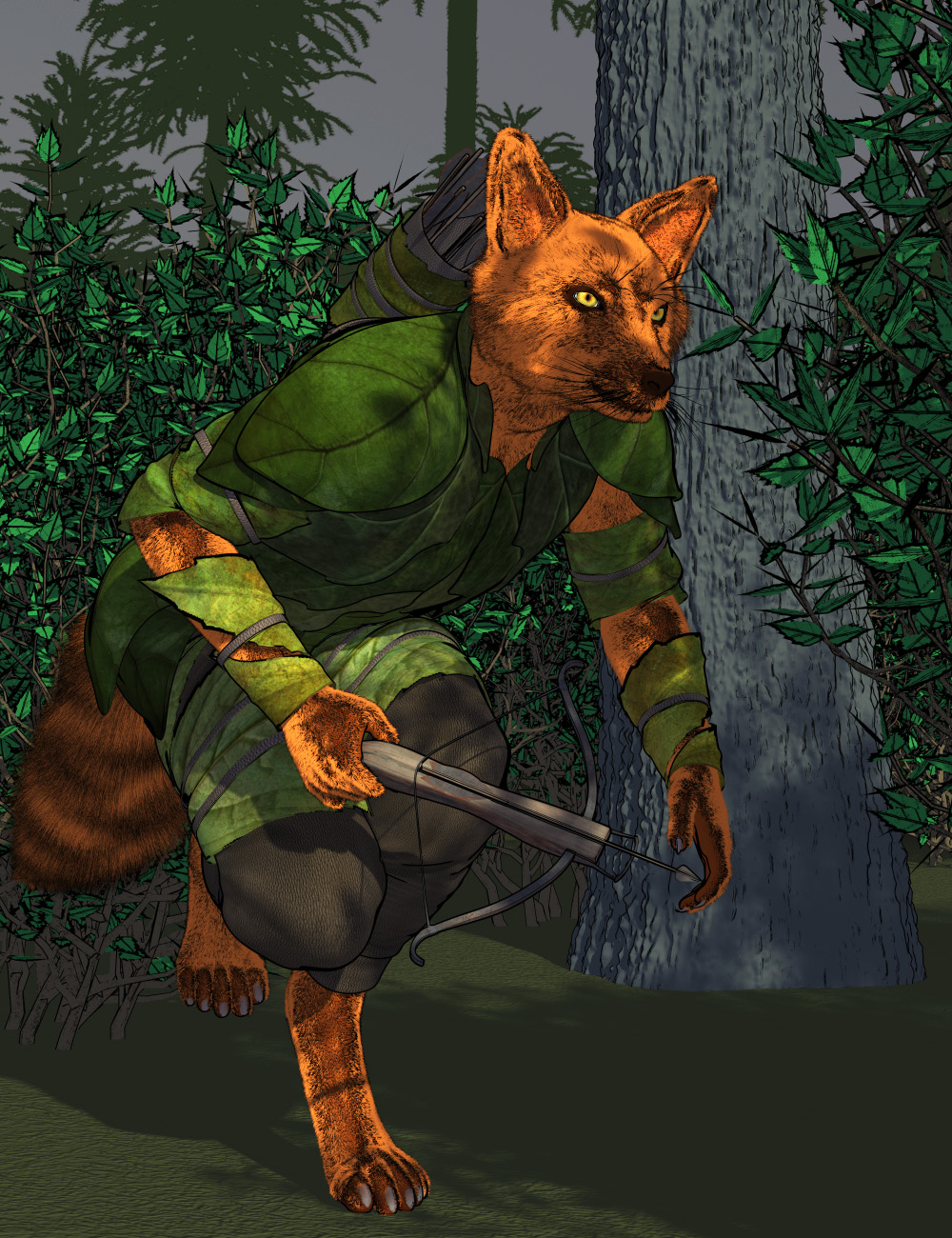
This is my vulpine. So, again, texture mapping doesn't work for dhair, but in this case a single color works fine (if I wanted I could take the time to separate out zones and create multiple fur items, but I didn't feel like it)
Previously I had used a narrow threshold for shading to create a more 'toon' sense. Now I'm electing to control that more with lighting (with some shadow softness, but not much, and no AO). A lot of the simpler appearance I had hoped to achieve is really best done by changing the textures to be either a single color or, if I need to, really go in and make a newer, very subtle shaded texture.
So it looks like, PWToon strikes again and gives even better results than any iray based techniques.
Very nice images.
You just can't go wrong with PWToon, its a very worth while investment!
JoeQuick appreciation - simply the best.Well, you CAN use OsoToon to make similar.
I didn't go very elaborate here, this is a pretty standard Iray render for color, and then OsoToon materialID emission thing to get the outlines.
The result is SLIGHTLY different. I'm actually pleased, I mainly use PWToon to get the outlines but this isn't half bad. (The big secret with OT materialID outlines is render it BIG so the find edges doesn't get blocky. The good news is that doing so, the render only takes slightly longer.)
JoeQuick appreciation - simply the best.certaintree38 said:
@33dlux I just looked at the PW Shaders bundle, and PWToon does not seem to be included. It seems like there might be a promo from it, but the product is not there.

 Post corrected
  JoeQuick appreciation - simply the best.@33dlux I just looked at the PW Shaders bundle, and PWToon does not seem to be included. It seems like there might be a promo from it, but the product is not there.JoeQuick appreciation - simply the best.
3dLux said:
Artini said:
Nice, Oso3D. It is very sad, that we cannot use your own product https://www.daz3d.com/oso-toon-shader-for-iray
for making similar images. I do not use 3Delight any longer, that is why I have hoped that your shader will replace a need for PWToon.
As far as I know, PWToon is no longer available in Daz 3D store.
It's still available as part of the PW Shaders Bundle.
I have already purchased PWToon in 2008.
JoeQuick appreciation - simply the best.Artini said:
Nice, Oso3D. It is very sad, that we cannot use your own product https://www.daz3d.com/oso-toon-shader-for-iray
for making similar images. I do not use 3Delight any longer, that is why I have hoped that your shader will replace a need for PWToon.
As far as I know, PWToon is no longer available in Daz 3D store.
It's still available as part of the PW Shaders Bundle.
Corrected: it's not in the bundle, despite it being in the promo art
JoeQuick appreciation - simply the best.Nice, Oso3D. It is very sad, that we cannot use your own product https://www.daz3d.com/oso-toon-shader-for-iray
for making similar images. I do not use 3Delight any longer, that is why I have hoped that your shader will replace a need for PWToon.
As far as I know, PWToon is no longer available in Daz 3D store.
JoeQuick appreciation - simply the best.The minute I saw the mouse, I thought of this...

(Storybook mouse + house cat with PWToon and some filters)
Welcome to Hatsune Miku Anime Manga Cafe ☕

Testing the cel animation style shading.
This image was rendered using "pwToon SKU:7253" and 3Delight. JoeQuick appreciation - simply the best.
Actually, no; PWToon. I did color and outline separately, ran color through Watercolor filter in FotoSketcher.
Took a little finesse to get lines where they should be.
More Non-photorealisitic Renders (NPR II)Oso3D said:
Nothing fancier than straight PWToon render. My recent discovery that render line tessellation 1 works great with PWToon has really... enthused me. The only real trick now is managing lighting and simplifying textures and relying more on bump and outline to define many elements (particularly background elements).
This is my vulpine. So, again, texture mapping doesn't work for dhair, but in this case a single color works fine (if I wanted I could take the time to separate out zones and create multiple fur items, but I didn't feel like it)
Previously I had used a narrow threshold for shading to create a more 'toon' sense. Now I'm electing to control that more with lighting (with some shadow softness, but not much, and no AO). A lot of the simpler appearance I had hoped to achieve is really best done by changing the textures to be either a single color or, if I need to, really go in and make a newer, very subtle shaded texture.
So it looks like, PWToon strikes again and gives even better results than any iray based techniques.
Very nice images.
More Non-photorealisitic Renders (NPR II)Nothing fancier than straight PWToon render. My recent discovery that render line tessellation 1 works great with PWToon has really... enthused me. The only real trick now is managing lighting and simplifying textures and relying more on bump and outline to define many elements (particularly background elements).
This is my vulpine. So, again, texture mapping doesn't work for dhair, but in this case a single color works fine (if I wanted I could take the time to separate out zones and create multiple fur items, but I didn't feel like it)
Previously I had used a narrow threshold for shading to create a more 'toon' sense. Now I'm electing to control that more with lighting (with some shadow softness, but not much, and no AO). A lot of the simpler appearance I had hoped to achieve is really best done by changing the textures to be either a single color or, if I need to, really go in and make a newer, very subtle shaded texture.
3Delight Useful Stuff?-Put It Here:)Huh. One thing I've discovered is that, at least with PWToon, dForce Hair looks GREAT if you set it to render line tessellation 1; it keeps most of the interior of fur a bit lighter and cool looking.
For some reason I was under the impression that it needed to be 2 or more.
More Non-photorealisitic Renders (NPR II)Oso3D said:
First is all PWToon, second is PWToon lines plus PWToon color filtered through FilterForge.

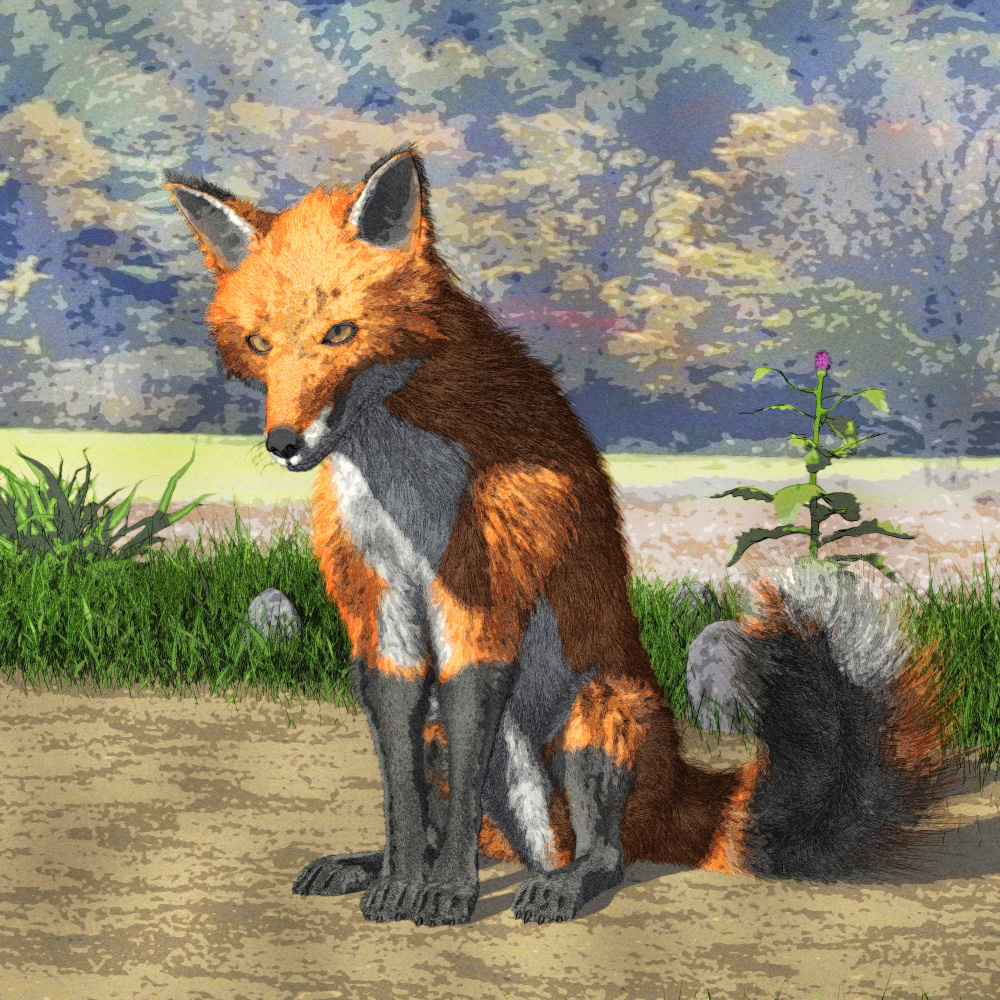
Nice render and style
Daz 3D is part of

Connect
DAZ Productions, Inc.
7533 S Center View Ct #4664
West Jordan, UT 84084Licensing Agreement | Terms of Service | Privacy Policy | EULA
© 2026 Daz Productions Inc. All Rights Reserved.