-
Orestes Fantasy Moon
Hi Folks. Quick question. Is it possible to rotate the position of the moon in this product?
I love alchemy chasm, recommendations for similar sets?Orestes Graphics has a lot of cool things in the underground/dungeon genre - check out https://www.daz3d.com/the-underdocks-bundle
Jack Tomalin's store is full of great stuff - https://www.daz3d.com/cista-sanctus is an underground watery dungeon type place.
First Bastion has a cool cave product - https://www.daz3d.com/spiral-descent-cave-entrance
Announcing: Daz Deals Browser Add-onView All Artists link does show up, but the URL I get is https://www.daz3d.com/shop/#filter_vendor=^^^^^^^^^^^^^^^^^^^^^^^^^^^^^^^^^^^^^^^^^^^^^^^^^^^^^^^^^^^^^^^^^^^^^^^^^^^^^^^^^^^^^^^^^^^^^^^^^^^^^^^^^^^^^^^^^^^^^^^^^^^^^^^^^^^^^^^^^^^^^^^^^^^^^^^^^^^^^^^^^^^^^^^^^^^^^^^^^^^^^^^^^^^^^^^^^^^^^^^^^^^^^^^^^^^^^^^^^^^^^^^^^^^^^^^^^^^^^^&filter_new=0&filtered=1
which doesn't work, of course.
Try this:
I did it in TextPad using a bunch of search, replace, copy, etc.
Man, I gotta learn Javascript.
Edit: Nevermind, my link still doesn't show all the items that should be available.
 Query about a product promo
This one I think
I don't think it's cassini as in the promo the ground is different and light is more intense and yellowish than the cassini
I think you are right, the planet itself isn't quite the same.
Query about a product promoThis one I think
I don't think it's cassini as in the promo the ground is different and light is more intense and yellowish than the cassini
Hell Creek Modules [Commercial]This is a fantastic set, and it renders fast given compared to ther jungle sets. In the attached picture I used Hell Creek modules 03 and 05 with the backdrop from Mesozoic Badlands, Orestes HDRI Summer Day 05 and Terradome 3 atmosphere with forest haze.
Continued issues with lighting - skydomesNo, I have no connection to Lyoness or any of her products.
To change the HDRI in the Render Settings->Environment, you need to locate the presets. Daz Studio provides more than one way to do just about anything. The following is just what I think would be easiest for you to find at this point.
- Go to Smart Content and select the Products tab.
- In the right column, type "HDR" in the filter field. This will isolate all the products with HDR in the title. You may find you have more than one.
- For the moment, looking for the included HDRIs, scroll down and find Daz Studio Iray HDR Outdoor Environments.
- Double-click to open.
- You will see a folder entitled Render-Settings. Select that and the presets will show.
Each HDRI has two presets. The presets labeled "Background" load only the HDRI. The other presets load both the HDRI and Cameras. The HDRIs load with Draw Dome set to On.
I have noticed that when I have an Iray Worlds Skydome in place that the Enviroment controls do not work.
Please open a new, blank scene in DS.
Open the Render Settings pane. This is probably docked to one side or the other, dependent on the layout you are using.
- There are three tabs across the top of the Render Settings pane: Presets, Editor, and Advanced. Please select Editor.
- You should now see a drop-down labeled Engine and set to NVIDIA Iray by default. Below that are two columns.
- In the left colum you will see folders for the various render settings. (I believe you are familiar with this page.)
- Please click on "Environment" in the left column.
- Now in the right column, you see the relevant settings for the currently selected Environment Mode.
- Change the Environmt Mode and the relevent settings will also change.
I believe these are the Environment controls you refer to. These settings only control the Iray environment. You cannot rotate an object with these controls. Dome Rotation settings only affect the position of the environment lighting in relation to World Center, (xyz axes of 0, 0, 0.)
It doesn't matter how large the object, to rotate it, you will need to select it in the scene. You probably have a Scene pane (tab) docked to one side of the viewport. You can select items in this tab, as well as in the viewport, but often have better control of what you're selecting in the Scene tab.
I believe you are getting frustrated with the Iray Worlds because you see it as an Environment and it only seems natural it should be controlled by the Environment settings. However, it is an object. It has a mesh. And it is moved with either a tool or settings in the Parameters pane.
To create a Group, go to the Main Menu and click on Create. Scroll down to New Group… and select. A dialog window will open where you can name your new group. The default name is Group # where # is an actual number which increments. Click on Accept. As I mentioned before, you can select items to group first, or you can create the groups and then move items into it. Items in the group are considered children, with the group as the parent.
I'm pretty sure Ghost Lights were Kindred Arts' brainchild. That said, stick with whichever tutorial teaches the way you learn.
One reason why ghost lights work is they use a single poly to light an area. You can actually use any mesh. The difference between "mesh lights" and "ghost lights" is the latter are all but invisible. But… Iray will have to compute the effect of the light on every polygon of the mesh light. The more polygons used, the longer it will take to render the scene. The sphere you are thinking of using between your characters may add more time to the render than you expect. You can use a single poly plane between your characters and turn on Two Sided Light in the material settings, (Surfaces tab)
You don't need to spend money to get a nice backdrop for your renders. You can turn Draw Dome to Off, render the scene, save the render as a PNG image and the background will be transparent. Now you can add any background you want in any image editor that uses layers. I use Photoshop CS6. Gimp is open-source and somewhat like Photoshop, (though I've never spent much time with it.) There are others, I'm sure. You can create simple backgrounds in your image editor, or use one of many free backgrounds available in this Art Studio thread.
Better yet, would be if there is a skydome that had that cyclorama look on one side and a light source on the otherside AND I can control it with the environment controls to position the light where I need it. Is there something like that?
You have just described HDRIs. Not all HDRIs are like that. But the HDR product that comes with Daz Studio is. And here are a couple of products in the store that meet that criteria:
- MEC4D HDRI Gardens Vol.1 - Megapack
- Orestes Iray HDRI Environment - Four Seasons Field
- Orestes Iray HDRI Environment - Winter Grove
There are also websites that have free HDRIs, although I am not familiar with them.
Query about a product promoThis one I think
Kaleidoscope for Iray [Commercial]Wow, very nice Gogger! I really feel like you'll get the feel of how this product works quickly...The little bit of fiddling will turn into fun soon enough. Three main three things to watch are the scale of the Kaleidoscope prop, placing your camera on wide-angle just inside the prop, and watching the aux viewport for changes. From there out experiment with the presets and see what they doYep, I was stretching the K-Prop on both the X and Y and everything changed for the better after that! I'm using Orestes Iray HDRI Skydomes - Fantasy Moon and was surprised at how well it worked. I can't wait to get to the long space station corridors like in the promos - and that library scene is to die for! WOOHOO!! Fun! This one product will add SO MUCH diversity to my images that I produce each month.
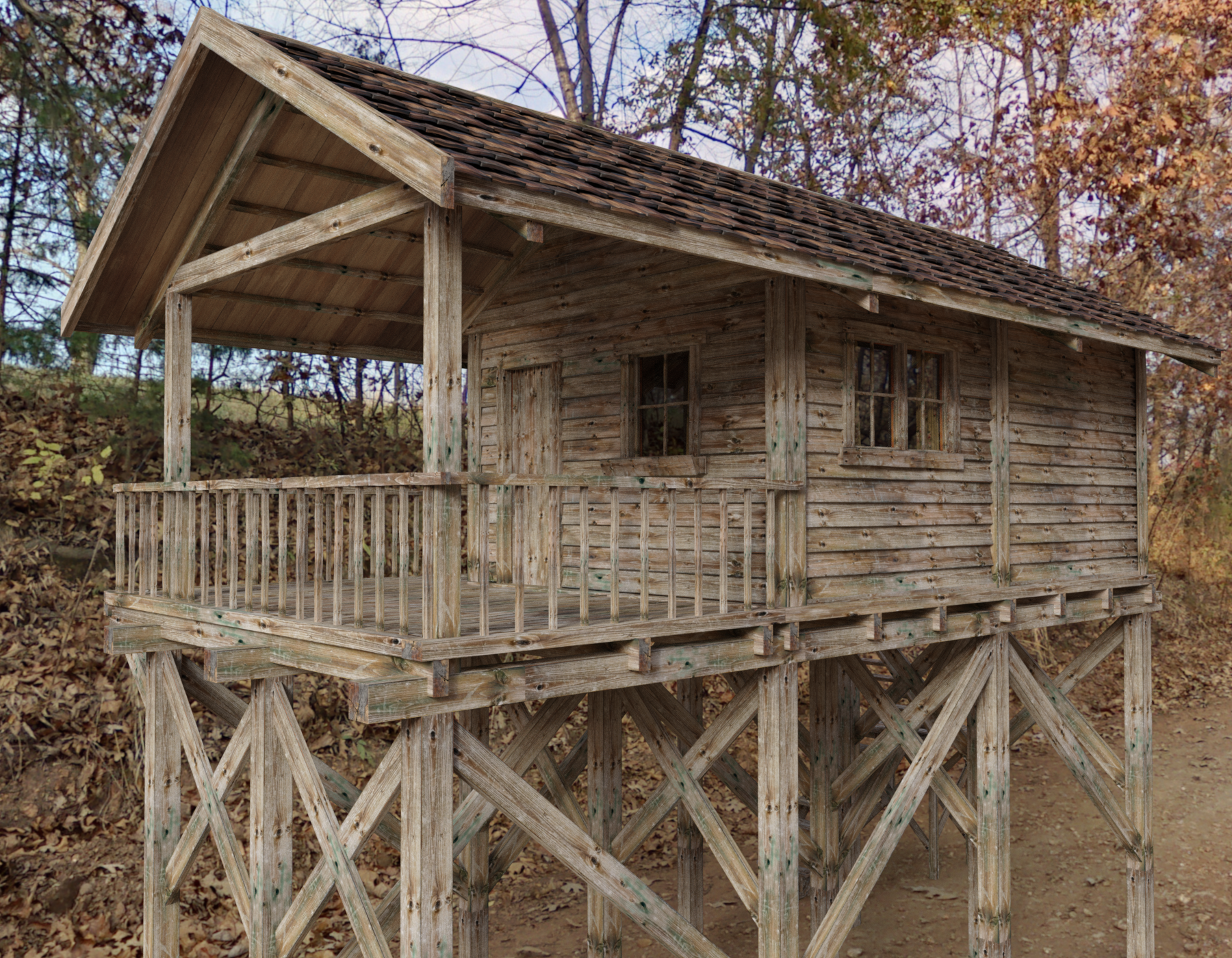
SereneNight's Sci-Fi Fun Thread 2This is the lonely road HDRI by Orestes. It looks super nice with this old timey Cabin from Rendo, which looks like a nice hideaway.
 *closed* RRRR - What can go wrong when moving - Render Contest
tag: luci45 #6
Rest for the Weary
Mobster Big Ronny Rumoroso has yet to find the ideal relocation. Soon after arriving in Dubaris, the only city on the Planet Miuhiri, he was banished and soon found himself wandering country roads (without his faithful servant DumDum, who remained in Dubaris.) Katy and her friends were not pleased when they found him sleeping in a bed of their precious Flaming Katies.
Crow (Smith Micro) Replaced by Mobster Outfit from pull #1
Sleeping & Napping for Genesis 3 Male
Freaky Horns for Minotaur 6 Horns
Flaming Katy
Legacie Hair for G2F, G3F and V4 (LB)
Gabriella (LB)
Trouble Brewing Poses (LB)
FWF Mayuree HD for Mei Lin 6 (LB)
Orestes Iray HDRI Environment - Lonely Road (LB)
Intimates Collection (LB)Also used
Sexy Silky For Genesis
Viking Hair for Genesis 1 and 2 Female(s)
Fairy Wings for Giselle 6
Pd Two-Tone Iray Shader Presets
ColorWerks Hair Shaders for Iray
dForce Loincloth Collection for Genesis 8 Male(s)
Varius morphs
Casual Friday Poses for V5 and Genesis
Vintage Male Hair for Genesis 3 and 8 Male(s)
Ivan 7
Travel Baggage
DG Iray Fabrics of Asia Shaders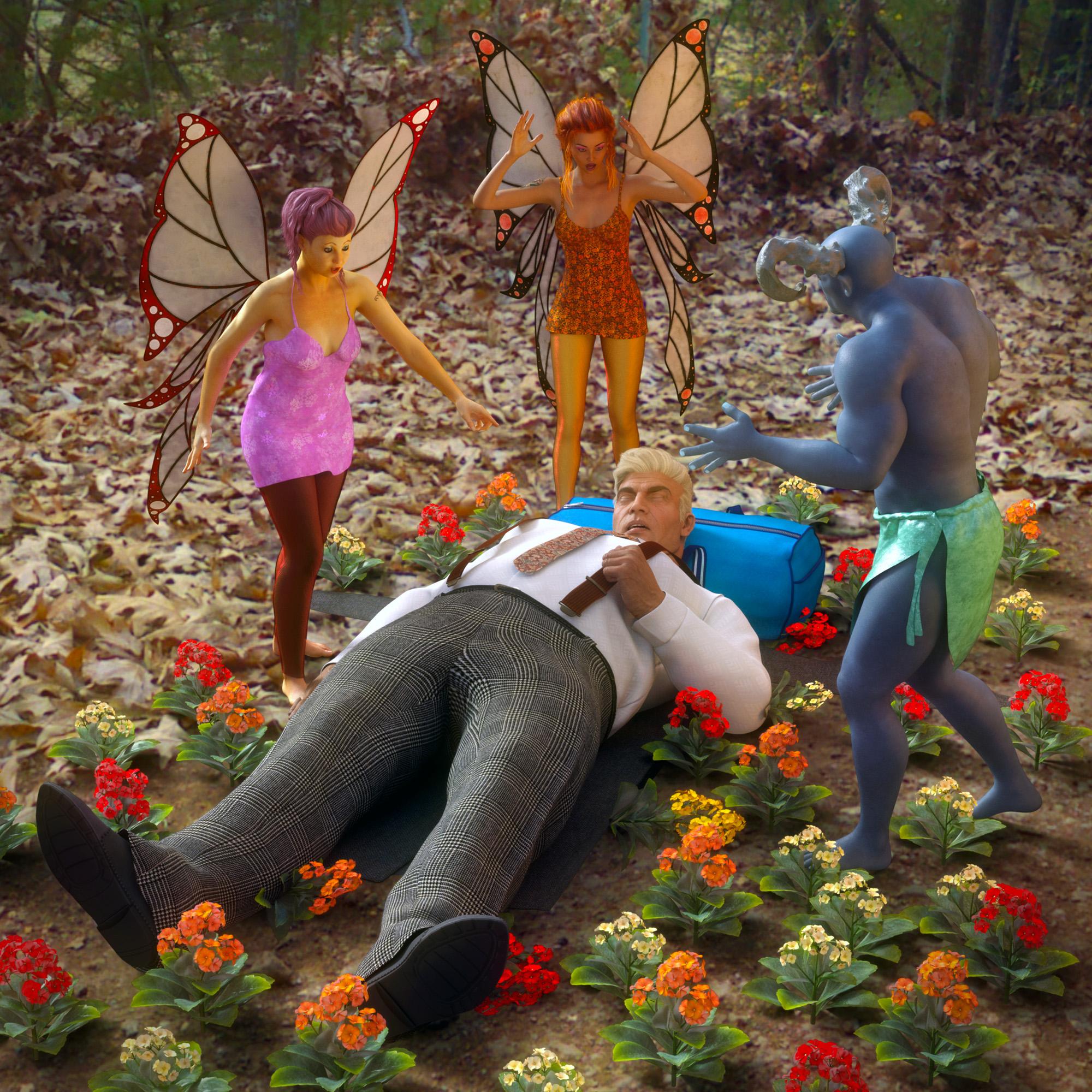 *closed* RRRR - What can go wrong when moving - Render Contest
Pull #6
Crow (Smith Micro)
Sleeping & Napping for Genesis 3 Male
Freaky Horns for Minotaur 6 Horns
Flaming Katy
Legacie Hair for G2F, G3F and V4 (LB)
Gabriella (LB)
Edit: Actual Eyes 4 (LB) Couldn't get this to work so pulled a replacement: Trouble Brewing Poses
FWF Mayuree HD for Mei Lin 6 (LB)
Orestes Iray HDRI Environment - Lonely Road (LB)
Intimates Collection (LB)Spaceship engine blasts etcIf you want to do it in-render, Jepe has a number of Iray-ready flame/plasma tyep billboard props in his store, and Sickleyield, Orestes Graphics and Fuselilng have some as well. You can also make your own billboards using Ron's brushes by Deviney, or you can just put a light source inside the engine and then add the rocket effects in post using Photoshop or the Gimp, which gives you a lot more control..
What is the light preset you've bought and thank yourself you do so?Orestes Iray HDRI Abstract Style. I’ve been using it nonstop lately but it’s perfect for portraits
Layla Hair or MEI am testing Layla Hair with Orestes HDRI but unfortunately I am experiencing problems because parts of the hair are rendering as blcocked WHITE. Can anybody tell me what I'm going wrong???????
*closed* RRRR - What can go wrong when moving - Render Contesttag:luci45 #1
Exile
When mobster Big Ronny Rumoroso was exiled to the lovely tropical isle of San Cristobal, he dreamed of spending the rest of his years as a gentleman farmer. Considering his conviction on 99 counts of racketeering, he thought it was getting a pretty sweet deal. Upon arrival, however, he was dismayed to discover that the "natives" were not the happy and carefree types who would let him live as he pleased.Used:
Bull (Smith Micro)
The Tin Can
Courageous Warrior for Genesis 2 Male(s)
San Buenaventura
Superhero Training Gear (LB)
The Line Up (LB)
Our Little Farm (LB)
Dream Home: Dining Room Decor - Eclectic (LB)
Mobster Outfit for Genesis 3 Male(s) (LB)
Genesis 2 Female Creature Creator Poses (LB)Also used
Orestes Iray HDRI Skydomes - Summer Day
Uniforms for Michael 6
Force Hair
Milen Hair G2M
Vintage Male Hair
Fit and Flare Dress
Travel Baggage
Kimo texture
Various morphs and poses
Printers
Tripod (Freebie-Rendo-Madd Matt)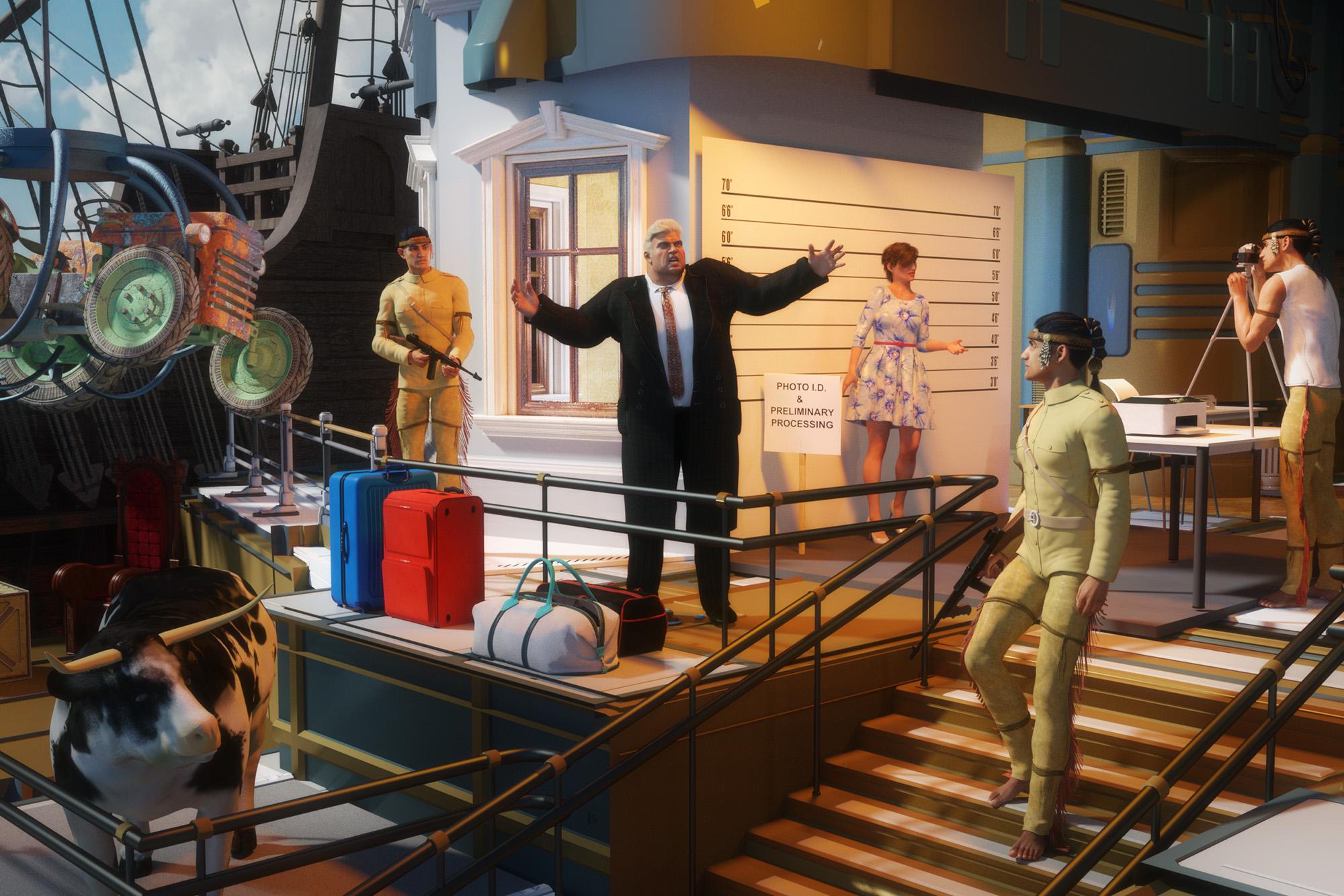 Environment Used in Promo Images
I'm wondering if anyone knows what environment set was used in the promo images for the Ruins of H'Trakram by Orestes Graphics (https://www.daz3d.com/ruins-of-h-trakram). I'm interested in both the mountainous landscape and the skies.
FirstBastion Sightings [Commercial] sort ofSaw this viking ship skimming the Breaking Waves in Orestes Graphics new Angry Heavens skydome promos. Intense skies and Breaking Wave. Need I say more.
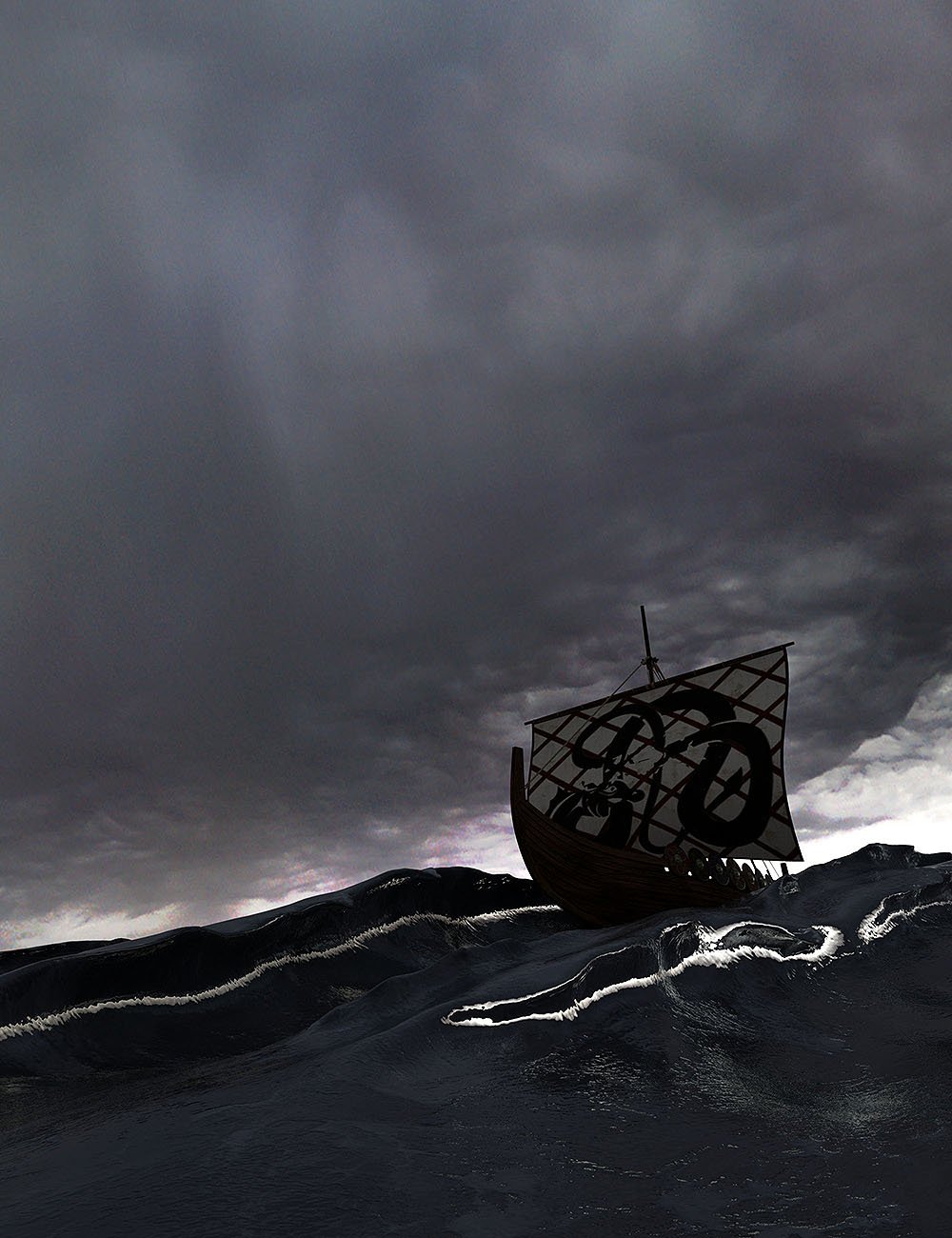
This ones pretty darn cool too.
 Art of the Promo
Orestes Graphics Angry Heavens HDRI skys suggests inclement weather in the forecast, and looking at this empty playground, the words tornado and the storm shelter come to mind. People running, a bit of mayhem, very evocative of the possibilities.

This one is awesome too against the breaking waves.
What is the light preset you've bought and thank yourself you do so?I still need to buy at least one winter-themed HDRI and one urban-skyline HDRI (if I can find one), and maybe Orestes's lightning and storm cloud HDRIs.
Thank you very much for your insightful information. I confess that I've bought a lot but tried too little. And just BOSS pro that inspires me to try creating my own set. I've traced what you mention and there are something interest me. I also learn that some sets are good at close up but very bad at distance. There are a lot to explore. Thanks again.
Daz 3D is part of

Connect
DAZ Productions, Inc.
7533 S Center View Ct #4664
West Jordan, UT 84084Licensing Agreement | Terms of Service | Privacy Policy | EULA
© 2026 Daz Productions Inc. All Rights Reserved.