-
Looking for cloven hoof + three fingers + tails for G9
SilverGirl said:
RawArt said:
https://www.daz3d.com/rammases-for-genesis-9
https://www.daz3d.com/bapho-for-genesis-8-male
https://www.daz3d.com/satyr-with-dforce-hair-for-genesis-8-female
https://www.daz3d.com/satyr-with-dforce-hair-for-genesis-8-male
The G8M & G8F are definitely the overall vibe I'm going for! ...is there a way to make the bottom halves work with G9? (Sorry if this is a dumb question... I'm new enough that I just started all my characters with G9 and I'm still wobbly on my understanding of what previous generation things are/can be compatible, and whether it'd work out of the box or requires a converter... and if so, which converter.)
Unfortunately, I haven't seen any product that has anything like you're looking for connecting in the correct place, and the few even come close to being correct tend to be thick saurian tails.. Instead, everything I've seen are what are called "belt tails", where they connect to the spine way the hell up there where a belt would be worn rather than where it's supposed to connect at the coxal region at the base of the pelvis. The only rational reason I can see for doing it like that is it may be difficult to make decent geographing attachments in the proper location.
At best, you can manually import the tail first into the scene with no parent, then the figure, and follow up with manually positioning the tail where its supposed to go before parenting it to the figure. This is especially critical to do it in that specific order if you're dealing with geographs, because they create holes if import them onto the figure and you cannot reposition them. Then you still have to deal with trying to blend the root of the tail into figure's anatomy to make it look decent. Older style (non-geograph) tails are easier to work with in such cases.
Edited: Moreover, by loading the tail without allowing it to self-parent to any figure as I explained, there's less issue dealing with gernerations mismatching.
question about bump map and normal mapyuyu.atem said:
So, what I did is:
- create the Blender materail on the cloth sample I showed in my preview posts.
- load a plane in DS and exported it with the DazToBlender bridge.
You do realise you can export obj from Daz and import obj into Blender (no bridge required)?
- "replace" in Blender the cloth sample by the plane (so, the Blender material was automatically applied to the plane without to change any settings): I just used the DazToBlender add-on in Blender, and the cloth was autamatically replaced by the plane.
"Replace?"
You can just import the plane as obj, and then in the Materials tab in Blender, you can assign any existing material to the plane.
the plane doesnt need to be draped over a sphere or anything complicated, you just need to apply the material to it. The plane is only being used to bake the material.It doesnt matter what else you have in the scene.
- bake a noramal map and a bump map of the Blender material from the plane.
Choosing the UV rotation of 41.2 degrees seems odd, because now the pattern is at an angle.
- apply the maps to the cloth in DS.
Why do you keep insisting on using that object with the messed up UV? Why introduce another variable into the equation...In science when you are experimenting, you dont just add 50 different variables and then try to figure out what each one is doing.
Is it normal my plane looks like that, after appliyng both the normal and the bump map?
Is it just the lighting? Youre the one in daz. Youre the one controlling the lighting conditions by rotating, transforming the light. You have the ability to drape the plane over a sphere to add more folds/shape to the plane, and compare if that makes it look similar to what you expect. These are all testable hypotheses that you could work through using basic trial and error.I also tried what I obtain with only the normal map, without the bump map
You showed how you baked a bump map and showed the bump map, but never explained how you baked a normal map, nor showed the normal map, so how would we be able to deduce if the normal map may be wrong?
Merchant Resources and DerivativesThe thought also occurred to me I might have to create the entire character, without exporting anything, somewhere else and then import and convert it to a figure in Daz.
DIM Thumbnails directory does not exist - where are they? [SOLVED]When I created this thread some months ago, I wasn't missing the thumbnails in that directory. I was very new to Daz Studio at that point, maybe only by a week or two, and I misunderstood the purpose of that directory.
I lost all my product thumbnails inside of Daz Studio smart content tabs, they broke because I moved my Daz installation from one hard disk to a secondary one (C -> D). While I did set all the correct paths in DIM, I made an assumption that was the only path I needed to set.
There were two places within Daz Studio that also needed to be set after moving all my content directories around and such, in the content manager tab of Daz Studio Preferences, and then in the Content Tab (the custom content library), there are directory-style listings of both the smart content library and manual install library. Those paths needed to be adjusted as well. The last time I went through this process the content tab updated itself after editing preferences, but the first time it didn't. If you need instructions on how to do this, see the link I left in my second post.
After setting the correct directories in those locations my thumbnails returned.
It was my understanding that the Thumbnail Directory I was originally searching for inside of DIM was a misunderstanding since it did not relate to the thumbnails of my products inside Daz Studio's Smart Content. But if you are looking for your product thumbnails, they are located in My DAZ3d Library/Runtime/Support
edit-> Hope this adds a bit more clarification to anyone who stumbles into this thread in the future. :)
edit x2 -> Short warning to other new users, My DAZ3D Library/Runtime/Support contains a lot of metadata for products. Messing with the files in there can break your products. If you need to edit metadata, edit it within the product zip prior to installing and then install through DIM. The preferred method by Daz3d is to edit the metadata directly inside the application (safest way).
edit x3 -> Also don't move your Daz installation the same way I did. It'll cause you all sorts of problems. Search for the actual prefered way to go about it. None of your existing product metadata gets updated, DIM gets confused with where previously installed products actually are, and a host of other little problems crop up due to just dragging, dropping, and editing content paths. It can ultimately be done but there will be a bit of time spent troubleshooting, and most likely reinstalling packages/products so metadata manifest is properly updated.
Blender to DAZ or CarraraI like how Carrara (DAZ?) renders better than blender on some scenes, but how to make a workflow to model the scene with blender and then render in DAZ or Carrara? Objects import without UV mapping or broken. Carrara/DAZ to blender is easy but I want to go the other direction.
Seeking Help with Daz Riggingcrosswind said:
Ah... I would say rigging / skeleton system of Genesis figures are a bit unique. You can make or import any stand-alone figures with rigging / bone system of their own, e.g. Mr. Bobble, a rigged character from Blender or other software with FBX format.
You can search on youtube, there're lots of tutorials related to this topic.
An alternative, wrap other stand-alone character with Genesis figure by using FaceForm Wrap software. In that way, you don't have to rig anything, just bring the wrapped morph back to Genesis figure in DS. Then you can use all Daz assets on them.
These are great suggestions. Thank you for your help. I appreciate it.
March 2024 - DAZ 3D New User Challenge - Posing and Puppeteer/PowerPoseElliandra said:
@Suffo85 - Which pack is the sword from I can take a look at the mats for it and see if I can figure out what's causing the reflections on the sword edge.
You know I'm not entirely sure lol. When I saw this question I went and tried to find it again and couldn't. There's two on renderhub but neither are the one I have. I want to say I got it sometime around Christmas as a freebie on patreon or deviantart but that could be incorrect too. I did get several things from both places related to final fantasy I just don't remember where I got what from and who. I've gotten so much stuff in the past few months it's kinda hard to keep track of it all. Although there is a silver lining to that, randomly finding cool things you forgot you had in the first place. :)
I still have to go through all the .obj's and .blend's I have, import them and rig them, which is something I want to tackle soon (rigging), then I'll have a really nice sized collection of fan characters to mess about with in renders.
Speaking of that sword, funnily enough, when I loaded back into Studio when I got home last night I could not reproduce the issue (I did reproduce it, my primitive plane iray matte ghost lights caused it. It occurs when you're "driving(?)" a camera around as your view, and look at something with the invisible ghost light right in front of you so you're looking through the transparent plane of the ghost light. Does not affect all objects, only some). White light lands on it fine now, after moving my light source away from right in front of my face so to speak. My Studio acts weird all the time, and I really need to reinstall it and take some of the advice I've read around the forums about splitting my libraries up and quarantining things that I haven't tested yet. I probably have several hundred packages I haven't even looked at yet (or more). I've been trying to put off the whole wipe everything routine until I sort through everything, but I keep piling more stuff on heh. I'll run out of disk space eventually and be forced to though lol.
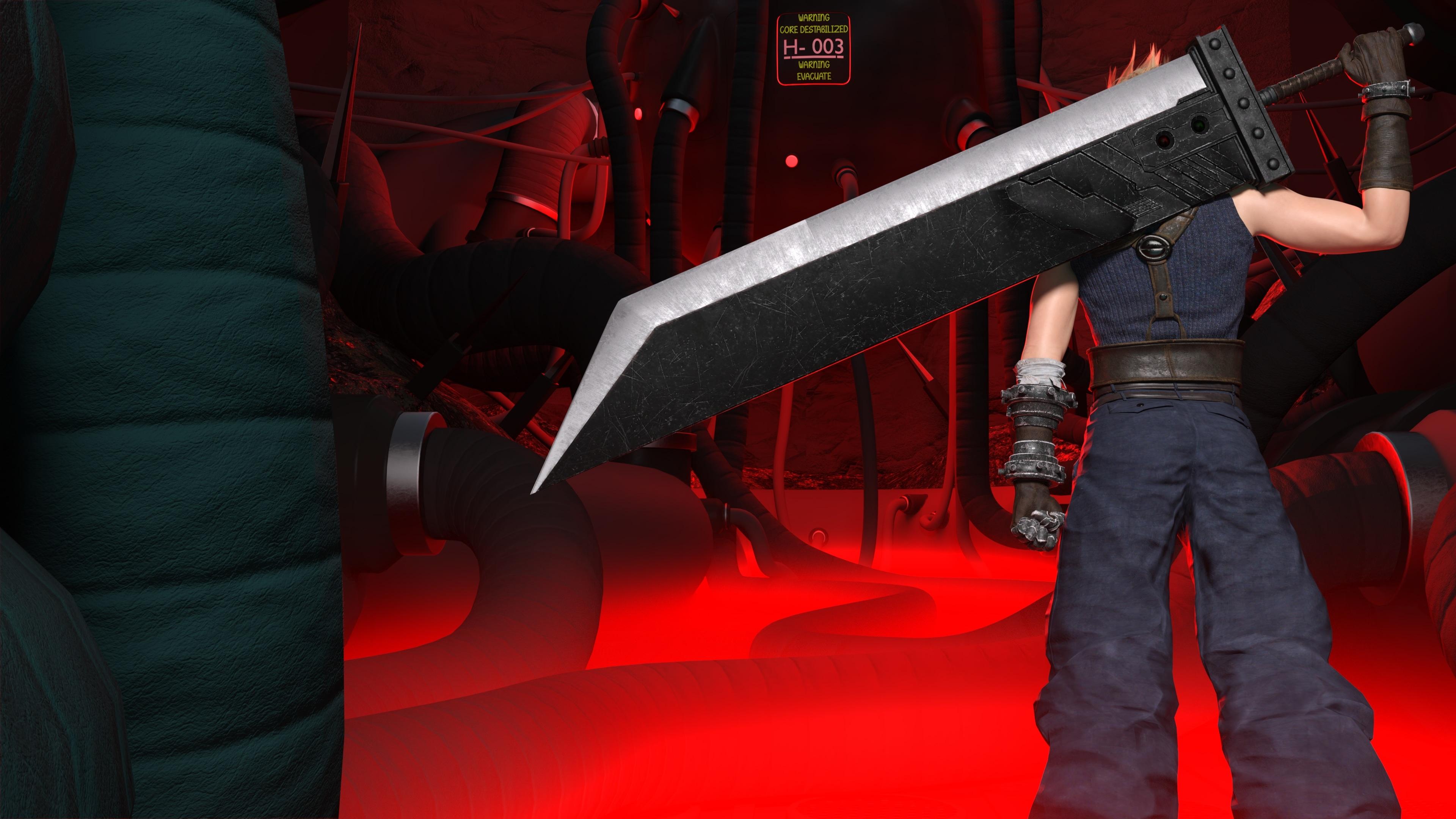
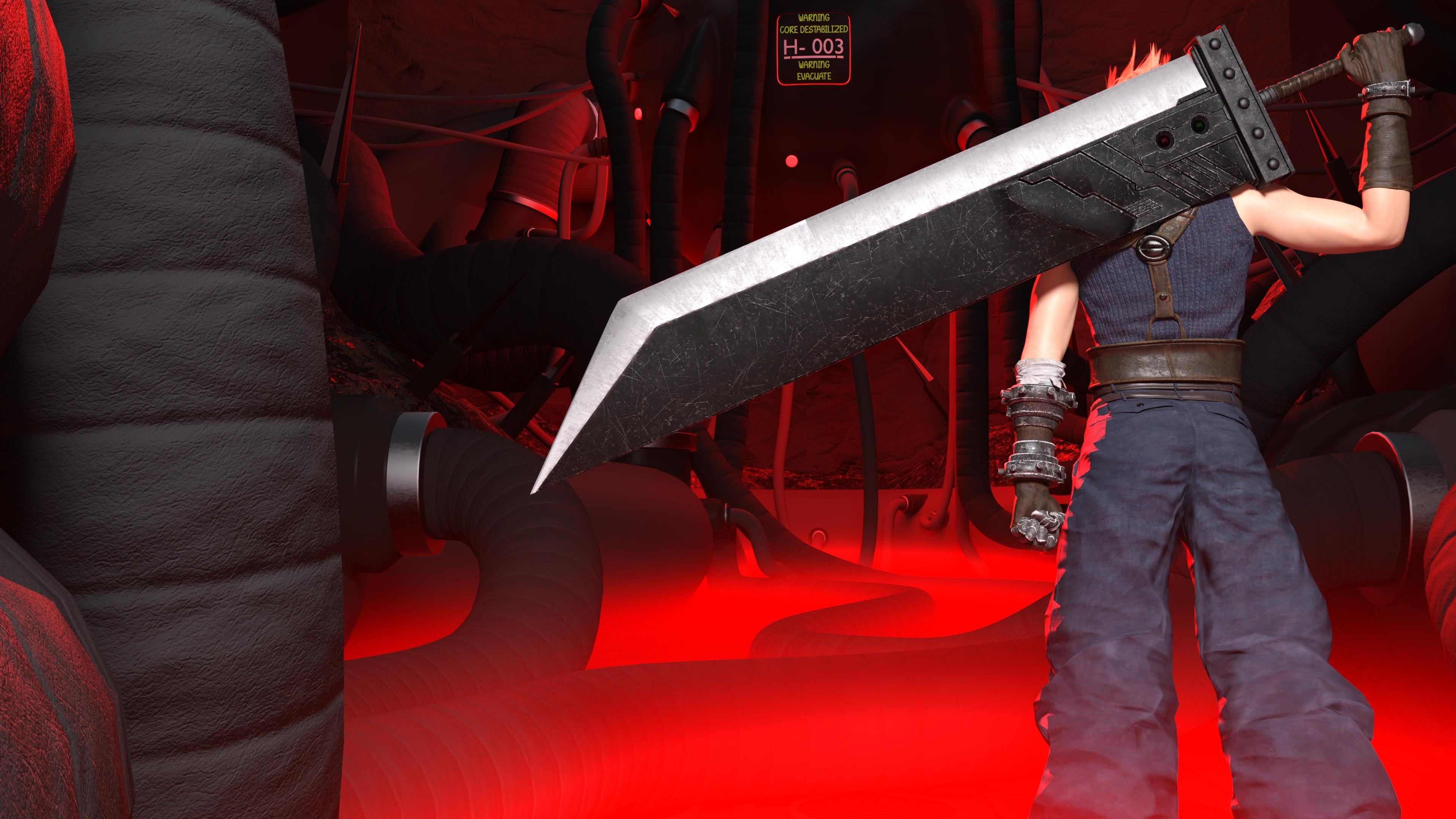
And speaking of the sword since I ended up getting home earlier than expected, I had time to work on the scene a little bit. I used my ghost lights to get the rim first until I remembered you specifically said spotlight, although I tried using a spotlight to do it and had some varying and mixed results. One thing the results with the spotlight had in common though, the rim always came out looking like it had been painted onto the model's clothing instead of having a light look to it. I tried fiddling with the spotlight settings, using red as a color, and also as a temperature instead of a color, but in both cases it still looked the same. I'll put two images below, the first one on top should be my ghost light, and the one underneath is the spotlight.
I also ended up having to do postwork in Gimp 2.10.36. Not really because I wanted to...lol, but to get rid of an unwanted effect of adding an additional red light into the mix of all that red fog on the floor. Hopefully my Gimpwork isn't too noticable haha.
Ghost Light
Spotlight
 Daz will not create a UserData file even though the log says it did
Richard Haseltine said:
Does the newer folder have the userdata files? As long s the content directories are connected, which I assume they are or the content wouldn't work, DS should be able to consolidate the metadata (and anyway, it is needed only on reimportting, it isn't used live).
The newwer folder does have the more recently installed userdata files ( .dsa & .dsx ) Both directories are listed in my Content Directory Manager, with the older directory in first position to receive the exported userdata_1 file. But i just tried to export user data again, and it will not appear.
Heat PluginHeat Bridge Install / Import Tips:
1. Install the Heat Plugin as you would any other Daz Studio Plugin.
2. You can Install Heat Bridge using the installer and allow it to install to the default folder which is---> C:\Program Files (x86)\HEATBridge. (You don't need to install or move any "Heat Bridge" files to the Daz Studio directory.)
3. Tried to Import Heat Animations but Error messages popped up? Launch the Heat Bridge---> Sign in to your account ---> Possible missing step---> If you have not already created a "Collection", do so before importing animations onto your figure in Daz Studio.The Import function only worked from my collection page (ymmv). Also make sure to have a G8 or G9 Figure selected in DS.
4. If you don't want the Heat plugin to be "ON TOP" of Daz Studio then go to the top menu in Daz Studio select "Window"--> "Always on Top". Now DAZ Studio can be the top window which can be toggled on and off as needed.
Hope this helps someone along the way.
Daz will not create a UserData file even though the log says it didDoes the newer folder have the userdata files? As long s the content directories are connected, which I assume they are or the content wouldn't work, DS should be able to consolidate the metadata (and anyway, it is needed only on reimportting, it isn't used live).
Daz will not create a UserData file even though the log says it didRichard Haseltine said:
Is there space on the drive? Can DS save a preset or scene (any old thing) to that folder? Does the folder contain the product metadata files for content isntalled through DIM or Daz Central since it was last able to write a userdata file? What security software are you using?
Plenty of space on the drive, and no problem saving a scene or preset pose.
After a bit of searching it looks like at some point DIM started installing content to a second library.
The original folder that DIM was installing to was….
C:\Users\Greg-DS\Documents\DAZ 3D\Studio\My Library
Then at some point it started installing newer purchases to…
C:\Daz 3D\Applications\Data\DAZ 3D\My DAZ 3D Library
is this what you mean by your question about product metadata? If so, should i consolidate these 2 folders and try the export then?
Daz will not create a UserData file even though the log says it didIs there space on the drive? Can DS save a preset or scene (any old thing) to that folder? Does the folder contain the product metadata files for content isntalled through DIM or Daz Central since it was last able to write a userdata file? What security software are you using?
Seeking Help with Daz RiggingAh... I would say rigging / skeleton system of Genesis figures are a bit unique. You can make or import any stand-alone figures with rigging / bone system of their own, e.g. Mr. Bobble, a rigged character from Blender or other software with FBX format.
You can search on youtube, there're lots of tutorials related to this topic.
An alternative, wrap other stand-alone character with Genesis figure by using FaceForm Wrap software. In that way, you don't have to rig anything, just bring the wrapped morph back to Genesis figure in DS. Then you can use all Daz assets on them.
Convert Prop to Figure SCALE issue [Character Rigging]felis said:
I have never heard of that an object should change size when converting to figure.
Have you applied all scales in blender before export?
And which format are you using for export?
Obj is the commonly used. FBX and Collada support rigging, but I have no trust in Daz Studio import of those.
I was using FBX format. I didn't change any options in Blender when exporting the figure. Should I have done something like this?
I tried to export the figure as OBJ and to my surprise, the figure no longer broke after I converted it for Rigging in Daz. Now the bones are also normal size and I can start the rigging process. Thank you for your help.Seeking Help with Daz Riggingcrosswind said:
Well on the contrary, it's easier to rig in Blender with some good add-ons. If I were you, I'd rather do it in Blender and bring the rigged character to other platforms...
I was under the impression that Daz studio has its own unique rigging/Skeleton system, so importing rigs from elsewhere would not work. If I can rig in Blender and import it to Daz while making it actually work, yes, I much rather do it that way as Rigging in Blender is far more advanced and comfortable. Is there a particular tutorial that would allow me to get started on how to import Blender rigs to Daz and attach them to characters?
Convert Prop to Figure SCALE issue [Character Rigging]I have never heard of that an object should change size when converting to figure.
Have you applied all scales in blender before export?
And which format are you using for export?
Obj is the commonly used. FBX and Collada support rigging, but I have no trust in Daz Studio import of those.
Convert Prop to Figure SCALE issue [Character Rigging]
I've brought a character over from Blender to Daz, and while the model seems fine, I'm encountering an issue when attempting to rig it within Daz.I'm puzzled by the sudden shrinking of my character to near invisibility in the viewport when I convert the prop to a figure using Edit->Object->Rigging->ConvertToFigure->GeneralWeightMapping.
After conversion, my character appears to vanish, but it's actually reduced to an extremely tiny size, requiring a scale adjustment of over 9,000% to return to its original form. Additionally, the rotation is completely off, necessitating a -90 rotation on the X-axis. While this might seem manageable, I'm concerned it could adversely affect the rigging process.
The real challenge arises when trying to create a bone for the character using the Joint tool; the bone is too minuscule to see, even after scaling the character back to its original size. This renders the rigging process practically impossible due to visibility issues.
I suspect there may be crucial steps I'm overlooking during the character import process from Blender to Daz. If you require visual aids to grasp the problem better, I can provide them. However, I hope this description adequately conveys the issue for now. lastly, It is important to note that the character has no rig of its own when imported from Blender to Daz. It's just the mesh.
Searching for a way to import CC4/Iclone 8 animations into Daz...I found a lot of YT videos to import Daz figures into Iclone and CC but not to bring animations from CC and Iclone into Daz.
Please watch the video I posted as it shows you exactly how to send an Iclone animation BACK TO DAZ STUDIO AS A BESPOKE BVH FILE.

I have been dongi this for 12 years since Iclone version 5.5.
Searching for a way to import CC4/Iclone 8 animations into Daz...wolf359 said:
There are many tutorials by Reallusion users on youtube on how to do this.
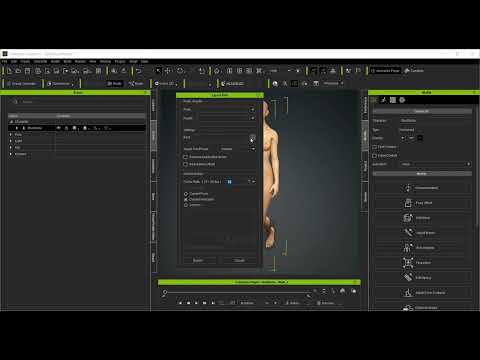
I found a lot of YT videos to import Daz figures into Iclone and CC but not to bring animations from CC and Iclone into Daz.
Daz Studio BETA - version 4.23.0.4! (*UPDATED*)Thanks for letting me refresh my memory. I believe I've ever seen that page before... though I did not recall anything about it when I saw that "bug". However, no ~ I don't think such an explanation should be relevant to the case and "bug" that I mentioned.
- A Companion File is a file in a native format, which is named identically to an asset of an imported file type1), that resides in the same folder on disk as the asset file it is a companion for, with the exception of file extension. Companion files can exist in the form of a native script (.dsa, .dsb, .dse) or a DSON format asset (.duf); however, an asset is only allowed to have one companion file. If a native script and a DSON file both exist within the folder of an asset of an imported type, preference is given to the native script2). -
As per my understanding, it's (specifically) for the case like: in a folder, there're three files, Michael 4.cr2, Michael 4.dsb, Michael 4.duf.... Well, cr2 file can be directly loaded as a user-facing file from Poser Format folder, or can be imported. In this case, when importing or loading Michael 4.cr2, Michael 4.dsb will be loaded with 1st priority. As a test, I deleted Michael 4.dsb and imported Michael 4.cr2, Michael 4.duf was loaded which is a Car scene I made. Yes, the logic is that Michael 4.cr2 can only have one Companion file. I deleted other 2 files, Michael 4.cr4 was just imported without PowerLoader dialogue....
However, for my case, I just need to simply import an OBJ file. An OBJ file does not need a "native Companion file" while being loaded. If the above logic appllies for the case of purely importing OBJ / FBX / DAE / BVH... format files, it'll certainly confuse the users... It doesn't make sense, IMHO. ...I'd rather be told that : do not place ANY native DS format files with the same name as OBJ's into a same folder...

Daz 3D is part of

Connect
DAZ Productions, Inc.
7533 S Center View Ct #4664
West Jordan, UT 84084Licensing Agreement | Terms of Service | Privacy Policy | EULA
© 2026 Daz Productions Inc. All Rights Reserved.