-
Recreate people from photos
Depends on how you want to approach it. You could use morphs, you could sculpt it yourself in a modeling program like Hexagon or ZBrush, or you could use something like Face Transfer/Headshop/FaceGen.
Recreate people from photosSay I wanted to make a character looking like Jimi Hendrix. Where do I start? Do I just morph G8M and get fitting textures or will there be restrictions in G8 what the head shape, bone structure, eye distance and all the other 1000 details that make a face unique can be set to? Is, for example "Michael" just an artist creation of G8M plus morphs, like a pose is an artists' setup of exisiting dials on how the skeleton is set?
Is it clear what I mean?D-Form to clothing not happening when parented to a figureI'm using V8 and tried to make some d-form adjustments to some clothing that was parented. after trying every possible node and getting a message about needing to have geometry and able to add a d-form to the root of the object that did nothing I was only able to make adjustments by un-parenting the clothing, spawining a morph and then seeing if that morph behaved on the figure once I re-parented it.
Is this the way it's supposed to work now? I never had to do this before, granted I was using CR2 files back then.
Photo-real characters. A different approach.This is a really interesting thread! A lot can be learned from here.
There seems to be a really heavy focus on textures, though. While I do agree that textures and light setup can make or break your render when trying to achieve photorealism, there's a very important part that's not talked about enough on this thread: Anatomy. A lot of Daz models-- the good majority, even-- are missing primary and secondary forms: The more skeletal parts of the subject, muscle flow, and fat deposits. This should be the first thing to think about when creating your photo-real character, because no amount of pretty textures and fancy lights can hide the bad anatomy underneath. I hope this doesn't come off as harsh. This is just something I wanted to add, because it needs to be taken into serious consideration when approaching photorealism.
If anyone's interested, there's a lot of decent info in Anatomy for Sculptor's Artstation.
I also recommend studying these artists:
Hossein Diba
Brett Sinclair
Galal Mohey
Baolong Zhang
I hope this is useful. :)There are some G8 morph sets that have really taken the models to the next level...such as the ones made by D.Master and K.H. Image Studio. The later G8 figures themselves also have some really good built-in JCM's and MCM's that are miles better than what we had with even the older G8 figures. That still won't help things like jiggle and cellulite, but I don't render animations and I also don't render nudes...so the main focus for me is the face.
You also have to remember that the artists you linked, though absolutely stunning, are not using Daz. They are making a single model for a single piece of art. Everything, right down to the hair and skin, is modeled for that piece. Daz models...figures, hair, clothing...need to be able to be used as reusable, multipurpose assets. That's the tradeoff and the difference between a $60 Pro Bundle with two free Pro Bundlees as incentives and...a piece of art that would probably run someone several thousand dollars, if not more.
DHDM filesthose are the encrypted HD morph files AFAIK
Right, DHDM = Daz HD Morph as far as I know.,
So there's no way to open or read them?
No, I'm afraid not.
Shape Splitter - Divide, Combine and Save (The new version is already available. 1.2.1)[Commercial]Yes, through the Spawn tab, a morph is created based on the current shape. For example, you set the three leg morphs, and perform the spawn.
And for the morphs to be available in the figure(load) they must be saved as Asset(s)
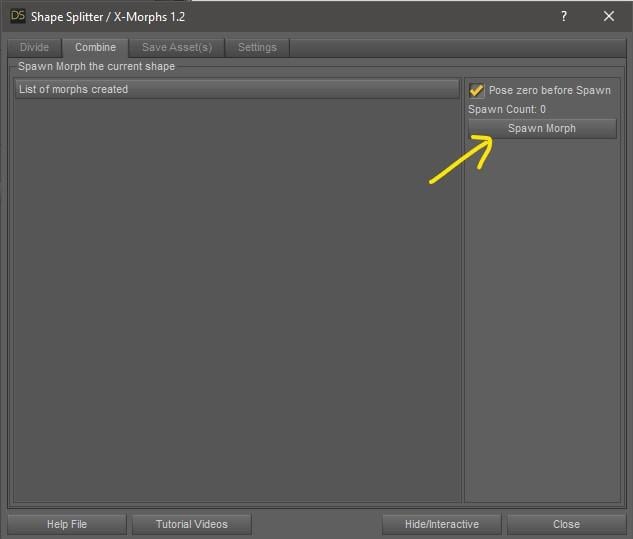
Will this allow you to combine morphs made from Zbrush via Goz? I GOZ'ed Genesis 8 to Zbrush and now have three different custom morphs that change the shape of her leg. Will Shape Splitter allow me to combine those three custom leg morphs into one morph?
Example:
General
Actor
Display
Zbrush
- Custom Leg 1
- Custom Leg 2
- Custom Leg 3
- Bigger Nose
- Smaller Chin
- Bigger Stomach
Can Shape Shifter combine Custom Leg 1,2,3 into a single morph called Custom Leg?DHDM filesthose are the encrypted HD morph files AFAIK
Right, DHDM = Daz HD Morph as far as I know.,
So there's no way to open or read them?
breastsWhen breasts are pushed against a surface.. they flatten (a bit) ... I see examples with DAZ3D where that is done with G8 ladies..
But how to do it ? I do have Breastcorntrol for G8, and it seems to be possible with that.. but i can not find out how to activate the morph
[Released] ManFriday's Mesh Grabber [Commercial]Just bought this. Very useful. It is great in many ways. Very close to excellent, in fact.
Problems I have with it: (1) sometimes I am unable to select an edge. It selects ones nearby but not the one I want. (2) Sometimes the gizmo appears far away from the features I have selected. Makes it difficult to use with precision when that happens. (3) Even when the gizmo is close to the selected region, it does not locate itself at the center of the action, but at vertex nearby. For example if I select one edge, it does not apear between the vertices that bound the edge. Same for faces or selections of multiple features.
1 + 3) I'm still working on a fix for vertex and edge selection, and it turns out to be a bit more time consuming than I thought. But I'm on it, and it will be fixed soon.
2) Is already fixed here and will be included in that updated.
Two things I want to be able to do but can't: (1) Modify the left suface of the left leg or arm and then transfer that mod exactly to the right surface of the right leg or arm. (2) Apply the same mods to new G8 figures without having to redo them by hand. Both may may be possible but I don't know how to do them. Any suggestions?
I am planning future add-ons for symmetry features but I can't say yet how that will look like exactly. Regarding 2), I think what you want is to create a morph from the deltas in the mesh grabber by exporting it to OBJ and reimporting it with Morph Loader Pro. Then you can save that morph asset to make it available in all G8F or G8M figures, for example. I learned it with this great tutorial by Sickleyield:
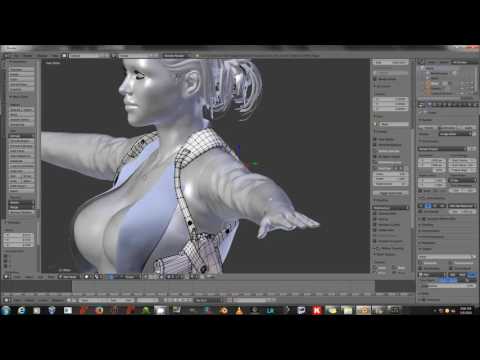 but the steps required here are simpler because you don't need Blender -- you just export the OBJ and reimport it with Morph Loader Pro. Maybe someone has a more specific tutorial handy for that?
Thank you very much, ManFriday. You are terrific!
I woder if there is anyway to transfer meshgrabber changes from on leg to the other (for symmetry) by operating on the obj file, say in hexagon or with directing text editing of the obj file?
Sorry, no built-in symmetry yet, it's on the list for future add-ons. There are probably ways to do that in an external modeler but that kind of defeats the purpose of the mesh grabber, doesn't it. If anyone has an idea for a quick workaround, please post!
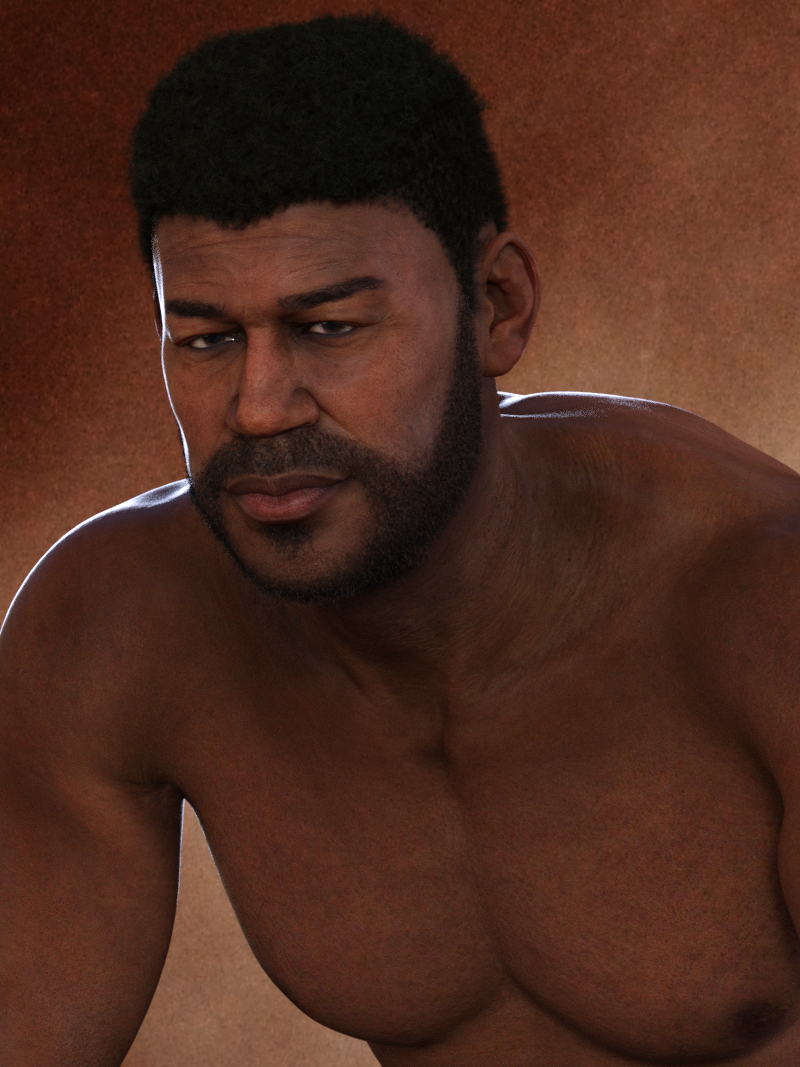
Leroy 8This was the original render before postwork. I used a backlight and I don't remember what other lights I used, but there are clearly dark dirty looking smudges where there is no reason to be... I still haven't checked the files yet. Also in a previous image, his knuckles looked especially dark. I should probably try with different lighting. And I'm not sure if the fact that I mixed him with Dain makes a difference because I used Leroy's HD morph, not Dain's.
Looking at it again, is it possible his head is creating that as a shadow? I should probably just look at the files...
 What figure is being used?
The 4th is mislabled, (my bad...) Its genesis 8 with the body morphs: Posey at around 33, Petunia around 33, and the Posey head around 62, Petunia head 33, and a little bit of a nose morph I cooked up with dials so that her nostrils were a little wider spaced.
And she's wearing Kanade8's skin texture.
And the 2nd and 3rd are both genesis 3 with a mix of
Body Morphs: around 10-15% each of Aiko7, Girl 7 and Star2, and Head morphs 60ish% Mika7, then around 20% each of Izabella7, FWSA's Quinn, Aiko7, Girl 7 and Star2.0
And she's wearing FWSA's Quinn texture for skin.Help Genesis 8 female body morphs Not working - SOLVED -I think some people managed to "fix" their connect install by replacing the connect installed files with the files from a manual install.
Where is the path of a manual install? Maybe I need to the correct path? I think I need the path of the old school runtime location?
Other way round, you don't need to worry about where the manual install "ought to" go.
- Download manual install file from your Product Library page
- Unpack it
- Copy the morph files in the /data/ folder into the matching folder in the Connect installation, overwriting the existing files
Edit: nearly forgot, this must be done with DAZ|Studio closed — D|S considers the Connect folders to be protected.
You are the best!!! It worked like a champ!! Thank you so much!! interesting thing is files looked smaller compared to what was packed in the zip file! Thank you again!!
Help Genesis 8 female body morphs Not working - SOLVED -I think some people managed to "fix" their connect install by replacing the connect installed files with the files from a manual install.
Where is the path of a manual install? Maybe I need to the correct path? I think I need the path of the old school runtime location?
Other way round, you don't need to worry about where the manual install "ought to" go.
- Download manual install file from your Product Library page
- Unpack it
- Copy the morph files in the /data/ folder into the matching folder in the Connect installation, overwriting the existing files
Edit: nearly forgot, this must be done with DAZ|Studio closed — D|S considers the Connect folders to be protected.
Additional DMC Files (Specifically looking for Millinium Cat)I wonder what to use for the pig...
doesn't have the needed morphs AFAIK just open mouth
I could do it myself creating morphs but being legacy cannot redistribute them as would be objs
inj ExP doesn't work on the animals as no empty morph channels
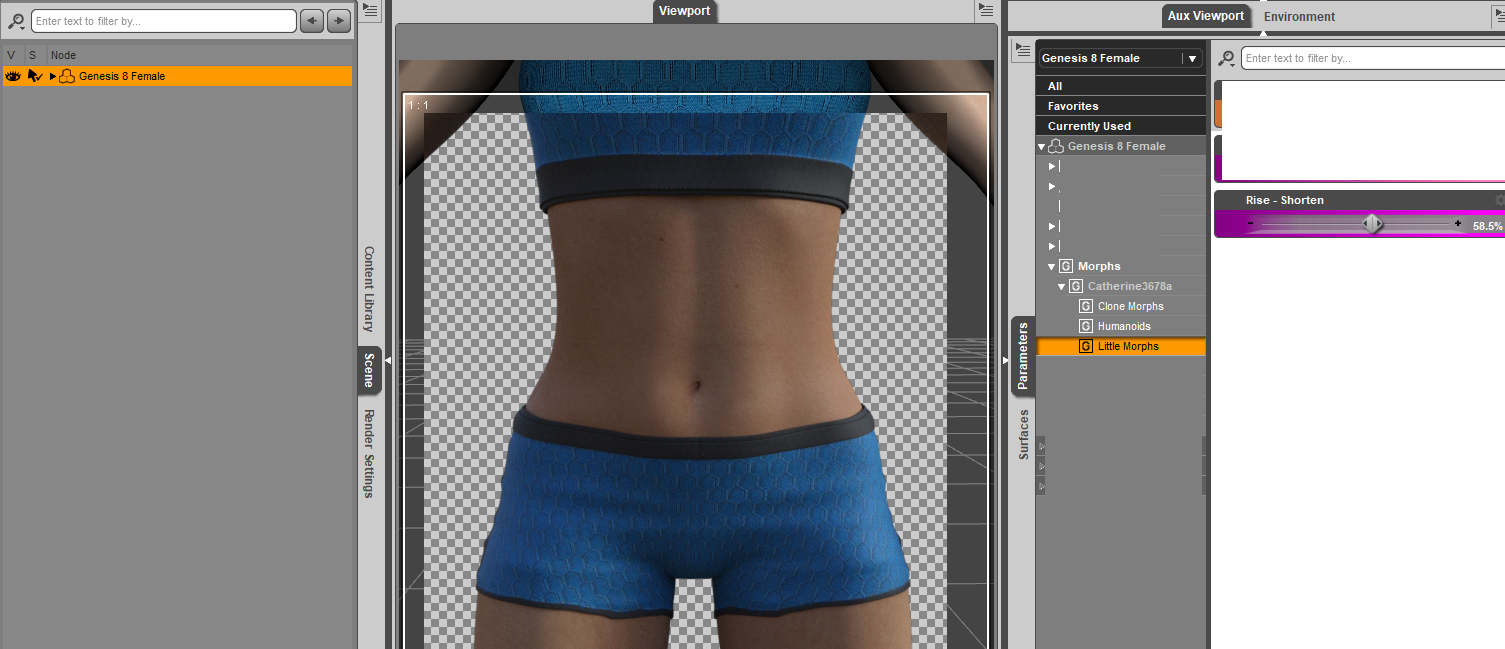
navel area morphing / reducingHow about this? Shorten the Rise morph in zip folder.
 a using DAZ content in UE4 threadSlightly off topic. .... Epic just announced a "send to Unreal" add on for Blender coming soon.
I watched the live stream. Really awesome integration! I was surprised they are still having us work in .01 scale in Blender. It makes sense because of the Blender vs UE4 scale difference but the last Blender to UE4 video they put out said go ahead and use Blender at regular scale and the Engine would just figure it out.
I can't wait to try it out. It looks like it will be a significant work flow helper.
If you haven't seen them yet I started posting a few Blender scripts I use when working with Daz3d models. One of them combines material slots that use the same texture and renames some of the slots. The other will transfer all of the BlendShapes (Morph Targets) from one object to another. Link below:
Slide Chunk Shoes that are OBJ files that sorta fit Victora 8 but might work on other stuffhttps://sharecg.com/v/95200/view/5/3D-Model/Slide-Chunk-Sandal
They don't conform, they need to be manually fitted. I don't know if GEN8 figures have a heel bend morph like VICTORIA8, if so I don't see why they woulnd't work.
Set the heel bend around 30 percent
there are no shaders included
Have fun but don't resell them, thats what weenies do.
Help Genesis 8 female body morphs Not working - SOLVED -I am also missing the female body morph, which is annoying as hell seeing I ONLY use Connect... and I Know this was not a problem some weeks ago (haven't needed to use those morphs for a while, due to not having morphed a female character lately.)
Any way to make this work WITHOUT having to install via DIM or manually?
Brynn Hair morphs??Maybe I'm wrong Taoz, but the hair acts very strange when applying morph dials. I don't really get how DForce works on hair. At any rate I still can't understand why it will not keep the morph applied on Frame 1.
Yes, I see the same, but if you move to the end frame and then set the lenght to the same value as on the first frame it seems to keep the lenght all through the animation (DS 4.12.1.55 and hair attached to Brynn)
Brynn Hair morphs??Maybe I'm wrong Taoz, but the hair acts very strange when applying morph dials. I don't really get how DForce works on hair. At any rate I still can't understand why it will not keep the morph applied on Frame 1.
Daz 3D is part of

Connect
DAZ Productions, Inc.
7533 S Center View Ct #4664
West Jordan, UT 84084Licensing Agreement | Terms of Service | Privacy Policy | EULA
© 2026 Daz Productions Inc. All Rights Reserved.