-
Anime Toons and Filatoon Shader Q&A
CES3D said:
GRFK DSGN Unlimited said:
Just out of curiosity, what is the essentials update supposed to fix? What issues were addressed since the last update in October?
You can find the details of the updates provided on November 19, 2024 for "Genesis 9 Starter Essentials" under "Resolved Issues" on this page.
Here are the details:2024-11-19 Updated:
- Corrected aliases that were causing issues in the log.
- Updated Toon Layers Swap.dse utility script
- Updated Toon Hair morphs
- Updated G9 Anime Nipples presets
- Updated morph icons
- Added Eyelash morph icons
- Added Create Properties on Followers.dse, Hair Blank Morph Template Load.dse, and INFO scripts to Developer Tools Pane
- Updated Metadata
- updates sub division level limit to 4
Yeah, I had previously checked that and according to that log, the file Daz is claiming it is looking for isn't even listed as a file. So, that doesn't help.
Also, since this Windows install is fresh, and the only thing installed on it are Daz programs, I just restored back to a few days ago when I first installed Windows, Installed DIM and had it install all Daz content. Started Daz Studio, tried to add Genesis 9 Toon to the scene and Daz Studio crashed, it gave me a new error, "DAZStudio.exe caused ACCESS_VIOLATION in module "C:\Program Files\DAZ 3D\DAZStudio4\dzfilamentapi.dll"" According to the Internet that means there is some residual Daz info somewhere from the previous install, which shouldn't be the case as I refreshed Windows back to how it was when Windows was first installed. So, anyways, I refreshed again, ran a cleaner that made sure there wasn't a single file or registry key that wasn't from the original Windows install, then installed all the Daz content again, and got the same error.
So, I'm going to blow off the hard drive and re-install Windows all over again, and once again install only Daz and see what happens. If another error exists, I'm just going to stop trying to deal with this for a while until Daz gets itself sorted out.
So, I may update this post once with the results, but maybe not.
Thanks,
J.Getting on the 9 train, or notGator said:
Zicon said:
BAM! Renders said:
It was a fail for EVERYONE. Should never have gone back to this in the FIRST place...
And who is this "everyone", exactly? Because I happily left G8 behind the moment I had enough essentials for G9, and I have never regretted it. I have spent considerable time and effort converting my custom characters to G9, and it was worth every moment. G9 is an amazing improvement over G8, and the gender neutral base is just the first entry in the long list of improvements. On the rare occasion I have to use G8 again, I am boggled at how I thought this was not just fine, but pretty darn good, for so long.
I could honestly come into this thread and wax poetic about how fantastic G9 is every day, but I'm too busy making art with it.
What are the long list of benefits exactly?
To understand my perspective, I'm a Daz user that significantly customizes their things.
The single mesh has some significant drawbacks. Big one that immediately comes to mind is that you have texture compression and stretching issues. It's most apparent in the chest.
I'm far from an expert in content creation, but for someone who doesn't care about cross gender clothing it seems like more work. From what I recall, it's recommeded to model to the gender neutral base figure, and then morph to your intended gender. I forget the details, but in any event the times I did it meant modeling/modifying the clothing for two figures (gender neutral and female) instead of one. It also means modeling on this totally non-natural genderless figure with fires off my uncanny valley response to 11.
Another potential - has there been an improvement with handling a large number of morphs when loading a figure? With G9 now it has to parse through two genders of morphs in your library. I've tried, but I don't really use G9 so I don't have that much.
As for cross-gender clothing, I simply don't have any use for it. Never have in over 10 years of rendering and probably never will.
Making one for each has its drawbacks. It takes longer to make, and no one is going to pay for that time spend. Everyone is severally unhappy if the price raises in the slightest amount.
Getting on the 9 train, or notGator said:
Zicon said:
BAM! Renders said:
It was a fail for EVERYONE. Should never have gone back to this in the FIRST place...
And who is this "everyone", exactly? Because I happily left G8 behind the moment I had enough essentials for G9, and I have never regretted it. I have spent considerable time and effort converting my custom characters to G9, and it was worth every moment. G9 is an amazing improvement over G8, and the gender neutral base is just the first entry in the long list of improvements. On the rare occasion I have to use G8 again, I am boggled at how I thought this was not just fine, but pretty darn good, for so long.
I could honestly come into this thread and wax poetic about how fantastic G9 is every day, but I'm too busy making art with it.
What are the long list of benefits exactly?
To understand my perspective, I'm a Daz user that significantly customizes their things.
The single mesh has some significant drawbacks. Big one that immediately comes to mind is that you have texture compression and stretching issues. It's most apparent in the chest.
I'm far from an expert in content creation, but for someone who doesn't care about cross gender clothing it seems like more work. From what I recall, it's recommeded to model to the gender neutral base figure, and then morph to your intended gender. I forget the details, but in any event the times I did it meant modeling/modifying the clothing for two figures (gender neutral and female) instead of one. It also means modeling on this totally non-natural genderless figure with fires off my uncanny valley response to 11.
Another potential - has there been an improvement with handling a large number of morphs when loading a figure? With G9 now it has to parse through two genders of morphs in your library. I've tried, but I don't really use G9 so I don't have that much.
As for cross-gender clothing, I simply don't have any use for it. Never have in over 10 years of rendering and probably never will.
BOOM!!!!
Getting on the 9 train, or notZicon said:
BAM! Renders said:
It was a fail for EVERYONE. Should never have gone back to this in the FIRST place...
And who is this "everyone", exactly? Because I happily left G8 behind the moment I had enough essentials for G9, and I have never regretted it. I have spent considerable time and effort converting my custom characters to G9, and it was worth every moment. G9 is an amazing improvement over G8, and the gender neutral base is just the first entry in the long list of improvements. On the rare occasion I have to use G8 again, I am boggled at how I thought this was not just fine, but pretty darn good, for so long.
I could honestly come into this thread and wax poetic about how fantastic G9 is every day, but I'm too busy making art with it.
What are the long list of benefits exactly?
To understand my perspective, I'm a Daz user that significantly customizes their things.
The single mesh has some significant drawbacks. Big one that immediately comes to mind is that you have texture compression and stretching issues. It's most apparent in the chest.
I'm far from an expert in content creation, but for someone who doesn't care about cross gender clothing it seems like more work. From what I recall, it's recommeded to model to the gender neutral base figure, and then morph to your intended gender. I forget the details, but in any event the times I did it meant modeling/modifying the clothing for two figures (gender neutral and female) instead of one. It also means modeling on this totally non-natural genderless figure with fires off my uncanny valley response to 11.
Another potential - has there been an improvement with handling a large number of morphs when loading a figure? With G9 now it has to parse through two genders of morphs in your library. I've tried, but I don't really use G9 so I don't have that much.
As for cross-gender clothing, I simply don't have any use for it. Never have in over 10 years of rendering and probably never will.
Converting G3 and G8 Characters To G9 In DAZ 4.23?If you have a Premier subscription then you will have access to the "shape transfer" premier plugin in 4.23 to transfer morphs.
Anime Toons and Filatoon Shader Q&AGRFK DSGN Unlimited said:
Just out of curiosity, what is the essentials update supposed to fix? What issues were addressed since the last update in October?
You can find the details of the updates provided on November 19, 2024 for "Genesis 9 Starter Essentials" under "Resolved Issues" on this page.
Here are the details:2024-11-19 Updated:
- Corrected aliases that were causing issues in the log.
- Updated Toon Layers Swap.dse utility script
- Updated Toon Hair morphs
- Updated G9 Anime Nipples presets
- Updated morph icons
- Added Eyelash morph icons
- Added Create Properties on Followers.dse, Hair Blank Morph Template Load.dse, and INFO scripts to Developer Tools Pane
- Updated Metadata
- updates sub division level limit to 4
[Released] RSSY Character And Material Conversion Bundle Genesis 8 to Genesis 9 [Commercial]No worries, I'm just wondering if there's any clever tricks I can employ to get around it? I'm still new to the Transfer Utilities and morphing across Genesis iterations, but I'm assuming there has to be a way to export a G9 foot morph and then use Morph Loader Pro to load it on top of the "doubled" morph that comes from using both the Character conversion AND the Material Suite, thereby -in theory- canceling out one of the G8F morphs, right?
Need help finalizing my first accessory in DAZ StudioI couldn't see the image (Imgur server too busy).
But when using transfer utility you will often get distortions when used on a non base character, which is why you should use rigid follower node as suggested by Gordig.
Epic Battle Render Contest (This Weekend!)Here we go folks!
I must say it's a nice change not being the judge on this one seeing all the discussions back and forth. After a lot of deliberation the team have doubled the number of winners to celebrate 25 years of Daz! I think in reality they couldn't just narrrow it down to 3 ;)
As a result, we have 6 winners to announce - in no particular order - so without further delay:
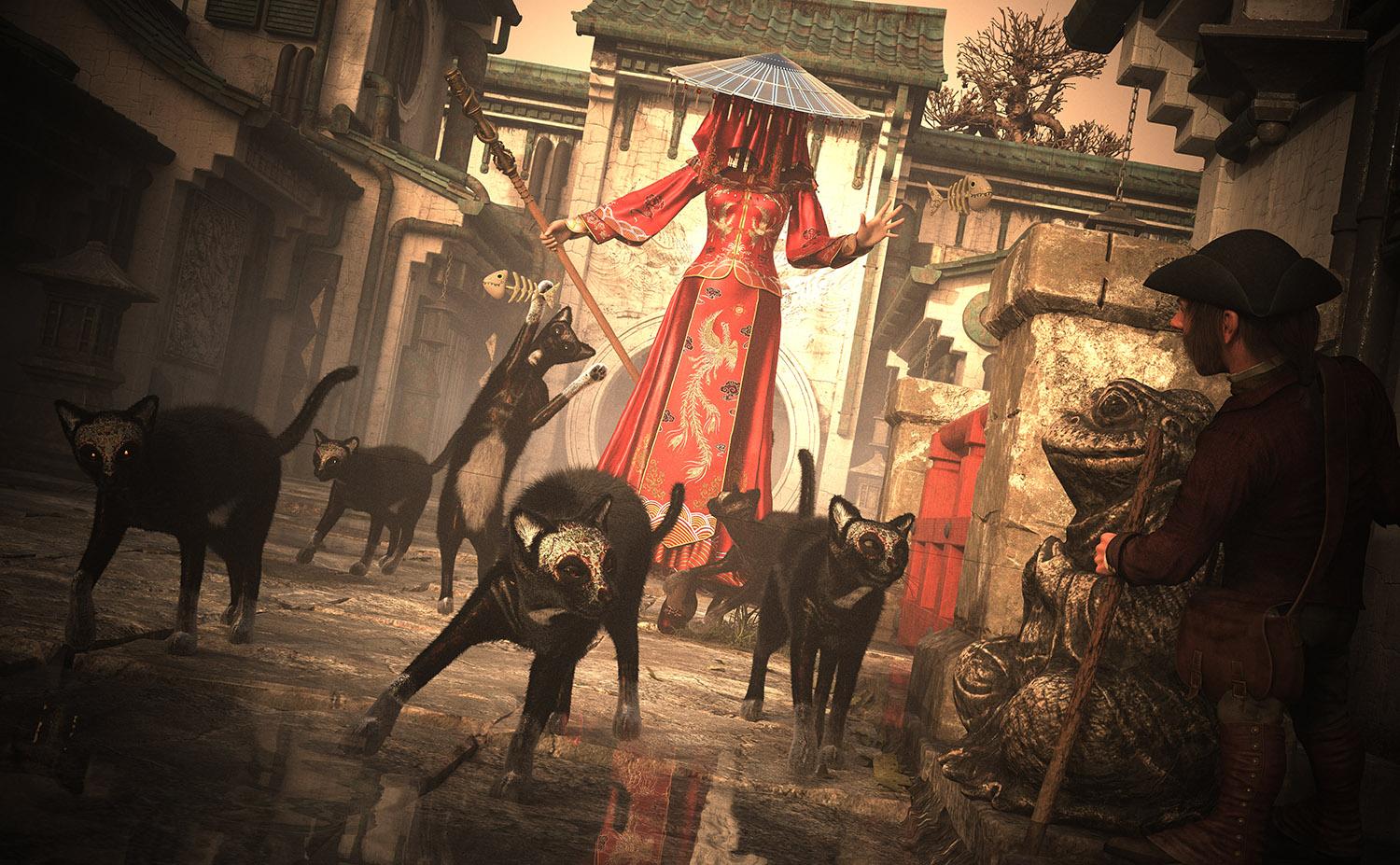
Congratulations to LIK
LIK said:
Ghost Bride (Red)
Battle items used:
1. FPE Dia de los Muertos Makeup for Daz House Cat
2. The Traveller for Barnabus Ragwort
3. dForce MKTG Ghost Bride Outfit for Genesis 9, 8.1 and 8 Female
Congratulations to YT
YT said:
A fight between a mighty demon and a not so mighty person, who was unlucky enough to meet them. ^^
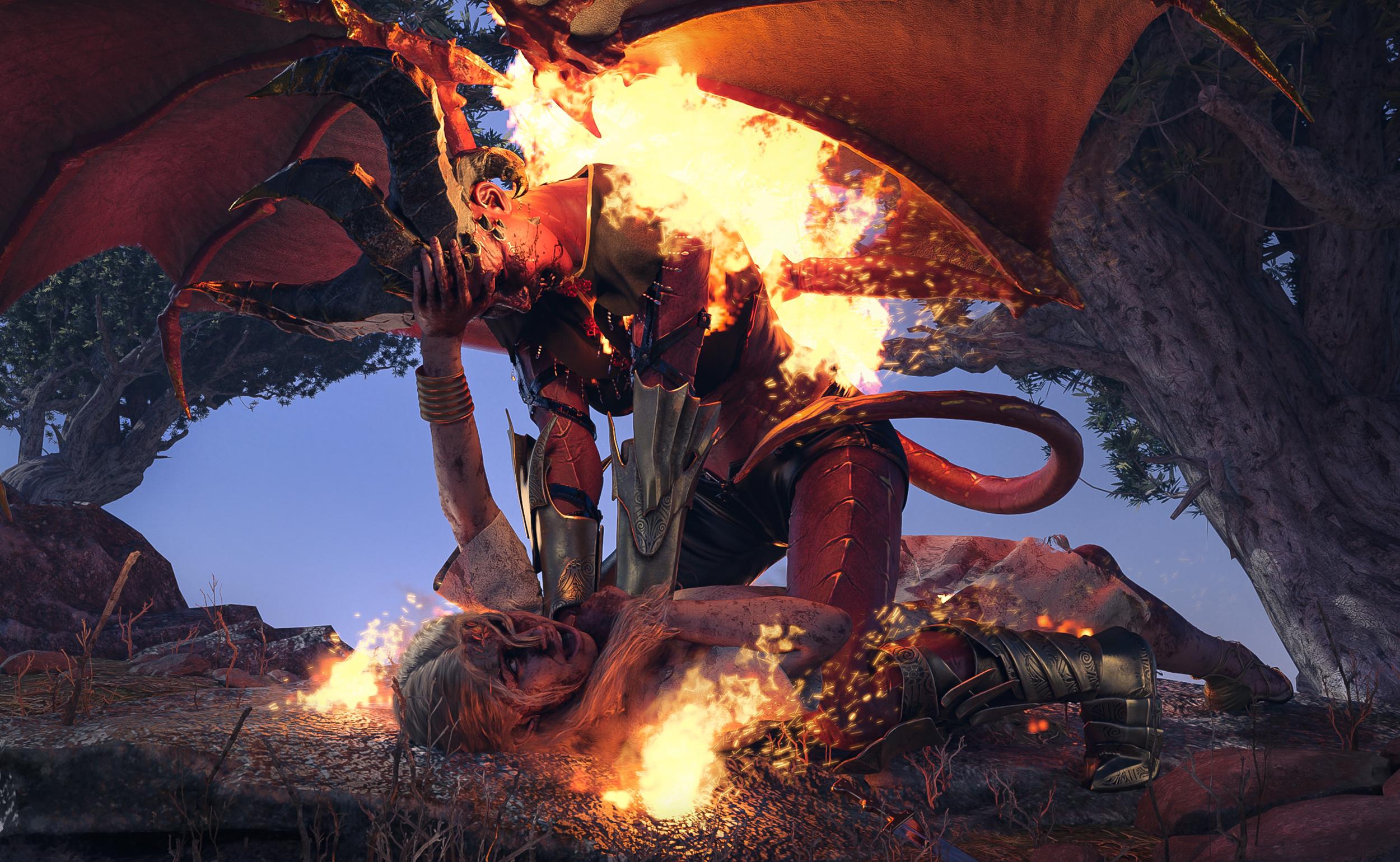
Some post work in Photoshop,you can see the unedited version in the link below.
Battle items used:
dForce MKTG Ghost Bride Outfit for Genesis 9, 8.1 and 8 Female
High Edge Outfit for Genesis 9
M3D Bloody Skins for Genesis 9
it was a lot of fun!
Congratulations to sirnamedmark
sirnamedmark said:
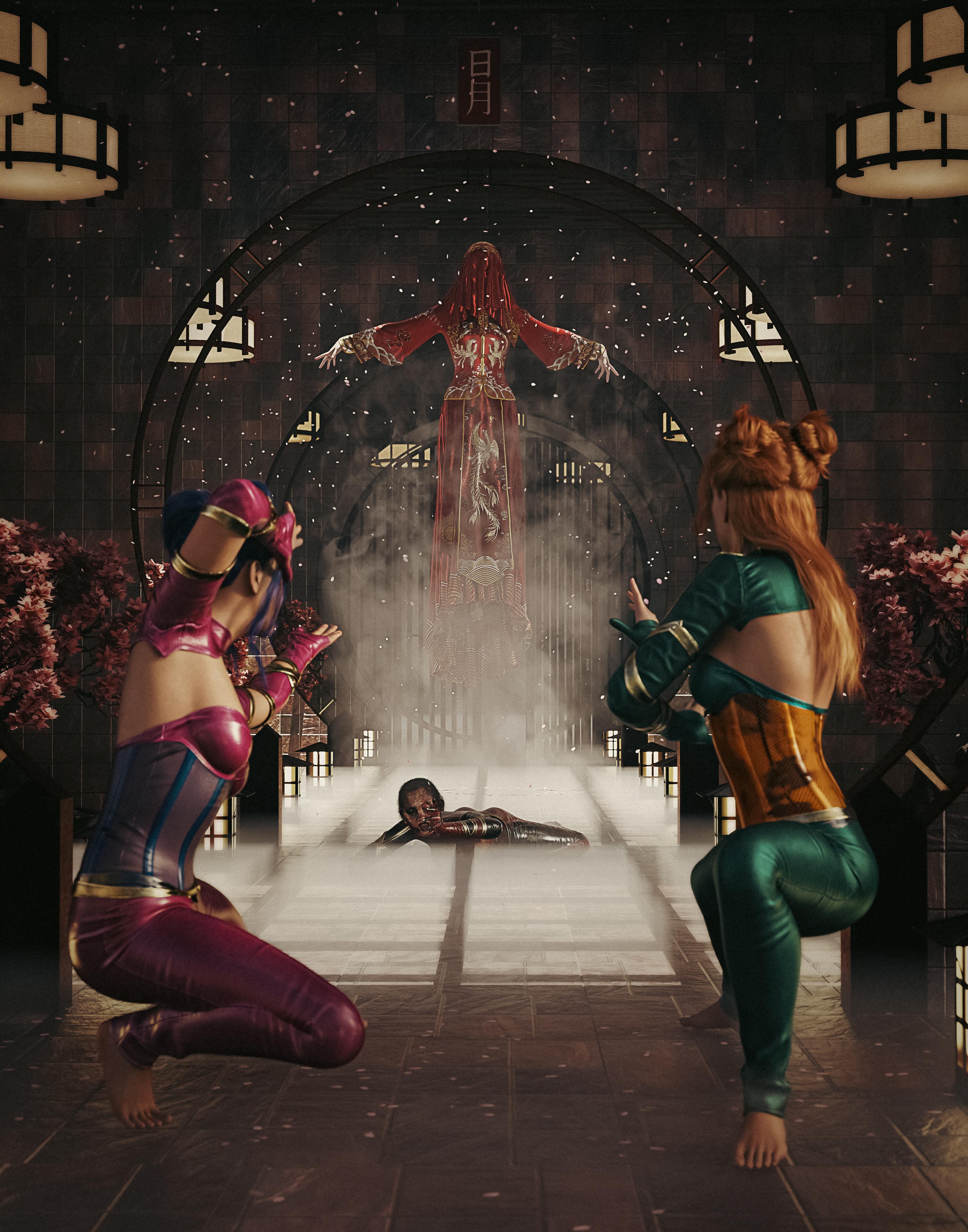
Hey all, here is my entry for this contest. My work title is: "Battle of the Death Queen:Fight for the fallen" It was Rendered in Daz Studio.
STORY: Akki, being one of the youngest of the sisterhood of the 5 fragments; was eager to win the honor of the other 4 sisters by any means necessary. With this foolhearted mindset directing her actions she set out alone to bring down the queen of death once and for all. Being significantly underpowered and ill prepared for the battle to come; the queen of death slolwly tortured her to the brink of death. Realizing their foolhearted companion was no longer in their midst; two of the strongest sisters came to Akki's Aide.
Qualifying Products Used are:
1. dForce MKTG Ghost Bride Outfit for Genesis 9, 8.1 and 8 Female
2. High Edge Outfit for Genesis 9
3. Vision Add-On for High Edge Outfit
4. Z Mixed Martial Arts Pose Mega Set for Genesis 9 and 8 FemaleHappy rendering everybody!
Congratulations to Stalest
Stalest said:
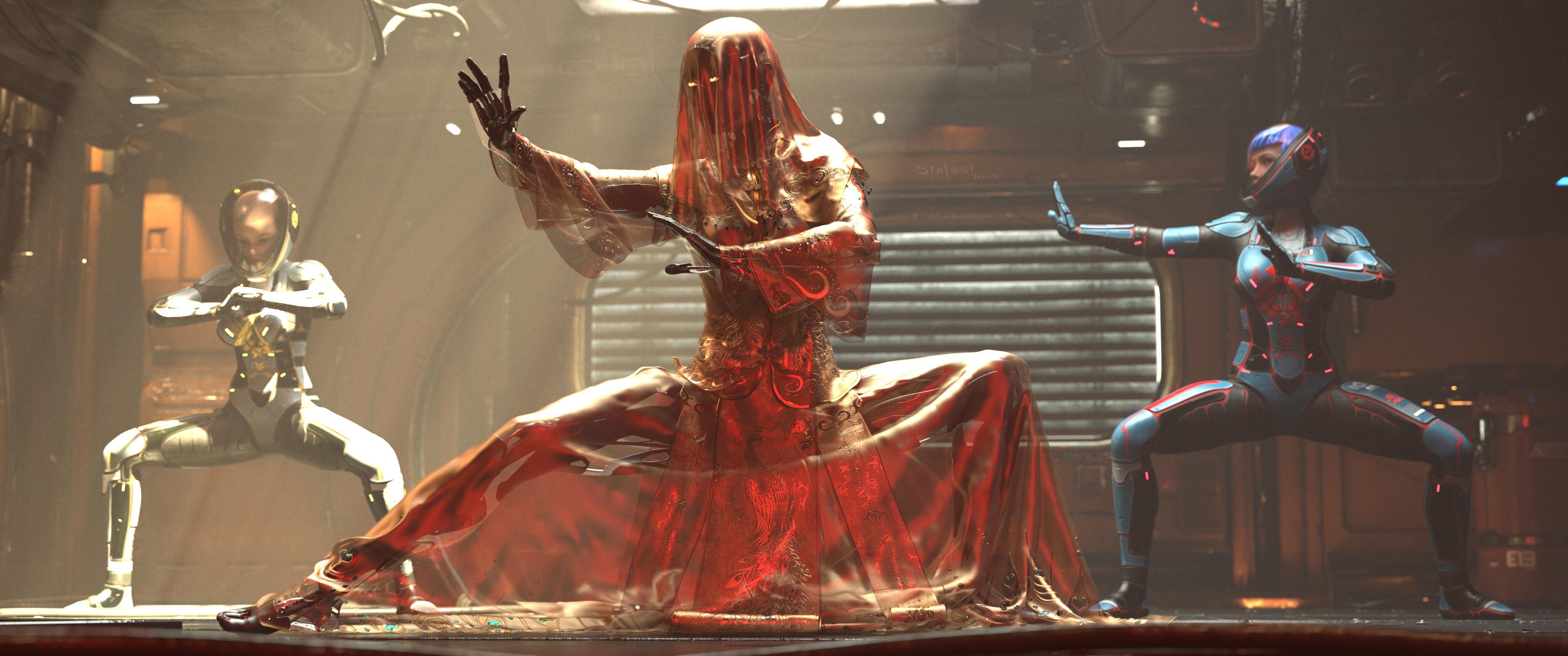
The Ritual
Used: zk-sci-fi-skull-01-for-genesis-8-81-and-9, Z Mixed Martial Arts Pose Mega Set for Genesis 9 and 8 Female and dForce MKTG Ghost Bride Outfit for Genesis 9, 8.1 and 8 Female
Congratulations to charles
charles said:
Main character is G9 using Liam HD as base mixed with Swole and some other face morph tweaks. I still prefer UBER shaders for skin so skin textures are still Liam but the shader is a conversion back to the older one. Gave him geoshell M3D's bloody skins, which is amazing, TYVM for that. New custom normal maps. Blender pre work to fix stuff like reins and armour and blood effects and clothing. Post work in photoshop using some action filters to take out the Daz fake looking CGI specular and add more harsh contrast and skin tones. 85mm lens from https://www.daz3d.com/ig-photographers-toolbox-35mm-cameras always my main goto for best cameras.
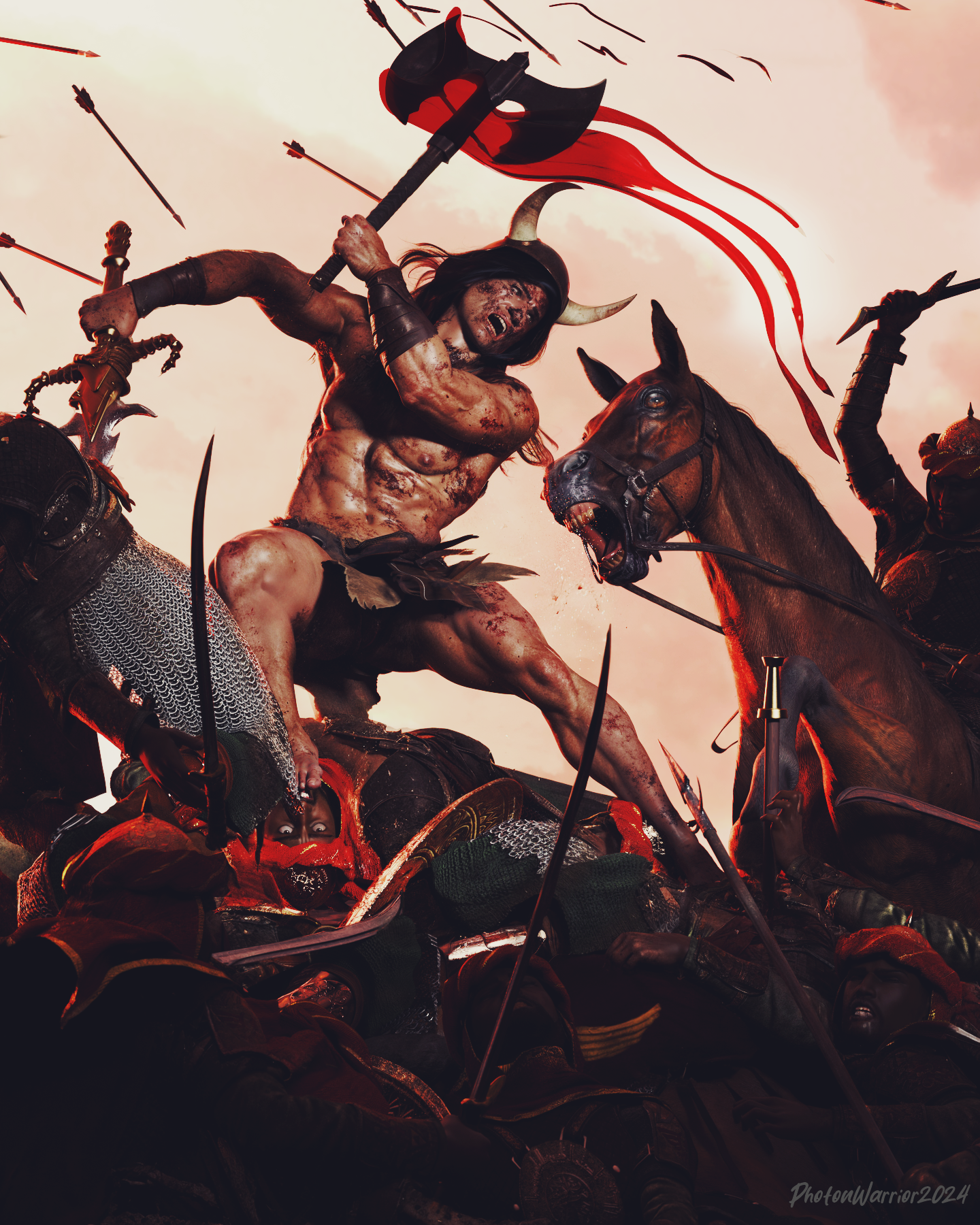
Congratulations to Saidge42
Saidge42 said:
"respite"
qualifying item is M3D Bloody Skins for Genesis 9 | Daz 3D
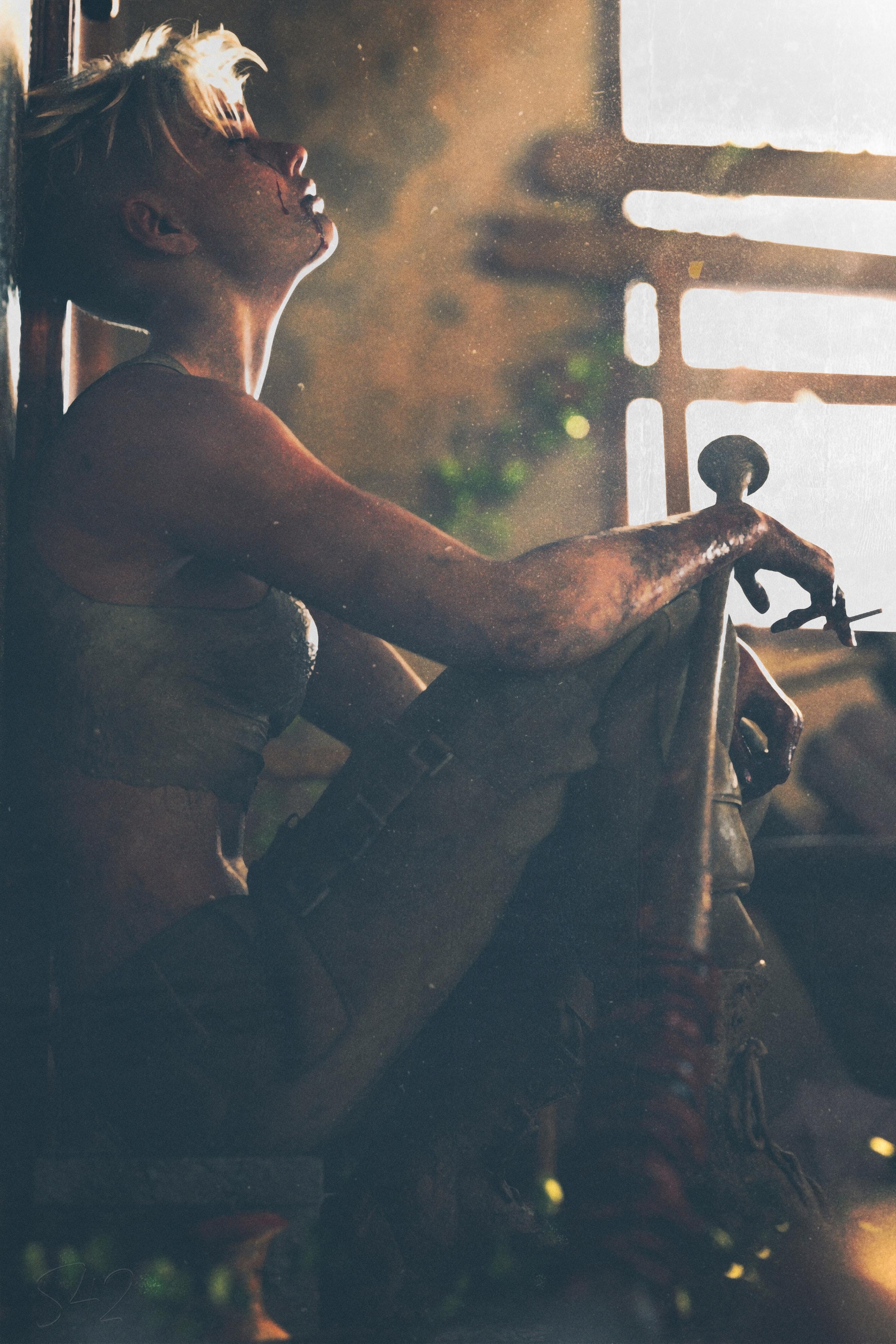
The team wanted me to pass on their thanks for everyone who took part, especially the newcomers..! As it's been mentioned, we do have a regular contest for D+/DP members in that forum, so please if you're a subscriber drop in and say hello.
Prizes will be going out later today.
Thanks!!
where can I get older version of Daz 4.20.02?JImW said:
I'm setting up a new machine with windows 11 and don't want to mess up the stuff I've been working on with 4.20.02, just want to transfer everything over for now. Is there anywhere I can get the old download for the old 4.20 version? Thanks
Iff you haven't download the new ones the installer should still be in your downloads
or check whta your beta build is?
And always copy your old daz program folder to another drive before updating das.----
Do you still have the daz program folder on the old machine ... just make a copy of that folderNeed help finalizing my first accessory in DAZ StudioI don't think a simple septum piercing needs to be rigged, so you can skip the transfer utility. Try a rigid follow node instead.
where can I get older version of Daz 4.20.02?I'm setting up a new machine with windows 11 and don't want to mess up the stuff I've been working on with 4.20.02, just want to transfer everything over for now. Is there anywhere I can get the old download for the old 4.20 version? Thanks
Need help finalizing my first accessory in DAZ StudioBasically, I am stuck and don't know how to fix the issue I ran into. I made a septum ring piercing (used Blender and Substance 3D Painter). To sculpt the accessory, I only used a torus mesh and two UV spheres. After doing so, I made an UV edit, packed the UV, didn't add anything else to the mesh and exported it as a .FBX file.
Also, I used a Base G8F figure as a reference.After exporting the .FBX file, I import it into Substance 3D Painter and get to painting. I export the textures then I open DAZ 3D and import the .FBX file.
I set an uber base shader for the septum ring piercing then drag and droo the textures. Everything looks as expected until I decide to use the transfer utility tool.
There are no good options so I leave it on "None" and once I click "Accept", my accessory vanishes. What did I do wrong ?
I followed this tutorial: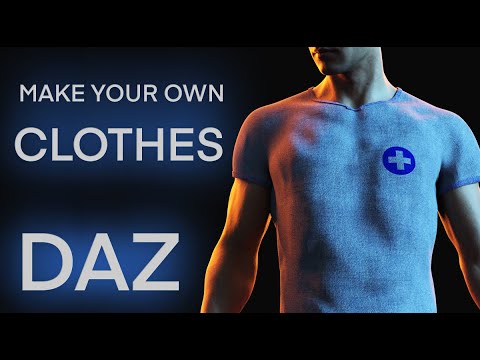 How to squish body ? genesis 9
crosswind said:
Yes, in general, you can always tweak morph and/or gender as you wish no matter which product you use. Ultimate Natural Bend Morphs (UNBM) and Natural Movements Pack (NMP) are just packages of corrective morphs. They are just regarded as add-ons to G9's Base corrective morphs.
However, UNBM and NMP both have their pros and cons. UNBM was specifically designed for G9 Feminine while NMP is universal for both G9 Feminine and Musculine. It's easier to tweak with UNBM while it's a bit cumbersome to tweak with NMP because only some of its morphs are auto-dialed, most of its "detailed corrective morphs" have to be manually dialed. And the strength of % on some auto-dialed corrective morphs of NMP are not set really well, i.e. more or less over-corrective ~~
I chose to get both as I swear by UNBM ever since genesis 2!
But natural movements actually have bend morphs for the fingers!
No one does that, but unfortunately, they do conflict, particularly with the legs/groin/waist/hip morphs, but I have made my own corrections for the different product's morphs to compensate, and the resulting morphs makes it well worth it to me to have both!
Besides, using the corrective morphs from UNBM plus NMP may bring you unexpect ugly results... So choosing one of them as per your need will be just fine.
Better yet, if you've an understanding of human anatomy, and are not afraid of using blender/zbrush to sculpt morphs, you would do well to have both as UNBM and natural bend morphs, makes a complete package, but it will require work on the user's part in order to achieve that!
Klingon foreheadI think this exists and I think I even own it but I don't know what it is called or where to find it. I'm looking for the morph that will create the Klingon forehead from Star Trek. I think it's for Genesis 3. Maybe Genesis 2. But I can't find it.Help.
Shape and pose converter for Genesis 9richardandtracy said:
There are a number of G8F/M to G9 pose convertors. At least two are free, one is mine here: https://www.daz3d.com/forums/discussion/598316/g8f-m-pose-transfer-to-g9
Regards,
Richard
This looks like a great script! I wonder if this script is the basis for the in-store products that convert poses either in bulk or on-the-fly?
Is there a way to know at which level an HD morph was sculpted ?Thank you all for your answers

Richard Haseltine said:
A higher SubD level isn't necessarily wasted, if it helps to smooth the mesh noticeably for the aprticular fframing and lighhting you are using.
I use higher SubD level to get a better shadows on clothes regularly, but some products don't like when a figure has a high Mesh Resolution (Vellus Horizon has a tendency to get Daz stuck on the geometry step needed before a render can start when used with a figure with a Mesh Resolution higher than 3) so it would be ideal to know when a Genesis 3/8/8.1 HD character is using a HD Level 3 morph.
Shape and pose converter for Genesis 9There are a number of G8F/M to G9 pose convertors. At least two are free, one is mine here: https://www.daz3d.com/forums/discussion/598316/g8f-m-pose-transfer-to-g9
Regards,
Richard
Shape and pose converter for Genesis 9This would be a time saver if we had a product that would take the shape and pose of a Genesis 8 or 8.1 figure and transfer it to a Genesis 9 figure.
It would be nice if it transferred clothing and hair etc as well.
1 click and presto!
[Released] RSSY Character And Material Conversion Bundle Genesis 8 to Genesis 9 [Commercial]
Hello! The doubling is not intended, but the shape change is; Material Suit is a geograft so it completely replaces the original geometry. As thr maker of the suit component, I apologize for any inconvenience.his.royal.duckness said:Correct, I'm not loading any morphs. Just to test, I created a fresh, empty scene and put a dev load Gen9 in there. I clicked "Material Suite Add G8F Material Suite" and while the rest of the body appears to retain the G9 shape, the feet morph to what appears to be the G8F shape. I went back to my original G8F character I was trying to convert and turned off all the additional foot morphs to see if that would fix the issue, but it still warps the toes and enlarges the feet of the final product when I import the G8F shaped morphs over the G9 with the G8F Material Suite added, I think it's doubling them up.
Daz 3D is part of

Connect
DAZ Productions, Inc.
7533 S Center View Ct #4664
West Jordan, UT 84084Licensing Agreement | Terms of Service | Privacy Policy | EULA
© 2026 Daz Productions Inc. All Rights Reserved.