-
Controlling A Morph Slider From A Parameter Slider - what object type is it ?
Using this, which is basically the code from findElementProperty() , but printing each propertyname...
			var oProperty;
			var oPropertyGroupTree = oNode.getPropertyGroups();
			var oPropertyGroup = oPropertyGroupTree.getFirstChild();
			var aProperties = [];
			if( oPropertyGroup ){
				var nProperties = oPropertyGroup.getNumProperties();
				aProperties = new Array( nProperties );
				for( var i = 0; i < nProperties; i += 1 )
					aProperties[ i ] = oPropertyGroup.getProperty( i );
				aProperties = aProperties.concat( getGroupProperties( oPropertyGroup.getFirstChild() ) );
				aProperties = aProperties.concat( getGroupProperties( oPropertyGroup.getNextSibling() ) );
			}
			for( var i = 0; i < aProperties.length; i += 1 ){
				oProperty = aProperties[i];
				print(oProperty.name)
			}
...I get this...
2020-02-19 15:46:04.142 DEBUG: >>>ALERT:'13 Chip MT' NOT FOUND
2020-02-19 15:46:04.142 DEBUG: XTranslate
2020-02-19 15:46:04.142 DEBUG: YTranslate
2020-02-19 15:46:04.142 DEBUG: ZTranslate
2020-02-19 15:46:04.142 DEBUG: XRotate
2020-02-19 15:46:04.142 DEBUG: YRotate
2020-02-19 15:46:04.142 DEBUG: ZRotate
2020-02-19 15:46:04.142 DEBUG: Scale
2020-02-19 15:46:04.142 DEBUG: XScale
2020-02-19 15:46:04.142 DEBUG: YScale
2020-02-19 15:46:04.142 DEBUG: ZScale
2020-02-19 15:46:04.142 DEBUG: Point At
2020-02-19 15:46:04.142 DEBUG: Disable Transform
2020-02-19 15:46:04.142 DEBUG: Geometry
2020-02-19 15:46:04.142 DEBUG: lodlevel
2020-02-19 15:46:04.142 DEBUG: SubDIALevel
2020-02-19 15:46:04.142 DEBUG: SubDRenderLevel
2020-02-19 15:46:04.142 DEBUG: SubDAlgorithmControl
2020-02-19 15:46:04.142 DEBUG: SubDEdgeInterpolateLevel
2020-02-19 15:46:04.142 DEBUG: SubDNormalSmoothing
2020-02-19 15:46:04.142 DEBUG: Visible
2020-02-19 15:46:04.142 DEBUG: Visible in Viewport
2020-02-19 15:46:04.142 DEBUG: Selectable
2020-02-19 15:46:04.142 DEBUG: Renderable
2020-02-19 15:46:04.142 DEBUG: Cast Shadows
2020-02-19 15:46:04.142 DEBUG: Render Priority
2020-02-19 15:46:04.142 DEBUG: Visible in Simulation
2020-02-19 15:46:04.142 DEBUG: Value
2020-02-19 15:46:04.142 DEBUG: Total Number Of Chips
2020-02-19 15:46:04.142 DEBUG: Vertical Tiles
2020-02-19 15:46:04.142 DEBUG: Intermediate Chip Count
2020-02-19 15:46:04.142 DEBUG: Value For Vertical Tiling
2020-02-19 15:46:04.142 DEBUG: Intermediate Chip Count Minus One
2020-02-19 15:46:04.142 DEBUG: Value For Stack Height Morph
2020-02-19 15:46:04.142 DEBUG: 3DCheapskate's 'AddMy4ParametersWith2ERC.dsa' Script - completed without crashing ! Hurrah !No '13 Chip MT' in sight.
Controlling A Morph Slider From A Parameter Slider - what object type is it ?Answer Part 1: A morph is a DzModifier on a DzShape on a DzObject on a DzNode, and not a DzProperty on a DzNode. Simple ! See this post below.
Answer Part 2: That's not quite true - a morph is actually a DzMorph, which is an undocumented derivative of DzModifier. See Richards comments below, here and here. The morph name is the name property of the DzMorph itself. However, the numeric value for the morph (which is what you see/control with the morph slider) is a DzProperty (having the name "Value") on the DzMorph. To get/set the numeric value of the morph you call the getValue()/setValue() method of the DzProperty called "Value".
Can you see why I refer to all of this as Object Obfuscation ?
Answer Part 3: So to control a morph from an ordinary parameter it appears that you set up an ERC link in the usual way using the insertController() method of the DzProperty named "Value" on the DzMorph. I think
~ ~ ~ ~ ~ ORIGINAL OP STARTS HERE ~ ~ ~ ~ ~
I have a simple prop with a single node.
Creating a DzERCLink between two sliders on the Parameters tab is not (usually) a problem ( https://www.daz3d.com/forums/discussion/342486/creating-a-simple-dzerclink-between-two-new-parameters/p1 )
Controlling a slider on the Surfaces tab from a slider on the Parameters tab is not (usually) a problem either ( https://www.daz3d.com/forums/discussion/341521/creating-dependencies-between-settings-on-the-surfaces-tab-and-parameters-tab/p1 )
But I now find myself wanting to control a Morph slider from a Parameters slider, and I'd assumed that the morph slider would be just another Dzproperty.
But despite the morph showing on the Parameters tab...
...I can't seem to access it in the same way as other parameters.
E.g.. the following gives me '13 Chip MT' NOT FOUNDvar aNodes = Scene.getSelectedNodeList(); ... oNode = aNodes[0]; ... if( findElementProperty( oNode, "13 Chip MT" ) ) showAlert( "'13 Chip MT' already exists" ); else showAlert( "'13 Chip MT' NOT FOUND" ); ...As usual, it's highly likely that I'm missing something obvious/doing something stupid.
Which is why I'm asking.P.S. findElementProperty() is a function/method/whatever-you-call-it from this sample http://docs.daz3d.com/doku.php/public/software/dazstudio/4/referenceguide/scripting/api_reference/samples/elements/post_load_material_proxy_create/start (that link doesn't seem to work, but if you copy the URL and paste it goes to the right place,and gets a 'not found' because they've changed the darn URL!)
XTransfer Module 1- Genesis 3 to Genesis 8 Morph Converter (Commercial)I bought the script... Very deluded by the results...

The shapes I transferred from Genesis1 to Genesis3 (which works fine in G3) are totally distorted once transferred from 3 to 8.
 Wavy arms, arched legs, bumped neck...
There will be an addon to make a direct transfer? Or perhaps I'm doing something wrong, even if the script is really simple and I followed step by step all the phases?
Zbrush suits to Daz drive me crazy.Hi everyone,
I've made a simple body-suit in z-brush (extract) and I'm trying to make it work with my daz model.
1. Imported the z-Brush extract
2. Transfer tool utility : Genesis 3 Female -> 1 (The suit). At this point, Daz will "build projection map" then
3. It just get destroyed.
Any idea what I'm doing wrong here ?
(Image removed for nudity. Please read acceptable ways to handle nudity here)As I'm not seeing any image, this is a wild guess. Something is wrong with the mesh. Preferably it is made of quads and all points are welded. Also however it was imported, it had to be landing exactly in place too.
1. Load figure.
2. Import in clothing .obj
3. Run transfer utility.
4. Hopefully that works and then one saves the figure.
Genesis 8 Male GlitchFrom the tiny bars for the options on the Parameters Tab, uncheck show hidden. Morphs that do not appear to be working tend to be hidden morphs that are triggered when a non-hidden morph is used.
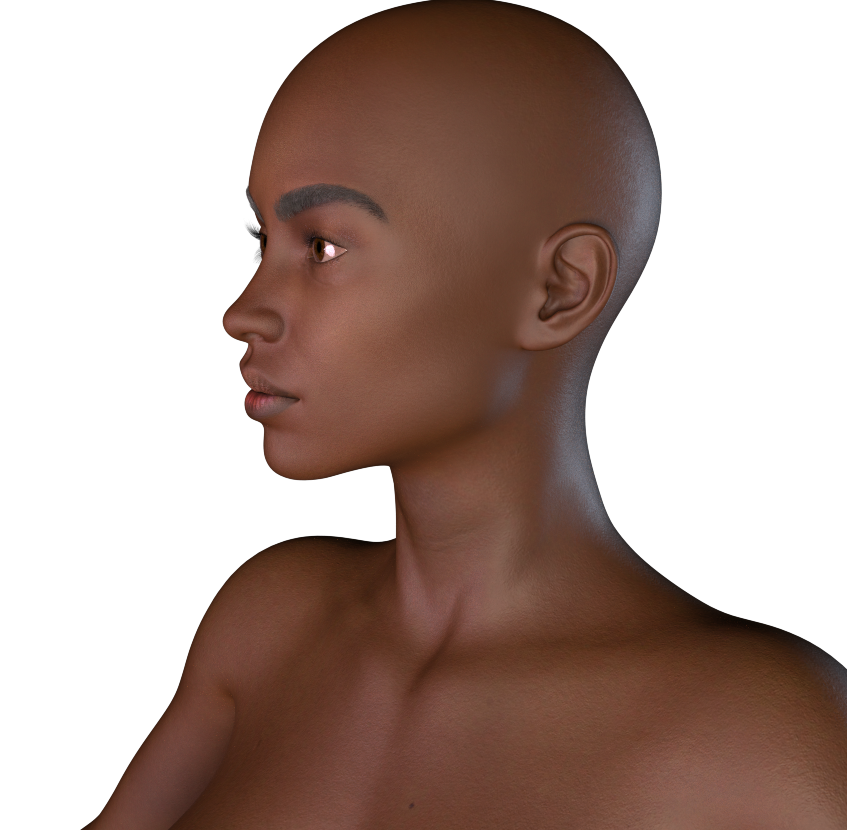
Black Is Beautiful IIRather disappointed in Shangrila by Mousso. Her morph is lovely but her skin lacks depth and is waaaay to yellow and orange. Even worse is that her face has a different tone than the rest of her body, so when I tried to balance out her complexion by adding blue to her skin, either her body or her face were always not quite right. I just requested a refund.
Shangrila's main thing is that she's an overpaint of an FWSA Skinvent texture, and once you do that, it's hard to get detail back into the diffuse. She's also got a truly odd SSS layer; it's much darker than her diffuse, and I'm pretty sure that skin doesn't quite work that way.
Her face is different, yes. It's set in from a different source than the rest of Skinvent, and then color matched, and it's hard to do that well. I do think her default shader made that much stronger than it is; A8L8 seems to mute it somewhat. Somewhat.
I did wind up editing her hands and feet, because they were just weird. The lines on her palm had been drawn back in to be darker than the surrounding skin, which is good ... but they were perpendicular to where they should have been, which was truly weird.
The yellowness that you saw was primarily due to her shader, rather than her texture. I shifted her to a different shader model with Altern8 for Lee 8 (A8L8), which both brought out what little detail she had, and undid the yellowness. I also tweaked that shader setting pretty hard to reduce her translucency weight, because A8L8 is meant for a lighter-skinned character; a translucency weight of .65 for a darker skinned character is kind of ridiculous. And then I gave her different translucency maps. I probably wouldn't have done any of that if I'd looked at her in the first 30 days I had her, but, well ... such is life. Anyway, she's workable now, I think.
 Zbrush suits to Daz drive me crazy.
Hi everyone,
I've made a simple body-suit in z-brush (extract) and I'm trying to make it work with my daz model.
1. Imported the z-Brush extract
2. Transfer tool utility : Genesis 3 Female -> 1 (The suit). At this point, Daz will "build projection map" then
3. It just get destroyed.
Any idea what I'm doing wrong here ?
(Image removed for nudity. Please read acceptable ways to handle nudity here)XTransfer Module 1- Genesis 3 to Genesis 8 Morph Converter (Commercial)I'm trying to figure out what I did wrong. I loaded Gianni 7 into the scene. I favorited the Gianni 7 morph under Gianni7->Actor->People->Real World and the Gianni 7 head under Gianni7->Head->People->Real World. The script ran through to completion and then I loaded a Gensis 8 base character and then cranked the XT Gianni 7 Body morphs under Genesis 8 Male->Actor->Xtransfer->Full Body->People->Real World to 100% and got the figure on the left. What am I doing wrong? Does this script work for base Genesis 3 characters like Gianni 7?
Genesis 8 Male GlitchGreetings all,
I used the "Transfer Utility" tool on one of the models I downloaded from Mixamo.com in an attempt to make it more compatible with Daz. Genesis 8 male was the donor, and now every time I load any g8m-based character none of my morph sliders work. Worse yet, when I reload a scene with g8m in it, the Mixamo model is what shows up (see attached screenshot). I deleted everything I downloaded from Mixamo, deleted all my saved scenes that had g8m in them, I've manually uninstalled and deleted all g8m content (including g8 starter essentials) then reloaded them with DIM, I've uninstalled and reinstalled Daz. Nothing has worked so far, and I'm at my wit's end with this. The effect has spread to all my g8m characters and made them non-functional. If anybody at all has any experience with this or something similar, I'd greatly appreciate your pointing me in the right direction.
Questions about the newest Daz StudioIf your new computer is running a 64-bit system, you'll want to be sure to download and install the 64-bit version of Studio. I'm not sure you had that option in DS3. (I certainly didn't.)
Unfortunately, you will be limited to just the current version of the program (4.12), and the public release of the (slightly newer beta.
DAZ doesn't give you any option for dwnloading any earlier versions -- although there may be an earlier version of DS4 out there on a CD somewhere. But I'd tend to advise against deliberately trying to find older versions, since eventually your OS won't support them.
The program itself is still installed through an installer, but you can also install through DIM or Connect (I think. I don't use either of those so cannot say for sure).
The program still includes a selection of free content, including *all* the different Genesis base characters. You may need to download and install them separately, but they should be in the purchase history of your account. The morph and expression packs are separate purchases, however. Kind of like the old Morphs++ packs.
make me smileThere are a coupe of morph packs by PedroFurtadoArts, one for G8F and one for G8M called 20 Unique Smiles. The promos look distinctly scary, but the morphs are designed to be dialed only partially in, so they can be mixed. There are other morph packs for smiles as well.
Actually there are a lot of them. Just do a store search on 'Smile' and you'll get a swarm of them. Of course they will go all the way back to gen4, if not earlier, but they are certainy there.
Black Is Beautiful IIRather disappointed in Shangrila by Mousso. Her morph is lovely but her skin lacks depth and is waaaay to yellow and orange. Even worse is that her face has a different tone than the rest of her body, so when I tried to balance out her complexion by adding blue to her skin, either her body or her face were always not quite right. I just requested a refund.
Not mentioning any names, but there are some PAs here who probably shouldn't be creating black characters.
Weird brown gunk on gen8female forehead when renderingFor future reference, when you say "expanding hair morphs", you're taking about simply selecting the hair and playing with the "scale"?
No, some hairs have morph sliders, just like morphs on your character.
Ahh, gotcha.
Ya'll are so helpful.
Thank you!
mat or texture files Face Transfer and HeadshopFace Transfer's are in the Runtime > textures folders.
Lana for Genesis 8 Femalehttps://www.daz3d.com/forums/discussion/comment/4946356/#Comment_4946356

Nope. Already checked. I've checked the "currently used", hidden, non zero values. Nothing is activated except for the intended morphs.
Did you really checked not only the "currently used" section, but all morphs for non zero values? And did you check for "Erevan Airy"? I bet that's the active morph. And it will NOT be shown under "currently used".
I checked through them looking for a white colored "0.0". It was still black, so it didn't pop out. I searched for Erevan and it was there. I'm gonna go fix that file and save it's morph anew. thanks.
EDIT: didn't work. there's another in there somewhere.
make me smileI was wondering is there was a morph pack that delt with smileing. I want to control it by giving her a half smile. Half smile left or right, or open lipped smile. Looking for control rather then just expression poses.
Not only smile but eye morphs as well. I want to control blinking, like half way closed of closed all the way.
Black Is Beautiful IIDuring the recent sales I purchased three black female characters. Hope to get some renders out soon, will post them here!
Rather disappointed in Shangrila by Mousso. Her morph is lovely but her skin lacks depth and is waaaay to yellow and orange. Even worse is that her face has a different tone than the rest of her body, so when I tried to balance out her complexion by adding blue to her skin, either her body or her face were always not quite right. I just requested a refund.
This is only my 2nd Mousso character. The first one (an Asian character) has great skin, so I'm not sure what happened here. Or perhaps it's just me... the promos look alright. But then again, I never had problems like this with previous black characters.
I'm much happier with Darcy 8 and Aniyah for Darcy 8. Face morph and skin are great for both characters, especially Aniyah. I don't particularly love their body morphs - both characters are very skinny - but it's not hard to dial in some curves.
Weird brown gunk on gen8female forehead when renderingFor future reference, when you say "expanding hair morphs", you're taking about simply selecting the hair and playing with the "scale"?
No, some hairs have morph sliders, just like morphs on your character.
Nida 8 new galAs a person of color, I think this is a great addition to the Genesis 8 family. A middle-age African-American woman is a very nice surprise. Soon, since Daz has shown interest in testing the waters of diversity, I'm sure we will get elderly and more middle-age people of color (like the middle-age Asian woman someone just mention).
While it can be argued that you can probably take Darcy 8 and dial an age morph at 50%, it is nice to see that Daz, as a company, does recognize that some of us like the diversity and representation within their Pro Bundles.
So, thank you Daz for another wonderful base character.
I agree 100% with this stament.
Making renders but using other people's assets....We are more than artists. If you use a filmmaking analogy, we are the producer, director, cinematographer, set designer/decorator, gaffer, makeup artist (if we use LIE makeup or SkinBuilder), wardrobe & hair person, choreographer, (P.A. when we fetch our own coffee, craft service when we eat lol,) still photographer, post production supervisor and PR agency. A lot of work goes into what we do. Way more than a photographer. We have to pose and morph the models too (assuming you don't use products out of the box.)
Well said.
Daz 3D is part of

Connect
DAZ Productions, Inc.
7533 S Center View Ct #4664
West Jordan, UT 84084Licensing Agreement | Terms of Service | Privacy Policy | EULA
© 2026 Daz Productions Inc. All Rights Reserved.