-
Genesis 9 delayed until at least 2020. Will you be buying it?
ragamuffin57 said:
Think we will get QT5 daz studio with genesis 8 upgrade including the skin shader iray and filament IMO the new art director brought in by daz is going to drag or encourage push whatever daz from lagging behind in the backwaters like poser to get to grips with the likes of blender. As you know once a customer leaves the daz eco system because they have outgrown the capabilities of the software, they will look for resources to use from the vendors who have geared themselves to sell to that particular shotware customer base. Also the purchaser of the assets know that they do not have to jump through hoops asa it is with daz to make the assets work in their new choice of software
So yes changes are on the horizon whether the update is Geneis 9 in all but name we will see but I am hopefull that a lot of issuses bugging genesis 8 and Daz will start to be ironed out under the guideing hand of the new art director
We can only hope
QT5 upgrage will not be coming until at the earliest mid 2021 in DS 5.0 because that is tied to BigSur compatibility and it will render all the old plugins unusable for all users, unless there is still someone available/willing to update those plugins.
[Released] RSSY 3Delight And Iray To Filament [Commercial] The RSSY 3DL and Iray to Filament script is an incredibly quick way to prepare your scenes for the new, blazingly fast, Filament renderer in Daz Studio.
The new Filament renderer is a fantastic addition to Daz Studio. However, old scenes designed for 3DL and Iray can be difficult to render Filament, with lighting issues (either washed out or dim because of missing emissive lights), or with various materials difficulties. The RSSY 3DL and Iray to Filament script sifts through your scene and prepares it quickly for Filament.
Take your productivity to the next level with the Filament Renderer – and use the RSSY 3DL and Iray to Filament script to get you started. The RSSY 3DL and Iray to Filament script will convert your scene in seconds!
- Convert 3DL and Iray Materials to make them look better in Filament
- Update Environment settings to keep your scene from being washed out
- Restore directional shadows by adding a Shadowcaster Light and lengthening Spot Light rays
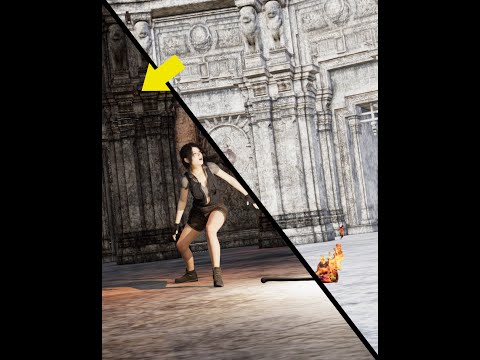
- Add “Flame” Lights – i.e., add Point Lights to replace emissive flame materials so that candles, flames, and fires will cast light and shadows (this can even work to update old 3DL scenes to Iray!)
- Replace Ghost Lights* with Point Lights
- Update settings for Point Lights and Spot Lights to render better in Filament, such as converting light temperature (which Filament ignores) to its color approximation in the light color (which Filament renders)
- See your changes in real-time depending on the complexity of the scene!
*For the purposes of the script, Ghost Lights are objects with one emissive material that has a Cutout Opacity less than 0.0005.
Tutorial
 Genesis 9 delayed until at least 2020. Will you be buying it?
Think we will get QT5 daz studio with genesis 8 upgrade including the skin shader iray and filament IMO the new art director brought in by daz is going to drag or encourage push whatever daz from lagging behind in the backwaters like poser to get to grips with the likes of blender. As you know once a customer leaves the daz eco system because they have outgrown the capabilities of the software, they will look for resources to use from the vendors who have geared themselves to sell to that particular shotware customer base. Also the purchaser of the assets know that they do not have to jump through hoops asa it is with daz to make the assets work in their new choice of software
So yes changes are on the horizon whether the update is Geneis 9 in all but name we will see but I am hopefull that a lot of issuses bugging genesis 8 and Daz will start to be ironed out under the guideing hand of the new art director
We can only hope
I Need Couples AnimationsThis request may be way ahead of its time but I will toss it out there anyway...
In my case, I need particularly "male" couple animations.
In my experience, no one wants to see one person doing an animation.
They want to see two people interacting.
That is where the real drama and power is... Questions and answers...
I need male on male animations for my YouTube channel. Lots of them.
Guys walking down the beach hand in hand.
2 guys on the couch, one guy tousling the other's hair.
Guys dancing together "closely" slow dancing and waltzing.
I have a gay audience on YouTube of 100,000 people.
This is what they want, not singles.
If I did an animation of a single guy dancing, they would turn it off.
But all the Daz figures have different heights, shapes and sizes.
These animations would need to address that so somehow, they would sync up. (save me some work)
Perhaps, I could just change the skin textures on them and the faces, hair, eyebrows, clothes...
You could base them all on the Genesis 8 body or specify exactly which bodies they are made for might be helpful.
Faces and skin could maybe be changed in some cases.
Genesis 8 body is a bit plain compared to some other bodies that have a tiny bit more definition.
Guys running together in slow motion and hugging in a field.
Guys rolling over in bed and kissing goodnight or morning.
Guys looking at each other with cute expressions.
I can't do anything with most of the singles animations, they are too solo. I need "male" couples interacting and a lot of it.
It is very complicated making this myself, but someone with a studio who could choreograph actors to do these animations would be VERY helpful
I would probably buy as many as you could make...
A guy getting down on his knee and proposing to another man.
Placing rings on fingers.
A guy cutting a wedding cake and feeding the groom/husband some cake.
Guys laying on a blanket with sunglasses in the sun and looking over at each other and smiling.
Scenes that I could render into clips, clips that I could assemble into a story drama with a love song.
Guys in a tub together washing the other's back.
All of the classic moments from gay/straight romance films.
A guy crying on another guy's shoulder.
And then making up... saying, "I'm sorry. I love you."
Snuggling on the couch eating popcorn.
Talking to each other with loving hand gestures.
Like, "The Sims". Just think, The Sims and how they interact. That is the best animation... "Interaction and contact".
Lips moving, expressions but not saying anything in particular just indicating conversation, flirting, wooing. Exaggerated hand gestures, the stove is on fire! Call 911!
The toilet just overflowed. It did? Did you look for a job? Yes! I got a promotion! Yay!!!
Sitting together on a park bench, hand goes on the leg. Playing footsies. lol
Fingers walking...
I now have Filament but no gay couples animations... :(
Of course, the same goes for hetero couples but my gay audience would not go for that at all.
Try some couple’s animations please, at least if we had the basic templates, we could alter them to fit.
A lot of times they would not need to even touch, just respond to each other, "mirror or reactive animations".
Responsive.
Couples is where the genuine practical interest lies.
Dforce clothing, hair and getting it to work smoothly across an animation is also a logistical consideration/concern.
Thanks. :)
Your ART on my last year 2020 video on my YT Channel [Deadline Dec-29]Misselthwaite said:
Well, I only use 3DL, but if you want pictures...
3DL, Filament, iRay, Octane, all is fine.
I close to midnight, if you want to add more pictures you still can do
 Drutherson 8 Oswell Endswell
This is my Wellspring Gnome charatcher I'm playing in a table top pathfinder game. I had a lot of fun making him. I started to create this image shortly after the FILAMENT update came out and I rendered it in Iray. Lighting has always been one of my weaknesses in Daz, more so now it seems with filament. For some reason when I would load a sky I couldn't see the model or the enviornment he was resting on. It's as if the very skydom (I assume) became the obstruction. Everything would go black. I had to hide it by click the eyeball. Load in a generic background, then use the basic lighting for the render rather than the skydom. It still came out nice, but I guess I need to learn a bit more about filament and how it interacts with the lighting/skydoms now. Any advice as to why it was behaving this way and what to avoid in the future?
Sincerely,
Jacob
P.S. Any Idea when the Gallery is going to return?
Auto Muscle Enhancer HD [Commercial]Sigurd said:
Thank you all for the kind words. Still having some issues with Iray rendering. Sometimes I hit render and it renders me a blank pic or the faintest of outlines of my figure. I then hit render again and it works just fine. I did not have any of these issues prior to my jaunt into Filament Rendering. Also, my renders that used to take 8 to 12 minutes now take over an hour.
Mr. Fantastic looks ... well fantastic!
RenderPretender, I could look at those biceps all day.
Thanks, Sigurd. I appreciate that.
Say, have you tried restarting DAZ after a failed render? Sometimes what you're describing is a memory issue that a mere re-start can fix, I have no experience with Filament, however.
Novica & Forum Members Tips & Product Reviews Pt 13Novica said:
Okay, this is new. In the Render pane, the Environment and Tone Mapping are GONE. I didn't do anything, but now I have Spectral Rendering and Section Objects showing when I am in the Render pane, Editor tab as usual. Where'd they go and how do I get them back????? SO annoying. I literally had that Christmas render open, didn't change a thing, shut the computer, opened it again to do other work today, came back in to the studio and those things were gone! And yes, I've already exited and come back in. Still gone.
Edit- here's the explanation.
https://www.daz3d.com/forums/discussion/457996/dome-ground-et-cetera-gone-from-render-pane
This is the STUPIDEST innovation for the new studio. You have to do a scene, go Iray view, get out of it, then Tone Mapping and Environment appear.
They are not gone from DAZ Studio though, but in the Scene tab now and if missing you added them via the DAZ Studio menus (the Create one I think near the very bottom). There is also a 'Filament' in addition to the Tone Mapping and Environment. Well not gone from the newest public beta.
Auto Muscle Enhancer HD [Commercial]Thank you all for the kind words. Still having some issues with Iray rendering. Sometimes I hit render and it renders me a blank pic or the faintest of outlines of my figure. I then hit render again and it works just fine. I did not have any of these issues prior to my jaunt into Filament Rendering. Also, my renders that used to take 8 to 12 minutes now take over an hour.
Mr. Fantastic looks ... well fantastic!
RenderPretender, I could look at those biceps all day.
Filament bring out the RendersThat is great @Knittingmommy a little practice is really all it takes to learn animations. you'll fine little tricks to help you speed up and improve your work flow. you'll find its a lot of fun like putting a puzzle together.
And I would not be so quick to dismiss Iray just yet... Because once you been practicing long enough, you'll learn to optimize your animated scene even if you decide sticking with using filament. I started out with 3delight . I tried octane renderer for a while but i always seem to come back to iray. I just like the results of the iray renders. Filament is just to new there is not enough shader or other accoutrements & tools to make it viable for me to use it for short stories at this time. when my latest animation I am working on is 300,000 plus keyframes
But filament has been great for me to mess with. But I'm like most every one else here. I. do not have a budget to buy huge gpu graphic cards, I'm still using just a pair of old gtx 1080ti's, I can't afford $1500+ for a new rtx cards. so the in the future filament maybe what I will be using for animation as well. hopefully, by that time there will be better shader and work around for transparency maps avilable.. I know sickl yield has been working on hair shaders and filament hair skull caps, so its just going to take some time for all that filament stuff to catch up to where iray is.
But learning to optimize your scenes with tricks, like bill boards for back ground scenes. removing or reducing textures you don't need is a good skill to learn no matter what render engine you use.
But for now with the lack of tools and other content that would help make filament easier to set up, then that may change things for me.. because right now prep-work setting up a scenes take as much work in filament as it does iray and I can get Iray to render as fast as filament with out all the drama of daz studio crashing every time i hit he viewpoint preview. or change out a shader to make the filament renders look better. so that is the only reason i continue using iray for now.
Like you said Filament is prefect render engine to practice those animation skill. But for me as unstable as filament is in daz studio and the incredible lacking of filament shaders and transparency map conversions for hair maps glass water etc.etc. its not very practical for me to use it in short story animation. not when i am getting 12 seconds a keyframe or faster with iray for complex scenes like below.
Best of luck I look forward to seeing what you can do :)
Check out my iray test scenes used for set up times for my new Karate girl film.
Filament products NOT on sale at allCoolDimension said:
All of the new Filament products have NO discount, even when they're respective creators product line is discounted:
https://www.daz3d.com/catalogsearch/result/?q=filament
Is this an error? I really wanted to purchase some of these and it would be wonderful to have them on sale!
Give it a couple months. Maybe by March Madness.
Your ART on my last year 2020 video on my YT Channel [Deadline Dec-29]you can post renders using Filament too, below an example with iray and filament.
Filament products NOT on sale at allAll of the new Filament products have NO discount, even when they're respective creators product line is discounted:
https://www.daz3d.com/catalogsearch/result/?q=filament
Is this an error? I really wanted to purchase some of these and it would be wonderful to have them on sale!
Filament bring out the RendersIvy said:
Knittingmommy said:
I did a test animation with the free Laughing Santa animation ThreeDigital gave away as a PA freebie. I still have a lot of work to do on my film compositing skills. Merry Christmas everyone!

We all had to start out at some point when learning animation. I think your doing just fine
 Cute santa
 Thanks. There are defnitely issues with it, but I'm proud of myself. I definitely need more practice. I think being able to use filament for test animations at the very least is great because this was 300 frames and it took practically no time to render at all. It would have taken forever to render with Iray and even 3Delight would have taken a long time on my system. With filament, I can actually render out the animations fairly quickly so I can learn new skills, both in Daz Studio and in HitFilm.
The Mac FAQChronopunk said:
So it's as I had previously stated - there's no real issue between Filament and the operating system, it's entirely a matter of the application not being up to speed with the current technology.
Which is understandable, to a point. You want the tech to have the most compatibility in as many directions as possible.
But Quicktime 5 has been available for almost 20 years, and has been superceded by numerous versions since, so I admit I have questions about the decision making process.
Again, I'm sure it'll be handled. But I would like to suggest that "bringing the technology up to modern standards" might not go amiss as we move forward.Qt is not QuickTime, It's Qt: https://www.qt.io
The Mac FAQSo it's as I had previously stated - there's no real issue between Filament and the operating system, it's entirely a matter of the application not being up to speed with the current technology.
Which is understandable, to a point. You want the tech to have the most compatibility in as many directions as possible.
But Quicktime 5 has been available for almost 20 years, and has been superceded by numerous versions since, so I admit I have questions about the decision making process.
Again, I'm sure it'll be handled. But I would like to suggest that "bringing the technology up to modern standards" might not go amiss as we move forward.Auto Muscle Enhancer HD [Commercial]Sigurd,
I definitely like the smaller hands and feet on this character. Looking back at some of the early postings in this forum about hands and feet sizes I built my own morph fix that resides in the AME folder. It basically scales down the hands and feet using the Hand and Feet Real World Propagating scale sliders, a small foot twist, shrug the shoulders up slightly, and then adjust arm length. You can ERC freeze and save a new property, or save it out as morph asset. Either way works equally well and saves work when starting from scratch. Mine exactly matches whatever % AME I dial in, I just dial in the fix at the same %. Depending on the character you can slide the fix in as much or little as desired.
Regarding the Filament, I too have had trouble swapping between Filament and Iray. The work around that seems to work is to go to Texture shaded in between. Don't think we are the only ones experiencing this difficulty. Seems to have something to do with Filament using the processor instead of the NVIDIA card. That is down a technical area I have no knowledge about!
I have been working and experimenting with emulating the AME on the G8F platform using 3 different vendors products! It involves a LOT of my tricks behind the curtain, but seems to be at a point where I am happy working on the G8F platform again. Might post something or some comparisons if folks are interested. TD
Tips for speeding up G8F posing?I pose in wireframe mode or Texture shaded mode. or even in Filament mode. They use less resources
Auto Muscle Enhancer HD [Commercial]leemoon has inspired me to go back and play with the Brute a little more. This is Scott Mainz's older brother John. I basically removed the previous body used for Scott and replaced it with John for The Brute. I chose John as he was built on the Brute but had his feet and hands scaled down to a more believable scale. Please let me know what you think.
P.S. this is using Filament as I has serious trouble getting Iray to render after using Filament. Has anyone else had this problem?
Knittingmommy's LaboratoryI did a little test render of Santa in filament with the free animation of the Laughing Santa we got from ThreeDigital. Once problem I had was there is a script you have to run you do the animation. This script doesn't seem to work if you install through Connect. I had to uninstall it and reinstall with DIM to get it to work.
It's not a great piece of filmmaking, but I'm learning new skills in HitFilm so that's always a plus. I managed to figure out how to get the text to move across that screen. Yay! Merry Christmas, everyone!
Daz 3D is part of

Connect
DAZ Productions, Inc.
7533 S Center View Ct #4664
West Jordan, UT 84084Licensing Agreement | Terms of Service | Privacy Policy | EULA
© 2026 Daz Productions Inc. All Rights Reserved.