-
Thanks Daz3d!
The spotlight is on PhilW, once again, in my new page of Thanks to Daz 3d!
Thanks Daz - February 2021 compilation is mostly geared toward character building materials like clones, convertors, morphs and animations.
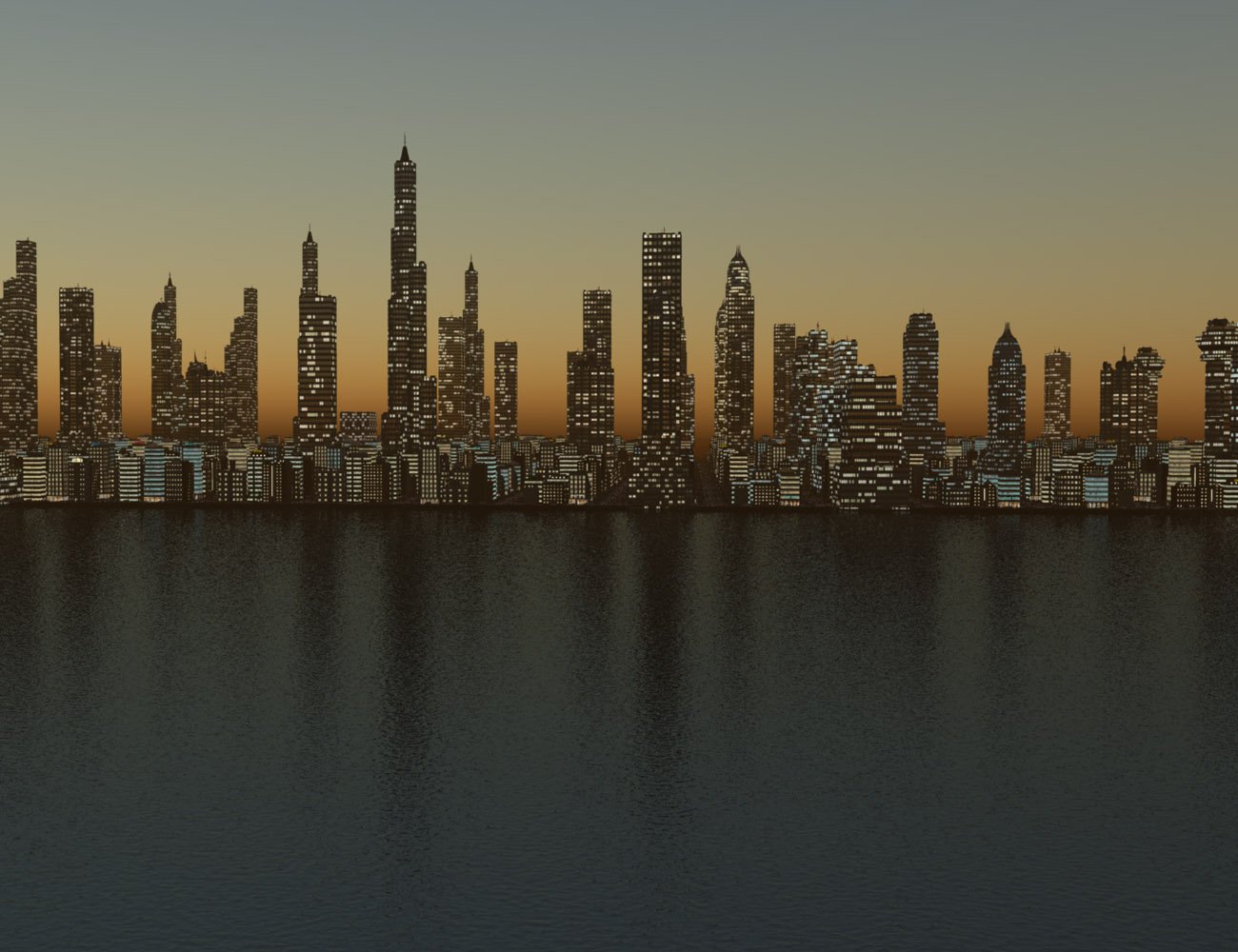
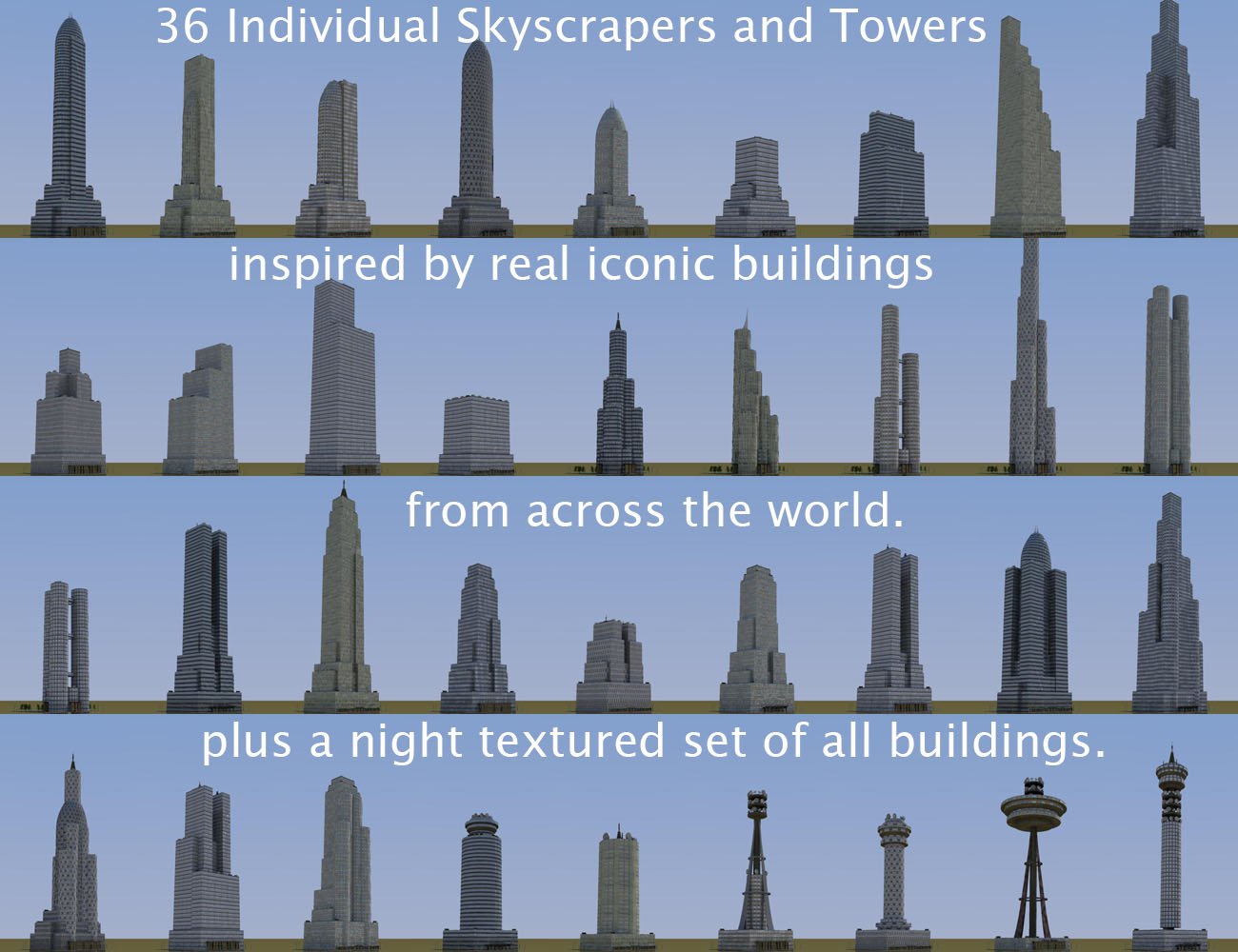
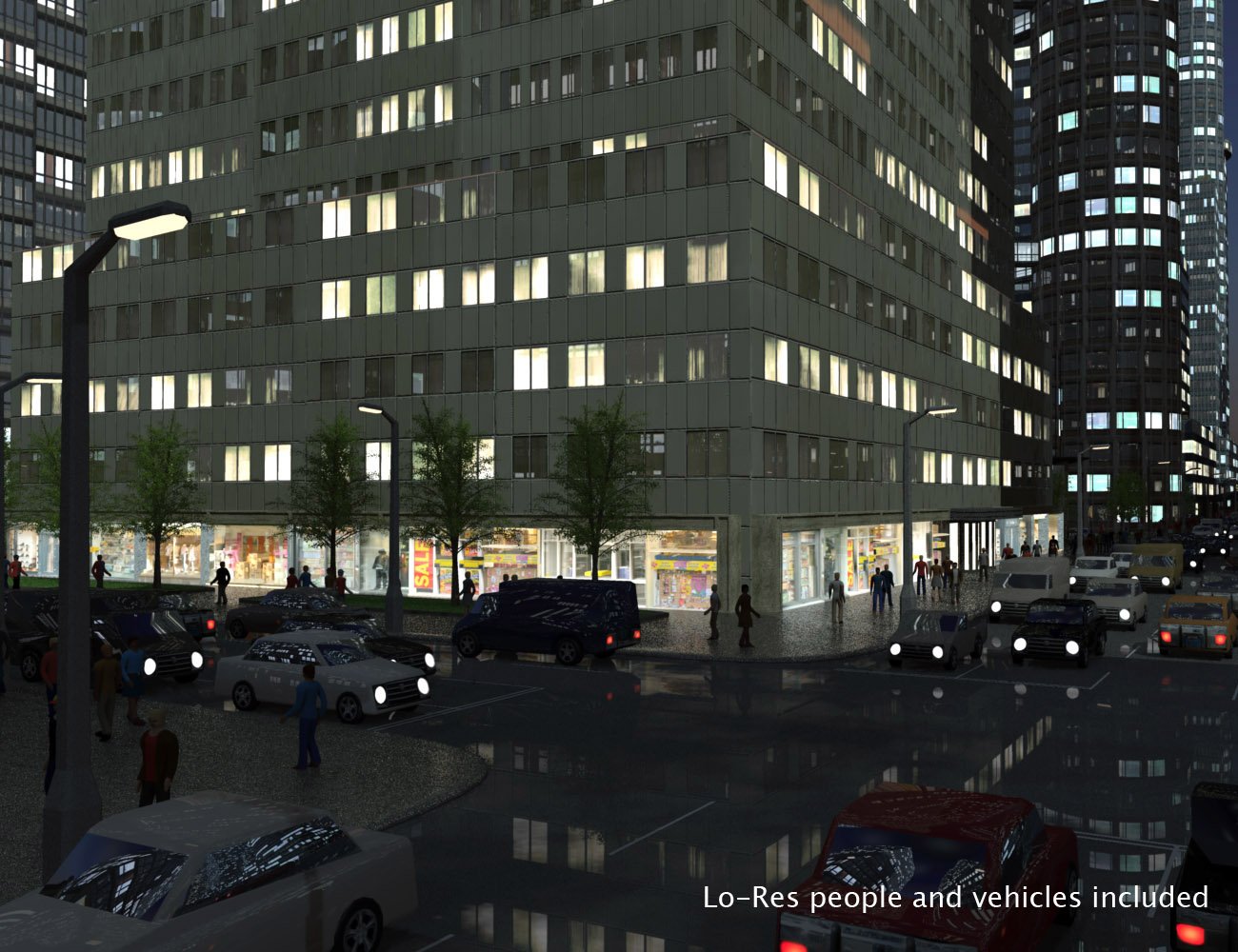
But at the height of it all is the picturesque excellence of one helluva fine Carrara product: Central Business District for Carrara!
 Jada 8.1 discussion - the rollerskating "undercover civilian" with bright clothing
PixelSploiting said:
benniewoodell said:
Is anyone else not seeing the three translusency settings? It says on the product page that there are three and I only have the maps, normals, and SSS settings (and the stuff like eyes and makeup). I've installed it now through DIM, Central, and manually from the zips on the product page. Just wondering if I'm alone in this as it would somehow be a user error then instead of a Daz issue. Sure, I can go and change the translucency in the settings but it's nice to have the button as well.
I had to change translucency settings in the surface tab. No buttons in the pack. Installed through DIM.
Okay, thanks for letting me know that it's not a user error on my end lol. I'll put in a ticket later today but I'll just keep putzing around with the settings in the surface tab until/if it gets worked out. Thanks!
Jada 8.1 discussion - the rollerskating "undercover civilian" with bright clothingbenniewoodell said:
Is anyone else not seeing the three translusency settings? It says on the product page that there are three and I only have the maps, normals, and SSS settings (and the stuff like eyes and makeup). I've installed it now through DIM, Central, and manually from the zips on the product page. Just wondering if I'm alone in this as it would somehow be a user error then instead of a Daz issue. Sure, I can go and change the translucency in the settings but it's nice to have the button as well.
I had to change translucency settings in the surface tab. No buttons in the pack. Installed through DIM.
Jada 8.1 discussion - the rollerskating "undercover civilian" with bright clothingIs anyone else not seeing the three translusency settings? It says on the product page that there are three and I only have the maps, normals, and SSS settings (and the stuff like eyes and makeup). I've installed it now through DIM, Central, and manually from the zips on the product page. Just wondering if I'm alone in this as it would somehow be a user error then instead of a Daz issue. Sure, I can go and change the translucency in the settings but it's nice to have the button as well.
Can't find Genesis 8 Female Body MorphsI just bought a base model pack called Genesis 8 Female Body Morphs today
but when ever i tried to open the product in Daz central, it always come up with this message "could not find the "42073" product.
I tried to install with both manual and install manager ways but none of it worked
My Daz version is 4.15pro
please help me
[Released] Content Wizard [Commercial]AnEye4Art said:
Mark_e593e0a5 said:
AnEye4Art said:
I keep getting the following error: Unzipping the product file(s) failed. Please check the log.
18:46:11 GMT-0500 (Central Daylight Time): Analyzing Product...
18:46:11 GMT-0500 (Central Daylight Time): Clearing Working Directory...
18:46:11 GMT-0500 (Central Daylight Time): ...Success
18:46:11 GMT-0500 (Central Daylight Time): Extracting files from C:\Users\creat\Downloads\149376 Destroyed Police Car DS\Destroyed_Police_Car_DS_PAMAWO_284117.zip...
18:46:11 GMT-0500 (Central Daylight Time): ...ERROR extracting files
18:46:11 GMT-0500 (Central Daylight Time): Analysis Complete.
You will get this with almost every set from that artist. It is the way the files are zipped. I solved that by opening the zip with your favorite zip utility, then re-saved it (without any changes). This fixed the issue.
Maybe it's this particular product because I tried everything and I still can't get it to install.
If you are getting the "..ERROR extracting files" error, you need to re-zip. However, you could be getting other errors in installation so please post the log for that.
[Released] Content Wizard [Commercial]Mark_e593e0a5 said:
AnEye4Art said:
I keep getting the following error: Unzipping the product file(s) failed. Please check the log.
18:46:11 GMT-0500 (Central Daylight Time): Analyzing Product...
18:46:11 GMT-0500 (Central Daylight Time): Clearing Working Directory...
18:46:11 GMT-0500 (Central Daylight Time): ...Success
18:46:11 GMT-0500 (Central Daylight Time): Extracting files from C:\Users\creat\Downloads\149376 Destroyed Police Car DS\Destroyed_Police_Car_DS_PAMAWO_284117.zip...
18:46:11 GMT-0500 (Central Daylight Time): ...ERROR extracting files
18:46:11 GMT-0500 (Central Daylight Time): Analysis Complete.
You will get this with almost every set from that artist. It is the way the files are zipped. I solved that by opening the zip with your favorite zip utility, then re-saved it (without any changes). This fixed the issue.
Maybe it's this particular product because I tried everything and I still can't get it to install.
[Released] Content Wizard [Commercial]Mark_e593e0a5 said:
AnEye4Art said:
I keep getting the following error: Unzipping the product file(s) failed. Please check the log.
18:46:11 GMT-0500 (Central Daylight Time): Analyzing Product...
18:46:11 GMT-0500 (Central Daylight Time): Clearing Working Directory...
18:46:11 GMT-0500 (Central Daylight Time): ...Success
18:46:11 GMT-0500 (Central Daylight Time): Extracting files from C:\Users\creat\Downloads\149376 Destroyed Police Car DS\Destroyed_Police_Car_DS_PAMAWO_284117.zip...
18:46:11 GMT-0500 (Central Daylight Time): ...ERROR extracting files
18:46:11 GMT-0500 (Central Daylight Time): Analysis Complete.
You will get this with almost every set from that artist. It is the way the files are zipped. I solved that by opening the zip with your favorite zip utility, then re-saved it (without any changes). This fixed the issue.
What @Mark_e593e0a5 said
 There are some zip files that are compressed in a way that the Daz Studio zip utility cannot read. Re-zipping them will fix it.[Released] Content Wizard [Commercial]
Mark_e593e0a5 said:
AnEye4Art said:
I keep getting the following error: Unzipping the product file(s) failed. Please check the log.
18:46:11 GMT-0500 (Central Daylight Time): Analyzing Product...
18:46:11 GMT-0500 (Central Daylight Time): Clearing Working Directory...
18:46:11 GMT-0500 (Central Daylight Time): ...Success
18:46:11 GMT-0500 (Central Daylight Time): Extracting files from C:\Users\creat\Downloads\149376 Destroyed Police Car DS\Destroyed_Police_Car_DS_PAMAWO_284117.zip...
18:46:11 GMT-0500 (Central Daylight Time): ...ERROR extracting files
18:46:11 GMT-0500 (Central Daylight Time): Analysis Complete.
You will get this with almost every set from that artist. It is the way the files are zipped. I solved that by opening the zip with your favorite zip utility, then re-saved it (without any changes). This fixed the issue.
What @Mark_e593e0a5 said
There are some zip files that are compressed in a way that the Daz Studio zip utility cannot read. Re-zipping them will fix it.[Released] Content Wizard [Commercial]AnEye4Art said:
I keep getting the following error: Unzipping the product file(s) failed. Please check the log.
18:46:11 GMT-0500 (Central Daylight Time): Analyzing Product...
18:46:11 GMT-0500 (Central Daylight Time): Clearing Working Directory...
18:46:11 GMT-0500 (Central Daylight Time): ...Success
18:46:11 GMT-0500 (Central Daylight Time): Extracting files from C:\Users\creat\Downloads\149376 Destroyed Police Car DS\Destroyed_Police_Car_DS_PAMAWO_284117.zip...
18:46:11 GMT-0500 (Central Daylight Time): ...ERROR extracting files
18:46:11 GMT-0500 (Central Daylight Time): Analysis Complete.
You will get this with almost every set from that artist. It is the way the files are zipped. I solved that by opening the zip with your favorite zip utility, then re-saved it (without any changes). This fixed the issue.
Daz Studio programme bogging down....been experiencing increasing lag with the Daz programme. My content library is on a different drive than the main programme but that never seemed to be an issue before. However, I've been noticing performance issues that I have never seen before. For the last month or so even simple operations have been getting lagging. For example, when opening a folder in the content tree, there will be a short lag before it opens and at times I'll get a swirly for a while before I can proceed This also occurs even when scrolling through a listing fo a particular item, such as shaders. The drive for my content library and runtimes is still fairly new so that shouldn't be the cause.
I don't use Smart Content, and have never experienced this behaviour before even back in the day when I was still working on a 32 bit notebook.
Other programmes and my browser don't experience the same performance lags, just Daz.
Still running 4.12.0.47 Beta which has been stable as a rock for me until this began. I shouldn't be connected to the Daz site (which is about the only explanation that would make sense) as I don't use Daz Central, Connect, or the Iray server.. Whne I'm working, I also close down Chrome as well as any other programmes, and set my AV to "invivible mode", so none of that should be inpacting the performance.
[On Sale NOW!] Forest River Bridge [Commercial]Looks quite remarkable.
And also like a marvellous re-interpretation of the beautiful 'Palladian Bridge' at Stowe Gardens in England. Loved the real thing when I visited a few years ago.
The only comment I have is that it's unusual in my experience to see an odd number of pillars. I will admit I had not conciously noticed it myself until seeing the bridge model, only it felt a little different from what I was used to, which made me do a little digging to find out why it felt different. In all the Palladian structures I have seen (and going to great houses is something my wife & I did a fair bit before Covid), there tend to be an odd number of large elements. In the case of your bridge, the odd number of arches with pillars above form the large elements. Then each large element is further sub-divided into a more human scale into an odd number of bays, meaning that a bay tends to be at the centre of each large element. This is actually shown in Stowe's Palladian Bridge below, with a single round topped arch being the centre of the end elements of the bridge and a single bay between pillars being the centre of the central large element. The idea of odd number of elements and odd number of bays is repeated in the front of Stowe House (Palladian), the Trevi Fountain (Baroque) and the Pavillion Sully at the Louvre (Roccoco), all of which are classic examples of their Palladian derived style. Your bridge is just different, I am not making a criticism - I'm only an engineer and am certainly not qualified in any way to do anything other than comment on architecture.

It is on my wishlist - not able to get it at the moment due to having overspent last month
 .
.Regards,
Richard.
[Released] Content Wizard [Commercial]I keep getting the following error: Unzipping the product file(s) failed. Please check the log.
18:46:11 GMT-0500 (Central Daylight Time): Analyzing Product...
18:46:11 GMT-0500 (Central Daylight Time): Clearing Working Directory...
18:46:11 GMT-0500 (Central Daylight Time): ...Success
18:46:11 GMT-0500 (Central Daylight Time): Extracting files from C:\Users\creat\Downloads\149376 Destroyed Police Car DS\Destroyed_Police_Car_DS_PAMAWO_284117.zip...
18:46:11 GMT-0500 (Central Daylight Time): ...ERROR extracting files
18:46:11 GMT-0500 (Central Daylight Time): Analysis Complete.
How do you get powerpose to work with victoria 8.1 facial posing?vozolgant said:
PerttiA, thanks for that link, I downloaded the powerpose templates for Genesis 8.1F, I didn't know we had to do that.
I don't understand the point of FACS or PowerPose for the face? All it does is move the flesh around on the face, what is the purpose of Powerpose / FACS? To make what?
Is there a video of someone using FACS or PowerPose to actually create something that can be used for Genesis 8.1's face?
They should have appeared in the "smart" installer (DIM/DAZ Central/DAZ Connect) you are using when G8.1 was released, but it's not the first time I have had doubts about their functionality... I use manual installation only.
How do you get powerpose to work with victoria 8.1 facial posing?benniewoodell said:
PerttiA said:
PowerPose works fine with G8.1 on DS 4.15, exactly like it does with G8
Where is your content installed, whole path starting with the drive letter. In how many locations is your content installed and by which methods, DIM, DAZ Central and/or DAZ Connect within DS itself ("Smart" Content)?
Does your power pose work for the face rig? It works for the rest of the body just fine but unless they changed it since 8.1 was released, the face is not supported anymore.
And good to know about the sliders, I gave up with trying the FACS system because it constantly crashed Daz. I'll give that a try.
Works exactly the same as it does with G8, lots of dots on the face, but I do not trust any "smart" or dumb installers to put stuff in their proper locations.
How do you get powerpose to work with victoria 8.1 facial posing?PerttiA said:
PowerPose works fine with G8.1 on DS 4.15, exactly like it does with G8
Where is your content installed, whole path starting with the drive letter. In how many locations is your content installed and by which methods, DIM, DAZ Central and/or DAZ Connect within DS itself ("Smart" Content)?
Does your power pose work for the face rig? It works for the rest of the body just fine but unless they changed it since 8.1 was released, the face is not supported anymore.
And good to know about the sliders, I gave up with trying the FACS system because it constantly crashed Daz. I'll give that a try.
How do you get powerpose to work with victoria 8.1 facial posing?PowerPose works fine with G8.1 on DS 4.15, exactly like it does with G8
Where is your content installed, whole path starting with the drive letter. In how many locations is your content installed and by which methods, DIM, DAZ Central and/or DAZ Connect within DS itself ("Smart" Content)?
Can't find/install face transfer unlimitedYour product library offers two install options: DAZ Central or Manual Install
postgreSQL errorsOne possible issue is if DIM/Daz Central was closed just before Daz Studio was launched - it's possible for signals to get crossed (PostgreSQL iss till running at first, from the isntaller, and so DS doesn't tell it to launch, but then it has finished closing later and isn't available); this is usually an issue the other way (close DS, launch installer) rather than in the direction you are seeing.
Daz Studio Pro BETA - version 4.15.0.30! (*UPDATED*)Geminii23 said:
DoctorJellybean said:
Geminii23 said:
So if my DIM doesn't even work on Windows 10, is there even a way for me to download this beta version? It can't be much worse than I am dealing with right now.
You can use DazCentral, but see my reply to your post.
Is there an option in DazCentral to get the beta? I don't see that anywhere.
No, Daz Central doesn't handle betas - it's designed for a simplified experience, aimed at new users, so I suppose betas might have been seen as a potential source of confusion.
Daz 3D is part of

Connect
DAZ Productions, Inc.
7533 S Center View Ct #4664
West Jordan, UT 84084Licensing Agreement | Terms of Service | Privacy Policy | EULA
© 2026 Daz Productions Inc. All Rights Reserved.