-
More Non-photorealisitic Renders (NPR II)
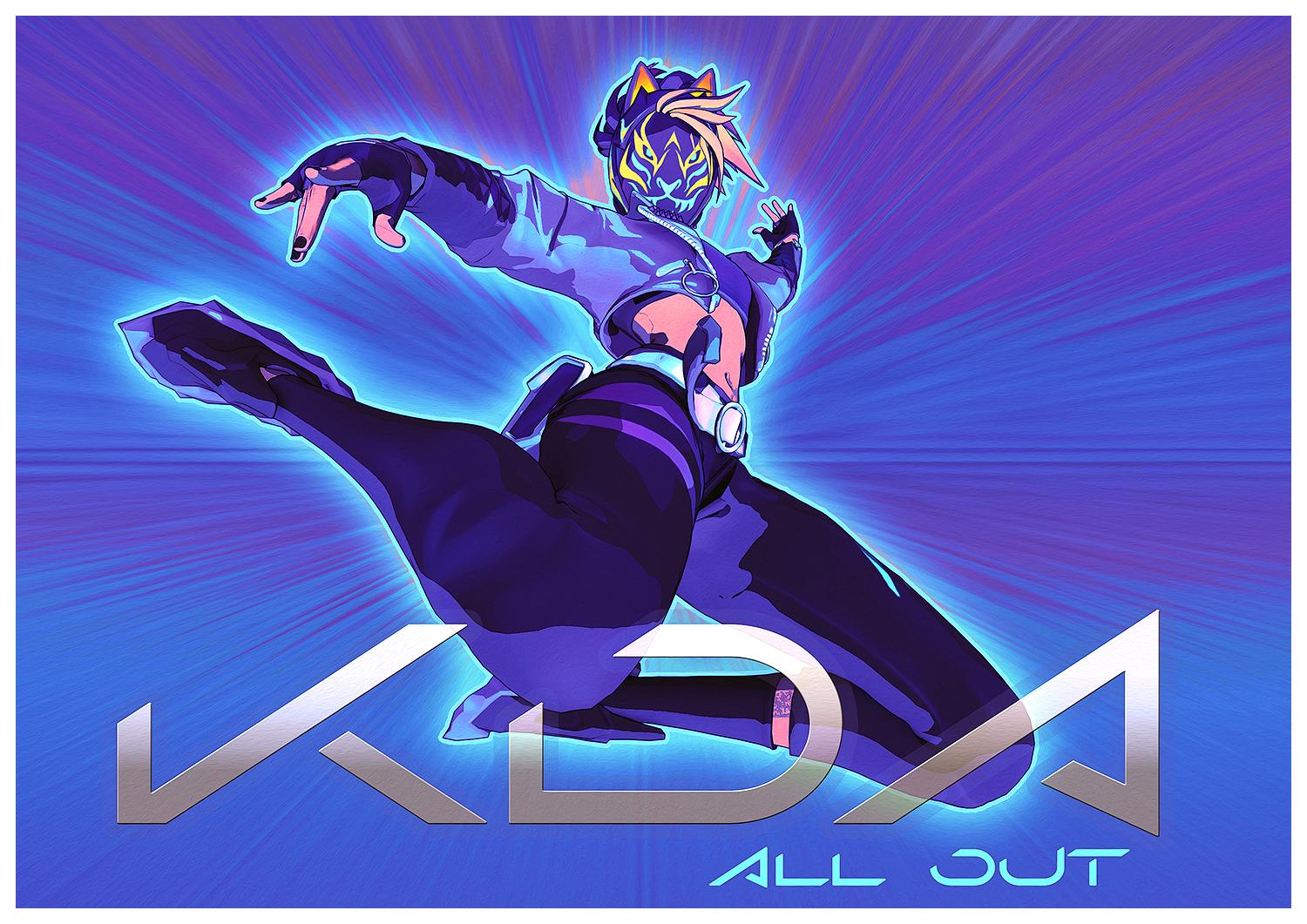
Here my quick test using my PWToon JS Multipass and Photoshop . Ignore the akward pose LOL
AoA Graphic Art CamerasWith the added attention this has been getting due to the loss of pwToon, this would be a good opportunity to confirm that the fix previously outlined in the linked videos is still applicable to at least Studio 4.12.
If you follow the procedure outlined in the videos, you will have a fully functional Engrave Camera and Halftone Camera. Before you do anything else, in the Scene tab, rename the new camera to what you want it to be when you add the new camera to a scene (i.e., AoA Engrave Camera_Rev2, AoA Engrave Camera_Beta, AoA Engrave Camera_2, etc.). You can save the resulting camera as a camera preset and be done with it, but camera presets have a few caveats. By default, it will replace any existing cameras unless you intervene by pressing the CTRL key when loading one to get the Preset Load Options dialog to choose how you want to load it. Even if you set your preferred action, you have to remember to press the SHIFT key when you want to apply one. (Maybe saving as a Scene Subset will avoid that problem).
To get the same functionality as the original camera (i.e., load as many as you want without having to take special measures), you need to save it as a Support Asset -> Figure/Prop Asset. Saving as an asset separates the camera's data and inner workings as a file in a /data folder, and leaves a stub in the folder of your choice as the file you actually see and load. Another potential advantage is that the new asset will also have whatever new functionality has been added to saved files with newer version of Studio.
You can simply replace the existing installed files by keeping whatever info is automatically filled in when replacing an existing asset, or make a new data file by following this, admittedly, long procedure. (Just trying to cover all the bases...)
When saving as a Figure/Prop Asset, a little preparation is needed to make the process easier. There are a number of filenames and paths to consider before being confronted with the Asset Save Options dialog. The original path for the data file is: "/data/Age of Armour/Graphic Art Cameras/AoA_EngraveCamera" or ".../AoA_HalftoneCamera". The names you choose for the various entries will affect the path where the new data file is saved.
The Asset Directory is where the /data file is to go. You can set it to the main library, or change it to a safe, empty test library if you are afraid of messing up the main one. You can always move the finished product once you are satisfied with the changes. You don't need to specify more than the root folder of the library, all the rest of the path will be automatically generated.
Vendor Name: it would be respectful to use the original vendors' name (Age of Armour), since you aren't really creating a new product. This is also the name that will be used in the path for the data file, so if you want to store the new camera data in the same folder as the original, use the same name as that used in the installed product. Don't worry about the root folder being different for now, all that counts is the relative placement of the files.
Product Name: Again, if you want to store the data in the same folder as the original, use the same name as in the path for the installed product (Graphic Art Cameras). You can use any name you want, but you can't easily change it after because that path is used in the saved data file and the user-facing file that will be created.
Item Name: Here you might want to use a different name to distinguish the modified version from the original. You don't have to, but if you re-install the original, you will probably overwrite your modifications. By giving it a different name, it will create a different folder for the data file. Following the example of the original camera, call it AoA_EngraveCameraRev2, or AoA_EngraveCameraBeta, or AoA_EngraveCamera_2, or whatever catches your fancy. Note that this is not the same as the Scene name. Having them all the same will lead to confusion later. (I remove the spaces to make it similar without losing track of it).
Metadata: You can add it now, or later. Category should be Default/Cameras. Since you are creating a new asset, it should be added as a new Sub-Compatibility Base to the existing "Graphic Art Cameras" base. Click the ellipsis to the right, and wait for the database to load up. Scroll to, or search for, "Graphic Art Cameras". Right-click on it and select "Add New Sub-Compatibility Base". The name you add here will be the one that you will use when you want to add Compatibilities to the camera properties presets for smart content (a separate task)
Try out your new cameras to see if they work. Make sure you have some lights in the scene, or turn on the camera's headlamp, which has it's own control in the Cameras tab. The Render Settings Auto Headlamp can also be used if there are no scene lights.Now, if you used a working folder to save the data file (.dsf), you can copy it to the corresponding folder in the main library (i.e., "/data/Age of Armour/Graphic Art Cameras/AoA_EngraveCamera" or ".../AoA_HalftoneCamera") or if you used a different data folder for the Item Name, copy the folder into the appropriate parent folder. Move your original modifications to a safe place as a backup (not in a mapped folder, you want to use the main library now). You might need to purge memory, or restart Studio to ensure the current path for the new data files is used.
And that should be about it. Of course, it would be easier with that script to replace those mysterious 8 bytes, but I don't know which 8 bytes to replace.
Welcome to Hatsune Miku Anime Manga Cafe ☕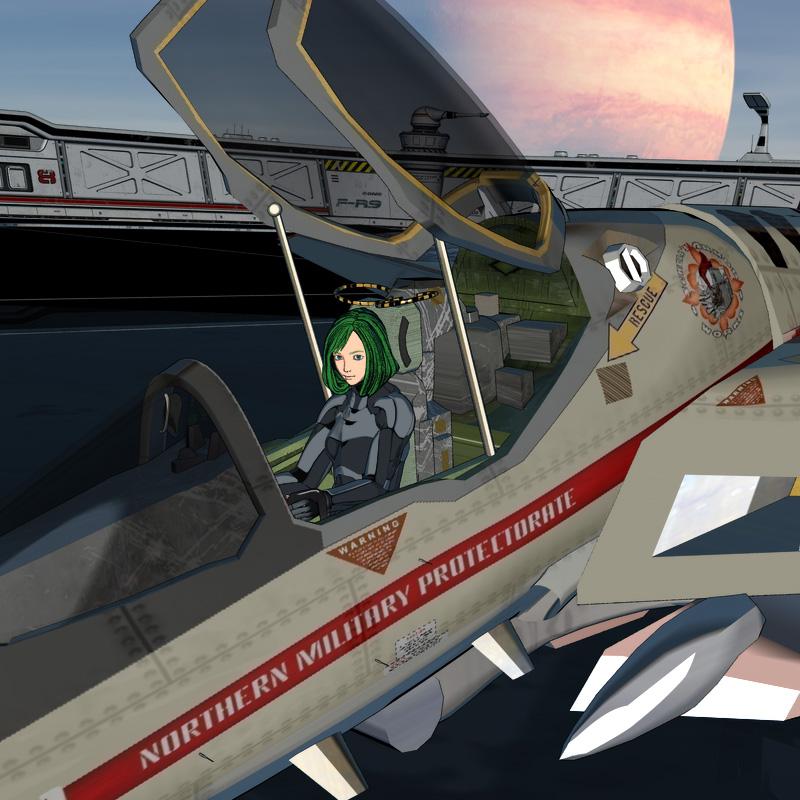
Testing the cel animation style shading.
This image was rendered using "pwToon SKU:7253" and 3Delight.Welcome to Hatsune Miku Anime Manga Cafe ☕make the movie slow is too fast but is good put some music also.
Space Jingoroh said:

Flight_maneuver Test01.mp4 Movie
This Movie was rendered using "pwToon SKU:7253" and 3Delight.what happened to pwtoon?NorthOf45 said:
There are a few:
Visual Style Shaders,
Manga Style Shaders,
Sketchy - Toon Edge and Art Style Shaders for Iray,
Oso Toon Shader for IrayThose are lovely NPR shaders. I'll favorite them and wait for a sale. Hopefully I'll have the cash for them. Looks like PWtoon paved the way for non photorealistic rendering shaders
what happened to pwtoon?Taoz said:
I think yours looks pretty good. Just tried to install pwToon and it does seem to work fine yes (Cookie render). I also tried ToonyCam Pro which I had problems with in DS a few years ago (product page says DS 4.9), so didn't expect it to work in DS 4.15, but it actually does, at least with the settings I tried. I do get an error message when rendering but it doesn't seem to cause any problems, Hitomi looks OK AFAICS. Is Zeep a 3D model you have made, or is it hand drawn? Looks like it's slowly starting to evolve into a catlike creature. :)
I made the 3d model of Zeep myself but the webcomic has been hand drawn with the model a reference until the last page. My time has become shorter and shorter with all the stuff I have to do and things that I am doing that I went full 3d. I still touch up and draw the textures in illustrator and photoshop but as I said, time is short so it's easier to just pose and morph 3d characters
what happened to pwtoon?Xade said:
I don't know, I'll see about contacting Daz and asking. It's an awesome NPR (Non-Photorealistic Render) engine and even beats blender hands down. I have made a simple one but it doesn't support shadows. Like PWtoon, it doesn't like normals, bump or displacement maps. here's a quick little render of mine within Blender. See the difference? And that's after touch up. I can't wait to see Zeep within Daz with pwtoon. it's going to be so awesome!

I think yours looks pretty good. Just tried to install pwToon and it does seem to work fine yes (Cookie render). I also tried ToonyCam Pro which I had problems with in DS a few years ago (product page says DS 4.9), so didn't expect it to work in DS 4.15, but it actually does, at least with the settings I tried. I do get an error message when rendering but it doesn't seem to cause any problems, Hitomi looks OK AFAICS. Is Zeep a 3D model you have made, or is it hand drawn? Looks like it's slowly starting to evolve into a catlike creature. :)
Welcome to Hatsune Miku Anime Manga Cafe ☕tkdrobert said:
Space Jingoroh said:
Flight_maneuver Test01.mp4 Movie
This Movie was rendered using "pwToon SKU:7253" and 3Delight.Nice. Very cool.
Thank you.
I'm trying to use Daz Studio to do cell shading like the Japanese animation rules, but it's very difficult.what happened to pwtoon?I don't know, I'll see about contacting Daz and asking. It's an awesome NPR (Non-Photorealistic Render) engine and even beats blender hands down. I have made a simple one but it doesn't support shadows. Like PWtoon, it doesn't like normals, bump or displacement maps. here's a quick little render of mine within Blender. See the difference? And that's after touch up. I can't wait to see Zeep within Daz with pwtoon. it's going to be so awesome!
Welcome to Hatsune Miku Anime Manga Cafe ☕Space Jingoroh said:
Flight_maneuver Test01.mp4 Movie
This Movie was rendered using "pwToon SKU:7253" and 3Delight.Nice. Very cool.
Welcome to Hatsune Miku Anime Manga Cafe ☕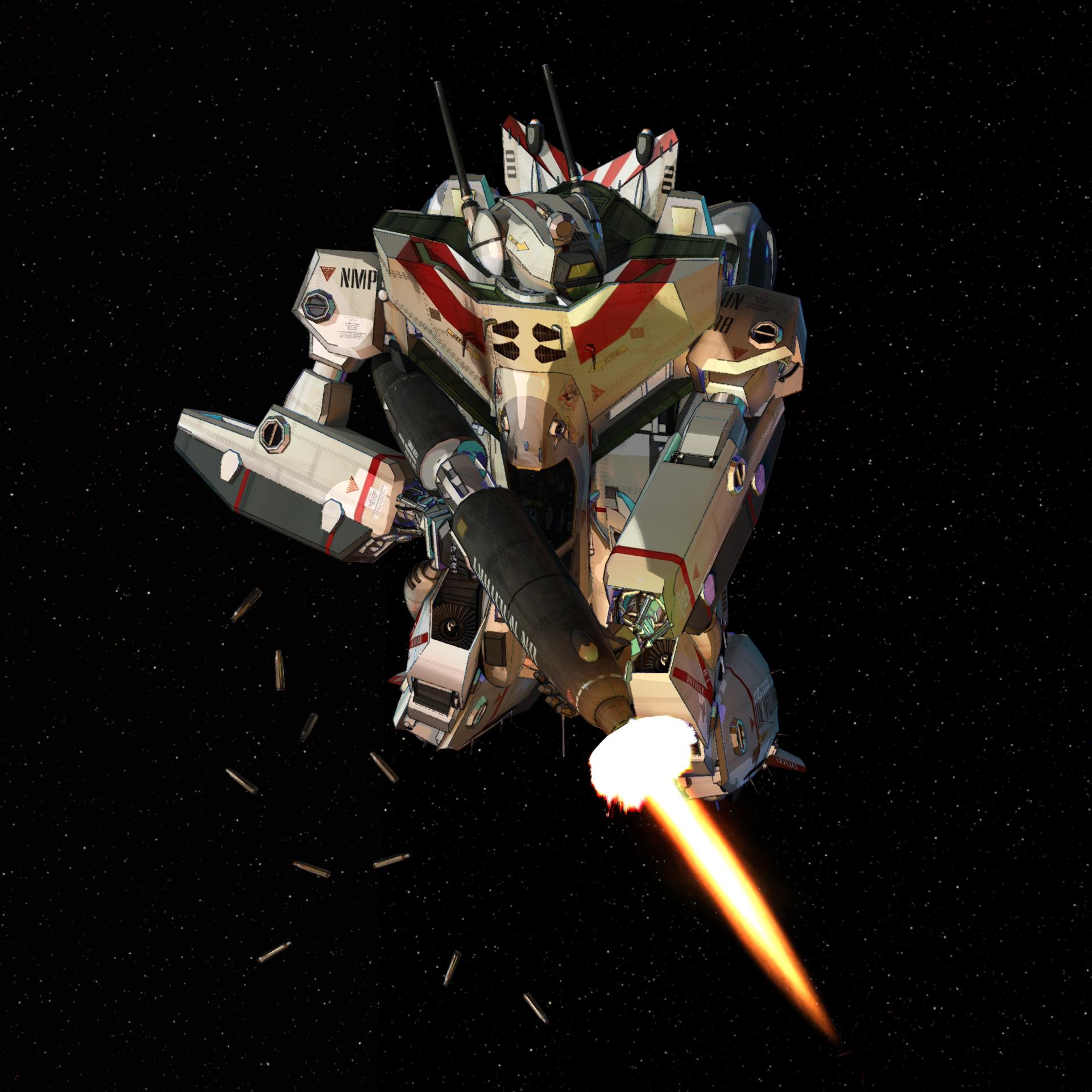
Flight_maneuver Test01.mp4 Movie
This Movie was rendered using "pwToon SKU:7253" and 3Delight.what happened to pwtoon?Xade said:
Taoz said:
Well it could be that they have removed PWToon for some reason (does it work in the latest DS version?), and then forgot to update the promos.
It works, once I installed it from the install manager, which I accidentally had filtered the plugins out, I was able to use it flawlessly

My finished test render to make sure I still had it. I could still fiddle with it but I have a couple of pages to do of Growlution before I can start figuring out how to get my comic characters into Daz.
Thanks, looks good. Used it myself a bit some years ago, maybe it's time to dust it off and play with it (and 3DL) again. Wonder why they've removed it since it still works.
what happened to pwtoon?Taoz said:
Well it could be that they have removed PWToon for some reason (does it work in the latest DS version?), and then forgot to update the promos.
It works, once I installed it from the install manager, which I accidentally had filtered the plugins out, I was able to use it flawlessly
My finished test render to make sure I still had it. I could still fiddle with it but I have a couple of pages to do of Growlution before I can start figuring out how to get my comic characters into Daz.
what happened to pwtoon?Xade said:
pwtoon should be included, the smiley face proves it.
Well it could be that they have removed PWToon for some reason (does it work in the latest DS version?), and then forgot to update the promos.
what happened to pwtoon?pwtoon should be included, the smiley face proves it. At one time it was in the store, but if you search for pwtoon all you get is linerender9000, which I do own but I don't like it, there's too much to do in order to have a good result, including compositing the image with photoshop. Yes, it's just duplicating the layer over but getting to that point is something else. But it is strange that PWToon is awol, which prompted me to create this post. Though it's possible that I will do that in the future, id rather stick to pwtoon for now.
what happened to pwtoon?The bundle page is misleading since the last promo (and part of the main promo) is for PWToon which isn't included.
what happened to pwtoon?AlmightyQUEST said:
I thought it was no longer an individual item, but was in a bundle. The bundle is in the store and clearly has a PWToon promo image, but it's no longer listed in the bundle items. Might be worth filing a ticket and asking about the bundle https://www.daz3d.com/pw-shaders-bundle .I was gone for a few years and in that time the vendor seemed to have closed up shop. Never was sure what had happened... It would be a shame to lose the shader.I'd forgotten about the bundle. I bought all the items separately during a sale when the individual items were dirt cheap. I don't remember if pwtoon was originally in the bundle or not.
3d Delight isnt working the way I remember itediting to insert images
I'm using pwtoon, and if memory serves it's a 3d delight render engine but when I set up a very basic scene in pwtoon with a few cell shaders from a third party but now it renders like crap. this is the current render of a scene I whipped up. Edit, the lines are messed up and not there.is there a way to get them back?
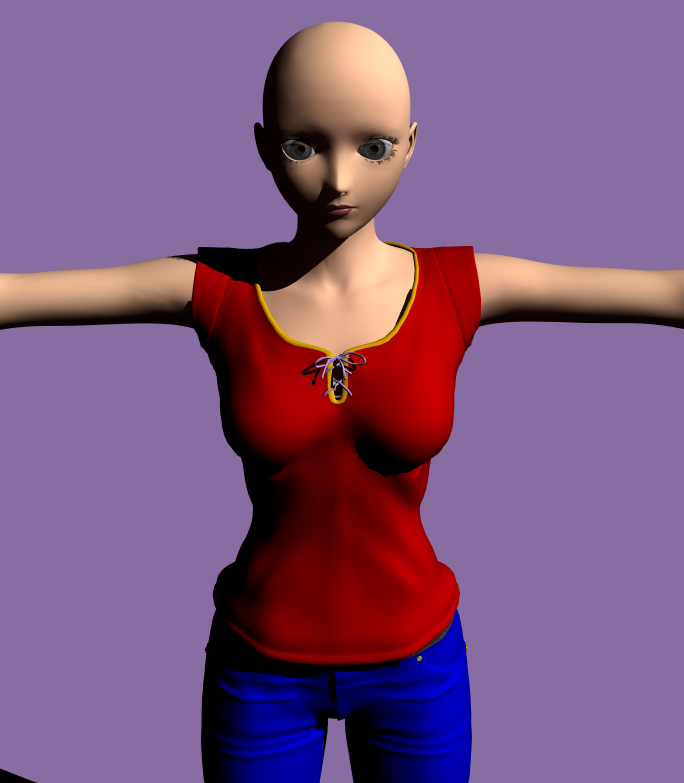
This is the iray render
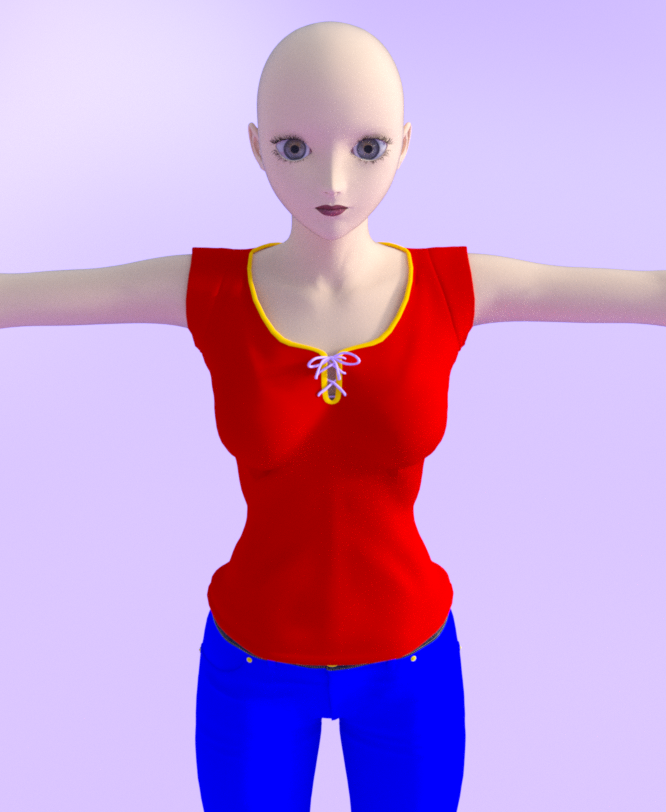
And finally, an image from my old comic Insanity of Xade, which is a 3d delight render
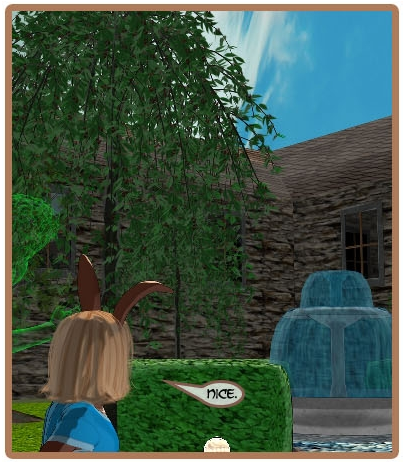
SO, what happened over the years?
what happened to pwtoon?If you bought the bundle a while ago while pwToon was still available, it should still be a separate item in your Product Library, even if it doesn't show in the bundle itself anymore. That's what I see...
ETA: OK. Should have read that last one more closely...
what happened to pwtoon?I thought it was no longer an individual item, but was in a bundle. The bundle is in the store and clearly has a PWToon promo image, but it's no longer listed in the bundle items. Might be worth filing a ticket and asking about the bundle https://www.daz3d.com/pw-shaders-bundle . I was gone for a few years and in that time the vendor seemed to have closed up shop. Never was sure what had happened... It would be a shame to lose the shader.Daz 3D is part of

Connect
DAZ Productions, Inc.
7533 S Center View Ct #4664
West Jordan, UT 84084Licensing Agreement | Terms of Service | Privacy Policy | EULA
© 2026 Daz Productions Inc. All Rights Reserved.