-
Characters and Hair ID
I just heard back from lilflame! Apparently it's RY Caprice for the texture - now I'm off to spin some morph dials and try to replicate the shape.
Help ID'ing a skin texture, please!I just heard back from lilflame! Apparently it's RY Caprice for the texture - now I'm off to spin some morph dials and try to replicate the shape.
Celebrity Look-a-Likes for 3D figures Part 2I purchased the Vixen hair for Genesis 3 pretty recently, and it looks reminiscent of Cher. I am wondering if there is a face morph depicting or bearing close resemblence to Cher?
Darwins' Schtuff Pt DeuxThanks!
I think I'm gonna tweak the brow area a bit more, but for the most part I think the facial morph is done.
DAZ Studio 4.12 ... Face creation abilities????Hello,
will Face transfer tool be able to generate more textures then just Base?
Or what would you recommend to make Normal and Specular maps for use in game engine (Unity)? I try to make my life as easy as possible in terms of graphics, as working solo and being more programmer then graphic.
[Released! HD Face Burns for G8F + Add-On] FenixPhoenix's Commercial ProductsThank you for making the same wound on both sides.
Very annoying when you don't get a choice.
Also, would love to see what you can do with blood.
Good to see people of color.
And, and...maybe stitches for another product idea. Wounds that were sewed shut and a variation with staples.
Good stuff.
You know, I was just thinking how cool it would be to have some stapled scars.
Also, as for additional feedback, I much prefer the actual morph version of the scars rather than the map version. Dialing in the morph to ~20% gives that nice looking scar without it look weirdly fake. Big thanks for going the morph route.
How do I transfer custom morphs from one G8F to another G8F? (solved)How do I transfer custom morphs from one G8F to another G8F?
I don't want the morphs to become permanent, where they become available to every G8F character. I just need to transfer custom made morphs from one G8F to another. How can I do this?
Might seem like a silly question, but what's the big deal against having a morph available for use with every G8F?
These morphs are unique to this G8F and would never be used on other G8F's, so making them available to all G8F is wasteful and will clutter an already long list of morphs.
Are you wanting to combine custim morphs from two figures? Otherwise just zero the shape/reset the mps and save a Character preset (e.g. "Genesis 8 Female + MorphName) abnd use that to load a new figure when needed (not to modify a selected Genesis 8 Female). If you do want to amalgamate two morphs from different figues I think your ptions are reimport the OBJ and rebuild, save as an asset, or probably use a script (which would need to be written).
I have one G8F that I sent to Zbrush via Goz. I made modifications and GOZ'ed back to DAZ, and now I have custom morphs like this:
Genesis 8 Female
- Actor
- Pose Controls
- Morphs
- Zbrush
- - - Legs Wider
- - - Arms Bigger
- - - Wrists Modification
I want to copy the morphs: Legs Wider, Arms Bigger, and Wrists Modification to another G8F. I was hoping there was a simple copy and paste function or some kind of morph transfer utility.@Flortale Also consider that combining morphs to a new one may affect jcms. That is, the old morphs may have jcms to fit them that the new one will not have. This is also why it is always better to use presets.
I don't need to combine them, just transfer each individual custom morph to a new G8F.
[Released] Content Wizard [Commercial]Just curious River if the tool also has an uninstall feature to remove assets. As this bypasses the dim we can not use that tool to uninstall.
David
No, it does not have an uninstall feature. I thought about it, but when I started getting into multiple products sharing the same file and making sure I didn't break it, I decided that would be too much right now.
Maybe one of your next products could be an upgrade to DIM that adds some of the features like uninstall for non DAZ products... Hey, you could call it Smart Transfer for DIM or the STD for short.:D
Endlessly ongoing... playing cards/casino chips/coins/banknotes scatter... hiatus time (still)Thanks for the feedback !

Okay, so let me get this straight. There's a zip for Daz Studio which only provides a morphing prop, loading to appear as 3...
Correct. Just a morphing prop of a stack of chips - that's what the 'chip-stack' bit of "DS Chip-Stack Pre-Release 0.1" was intended to convey !
I think I mentioned once or twice that I create stuff in Blender and Poser, and I use Poser for creating most of my stupid pictures.
I hardly ever touch DAZ Studio. However, it was worth the extra effort of doing a DS-specific pre-release of just the chip-stack prop because linking the morph and texture to the chip-count slider works* seemlessly, whereas in Poser there's a requirement to be using parmatic....
Scattered all over the place are script files and mat presets, etc. The lovely thing with D/S4+ is that we can now put the mat files in with, or in subfolders of, the main figure or prop so everything can be in one place. The mat files do work. The stack morph works.
...
Correct. With the exception of those books, the most recent DS-native prop I created was 6 years ago, At that time it was common practice to put props in the <content directory>/props subfolder, materials in the <content directory>/materials or <content directory>/presets/materials subfolder (I never worked out which was the preferred one),etc. I used the same old-style folder structure for the books (and I don't think anybody suggested changing it).Since this is the next prop I simply continued in the tried (twice)and trusted (twice) manner.
...
oh yes, setting the number of chips just stretches the height morph. Still all one chip.
That failure of the texture vertical tiling to automatically adjust would be because either:
a) You're using iray. However, you should still see the correct number of chips in the preview pane, which I assume you don't. So I don't think this is your problem.
b) You're sliding the wrong slider. I don't think it's this. The picture clearly indicated which slider to use
c) The scripts aren't being run correctly. This is the most likely. Load the prop, and then from the DS main menu select Help >Troubleshooting > View Log File. Scroll to the bottom of the file (it'll probably be huge unless you're in the habit of clearing it manually) and you should see something like this. Note the three lines in bold red - these indicate that the scripthas run correctly (yes,I've just noticed that the text still refers to the books.That'swhy this is a pre-release):2020-02-28 09:41:10.433 DEBUG: TRACE:3DCheapskate's 'Connect_Existing_Tiling_Offset_Proxies.dsa' Script - started...
2020-02-28 09:41:10.495 DEBUG: INFO:Surface tiling offsets successfully (re)connected to their proxies. Use the 'Texture Row/Column' sliders under 'Book Adjustments' on the Parameters tab to change the book selection within the current texture map.
2020-02-28 09:41:10.495 DEBUG: TRACE:3DCheapskate's 'Connect_Existing_Tiling_Offset_Proxies.dsa' Script - completed without crashing ! Hurrah !
2020-02-28 09:41:10.495 File loaded in 0 min 1.7 sec.
2020-02-28 09:41:10.511 Loaded file: CasinoChipStack02-Step3.duf
2020-02-28 09:41:11.839 Loaded image Stack3-EdgeAligned.jpg
2020-02-28 09:41:12.272 Loaded image Casino Douteux $5 Stack3-Edge.jpg
2020-02-28 09:41:12.366 Loaded image Casino Douteux $5.jpg
2020-02-28 09:41:14.563 Ran tdlmake on image F:/3D Content/Studio/!PRE-RELEASE/Runtime/textures/3DCheapskate/TEMPORARY/Mapped/Casino Chips/Casino Douteux/Casino Douteux $5.jpg
2020-02-28 09:41:14.895 Ran tdlmake on image F:/3D Content/Studio/!PRE-RELEASE/Runtime/textures/3DCheapskate/TEMPORARY/Mapped/Casino Chips/Casino Douteux/Casino Douteux $5 Stack3-Edge.jpg
2020-02-28 09:41:14.988 Ran tdlmake on image F:/3D Content/Studio/!PRE-RELEASE/Runtime/textures/3DCheapskate/TEMPORARY/Mapped/Casino Chips/Casino Douteux/Stack3-EdgeAligned.jpg
2020-02-28 09:41:15.052 Ran tdlmake on image F:/3D Content/Studio/!PRE-RELEASE/Runtime/textures/3DCheapskate/TEMPORARY/Mapped/Casino Chips/Casino Douteux/Stack3-EdgeBump.jpg
2020-02-28 09:41:26.762 Loaded Morph Deltas in 0 min 0.0 sec.
2020-02-28 09:41:26.762 Loaded file: 13 Chip MT.dsfMy guess is that DS isn't finding the script. Probably because it's not in the expected location, which is hard-coded.
Load the prop, select it, and from the DS main menu Edit >Object > Element Data - you'll see the full path for the post load item is specified as:/Scripts/3DCheapskate/TEMPORARY/Casino Chips/Connect_Existing_Vertical_Tiles_Proxy.dsa
I'd guess that DS looks for this path/file in all its mapped DS content directories. But if you've put the script with the materials and prop...
...
Nothing for throwing them all up in the air too???
...
I refer you to the subsequent "Poser 54 Chip-Scatter Adjustable Prop Pre-Release 0.1" post,specifically the following statement:
"DAZ Studio users who understand Poser runtimes can simply load the prop from a mapped Poser runtime."
I can do a DS-native version of this too if you want. It shouldn't be difficult... (although past experience prompts caution)
*well,it should !

And it does on my machine.
And it uses the same scripting approach that I used for the books.
So we'll have to find out why it doesn't seem to work for you. Hopefully it's simply that you've not put the script in the required place.Darwins' Schtuff Pt DeuxNew head morph! Mateo- based loosely off of Enrique Iglesias.
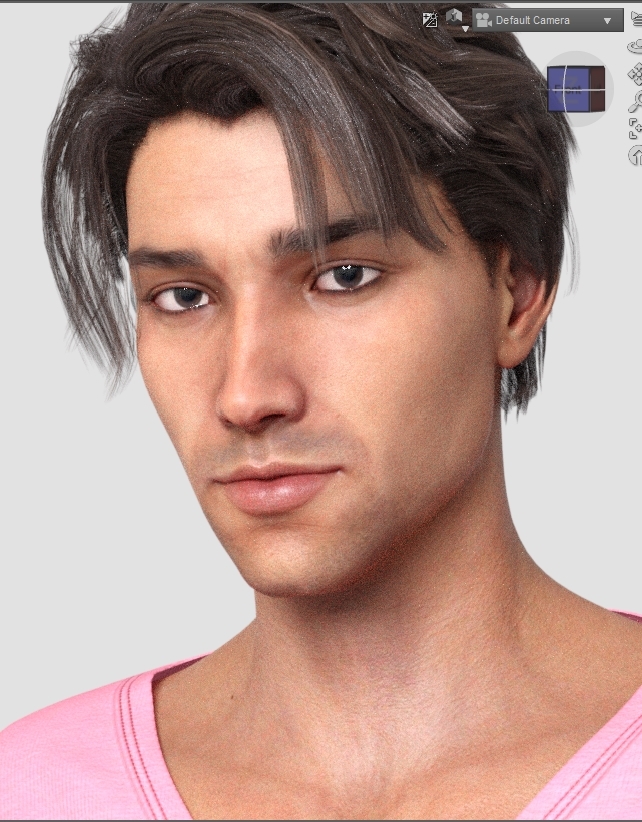
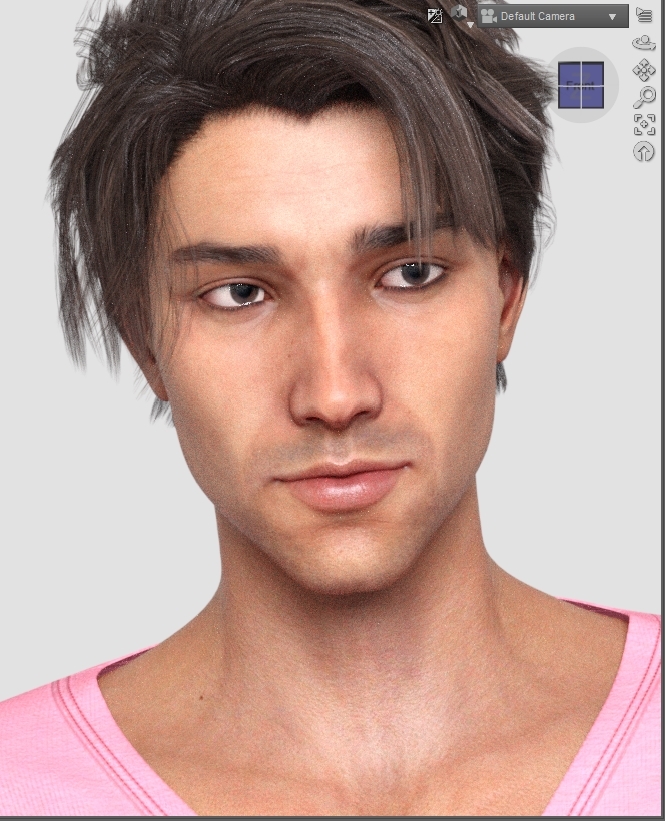
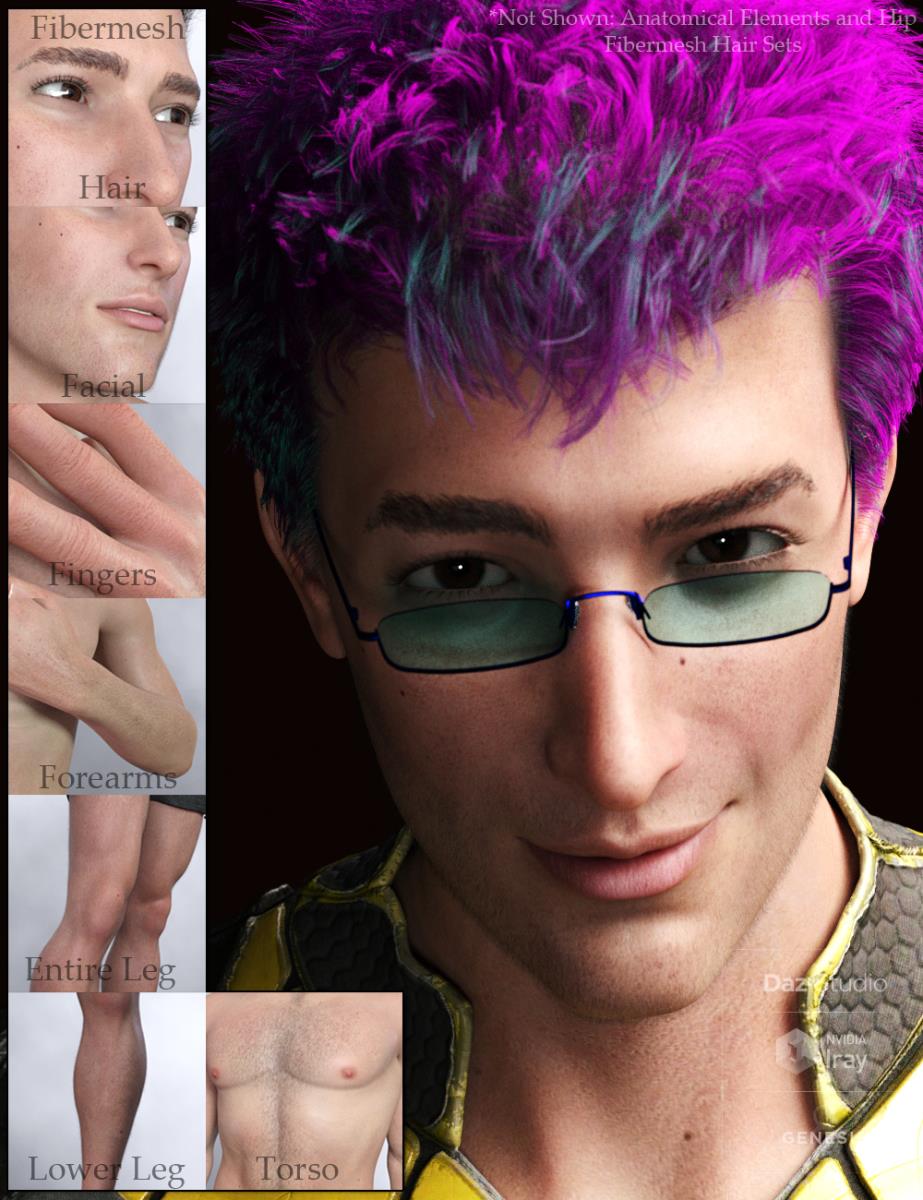
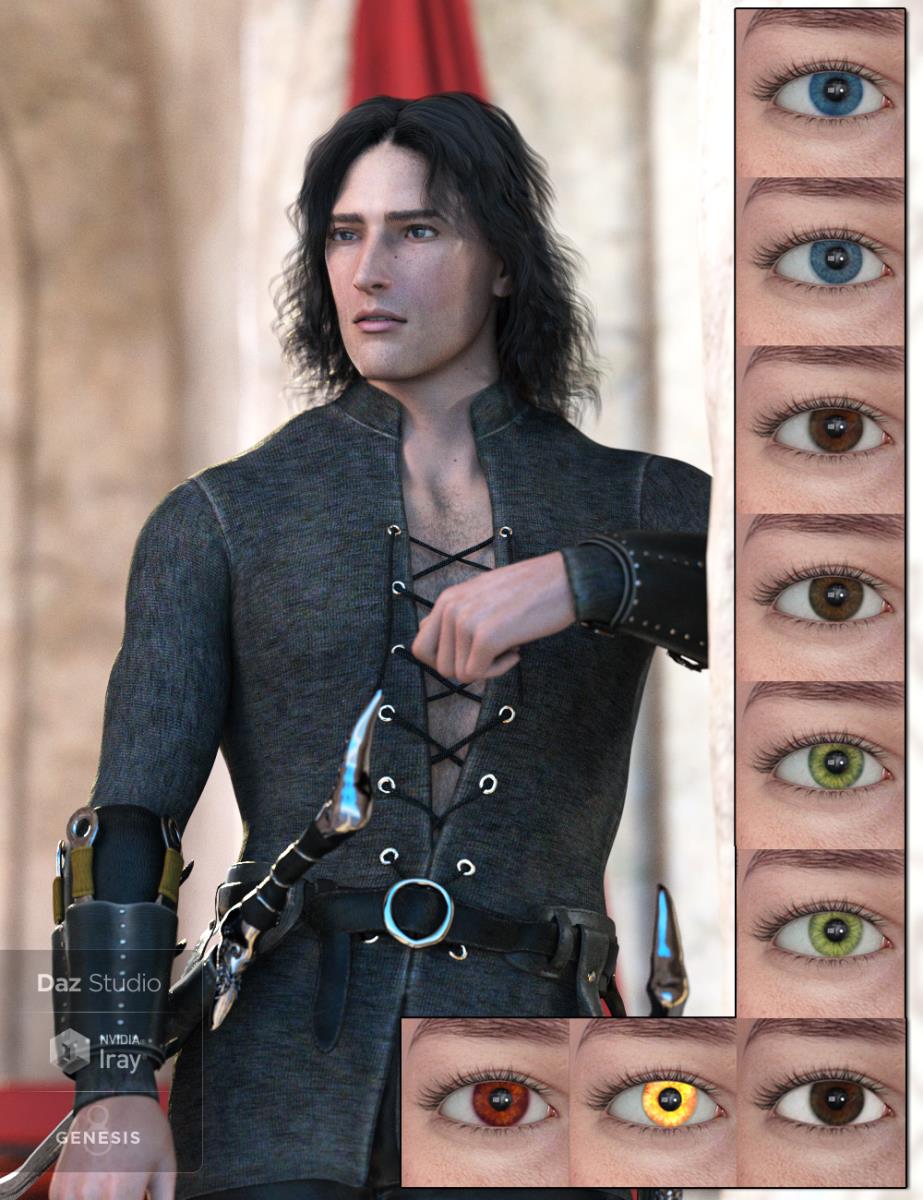
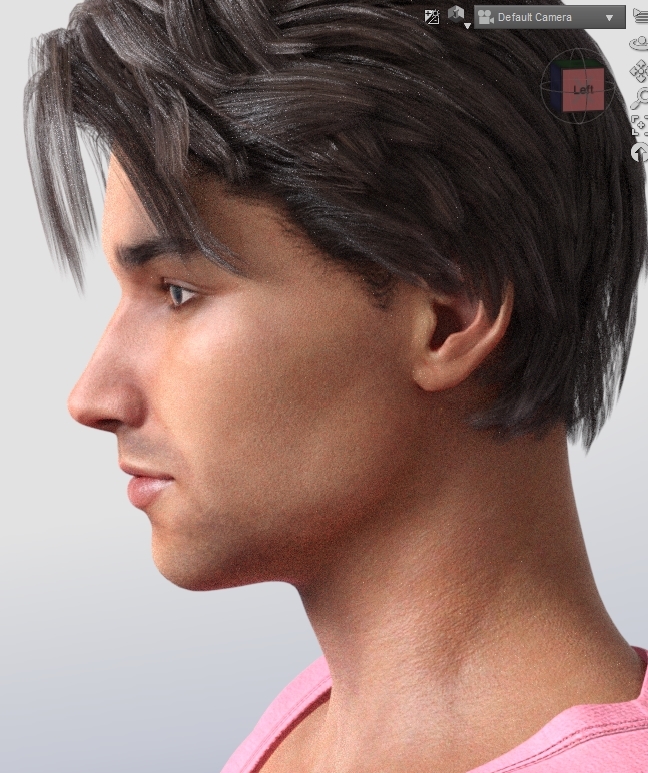 (Coming Soon) Mason for Genesis 8 Male(s) (Commercial)
Mason is a good looking and versatile character who's ready for your next fantasy or genre render.
His face and body HD morph details are saved in separate dials from one another, as well as separate from the base morph, and included is a subD 2 HD ready character preset so you can load, apply, and render.
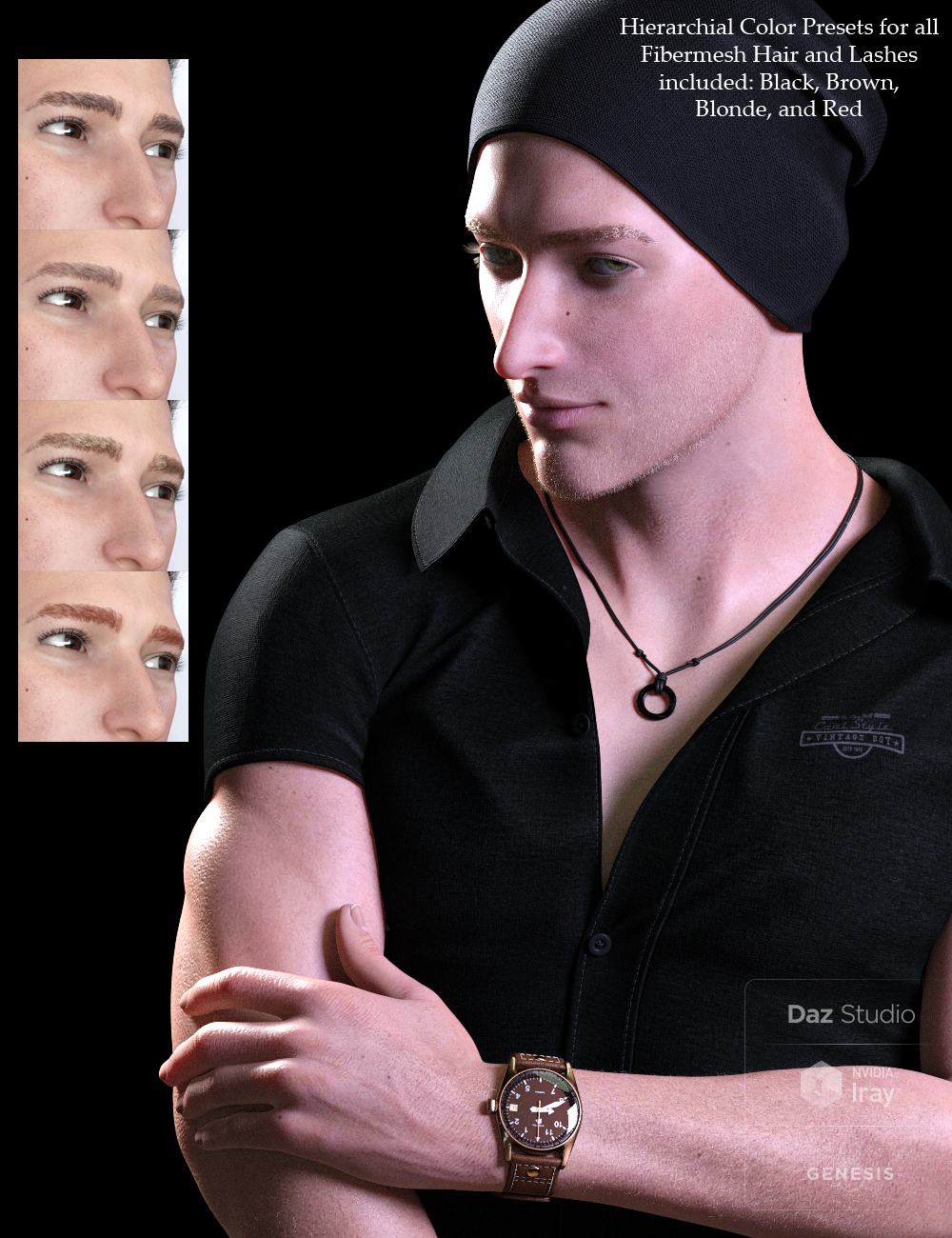
Mason comes with additional fibermesh hair sets for him; Facial, Brows, Forearm, Fingers (very faint, but that catch the light well), Lower Leg, Full Leg, Hip (and backside), Torso and Anatomical Elements. Each fibermesh hair set has four material presets to choose from.
Mason also has four eye colors: Blue, Green, Brown and Red as well as a secondary, slightly different preset for each-the Red eye color secondary preset is an emissive setting, rather than a different color/shade.
Several tattoos are included (two not shown), as well as several additional skin presets to change up his skin tone, translucency and SSS coloring.
Materials are Iray only.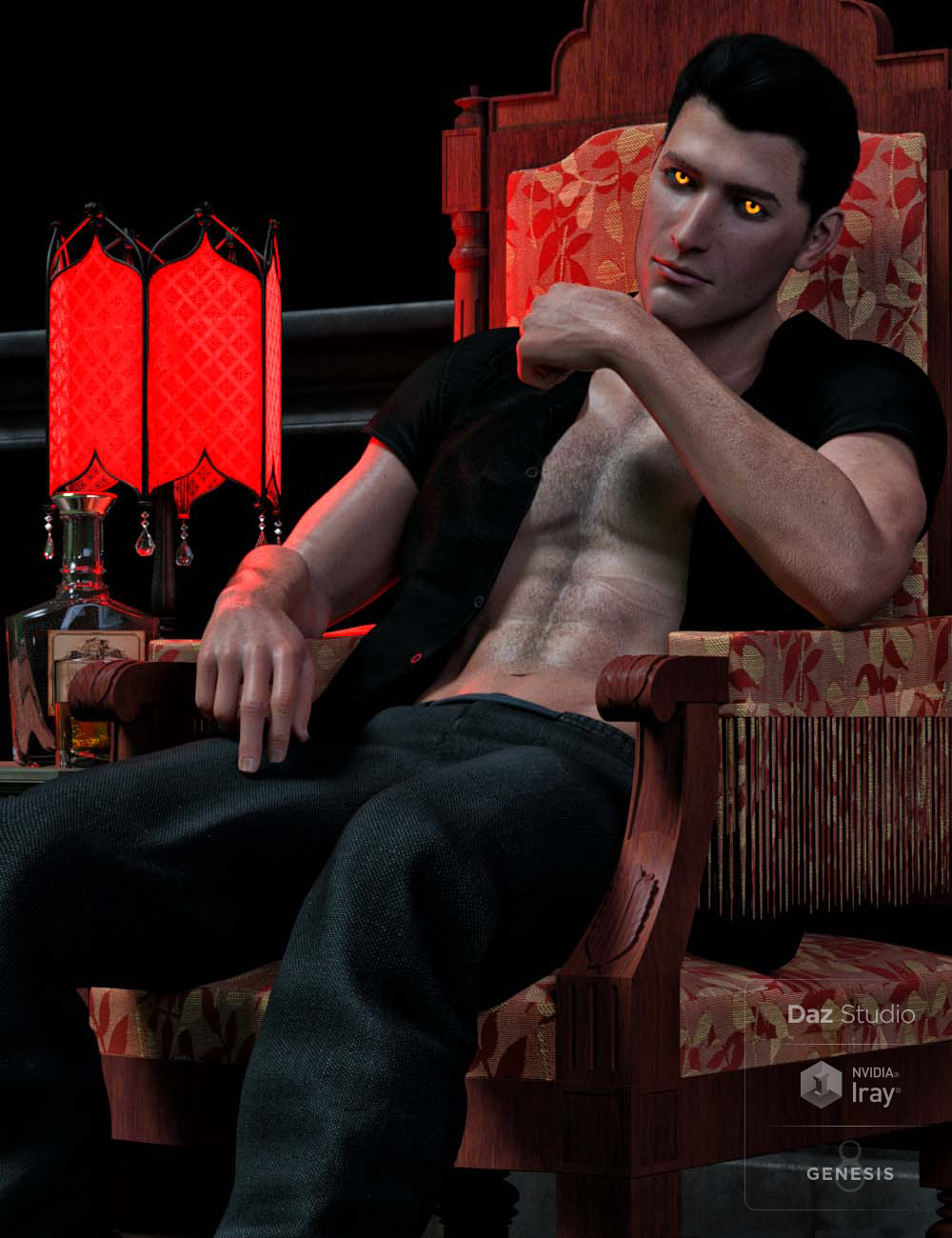
 Comics
Alice has had quite a track record. She was for V4 as well as V3. The artists had a couple of earlier promo girls with V3, then they developed Alice and kept to her.
They created an Alice 4 for V4. Used to be when they were still Aery Soul (I think, they change their vendor name ever few years) and pretty much exclusive on Rendo it was possible to purchase Alice 4 for about a week once every year around Christmas. For 2-3 years at least, that is. Later when they became alfaseed and moved over to RDNA they brought out an Alice 5 body morph (which was still for V4), which was a free download for at least some time, but the head morph remained proprietary. They've obviously redesigned/ported the character morph to G3 and now to G8, but I doubt that she'll ever be sold commercially again.
Considering that we're talking about a character with a face that has been recognizable since about 2005 if not earlier, she's probably just too recognizable for tthat.
How do I transfer custom morphs from one G8F to another G8F? (solved)How do I transfer custom morphs from one G8F to another G8F?
I don't want the morphs to become permanent, where they become available to every G8F character. I just need to transfer custom made morphs from one G8F to another. How can I do this?
Might seem like a silly question, but what's the big deal against having a morph available for use with every G8F?
Auto Face Enhancer [Commercial]DMaster what is the difference between the AFE Master Controller and AFE Power Pose sliders?
Each character you load has a dif facial morph level to the face.
These master buttons control the percentage of the overall AFE morphs.
let's say you created an animation sequence for Anna and like to add that sequence animation to Betty.
When you do the Morphs may be too high or too low. Now you control the OVERALL % = THE Master controller.
note:
AFE power pose control the % in the Power pose
AFE Master control all expressions and Power pose
Similar figures to Blackhearted models (GND, Anastasia)If you get GenX you can transfer the GND shape to G3 and then to G8 with the newer transfer utilities
Oh wow. I have GenX and GenX2. I didn't know it worked for Genesis 3. I haven't used GenX is a long time. Is there and update I need to download so that it works for Genesis 3 characters?
You need the GenX 3 plug in https://www.daz3d.com/genx2-addon-for-genesis-3 which gives you both G3F and G3M
d'oh. I don't know how I missed that. lol. Thank you Cybersox.
Cannot open File Does Not ExistHow did you transfer - just copy the Data folder across?
That was the first thing I did...this issue started after having done just that. (???)
The following paths are in both folders:
C:\Users\----\OneDrive\Documents\DAZ 3D\Studio\My Daz Connect Library\data\cloud\meta <<<(this is the copied FROM folder)
D:\DAZ 3D\My Daz Connect Library\data\cloud\meta <<<(This is the copied TO folder)
Endlessly ongoing... playing cards/casino chips/coins/banknotes scatter... hiatus time (still)Okay, so let me get this straight. There's a zip for Daz Studio which only provides a morphing prop, loading to appear as 3. Scattered all over the place are script files and mat presets, etc. The lovely thing with D/S4+ is that we can now put the mat files in with, or in subfolders of, the main figure or prop so everything can be in one place. The mat files do work. The stack morph works.
Nothing for throwing them all up in the air too???
oh yes, setting the number of chips just stretches the height morph. Still all one chip.
Cannot open File Does Not ExistHow did you transfer - just copy the Data folder across?
Similar figures to Blackhearted models (GND, Anastasia)If you get GenX you can transfer the GND shape to G3 and then to G8 with the newer transfer utilities
Oh wow. I have GenX and GenX2. I didn't know it worked for Genesis 3. I haven't used GenX is a long time. Is there and update I need to download so that it works for Genesis 3 characters?
You need the GenX 3 plug in https://www.daz3d.com/genx2-addon-for-genesis-3 which gives you both G3F and G3M
Similar figures to Blackhearted models (GND, Anastasia)If you get GenX you can transfer the GND shape to G3 and then to G8 with the newer transfer utilities
Oh wow. I have GenX and GenX2. I didn't know it worked for Genesis 3. I haven't used GenX is a long time. Is there and update I need to download so that it works for Genesis 3 characters?
Daz 3D is part of

Connect
DAZ Productions, Inc.
7533 S Center View Ct #4664
West Jordan, UT 84084Licensing Agreement | Terms of Service | Privacy Policy | EULA
© 2026 Daz Productions Inc. All Rights Reserved.