-
Daz studio can't be run with elevated permissions, when logged in the Administrator account[Solved]
I have the same error message.
DAZ Central can not be run with elevated permissions
I am new to all of this. I am just opening DAZ central for the first time after installing it. I checked the admin permissions and that is unchecked like suggested. But I can't figure this out. Are you saying I have to log out of my computer as admin and log in as another user? I would rather not do that. I'm just a simple book cover designer and wanted to try this out to create models etc. I have no idea how it works, I am a photoshop expert but don't know anything about DAZ. I was hoping to teach myself but can't get it to open. Thanks
Daz Studio programme bogging down.PerttiA said:
If you clear your log before opening DS, and save the log once DS is open, can you attach the log (the file) to your post?
...I think it has to do with the code in the logfile excerpts as it mentions initilizing cloud plugins for Iray and later excptions to content filter paths relating to cloud installed content (which I have none of as I don't use Connect or Daz Central).
The My Bucket's Got a Hole In It Complaint threadi must've missed the comments about Daz Central. I wasn't aware that some users prefered Daz Central over DIM.
Daz studio can't be run with elevated permissions, when logged in the Administrator account[Solved]I have the same error message. I am new to all of this. I am just opening central for the first time after installing it. I checked the admin permissions and that is unchecked like suggestd. But I can't figure this out. Are you saying I have to log out of my computer as admin and log in as another user? Thanks
Reality plugin does not start (never even asked for my license key)LiquidWarehouse said:
statistx_42556c1853 said:
joegerardi said:
Uninstall and reinstall, for starters. Paolo is still available, and has always been helpful.
Also, do you get the Reality icon in the top band?
..Joe
Dumb question: How to uninstall? It's not in my programs list on windows and has no uninstall in the folder. I installed it over it a second time now, but still have not seen an uninstall in the installer itself either.
Only have the icon in the Render menu, don't see it anywhere else.
Can find it in the Installed list in DAZ Installer, or DAZ Central
I fear that only works if you bought and installed from the Daz HP and not from way back on the preta3d site and upgraded now to get the current installer in exe form.
Reality plugin does not start (never even asked for my license key)statistx_42556c1853 said:
joegerardi said:
Uninstall and reinstall, for starters. Paolo is still available, and has always been helpful.
Also, do you get the Reality icon in the top band?
..Joe
Dumb question: How to uninstall? It's not in my programs list on windows and has no uninstall in the folder. I installed it over it a second time now, but still have not seen an uninstall in the installer itself either.
Only have the icon in the Render menu, don't see it anywhere else.
Can find it in the Installed list in DAZ Installer, or DAZ Central
NEW 2021 Sales thread: Report Issues Here "There's Always Another Sale™"BlueFingers said:
They are not in my Product Library but are present in Daz Central, see attachment. it goes for quite a few products as far as I can see. The Peasant Dress is really just one example.
It does seem odd. I wouold recommend putting in a ticket with all you've shown and explained to me. They should be able to resolve it fo you.
NEW 2021 Sales thread: Report Issues Here "There's Always Another Sale™"They are not in my Product Library but are present in Daz Central, see attachment. it goes for quite a few products as far as I can see. The Peasant Dress is really just one example.
NEW 2021 Sales thread: Report Issues Here "There's Always Another Sale™"It works both ways, I am also able to wishlist them again if that is any help. It's like I don't own them, that's why I double checked in Daz Central as it had me worried.
NEW 2021 Sales thread: Report Issues Here "There's Always Another Sale™"BlueFingers said:
Hi Cris, please find screenshot attached, this is just an example. I included the dForce Peasant Dress for Genesis 8 Female(s) which I already own (I double checked in Daz Central) and apparently can purchase again.
Edit: Just as I posted this, the percentages started showing up again. Though I can still buy already owned products.
When you say you can purchase items already owned, how are you trying to purchase them? From the thumbnails or the product page?
NEW 2021 Sales thread: Report Issues Here "There's Always Another Sale™"Hi Cris, please find screenshot attached, this is just an example. I included the dForce Peasant Dress for Genesis 8 Female(s) which I already own (I double checked in Daz Central) and apparently can purchase again.
Edit: Just as I posted this, the percentages started showing up again. Though I can still buy already owned products.
Daz Studio programme bogging down...I did and all were nominal. Yes this is just with the Daz programme, nothing else like Chrome GMail, Word, Gimp, PSP, etc is affected like this. In Chrome, the only lag I occasionally get is connectivity or site server based which should not affect anything installed locally on the system.
I performed a disk check and cleanup the other night but it had little apparent effect on the issue (though it made general operations a bit smoother)..
My Content Library is still on a separate HDD (fairly new) from the boot drive and I have a custom designed structure (as I've mentioned) for the Poser Runtimes which I pretty much patterned after the structure of the top end Daz Library (only the geometries and textures remain in their original folders) due to the haphazard set-up and lack of standard naming conventions. However again, this is occurring in the top end Daz Library structure My C drive is only at about 565% capacity (35% free) and doesn't change very much as I also don't use DazConnect or Daz Central and the IM .zip installer folder is on D:, so that isn't the issue (asicall the only ting that gets amended in the C:/[....]Roaming/Daz3D folder is the logfile.
I do not use dynamic folder links as I access everything by directly clicking on the Content tab tree (been doing that ever since I started in this over a dozen years ago). I would consider Smart Content to be that type of link, but as I also mentioned, I don't use it..
This pretty much leaves me with the sense that the CMS is the sustpect, but I'm no satabase progammer/specialist.
Moved to a new drive. Daz Central can't detect in smart content. Please help!Id3dRenders said:
[Moved to a new drive. Daz Central can't detect in smart content. Please help!] Title says it all. I tried to match the directories between Daz central and install manager, but no dice. I've moved from a 4TB HDD to a 6TB HDD and while all files remain intact, Daz no longer detects it in smart content as installed and installing is the only option.
Any help is greatly appreciated!
Edited for Please put your question in the post body and the title - Daz 3D Forums
Did yiy also set the directories in Daz Studio? it won't pick them up from the installation applications without the usehttp://docs.daz3d.com/doku.php/public/software/dazstudio/4/referenceguide/scripting/api_reference/samples/file_io/install_manager_config_import/start (if the paths are correct in Install manager download the script using the link above the code and drag it into an open Daz Studio Viewport).
Moved to a new drive. Daz Central can't detect in smart content. Please help![Moved to a new drive. Daz Central can't detect in smart content. Please help!] Title says it all. I tried to match the directories between Daz central and install manager, but no dice. I've moved from a 4TB HDD to a 6TB HDD and while all files remain intact, Daz no longer detects it in smart content as installed and installing is the only option.
Any help is greatly appreciated!
Edited for Please put your question in the post body and the title - Daz 3D Forums
New Computer - Optimal Daz Studio Windows Install Method?Given your set up you would be ebst off using Install Manager, Daz Central lacks the flexibility.
New Computer - Optimal Daz Studio Windows Install Method?Finally, after waiting since October I got my hands on a new motherboard and Ryzen 5000x CPU!
I had Daz issues with my last system, possibly due to the install... so I want to avoid that. I have 2 drives in this system now, C: for OS and games D: for Daz. Daz Studio program I want on C:, but I want all the Daz content on D:, except my custom stuff in my user profile directory.
All my content was installed before using Daz Install Manager - installing content on the new computer is easy with DIM since I exported to CSV what was installed on the old box, and then I can import that into DIM on the new computer. Can I take that DIM export of what's installed and use that with Daz Central/Content Manager?
Am I better off installing Daz Studio from DIM, or downloading the separate Daz Studio installer?
HD Kayla Product ProblemPlease don't post links to yoru product Library as only people who have purchased the product will be able to open them - post a link to the store page instead.
There should be no need to install both through Daz Central and through Install Manager - if you do need to then that suggests a problem from the outset, probably mis-matched paths.
Is the hair loading at all? Do the materials for the figure load correctly or is that too stuck at the defaults? Does the hair model load, just not the morphs?
Dartanbeck's Journey - CG FilmmakingI've added Thanks Daz 3d!!! - Compiled February 2021, which shows that I was really into buiding up my Genesis 1 base for this new Rosie 5 (Rosie 5.2) that I'm working with now. Shapes, clones, convertors and animations - but I also grabbed PhilW's amazing Central Business District for Carrara, which is just Awesome!!!
It's a cool page though. It has some nice little explanations about my decisions for adding these products to my workflow.
DAZ Studio not Installed!Daz Central and Daz Install manager (DIM) both do much the same job - Central has a simplified interface. Both should show the same installed content, so what do you see in the Installed tab of DIM?
Thanks Daz3d!The spotlight is on PhilW, once again, in my new page of Thanks to Daz 3d!
Thanks Daz - February 2021 compilation is mostly geared toward character building materials like clones, convertors, morphs and animations.
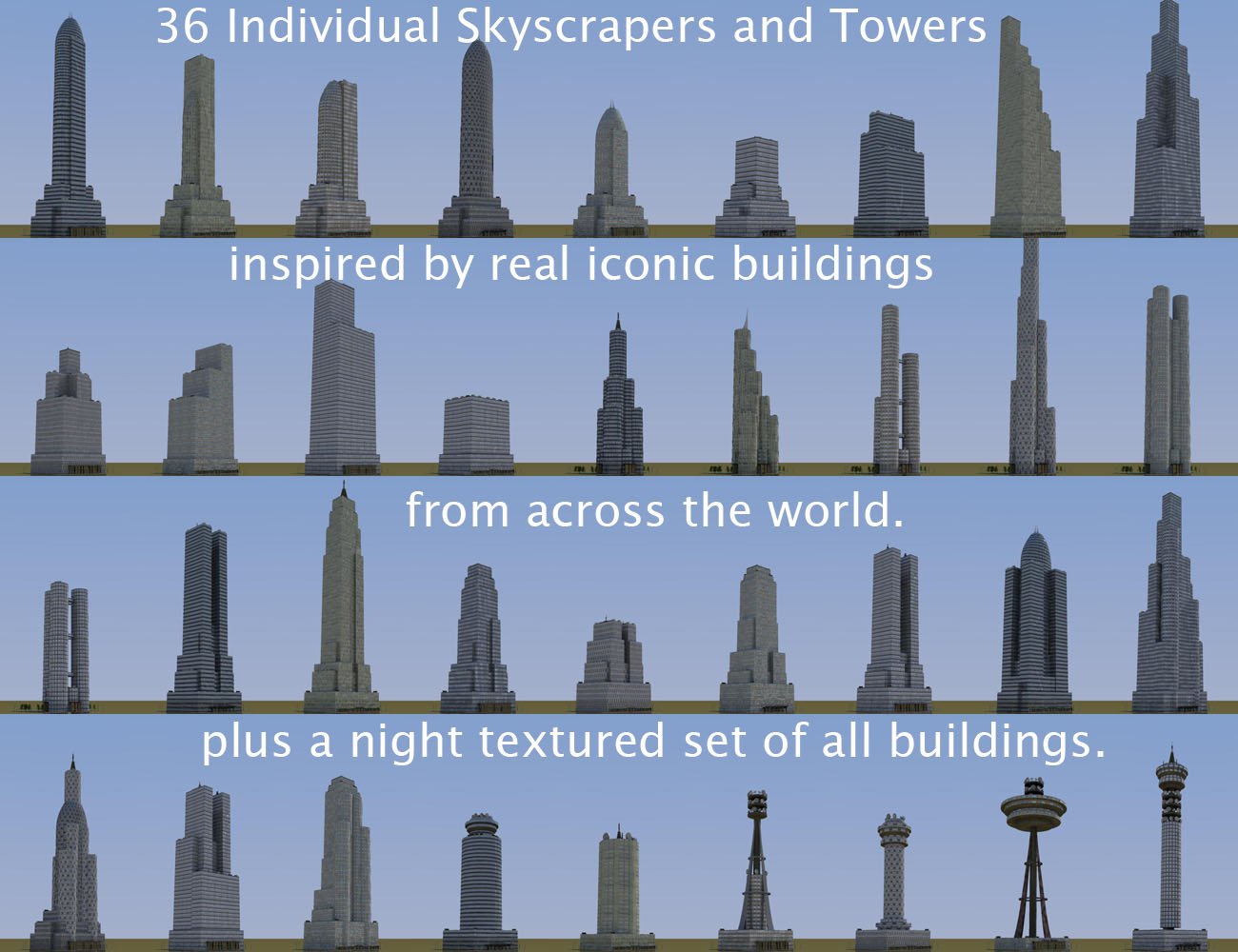
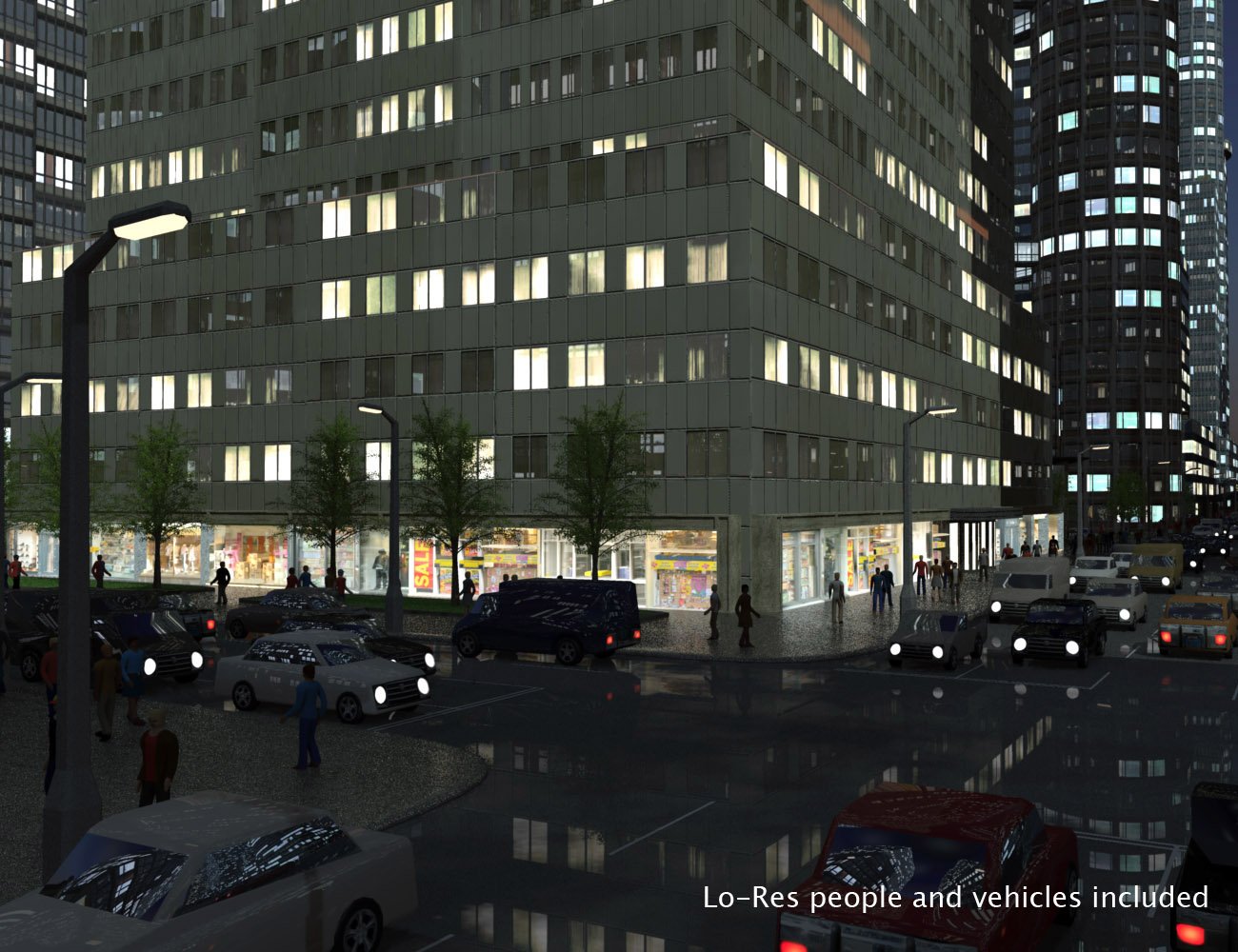
But at the height of it all is the picturesque excellence of one helluva fine Carrara product: Central Business District for Carrara!

Daz 3D is part of

Connect
DAZ Productions, Inc.
7533 S Center View Ct #4664
West Jordan, UT 84084Licensing Agreement | Terms of Service | Privacy Policy | EULA
© 2026 Daz Productions Inc. All Rights Reserved.