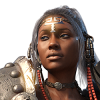
-
2 studios 2 different content libs, possible?
current content set up is 50 or 60 folders sorted in to catagories and added into the content library.
Was thinking I could set up a quick version and a full version.
Wasn't sure if Daz would still quietly keep track of them in the background anyhow.
---
I opened a character file the other day and Daz had it's "OMG there's missing content, let me list it here and then I'll continue and let me list it again at the end so I rub it in your face.
Every last item that I had removed from my database were morphs that that character had never used (related to finding the weird stuff that messed up some of my shapes.
Which does bid the question why in the heck does say Julie (genesis) carry morphs for freak 5 in a character base I created using her morph?
----
In the middle of all this stuff, particularly when Daz is poking along, and I see no cpu usage, I wonder how much of the original code still executes things like lookups and indexing within the program or program to disk?XTransfer Module 1- Genesis 3 to Genesis 8 Morph Converter (Commercial)I've not read the entire thread, but is it in anyway possible to get the script to link to existing equivalents of the morphs?
For example, a lot of characters use the standard Genesis body or head morphs, but as these packs offer nearly identical morph shapes on G3 and G8, that seems like overkill, and duplicating them is going to add to figure load times, and stop any corrective morphs on clothing recognising the shapes.
Some good face transfer programs?Hi all,
I have tried Face Transfer and HeadShop 10 for putting real faces onto a Genesis 8.
However, it seldom works for woman. Once there are a few hairs nex to her head of the lighting is a bit off I get the most stranges output from the programs.
Its truelly horror...Now my question follows; is there any really good face transfer program out there which can interpret some hair nex to faces and can deal when the lighitng is a bit off?
The programs above only work when you basically have a photo which comes close to a neutral expression portrait.Thanks in advance.
That is pretty much how all of them work, you need good source material to get the best results.
You know you use Daz too much when.When you have to buy a brand-new 8TB drive, and still don't have enough space for content.
Your ISP threatened to shut off your internet because you had to re-download all your content(as a result of #1 above)
You just spent three days sorting through your content library right before that hard drive died.
You spend more than $500 during March Madness because you need stuff for promos.
You tried to spend more than your CC will allow on a single transaction.
You've got all the clothing converter software for the sole purpose of getting a tiny bit more mileage out of your V4 stuff.
You bug SY to put together a Clothing Converter kit for A3 (yes, please!)
You spend three months working on the perfect character morph... Ten times.
Yes, I'm personally guilty of almost all of these. The hard drive is on backorder.
Some good face transfer programs?Hi all,
I have tried Face Transfer and HeadShop 10 for putting real faces onto a Genesis 8.
However, it seldom works for woman. Once there are a few hairs nex to her head of the lighting is a bit off I get the most stranges output from the programs.
Its truelly horror...Now my question follows; is there any really good face transfer program out there which can interpret some hair nex to faces and can deal when the lighitng is a bit off?
The programs above only work when you basically have a photo which comes close to a neutral expression portrait.Thanks in advance.
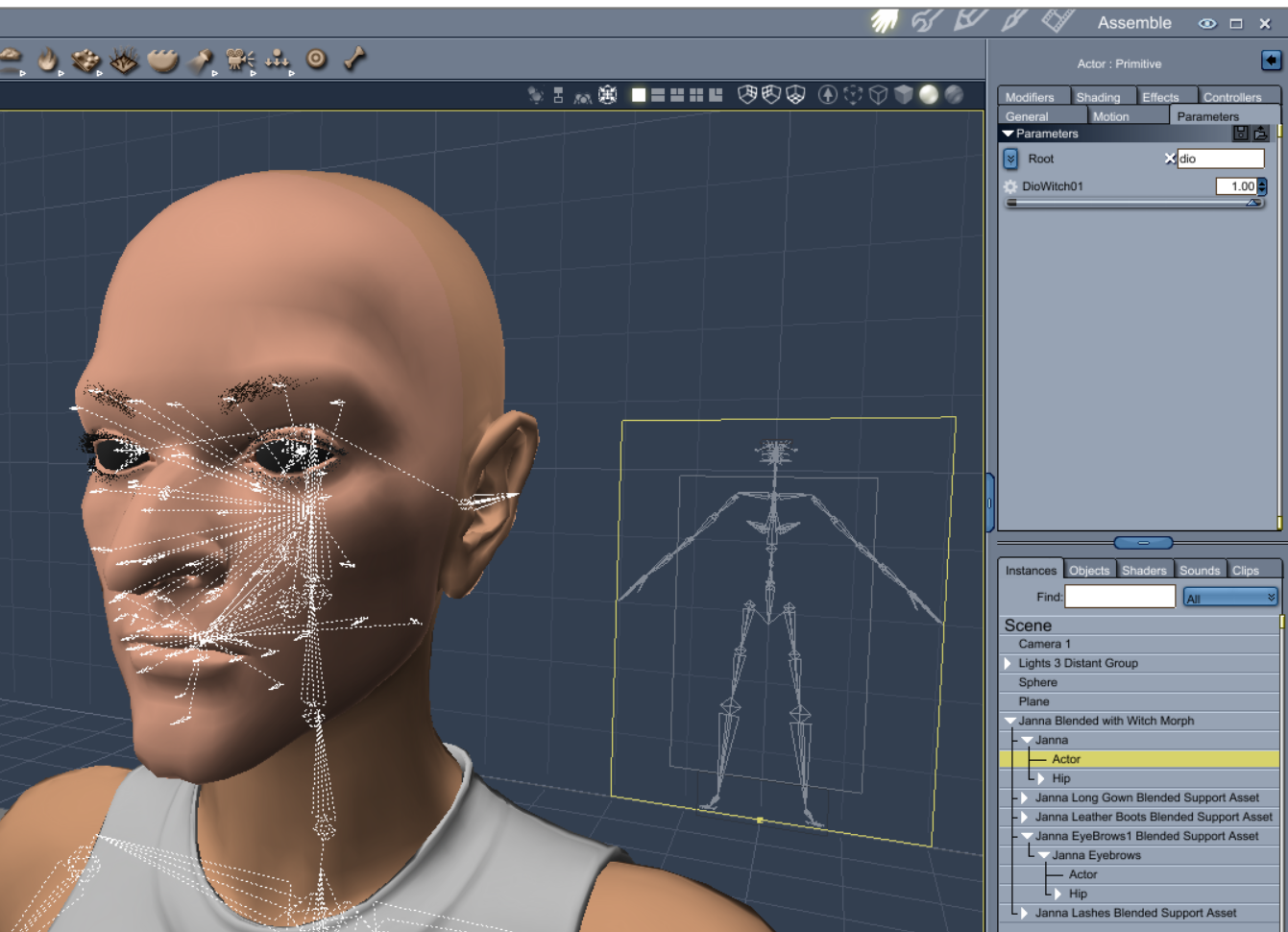
Vyusur Janna etc in CarraraIn order for your new morph to work with brows you can do the following steps.
Fit the brows in DS, dial up your morph with brows on.
Turn of Janna's visibility in scene pane.
Export the brows to obj in base resolution.
Load the new brows in empty scene, load your obj as a morph.
Save your brow morph to the brows folder.
Then you would be able to apply your morph to fit Janns's new form after fitting them in Carrara.BTW, nice witchy morph.
Vyusur Janna etc in CarraraHaving problems with workflow to get Janna's brows to follow a custom morph for Janna's face.
1) Converted Janna to blended and saved as support asset
2) Converted brows to blended and saved as support asset
3) Used modeler to make a morph for blended Janna (saved morph as asset and then saved morphed figure as support asset)
4) Loaded blended Janna with face morph in Carrara but morph dialed to 0
5) Loaded blended brows for Janna. Used FIT TO on brows for Janna blended
6) Dialed Janna blended face morph to 1. Brows did not follow a projected morph
Janna blended and brows blended default shape and fit to
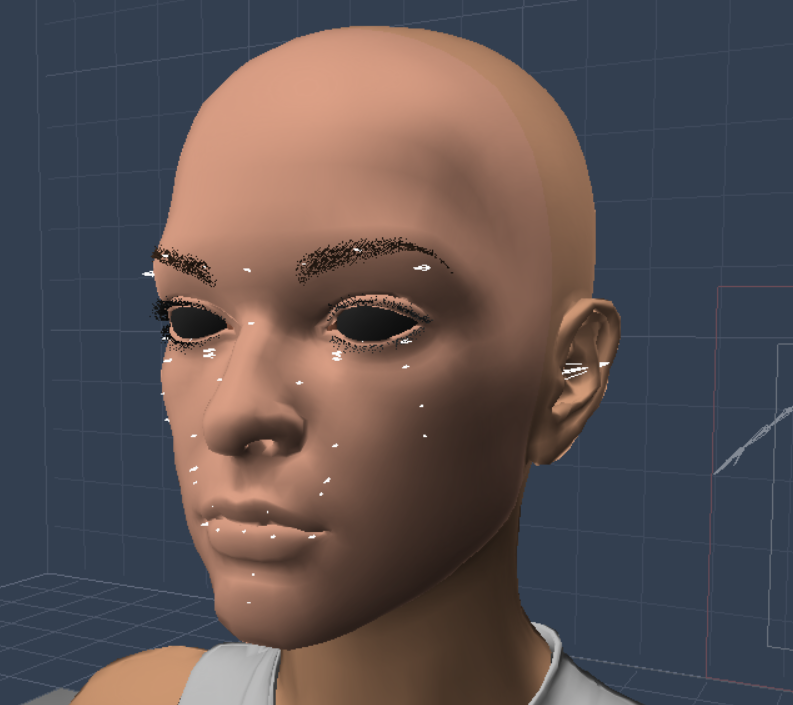
Janna blended with custom face morph dialed to 1. See outside halves of brows disappear.
 StrangeFate's stuff: Wild Kelpie Battle Outfit!
Helmet done, other parts almost there too.
Helmet comes with 2 different sets of horns that can both be hidden (if that's how you roll). Both types of horns come with morphs to change shape and size.
There's also a morph to open the faceplate enough to allow you to drink and eat with some dignity.
I'll probably still tweak some of the materials at the end...
 [Released] Character Converter from Genesis 2 Female to Genesis 8 Female [Commercial]
I am not having any luck with my conversions. Attached is "Lilith 8" on the left and Lilith 6 on the right. Conversions on base characters take 1-2 hours, and the results look like the attached. I have only used the 2020 method with Hide Eyes unchecked. I have deleted the morph data for the converted morphs before retrying conversions. I was afraid some other morphs may interfering, so I deleted the questionable morphs, but I still get the same results. My default G8F appears to load clean, Currently Used doesn't list any unexpected morphs. This is on a Mac running Catalina, I doubt this should be the reason, but who knows.
Is it only on Lilith 6 or on all conversions? Are all the problems in the FHM morph or other morphs are causing problems too?
BTW, Nice bug report. You covered almost everything I was going to ask.
Glitches with Aiko 3 characterIIRC most Mil3 figures don't come with GroupNode or parmNode settings, those tell DS and Poser where to display the morph sliders in Parameters, as a result most have no idea where to find the main sliders.
Just select Aiko in the scene tab (not any of her bones), and in the Parameters tab click on "General", all her main dials should now show in the list.
I suspect that you have either selected a bone and started dialing up partial morphs, or you are in the hidden Morphs/Imported dialing up partial morphs.
[Released] Character Converter from Genesis 2 Female to Genesis 8 Female [Commercial]I am not having any luck with my conversions. Attached is "Lilith 8" on the left and Lilith 6 on the right. Conversions on base characters take 1-2 hours, and the results look like the attached. I have only used the 2020 method with Hide Eyes unchecked. I have deleted the morph data for the converted morphs before retrying conversions. I was afraid some other morphs may interfering, so I deleted the questionable morphs, but I still get the same results. My default G8F appears to load clean, Currently Used doesn't list any unexpected morphs. This is on a Mac running Catalina, I doubt this should be the reason, but who knows.
Little issues with some textures "file names" when exporting (new fantasy morph armors and others)hello guys, i have take the advantage of the "still madness" and some extra money from my store credit and have bought both male and female morph armors and while it's really awesome and i really loved it and have a very good poly count i've ended with a small issue with it, which to be fair is not the "first time" it's happened and i've noticed it with others "armors aswell like the dark hunter armor
https://www.daz3d.com/dforce-the-dark-hunter-for-genesis-8-females
each of the "armor piece" basically have the same "file name" like for exemple base_color, while inside daz it's not any deal "outside daz" exporting to outside daz it's a big problem, because the "exporting system from daz get "confused" with the names and only export 1 single texture" choosen randomly from all pieces (he choose one of the pieces then export to a file) then all the pieces in the armor will use that "file" making the armor look crazy, while i can understand which i can just go and open the armor "folder" to copy all the right textures the fact which all share the same name means which i must rename all the pieces or put in a new folder, well "basically some "extra work".
would be good if the "creators" could pay attention to this and don't do that when creating they stuffs" could be just add at the end of the name something like "base_color_leg(for legs) which would be much better than just keep everything with the same name.
i found tha issue only with a 'few new stuffs" most fo the old stuff and even news don't have that issue just "some of the new or maybe armor outifts with "many parts which feel like the creators are being a "little lazy" here by using the same "generic name" for the base color texture for all the armor pieces.
[Released] Character Converter from Genesis 2 Female to Genesis 8 Female [Commercial]And, and, to get from genesis 2 to genesis 3, I could load all three in the scene,
1) Generic 3 Base
2) Genesis 2 MAIN character and
3) Generic 3 base
And transfer from 2 to 8, then 8 to 3?
Would that work?
It should, but a copy of a copy is not going to be as good as a direct conversion.
HD navel morphs?I'd love to see a set of HD navel morphs for G8F/M. I've looked around and found nothing. Belly buttons are as unique as the individual, and right now the options to make them realistic are lacking. Anyone up to it?
Yes, I know that there are character packs that have a unique BB morph, but I'd like to see something that's just for navels.
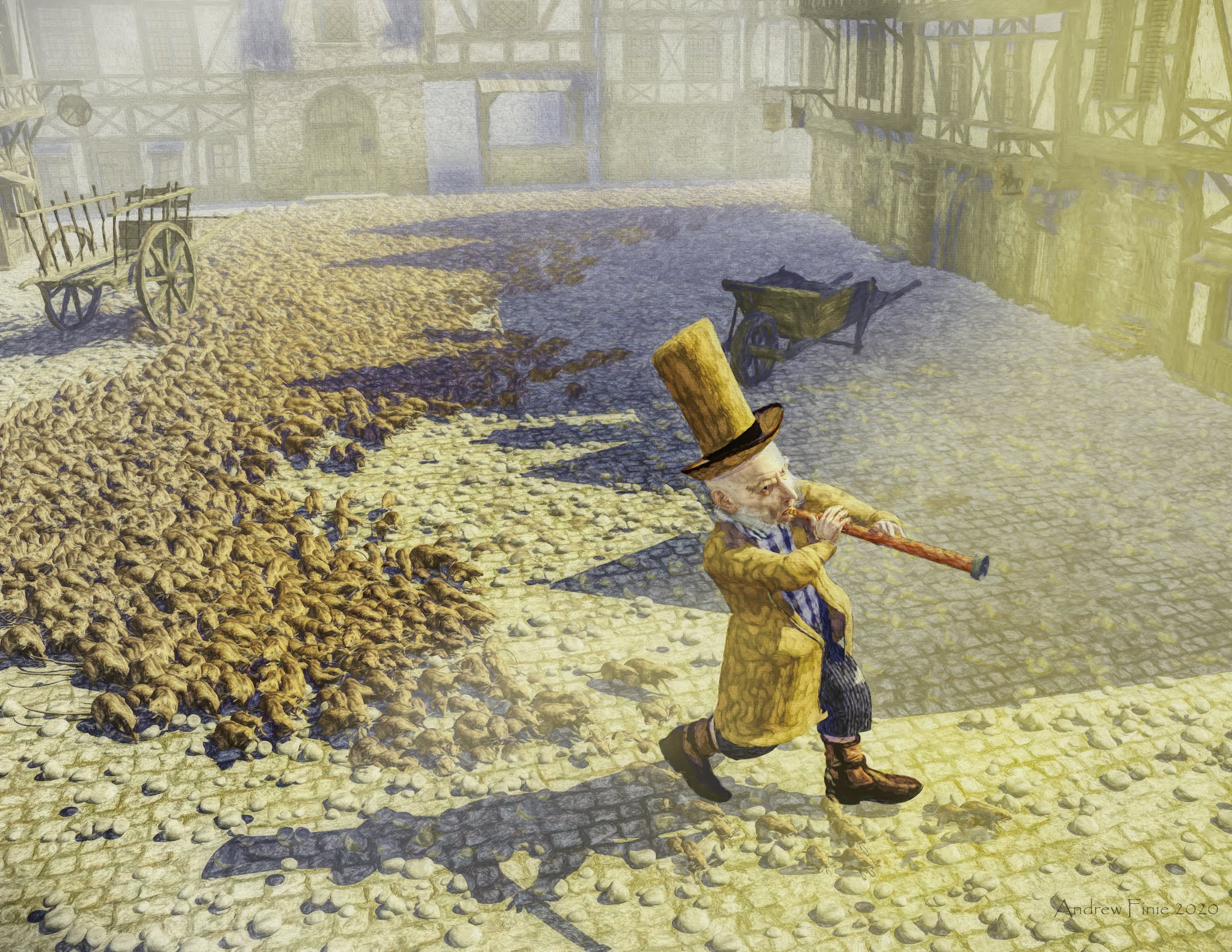
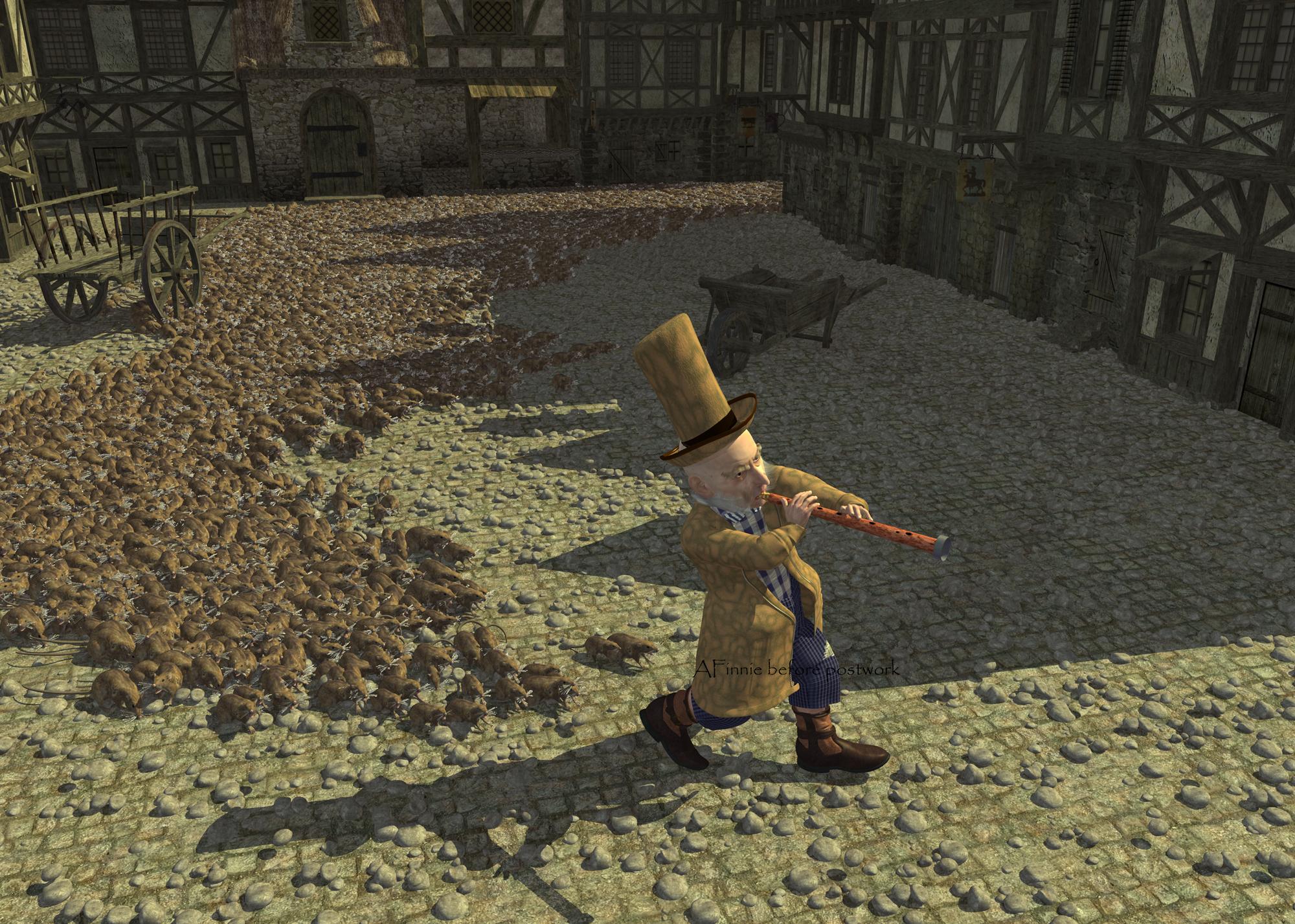
Carrara Challenge # 51 - Here There Be Dragons! Folk/Fairy Tales WIP thread - Brilliant ImagesHere's a Pied Piper - though he is not so pied.
Morphed M4 a little, gave him stubby legs, used some free Carrara shaders for the cloths after retexturing
for the base that I deitributed the rats on I used the Polyline modeller to get a sinusiodal thing happening
there are about 8 different rats (poses) though they kind of get lost - haze from using depth pass
I isolated the shadows with a shadow pass and added a little mauve to them
This guy is the result of me trying to morph m4 into a badger and a rat - at least I learnt how to do a full body morph so I can drag the eyes head and face around all at the same time
I'll post the badger pic later
image is 4000 wide if you click
unpostworked image attached
cheers
Superb !!!
[Released] Character Converter from Genesis 2 Female to Genesis 8 Female [Commercial]And, and, to get from genesis 2 to genesis 3, I could load all three in the scene,
1) Generic 3 Base
2) Genesis 2 MAIN character and
3) Generic 3 base
And transfer from 2 to 8, then 8 to 3?
Would that work?
Carrara Challenge # 51 - Here There Be Dragons! Folk/Fairy Tales WIP thread - Brilliant ImagesHere's a Pied Piper - though he is not so pied.
Morphed M4 a little, gave him stubby legs, used some free Carrara shaders for the cloths after retexturing
for the base that I deitributed the rats on I used the Polyline modeller to get a sinusiodal thing happening
there are about 8 different rats (poses) though they kind of get lost - haze from using depth pass
I isolated the shadows with a shadow pass and added a little mauve to them
This guy is the result of me trying to morph m4 into a badger and a rat - at least I learnt how to do a full body morph so I can drag the eyes head and face around all at the same time
I'll post the badger pic later
image is 4000 wide if you click
unpostworked image attached
cheers
Morph does not updateSo, I am working this issue and found a short-term solution. These "old" scenes with a previous morph CAN be updated and work by deleting the old morph and loading the new one. As long as I don't rig it or anything, it works as it should in that scene.
XTransfer Module 1- Genesis 3 to Genesis 8 Morph Converter (Commercial)Does this have a limit to the amount of morphs it can transfer? I've tried a few times to convert one of my figures and it always sticks at 42%, even after letting it run for the best part of 24 hours. I've tried not favouriting the morphset that it gets stuck on, but it sticks again at 42% again, although on an entirely different morph.
Glitches with Aiko 3 characterHopefully that's just a typo, but there's no "Tummyout 1" in the base figure.
If that's not a typo, then some addon has messed up the figure.
Check the particular morph dials that are causing the issue and see if there's a controller or sub component linked to it.
Click the gear icon, and select Parameter settings.
For the Hipsmall, i'm seeing only 4 sub-components and no controllers, with a base aiko3.
Image attached.
You may need to reinstall the aiko 3 figure to clear the problem, but be sure to try and figure out what addon may have caused the issue to begin with.
Daz 3D is part of

Connect
DAZ Productions, Inc.
7533 S Center View Ct #4664
West Jordan, UT 84084Licensing Agreement | Terms of Service | Privacy Policy | EULA
© 2026 Daz Productions Inc. All Rights Reserved.