-
Gradually Change the Color of a Surface
Richard,
Have you ever actually managed to animate a surface created with the proxy scripts? I had this problem recently, although my issue was animating the Emissive Color. No matter how I tried, I could get it to happen. In fact, I passed the problem on to Josh and Carl at DAZ to see if they could figure it out.
But the reason I ask is that I had the thought at the time that it would be cool to link surface color change to a morph or other control property. If you've ever got it working, I might investigate it again.
Also, what do you mean by 'numeric values'?
ZDG random Daz Studio discoveries and questions.the past few weeks things had gotten a tad delirious regarding the feelings of ink on a piece of paper or the physical wellbeing of ones and zeros inside of graphics card screen buffers.

A level of insanity (Patreon and other stuff ban YT vid) that had me questioning if I should bother continuing the gen6 to gen8 conversion tinkering I was doing.

Thankfully, I already purchased Aiko8, so PayPal can't block that purchase, lol. I wasn't that interested in what was blocked (Projekt Melody, not to be confused with Melody Project), yet the context did give me some doubts about other similar ethnic styled art, as even a Vocaloid is apparently 'bad' (Miku Amazon ban yt vid). At the end of the day, a pixel on a screen is not going to be harmed by someone looking at it, and 3D-mesh data won't be offended by someone thinking it looks nice without an Artificial Intelligence connected to it. none of it is real, it's just art.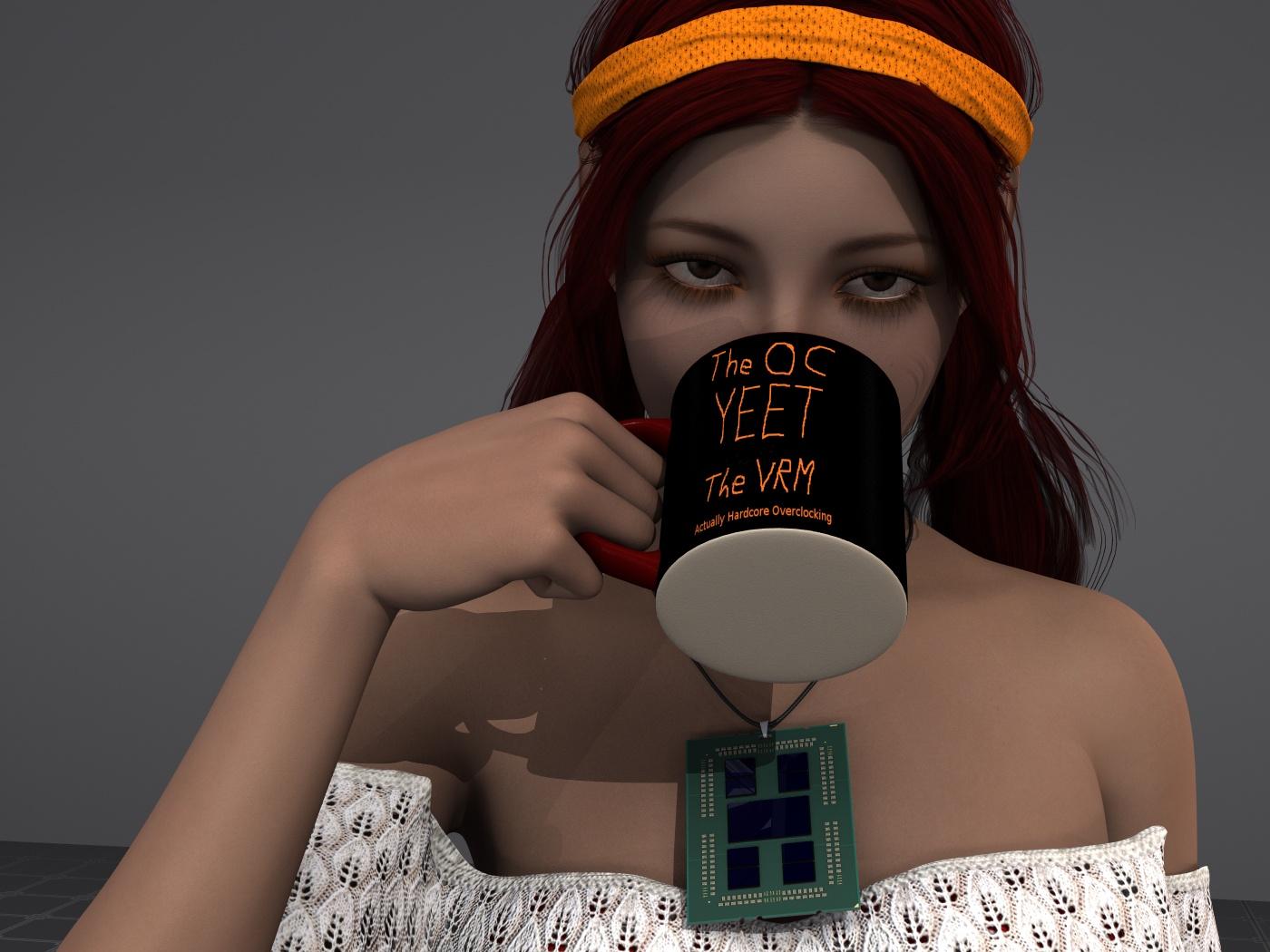
So, I thought I had the outfit from one of Cassia's promos, however, after scrolling through the smart tab and some blind guessing on the product page, I decided to just go with one of the many other great elf-Kini style things I have.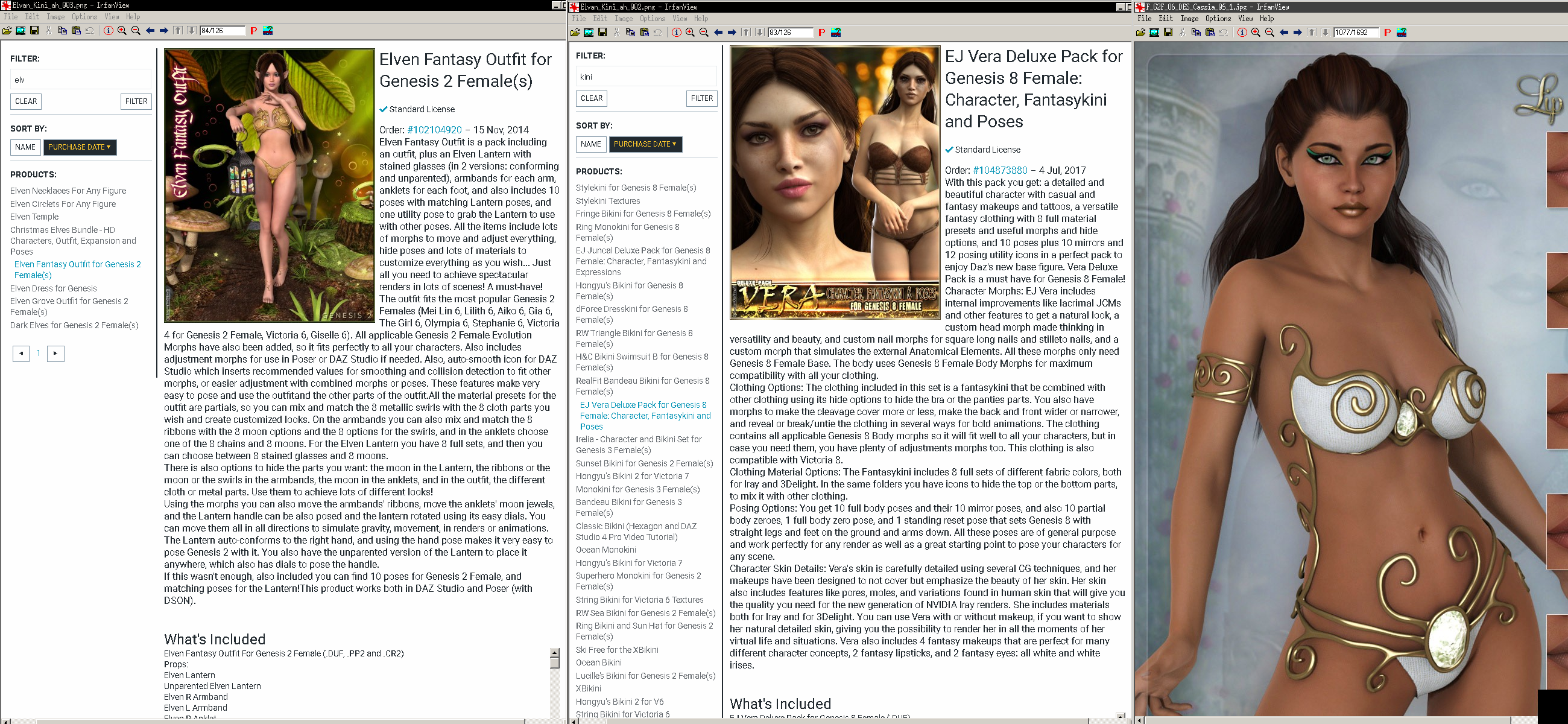
I tried one item, and had some random some times and sometimes not poke-through where the gen6 outfit sometimes refused to follow the gen8 mesh after autofitting then saving the scene. it was very odd and I wasn't able to figure out exactly what it was that caused it to be fine immediately after autofitting the outfit however loading the saved scene, later on, had the outfit inside the figure. it was almost like the outfit-autofit relied on a figure fit morph/shape-projection that wasn't saved, causing the thing to end up inside the figure when loading the saved scene.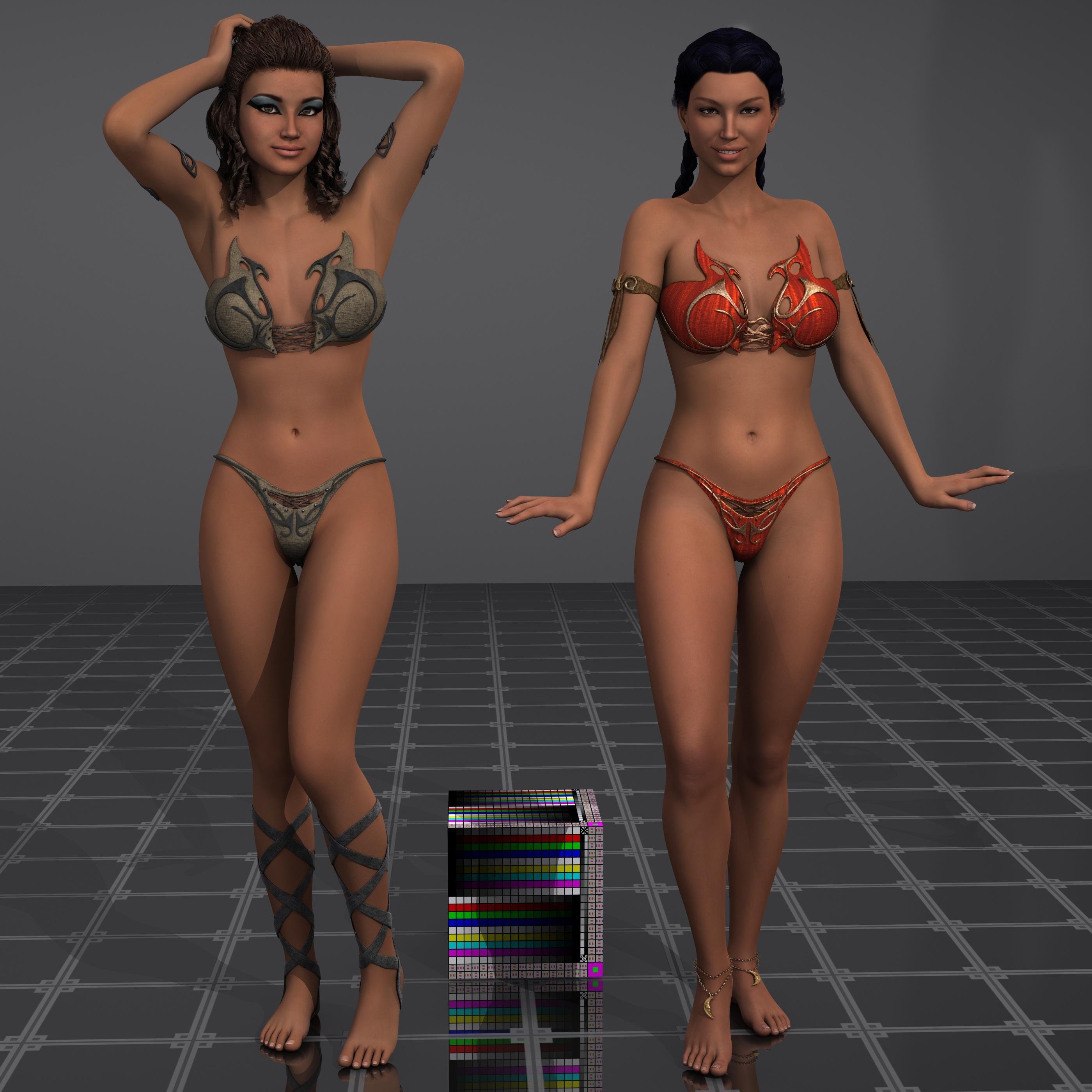
So, left is Cassia gen6 on Olympia6, right is the converted shape on gen8 with Olympia8 using a slight adjustment of Paloma's (gen7) maps. That nifty shape converter thing really is working rather nice I think.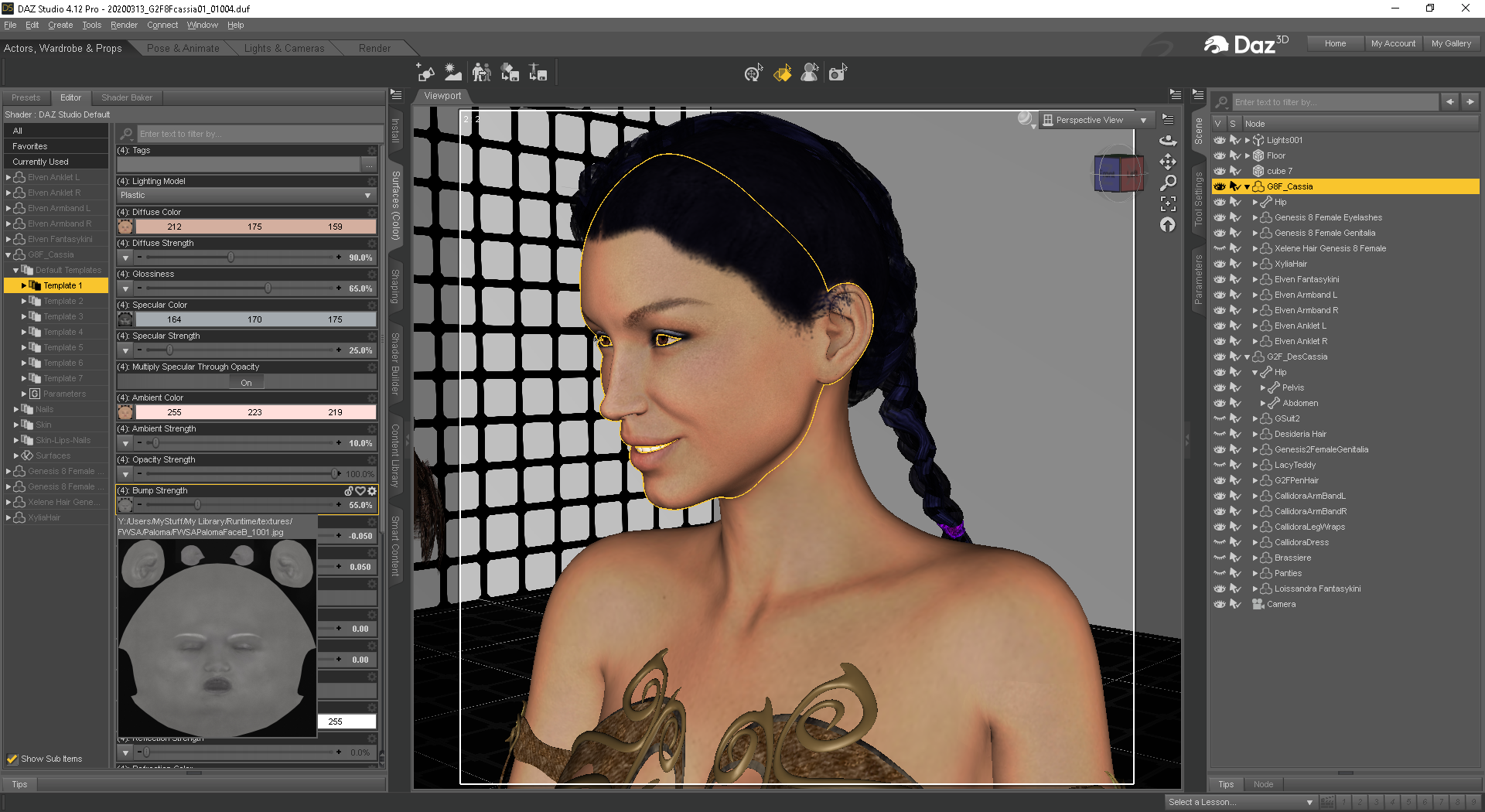
overall that went really well, and I have yet to have any of that autofit save oddities with the Loissandra Kini, Elvan Fantasy did have some issues with some figures sometimes. And to be clear, the probs are NOT on gen6 with the gen6 outfits, it's only when autofitting 'some' of them to gen8 'sometimes' after saving and then, later on, loading the saved scene.Edit, oh, it is/was Apr1st, well, sorry I wasn't joking, perhaps Gray can offer a tad bit of fun to the day with Satan's Pit Crew (YT vid).

Remember, their just ones and zeros in a video-game, with some whacked out funny plots, lol.
Lara rendersWell my first render in a long time! Took some time to finish my Lara morph. I keep wasting money on models thinking they would be better, but never are (imo). I'm settled. No more tweaking the model, just clothes, props and env's for Lara now, if she needs 'em.

This really look like Lana TR from game , Congrats !
Upgrade Genesis 2 => Genesis 8Okay. I tried a few methods and, I think the Transfer Utility ist the best way to convert my favorite morphs and modifier (and it's out of the box). But thank you for your suggestion, DrunkMonkey
For the material, I have successfully done what you said, Leana. Unfortunately the UV-geograft doesn't work as expected, because afterwards I'm unable to use some other grafts. But it doen't matter. I've found a way to reconfigure (transfer) my shaders, so I'm happy now with the default G8 materials (I'm still using 3Delight, because my grafic card is a really really really old one xD).
[Released] Character Converter from Genesis 2 Female to Genesis 8 Female [Commercial]I think I've identified the problem: I suspect the script is ignoring/skipping the RS Clone when the script tries to process the body morph, or otherwise processing it incorrectly. But only the body, the face works great. Found and checked the RSClone in /AppData/blahblahblah and it's perfect too. If I dial in the regular G2F Clone, the body is fixed, but the head looks terrible from being applied twice, so obviously that is not a solution.
Here are a couple images demonstrating the issue with a grey G2F Ninive in the same location and a similar pose as G8, overlayed with a blue transparent G8F Ninive, with and without the G2F clone. As you can see, without the G2F Clone dialed in, the breasts are too big, and everything but the face is off. Every character I've converted has this problem, so it's not specific to Ninive.
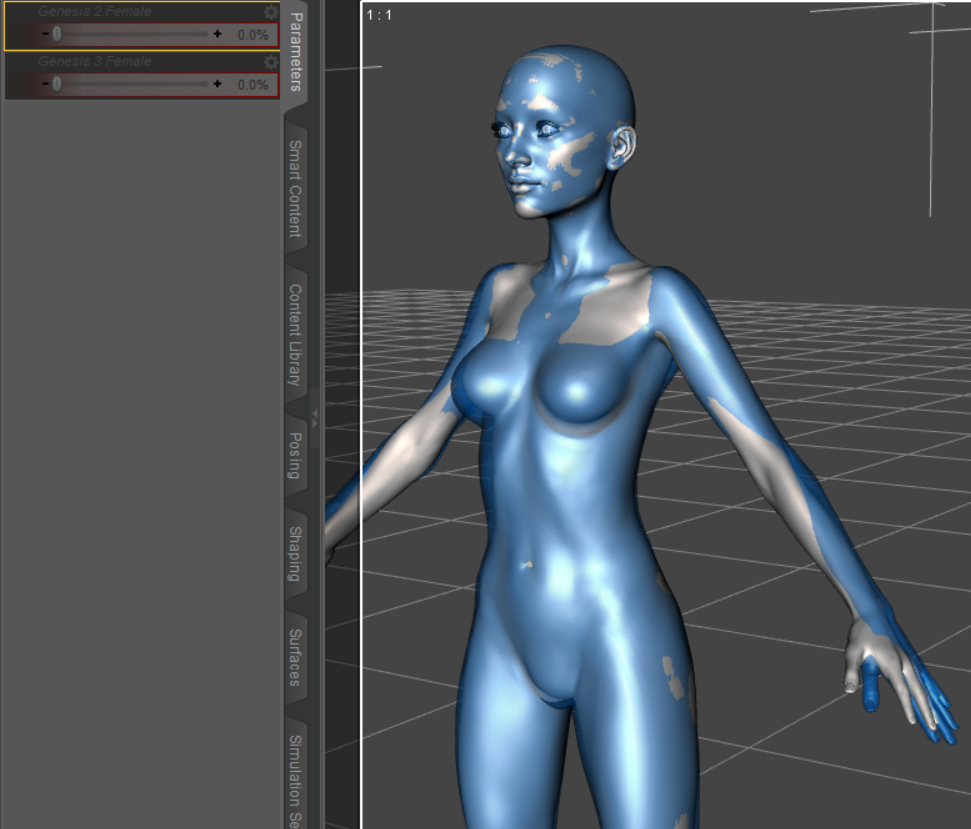
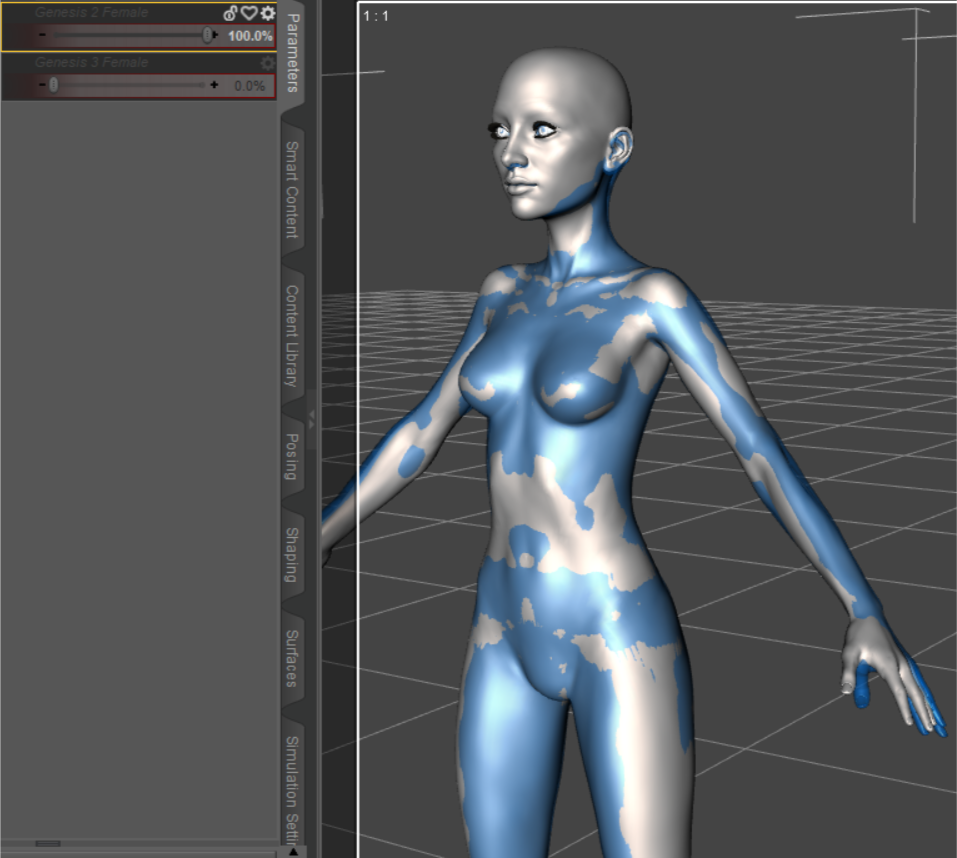
This is with the 2020 method on an up to date Windows 10 machine running an up to date Daz Studio, with similar results regardless of tolerance (several values between 0.2 and 0.005). Eyes checked/unchecked doesn't make a difference (just being thorough). Log doesn't indicate a failure at any point during the conversion, but based on these images, I don't think the G2F clone is influencing the converted body morph creation as intended. I haven't tried deleting the the RS Clone in app data and rerunning the script, but since that clone is a perfect match for G2F, I don't see the point in trying that. I don't know whether this problem is affecting everyone's conversion and but only @Sevrin and I noticed and commented on it, or if this is a glitch affecting only a subset of users.
I will try running the 2019 method on the body morphs, and see if it works properly. If it doesn't produce desirable results, I found a a tutorial on YouTube on how to separate full body G8 morphs into separate head and body morphs, which I'll use to create a separate body morph of the G2F clone, and use that to fix my converted G2F characters.
Wine glass with a drinking morph?Does anyone know of a wine glass prop that has a liquid in it with morphs for drinking? Ideally with red and wine wine shaders, but those are simple to make. The drinking morph is the clutch part.
Auto Muscle Enhancer HD [Commercial]Can't wait until the morphs comes out for the g8 woman, (As I only have the body enhancer/AME for the woman morph) this looks fantastic!
How powerful is the Geometry EditorIf I need to scale in a specific direction, I usually export to Hexagon using the File> Send to Hexagon option. Inside Hexagon, click the object in the scene list so it becomes live and editable, then use the Faces option, select the faces you want to drag or stretch or extend with the Lasso tool (the little lasso box needs to be clicked, although using Ring and Grow is often faster), and then pull it out in the direction that you want to make it bigger.
It's usually faster and easier to do this in a modeling program than in DS (at least with most objects), then send it back to DS (there are buttons for sending to Hexagon inside DS and for sending it back DS when you've modified it).
When you send it back to DS, it's a coin toss whether it will work if you import it back as a morph (you get options like Morph or Property). Sometimes things go wrong when it's imported as a morph. Sometimes it works, sometimes not. So... it's usually more reliable to import back to DS as a prop. You can always delete the original prop from the Scenes pane and use the new one (that you created) and then you have two.
I'm having a problem with the Transfer Utility and genesis 8 characters.Basically, I can't get the transfer utility to work the way it should be. I set everything up with the transfer utility and then the clothes i made all attach to the head for some reason.
I made custom clothes in Marvelous Designer and want to attach them to my figures. Both G8 male and female. Now there is an abundance of morphs dialed in and both characters are completely custom characters. The clothing was created around these characters for these characters, so there's no way it will fit the base genesis figure. I have read that not using the base G8 figures can mess up the process, but I currently don't have another choice then to use the custom characters.
Now, in Maya, this process takes less than 10 seconds to accomplish. After uploading the character and clothes and lining them up, I simply use Deform---->Wrap and I'm finished. The clothes now move with the character. That's all I'm really trying to accomplish, and I thought the transfer utility was either the best way or the only way, but no luck with it sofar. I could be very wrong with literally everything I'm trying to do, though, because I'm new to daz and still learning how it all works. Thank you for any help I can get trying to figure this one out everyone.
$419.98 Banana Suit?Can the Yeti wear this? Lol!
:-) Mind you a morph helps it look better. And you can't be minding that it'll become a little bit hairy of a banana.
For those that want it, click here.
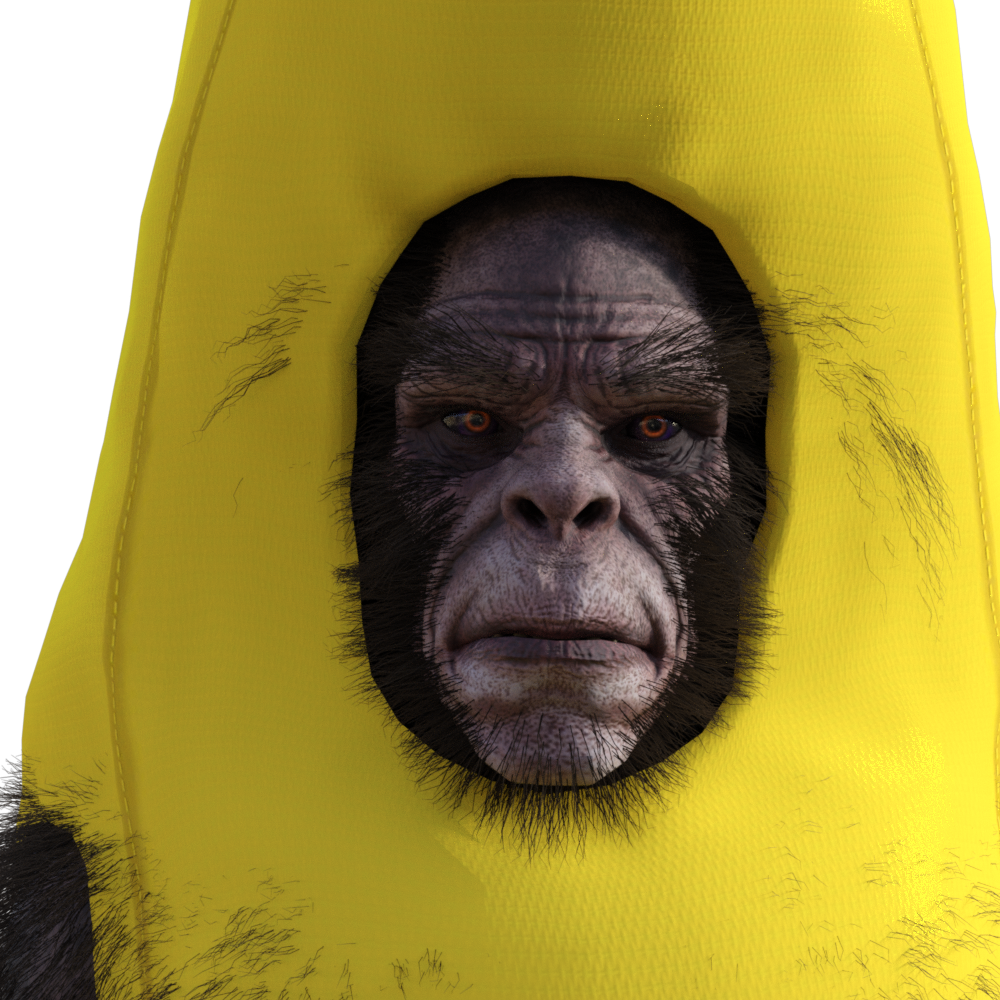
Thats great
$419.98 Banana Suit?Can the Yeti wear this? Lol!
:-) Mind you a morph helps it look better. And you can't be minding that it'll become a little bit hairy of a banana.
For those that want it, click here.
Black Is Beautiful II
Grace for V4, materials and face morph transferred to G8.
Freebie credits:
Gown by Adam Thwaites: https://www.most-digital-creations.com/g8f_gown.php
Body Morph by bu_es: https://www.renderosity.com/mod/freestuff/aminata-for-g8f-monique-8/79842
Pose Converter by MCphylyss: https://www.sharecg.com/v/89846/browse/8/Script/Daz3d-Pose-Converter-Standalonelovely.. what hair is that?
[Released] Character Converter from Genesis 2 Female to Genesis 8 Female [Commercial]I'm excited to try this out. I backed off every attempt I've made to switch to G8 because I couldn't give up the the characters I've made for G2, and they couldn't be converted to G8. I use dial morphs to create characters and many of the G8 equivalents of the G2 base morphs either don't exist at all or have been replaced by HD garbage. Some of them have merely been renamed and are tricky to find, but some really just don't exist period. G8 handles expressions so much better though, so I really do want to make the switch. If this makes G8 usable for me, I will be forever greatful.
It will copy over any morph that is being used in a character.
[Released] Character Converter from Genesis 8 Female to Genesis 3 Female - Conv JCMs too[Commercial]Sure can! I'm attaching a couple of comparisons, all figures are labelled for clarity. With this figure morph (Albany by Mousso), the distortion is white (other times it's black), it's this white ring inside the eye which looks like I've painted it in real badly ;-)
Have taken all lashes off for better visibility. Also, the renders are just baked for a few minutes as I didn't have the time to finish them, my poor iMac takes rather long with multiple figures. So that's why the reflections are still very hard and lots of noise visible. Main point is quite clear though I think - almost no eye distortion left!
Those are fabulous! Thank you for sharing!
Lara rendersWell my first render in a long time! Took some time to finish my Lara morph. I keep wasting money on models thinking they would be better, but never are (imo). I'm settled. No more tweaking the model, just clothes, props and env's for Lara now, if she needs 'em.
saving clothing poses don't save changesMaybe try saving as morph {shaping} preset.
edited to correct oopsie.
[Exporting & Importing] Animated Daz3D to C4D or Marvelous // DOES NOT MATCH?Apologise for the uncensored-I've censored the pictures now. I've also attached the export settings from DAZ to C4D.
This happens to all the morph I exported so far so I must surely be doing something wrong? It also seems to happen only on certain parts of the model so I wonder if the approach when posing is wrong.
Maybe a combination of sliders and gizmo isn't a solution?
Thanks for your prompt help Richard.
Marvelous Designer export cloth with texture.Hell-o lilweep thank you for your advice I didn't even know about UV editor in MD and I tried to follow what u reccomended and i made it work:)
Have another question if you dont mind. Is it possible to make animation with gen8 with MD clothes on? Already checked some tutorials but with gen3 it works in slightly different way than gen8 cuz skeleton si more complex and MD reads only simple moves.. Can you redirect me to another post/web or tell me if i can make it work?
Thanks, d3athhhh
I think you can either
1) make your clothing item in MD, export as obj, and then use the Daz transfer utility or Dforce to fit your clothing within Daz - and then it will conform or be dforced to the animation you make. Obviously this method isnt utilising Marvelous Designer's cloth simulation - so will be a lower quality method.
or
2) If you want MD simulated cloth, you can export your daz animation in either alembic or an MDD Cache animation into MD. These are the two vertext exact methods i am aware of but both of these methods rely on purchased addons from the daz store. I think there are more details on these methods in the Marvelous Designer thread i mentioned before. And then you can animate in MD and export back to Daz (not sure which file type you should export from MD for importing back to Daz but i assume this would become clear in the fullness of time)
Anyways, i think there are some youtube tutorials that suggest using Collada .dae files but these are not vertex-exact, and your MD simulation will not match up exactly with your Daz model if you try to import your clothing back to Daz this way.
Auto Muscle Enhancer HD [Commercial]Does this product then provide an all new self contained full set of muscle morphs apart from the HD muscle morphs provided in a separate product? If so, does this new system of morphs work well and/or enhance those or work against that package of morphs?1- no AME does not give you a set of muscle morphs. It is Auto build into the G8M figure for you. You do have control of the % of the overall AME.
2- You can use other muscle morph products to add control to that part of the muscle you looking for. The key here is for you to mix the morphs.
don't set AME to 100% and the other morphs to 100%. Play with it and start out at 50% each and adjust as you need.
The best part about Daz is the ability to control mix and blend system morphs together.
[Released] Character Converter from Genesis 8 Female to Genesis 3 Female - Conv JCMs too[Commercial]Sure can! I'm attaching a couple of comparisons, all figures are labelled for clarity. With this figure morph (Albany by Mousso), the distortion is white (other times it's black), it's this white ring inside the eye which looks like I've painted it in real badly ;-)
Have taken all lashes off for better visibility. Also, the renders are just baked for a few minutes as I didn't have the time to finish them, my poor iMac takes rather long with multiple figures. So that's why the reflections are still very hard and lots of noise visible. Main point is quite clear though I think - almost no eye distortion left!
Daz 3D is part of

Connect
DAZ Productions, Inc.
7533 S Center View Ct #4664
West Jordan, UT 84084Licensing Agreement | Terms of Service | Privacy Policy | EULA
© 2026 Daz Productions Inc. All Rights Reserved.