-
[Released] RSSY 3Delight And Iray To Filament [Commercial]
Sickleyield, thanks for clarifying the difference between what this product does to skin and what your other product does.
As for the line occurring in your image above, it is probably because of the Generate Texture Mipmaps under Filament Draw Options. Turn it to off. At least that has fixed it for me when I have seen it. The downside is mipmaps do have usefulness, which is why they exist (potentially less VRAM usage). I see them on Sunny 7 in my scene above if I have Mipmaps turned on.
Auto Muscle Enhancer HD [Commercial]Very nice adaptation and likeness! Are you using something like FaceGen for the facial likeness?
Thanks, but this is a G8F adapted figure by Shinteo over at DA (there is a link from the freebie page here at DAZ). There are folks out there that take the models and likenesses from video games to generate clothes and adapt textures onto the DAZ models. Looks super complicated to me! He actually posts Youtube videos of the conversion process. Adding and fixing bones etc. I think its really cool, and love playing with his creations. Quite easy to put a better skin texture on from other models to make them "pop" a little more on Iray, but they seem to look fine in Filament mode. Tuning lights in Filament just got a bit easier with some new product out. Now makes me want to look at comprehensive scenes that I avoided due to long render times. Fun trying out new stuff that generates ideas to try and create. TD
[Released] RSSY 3Delight And Iray To Filament [Commercial]Someone was asking about Beautiful Skin Filament? The shader tweaks on this mainly adjust bump value for skins, which tends to be a little high for Filament in most Iray shaders. Beautiful Skin Filament tweaks more settings and also contains the method for faking SSS with a geoshell below the skin. The script improves your scene in general; BSF improves specifically skin.
Also remember! If you don't have a distant light for casting shadows in your scene, you typically will not get shadows cast. Adding one is an option with the script.
Auto Muscle Enhancer HD [Commercial]terry_duquette said:
Sigurd said:
Thanks TD, I am working on it. I appreciate your honesty. It is nice to have another set of eyes. I had not realized the simian features until you pointed them out. I had an image of Hank McCoy stuck in my head and I think I took it too far. A little too Quest for Fire.
Does this one look like I am on the right track?
Wow, Quest for fire, I actually saw that in the theater! Anyway, I still like the head best on your original post, but this one is definitely better for my tastes. Been playing with some video game characters, textures aren't great, but lend themselves to Filament, so finally posting a Filament render I can live with. This is Becoming Human Chloe, with a 70% AME upgrade feature (G8M in blue, G8F baseline in pink).TD
Very nice adaptation and likeness! Are you using something like FaceGen for the facial likeness?
Daz Studio 4.16[.0.x] Pro, General Release! (*UPDATED*)nonesuch00 said:
It is irritating when I have a complex scene .. but can't set the viewport to Filament because, presumable guess, my GeForce GTX 1650 Super 4GB runs out of RAM
This is what the scene optimizer is for, you can't expect filament to handle the daz assets at full texture resolution, especially with a 4G card. Then in my opinion the scene optimizer, or an equivalent tool, should really be included as standard since even a 8G card with iray is barely enough for most scenes. That is, most daz assets are practically unusable without the scene optimizer.
Ten Years After - The Making of Dartanbeck.com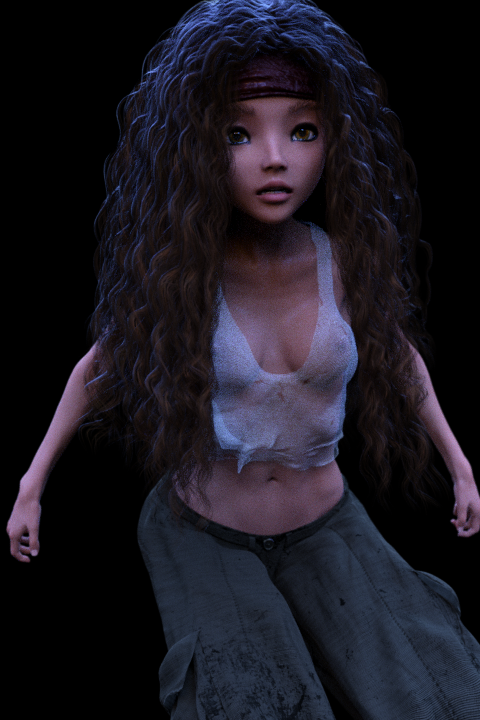 Yep. It's the cost. I simply don't have that kind of dough and the site is currently generating nothing. Probably not enough Carrara users left in this world.
Hey, thanks for the wonderful comments everyone! Just a quick catch-up:
Yes, I'm still here. Just keeping my nose to the grindstone. One of my readers of my Art Studio thread mentioned the new (then) Filament in Daz Studio Beta. Shortly after downloading the beta and trying Filament for myself, the Daz Studio 4.14 General Release came out. Although I can't use Filament (I use a Lot of transparency maps, which just don't work in Filament) I took a real liking to Iray. Then ORK (Octane Render Kit) came out, which really through me for a ride.
Before going on I'd just like to say that I am never leaving Carrara. It's just my Fave!
After getting my hands on Linday's Classic Long, Curly Hair - dForce for Genesis 8 Females, I built a Rosie 8 that I have grown quite fond of. I have a version in Carrara as well as Daz Studio.
Since Genesis 8 works so very well in Daz Studio, and I feel it's about time I got better acquainted with the rendering side of D|S, I'm currently learning my way to animating in Studio with the assistance of Carrara.
Just an important FYI:
Fenric was almost right when he said that the BVH/PZ2 exporter doesn't work with Genesis. The correct part is that it doesn't work for PZ2 export. BVH, however, works Very Well - and Daz Studio imports BVH files like nothing I've ever used - Perfectly!
So lately I've been experimenting with Mimic Pro for Carrara with my Rosie Wr8th (using Misty's amazing preset), which works beautifully - and on just a simple first try!
mindsong and Wendy have been a Huge help in this regard behind the scenes. Thanks both of you for your incredible knowledge and undying support. I couldn't be as far as I am without you!
So I bought Mimic Pro for Carrara back when I bought Carrara - knowing that I would, one day get to the point where I needed my characters to vocalize - communicate with an audience.
I'm a little embarrassed that it took me ten years to get there, but why let something like that stop me now - so I'm not. Rosie's talking, Dartanbeck's got some dialog under way, and this thing is getting real.
RSSY 3Delight And Iray To FilamentAfter applying included light preset RSSY3DIT Environment Settings, I like results better.
Rest of the renders are in the other thread:
Filament is a good tool to discover invisible seams on characters

 [Released] RSSY 3Delight And Iray To Filament [Commercial]
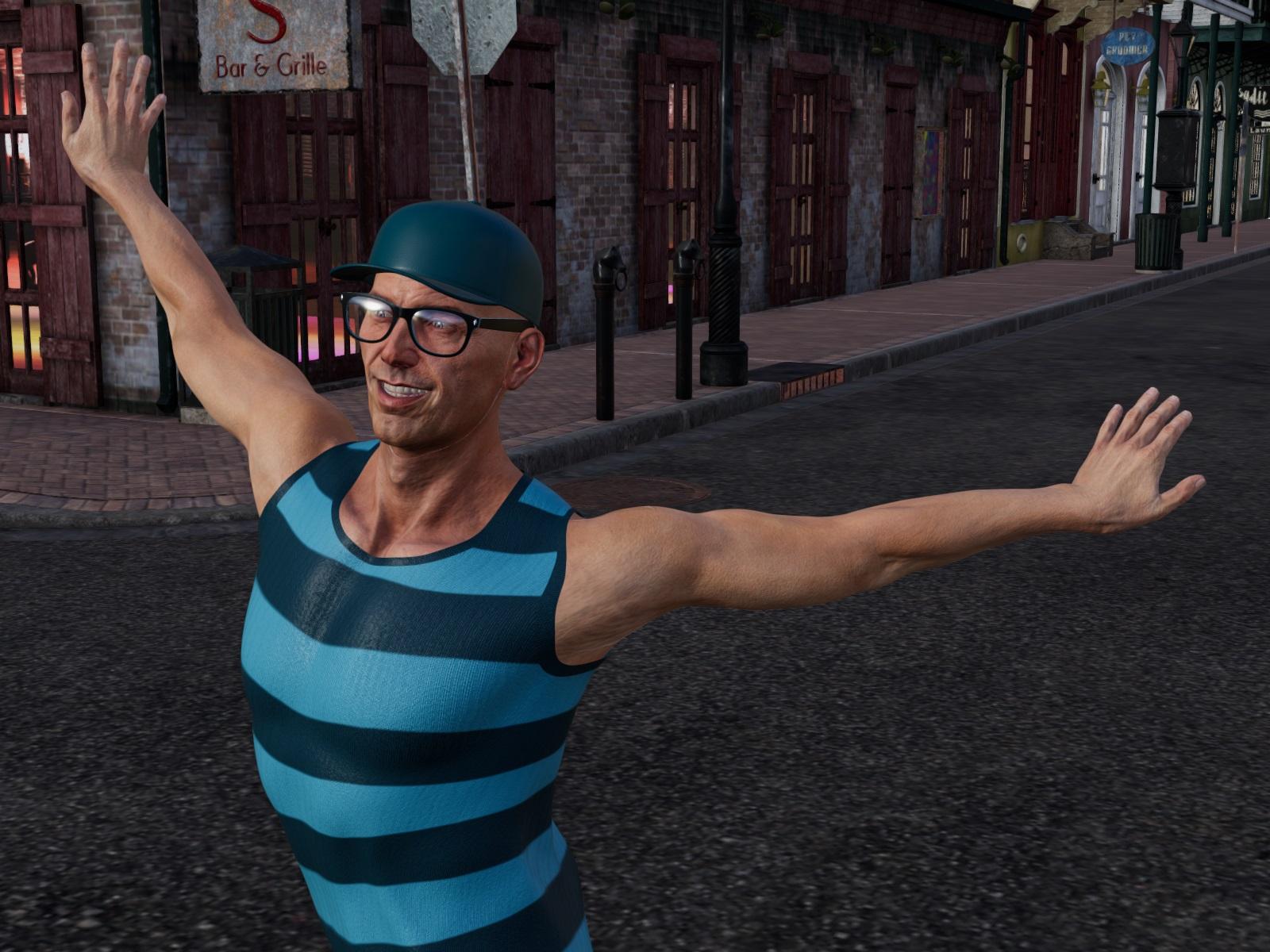
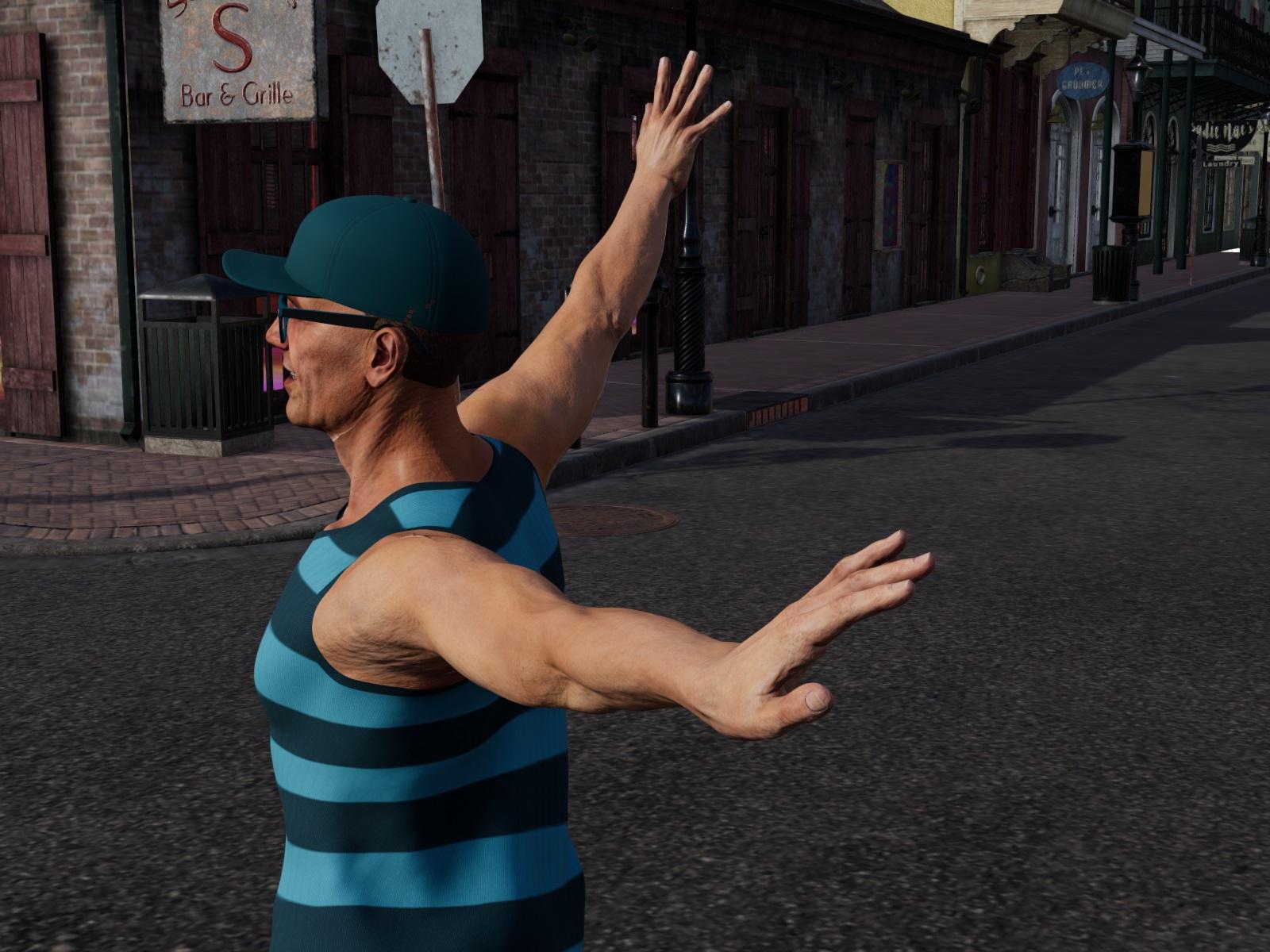
Below is Filament renders of https://www.daz3d.com/christian-8 with https://www.daz3d.com/christian-8-hd-add-on
placed in https://www.daz3d.com/sw-french-quarter--seraphims-corner
This time I have used Light preset RSSY3DIT Environment Settings and I like results better.
Only Filament renders.
Before material conversion:
After material conversion:
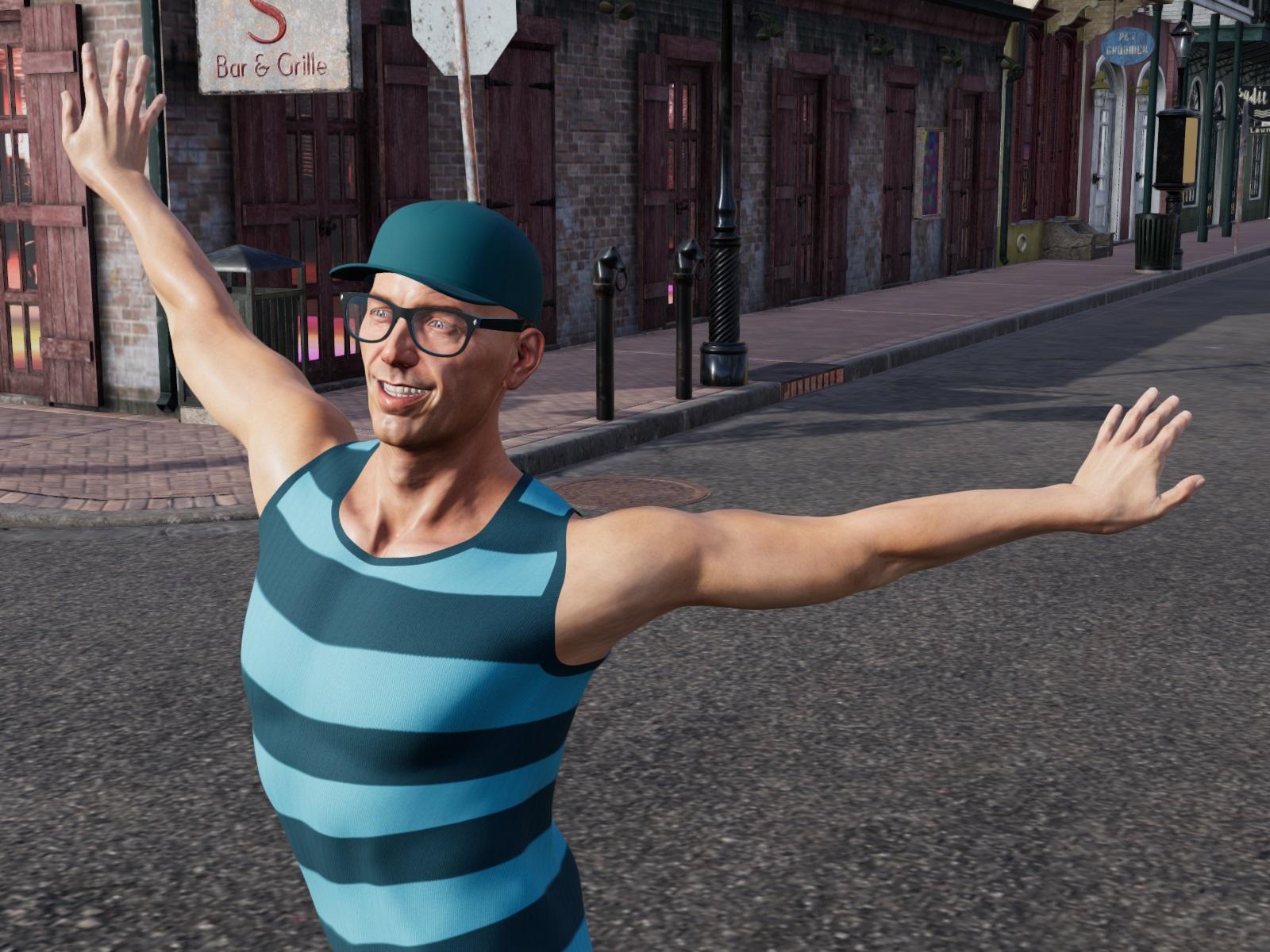
Changed back skin of Christian 8 to iray:
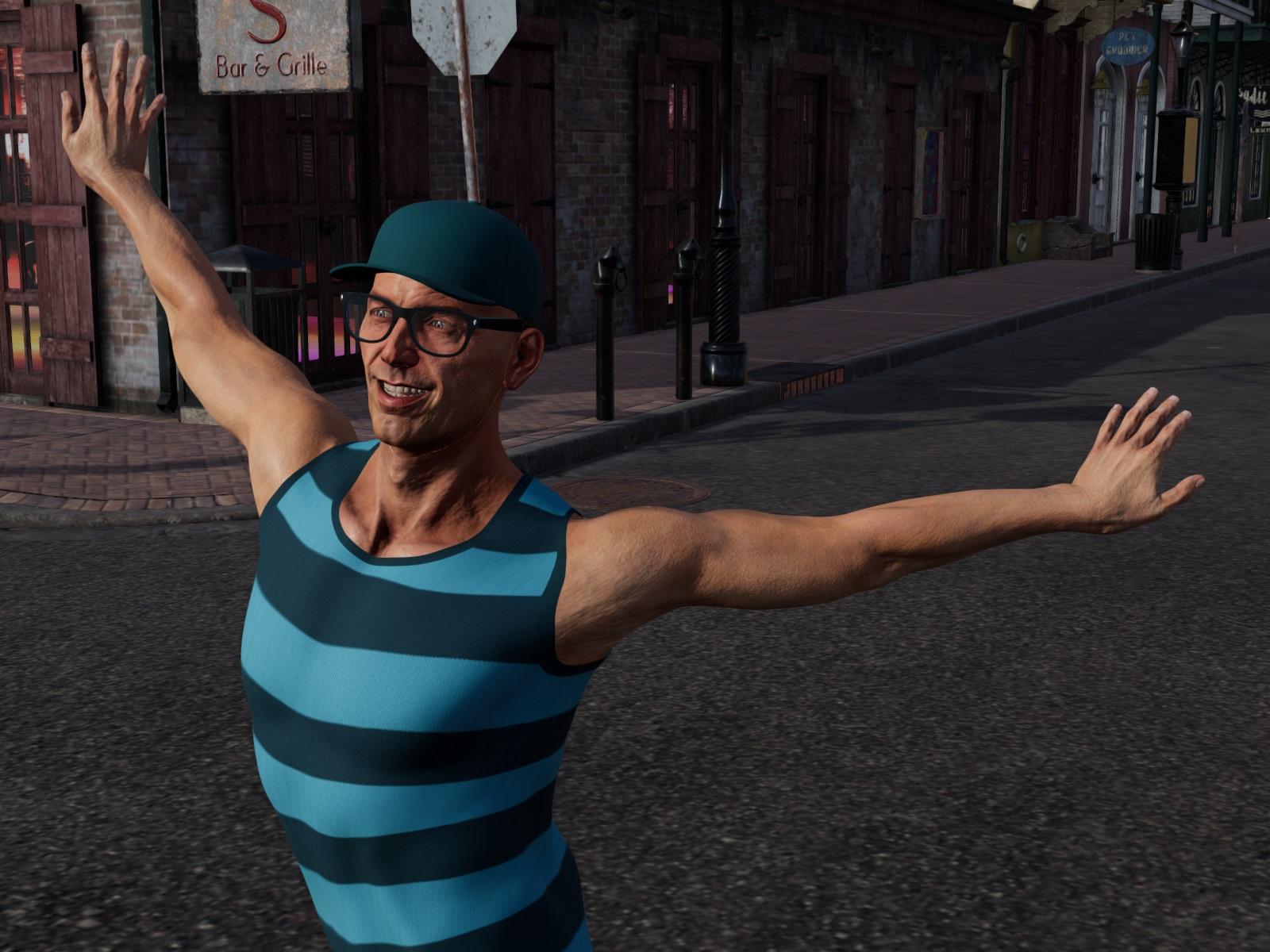
I have noticed something, like a seam on Christian 8 head (invisible in iray)
 Auto Muscle Enhancer HD [Commercial]
Sigurd said:
Thanks TD, I am working on it. I appreciate your honesty. It is nice to have another set of eyes. I had not realized the simian features until you pointed them out. I had an image of Hank McCoy stuck in my head and I think I took it too far. A little too Quest for Fire.
Does this one look like I am on the right track?
Wow, Quest for fire, I actually saw that in the theater! Anyway, I still like the head best on your original post, but this one is definitely better for my tastes. Been playing with some video game characters, textures aren't great, but lend themselves to Filament, so finally posting a Filament render I can live with. This is Becoming Human Chloe, with a 70% AME upgrade feature (G8M in blue, G8F baseline in pink).TD
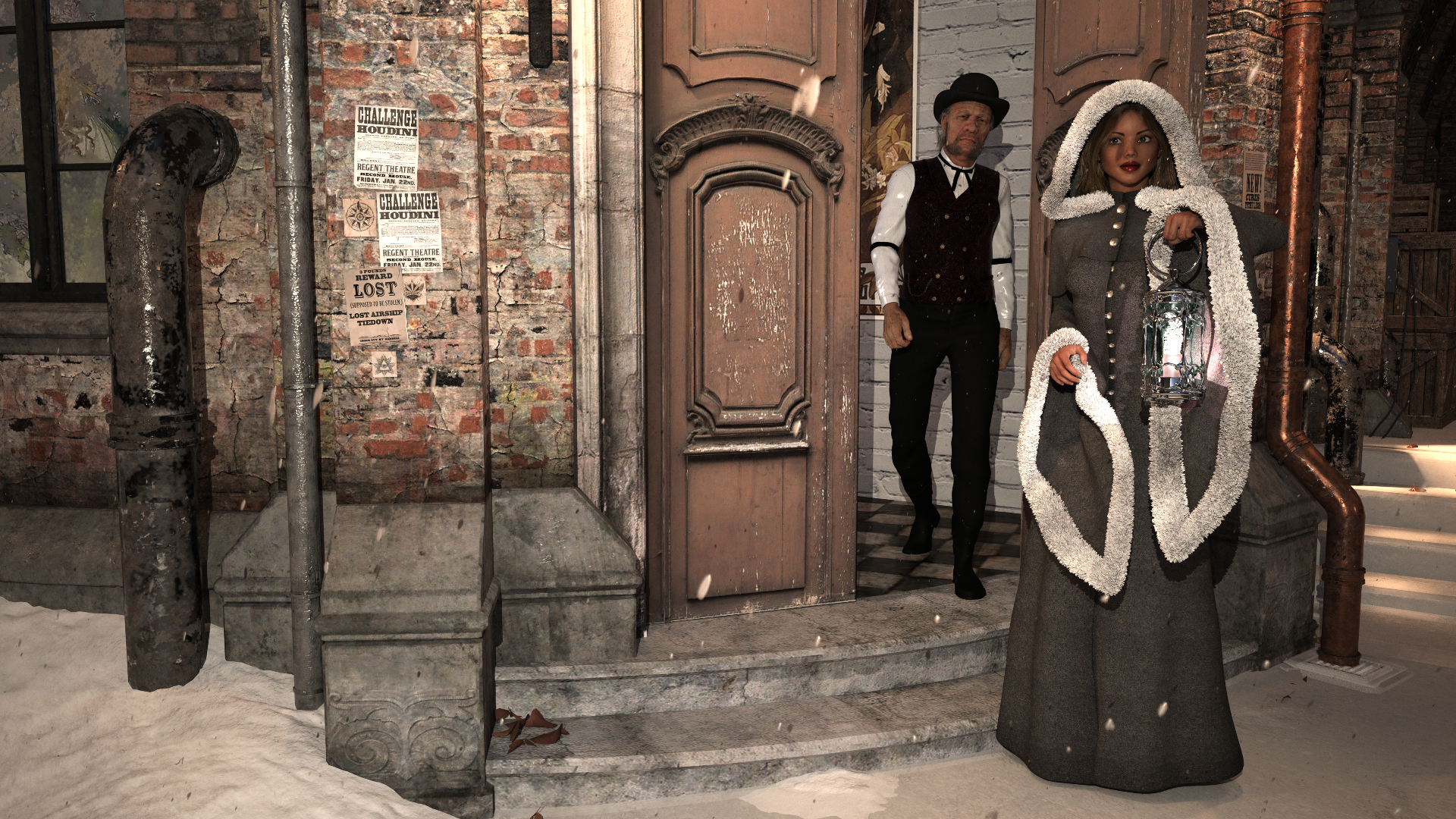
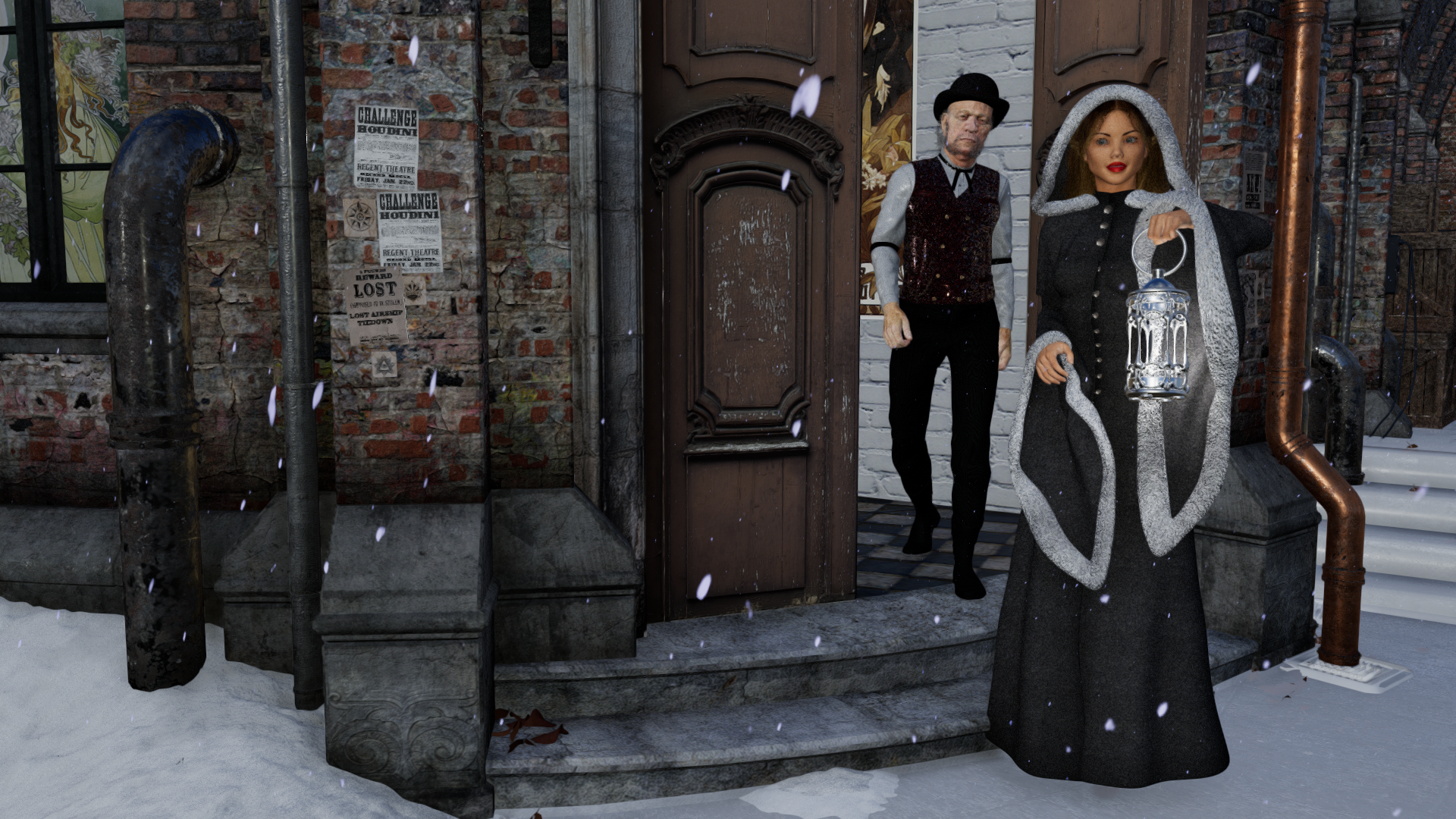
[Released] RSSY 3Delight And Iray To Filament [Commercial]Here is another set of renders done with both Iray and Filament. In ways I actually prefer the filament render.
Iray:
Filament:
 More Non-photorealisitic Renders (NPR II)
juvesatriani said:
I think I like Filament - Daz Outline (script) render and Photoshop combo
That looks nice. I have also wondered if Filament could be used for NPR renders.
Have to explore it myself.
[Released] RSSY 3Delight And Iray To Filament [Commercial]wsterdan said:
Will the script run on the Mac version of DAZ Studio, or does it need the Filament engine itself present?
-- Walt Sterdan
Purchased, answer is "yes".
Daz Studio 4.16[.0.x] Pro, General Release! (*UPDATED*)I'm lucky in that regard. I am a big fan/user of trans maps, so Filament just makes my stuff look like crap anyway.
Being new to trying to actually do image work in Daz Studio (I'm a Carrara nut!) I keep forgetting to save backups of the D|S installers from previous versions. Seems to be okay for me though.
Daz Studio 4.14 Pro, General Release!evilcho_ said:
barbult said:
evilcho_ said:
I just wanted to leave a comment to state my dissatisfaction with the addition of tonemapping and environment options within the scene tab. This is honestly the worst "update". It feels like a huge leap backwards. Why not make this optional? Why force this down everyone's throat? It's a disgusting addition to the Daz Studio and it has no place in the scene tab. I've worked with the new version for some time now and it doesn't get any better with time.
You will also find that the Defaults button on Environment and Tone Mapping in Render Settings no longer work. And if you merge a scene into an existing scene, the Environment Options and Tone Mapper Options of the merged scene overwrite the settings of the existing scene. I wasn't using Filament at the time and didn't test if those options were also overwritten.
That's exactly my issue with it. The merge overwrite is such a huge problem.
Send a help request. Let them know I'm not the only one complainging about this. I don't know if they consider it a bug or a design change. I haven't received a reply to my help request yet.
Daz Studio 4.14 Pro, General Release!barbult said:
evilcho_ said:
I just wanted to leave a comment to state my dissatisfaction with the addition of tonemapping and environment options within the scene tab. This is honestly the worst "update". It feels like a huge leap backwards. Why not make this optional? Why force this down everyone's throat? It's a disgusting addition to the Daz Studio and it has no place in the scene tab. I've worked with the new version for some time now and it doesn't get any better with time.
You will also find that the Defaults button on Environment and Tone Mapping in Render Settings no longer work. And if you merge a scene into an existing scene, the Environment Options and Tone Mapper Options of the merged scene overwrite the settings of the existing scene. I wasn't using Filament at the time and didn't test if those options were also overwritten.
That's exactly my issue with it. The merge overwrite is such a huge problem.
Daz Studio 4.14 Pro, General Release!evilcho_ said:
I just wanted to leave a comment to state my dissatisfaction with the addition of tonemapping and environment options within the scene tab. This is honestly the worst "update". It feels like a huge leap backwards. Why not make this optional? Why force this down everyone's throat? It's a disgusting addition to the Daz Studio and it has no place in the scene tab. I've worked with the new version for some time now and it doesn't get any better with time.
You will also find that the Defaults button on Environment and Tone Mapping in Render Settings no longer work. And if you merge a scene into an existing scene, the Environment Options and Tone Mapper Options of the merged scene overwrite the settings of the existing scene. I wasn't using Filament at the time and didn't test if those options were also overwritten.
Show us your 3Delight rendersHehe I won't upgrade past 4.9. And I have 4.10 beta for dForcing. Might have to reconsider the beta if they eventually port filament over to Mac;) Will make sure I have the 4.10 backupped though. PW Ghost is still working without issues as far as I know.
Show Us Your Iray Renders. Part VIII'll just throw this into the thread because I was amused by it.
I'll point out my use of Filament here because I found it useful. Normally, my Viewport is in Texture shaded mode. I used Filament to quickly visualize the HDRI, the lighting direction of the HDRI... then I did a quick render in Iray.
Filament was super useful, although I did not actually render anything with it.
Anyway, here's Geralt of Rivia with man boobs.
 Daz Studio Pro BETA - version 4.15.0.30! (*UPDATED*)
3Delight still works the same if not better than years ago for what it is worth
and hopefully Filament will see some improvements such as emissive surfaces and better transmapping as that works fine on my machine without a graphics card
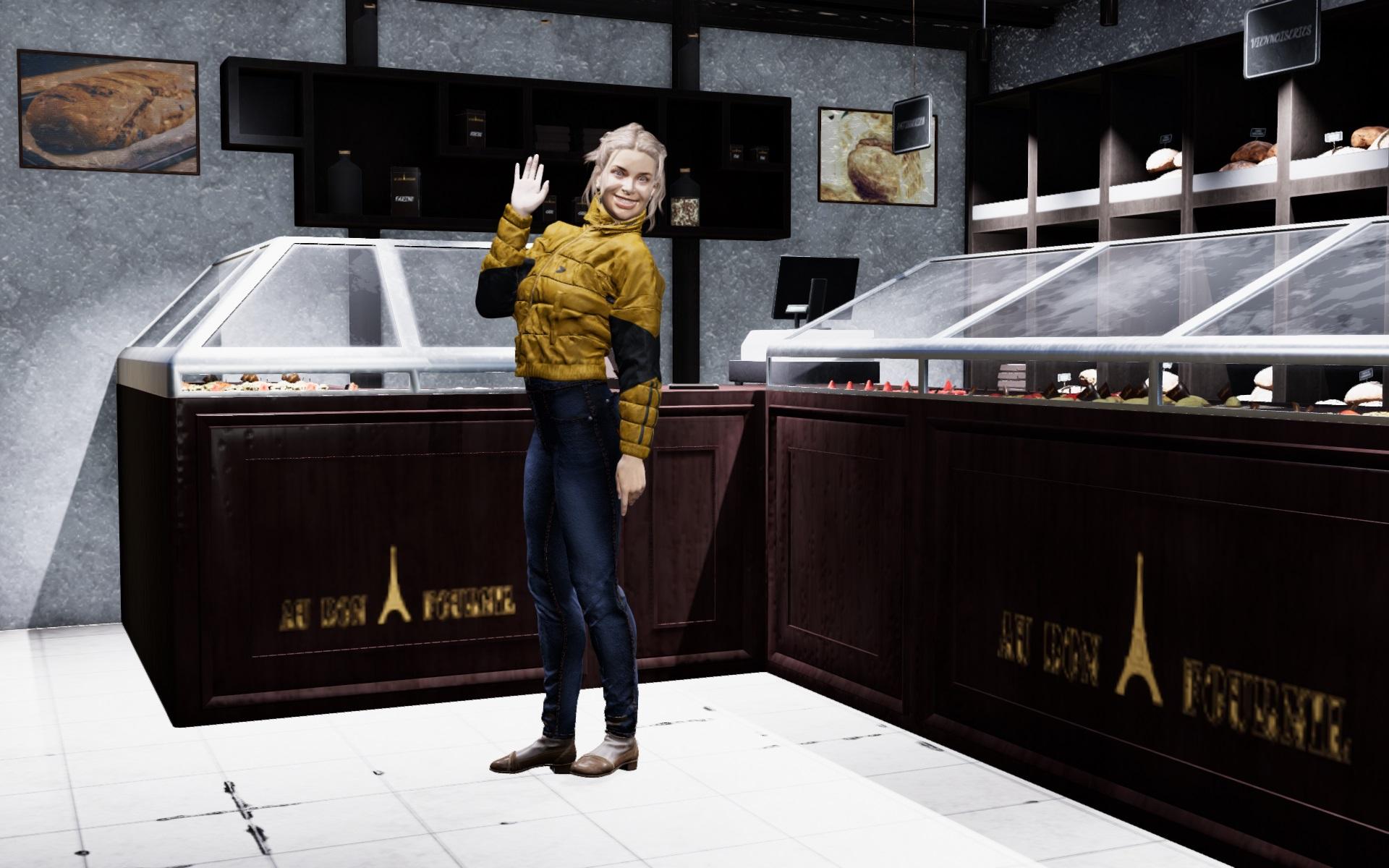
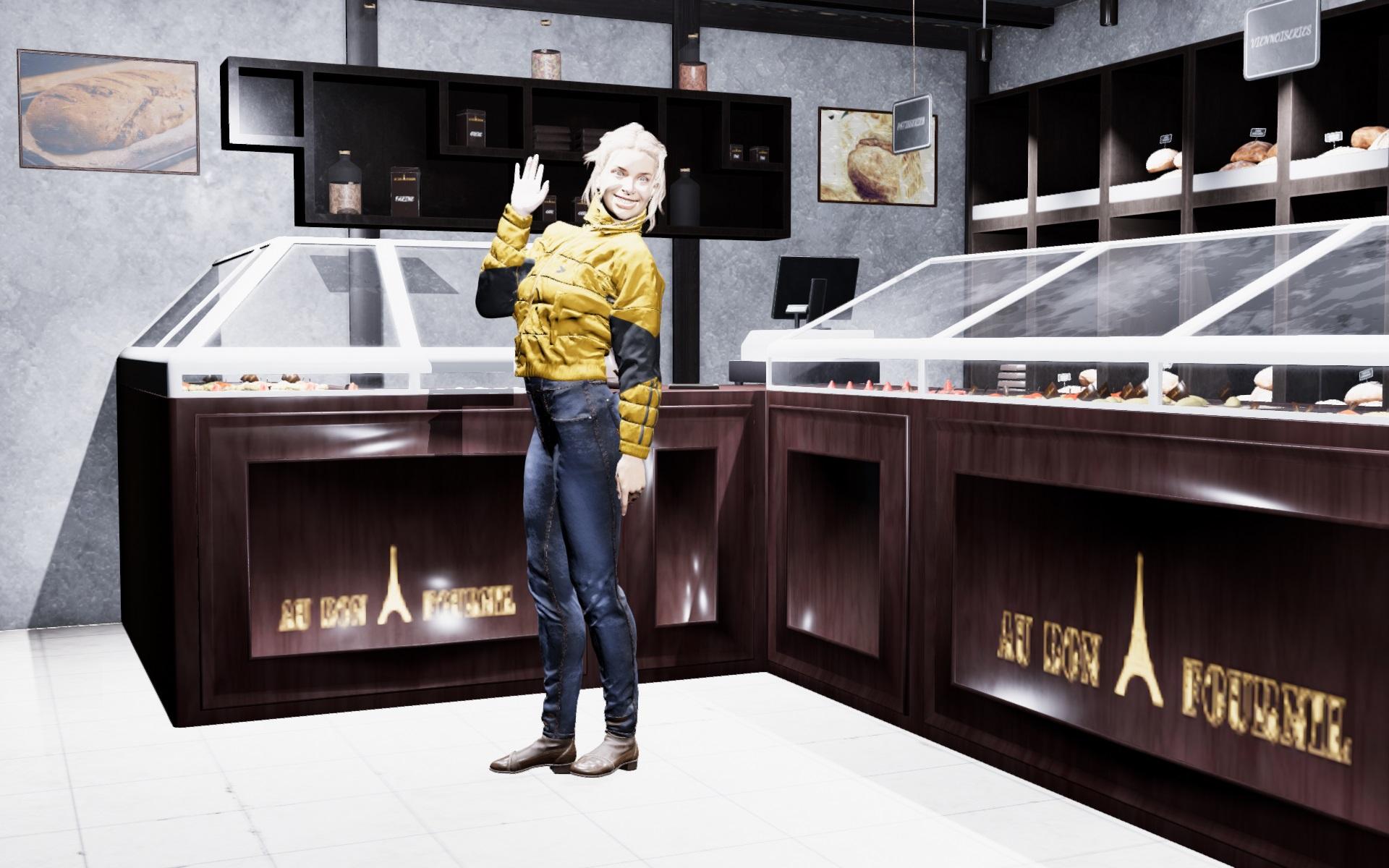
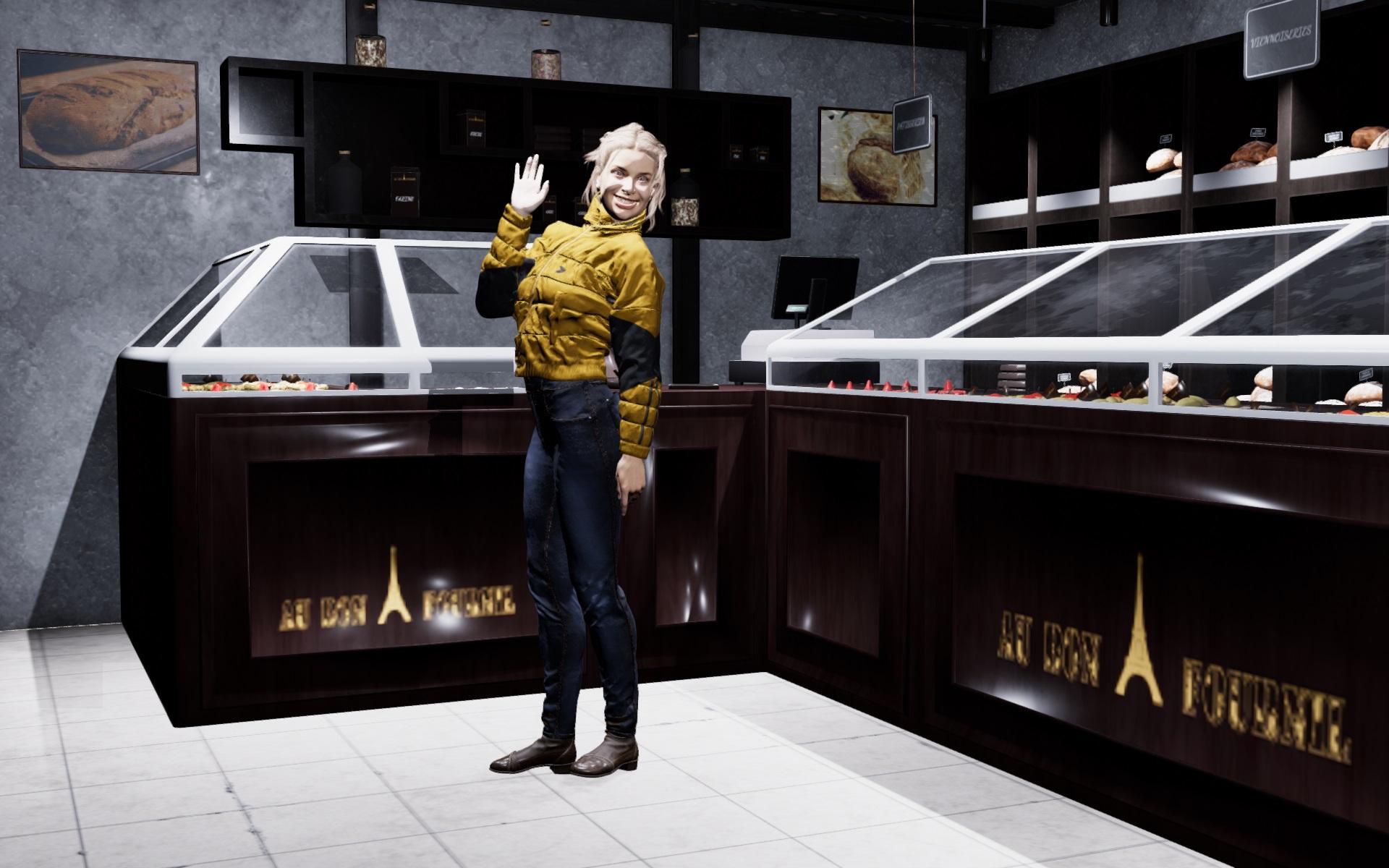
RSSY 3Delight And Iray To FilamentBelow is my trial with filament rendering with iray materials of
https://www.daz3d.com/babina-8
https://www.daz3d.com/ajc-cropped-style-outfit-for-genesis-8-female-s
https://www.daz3d.com/all-season-shoes-for-genesis-8-females
https://www.daz3d.com/layla-hair-for-genesis-3--8-females
https://www.daz3d.com/bakeryOnly filament renders
Before:
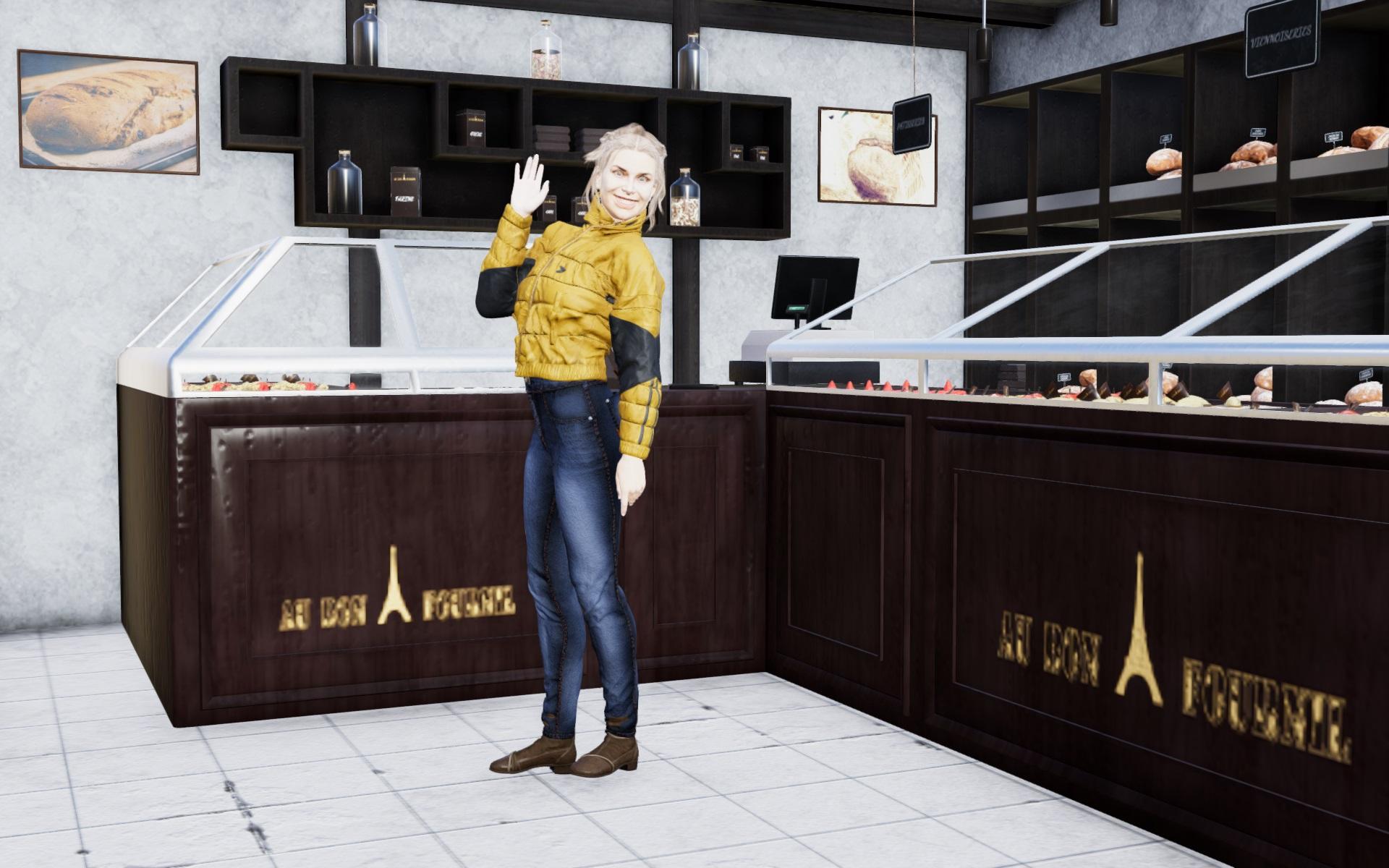
After applying only light settings under Options tab in the script:
After materials change (too bright - Options settings does not help so much):
After turning down ISO setting under Tone Mapping:
Daz 3D is part of

Connect
DAZ Productions, Inc.
7533 S Center View Ct #4664
West Jordan, UT 84084Licensing Agreement | Terms of Service | Privacy Policy | EULA
© 2026 Daz Productions Inc. All Rights Reserved.













