-
Lucas 9!
Looking at Lucas 9 confirms my view , that Genesis 9 is just a plain male figure with a feminie morph add on.
New Year, New Sales Thread: Report Issues Here 2 "Reporting Only"protosynthetic said:
To be fair, the only premier perk explicitly mentioned on the whole sales page is an extra morph via Daz Connect. My guess is that it's intentional.
You missed the small characters:
Tip: Use your Monthly Character Coupon found in your Account Page to get Lucas 9 FREE and complete your collection!
New Year, New Sales Thread: Report Issues Here 2 "Reporting Only"Elor said:
The Premier bundle coupon doesn't work on Lucas: I got a Coupon code is not valid error message when I tried to apply it on a cart with Lucas's bundle.
To be fair, the only premier perk explicitly mentioned on the whole sales page is an extra morph via Daz Connect. My guess is that it's intentional.
Getting on the 9 train, or notSlightly baffled. The whole/only point of male characters in DS for me is for the female characters to run rings around them (as happens at home all too often.. ;) ). No need for a morph transfer for that to happen.
Regards,
Richard
Getting on the 9 train, or notWonderland said:
And there are trans morphs you can purchase that let you make males into females and vice versa with G8. How is G9 really that different?
Transgender Shapes for Genesis 8 ?
It doesn't come close to what G9 offers and it doesn't allow:
- to use morphs from G8F and G8M together (I don't remember if a product is available to do that)
- to use G8F skin with G8M and vice-versa (you need to own a different product)
- to fit G8F clothes on G8M and vice-versa (you'll either have to autofit them, losing some functionnalities in the process, or buy another product)
If I want a character with Micheal's head, Victoria's body and Dain's skin, with Genesis 9, it's a five minutes process:
- Load Genesis 9
- Dial in Michael's Head morph at 100%
- Dial in Victoria's Body morph at 100%
- Load Dain's skin
- Load some clothes
And it's done.
If I decided to do the same with Genesis 8, each step will take more times, especially the first three because I'll have to either transfert the head morph or the body morph to the other gender base but not before doing some planning to decide which way will be the less headache inducing one: do I have the product to use G8M skin on G8F, do I prioritize using bend morphs created for G8F or other morphs created for G8M, which gender will provide the more problematic clothing for my scene (do I want to use high-heels, do I want to use a top clothing item made for G8M, etc), and so on.
I think just creating the fit clone to transfert morph from G8F to G8M / G8M to G8F will likely take more time than the couple of minutes I needed to have a Michael-Victoria G9 character set.
I know I'm using a simple example but adding more morphs to the mix will just make the gap between the time needed to do it with Genesis 9 and Genesis 8 growing bigger, to the disadvantage of the later, not the former.
Help Recreating a Specific Face Look in Daz3Dsjuk1989+nyx said:
Hi everyone,
I’m trying to recreate a specific face look in Daz3D, and I’d love your advice! I’ve attached a reference images. These are AI generated images, but I love the eyes, nose, lips, face shape, eyelashes and just everything about the look and I'd love to recreate it in 3D.
If you know of any characters, morph packs, or third-party resources that might help, please let me know.
I’m completely open to suggestions for:
Base models (Genesis 3, 8, 9, or others).
Morph packs or custom presets that can help me shape the eyes, lips, face, and lashes.
Eyelash add-ons for more customization options.
Skin textures that have soft blush-like details for a natural look.I’m open to using any version of Genesis or any add-ons that you think might work. If you’ve tackled similar projects or have advice on tools for manual adjustments (like individual lash placement), I’d love to hear your tips!
Thanks in advance for your help!

I think if you took one of the FilaToon characters and then used your AI image here to guide you in making your own textures that matched these, you'd have a winner. I agree the look here is great.
Converting "Other" File Formats to Work in DAZ Studiocrosswind said:
Silent Winter said:
crosswind said:
The commonly-used formats for being imported into DS is OBJ / FBX. If using Blender, OBJ format with default settings can work well... only you have to assign texture maps + tweaking material settings on surfaces in DS ~~
If you're regular Blender users, I strongly recommend a pretty good add-on : (Link removed by mod "Blender to Daz Studio")
The latest version can convert and export geometry, weight, texture maps + Principle BSDF material setting for Iray Uber shader, animation, lights / cameras directly to DS.
How does this compare with the Daz to Blender Bridge? Is it mostly useful for figure transfers (with the weightmaps) or for all kinds of things? I like the transfer of materials as it looks straightforward and powerful, but I'm not sure if it's worth $50.
DTB is a bridge for one-way sending Daz assets from DS to Blender. On the contrary, the above add-on can just send assets from Blender to DS, on the fly. They're not really comparable.
Actually this add-on was meant to be mainly developed for the Blender users who create contents for Daz ~~ As for pricing, I used to wish it to be around $35. Personally I don't think it's really worth the price for occasional Blender users.
Thanks. I haven't used the Daz2Blender bridge much but for some reason I thought 'bridge' would go both ways. Rereading about it, I guess it's just a one-way export.
That Blender addon does look good, but what would actually be useful to me is a back-and-forth bridge so changes I make in one program could be sent back to the other and vice-versa.
Still, I'll wishlist that addon in case it goes on sale.
Cheers :)
Converting "Other" File Formats to Work in DAZ StudioSilent Winter said:
crosswind said:
The commonly-used formats for being imported into DS is OBJ / FBX. If using Blender, OBJ format with default settings can work well... only you have to assign texture maps + tweaking material settings on surfaces in DS ~~
If you're regular Blender users, I strongly recommend a pretty good add-on : (Link removed by mod "Blender to Daz Studio")
The latest version can convert and export geometry, weight, texture maps + Principle BSDF material setting for Iray Uber shader, animation, lights / cameras directly to DS.
How does this compare with the Daz to Blender Bridge? Is it mostly useful for figure transfers (with the weightmaps) or for all kinds of things? I like the transfer of materials as it looks straightforward and powerful, but I'm not sure if it's worth $50.
DTB is a bridge for one-way sending Daz assets from DS to Blender. On the contrary, the above add-on can just send assets from Blender to DS, on the fly. They're not really comparable.
Actually this add-on was meant to be mainly developed for the Blender users who create contents for Daz ~~ As for pricing, I used to wish it to be around $35. Personally I don't think it's really worth the price for occasional Blender users.
Converting "Other" File Formats to Work in DAZ Studiocrosswind said:
The commonly-used formats for being imported into DS is OBJ / FBX. If using Blender, OBJ format with default settings can work well... only you have to assign texture maps + tweaking material settings on surfaces in DS ~~
If you're regular Blender users, I strongly recommend a pretty good add-on : (Link removed by mod "Blender to Daz Studio")
The latest version can convert and export geometry, weight, texture maps + Principle BSDF material setting for Iray Uber shader, animation, lights / cameras directly to DS.
How does this compare with the Daz to Blender Bridge? Is it mostly useful for figure transfers (with the weightmaps) or for all kinds of things? I like the transfer of materials as it looks straightforward and powerful, but I'm not sure if it's worth $50.
Getting on the 9 train, or notRawArt said:
The simple fact that really cannot be argued is that the figure is a 3d mesh. As a mesh it can be morphed ito all kinds of shapes (as my library can attest).
If I can morph the mesh on the chest into chest plates, or scales or any other kind of wierd fantasy/alien creature. There is absolutely no reason someone could not make a morph into their desired shape. Default shapes are simply default, they may not appeal to everyone, so if someone wants a specific look, then it can be morphed into it. There are no limitations as to how it can be shaped except how much the person is committed to want their pet preferences.
G9 is the best selling figure daz has put out, so they must have done something right
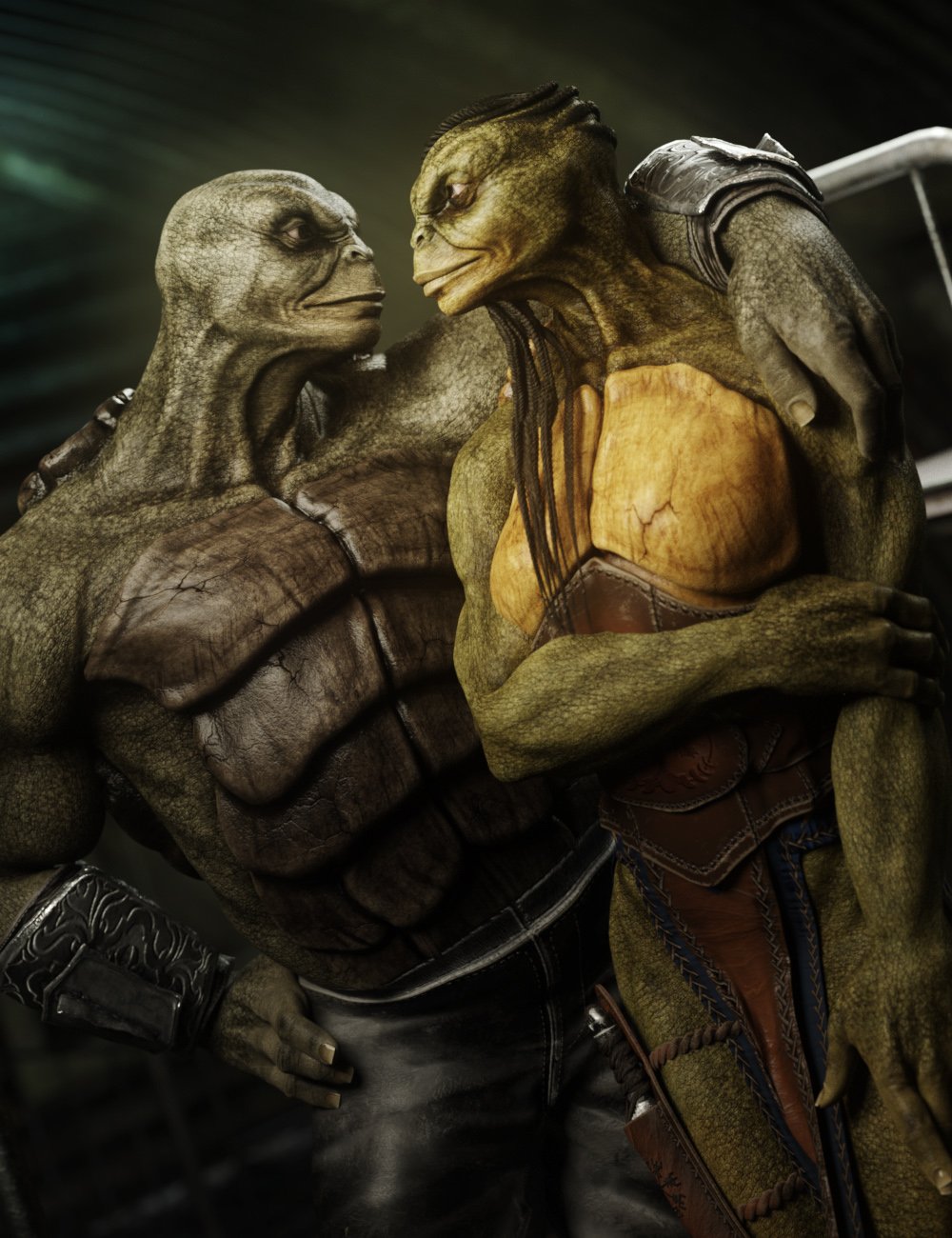
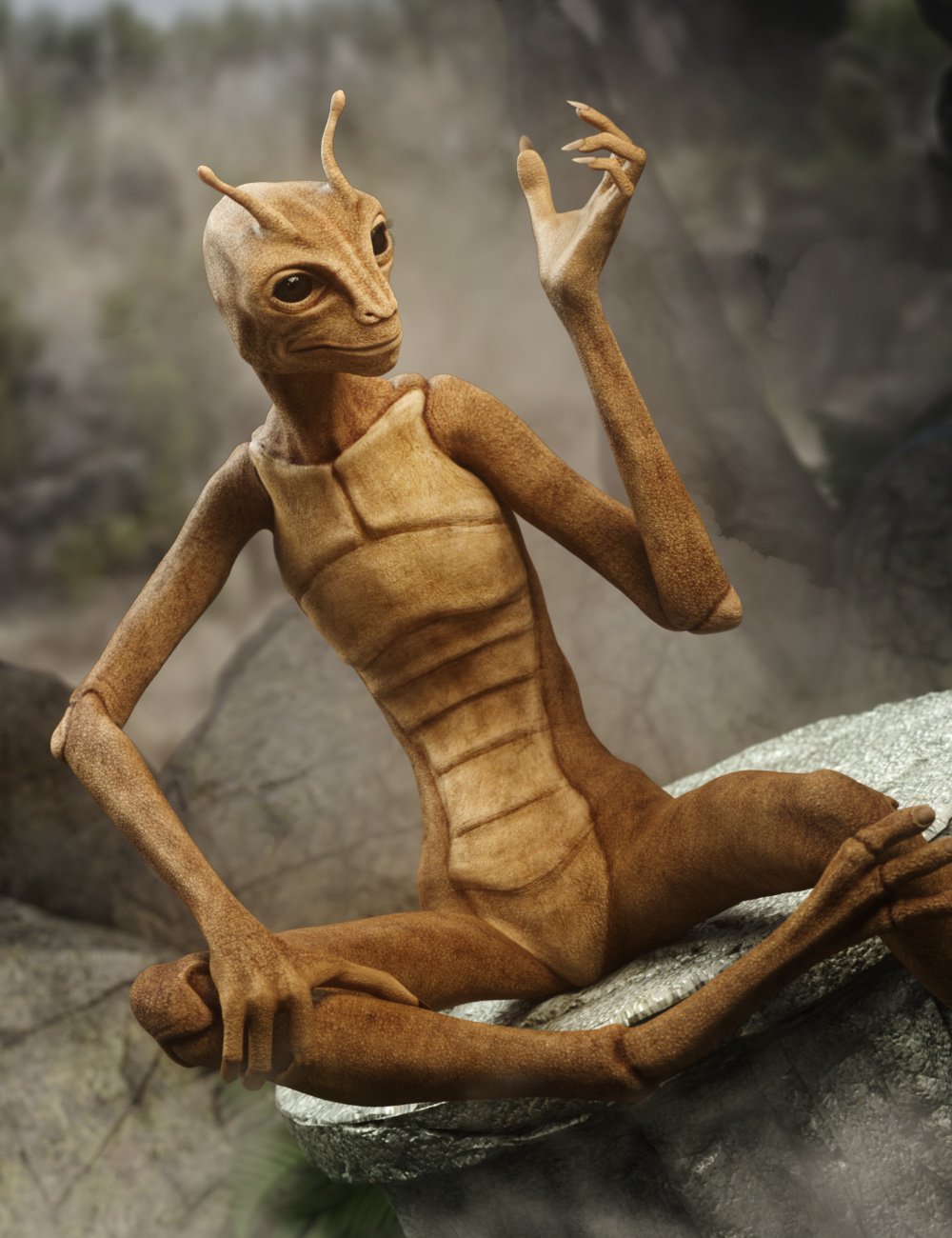
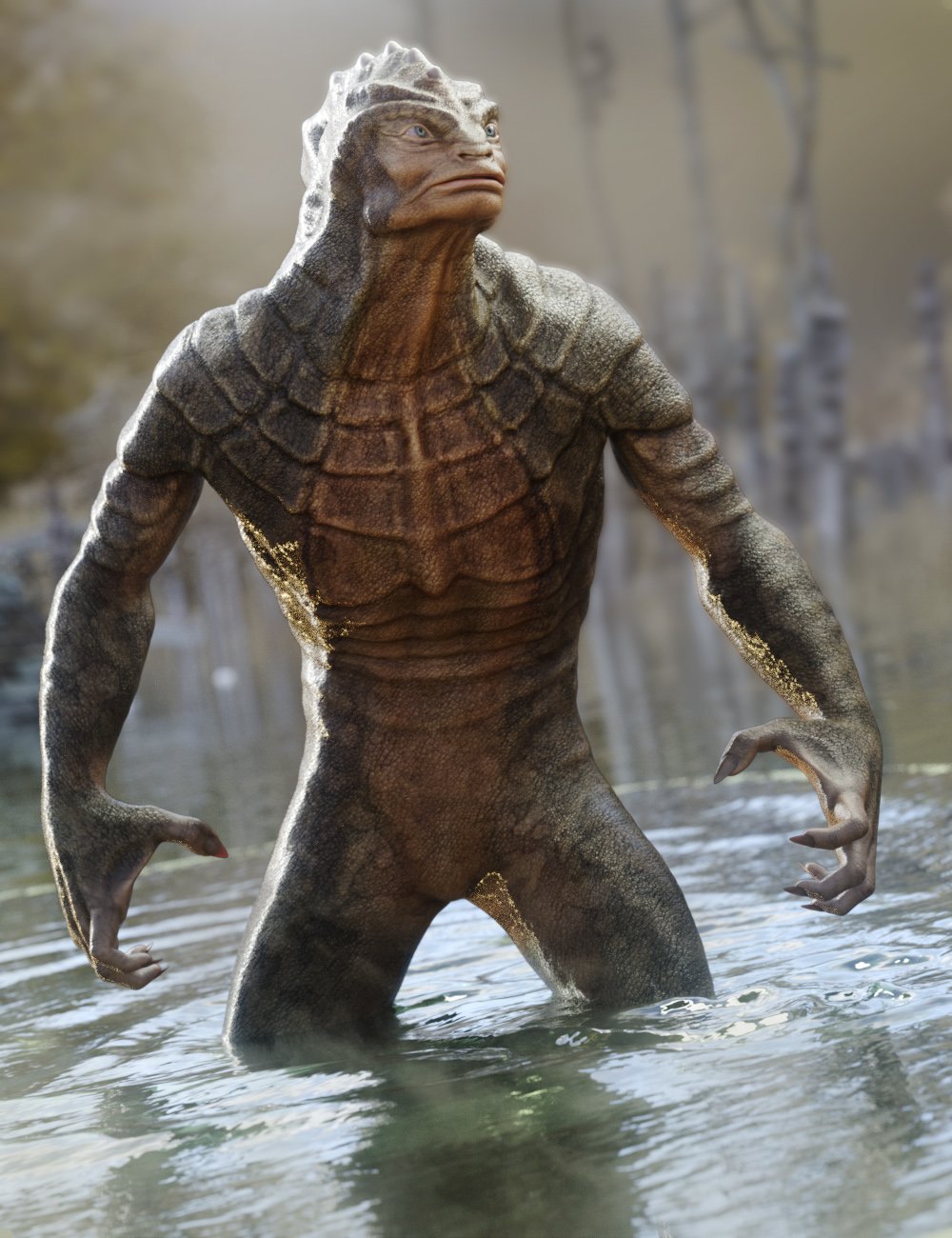

safe to say those chest shapes deviate greatly from the default...so something much more human could be done alot easier than those
But I still don't see how G9 is that superior to G8. You've been creating characters like that since, what was it, G1? You and others did some incredible things with G8. Someone, sorry can't remember who, made a little pink furry hedgehog out of G8F. And there are trans morphs you can purchase that let you make males into females and vice versa with G8. How is G9 really that different? And why aren't more people creating more fantasy creatures? I was really looking forward to new original fantasy or sci-fi characters with G9 but so far there is nothing in the store that different or crazier than what was done with G8. I realize clothes would be an issue with extreme shapes but really imaginative sci-fi or fantasy creatures or animals shouldn't need clothes anyway. Still hoping for cool new original sci-fi/fantasy creatures that aren't creepy or horror but beautiful and exotic. (Hint, hint..
 )Getting on the 9 train, or not
UncannyValet said:
Timbales said:
https://www.daz3d.com/m3d-kalen-hd-for-genesis-9
I'm wondering if the crease an inch or so below his pec is an intentional part of the scupt, a part of the skin texture (normal or bump) or part of the difficulty with G9's chest when not making an adult female figure.
Whatever the cause, it is probably nothing that a vendor could not fix if they wanted to.
I had experienced the same (or similar) issue with a product, but I fixed it before I released it. In my case, which may well be different from the case of the vendor above, the issue arose because there was a crease in that region under the pecs on my character at base resolution. This does lend credence to the idea that G9 might be prone to creating creases in that area, but it also could be lending credence to my own ineptitude.
I did fix the appearance of the crease with a normal map or high res displacement. The proper solution to this problem might be for vendors to make sure that area is smoothed out and there are no creases there at base resolution before they bake normals and displacement maps, otherwise the normals or displacement will be bandaid-ing over the crease that should not be there to begin with. It could also cause issues when both Normals and Displacement/HD morphs are applied at the same time, because each one would have a crease fix baked in; with both active at the same time it would start to project outward.
The fact that the Kalen HD character's crease under the pecs goes outwards (rather than inwards) supports the claim that it is either (a) a normal map or hd morph meant for another character, where the outward detail was originally there to correct for a natural inward crease or (b) the normal map and HD morph may both be applied at the same time and doubling up the crease fix, resulting in an outward crease.
I did buy your Vadim character and I think you've done the most successful job with the area I find problematic with Genesis 9 with your HD morph.
I don't usually use characters as presented. I like to mix them and change things up with the various morph packages I have purchased from vendors to make them my own. But that doesn't work with G9 because everyone handles the breasts differently, and there are no more morph packages available for me to buy to do anything about the creases I don't like. It's been 2+ years now, I don't think that's gong to change.
To be clear, I don't feel this is your issue to fix and I dont think it's you need to do anything more than the art you want to make.
I just need to chalk it up to a loss and move on, though I hope to use Vadim for a story.
Help looking for a skin/Modelcrosswind said:
The base seems Teen Josie 7 / Teen Josie 8, and / or Josie's alt. characters plus some tweaking / blending with the head morphs.... but not Josie 9. Skin textures can also be easily modified / retouched. An example : https://www.daz3d.com/paisley-for-teen-josie-8
Texture maps / UVs made for G3F, V7, G8F can be set and/or exchanged from one another, or simply convert by using Map Transfer in DS.
Wow so like kinda wild, I didn't see this comment til just now but actually came to the same conclusion after searching random Venders for days lol! That's awesome!
Help Recreating a Specific Face Look in Daz3DHi everyone,
I’m trying to recreate a specific face look in Daz3D, and I’d love your advice! I’ve attached a reference images. These are AI generated images, but I love the eyes, nose, lips, face shape, eyelashes and just everything about the look and I'd love to recreate it in 3D.
If you know of any characters, morph packs, or third-party resources that might help, please let me know.
I’m completely open to suggestions for:
Base models (Genesis 3, 8, 9, or others).
Morph packs or custom presets that can help me shape the eyes, lips, face, and lashes.
Eyelash add-ons for more customization options.
Skin textures that have soft blush-like details for a natural look.I’m open to using any version of Genesis or any add-ons that you think might work. If you’ve tackled similar projects or have advice on tools for manual adjustments (like individual lash placement), I’d love to hear your tips!
Thanks in advance for your help!
The Mecha SagittariusThat sounds like an interesting challenge to create, to be honest. Can I ask which centaur & which horse you use most, as I'll need to get them for doing & testing the script?
My DS PC is not working at the moment, but I can work on the script when I do get it going. I presume the poses causing the most difficulty are the ones where the horse is rearing, and you want the centaur torso to remain reasonably upright regardless of the horse's shoulder angle. Will lead to an interesting range of assumptions going into the pose transfer.
Regards,
Richard.
Mirroring Conforming Clothing GeometryYea, no problem ! Actually that'll be simple:
After exporting / importing OBJ (Base Resolution !), go to : Edit > Object > Transfer Utility, rig the mirrored object with the settings in below ss1.
Then, if there're adjustment morphs as well as corrective morphs on the original leg bag, dial the adjustment morphs on the original right leg bag with mirrored status ! Export it to OBJ, import OBJ to the newly-rigged left leg back with Morph Loader Pro, in below ss2 ~ 3. Do the same for the corrective morphs but the relevant pose needs to be dialed firstly ~~ (I'm one of Jay's fans but I don't think Jay has ever given a relevant tutorial about this workflow, IIRC....
 )
)But if you find this workflow cumbersome, you also can consider using this product, which automates the whole process : https://www.daz3d.com/mirror-geometry (only there're 3 products for G3, G8, G9...)
The Mecha SagittariusMatt_Castle said:
richardandtracy said:
(I realised you can with a script transfer horse poses to a centaur as well as human poses - slow is what I am.)
If you have a script for that, I certainly wouldn't mind having better access to the Horse poses on the centaurs.
If you select the "Centuar Body" before applying the pose you can use any of the Horse 2 poses ,then you just apply human poses to the upper body......
Quads vs Triangles (or other n-gons)riftwitch said:
Mada said:
1. You get better subdivision results with quad mesh. Triangles can cause irregularities, pinching, or distortion when subdivided, leading to artifacts in the mesh.
2. Quads deform more predictably when rigged and animated.
3. Quads provide a clearer, more logical flow of edge loops - essential for modeling and making adjustments to the mesh.
So the question would be - are you planning to morph the item or create JCMs? Use subdivision on it? If not - triangles should work fine
Thanks, that helps. The item works as is, but I want to add some geometry to cover specific areas of my character. I'll play around on my day off and see what happens.
After working on the clothing a bit last night, it looks like it's going to be a lot of work to accomplish what I want to do. I may have better results using a custom transmap on a different item that already covers the area I need covered.
Mirroring Conforming Clothing Geometrycrosswind said:
Export the mirrored leg bag to OBJ, import OBJ. Rig it to Genesis figure with Transfer Utility.
Thanks! I haven't used the Transfer Utility yet, but I'll find one of Jay's tutorials and give it a shot.
Mirroring Conforming Clothing GeometryExport the mirrored leg bag to OBJ, import OBJ. Rig it to Genesis figure with Transfer Utility.
The Mecha SagittariusWill confess I don't. The reason being that I have the DAZ millenium horse & no other - my characters are even worse riders than I am.
I've done a number of pose transfer scripts, and creating the script to do the job is not very hard, but it is a slog. I'll use my freebie V4 to G8F pose transfer script as an example. The script can be downloaded here: https://www.daz3d.com/forums/discussion/448391/v4-a4-pose-transfer-to-g8f
Just a definition: Source character - the original character for the pose. Destination Character: The one you want to transfer the pose to. In the example I'm using the source is V4, the destination is G8F. To operate the script you need two characters. Apply the pose to the source character. Then run the script & select the source & destination characters. The destination will move to match the source character.
To get the pose to be transferred, in effect you need to move the destination character into the source character's zero pose, then add the source pose onto that. There is a little complication in that with some generations there seems to be a little linkage between the feet & the shin (eg G2F) and the size of a degree of bend is slightly different between the generations (once again G2F is an oddity here). The destination figure has an offset value to get to the source zero, and then a source angular scale factor. This can be summarised as:
Destination limb angle = Zero offset + Pose angle * scale factor.
Sometimes the scale factor is -1 (eg V4 to G8F eyes) and sometimes the limb names are different. So, here is the script code for converting G8F's hip position to match V4's hip position:
		//Hip
        //Set V4 skeleton to look at V4 Hip. Note the text case MUST be correct for every letter.
		oNodeV4 = oSkeletonV4.findBoneByLabel("hip");
        //Set G8F skeleton to G8F's Hip. Note text case MUST be right
		oNodeG8F = oSkeletonG8F.findBoneByLabel("Hip");
        //First, the whole hip translate (Translate is not needed for most bones)
        //Note the V4 name for the X Translate Label
		oZRotCtrlV4 = oNodeV4.findPropertyByLabel("xTranslate");
		nZRotV4 = oZRotCtrlV4.getValue();
        //Now set the correct destination property. The label is different between generations
		oZRotCtrlG8F = oNodeG8F.findPropertyByLabel("X Translate");
        //Now set the G8F's translation value
		oZRotCtrlG8F.setValue(nZRotV4);
        //That's the X Translate complete. Now to start on the Y Translate followed by Z Translate
		oZRotCtrlV4 = oNodeV4.findPropertyByLabel("yTranslate");
		nZRotV4 = oZRotCtrlV4.getValue();
		oZRotCtrlG8F = oNodeG8F.findPropertyByLabel("Y Translate");
		oZRotCtrlG8F.setValue(nZRotV4);
		oZRotCtrlV4 = oNodeV4.findPropertyByLabel("zTranslate");
		nZRotV4 = oZRotCtrlV4.getValue();
		oZRotCtrlG8F = oNodeG8F.findPropertyByLabel("Z Translate");
		oZRotCtrlG8F.setValue(nZRotV4);
		oZRotCtrlV4 = oNodeV4.findPropertyByLabel("xRotate");
		nZRotV4 = oZRotCtrlV4.getValue();
		oZRotCtrlG8F = oNodeG8F.findPropertyByLabel("X Rotate");
		oZRotCtrlG8F.setValue(nZRotV4);
		oZRotCtrlV4 = oNodeV4.findPropertyByLabel("yRotate");
		nZRotV4 = oZRotCtrlV4.getValue();
		oZRotCtrlG8F = oNodeG8F.findPropertyByLabel("Y Rotate");
		oZRotCtrlG8F.setValue(nZRotV4);
		oZRotCtrlV4 = oNodeV4.findPropertyByLabel("zRotate");
		nZRotV4 = oZRotCtrlV4.getValue();
		oZRotCtrlG8F = oNodeG8F.findPropertyByLabel("Z Rotate");
		oZRotCtrlG8F.setValue(nZRotV4);
		oZRotCtrlV4 = oNodeV4.findPropertyByLabel("Scale (xyz)");
		nZRotV4 = oZRotCtrlV4.getValue();
		oZRotCtrlG8F = oNodeG8F.findPropertyByLabel("Scale");
		oZRotCtrlG8F.setValue(nZRotV4);
		oZRotCtrlV4 = oNodeV4.findPropertyByLabel("xScale");
		nZRotV4 = oZRotCtrlV4.getValue();
		oZRotCtrlG8F = oNodeG8F.findPropertyByLabel("X Scale");
		oZRotCtrlG8F.setValue(nZRotV4);
		oZRotCtrlV4 = oNodeV4.findPropertyByLabel("yScale");
		nZRotV4 = oZRotCtrlV4.getValue();
		oZRotCtrlG8F = oNodeG8F.findPropertyByLabel("Y Scale");
		oZRotCtrlG8F.setValue(nZRotV4);
		oZRotCtrlV4 = oNodeV4.findPropertyByLabel("zScale");
		nZRotV4 = oZRotCtrlV4.getValue();
		oZRotCtrlG8F = oNodeG8F.findPropertyByLabel("Z Scale");
		oZRotCtrlG8F.setValue(nZRotV4);
This is very simple, start at the hip, find all the properties that can be affected by the pose and step by step and build on it. This goes on in a similar manner for 2000 lines...
OK, it's the brute ignorance & force method of programming, but it can work. To make it work for a Centaur, you'd have the appropriate equine as the source, and the centaur as the destination. If I had any idea of how many scripts I was going to do when I started, I'd have spent a bit extra thinking time to work out an ASCII text file of the source names & destination names and gone for it that way.
In the case of V3 where there are some buttocks as well as a thigh, you need to add split out some of the buttock bent into the G8F pelvis and put the remainder on the thigh. Also, where 1 source bone maps onto two destination bones, (eg V4 abdomen onto G8F's Abdomen Lower and Abdomen Upper) then I tend to use half the destination bend on each, and that matches quite well.
Hope this helps if you want to DIY.
Regards,
Richard
Daz 3D is part of

Connect
DAZ Productions, Inc.
7533 S Center View Ct #4664
West Jordan, UT 84084Licensing Agreement | Terms of Service | Privacy Policy | EULA
© 2026 Daz Productions Inc. All Rights Reserved.